2005 HYUNDAI TUCSON ignition
[x] Cancel search: ignitionPage 121 of 273
1FEATURES OF YOUR HYUNDAI
110
!
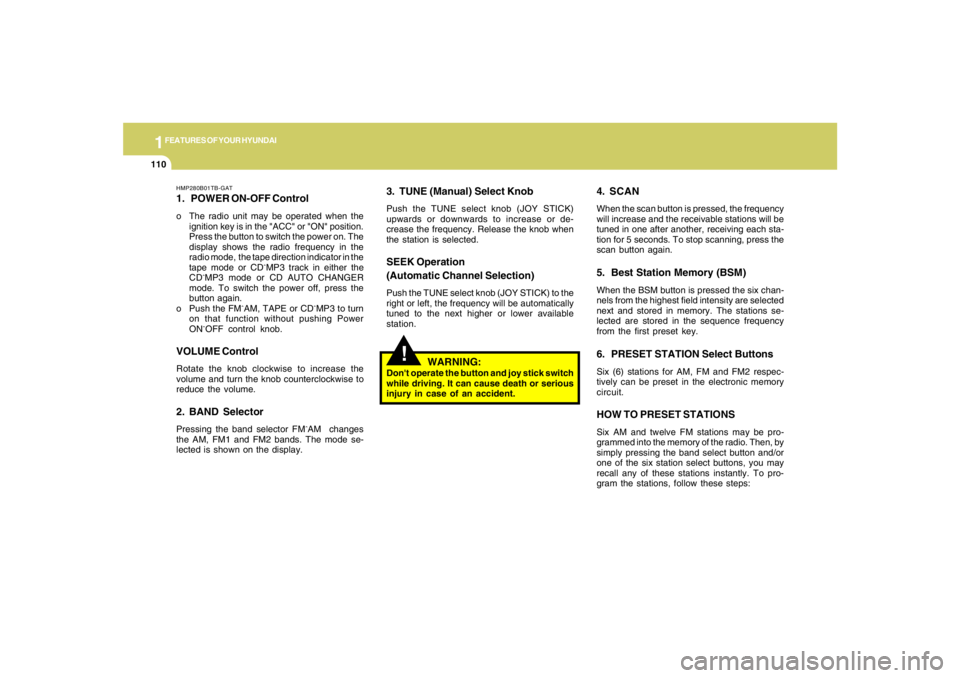
HMP280B01TB-GAT1. POWER ON-OFF Controlo The radio unit may be operated when the
ignition key is in the "ACC" or "ON" position.
Press the button to switch the power on. The
display shows the radio frequency in the
radio mode, the tape direction indicator in the
tape mode or CD
ˆMP3 track in either the
CD
ˆMP3 mode or CD AUTO CHANGER
mode. To switch the power off, press the
button again.
o Push the FM
ˆAM, TAPE or CD
ˆMP3 to turn
on that function without pushing Power
ON
ˆOFF control knob.
VOLUME ControlRotate the knob clockwise to increase the
volume and turn the knob counterclockwise to
reduce the volume.2. BAND SelectorPressing the band selector FM
ˆAM changes
the AM, FM1 and FM2 bands. The mode se-
lected is shown on the display.
3. TUNE (Manual) Select KnobPush the TUNE select knob (JOY STICK)
upwards or downwards to increase or de-
crease the frequency. Release the knob when
the station is selected.SEEK Operation
(Automatic Channel Selection)Push the TUNE select knob (JOY STICK) to the
right or left, the frequency will be automatically
tuned to the next higher or lower available
station.
4. SCANWhen the scan button is pressed, the frequency
will increase and the receivable stations will be
tuned in one after another, receiving each sta-
tion for 5 seconds. To stop scanning, press the
scan button again.5. Best Station Memory (BSM)When the BSM button is pressed the six chan-
nels from the highest field intensity are selected
next and stored in memory. The stations se-
lected are stored in the sequence frequency
from the first preset key.6. PRESET STATION Select ButtonsSix (6) stations for AM, FM and FM2 respec-
tively can be preset in the electronic memory
circuit.HOW TO PRESET STATIONSSix AM and twelve FM stations may be pro-
grammed into the memory of the radio. Then, by
simply pressing the band select button and/or
one of the six station select buttons, you may
recall any of these stations instantly. To pro-
gram the stations, follow these steps:
WARNING:
Don't operate the button and joy stick switch
while driving. It can cause death or serious
injury in case of an accident.
Page 127 of 273
1FEATURES OF YOUR HYUNDAI
116
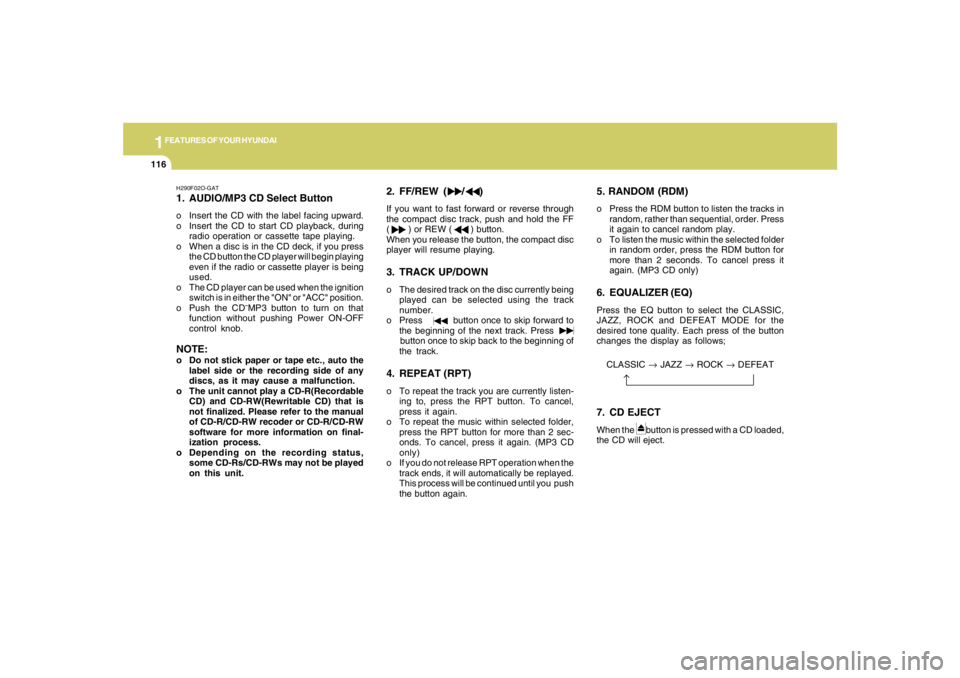
H290F02O-GAT1. AUDIO/MP3 CD Select Buttono Insert the CD with the label facing upward.
o Insert the CD to start CD playback, during
radio operation or cassette tape playing.
o When a disc is in the CD deck, if you press
the CD button the CD player will begin playing
even if the radio or cassette player is being
used.
o The CD player can be used when the ignition
switch is in either the "ON" or "ACC" position.
o Push the CD
˜MP3 button to turn on that
function without pushing Power ON-OFF
control knob.
NOTE:o Do not stick paper or tape etc., auto the
label side or the recording side of any
discs, as it may cause a malfunction.
o The unit cannot play a CD-R(Recordable
CD) and CD-RW(Rewritable CD) that is
not finalized. Please refer to the manual
of CD-R/CD-RW recoder or CD-R/CD-RW
software for more information on final-
ization process.
o Depending on the recording status,
some CD-Rs/CD-RWs may not be played
on this unit.
2. FF/REW ( / )If you want to fast forward or reverse through
the compact disc track, push and hold the FF
( ) or REW ( ) button.
When you release the button, the compact disc
player will resume playing.3. TRACK UP/DOWNo The desired track on the disc currently being
played can be selected using the track
number.
o Press button once to skip forward to
the beginning of the next track. Press
button once to skip back to the beginning of
the track.4. REPEAT (RPT)o To repeat the track you are currently listen-
ing to, press the RPT button. To cancel,
press it again.
o To repeat the music within selected folder,
press the RPT button for more than 2 sec-
onds. To cancel, press it again. (MP3 CD
only)
o If you do not release RPT operation when the
track ends, it will automatically be replayed.
This process will be continued until you push
the button again.
5. RANDOM (RDM)o Press the RDM button to listen the tracks in
random, rather than sequential, order. Press
it again to cancel random play.
o To listen the music within the selected folder
in random order, press the RDM button for
more than 2 seconds. To cancel press it
again. (MP3 CD only)6. EQUALIZER (EQ)Press the EQ button to select the CLASSIC,
JAZZ, ROCK and DEFEAT MODE for the
desired tone quality. Each press of the button
changes the display as follows;CLASSIC → JAZZ → ROCK → DEFEAT7. CD EJECTWhen the button is pressed with a CD loaded,
the CD will eject.
Page 135 of 273
1FEATURES OF YOUR HYUNDAI
124
CLASSIC → JAZZ → ROCK → DEFEAT
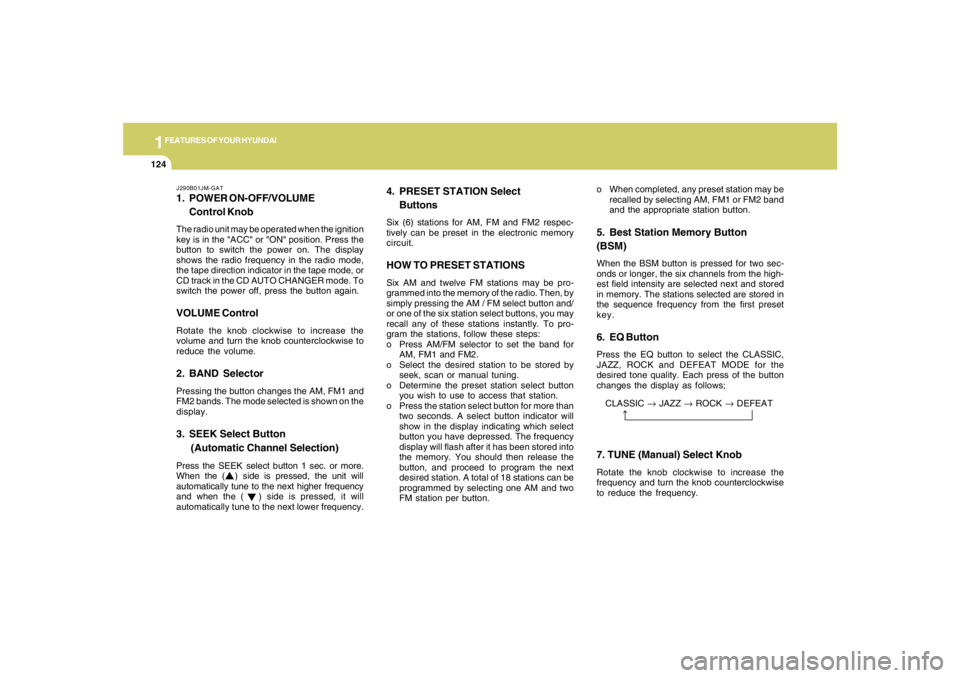
J290B01JM-GAT1. POWER ON-OFF/VOLUME
Control KnobThe radio unit may be operated when the ignition
key is in the "ACC" or "ON" position. Press the
button to switch the power on. The display
shows the radio frequency in the radio mode,
the tape direction indicator in the tape mode, or
CD track in the CD AUTO CHANGER mode. To
switch the power off, press the button again.VOLUME ControlRotate the knob clockwise to increase the
volume and turn the knob counterclockwise to
reduce the volume.2. BAND SelectorPressing the button changes the AM, FM1 and
FM2 bands. The mode selected is shown on the
display.3. SEEK Select Button
(Automatic Channel Selection)Press the SEEK select button 1 sec. or more.
When the ( ) side is pressed, the unit will
automatically tune to the next higher frequency
and when the ( ) side is pressed, it will
automatically tune to the next lower frequency.o When completed, any preset station may be
recalled by selecting AM, FM1 or FM2 band
and the appropriate station button.
5. Best Station Memory Button
(BSM)When the BSM button is pressed for two sec-
onds or longer, the six channels from the high-
est field intensity are selected next and stored
in memory. The stations selected are stored in
the sequence frequency from the first preset
key.6. EQ ButtonPress the EQ button to select the CLASSIC,
JAZZ, ROCK and DEFEAT MODE for the
desired tone quality. Each press of the button
changes the display as follows;
4. PRESET STATION Select
ButtonsSix (6) stations for AM, FM and FM2 respec-
tively can be preset in the electronic memory
circuit.HOW TO PRESET STATIONSSix AM and twelve FM stations may be pro-
grammed into the memory of the radio. Then, by
simply pressing the AM / FM select button and/
or one of the six station select buttons, you may
recall any of these stations instantly. To pro-
gram the stations, follow these steps:
o Press AM/FM selector to set the band for
AM, FM1 and FM2.
o Select the desired station to be stored by
seek, scan or manual tuning.
o Determine the preset station select button
you wish to use to access that station.
o Press the station select button for more than
two seconds. A select button indicator will
show in the display indicating which select
button you have depressed. The frequency
display will flash after it has been stored into
the memory. You should then release the
button, and proceed to program the next
desired station. A total of 18 stations can be
programmed by selecting one AM and two
FM station per button.
7. TUNE (Manual) Select KnobRotate the knob clockwise to increase the
frequency and turn the knob counterclockwise
to reduce the frequency.
Page 140 of 273

1
FEATURES OF YOUR HYUNDAI
129
J290F02JM-GAT1. LOAD ButtonThis compact disc playing will accommodate up
to six discs.
To insert one disc do the following:
1. Press and release the LOAD Button.
2. Green light on both sides of the slot will be
illuminated and the will blink ten times on
the display.
3. Load a disc while the is blinking. Insert a
disc partway into the slot, label side up. The
player will pull the disc in.NOTE:o The disc can be only inserted while the
light is blinking.
o This CD player is suitable only for 12 cm
discs, do not use irregular shaped CDs.
When the disc is inserted, the disc will begin to
play automatically.
To insert multiple discs do the followings:
1. Press and hold the LOAD button for two
seconds or more.
You will then hear two beeps and the green
light on the both sides of the slot will be
illuminated.2. Load a disc while the is blinking. Insert
a disc partway into the slot, label side up. The
player will pull the disc in.
Once the disc is loaded, the numbers of the
vacant disc will blink on the display continu-
ously. If the next "DISC NO." is appeared on
the display with the both side of the slot
illuminated, you can then load another disc.
3. Load the remaining disc by following the same
procedures 1 and 2.
When you finished loading 6 discs, the CD
player will begin to play the last CD loaded.
4. To load more than one disc but less than six,
complete Steps 1 and 2. When you have
finished loading discs, press LOAD button to
cancel the loading function or wait for 10
seconds. The CD player will begin to play the
last CD loaded.
As each CD starts to play, the DISC number will
appear on the display.
NOTE:The disc player takes up to six discs. Do not
try to load more than six.
2. Playing CDo Press the 6CDC to start CD playback,
during radio operation or cassette tape play-
ing.
o When discs are in the CD deck, if you press
the 6CDC button the CD player will begin
playing even if the radio or cassette player
is being used.
o The CD player can be used when the ignition
switch is in either the "ON" or "ACC" position.3. EJECT Buttono When the EJECT button is pressed with
a CD loaded, the CD will eject.
o To eject all of the discs, press this button for
2 seconds or more.4.DISC Select ButtonTo select the CD you want, push "DISC
" or "DISC " to change the disc number.
Page 150 of 273
2
DRIVING YOUR HYUNDAI
4
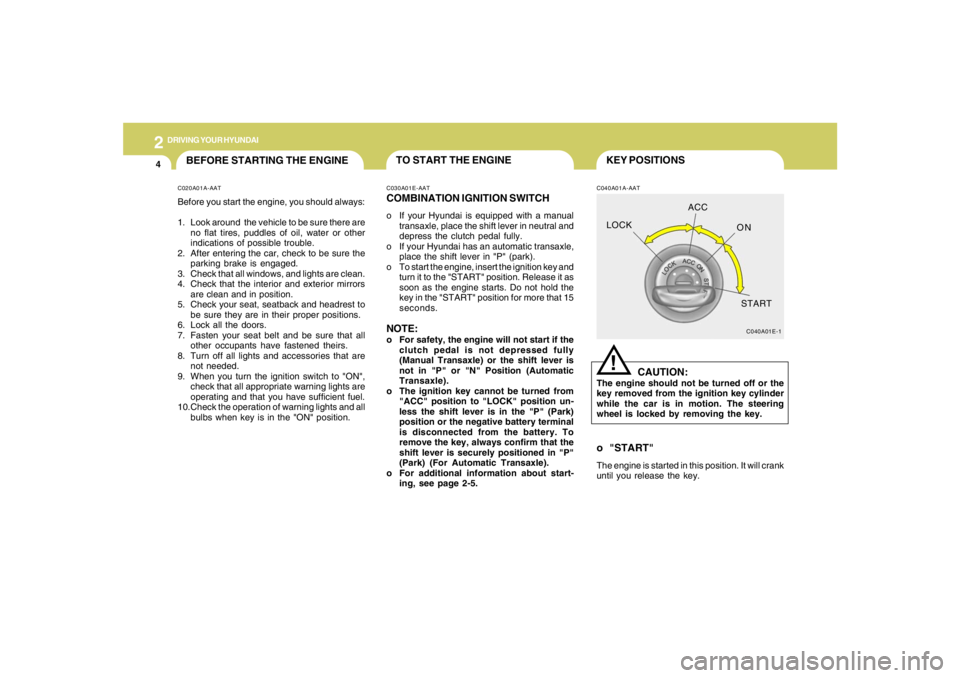
KEY POSITIONS
TO START THE ENGINE
C040A01A-AAT
CAUTION:
The engine should not be turned off or the
key removed from the ignition key cylinder
while the car is in motion. The steering
wheel is locked by removing the key.
!
C030A01E-AATCOMBINATION IGNITION SWITCHo If your Hyundai is equipped with a manual
transaxle, place the shift lever in neutral and
depress the clutch pedal fully.
o If your Hyundai has an automatic transaxle,
place the shift lever in "P" (park).
o To start the engine, insert the ignition key and
turn it to the "START" position. Release it as
soon as the engine starts. Do not hold the
key in the "START" position for more that 15
seconds.NOTE:o For safety, the engine will not start if the
clutch pedal is not depressed fully
(Manual Transaxle) or the shift lever is
not in "P" or "N" Position (Automatic
Transaxle).
o The ignition key cannot be turned from
"ACC" position to "LOCK" position un-
less the shift lever is in the "P" (Park)
position or the negative battery terminal
is disconnected from the battery. To
remove the key, always confirm that the
shift lever is securely positioned in "P"
(Park) (For Automatic Transaxle).
o For additional information about start-
ing, see page 2-5.
o "START"The engine is started in this position. It will crank
until you release the key.
C040A01E-1
LOCKACC
ON
START
BEFORE STARTING THE ENGINEC020A01A-AATBefore you start the engine, you should always:
1. Look around the vehicle to be sure there are
no flat tires, puddles of oil, water or other
indications of possible trouble.
2. After entering the car, check to be sure the
parking brake is engaged.
3. Check that all windows, and lights are clean.
4. Check that the interior and exterior mirrors
are clean and in position.
5. Check your seat, seatback and headrest to
be sure they are in their proper positions.
6. Lock all the doors.
7. Fasten your seat belt and be sure that all
other occupants have fastened theirs.
8. Turn off all lights and accessories that are
not needed.
9. When you turn the ignition switch to "ON",
check that all appropriate warning lights are
operating and that you have sufficient fuel.
10.Check the operation of warning lights and all
bulbs when key is in the "ON" position.
Page 151 of 273
2
DRIVING YOUR HYUNDAI
5
NOTE:Do not hold the key in the "START" position
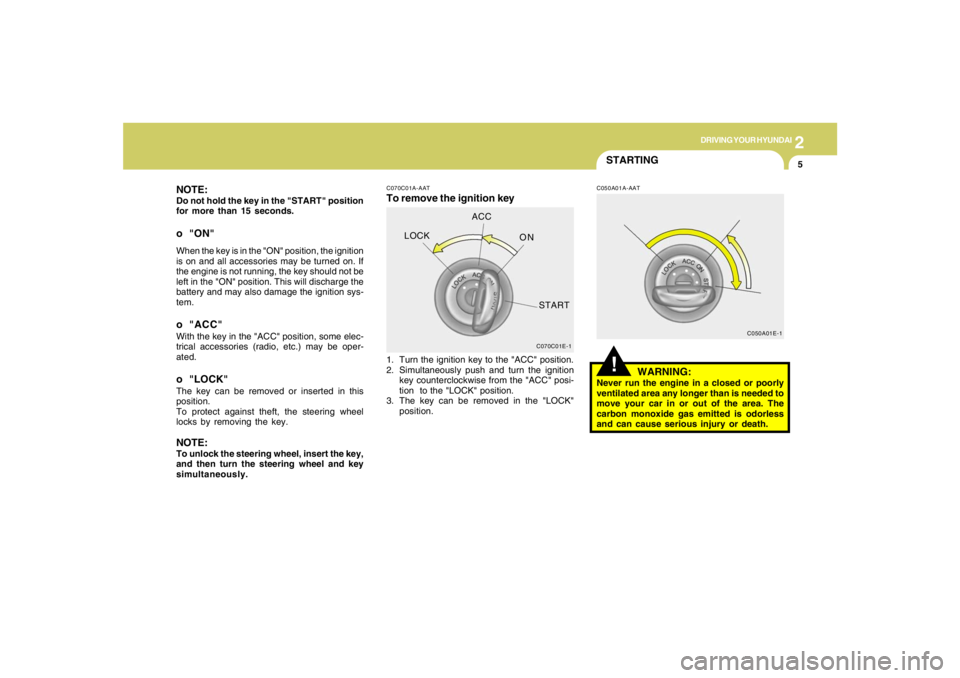
for more than 15 seconds.o "ON"When the key is in the "ON" position, the ignition
is on and all accessories may be turned on. If
the engine is not running, the key should not be
left in the "ON" position. This will discharge the
battery and may also damage the ignition sys-
tem.o "ACC"With the key in the "ACC" position, some elec-
trical accessories (radio, etc.) may be oper-
ated.o "LOCK"The key can be removed or inserted in this
position.
To protect against theft, the steering wheel
locks by removing the key.NOTE:To unlock the steering wheel, insert the key,
and then turn the steering wheel and key
simultaneously.
C070C01E-1
LOCKACC
ON
START
C050A01E-1
STARTING!
C070C01A-AATTo remove the ignition key
C050A01A-AAT
1. Turn the ignition key to the "ACC" position.
2. Simultaneously push and turn the ignition
key counterclockwise from the "ACC" posi-
tion to the "LOCK" position.
3. The key can be removed in the "LOCK"
position.
WARNING:
Never run the engine in a closed or poorly
ventilated area any longer than is needed to
move your car in or out of the area. The
carbon monoxide gas emitted is odorless
and can cause serious injury or death.
Page 152 of 273
2
DRIVING YOUR HYUNDAI
6
OPERATING THE MANUAL
TRANSAXLE
4. Turn the ignition key to the "START" position
and release it when the engine starts.
After the engine has started, allow the engine
to run for 10 to 20 seconds prior to placing
the vehicle in gear.
The starter should not be operated for more
than 15 seconds at a time. Wait 15-30 sec-
onds between starting attempts to protect
the starter from overheating.
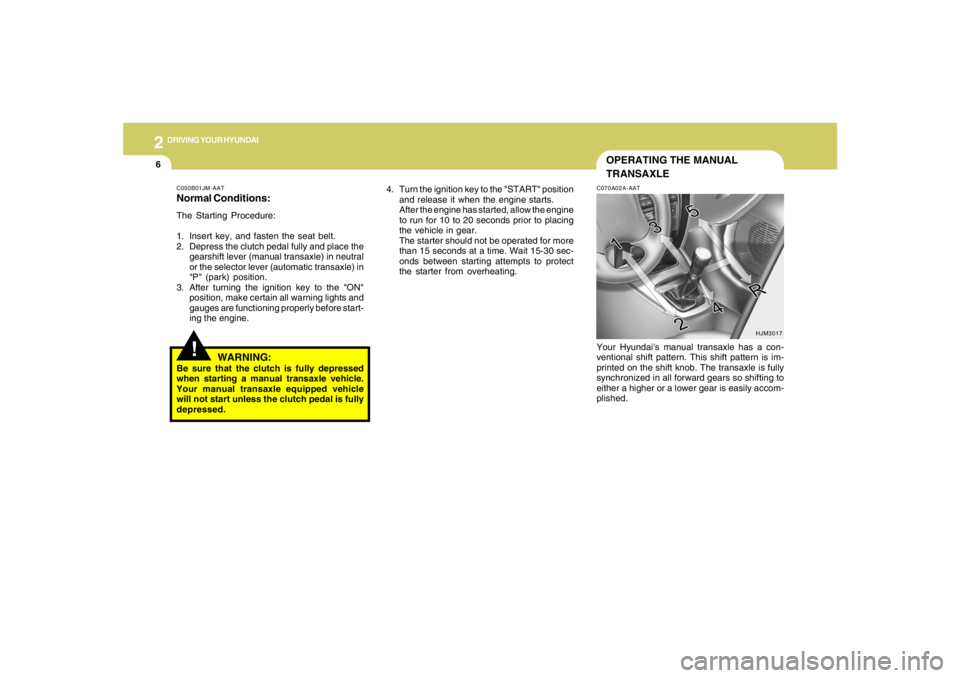
C070A02A-AATYour Hyundai's manual transaxle has a con-
ventional shift pattern. This shift pattern is im-
printed on the shift knob. The transaxle is fully
synchronized in all forward gears so shifting to
either a higher or a lower gear is easily accom-
plished.
HJM3017
C050B01JM-AATNormal Conditions:The Starting Procedure:
1. Insert key, and fasten the seat belt.
2. Depress the clutch pedal fully and place the
gearshift lever (manual transaxle) in neutral
or the selector lever (automatic transaxle) in
"P" (park) position.
3. After turning the ignition key to the "ON"
position, make certain all warning lights and
gauges are functioning properly before start-
ing the engine.
WARNING:
Be sure that the clutch is fully depressed
when starting a manual transaxle vehicle.
Your manual transaxle equipped vehicle
will not start unless the clutch pedal is fully
depressed.
!
Page 155 of 273
2
DRIVING YOUR HYUNDAI
9
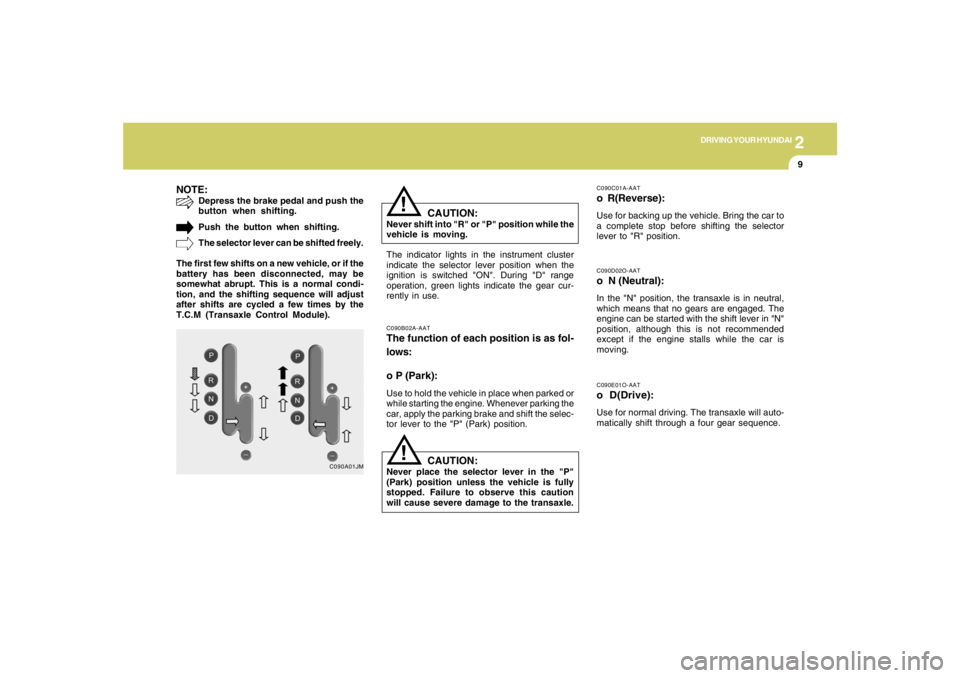
NOTE:
Depress the brake pedal and push the
button when shifting.
Push the button when shifting.
The selector lever can be shifted freely.
The first few shifts on a new vehicle, or if the
battery has been disconnected, may be
somewhat abrupt. This is a normal condi-
tion, and the shifting sequence will adjust
after shifts are cycled a few times by the
T.C.M (Transaxle Control Module).
C090A01JM
!
C090E01O-AATo D(Drive):Use for normal driving. The transaxle will auto-
matically shift through a four gear sequence.C090D02O-AATo N (Neutral):In the "N" position, the transaxle is in neutral,
which means that no gears are engaged. The
engine can be started with the shift lever in "N"
position, although this is not recommended
except if the engine stalls while the car is
moving.
C090B02A-AATThe function of each position is as fol-
lows:
o P (Park):Use to hold the vehicle in place when parked or
while starting the engine. Whenever parking the
car, apply the parking brake and shift the selec-
tor lever to the "P" (Park) position.
C090C01A-AATo R(Reverse):Use for backing up the vehicle. Bring the car to
a complete stop before shifting the selector
lever to "R" position.
The indicator lights in the instrument cluster
indicate the selector lever position when the
ignition is switched "ON". During "D" range
operation, green lights indicate the gear cur-
rently in use.
CAUTION:
Never shift into "R" or "P" position while the
vehicle is moving.
!
CAUTION:
Never place the selector lever in the "P"
(Park) position unless the vehicle is fully
stopped. Failure to observe this caution
will cause severe damage to the transaxle.