2005 Hyundai Terracan bonnet
[x] Cancel search: bonnetPage 304 of 539

CAUTION:
When installing a container of liquid air freshener inside the vehicle, do not place it near the instrument cluster nor on the instrument panel pad surface. If there is any leakage from theair freshener onto these areas (Instrument cluster, instrument panel pad or air ventilator), it may damage these parts. If the liquid from air freshener does leak onto these areas, wash them with water immediately.!
1. Passenger's Airbag
2. Glove Box
3. Heating/Air Conditioning Control Panel
4. Headlight Leveling Switch
5. Cruise Control Main Switch(Not all models)
6. Hazard Warning Switch
7. Panel Brightness Control Knob (Rheostat Switch)
8. Windscreen Wiper/Washer Switch
9. Rear Fog Light Switch
10. Horn and Driver's Airbag
11. Instrument Cluster
12. Multi-Function Light Switch/Front Fog Light Switch
13. Rear Ashtray
14. Rear Drink Holder
15. Rear Power Outlet
16. Front Drink Holder
17. Parking Brake
18. Transfer Shift Knob
19. Front Power Outlet
20. Seat Warmer Switch (Not all models)
21. Shift Lever
22. Coin Holder
23. Front Ashtray/Cigar Lighter
24. Steering Wheel Tilt Lever
25. Cruise Control Switch (Not all models)
26. Remote Fuel-Filler Lid Release Lever
27. Multi Box
28. Bonnet Release Lever
Page 306 of 539
Fuel Recommendations ............................................... 1-2
Running In Your Hyundai .............................................. 1-4
Immobiliser System ...................................................... 1-5
Door Locks ................................................................... 1-9Theft-Alarm System ..................................................... 1-11
Power Windows ........................................................... 1-14
Seats ........................................................................... 1-16
Seat Belts .................................................................... 1-25
Child Restraint System ................................................ 1-31
Supplemental Restraint (AIRBAG) System .................1-40
Instrument Cluster and Indicator Lights .......................1-46
Warning and Indicator Lights....................................... 1-50
Multi-Function Switch .................................................. 1-60
Windscreen Wiper/Washer Switch ..............................1-63
Sunroof ........................................................................ 1-70
Mirror ........................................................................... 1-75
Bonnet Release ........................................................... 1-83
Cruise Co ntrol.............................................................. 1-86
Heating and Cooling Control .......... ..............................1-89
Stereo Sound System ............................................... 1-105
Antenna ..................................................................... 1-107
CONTROLS AND EQUIPMENT
1
1
Page 317 of 539
1CONTROLS AND EQUIPMENT
12
!
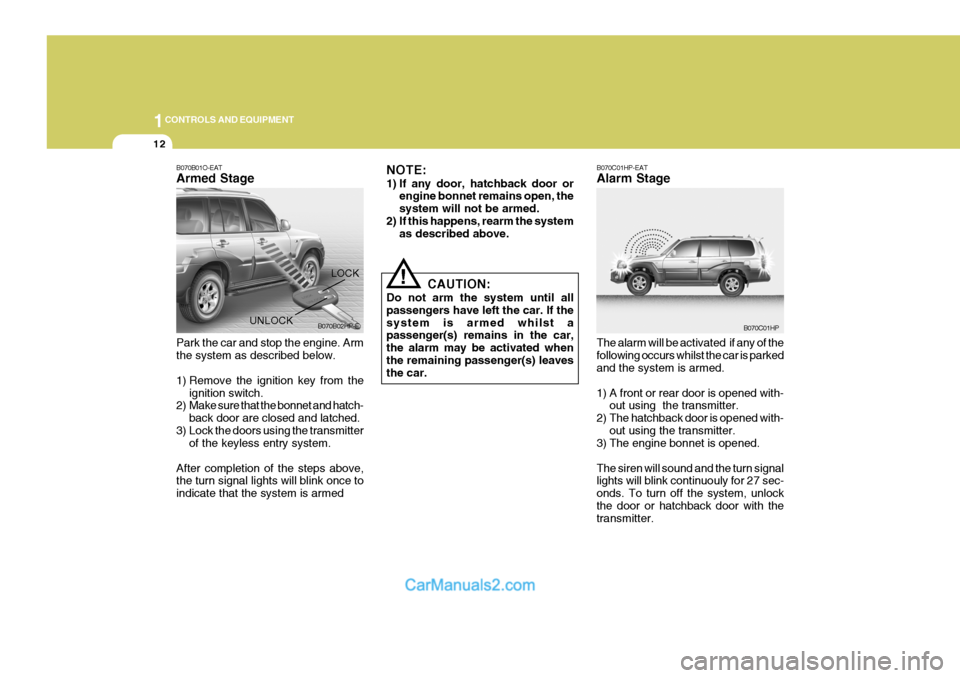
B070B01O-EAT Armed Stage
NOTE:
1) If any door, hatchback door or
engine bonnet remains open, the system will not be armed.
2) If this happens, rearm the system as described above.
Park the car and stop the engine. Armthe system as described below.
1) Remove the ignition key from the ignition switch.
2) Make sure that the bonnet and hatch-
back door are closed and latched.
3) Lock the doors using the transmitter of the keyless entry system.
After completion of the steps above, the turn signal lights will blink once to indicate that the system is armed CAUTION:
Do not arm the system until allpassengers have left the car. If thesystem is armed whilst a passenger(s) remains in the car, the alarm may be activated when the remaining passenger(s) leaves the car.LOCK
UNLOCK B070B02HP-E
B070C01HP-EAT Alarm Stage The alarm will be activated if any of the following occurs whilst the car is parked and the system is armed.
1) A front or rear door is opened with-
out using the transmitter.
2) The hatchback door is opened with- out using the transmitter.
3) The engine bonnet is opened.The siren will sound and the turn signal lights will blink continuouly for 27 sec- onds. To turn off the system, unlockthe door or hatchback door with the transmitter.
B070C01HP
Page 318 of 539
1
CONTROLS AND EQUIPMENT
13
!
CAUTION:
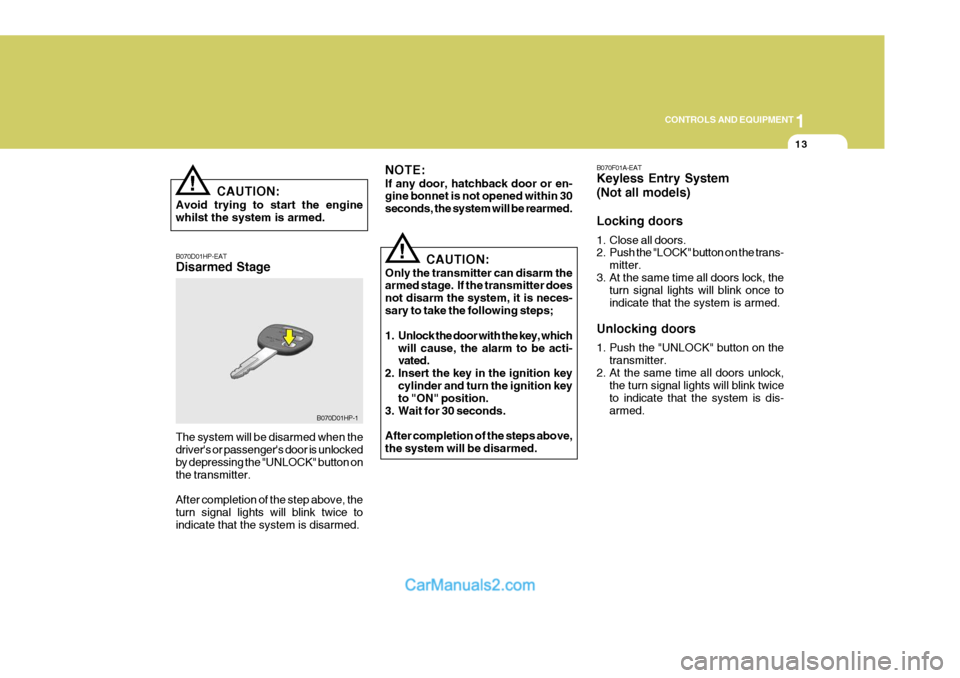
Avoid trying to start the engine whilst the system is armed. B070D01HP-EAT Disarmed Stage The system will be disarmed when the driver's or passenger's door is unlocked by depressing the "UNLOCK" button onthe transmitter. After completion of the step above, the turn signal lights will blink twice to indicate that the system is disarmed.
!
NOTE: If any door, hatchback door or en- gine bonnet is not opened within 30 seconds, the system will be rearmed.
CAUTION:
Only the transmitter can disarm the armed stage. If the transmitter does not disarm the system, it is neces-sary to take the following steps;
1. Unlock the door with the key, which will cause, the alarm to be acti- vated.
2. Insert the key in the ignition key
cylinder and turn the ignition keyto "ON" position.
3. Wait for 30 seconds. After completion of the steps above, the system will be disarmed.
B070D01HP-1 B070F01A-EAT Keyless Entry System (Not all models) Locking doors
1. Close all doors.
2. Push the "LOCK" button on the trans-
mitter.
3. At the same time all doors lock, the turn signal lights will blink once to indicate that the system is armed.
Unlocking doors
1. Push the "UNLOCK" button on the transmitter.
2. At the same time all doors unlock, the turn signal lights will blink twice to indicate that the system is dis-armed.
Page 357 of 539
1CONTROLS AND EQUIPMENT
52
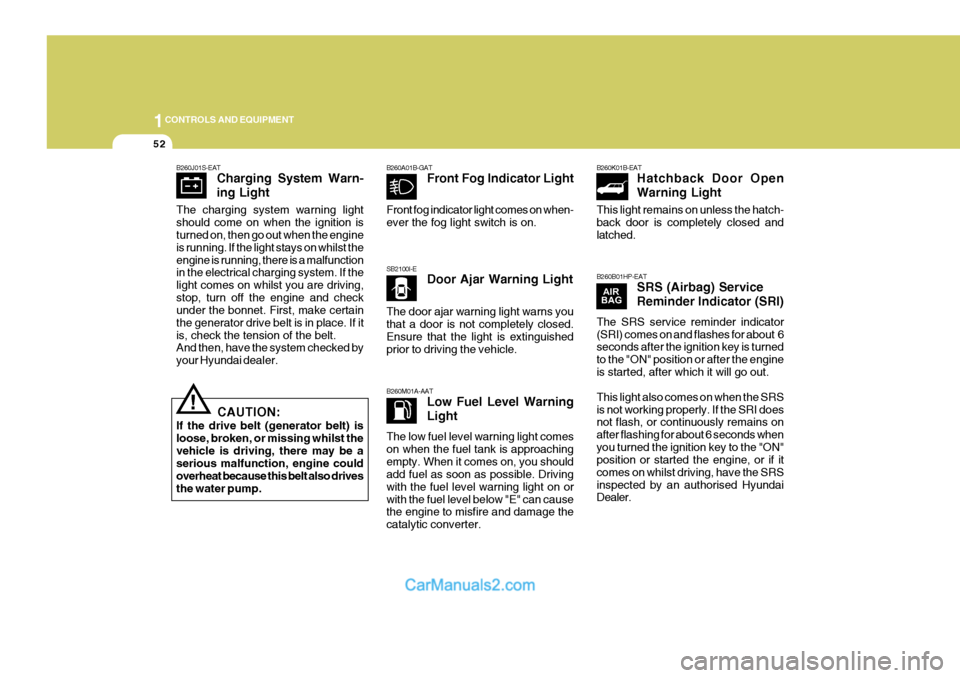
SB2100I-EDoor Ajar Warning Light
B260M01A-AAT Low Fuel Level Warning Light
B260A01B-GAT
Front Fog Indicator Light B260K01B-EAT
Hatchback Door OpenWarning Light
B260B01HP-EAT SRS (Airbag) ServiceReminder Indicator (SRI)
!
B260J01S-EAT
Charging System Warn- ing Light
CAUTION:
If the drive belt (generator belt) is loose, broken, or missing whilst thevehicle is driving, there may be a serious malfunction, engine could overheat because this belt also drivesthe water pump.
The charging system warning light should come on when the ignition is turned on, then go out when the engine is running. If the light stays on whilst theengine is running, there is a malfunction in the electrical charging system. If the light comes on whilst you are driving,stop, turn off the engine and check under the bonnet. First, make certain the generator drive belt is in place. If itis, check the tension of the belt. And then, have the system checked by your Hyundai dealer. Front fog indicator light comes on when-ever the fog light switch is on. The door ajar warning light warns you that a door is not completely closed. Ensure that the light is extinguished prior to driving the vehicle. The low fuel level warning light comes on when the fuel tank is approachingempty. When it comes on, you should add fuel as soon as possible. Driving with the fuel level warning light on orwith the fuel level below "E" can cause the engine to misfire and damage the catalytic converter. This light remains on unless the hatch-back door is completely closed and latched. The SRS service reminder indicator (SRI) comes on and flashes for about 6 seconds after the ignition key is turned to the "ON" position or after the engineis started, after which it will go out. This light also comes on when the SRS is not working properly. If the SRI does not flash, or continuously remains on after flashing for about 6 seconds whenyou turned the ignition key to the "ON" position or started the engine, or if it comes on whilst driving, have the SRSinspected by an authorised Hyundai Dealer.
Page 363 of 539
1CONTROLS AND EQUIPMENT
58
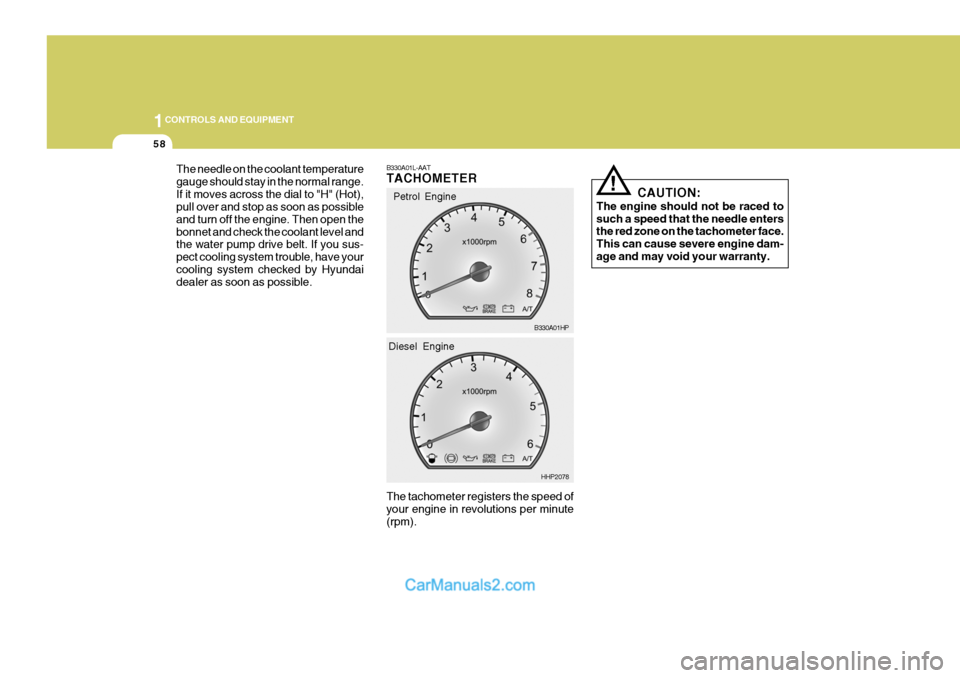
The needle on the coolant temperature gauge should stay in the normal range.If it moves across the dial to "H" (Hot), pull over and stop as soon as possible and turn off the engine. Then open thebonnet and check the coolant level and the water pump drive belt. If you sus- pect cooling system trouble, have yourcooling system checked by Hyundai dealer as soon as possible.
! CAUTION:
The engine should not be raced to such a speed that the needle enters the red zone on the tachometer face. This can cause severe engine dam-age and may void your warranty.
B330A01L-AAT TACHOMETER The tachometer registers the speed of your engine in revolutions per minute (rpm).Petrol Engine
B330A01HP
HHP2078
Diesel Engine
Page 388 of 539
1
CONTROLS AND EQUIPMENT
83
HHP2017-1
BONNET RELEASE
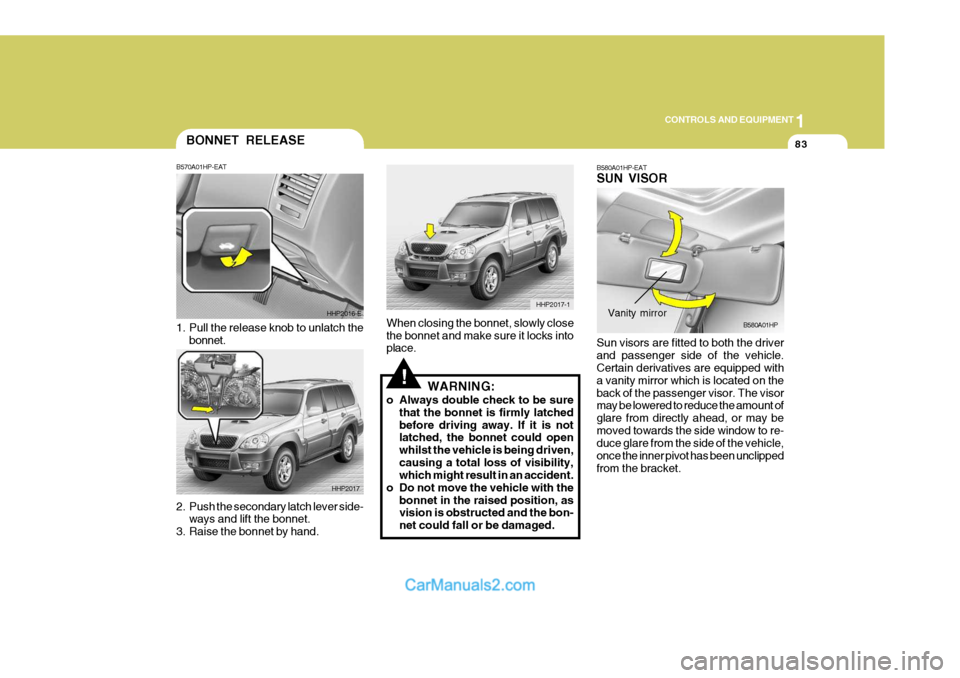
2. Push the secondary latch lever side-
ways and lift the bonnet.
3. Raise the bonnet by hand. B570A01HP-EAT
1. Pull the release knob to unlatch the
bonnet. HHP2016-E
HHP2017
!
When closing the bonnet, slowly close the bonnet and make sure it locks into place. WARNING:
o Always double check to be sure that the bonnet is firmly latched before driving away. If it is not latched, the bonnet could open whilst the vehicle is being driven,causing a total loss of visibility, which might result in an accident.
o Do not move the vehicle with the bonnet in the raised position, asvision is obstructed and the bon- net could fall or be damaged. B580A01HP-EAT SUN VISOR Sun visors are fitted to both the driver and passenger side of the vehicle. Certain derivatives are equipped with a vanity mirror which is located on theback of the passenger visor. The visor may be lowered to reduce the amount of glare from directly ahead, or may bemoved towards the side window to re- duce glare from the side of the vehicle, once the inner pivot has been unclippedfrom the bracket.B580A01HPVanity mirror
Page 448 of 539

3 IN CASE OF EMERGENCY
4
!
1. Ensure that the booster battery is 12
volt type. If the booster battery is installed in another vehicle, ensure that the two vehicles are not touch- ing.
2. Turn off all unnecessary electrical equipment in both vehicles.
3. Ensure that the engine of the ve- hicle providing the jump start is run- ning prior to connection of the jump cables.
4. Connect the red jump cable to the positive (+) terminal of the boosterbattery and the other end to thepositive (+) terminal of the dis- charged battery.
5. Attach the black jump cable to the negative (-) terminal of the boosterbattery, and the other end to a ground point within the engine compartmentof the vehicle with the flat bat-tery. Do not connect to the negative bat- tery terminal of the flat battery sincesparks may be generated with the subsequent risk of explosion.
6. Raise the booster vehicle engine speed to 2,000 r.p.m. and start theengine of the vehicle with the flat battery. 7. Switch "ON" the main beam
headlamps before carefully remov-ing the jumper cables in the reverse order of attachment. Once the jumper cables have been removed,switch "OFF" the main beam headlamps.
CAUTION:
If the jump cable is incorrectly in- stalled, damage to the vehicle elec- trical system may occur, in particu- lar the electronic components suchas the Fuel Injection system com- puter and the Automatic transmis- sion computer. The battery mustnever be disconnected whilst the engine is running.
IF THE ENGINE OVERHEATS
HPD040A2-E If the temperature gauge indicates overheating:
1. Pull off the road and stop as soon as it is safe to do so.
2. Place the gear selector lever in "P"
(automatic), or neutral (manual trans- mission) and set the parking brake. If the air conditioning is on, turn it off.
3. If coolant is running out under the car or steam is coming out from underthe bonnet, stop the engine. Do not open the bonnet until the coolant hasstopped running or the steaming has stopped. If there is no visible loss of coolant and no steam, leave theengine running and check to be sure the engine cooling fan is operating. If the fan is not running, turn theengine off.
4. Check to see if the water pump drive
belt is missing. If it is not missing,check to see that it is tight. If the drive belt seems to be satisfactory, check for coolant leaking from theradiator, hoses or under the car. (If the air conditioning had been in use, it is normal for cold water to bedraining from it).