2005 Hyundai Sonata ignition
[x] Cancel search: ignitionPage 122 of 271
1
FEATURES OF YOUR HYUNDAI
109
With the "Fresh" mode selected, air enters the
vehicle from the outside and is heated or cooled
according to the function selected.
With the "Recirculation" mode selected, air from
within the passenger compartment will be drawn
through the heating system and heated or
cooled according to the function selected.NOTE:o It should be noted that prolonged opera-
tion of the heating system in "recircula-
tion" mode will give rise to fogging of the
windshield and side windows and the air
within the passenger compartment will
become stale. In addition, prolonged
use of the air conditioning with the "Re-
circulation" mode selected may result in
the air within the passenger compart-
ment becoming excessively dry.
o When the ignition switch is turned "ON"
the air intake control will change to " "
mode (regardless of switch position).
This is normal operation. The air intake
control operates in "AUTO" mode when
turning the ignition to the ON position if
the "AUTO" mode was used before shut-
ting off the engine.Recirculation mode :
Air from witin the passenger compartment will
be drawn through the heating system and heated
or cooled according to the function selected.
Exhaust gas cutoff mode :
Air enters the vehicle from the outside.
But if exhaust gas enters the vehicle from the
outside, the exhaust gas cutoff mode ( ) is
automatically converted to the ( ) mode, to
prevent exhaust gas from entering the vehicle.
NOTE:o It should be noted that prolonged opera-
tion of the heating system in recircula-
tion mode ( ) will give rise to misting
of the windshield and side windows and
the air within the passenger compart-
ment will become stale. In addition, pro-
longed use of the air conditioning with
the recirculation mode ( ) sele-cted
may result in the air within the passenger
compartment becoming excessively dry.
o When the ignition switch is turned "ON",
the air intake control will change to
"Fresh" mode (regardless of switch po-
sition). This is normal operation. The air
intake control operates in "AUTO" mode
when turning the ignition to the ON
position if the "AUTO" mode was used
before shutting off the engine.
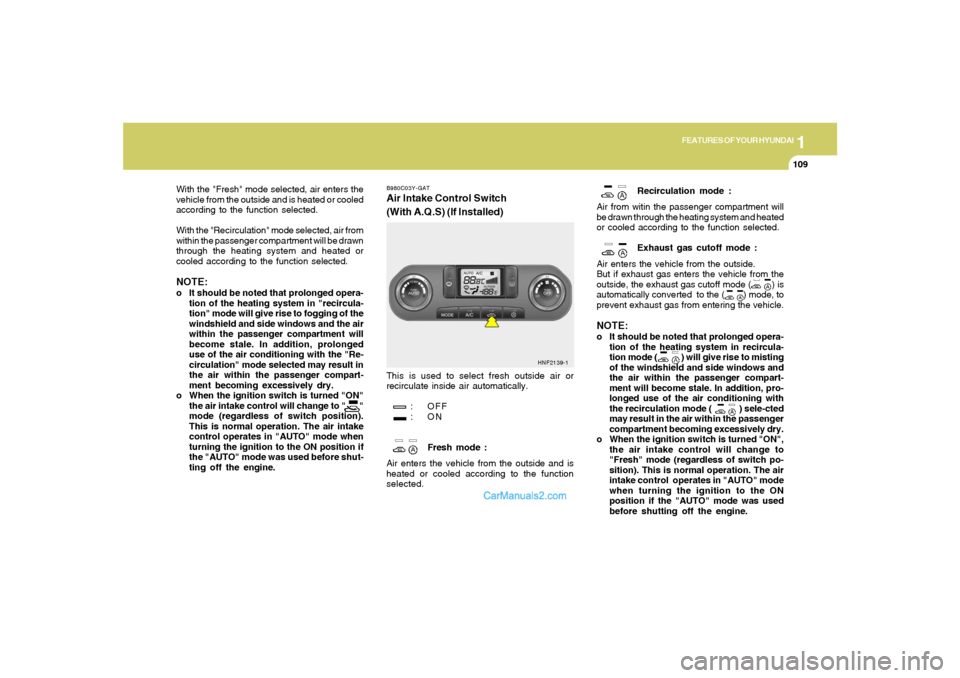
B980C03Y-GATAir Intake Control Switch
(With A.Q.S) (If Installed)This is used to select fresh outside air or
recirculate inside air automatically.
: OFF
:ON
Fresh mode :
Air enters the vehicle from the outside and is
heated or cooled according to the function
selected.
HNF2139-1
Page 129 of 271

1FEATURES OF YOUR HYUNDAI
116
V480B01NF-AAT1. POWER ON-OFF / VOLUME Control
KnobPress the PUSH PWR Control Knob to turn the
audio system on or off.
Rotate the knob clockwise to increase the
volume and turn the knob counterclockwise to
decrease the volume.
If the volume is set above a certain level and the
ignition is turned off, the volume will come back
on at a "nominal" listening level when the ignition
switch is turned back on.2. BAND SelectorThe AM/FM select control works in radio and
CD mode.o AM/FM select in radio modeThis control allows you to select AM or FM
frequency bands. Press the button to switch
between FM1, FM2 and AM memory preset
stations.o AM/FM select in CD modePress this button to stop CD play and begin radio
play.
3. Tune(manual) / Adjustment Mode Se-
lect Knobo Rotate counterclockwise to the next fre-
quency down the band (whether or not a
listenable station is located there).
o Rotate clockwise to move to the next fre-
quency up the band (whether or not a listen-
able station is located there).Adjustment Mode SelectPressing the AUDIO SEL knob will initiate Audio
Mode. Each subsequent press will select the
next adjustment in the following order:
1) Bass adjust
The bass adjust control allows you to in-
crease or decrease the audio system's
bass output. Rotate the AUDIO SEL knob to
change the bass setting.
2) Midrange adjust
The midrange adjust control allows you to
increase or decrease the audio system's
midrange output. Rotate the AUDIO SEL
knob to change the midrange setting.
3) Treble adjust
The treble adjust control allows you to in-
crease or decrease the audio system's
treble output. Rotate the AUDIO SEL knob to
change the treble setting.4) Speaker balance adjust
Speaker sound distribution can be adjusted
between the right and left speakers by rotat-
ing the AUDIO SEL knob.
5) Speaker fade adjust
Speaker sound can be adjusted between the
front and rear speakers by rotating the
AUDIO SEL knob.
4. SEEK Operation
(Automatic Channel Selection)o Press (down arrow) to find the next
listenable station down the frequency band.
SEEK DOWN will display.
o Press (up arrow) to find the next listenable
station up the frequency band. SEEK UP will
display.5. SCAN ButtonPress the SCAN button to hear a brief sampling
of all listenable stations on the frequency band.
Press the SCAN button again to stop the scan
mode.
Page 133 of 271

1FEATURES OF YOUR HYUNDAI
120
o Press the RND button until the desired shuffle
mode is displayed. The audio system will
then engage the desired random mode.
6. CHANGE DIRECTORY(DIR)Press DIR control to change MP3 directories.7. MP3 TEXT modeEach press of the TEXT button will advance
through the following MP3 track information:
1) Filename
2) Song Title
3) Artist Name
4) Album Name
5) Directory Name
6) Number of tracks on the current disc
Rotate the AUDIO-SEL knob to view additional
characters.EQ Button - Equalization FeatureThe Compact disc player has five EQ modes:
OFF, CLASSICAL (CLAS), POP, ROCK, and
JAZZ.
Each press of the EQ button will advance to the
next EQ setting. Radio and CD have indepen-
dent EQ settings.
8. Adjustment Mode Select KnobPressing the AUDIO SEL knob will initiate Audio
Mode. Each subsequent press will select the
next adjustment in the following order:
1) Bass adjust
The bass adjust control allows you to in-
crease or decrease the audio system's
bass output. Rotate the AUDIO SEL knob to
change the bass setting.
2) Midrange adjust
The midrange adjust control allows you to
increase or decrease the audio system's
midrange output. Rotate the AUDIO SEL
knob to change the midrange setting.
3) Treble adjust
The treble adjust control allows you to in-
crease or decrease the audio system's
treble output. Rotate the AUDIO SEL knob to
change the treble setting.
4) Speaker balance adjust
Speaker sound distribution can be adjusted
between the right and left speakers by rotat-
ing the AUDIO SEL knob.
5) Speaker fade adjust
Speaker sound can be adjusted between the
front and rear speakers by rotating the
AUDIO SEL knob.
9. CD EJECTo Press the EJ button to stop and eject a CD.
If a CD is ejected and not removed, the player
will automatically reload the CD. This feature
may be used when the ignition is ON or OFF.NOTE:o To assure proper operation of the unit,
keep the vehicle interior temperature
within a normal range by using the
vehicle's air conditioning or heating
system.
o When replacing the fuse, replace it with
a fuse having the correct capacity.
o This equipment is designed to be used
only in a 12 volt DC battery system with
negative ground.
o This unit is made of precision parts. Do
not attempt to disassemble or adjust
any parts.
o When driving your vehicle, be sure to
keep the volume of the unit set low
enough to allow you to hear sounds
coming from the outside.
o Do not expose this equipment (includ-
ing the speakers) to water or excessive
moisture.
Page 136 of 271

1
FEATURES OF YOUR HYUNDAI
123
V490B01NF-AAT1. POWER ON-OFF / VOLUME Control
KnobPress the PUSH PWR Control Knob to turn the
audio system on or off.
Rotate the knob clockwise to increase the
volume and turn the knob counterclockwise to
decrease the volume.
If the volume is set above a certain level and the
ignition is turned off, the volume will come back
on at a "nominal" listening level when the ignition
switch is turned back on.2. BAND SelectorThe AM/FM select control works in radio and
CD modes.o AM/FM select in radio modeThis control allows you to select AM or FM
frequency bands. Press the button to switch
between FM1, FM2 and AM memory preset
stations.o AM/FM select in CD modePress this button to stop CD play and begin radio
play.
3. Tune(manual) / Adjustment Mode Se-
lect Knobo Rotate counterclockwise to the next fre-
quency down the band (whether or not a
listenable station is located there).
o Rotate clockwise to move to the next fre-
quency up the band (whether or not a listen-
able station is located there).Adjustment Mode SelectPressing the AUDIO SEL knob will initiate Audio
Mode. Each subsequent press will select the
next adjustment in the following order:
1) Bass adjust
The bass adjust control allows you to in-
crease or decrease the audio system's
bass output. Rotate the AUDIO SEL knob to
change the bass setting.
2) Midrange adjust
The midrange adjust control allows you to
increase or decrease the audio system's
midrange output. Rotate the AUDIO SEL
knob to change the midrange setting.
3) Treble adjust
The treble adjust control allows you to in-
crease or decrease the audio system's
treble output. Rotate the AUDIO SEL knob to
change the treble setting.4) Speaker balance adjust
Speaker sound distribution can be adjusted
between the right and left speakers by rotat-
ing the AUDIO SEL knob.
5) Speaker fade adjust
Speaker sound can be adjusted between
the front and rear speakers by rotating the
AUDIO SEL knob.
4. SEEK Operation
(Automatic Channel Selection)o Press (down arrow) to find the next
listenable station down the frequency band.
SEEK DOWN will display.
o Press (up arrow) to find the next listenable
station up the frequency band. SEEK UP will
display.5. SCAN EQ ButtonPress the SCAN button to hear a brief sampling
of all listenable stations on the frequency band.
Press the SCAN button again to stop the scan
mode.
Page 140 of 271
1
FEATURES OF YOUR HYUNDAI
127
Display descriptionThere are six CD slots in the audio system.
When a disc is loaded into a particular slot (1-
6), the number of a loaded slot is displayed by
a circle to indicate the currently selected CD.4. TRACK UP/DOWNo Press (down arrow) to revert to the
previous track of the current disc. If the
beginning of the disc is reached, the CD
player seeks to the beginning of the last
track on the current disc and begins playing.
o Press (up arrow) to advance to the next
track of the current disc. After the last track
has been completed, the first track of the
current disc will automatically replay.5. SCAN /EQ ButtonPress the SCAN button to hear a short sampling
of all selections on the CD. (The CD scans in a
forward direction, wrapping back to the first
track at the end of the CD.) To stop on a
particular selection, press the button again.
EQ Button - Equalization FeatureThe radio has five EQ modes: OFF, CLASSI-
CAL, POP, ROCK, and JAZZ.
Each press of the EQ button will advance to the
next EQ setting. Radio and CD have indepen-
dent EQ settings.6. CD EJECTo Press the EJ button to stop and eject a CD.
If a CD is ejected and not removed, the player
will automatically reload the CD. This feature
may be used when the ignition is ON or OFF.Auto ejecto Press and momentarily hold the EJ button to
engage auto eject. All CDs which are present
in the player will be ejected one at a time. If
a CD is ejected and not removed, the player
will automatically reload the CD. This feature
may be used when the ignition is ON or OFF.
7. FF/REVo Press and hold the FF button until the desired
selection is reached. If the end of the disc is
reached, the CD will return to the first track
on the first disc. Release the button to disen-
gage fast forward mode. When in fast for-
ward mode, your audio system will automati-
cally lower the volume level of the playing
media.
o Press and hold the REV button until the
desired selection is reached. If the beginning
of the disc is reached, the CD will begin play
at the first track. Release the button to
disengage reverse mode. When in reverse
mode, your audio system will automatically
lower the volume level of the playing media.8. REPEAT(RPT)When engaged, the repeat feature has three
different modes: RPT Track, RPT DIR, RPT
OFF.
RPT Track will continuously play the current
track selected. RPT DIR will continuously play
the current MP3 directory.
o Press the RPT control until the desired
repeat mode is displayed. The audio system
will then engage the desired repeat mode.
Page 143 of 271
1FEATURES OF YOUR HYUNDAI
130
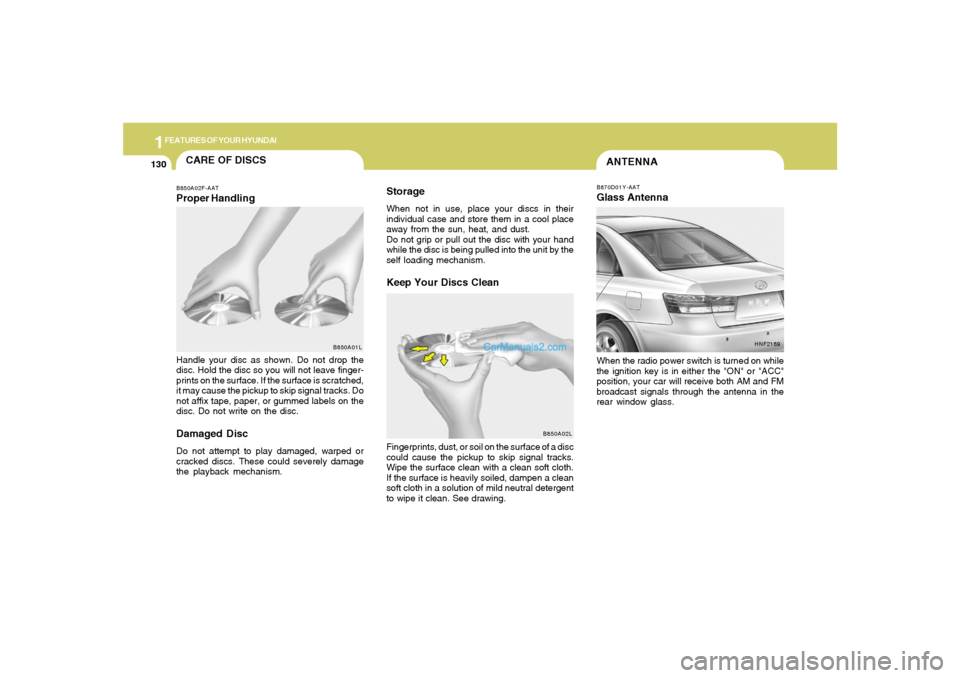
ANTENNAB870D01Y-AATGlass AntennaWhen the radio power switch is turned on while
the ignition key is in either the "ON" or "ACC"
position, your car will receive both AM and FM
broadcast signals through the antenna in the
rear window glass.
HNF2189
CARE OF DISCS
B850A02L B850A02F-AAT
Proper HandlingStorage
When not in use, place your discs in their
individual case and store them in a cool place
away from the sun, heat, and dust.
Do not grip or pull out the disc with your hand
while the disc is being pulled into the unit by the
self loading mechanism.Keep Your Discs Clean
Handle your disc as shown. Do not drop the
disc. Hold the disc so you will not leave finger-
prints on the surface. If the surface is scratched,
it may cause the pickup to skip signal tracks. Do
not affix tape, paper, or gummed labels on the
disc. Do not write on the disc.Damaged DiscDo not attempt to play damaged, warped or
cracked discs. These could severely damage
the playback mechanism.Fingerprints, dust, or soil on the surface of a disc
could cause the pickup to skip signal tracks.
Wipe the surface clean with a clean soft cloth.
If the surface is heavily soiled, dampen a clean
soft cloth in a solution of mild neutral detergent
to wipe it clean. See drawing.
B850A01L
Page 147 of 271

2
DRIVING YOUR HYUNDAI
3
BEFORE STARTING
THE ENGINEC020A01A-AATBefore you start the engine, you should always:
1. Look around the vehicle to be sure there are
no flat tires, puddles of oil, water or other
indications of possible trouble.
2. After entering the car, check to be sure the
parking brake is engaged.
3. Check that all windows and lights are clean.
4. Check that the interior and exterior mirrors
are clean and in position.
5. Check your seat, seatback and headrest to
be sure they are in their proper positions.
6. Lock all the doors.
7. Fasten your seat belt and be sure that all
other occupants have fastened theirs.
8. Turn off all lights and accessories that are
not needed.
9. When you turn the ignition switch to "ON",
check that all appropriate warning lights are
operating and that you have sufficient fuel.
10. Check the operation of warning lights and all
bulbs when key is in the "ON" position.
TO START THE ENGINEC030A01E-AATCOMBINATION IGNITION SWITCHo If your Hyundai is equipped with a manual
transaxle, place the shift lever in neutral and
depress the clutch pedal fully.
o If your Hyundai has an automatic transaxle,
place the shift lever in "P" (park).
o To start the engine, insert the ignition key and
turn it to the "START" position. Release it as
soon as the engine starts. Do not hold the
key in the "START" position for more that 15
seconds.NOTE:o For safety, the engine will not start if the
clutch pedal is not depressed fully
(Manual Transaxle) or the shift lever is
not in "P" or "N" Position (Automatic
Transaxle).
o The ignition key cannot be turned from
"ACC" position to "LOCK" position un-
less the shift lever is in the "P" (Park)
position or the negative battery terminal
is disconnected from the battery. To
remove the key, always confirm that the
shift lever is securely positioned in "P"
(Park) (For Automatic Transaxle).
o For additional information about start-
ing, see page 2-4.
KEY POSITIONSC040A01A-AAT
CAUTION:
The engine should not be turned off or the
key removed from the ignition key cylinder
while the car is in motion. The steering
wheel is locked by removing the key.
C040A01E
LOCKACC
ON
START!
o "START"The engine is started in this position. It will crank
until you release the key.
Page 148 of 271
2
DRIVING YOUR HYUNDAI
4
NOTE:Do not hold the key in the "START" position
for more than 15 seconds.o "ON"When the key is in the "ON" position, the ignition
is on and all accessories may be turned on. If
the engine is not running, the key should not be
left in the "ON" position. This will discharge the
battery and may also damage the ignition sys-
tem.o "ACC"With the key in the "ACC" position, some elec-
trical accessories (radio, etc.) may be oper-
ated.o "LOCK"The key can be removed or inserted in this
position.
To protect against theft, the steering wheel
locks by removing the key.NOTE:To unlock the steering wheel, insert the key,
and then turn the steering wheel and key
simultaneously.
STARTING!
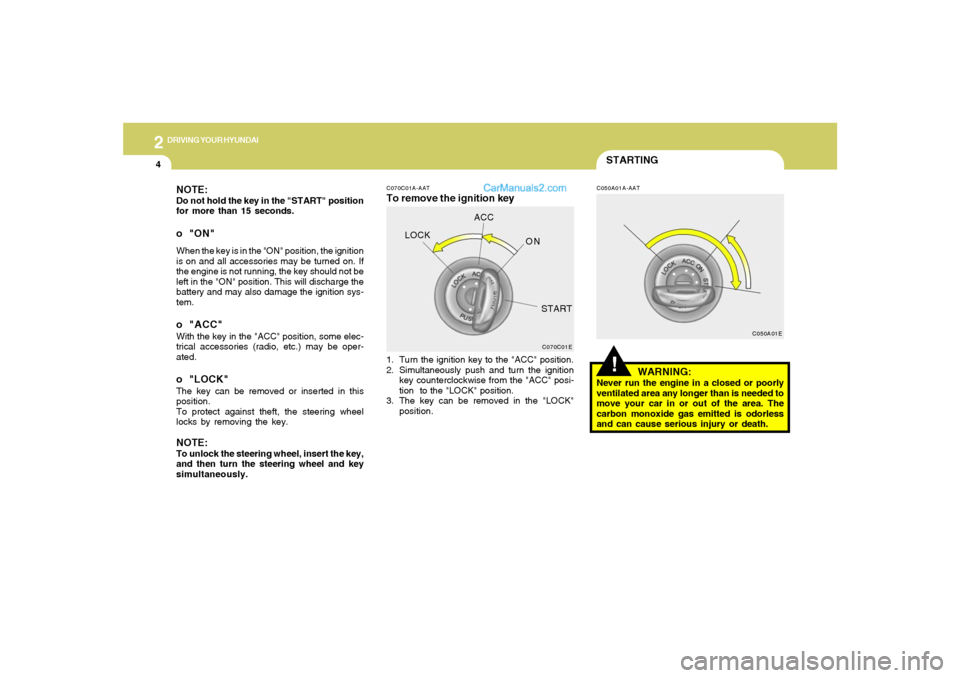
C070C01A-AATTo remove the ignition key
C050A01A-AAT
1. Turn the ignition key to the "ACC" position.
2. Simultaneously push and turn the ignition
key counterclockwise from the "ACC" posi-
tion to the "LOCK" position.
3. The key can be removed in the "LOCK"
position.
WARNING:
Never run the engine in a closed or poorly
ventilated area any longer than is needed to
move your car in or out of the area. The
carbon monoxide gas emitted is odorless
and can cause serious injury or death.
C070C01EC050A01E
LOCKACC
ON
START