Page 85 of 414
Check TPMS SystemIf there is a problem with the vehicle
stability assist (VSA) system, you
will see ‘‘CHECK VSA SYSTEM’’ in
the multi-information display. If you
see this message, have the VSA
system checked by your dealer (see
page ).If the engine oil is very low or has
lost pressure, you will see ‘‘CHECK
ENGINE OIL LEVEL’’ in the multi-
inf ormation display. You will also see
the low oil pressure indicator in the
instrument panel f lashing or staying
on. If you see this message, you
should take immediate action since
serious engine damage is possible.
Follow the procedure on page . Check Engine Oil Level
Check VSA System
If there is a problem in the tire
pressure monitoring system (TPMS),
you will see ‘‘CHECK TPMS
SYSTEM’’ in the multi-inf ormation
display. If you see this message, the
TPMS is not monitoring tire
pressures. Have the TPMS checked
by your dealer as soon as possible
(see page ). 301
303 371
On U.S. Touring model only
Multi-Inf ormation Display
84
Page 86 of 414
Check Charging System
If you see ‘‘CHECK CHARGING
SYSTEM’’ in the multi-inf ormation
display, it means the battery is not
being charged. See page f or
more inf ormation.Check Emission System
If you see ‘‘CHECK EMISSION
SYSTEM’’ in the multi-inf ormation
display, it means one of the engine’s
emission systems may have a
problem. Have your vehicle checked
by a dealer (see page ).
If there is a problem with the brake
system, you will see ‘‘CHECK
BRAKE SYSTEM’’ in the multi-
inf ormation display. The parking
brake and brake system indicator in
the instrument panel will also come
on. See page f or more
inf ormation. Check Brake System
371 372373
CONT INUED
Multi-Inf ormation Display
Inst rument s and Cont rols
85
U.S.
Canada
Page 124 of 414

�µ�µ
When the light switch is in the
‘‘ ’’ or ‘‘ ’’ position, the
lights on indicator comes on as a
reminder. This indicator stays on if
you leave the light switch on and
turn the ignition switch to the
ACCESSORY (I) or LOCK (0)
position.
To switch f rom low
beams to high beams, push the lef t
lever f orward until you hear a click.
The blue high beam indicator will
come on (see page ). Pull it back
to return to low beams. To flash the
high beams, pull the lever back
lightly, then release it. The high
beams will stay on as long as you
hold the lever back.
Turn the f og lights on and of f by
turning the switch next to the
headlight switch. To turn on the automatic lighting,
turn the light switch to AUTO at any
time. The lights will come on
automatically when the outside light
level becomes low (at dusk, f or
example). The lights on indicator
comesonasareminder.Thelights
and indicator turn off automatically
when the system senses high
ambient light.The automatic lighting
f eature turns on the headlights, all
other exterior lights, and the
instrument panel lights when it
senses low ambient light. You can use the f og lights only when
the headlights are on low beam. The lights turn of f automatically
when you turn the ignition switch to
LOCK (0). To turn them on again,
either turn the ignition switch to ON
(II), or turn the light switch to .
Even with the automatic lighting
f eature turned on, we recommend
thatyouturnonthelightsmanually
when driving at night or in a dense
f og, or when you enter dark areas
such as long tunnels or parking
structures.
Do not leave the light switch in
AUTO if you will not be driving the
vehicle f or an extended period (a
weekormore).Youshouldalsoturn
of f the lights if you plan to leave the
engine idling or the engine of f f or a
long time.
69
CONT INUED
On Touring model
Touring model only
High Beams
Fog Lights AUTO
Headlights
Inst rument s and Cont rols
123
Page 129 of 414
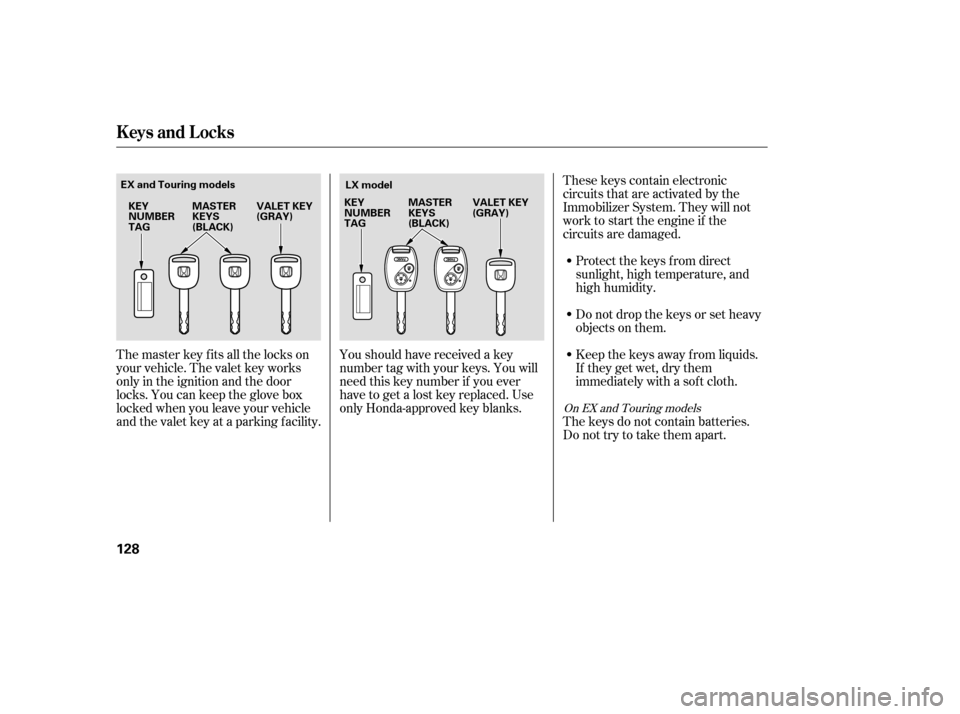
These keys contain electronic
circuits that are activated by the
Immobilizer System. They will not
work to start the engine if the
circuits are damaged.Protect the keys f rom direct
sunlight, high temperature, and
high humidity.
Donotdropthekeysorsetheavy
objects on them.
Keep the keys away f rom liquids.
If they get wet, dry them
immediately with a sof t cloth.
The master key fits all the locks on
your vehicle. The valet key works
only in the ignition and the door
locks. You can keep the glove box
locked when you leave your vehicle
and the valet key at a parking f acility.
The keys do not contain batteries.
Do not try to take them apart.
Youshouldhavereceivedakey
number tag with your keys. You will
need this key number if you ever
have to get a lost key replaced. Use
only Honda-approved key blanks.
On EX and Touring models
Keys and Locks
128
MASTER
KEYS
(BLACK)
VALET KEY
(GRAY)
KEY
NUMBER
TAG LX model
EX and Touring models
MASTER
KEYS
(BLACK)VALET KEY
(GRAY)
KEY
NUMBER
TAG
Page 130 of 414

The system may not recognize your
key’s coding if another immobilizer
key or other metal object (i.e. key
f ob) is near the ignition switch when
you insert the key.
If the system repeatedly does not
recognize the coding of your key,
contact your dealer.
Do not attempt to alter this system
or add other devices to it. Electrical
problems could result that may make
your vehicle undriveable.
If you have lost your key and you
cannot start the engine, contact your
dealer.
The immobilizer system protects
your vehicle f rom thef t. If an
improperly-coded key (or other
device) is used, the engine will not
start.
When you turn the ignition switch to
ON (II), the immobilizer system
indicator should come on f or a f ew
seconds, then go out. If the indicator
starts to blink, it means the system
does not recognize the coding of the
key. Turn the ignition switch to
LOCK (0), remove the key, reinsert
it, and turn the switch to ON (II)
again.As required by the FCC:
This device complies with Part 15 of theFCC rules. Operation is subject to thef ollowing two conditions: (1) This devicemay not cause harmf ul interf erence, and(2) this device must accept anyinterf erence received, includinginterf erence that may cause undesiredoperation.
Changes or modif ications not expresslyapproved by the party responsible f orcompliance could void the user’sauthority to operate the equipment.
This device complies with IndustryCanada Standard RSS-210.Operation is subject to the f ollowing twoconditions: (1) this device may not causeinterf erence, and (2) this device mustaccept any interf erence that may causeundesired operation of the device.
Immobilizer Syst em
Inst rument s and Cont rols
129
Page 131 of 414
�µ
�µ
�µ
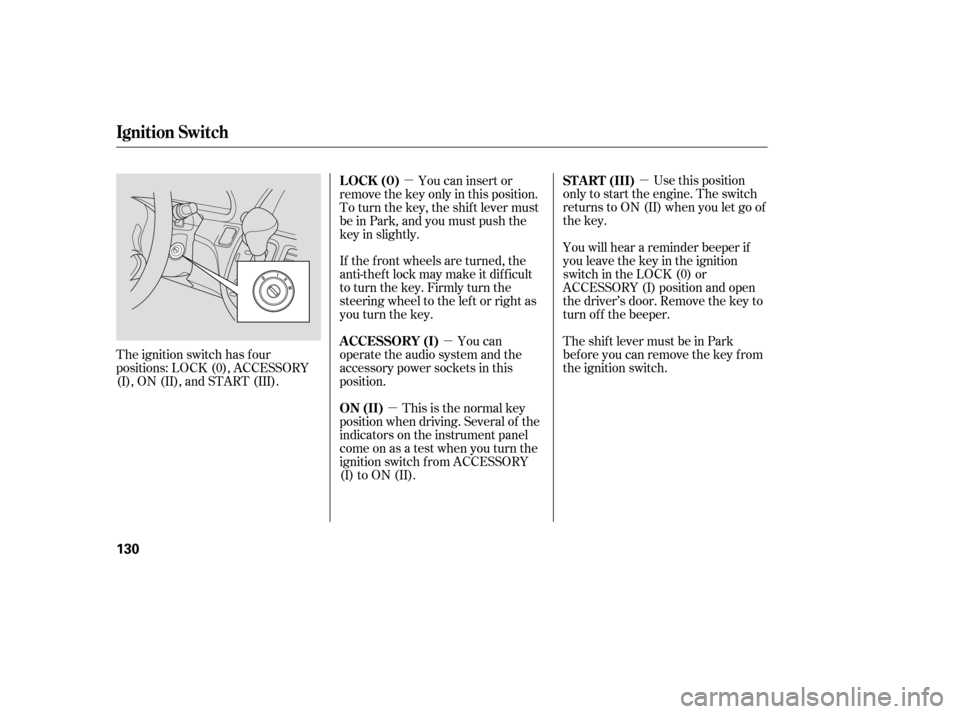
�µ Use this position
only to start the engine. The switch
returns to ON (II) when you let go of
the key.
You will hear a reminder beeper if
you leave the key in the ignition
switch in the LOCK (0) or
ACCESSORY (I) position and open
the driver’s door. Remove the key to
turn of f the beeper.
TheshiftlevermustbeinPark
bef ore you can remove the key f rom
the ignition switch.
The ignition switch has f our
positions: LOCK (0), ACCESSORY
(I), ON (II), and START (III). You can insert or
remove the key only in this position.
To turn the key, the shift lever must
be in Park, and you must push the
key in slightly.
If the f ront wheels are turned, the
anti-theft lock may make it difficult
to turn the key. Firmly turn the
steering wheel to the lef t or right as
you turn the key.
You can
operate the audio system and the
accessory power sockets in this
position.
This is the normal key
position when driving. Several of the
indicators on the instrument panel
come on as a test when you turn the
ignition switch f rom ACCESSORY
(I) to ON (II). ST A RT (III)
LOCK (0)
A CCESSORY (I)
ON (II)
Ignition Switch
130
Page 147 of 414

When you release the f uel f ill door,
the driver’s side sliding door
automatically locks so it cannot open
and interfere with the fuel door. If a
passenger attempts to unlock the
door by cycling the lock knob several
times, the door can be opened.
If a passenger needs to get out while
you are ref ueling, instruct that
person to exit on the passenger’s
side.
When you close the f uel f ill door, the
driver’s side sliding door unlocks if it
was unlocked when you opened the
fuel fill door.
If you open the f uel f ill door while
the driver’s side sliding door is
opening, the sliding door stops. If
this happens, the door must be
operated manually.When parking f acing downhill, make
sure the doors are latched in the
f ully open position, and then hold the
door open f or your passengers. Do
not pull the inside or outside door
handle, or the door will slam shut.
Make sure the main switch on the
dashboard is in the ON position.
When parking f acing downhill on a
steep grade, the power sliding doors
may not open or close as they do
normally.
If you leave the vehicle on a steep
downhill with a power sliding door
half open and the engine of f , the
magnetic lock will turn off after 30
minutes and the sliding door will
automatically open or close. In this
case you will hear a continuous tone.
If your vehicle is facing a downhill,
do not turn the main switch to OFF
while the door is opening because
thedoormayslamshut.
On EX and Touring models
On EX and Touring models
Sliding Doors
Ref ueling
Parking on a Hill
146
Page 161 of 414
Follow these precautions when using
the seat heaters:Use the HI setting only to heat the
seats quickly, because it draws
large amounts of current f rom the
battery.
If the engine is lef t idling f or an
extended period, do not use the
seat heaters, even on the LO
setting. It can weaken the battery,
causing hard starting.
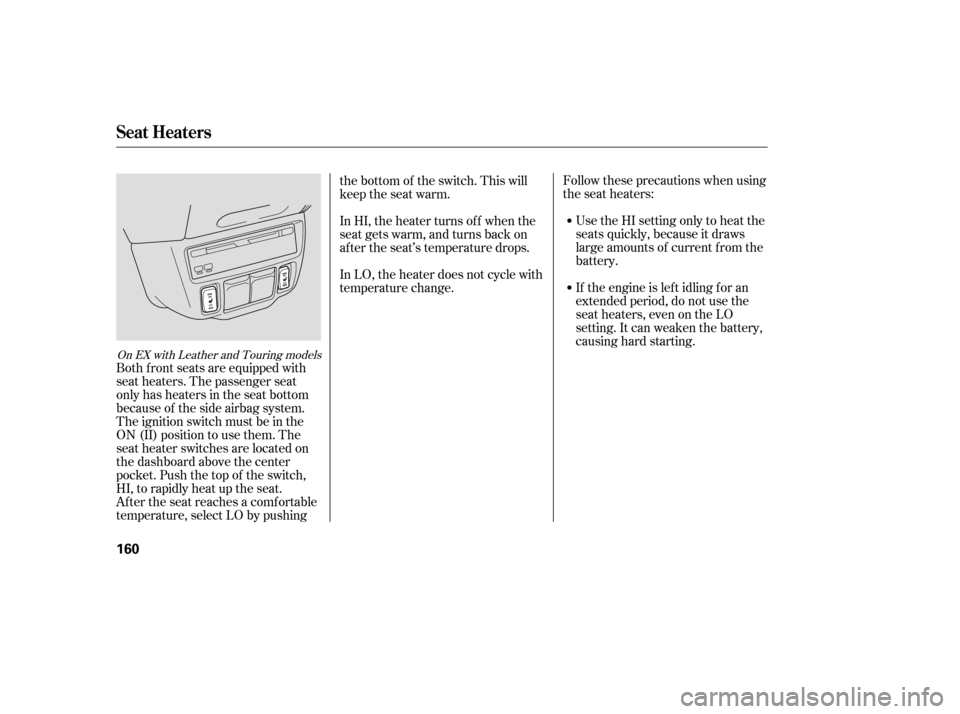
Both f ront seats are equipped with
seat heaters. The passenger seat
only has heaters in the seat bottom
because of the side airbag system.
The ignition switch must be in the
ON (II) position to use them. The
seat heater switches are located on
the dashboard above the center
pocket. Push the top of the switch,
HI, to rapidly heat up the seat.
After the seat reaches a comfortable
temperature, select LO by pushing the bottom of the switch. This will
keep the seat warm.
In HI, the heater turns of f when the
seat gets warm, and turns back on
after the seat’s temperature drops.
In LO, the heater does not cycle with
temperature change.
On EX with Leather and Touring models
Seat Heaters
160

