Page 107 of 274
Audio System
104
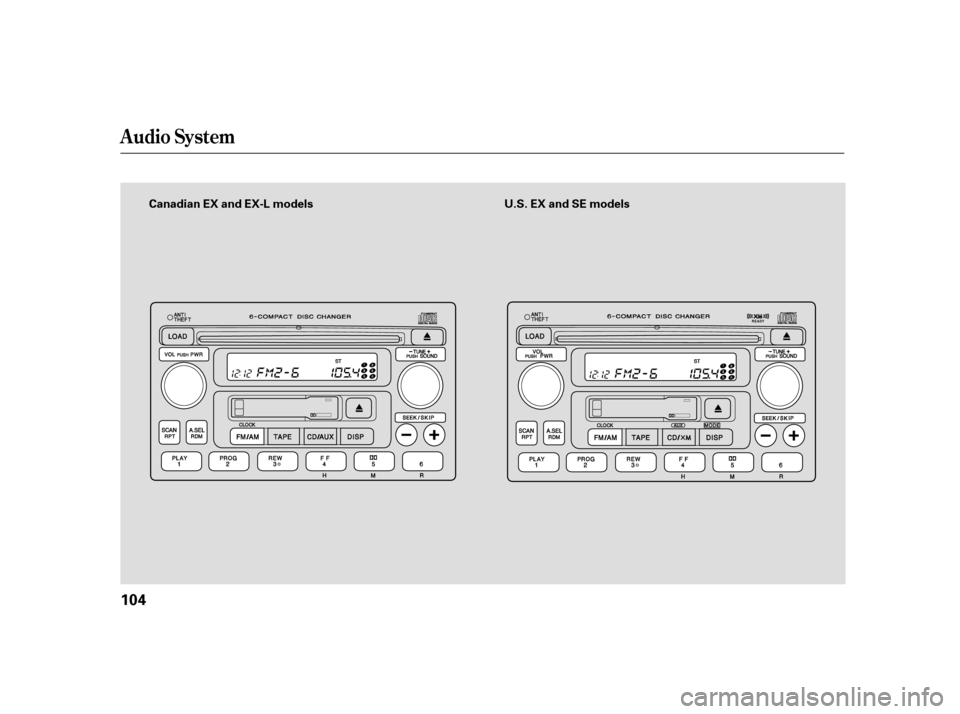
Canadian EX and EX-L models U.S. EX and SE models
Page 111 of 274
�µ�µ
�µ
�µ You can use the instrument panel
brightness control knob to adjust the
illumination of the audio system (see
page ). The audio system
illuminates when the parking lights
are on, even if the radio is of f .
Adjust the balance or side-
to-side strength of the sound.
Adjust the fader or the
f ront-to-back strength of the sound.
Adjustthetrebleinthe
sound.
Adjust the bass in the sound. Press the knob to pop it
out. Turn it to adjust the Bass level.
Pull it out slightly f arther to adjust
the Fade, or front-to-back strength.
Pushtheknobbackinwhenyouare
done adjusting the sound.
Press the knob to pop it
out. Turn it to adjust the Treble level.
Pull it out slightly f arther to adjust
the balance, or side-to-side strength.
Pushtheknobbackinwhenyouare
done adjusting the sound. For inf ormation, see page .67
132
A udio System L ighting
Adjusting the Sound
BAL
FAD
TRE
BAS BAS/FAD:
TRE/BAL:
Radio Frequencies and Reception
Playing the Radio
108
Page 122 of 274
�µ�µ
�µ
�µ You can use the instrument panel
brightness control knob to adjust the
illumination of the audio system (see
page ). The audio system
illuminates when the parking lights
are on, even if the radio is of f .
Adjust the balance or side-
to-side strength of the sound.
Adjust the fader or the
f ront-to-back strength of the sound.
Adjustthetrebleinthe
sound.
Adjust the bass in the sound. Press the SOUND knob repeatedly
to display the Bass (BAS), Treble
(TRE), Fader (FAD), and Balance
(BAL) settings.
Eachmodeisshowninthedisplayas
it changes. Turn the SOUND knob
to adjust the setting to your liking.
When the level reaches the center,
you will see a ‘‘C’’ in the display. The
system will return to the audio
display about 5 seconds af ter you
stop adjusting a mode.
For inf ormation, see page .67
132
Playing the Radio
A udio System L ighting
Adjusting the Sound
BAL
FAD
TRE
BAS Radio Frequencies and Reception
Features
119
Page 125 of 274
Satellite radio receives signals f rom
two satellites to produce clear, high-
quality digital reception. It of f ers
many channels in several categories.
Along with a large selection of
dif f erent types of music, satellite
radio also allows you to view channel
and category selections in the audio
display.
TheXMsatellitesareinorbitover
the equator; therefore, objects south
of the vehicle may cause satellite
reception interruptions. To help
compensate f or this, ground-based
repeaters are placed in major
metropolitan areas.
Satellite signals are more likely to be
blocked by tall buildings and
mountains the f arther north you
travel from the equator.
Satellite Radio Signals
Playing t he XMSatellite Radio (optional)
122
Signal may be blocked bymountains orlarge obstaclesto the south.
SATELLITE
GROUND REPEATER
Signal is weaker in these areas.
Page 126 of 274

Depending on where you drive, you
may experience reception problems.
Interf erence can be caused by any of
these conditions:
Driving on the south side of an
east/west mountain road.
Driving on the north side of a
large commercial truck on an
east/west road.
Driving in tunnels.
Driving on a road beside a vertical
wall, steep clif f , or hill to the south
of you.
Driving on the lower level of a
multi-tiered road.
Driving on a single lane road
alongside dense trees taller than
50 ft. (15 m) to the south of you.
There may also be other geographic
situations that could af f ect satellite
radio reception.
If your XM Radio service has expired
or you purchased your vehicle f rom
a previous owner, you can listen to a
sampling of the broadcasts available
on XM satellite radio. With the
ignition switch in the ACCESSORY
(I) or the ON (II) position, push the
PWR/VOL knob to turn on the audio
system, and press the CD/XM
button. A variety of music types and
styles will play.
If you decide to purchase XM
satellite radio service, contact XM
Radio at , or at
1-800-852-9696. You will need to give
them your radio I.D. number and
your credit card number. To get your
radio I.D. number, turn the TUNE
knob until ‘‘0’’ appears in the display.
Your I.D. will appear in the display.
After you’ve registered with XM
Radio, keep your audio system in the
satellite radio mode while you wait
f or activation. This should take about
30 minutes.
While waiting for activation, make
sure your vehicle remains in an open
area with good reception. Once your
audio system is activated, ‘‘category’’
or ‘‘CH’’ will appear in the display,
andyou’llbeabletolistentoXM
Radio broadcasts. XM Radio will
continue to send an activation signal
to your vehicle for at least 12 hours
from the activation request. If the
service has not been activated after
36 hours, contact XM Radio.
As required by the FCC:
Changes or modif ications not expressly
approved by the party responsible f or
compliance could void the user’s
authority to operate the equipment.
www.xmradio.com
Playing t he XMSatellite Radio (optional)
Receiving Satellite Radio ServiceFeatures
123
Page 129 of 274

�µ
�Ó�Ó
�µ
�µ
�µ
�µ
�Ó
�Ó
�´�µ
�´
�µ
When the CD load indicator turns
green and ‘‘LOAD’’ appears in the
screen again, insert the next CD in
the slot. Do not try to insert a CD
until ‘‘LOAD’’ appears. You could
damage the audio unit.
Repeat this until all six positions
are loaded. If you are not loading
all six positions, the system begins
playing the last CD loaded.
You can also load a CD into an empty
position while a CD is playing by
pressing the appropriate preset
button. The system stops playing the
current CD and starts the loading
sequence. It plays the CD just loaded.
To listen to satellite radio when a CD
is playing, press the CD/XM button.
Press and release the DISP
button to switch the display between
the track and disc numbers and the
elapsedtimeforthecurrentCD.
To move rapidly within a track, press
andholdthe or skipbutton.
The SCAN f unction
samples all the tracks on the
selected disc in the order they are
recorded on the CD. To activate it,
press and hold the SCAN button.
You will see SCAN in the display.
You will get a 10 second sampling of
each track on the selected CD. Press
the SCAN button again to get out of
the system and play the last track
sampled.
To select a dif f erent CD, use the
appropriate preset buttons (1 to 6).
This f eature plays the
tracks in random order. To activate
random play, press and release the
RDM button. You will see RDM in
the display. Press it again to return
to normal play.
To continuously replay
a track, press and release the RPT
button. You will see RPT in the
display. Press it again to turn it of f .
Each time you press and
release the skip button the player
skips forward to the beginning of the
next track. Press and release the
skipbuttontoskipbackwardtothe
beginning of the current track. Press
it again to skip to the beginning of
the previous track.
4.
5.
For models with XM Radio
DISP
To Change or Select Tracks
SCAN
RANDOM
REPEAT
SK IP
Playing a Disc
126
Page 137 of 274

When using CD-R/CD-RW discs,
use only high quality CDs labeled
f or audio use.
When recording a CD-R/CD-RW,
the recording must be closed f or it
to be used by the system.
Play only standard round CDs.
Odd-shaped CDs may jam in the
driveorcauseotherproblems.
Handle your CDs properly to
prevent damage and skipping.
When a CD is not being played, store
it in its case to protect it f rom dust
and other contamination. To prevent
warpage, keep CDs out of direct
sunlight and extreme heat.
To clean a CD, use a clean sof t cloth.
Wipe across the CD f rom the center
to the outside edge.
AnewCDmayberoughonthe
inner and outer edges. The small
plastic pieces causing this roughness
can f lake of f and f all on the re-
cording surf ace of the CD, causing
skipping or other problems. Remove
these pieces by rubbing the inner
and outer edges with the side of a
pencil or pen.
Never try to insert f oreign objects in
theCDplayer/CDchangerorthe
magazine.
Handle a CD by its edges; never
touch either surf ace. Do not place
stabilizer rings or labels on the CD.
These, along with contamination
f rom f ingerprints, liquids, and f elt-tip
pens, can cause the CD to not play
properly or possibly jam in the drive.
Protecting Your Discs
Protecting Your CDs
General Inf ormat ion
Prot ect ing CDs
134
Page 138 of 274

�Û�Ý
Three controls f or the audio system
are mounted in the steering wheel
hub. These let you control basic
f unctions without removing your
hand f rom the wheel.
The VOL switch adjusts the volume
up ( ) or down ( ). Push the
switch up or down and hold it until
the desired volume is reached, then
release it.
The MODE button changes the
mode. Pressing the button
repeatedly selects FM1, FM2, AM,
CD (if a CD is loaded), or a tape. On
models with satellite radio system,
you can also select XM1 and XM2.
If you are listening to the radio, use
the CH button to change stations.
Each time you press the button, the
system goes to the next preset
station on the band you are listening
to.
If youareplayingaCD,thesystem
skips to the beginning of the next
track each time you push the CH
button. You will see the disc and
track number in the display.
If youareplayingatape,pressthe
CH button to advance to the next
selection. The system senses a silent
period, then resumes playing.
If equipped
Remote Audio Controls
Features
135
CH BUTTON MODE BUTTON
VOL SWITCH