Never try to insert f oreign objects in
the CD player or the magazine.
When using CD-R or CD-RW (only
with in-dash CD changer) discs,
use only high quality CDs labeled
f or audio use.
When recording a CD-R or
CD-RW (only with in-dash CD
changer), the recording must be
closedforittobeusedbythe
system.
When a disc is not being played,
store it in its case to protect it f rom
dust and other contamination. To
prevent warpage, keep discs out of
direct sunlight and extreme heat.
To clean a disc, use a clean sof t cloth.
Wipe across the disc f rom the center
to the outside edge.
A new disc may be rough on the
inner and outer edges. The small
plastic pieces causing this roughness
can f lake of f and f all on the
recording surf ace of the disc,
causing skipping or other problems.
Remove these pieces by rubbing the
inner and outer edges with the side
of a pencil or pen.
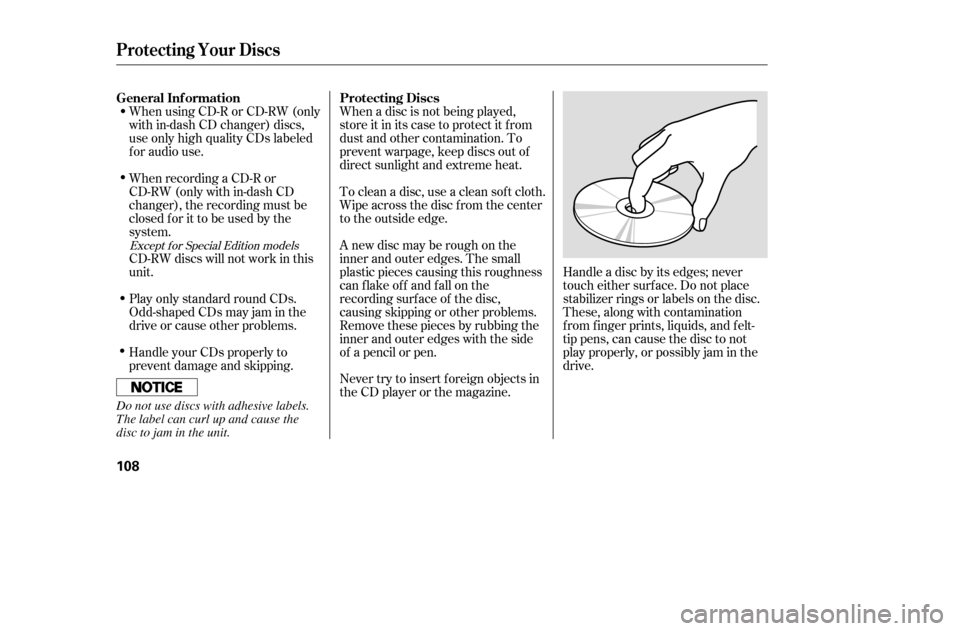
Handle a disc by its edges; never
touch either surf ace. Do not place
stabilizer rings or labels on the disc.
These, along with contamination
f rom f inger prints, liquids, and f elt-
tip pens, can cause the disc to not
play properly, or possibly jam in the
drive.
Handle your CDs properly to
prevent damage and skipping.
CD-RW discs will not work in this
unit.
Play only standard round CDs.
Odd-shaped CDs may jam in the
driveorcauseotherproblems.
Except f or Special Edition models
General Inf ormation Protecting Discs
Protecting Your Discs
108
Do not use discs with adhesive labels.
The label can curl up and cause the
disc to jam in the unit.
�����—�����—�����y�
������
��
���y���
�(�����������y���
�
�
�y
Indication
If you see an error message in the
display while playing a CD, f ind the
cause in the chart to the right. If you
cannot clear the error message, take
the vehicle to your dealer. Cause SolutionExcept f or Special Edition models
FOCUS Error
No CD in the CD magazine
Mechanical Error
High temperature
No CD magazine in the
CD changerPress the magazine eject button and pull it out.
If the message does not disappear or the
magazine cannot be pulled out, see your dealer.
Insert CD.
Press the magazine eject button and pull it out.
Check f or an error massage, and insert the
magazine again. If the message does not
disappear or the magazine cannot be pulled out,
see your dealer.
Will disappear when the temperature returns to
normal.
Insert CD magazine.
CD Changer Error Messages
110
�����—�����—�����y�
������
������y���
�(�����������y���
�
���y