Page 73 of 289
�µ�µ
�µ
�µ
CONT INUED
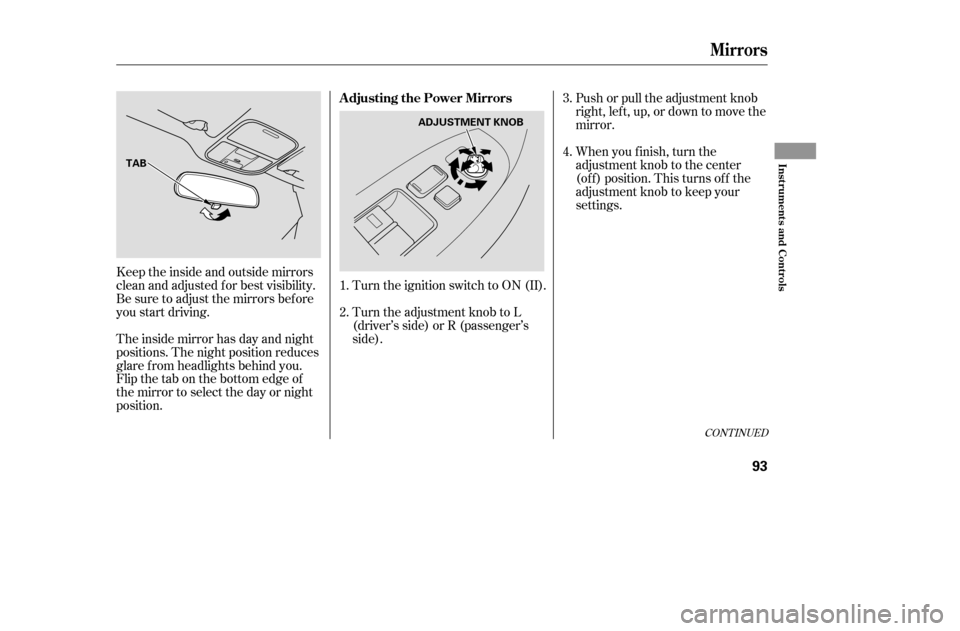
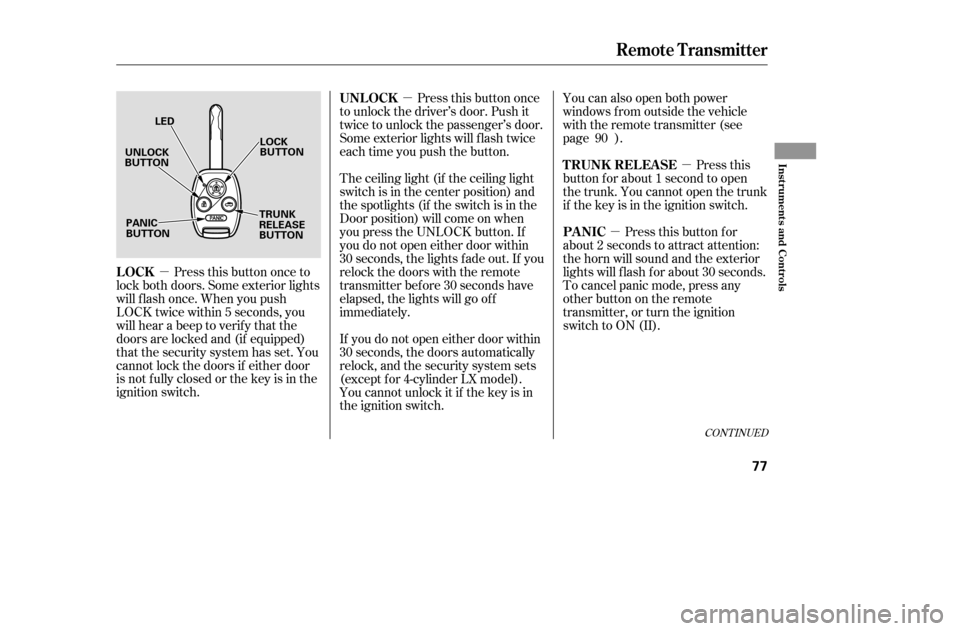
Press this button once to
lock both doors. Some exterior lights
will f lash once. When you push
LOCK twice within 5 seconds, you
will hear a beep to verify that the
doors are locked and (if equipped)
that the security system has set. You
cannot lock the doors if either door
is not f ully closed or the key is in the
ignition switch. You can also open both power
windows from outside the vehicle
with the remote transmitter (see
page ).
Press this
button f or about 1 second to open
the trunk. You cannot open the trunk
if the key is in the ignition switch.
Pressthisbuttonfor
about 2 seconds to attract attention:
thehornwillsoundandtheexterior
lights will f lash f or about 30 seconds.
To cancel panic mode, press any
other button on the remote
transmitter, or turn the ignition
switch to ON (II).
Press this button once
to unlock the driver’s door. Push it
twice to unlock the passenger’s door.
Some exterior lights will f lash twice
each time you push the button.
The ceiling light (if the ceiling light
switch is in the center position) and
the spotlights (if the switch is in the
Door position) will come on when
you press the UNLOCK button. If
you do not open either door within
30 seconds, the lights f ade out. If you
relock the doors with the remote
transmitter before 30 seconds have
elapsed, the lights will go of f
immediately.
If you do not open either door within
30 seconds, the doors automatically
relock, and the security system sets
(except f or 4-cylinder LX model).
You cannot unlock it if the key is in
the ignition switch. 90
Remote Transmitter
LOCK
T RUNK REL EA SE
PA NIC
UNL OCK
Inst rument s and Cont rols
77
UNLOCK
BUTTON
LOCK
BUTTON
TRUNK
RELEASE
BUTTON
PANIC
BUTTON LED
�����—�����—�����y�
���������
���y���
�(���%�������y���������y
Page 89 of 289
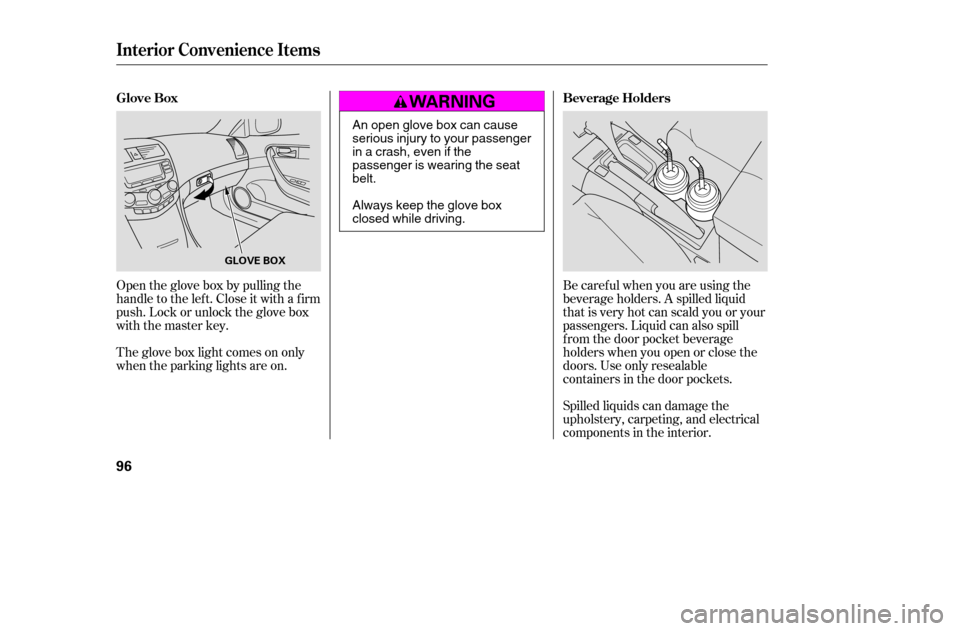
Push or pull the adjustment knob
right, left, up, or down to move the
mirror.
When you f inish, turn the
adjustment knob to the center
(of f ) position. This turns of f the
adjustment knob to keep your
settings.
Turn the ignition switch to ON (II).
Turn the adjustment knob to L
(driver’s side) or R (passenger’s
side).
Keeptheinsideandoutsidemirrors
clean and adjusted f or best visibility.
Be sure to adjust the mirrors bef ore
you start driving.
The inside mirror has day and night
positions. The night position reduces
glare f rom headlights behind you.
Flip the tab on the bottom edge of
the mirror to select the day or night
position. 3. 4.
1. 2.
CONT INUED
Mirrors
A djusting the Power Mirrors
Inst rument s and Cont rols
93
ADJUSTMENT KNOB
TAB
�����—�����—�����y�
���������
���y���
�(���%�������y���������y
Page 92 of 289
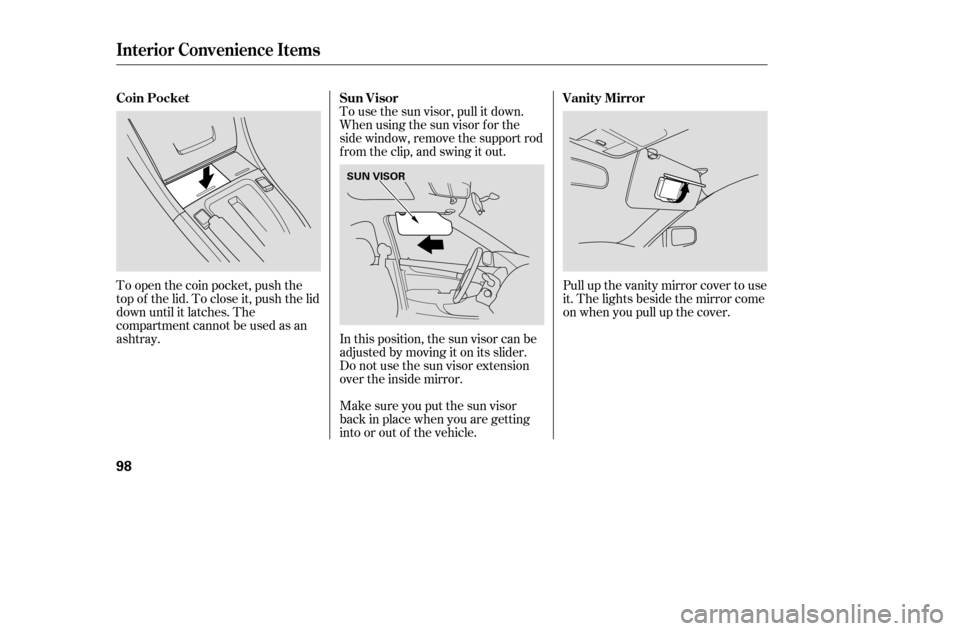
Open the glove box by pulling the
handle to the lef t. Close it with a f irm
push. Lock or unlock the glove box
with the master key.Spilled liquids can damage the
upholstery, carpeting, and electrical
components in the interior.
Be caref ul when you are using the
beverage holders. A spilled liquid
that is very hot can scald you or your
passengers. Liquid can also spill
f rom the door pocket beverage
holders when you open or close the
doors. Use only resealable
containers in the door pockets.
The glove box light comes on only
when the parking lights are on.
Glove Box
Beverage Holders
Interior Convenience Items
96
GLOVE BOX
An open glove box can cause
serious injury to your passenger
inacrash,evenifthe
passenger is wearing the seatbelt.
Always keep the glove box
closed while driving.
�����—�����—�����y�
�������������y���
�(���%�������y���������y
Page 94 of 289
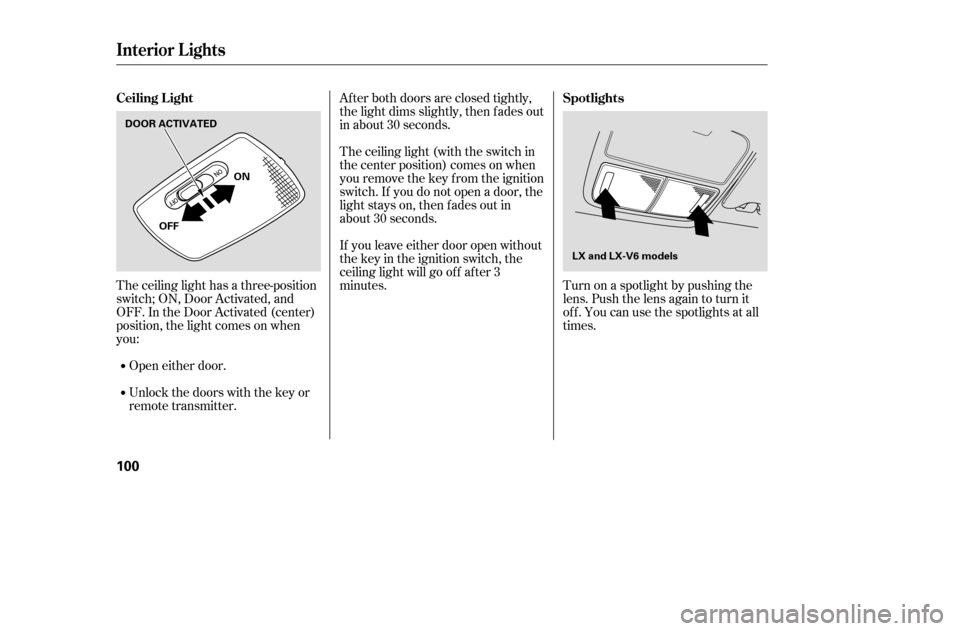
To use the sun visor, pull it down.
Whenusingthesunvisorforthe
side window, remove the support rod
f rom the clip, and swing it out.
To open the coin pocket, push the
top of the lid. To close it, push the lid
down until it latches. The
compartmentcannotbeusedasan
ashtray. In this position, the sun visor can be adjusted by moving it on its slider.
Make sure you put the sun visor
back in place when you are getting
into or out of the vehicle.Pull up the vanity mirror cover to use
it. The lights beside the mirror come
on when you pull up the cover.
Do not use the sun visor extension
over the inside mirror.
Sun Visor
Coin Pocket Vanity Mirror
Interior Convenience Items
98
SUN VISOR
�����—�����—�����y�
������
������y���
�(���%�������y���
���
�y
Page 96 of 289
Turn on a spotlight by pushing the
lens. Push the lens again to turn it
of f . You can use the spotlights at all
times.
Af ter both doors are closed tightly,
the light dims slightly, then f ades out
in about 30 seconds.
The ceiling light (with the switch in
the center position) comes on when
you remove the key f rom the ignition
switch. If you do not open a door, the
light stays on, then f ades out in
about 30 seconds.
If you leave either door open without
the key in the ignition switch, the
ceiling light will go of f af ter 3
minutes.
The ceiling light has a three-position
switch; ON, Door Activated, and
OFF. In the Door Activated (center)
position, the light comes on when
you:
Open either door.
Unlock the doors with the key or
remote transmitter.
Interior Lights
Spotlights
Ceiling L ight
100
LX and LX-V6 models
OFF
DOOR ACTIVATED
ON
�����—�����—�����y�
������
������y���
�(���%�������y���
�����y
Page 97 of 289
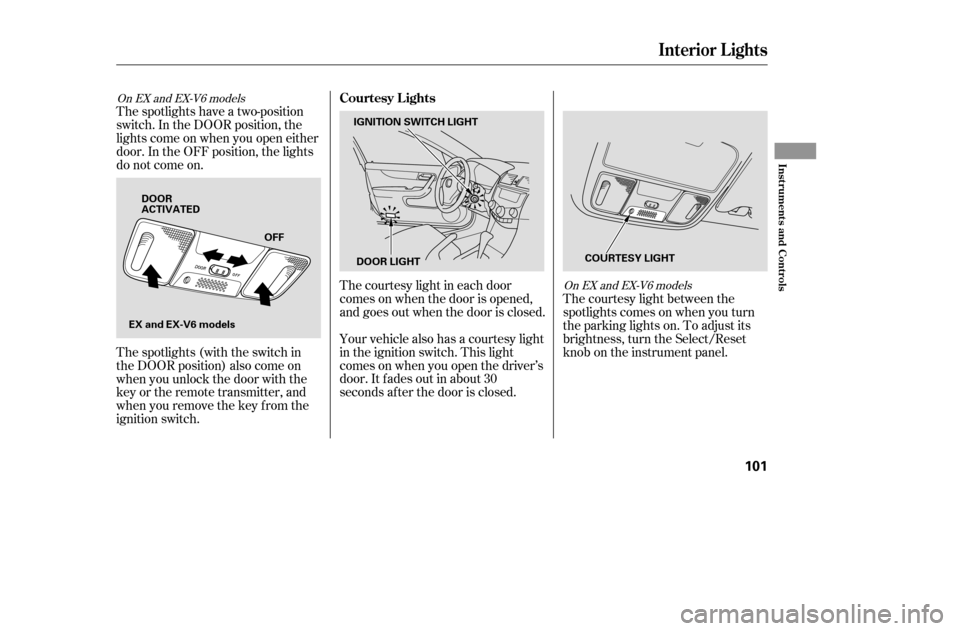
The courtesy light between the
spotlights comes on when you turn
the parking lights on. To adjust its
brightness, turn the Select/Reset
knob on the instrument panel.
The courtesy light in each door
comes on when the door is opened,
and goes out when the door is closed.
Your vehicle also has a courtesy light
in the ignition switch. This light
comesonwhenyouopenthedriver’s
door. It f ades out in about 30
seconds af ter the door is closed.
The spotlights have a two-position
switch. In the DOOR position, the
lights come on when you open either
door. In the OFF position, the lights
do not come on.
The spotlights (with the switch in
the DOOR position) also come on
when you unlock the door with the
key or the remote transmitter, and
when you remove the key f rom the
ignition switch.
On EX and EX-V6 models
On EX and EX-V6 models
Interior Lights
Courtesy Lights
Inst rument s and Cont rols
101
IGNITION SWITCH LIGHT
DOOR LIGHT COURTESY LIGHT
EX and EX-V6 models DOOR
ACTIVATED
OFF
�����—�����—�����y�
������
������y���
�(���%�������y���
�����y
Page 146 of 289

Once the security system is set,
opening either door without using
the key or the remote transmitter,
the hood, or the trunk will cause the
system to alarm. It also alarms if the
radio is removed f rom the dashboard
or the wiring is cut.With the system set, you can still
open the trunk with the remote
transmitter without triggering the
alarm. The alarm will sound if the
trunk lock is f orced, or the trunk is
opened with the trunk release handle
or the emergency trunk opener.
The security system will not set if
the hood, trunk, or either door is not
f ully closed. If the system will not set,
check the door and trunk open
monitor on the instrument panel (see
page ), to see if the doors and the
trunk are f ully closed. Since it is not
part of the monitor display, manually
check the hood.
Do not attempt to alter this system
or add other devices to it.
The security system helps to protect
your vehicle and valuables f rom thef t.
The horn sounds and a combination
of headlights, parking lights, side
marker lights, and taillights f lashes if
someone attempts to break into your
vehicleorremovetheradio.This
alarm continues f or 2 minutes, then
the system resets. To reset an
alarming system bef ore the 2
minutes have elapsed, unlock the
driver’s door with the key or the
remote transmitter.
The security system automatically
sets 15 seconds after you lock the
doors, hood, and trunk. For the
system to activate, you must lock the
doors f rom the outside with the key,
lock tab, door lock switch, or remote
transmitter. The security system
indicator on the instrument panel
starts blinking immediately to show
you the system is setting itself .
59
If equipped
Security System
Features
151
SECURITY SYSTEM INDICATOR
�����—�����—�����y�
�
�������
�
�y���
�(���%�������y���
�����y
Page 161 of 289

When properly installed, cellular
phones, alarms, two-way radios, and
low-powered audio systems should
not interf ere with your vehicle’s
computer controlled systems, such
as your airbags and anti-lock brakes.Bef ore installing any accessory:
Make sure the accessory does not
obscure any lights, or interf ere
with proper vehicle operation or
perf ormance.
Be sure electronic accessories do
not overload electrical circuits
(see page ) or interf ere with
proper operation.
Modif ying your vehicle, or installing
some non-Honda accessories, can
make it unsaf e. Bef ore you make any
modif ications or add any accessories,
be sure to read the f ollowing
inf ormation.
Your dealer has Honda accessories
that allow you to personalize your
vehicle, or improve its perf ormance.
These accessories have been
designed and approved f or your
vehicle, and are covered by warranty.
Bef ore installing any electronic
accessory, have the installer
contact your dealer for assistance.
If possible, have your dealer
inspect the f inal installation.
Do not install accessories on the
side pillars or across the rear
windows as these may interf ere
with proper operation of the side
curtain airbags.
Although non-Honda accessories
may f it on your vehicle, they may not
meet f actory specif ications, and
could adversely af f ect your vehicle’s
handling and stability. 264
A ccessories
A ccessories and Modif ications
Bef ore Driving
167
Improper accessories or
modifications can affect your
vehicle’s handling, stability, and
performance, and cause a
crash in which you can be hurt
or killed.
Follow all instructions in this
owner’s manual regarding
accessories and modifications.
�����—�����—�����y�
�
�����������y���
�(���%�������y���
�����y