Page 75 of 286
When you turn the ignition switch to
the ON (II) position and release the
parking brake, the high beam
headlights and the high beam
indicator come on at reduced
brightness if the headlight switch is
off.
The daytime running lights are of f
when the headlight switch is in theor position.
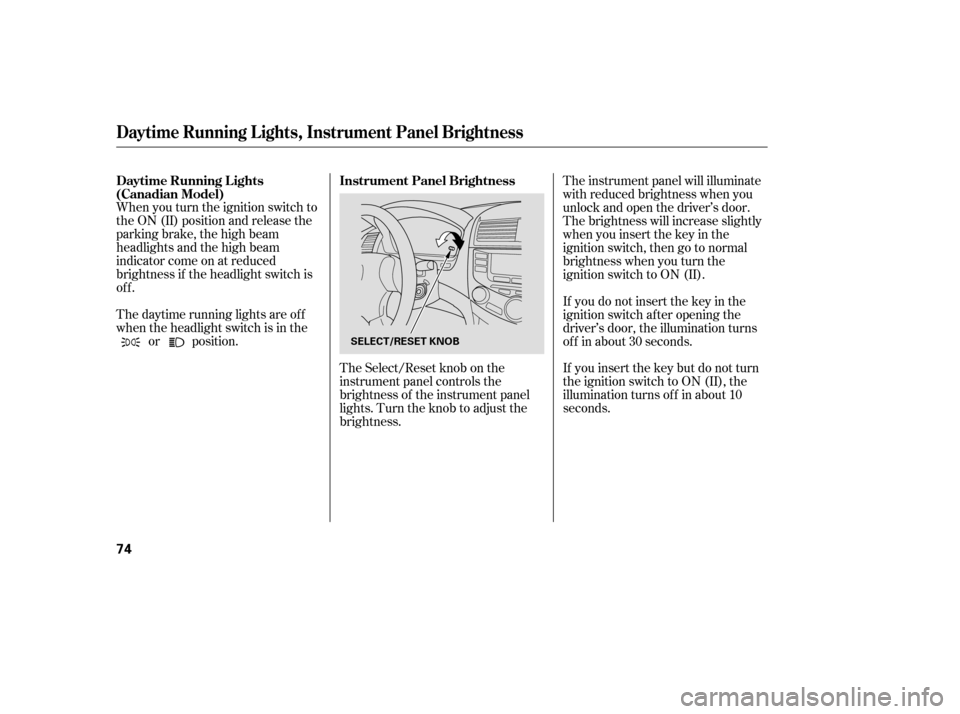
The Select/Reset knob on the
instrument panel controls the
brightness of the instrument panel
lights. Turn the knob to adjust the
brightness. The instrument panel will illuminate
with reduced brightness when you
unlock and open the driver’s door.
The brightness will increase slightly
when you insert the key in the
ignitionswitch,thengotonormal
brightness when you turn the
ignition switch to ON (II).
If you do not insert the key in the
ignition switch af ter opening the
driver’s door, the illumination turns
of f in about 30 seconds.
If you insert the key but do not turn
the ignition switch to ON (II), the
illumination turns of f in about 10
seconds.
Instrument Panel Brightness
Daytime Running L ights
(Canadian Model)
Daytime Running L ights, Instrument Panel Brightness
74
SELECT/RESET KNOB
�����—���
�—�����y�
����
����
���y���
�(���'�������y���������y
Page 83 of 286

�µ�µ
You cannot lock the doors with the
remote transmitter if any door is not
f ully closed or the key is in the
ignition switch.
If you do not open any door within 30
seconds, the doors automatically
relock and the security system sets.
Pressthisbuttonfor
about 1 second to attract attention;
thehornwillsoundandtheexterior
lights will f lash f or about 30 seconds.
To cancel panic mode, press any
other button on the remote
transmitter, or turn the ignition
switch to ON (II).
Press this
button f or about 1 second to open
the trunk. You cannot open the trunk
if the key is in the ignition switch. If it takes several pushes on the
button to lock or unlock the doors,
replace the battery as soon as
possible.
Battery type: CR1616
Avoid dropping or throwing the
transmitter.
Protect the transmitter from
extreme temperature.
Do not immerse the transmitter in
any liquid.
If you lose a transmitter, the
replacement needs to be
reprogrammed by your dealer.
Remote Transmitter
PA NIC
T RUNK REL EA SE
Remote Transmitter Care
Replacing the Transmitter Battery
82
�����—���
�—�����y�
����
��������y���
�(���'�������y���������y
Page 98 of 286
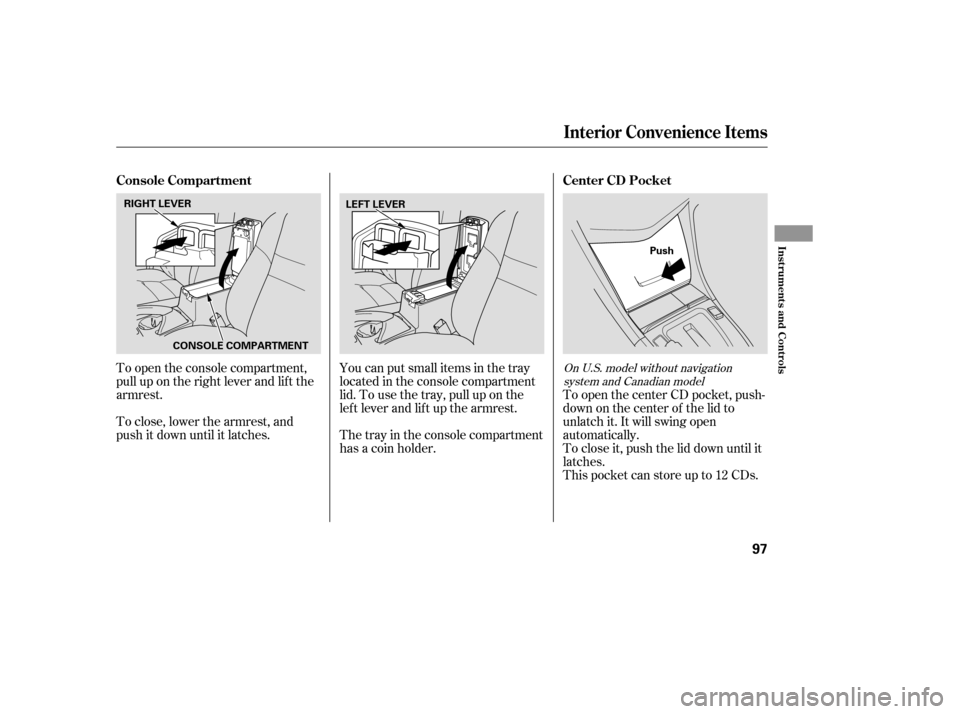
To open the console compartment,
pull up on the right lever and lif t the
armrest.
To close, lower the armrest, and
push it down until it latches.You can put small items in the tray
located in the console compartment
lid. To use the tray, pull up on the
lef t lever and lif t up the armrest.
Thetrayintheconsolecompartment
has a coin holder.
To open the center CD pocket, push-
down on the center of the lid to
unlatch it. It will swing open
automatically.
To close it, push the lid down until it
latches.
This pocket can store up to 12 CDs.On U.S. model without navigation
system and Canadian model
Interior Convenience Items
Console Compartment Center CD Pocket
Inst rument s and Cont rols
97
CONSOLE COMPARTMENT
RIGHT LEVER
LEFT LEVER
Push
�����—���
�—�����y�
�������������y���
�(���'�������y���
�����y
Page 116 of 286

�µ
�µ If you are
traveling far from home and can no
longer receive your preset stations,
you can use the auto select feature to
find stations in the local area.
Press the A. SEL button or touch the
Auto Select icon. A. SEL will f lash in
the display, and the system will go
into scan mode f or several seconds.
It stores the f requencies of six AM,
and twelve FM stations in the preset
bars (1 6) or icons. You will see a
‘‘0’’ displayed af ter pressing a preset
bar or icon if Auto Select cannot f ind
a strong station for every preset bar
or icon. If you do not like the stations Auto
Select has stored, you can store
other f requencies on the preset bars
or icons. Use the TUNE, SEEK, or
SCAN f unction to f ind stations, then
store them in the preset bars or
icons as described previously.
press the A.
SEL button or Auto Select icon. This
restores the presets you originally
set.
To turn of f Auto Select,
AUTO SELECT
Playing the Radio
Features
115
�����—�
���—���
�y���������������y���
�(���'�������y���
�
���y
Page 117 of 286

�µ
�µ Eachmodeisshowninthedisplayas
it changes. Turn the VOLUME knob
or touch the icon to adjust the
setting to your liking. When the level
reaches the center, you will see ‘‘C’’
in the display.
The system will automatically return
the display to the selected audio
mode about f ive seconds af ter you
stop adjusting a mode. On vehicles
with navigation system, touch the
RETURN icon to go back to the
audio screen.
Press the SOUND button or icon, or
press the TUNE knob repeatedly to
display the Bass (BAS), Treble
(TRE), Balance (BAL), and Fader
(FAD) settings. On vehicles with
navigation system, touch the
SOUND icon or press the TUNE
knob.
These two
modes adjust the strength of the
sound coming f rom each speaker.
BAL adjusts the side-to-side strength,
while FAD adjusts the f ront-to-back
strength.
Use the TRE/BAS
modes to adjust the tone to your
liking.
If you want to adjust the sound while
the radio/CD is playing, push the
AUDIO DISPLAY button, then touch
the SOUND icon in the display. Touch the arrows next to the BAS or
TRE icons. The adjustment shows
you the current setting.
Touch the lef t or right bars on the
sound grid. Balance is equalized
when the vertical lines are centered
on the grid.
Touchthefrontorrearbarsonthe
sound grid. The f ader is equalized
when the horizontal lines are
centered on the grid.
With Navigation SystemWithout Navigation System
With Navigation System
Adjusting the Sound
Balance/Fader
Treble/Bass
Playing the Radio
116
�����—�
���—���
�y�������������
�y���
�(���'�������y���
�
���y
Page 124 of 286

�µ�µ
�µ Touch the icon to
continuously replay the current CD.
Touch again to turn it of f .
Touch the icon to
play the current CD in random order.
Touch again to stop.
Selects an icon and
plays the disc.
Press the eject button ( ) to
remove the CD. If you eject the CD,
but do not remove it f rom the slot,
the system will automatically reload
the CD af ter 15 seconds and put it in
pause mode. To begin playing, press
the CD button. PresstheAM/FMorXM/CD
buttontoswitchtotheradioor
satellite radio while a CD is playing.
Press the CD button again to play
the CD.
If a tape is in the optional tape player,
press the AUX button to switch to
the tape while a CD is playing. Press
the CD button again to switch back
to the CD player.
If you turn the system of f while a CD
is playing, the CD will stay in the
drive. When you turn the system
back on, the CD will begin playing
where it lef t of f .
To remove the disc currently playing,
press the EJECT button. When a
disc is removed f rom a slot, the
system automatically begins the load
sequence so you can load another
CD in that position. If you do not
remove the disc f rom the changer
within 15 seconds, the system
returns to the previous mode (AM/
FM or satellite radio). The disc will
reload into the system and will
remainthereinapausemode.
To remove a dif f erent disc f rom the
changer,firstselectitwiththe
appropriate preset bar or icon. When
that CD begins playing, press the
eject button. Continue pressing the
EJECT button to remove all the discs
f rom the changer.
On models with CD player or changer
DISC RPT
TRACK RDM
CH DISC
To Stop Playing a CD
Removing CDs f rom the Changer
Playing a CD, CD Changer
Features
123
�����—�
���—���
�y���������������y���
�(���'�������y���
�����y
Page 130 of 286

�Û
�Î
�Î
The ignition switch must be in
ACCESSORY (I) or ON (II). Make
sure the open side of the tape is
facing right, then insert the tape
most of the way into the slot. The
system will pull the tape in the rest
of the way, and begin to play it.
The tape direction indicator will light
to show you which side of the tape is
playing. The indicates the side
youinsertedupwardinnowplaying.
If you want to play the other side,
press the Preset 3 (PLAY/PROG)
side of the preset bar or press the
AUDIO DISPLAY button and touch
the PROG icon. When the player
reaches the end of the tape, it will
automatically reverse direction and
play the other side. Dolby noise reduction turns on
when you insert a tape. The
indicator will light in the
display. If the tape was not recorded
in Dolby, turn it of f by pressing the
Preset 4 (NR) side of the preset bar
or touching the NR icon. Dolby
remains of f until you press the
preset bar or the icon again.
Dolby noise reduction
manuf actured under license f rom
Dolby laboratories licensing
Corporation. ‘‘Dolby’’ and the
double-D symbol are trademarks
of the Dolby Laboratories
Licensing Corporation. To remove the tape, press the
EJECT button on the cassette player.
If you want to turn the player of f ,
press the PWR/VOL knob or turn
of f the ignition. The tape will remain
in the drive.
When you turn the system back on,
the tape player will be in pause mode.
Press the Preset 3 (PLAY/PROG)
side of the preset bar or touch the
PROG icon on vehicles with
navigation system to resume play.
To switch to the radio or CD player
while a tape is playing, press the
AM/FM, or CD/AUX button or CD/
AUX XM button. To change back to
thetapeplayer,pushtheCD/AUX
button or CD/AUX XM button.
Optional on all U.S. models
To Play a Tape
To Stop Playing a Tape
Playing a T ape (U.S. Vehicles)
Features
129
�����—�
���—���
�y���������������y���
�(���'�������y���
�����y
Page 132 of 286

If the tape is loose, tighten it by
turning the hub with a pencil or your
f inger. If the label is peeling of f ,
remove it or it could cause the tape
to jam in the player. Never try to
insert a warped or damaged tape in
the player.
Store tapes in their cases to protect
them f rom dust and moisture. Never
place tapes where they will be
exposed to direct sunlight, high heat,
or high humidity. If a tape is exposed
to extreme heat or cold, let it reach a
moderate temperature bef ore
inserting it into the player.
Thetapeplayerpicksupdirtand
oxides f rom the tape. This
contamination builds up over time
and causes the sound quality to
degrade. To prevent this, you should
clean the player af ter every 30 hours
of use.
If you do not clean the tape player
regularly, it may eventually become
impossible to remove the
contamination with a normal
cleaning kit. Your dealer has a
cleaning kit available.
Use 100-minute or shorter tapes.
Tapes longer than that may break or
jam the drive.
Never try to insert f oreign objects
into the tape player.
Caring f or the T ape and Player
Playing a T ape (U.S. Vehicles)
Features
131
�����—�
���—���
�y���������������y���
�(���'�������y���
�����y