2005 GMC YUKON DIC
[x] Cancel search: DICPage 150 of 530

Easy Exit Seat
The controls for this memory function are located on the
driver’s door.
B(Easy Exit Seat):This button is used to program
and recall the desired driver’s seat position when
exiting/entering the vehicle. The seat position can be
saved for up to two drivers.
To store the seat exit position, do the following:
1. Press and release the 1 or 2 button. The seat will
move to the stored memory position.
2. Adjust the seat to the desired exit position.
3. Press and hold the exit button of the memory
control for three seconds. A double chime will sound
to let you know that the position has been stored
for the selected button (1 or 2).To repeat the procedure for a second driver, follow the
preceding steps, but press the other numbered
memory control button.
To use the seat exit position, do one of the following:Press the exit button on the memory control.
Or, if this feature is activated in the Driver
Information Center (DIC), removing the key from
the ignition will move the seat to the exit position.
See “Easy Exit Seat” underDIC Vehicle Customization
on page 3-68for more information on activating this
feature in the DIC.
2-62
Page 151 of 530

Instrument Panel Overview...............................3-4
Hazard Warning Flashers................................3-6
Other Warning Devices...................................3-6
Horn.............................................................3-6
Tilt Wheel.....................................................3-6
Turn Signal/Multifunction Lever.........................3-7
Turn and Lane-Change Signals........................3-8
Headlamp High/Low-Beam Changer..................3-8
Flash-to-Pass.................................................3-9
Windshield Wipers..........................................3-9
Windshield Washer.......................................3-10
Cruise Control..............................................3-11
Headlamps..................................................3-14
Headlamps on Reminder................................3-15
Daytime Running Lamps (DRL).......................3-15
Automatic Headlamp System..........................3-16
Fog Lamps..................................................3-17
Auxiliary Roof Mounted Lamp.........................3-17
Instrument Panel Brightness...........................3-18
Dome Lamps...............................................3-18
Dome Lamp Override....................................3-18
Entry Lighting...............................................3-18
Exit Lighting.................................................3-18
Front Reading Lamps....................................3-19
Battery Run-Down Protection..........................3-19
Accessory Power Outlets...............................3-20
Ashtrays and Cigarette Lighter........................3-20Climate Controls............................................3-21
Climate Control System.................................3-21
Dual Climate Control System..........................3-22
Dual Automatic Climate Control System...........3-24
Outlet Adjustment.........................................3-30
Rear Air Conditioning System.........................3-30
Rear Air Conditioning and Heating System.......3-31
Rear Air Conditioning and Heating System and
Electronic Climate Controls.........................3-34
Warning Lights, Gages, and Indicators............3-36
Instrument Panel Cluster................................3-37
Speedometer and Odometer...........................3-38
Trip Odometer..............................................3-38
Tachometer.................................................3-38
Safety Belt Reminder Light.............................3-39
Airbag Readiness Light..................................3-39
Passenger Airbag Status Indicator...................3-40
Battery Warning Light....................................3-42
Voltmeter Gage............................................3-42
Brake System Warning Light..........................3-43
Anti-Lock Brake System Warning Light.............3-44
Traction Off Light..........................................3-45
Engine Coolant Temperature Gage..................3-46
Transmission Temperature Gage.....................3-46
Tire Pressure Light.......................................3-48
Malfunction Indicator Lamp.............................3-48
Oil Pressure Gage........................................3-51
Section 3 Instrument Panel
3-1
Page 152 of 530

Security Light...............................................3-52
Cruise Control Light......................................3-52
Highbeam On Light.......................................3-52
Four-Wheel-Drive Light..................................3-52
Tow/Haul Mode Light....................................3-53
Fuel Gage...................................................3-53
Low Fuel Warning Light.................................3-53
Driver Information Center (DIC).......................3-54
DIC Operation and Displays...........................3-55
DIC Warnings and Messages.........................3-58
DIC Vehicle Customization.............................3-68
Audio System(s).............................................3-74
Setting the Time for Radios without Radio
Data Systems (RDS)..................................3-75
Setting the Time for Radios with Radio Data
Systems (RDS).........................................3-75AM-FM Radio...............................................3-76
Radio with CD..............................................3-78
Radio with Cassette and CD..........................3-89
Radio with Six-Disc CD................................3-103
Navigation/Radio System..............................3-118
Rear Seat Entertainment System...................3-118
Rear Seat Audio (RSA)................................3-129
Theft-Deterrent Feature................................3-131
Audio Steering Wheel Controls......................3-131
Radio Reception.........................................3-132
Care of the Cassette Tape Player.................3-133
Care of Your CDs and DVDs........................3-134
Care of the CD and DVD Player...................3-134
Fixed Mast Antenna....................................3-135
XM™ Satellite Radio Antenna System............3-135
Chime Level Adjustment...............................3-135
Section 3 Instrument Panel
3-2
Page 155 of 530

A. Dome Lamp Override Button. SeeDome Lamp
Override on page 3-18.
B. Headlamp Controls. SeeHeadlamps on page 3-14.
C. Air Outlets. SeeOutlet Adjustment on page 3-30.
D. Automatic Transfer Case Buttons. SeeFour
Wheel-Drive on page 2-27.
E. Turn Signal/Multifunction Lever. SeeTurn
Signal/Multifunction Lever on page 3-7.
F. Instrument Panel Cluster. SeeInstrument Panel
Cluster on page 3-37.
G. Gearshift Lever. SeeAutomatic Transmission
Operation on page 2-23.
H. Tow/Haul Selector Button (If Equipped).
SeeTow/Haul Mode on page 2-26.
I. Audio System. SeeAudio System(s) on page 3-74.
J. Dual Climate Control System or Dual Automatic
Climate Control System (If Equipped). See
Dual Climate Control System on page 3-22 or Dual
Automatic Climate Control System on page 3-24.
K. Instrument Panel Fuse Block. SeeInstrument Panel
Fuse Block on page 5-106.L. Hood Release. SeeHood Release on page 5-11.
M. Steering Wheel Control Buttons (If Equipped).
SeeDriver Information Center (DIC) on page 3-54
andAudio Steering Wheel Controls on page 3-131.
N. Center Instrument Panel Utility Block. SeeCenter
Instrument Panel Fuse Block on page 5-108.
O. Tilt Wheel Lever. SeeTilt Wheel on page 3-6.
P. Parking Brake Release. SeeParking Brake on
page 2-35.
Q. Cigarette Lighter. SeeAshtrays and Cigarette
Lighter on page 3-20. Accessory Power Outlets.
SeeAccessory Power Outlets on page 3-20.
R. Storage Area (If Equipped). SeeCenter Console
Storage Area on page 2-56.
S. Ashtray. SeeAshtrays and Cigarette Lighter on
page 3-20.
T. StabiliTrak
®or Traction Assist System (TAS) Button.
SeeStabiliTrak®System on page 4-10orTraction
Assist Sytem (TAS) System System on page 4-8.
U. Glovebox. SeeGlove Box on page 2-56.
3-5
Page 158 of 530

Turn and Lane-Change Signals
The turn signal has two upward (for right) and two
downward (for left) positions. These positions allow you
to signal a turn or a lane change.
To signal a turn, move the lever all the way up or down.
When the turn is nished, the lever will return
automatically.
To signal a lane change, just raise or lower the lever
until the arrow starts to ash. Hold it there until you
complete your lane change. The lever will return by itself
when you release it.
An arrow on the instrument
panel cluster will ash in
the direction of the
turn or lane change.
As you signal a turn or a lane change, if the arrows
ash more quickly than normal, a signal bulb may
be burned out and other drivers won’t see your turn
signal.If a bulb is burned out, replace it to help avoid an
accident. If the arrows don’t go on at all when you signal
a turn, check for burned-out bulbs and a blown fuse.
SeeFuses and Circuit Breakers on page 5-105.
Turn Signal On Chime
If your turn signal is left on for more than 3/4 of a mile
(1.2 km), a chime will sound at each ash of the
turn signal and the message TURN SIGNAL ON will
also appear in the DIC. To turn the chime and message
off, move the turn signal lever to the off position.
Headlamp High/Low-Beam Changer
53(Headlamp High/Low Beam Changer):To
change the headlamps from low to high beam, push the
lever toward the instrument panel. To return to
low-beam headlamps, pull the multifunction lever toward
you. Then release it.
When the high beams are
on, this indicator light on
the instrument panel
cluster will also be on.
3-8
Page 159 of 530

Flash-to-Pass
This feature lets you use your high-beam headlamps to
signal a driver in front of you that you want to pass.
It works even if your headlamps are in the automatic
position.
To use it, pull the turn signal lever toward you, then
release it.
If your headlamps are in the automatic position or on
low beam, your high-beam headlamps will turn on.
They’ll stay on as long as you hold the lever toward you.
The high-beam indicator on the instrument panel
cluster will come on. Release the lever to return to
normal operation.
Windshield Wipers
You control the windshield wipers by turning the band
with the wiper symbol on it.
8(Mist):For a single wiping cycle, turn the band to
mist. Hold it there until the wipers start. Then let go.
The wipers will stop after one wipe. If you want
more wipes, hold the band on mist longer.
N(Delay):You can set the wiper speed for a long or
short delay between wipes. This can be very useful
in light rain or snow. Turn the band to choose the delay
time. The closer to the top of the lever, the shorter
the delay.
6(Low Speed):For steady wiping at low speed,
turn the band away from you to the rst solid band past
the delay settings. For high-speed wiping, turn the
band further, to the second solid band past the delay
settings. To stop the wipers, move the band to off.
1(High Speed):For high-speed wiping, turn
the band further, to the second solid band past the
delay settings.
9(Off):To stop the wipers, move the band to off.
Be sure to clear ice and snow from the wiper blades
before using them. If they’re frozen to the windshield,
carefully loosen or thaw them. If your blades do become
worn or damaged, get new blades or blade inserts.
3-9
Page 166 of 530

Automatic Headlamp System
When it is dark enough outside, your automatic
headlamp system will turn on your headlamps at the
normal brightness along with other lamps such as
the taillamps, sidemarker, parking lamps and the
instrument panel lights. The radio lights will also be dim.
To turn off the automatic headlamp system, turn the
exterior lamps switch to the off position and then
release. Turning off the automatic headlamp system
with the headlamp switch is not available for vehicles
rst sold in Canada. For vehicles rst sold in Canada,
you can turn off the automatic headlamp system
when parked at night by applying the parking brake
before starting your vehicle. The headlamps will remain
off once the vehicle is started for as long as you are
parked. If you release the parking brake, the lights will
turn on. If the parking brake is not released before
you begin to drive, the exterior lamps will turn on
above 2 mph (3.2 km/h).
Your vehicle is equipped with a light sensor located on
the top of the instrument panel in the defroster grille.
Be sure it is not covered, or the system will be on
whenever the ignition is on.
The system may also turn on your headlamps when
driving through a parking garage, heavy overcast
weather or a tunnel. This is normal.There is a delay in the transition between the daytime
and nighttime operation of the Daytime Running
Lamps (DRL) and the automatic headlamp systems so
that driving under bridges or bright overhead street
lights does not affect the system. The DRL and
automatic headlamp system will only be affected when
the light sensor sees a change in lighting lasting
longer than the delay.
If you start your vehicle in a dark garage, the automatic
headlamp system will come on immediately. Once
you leave the garage, it will take approximately
one minute for the automatic headlamp system to
change to DRL if it is bright enough outside. During that
delay, your instrument panel cluster may not be as
bright as usual. Make sure your instrument panel
brightness control is in the full bright position. See
Instrument Panel Brightness on page 3-18.
To idle your vehicle with the automatic headlamp
system off, turn the control to the off position.
You may be able to turn off your Automatic Headlamp
System. SeeDaytime Running Lamps (DRL) on
page 3-15for more information.
Your headlamps will also stay on after you exit the
vehicle. You can program this feature using the Driver
Information Center (DIC). SeeDIC Vehicle
Customization on page 3-68.
As with any vehicle, you should turn on the regular
headlamp system when you need them.
3-16
Page 167 of 530
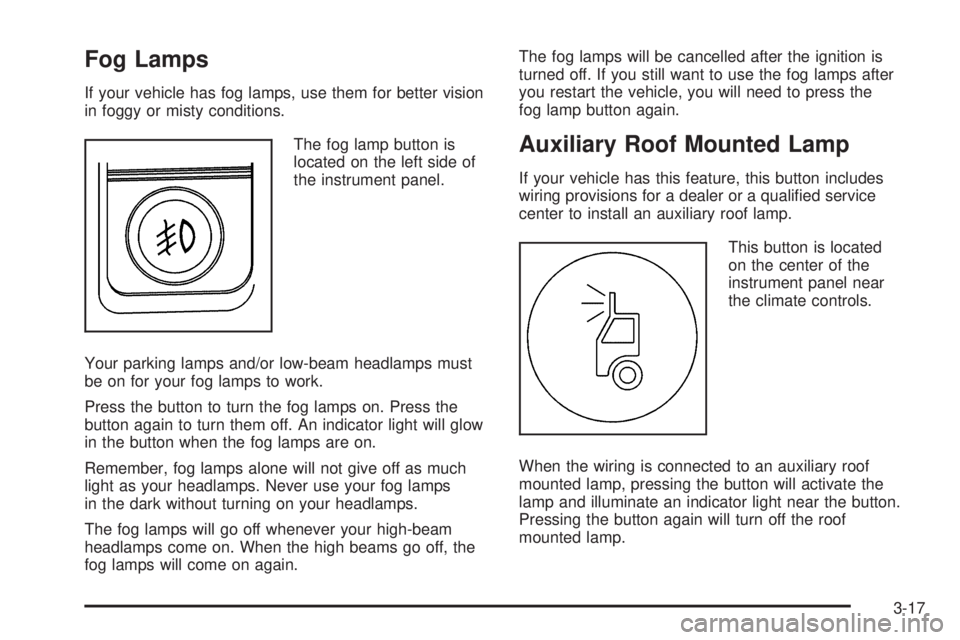
Fog Lamps
If your vehicle has fog lamps, use them for better vision
in foggy or misty conditions.
The fog lamp button is
located on the left side of
the instrument panel.
Your parking lamps and/or low-beam headlamps must
be on for your fog lamps to work.
Press the button to turn the fog lamps on. Press the
button again to turn them off. An indicator light will glow
in the button when the fog lamps are on.
Remember, fog lamps alone will not give off as much
light as your headlamps. Never use your fog lamps
in the dark without turning on your headlamps.
The fog lamps will go off whenever your high-beam
headlamps come on. When the high beams go off, the
fog lamps will come on again.The fog lamps will be cancelled after the ignition is
turned off. If you still want to use the fog lamps after
you restart the vehicle, you will need to press the
fog lamp button again.
Auxiliary Roof Mounted Lamp
If your vehicle has this feature, this button includes
wiring provisions for a dealer or a qualied service
center to install an auxiliary roof lamp.
This button is located
on the center of the
instrument panel near
the climate controls.
When the wiring is connected to an auxiliary roof
mounted lamp, pressing the button will activate the
lamp and illuminate an indicator light near the button.
Pressing the button again will turn off the roof
mounted lamp.
3-17