Page 123 of 480
OnStar®Steering Wheel Controls
A steering wheel control can be used to interact with the
OnStar®personal calling feature.
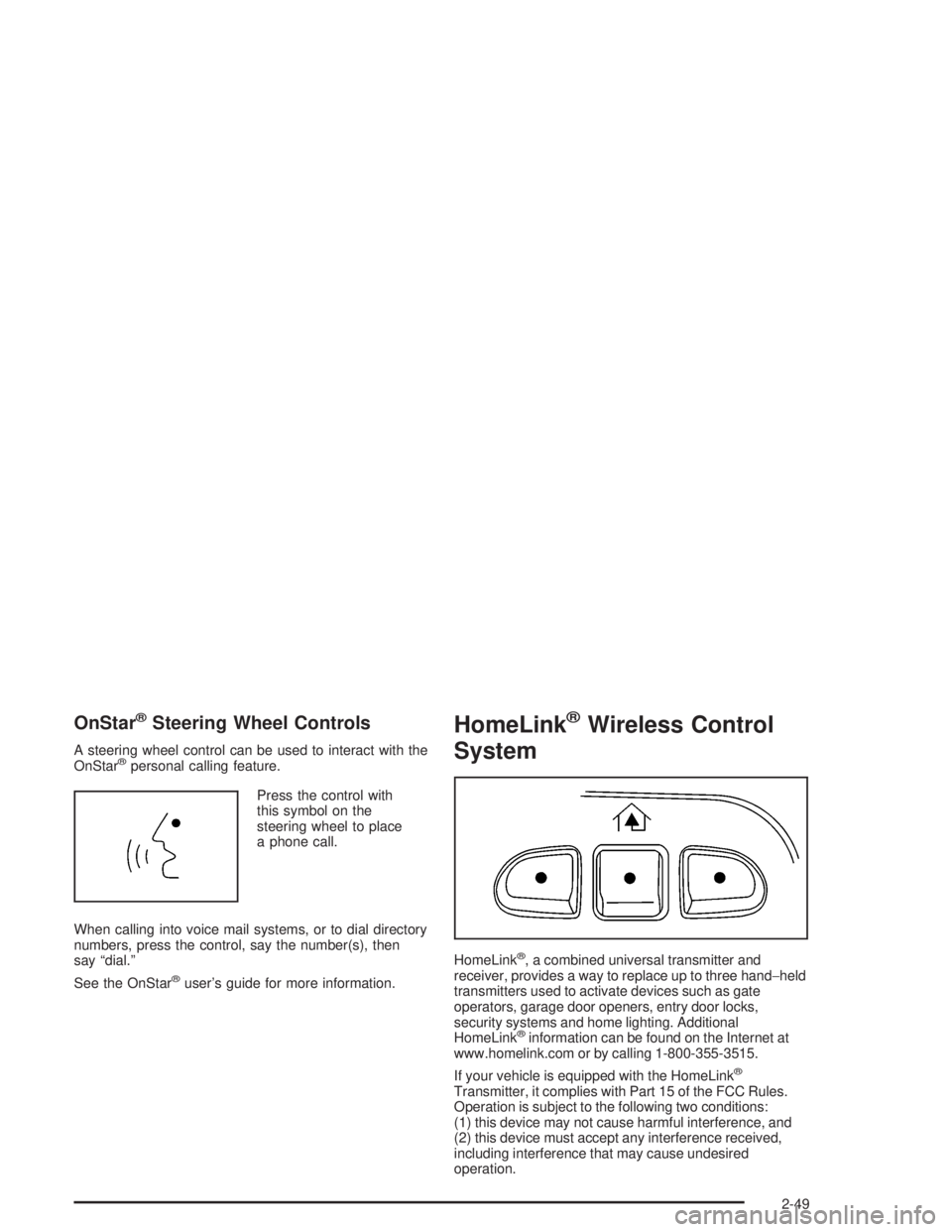
Press the control with
this symbol on the
steering wheel to place
a phone call.
When calling into voice mail systems, or to dial directory
numbers, press the control, say the number(s), then
say “dial.”
See the OnStar
®user’s guide for more information.
HomeLink®Wireless Control
System
HomeLink®, a combined universal transmitter and
receiver, provides a way to replace up to three hand−held
transmitters used to activate devices such as gate
operators, garage door openers, entry door locks,
security systems and home lighting. Additional
HomeLink
®information can be found on the Internet at
www.homelink.com or by calling 1-800-355-3515.
If your vehicle is equipped with the HomeLink
®
Transmitter, it complies with Part 15 of the FCC Rules.
Operation is subject to the following two conditions:
(1) this device may not cause harmful interference, and
(2) this device must accept any interference received,
including interference that may cause undesired
operation.
2-49
Page 138 of 480

Oil Pressure Gage........................................3-44
Change Engine Oil Light................................3-45
Security Light...............................................3-45
Cruise Control Light......................................3-46
Reduced Engine Power Light.........................3-46
Highbeam On Light.......................................3-46
Service Four-Wheel Drive
Warning Light...........................................3-47
Check Gages Warning Light...........................3-47
Gate Ajar Light.............................................3-47
Fuel Gage...................................................3-48
Low Fuel Warning Light.................................3-48
Check Gas Cap Light....................................3-48
Driver Information Center (DIC).......................3-49
DIC Operation and Displays...........................3-50
DIC Warnings and Messages.........................3-53
DIC Vehicle Customization.............................3-56Audio System(s).............................................3-62
Setting the Time...........................................3-62
Radio with CD (Base Level)...........................3-63
Radio with CD (MP3)....................................3-73
Radio with Cassette and CD..........................3-87
Radio with Six-Disc CD................................3-100
Navigation/Radio System..............................3-113
Rear Seat Entertainment System...................3-113
Rear Seat Audio (RSA)................................3-124
Theft-Deterrent Feature................................3-125
Audio Steering Wheel Controls......................3-126
Radio Reception.........................................3-127
Care of the Cassette Tape Player.................3-127
Care of Your CDs and DVDs........................3-128
Care of the CD and DVD Player...................3-128
Fixed Mast Antenna....................................3-129
XM™ Satellite Radio Antenna System............3-129
Chime Level Adjustment...............................3-129
Section 3 Instrument Panel
3-2
Page 141 of 480

The main components of your instrument panel are the following:
A. Exterior Lamp Control. SeeHeadlamps on
page 3-14. Dome Lamp Override Button. SeeDome
Lamp Override on page 3-18. Instrument Panel
Brightness Control. SeeInstrument Panel Brightness
on page 3-17. Fog Lamp Button (If Equipped).
SeeFog Lamps on page 3-17.
B. Air Outlets. SeeOutlet Adjustment on page 3-27.
C. Turn Signal/Multifunction Lever. SeeTurn
Signal/Multifunction Lever on page 3-7.
D. OnStar
®and Audio Steering Wheel Controls. See
Audio Steering Wheel Controls on page 3-126.
E. Instrument Panel Cluster. SeeInstrument Panel
Cluster on page 3-32.
F. Audio Steering Wheel Controls. SeeAudio Steering
Wheel Controls on page 3-126.
G. Ignition Switch. SeeIgnition Positions on page 2-20.
H. Audio System. SeeAudio System(s) on page 3-62.
I. Climate Controls. SeeDual Climate Control
System on page 3-20.
J. Hood Release. SeeHood Release on page 5-11.K. Driver Information Center (DIC) Steering Wheel
Controls. SeeDriver Information Center (DIC)
on page 3-49.
L. Transfer Case Controls. See “Automatic Transfer
Case” underFour-Wheel Drive on page 2-27.
Traction Assist Button. SeeTraction Assist
System (TAS) on page 4-8.
M. Shift Lever. SeeShifting Into Park (P) on page 2-32.
N. Lighter. SeeAshtrays and Cigarette Lighter on
page 3-20.
O. Accessory Power Outlets. SeeAccessory Power
Outlets on page 3-19.
P. Parking Brake. SeeParking Brake on page 2-31.
Q. Rear Window Washer/Wiper. See “Rear Window
Washer/Wiper” underWindshield Washer on
page 3-10.
R. Rear Window Defogger. See “Rear Window
Defogger” underDual Climate Control System on
page 3-20andDual Automatic Climate Control
System on page 3-23.
S. Glove Box. SeeGlove Box on page 2-53.
3-5
Page 142 of 480

Hazard Warning Flashers
Your hazard warning ashers let you warn others.
They also let police know you have a problem. Your
front and rear turn signal lamps will ash on and off.
The hazard warning
asher button is located
on top of the steering
column.
Your hazard warning ashers work no matter what
position your key is in, and even if the key is not in
the ignition.
Press the button to make the front and rear turn signal
lamps ash on and off. Press the button again to
turn the ashers off.
When the hazard warning ashers are on, your turn
signals will not work.
Other Warning Devices
If you carry reective triangles, you can set them up
at the side of the road about 300 feet (100 m) behind
your vehicle.
Horn
To sound the horn, press the horn symbols on the
steering wheel pad.
Tilt Wheel
You should adjust the
steering wheel before you
drive. The tilt lever is
located to the left of the
steering column, under the
turn signal lever.
You can raise it to the highest level to give your legs
more room when you enter and exit the vehicle.
To tilt the wheel, hold the steering wheel and pull
the lever toward you. Move the steering wheel to
a comfortable level, then release the lever to lock the
wheel in place.
3-6
Page 143 of 480

Turn Signal/Multifunction Lever
The lever on the left side of the steering column
includes the following:
GTurn and Lane Change Signals
2Headlamp High/Low-Beam Changer
Flash-to-Pass Feature
NWindshield Wipers
JWindshield Washer
ICruise Control (If Equipped)
Turn and Lane-Change Signals
The turn signal has two upward (for right) and
two downward (for left) positions. These positions
allow you to signal a turn or a lane change.
To signal a turn, move the lever all the way up or
down. When the turn is nished, the lever will return
automatically.
An arrow on the instrument
panel cluster will ash
in the direction of the turn
or lane change.
To signal a lane change, just raise or lower the lever
until the arrow starts to ash. Hold it there until you
complete your lane change. The lever will return by
itself when you release it. The bottom of the outside
rearview mirrors may also be equipped with lane change
indicators.
As you signal a turn or a lane change, if the arrows
ash more quickly than normal, a signal bulb may
be burned out and other drivers won’t see your turn
signal.
3-7
Page 146 of 480
Windshield Washer
L(Windshield Washer):To spray washer uid on
the windshield, press the windshield washer paddle.
The wipers will clear the window and then either stop
or return to your preset speed.
{CAUTION:
In freezing weather, do not use your washer
until the windshield is warmed. Otherwise the
washer uid can form ice on the windshield,
blocking your vision.
Rear Window Washer/Wiper
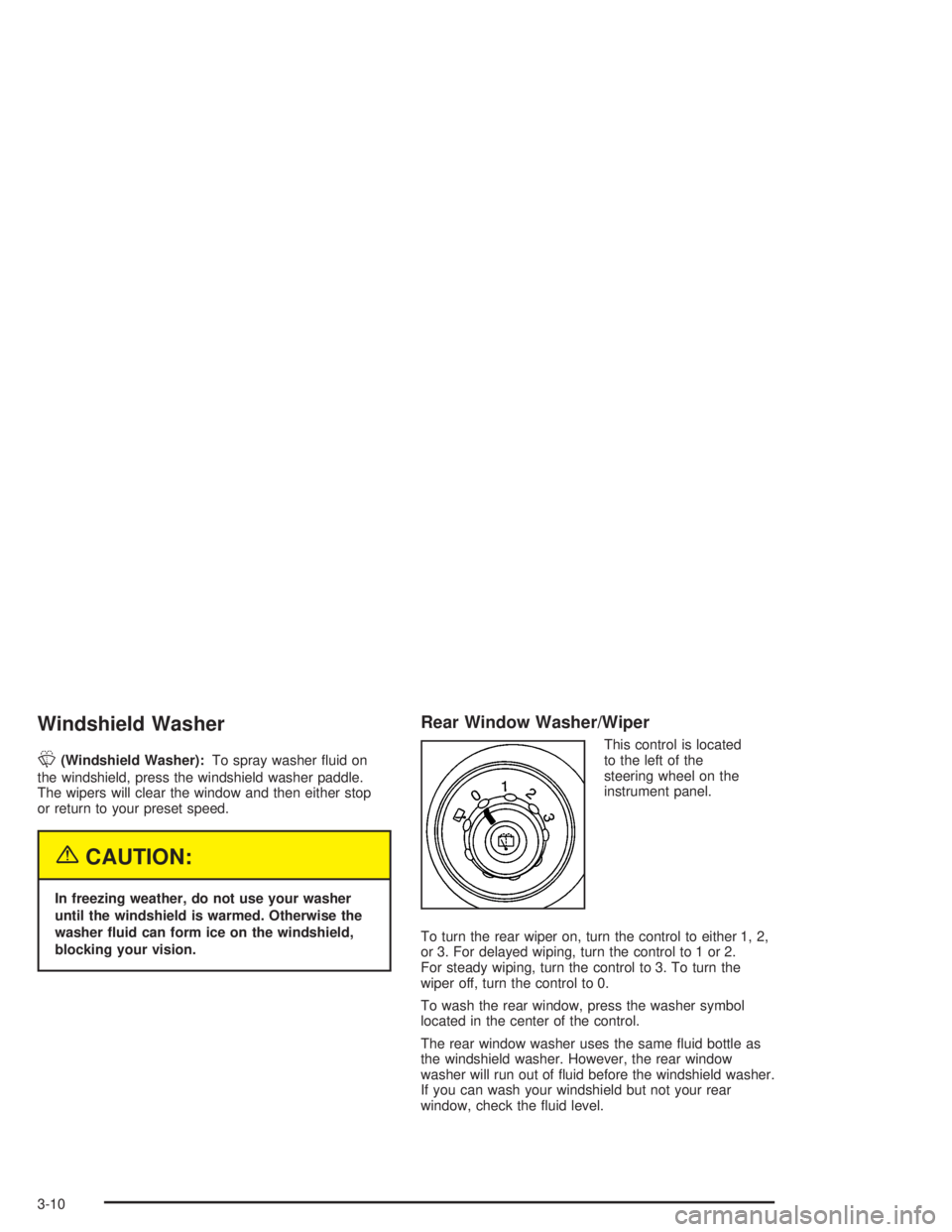
This control is located
to the left of the
steering wheel on the
instrument panel.
To turn the rear wiper on, turn the control to either 1, 2,
or 3. For delayed wiping, turn the control to 1 or 2.
For steady wiping, turn the control to 3. To turn the
wiper off, turn the control to 0.
To wash the rear window, press the washer symbol
located in the center of the control.
The rear window washer uses the same uid bottle as
the windshield washer. However, the rear window
washer will run out of uid before the windshield washer.
If you can wash your windshield but not your rear
window, check the uid level.
3-10
Page 150 of 480

Using Cruise Control on Hills
How well your cruise control will work on hills depends
upon your speed, load and the steepness of the hills.
When going up steep hills, you may want to step on the
accelerator pedal to maintain your speed. When going
downhill, you may have to brake or shift to a lower gear to
keep your speed down. Of course, applying the brake
takes you out of cruise control. Many drivers nd this to
be too much trouble and don’t use cruise control on
steep hills.
Ending Cruise Control
There are three ways to turn off the cruise control:
Step lightly on the brake pedal.
Move the cruise switch to off, or
Shift the transmission to NEUTRAL (N).
Erasing Speed Memory
When you turn off the cruise control or the ignition,
your cruise control set speed memory is erased.
Headlamps
Your exterior lamps
knob is located on your
instrument panel to the
left of the steering wheel.
c(Off):Turn the knob to this symbol and release it
to turn off the Daytime Running Lamps (DRL) and
the automatic headlamps. An indicator will illuminate
when the position is selected. This position is not
available for vehicles rst sold in Canada.
i(Automatic DRL/AHS):Turning the knob to
this symbol puts the system into automatic headlamp
mode. An indicator will illuminate when the position
is selected.
3-14
Page 185 of 480

Driver Information Center (DIC)
Your vehicle may have this feature. The Driver
Information Center (DIC) display is located on the
instrument panel cluster, below the speedometer. The
DIC buttons, if equipped, are located on the steering
wheel. The DIC can display information such as the trip
odometer, fuel economy, customization features, and
warning/status messages.
If your vehicle is not equipped with the DIC steering
wheel buttons, you will not have all of the features listed.
You will scroll through the odometer and trip odometer
by pressing the trip odometer reset stem located on
the instrument panel cluster. You will also turn off,
or acknowledge, DIC messages by pressing the trip
odometer reset stem. SeeSpeedometer and Odometer
on page 3-33for information on features for vehicles
without DIC buttons.A
3(Trip Information):Press this button to display
the odometer, trip odometers, and timer.
B
t(Fuel Information):Press this button to display
the current range, fuel used, average fuel economy, and
engine oil life.
C
4(Customization):Press this button to access the
vehicle settings menu and customize the personal
settings on your vehicle.
D
r(Select):Press this button to reset certain DIC
functions and set your customization settings.
Pressing any of the four DIC buttons will acknowledge
DIC messages and clear them from the DIC display.
3-49