Page 157 of 368
To lock all doors, liftgate and liftgate window,press the 7•8 and
the 9•0 at the same time.Note:The driver’s door must be closed. You
do notneed to enter the keypad code first.
Activating/deactivating autolock with the keyless entry system
1. Turn the ignition to the 1 (OFF/LOCK) position.
2. Close all the doors, the liftgate and liftgate window.
3. Enter the 5–digit entry code
4. Press and hold the 7•8. While holding the 7•8 press the 3•4.
5. Release the 3•4.
6. Release the 7•8.
The user should receive ahorn chirpto indicate the system has been
disabled or a chirp followed by a honk to indicate the system has been
enabled.
SECURILOCK�PASSIVE ANTI-THEFT SYSTEM
SecuriLock�passive anti-theft system is an engine immobilization
system. This system is designed to prevent the engine from being started
unless acoded key programmed to your vehicleis used.
The SecuriLock�passive anti-theft system is not compatible with
non-Ford aftermarket remote start systems. Use of these systems may
result in vehicle starting problems and a loss of security protection.
THEFT INDICATOR
The theft indicator is the flashing red indicator located on the dash
panel.
•When the ignition is in the 1 (OFF/LOCK) position, the indicator will
flash once every 2 seconds to indicate the SecuriLock�system is
functioning as a theft deterrent.
•When the ignition is in the 3 (ON) position, the indicator will glow for
3 seconds to indicate normal system functionality.
If a problem occurs with the SecuriLock�system, the indicator will flash
rapidly or glow steadily when the ignition is in the 3 (ON) position. If
this occurs, the vehicle should be taken to an authorized dealer for
service.
REVIEW COPY
2005 Expedition(exd), Owners Guide (post-2002-fmt)(own2002),
Market:USA_English(fus)
Locks and Security
157
Page 158 of 368
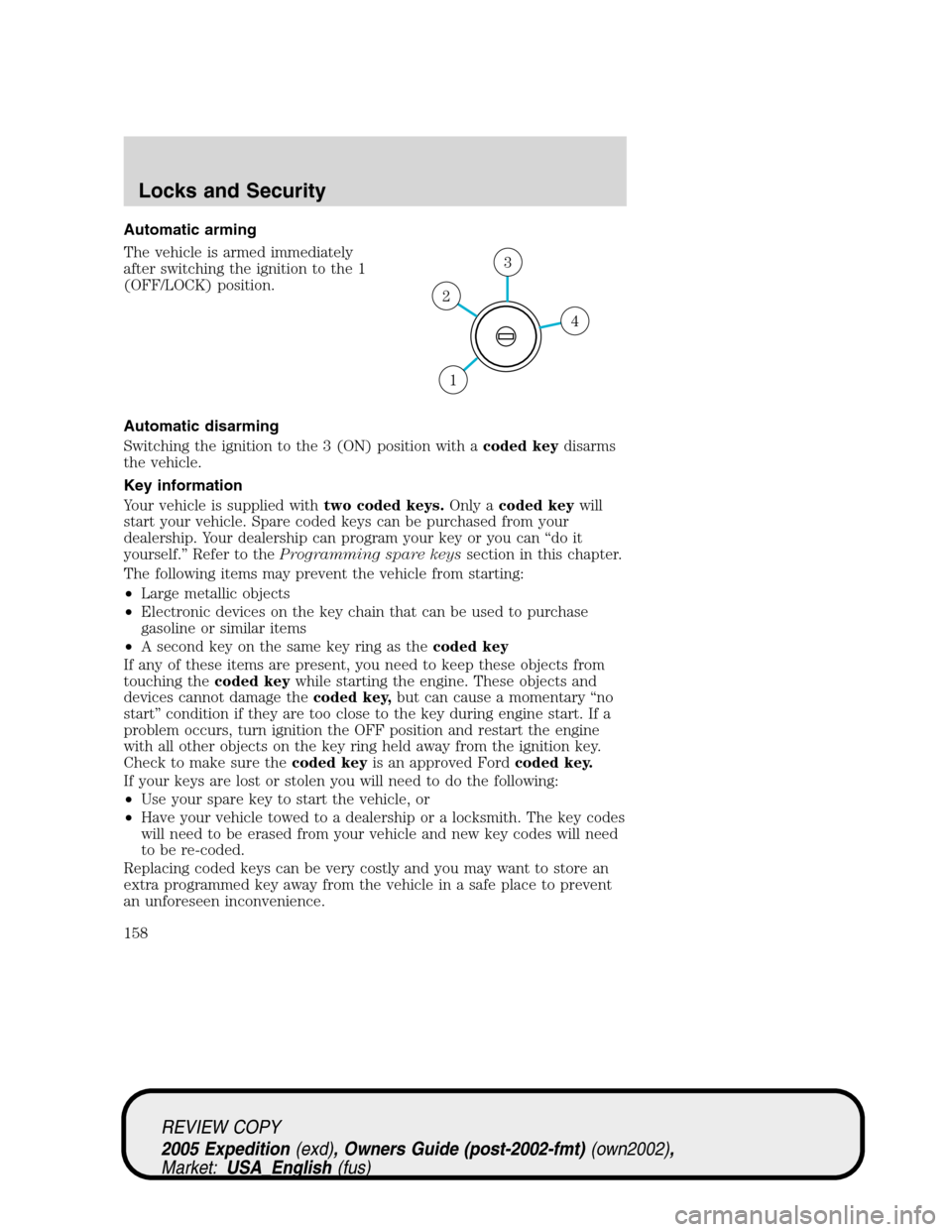
Automatic arming
The vehicle is armed immediately
after switching the ignition to the 1
(OFF/LOCK) position.
Automatic disarming
Switching the ignition to the 3 (ON) position with acoded keydisarms
the vehicle.
Key information
Your vehicle is supplied withtwo coded keys.Only acoded keywill
start your vehicle. Spare coded keys can be purchased from your
dealership. Your dealership can program your key or you can “do it
yourself.” Refer to theProgramming spare keyssection in this chapter.
The following items may prevent the vehicle from starting:
•Large metallic objects
•Electronic devices on the key chain that can be used to purchase
gasoline or similar items
•A second key on the same key ring as thecoded key
If any of these items are present, you need to keep these objects from
touching thecoded keywhile starting the engine. These objects and
devices cannot damage thecoded key,but can cause a momentary “no
start” condition if they are too close to the key during engine start. If a
problem occurs, turn ignition the OFF position and restart the engine
with all other objects on the key ring held away from the ignition key.
Check to make sure thecoded keyis an approved Fordcoded key.
If your keys are lost or stolen you will need to do the following:
•Use your spare key to start the vehicle, or
•Have your vehicle towed to a dealership or a locksmith. The key codes
will need to be erased from your vehicle and new key codes will need
to be re-coded.
Replacing coded keys can be very costly and you may want to store an
extra programmed key away from the vehicle in a safe place to prevent
an unforeseen inconvenience.
4
3
2
1
REVIEW COPY
2005 Expedition(exd), Owners Guide (post-2002-fmt)(own2002),
Market:USA_English(fus)
Locks and Security
158
Page 159 of 368
The correctcoded keymust be used for your vehicle. The use of the
wrong type ofcoded keymay lead to a “no start” condition.
If an unprogrammed key is used in the ignition it will cause a “no
start” condition.
Programming spare keys
A maximum of eight keys can be coded to your vehicle. Only
SecuriLock�keys can be used. To program acoded keyyourself, you
will need two previously programmedcoded keys(keys that already
operate your vehicle’s engine) and the new unprogrammed key(s) readily
accessible for timely implementation of each step in the procedure.
If two previously programmed coded keys are not available, you must
bring your vehicle to your dealership to have the spare coded key(s)
programmed.
Please read and understand the entire procedure before you begin.
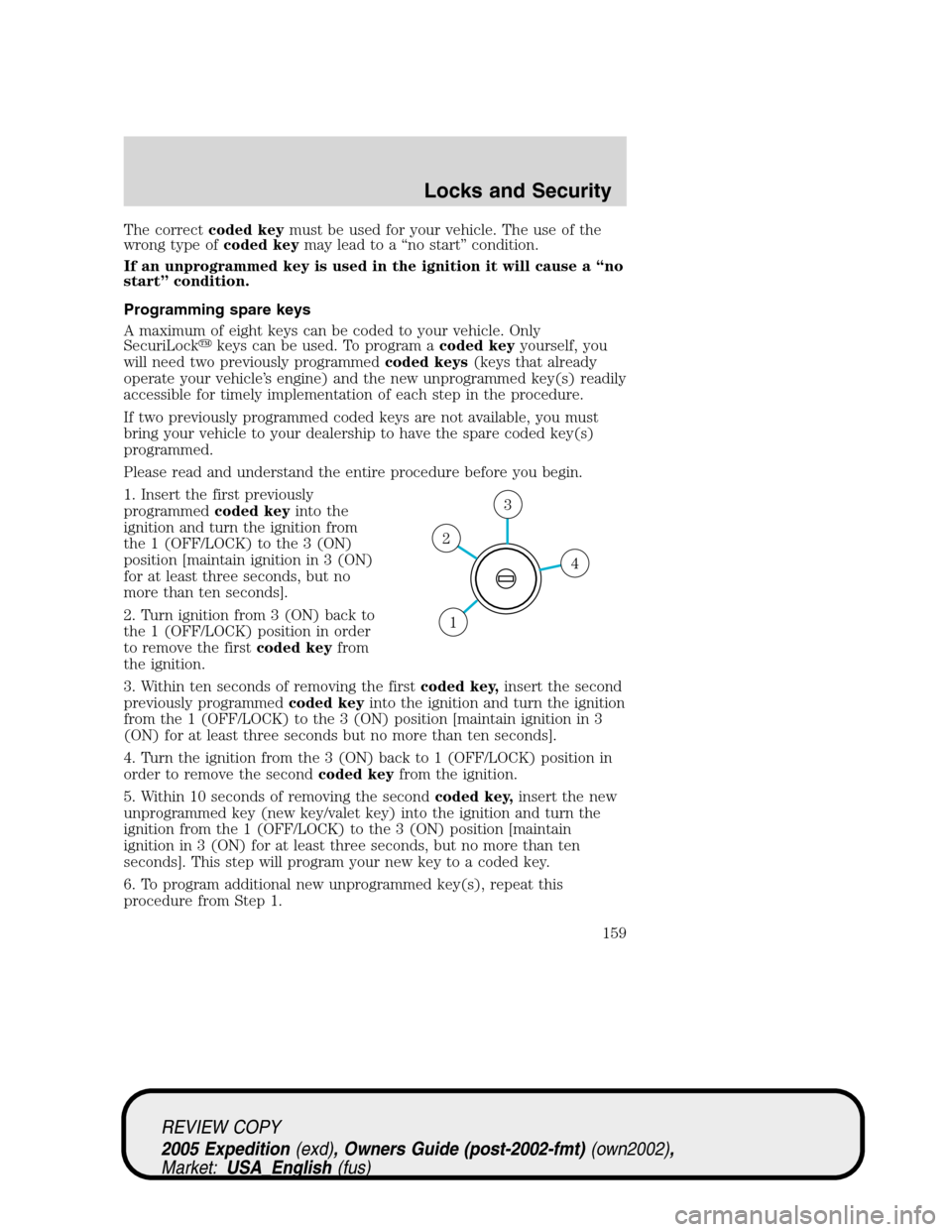
1. Insert the first previously
programmedcoded keyinto the
ignition and turn the ignition from
the 1 (OFF/LOCK) to the 3 (ON)
position [maintain ignition in 3 (ON)
for at least three seconds, but no
more than ten seconds].
2. Turn ignition from 3 (ON) back to
the 1 (OFF/LOCK) position in order
to remove the firstcoded keyfrom
the ignition.
3. Within ten seconds of removing the firstcoded key,insert the second
previously programmedcoded keyinto the ignition and turn the ignition
from the 1 (OFF/LOCK) to the 3 (ON) position [maintain ignition in 3
(ON) for at least three seconds but no more than ten seconds].
4. Turn the ignition from the 3 (ON) back to 1 (OFF/LOCK) position in
order to remove the secondcoded keyfrom the ignition.
5. Within 10 seconds of removing the secondcoded key,insert the new
unprogrammed key (new key/valet key) into the ignition and turn the
ignition from the 1 (OFF/LOCK) to the 3 (ON) position [maintain
ignition in 3 (ON) for at least three seconds, but no more than ten
seconds]. This step will program your new key to a coded key.
6. To program additional new unprogrammed key(s), repeat this
procedure from Step 1.
4
3
2
1
REVIEW COPY
2005 Expedition(exd), Owners Guide (post-2002-fmt)(own2002),
Market:USA_English(fus)
Locks and Security
159
Page 160 of 368
If successful, the new coded key(s) will start the vehicle’s engine and the
theft indicator will illuminate for three seconds and then go out.
If not successful, the new coded key(s) will not start the vehicle’s engine
and the theft indicator will flash on and off and you may repeat Steps 1
through 5. If failure repeats, bring your vehicle to your dealership to
have the new spare key(s) programmed.
REVIEW COPY
2005 Expedition(exd), Owners Guide (post-2002-fmt)(own2002),
Market:USA_English(fus)
Locks and Security
160
Page 165 of 368
Memory seats/rearview mirrors/adjustable pedals (if equipped)
This system allows automatic
positioning of the driver seat,
outside rearview mirrors, and
adjustable pedals to two
programmable positions.
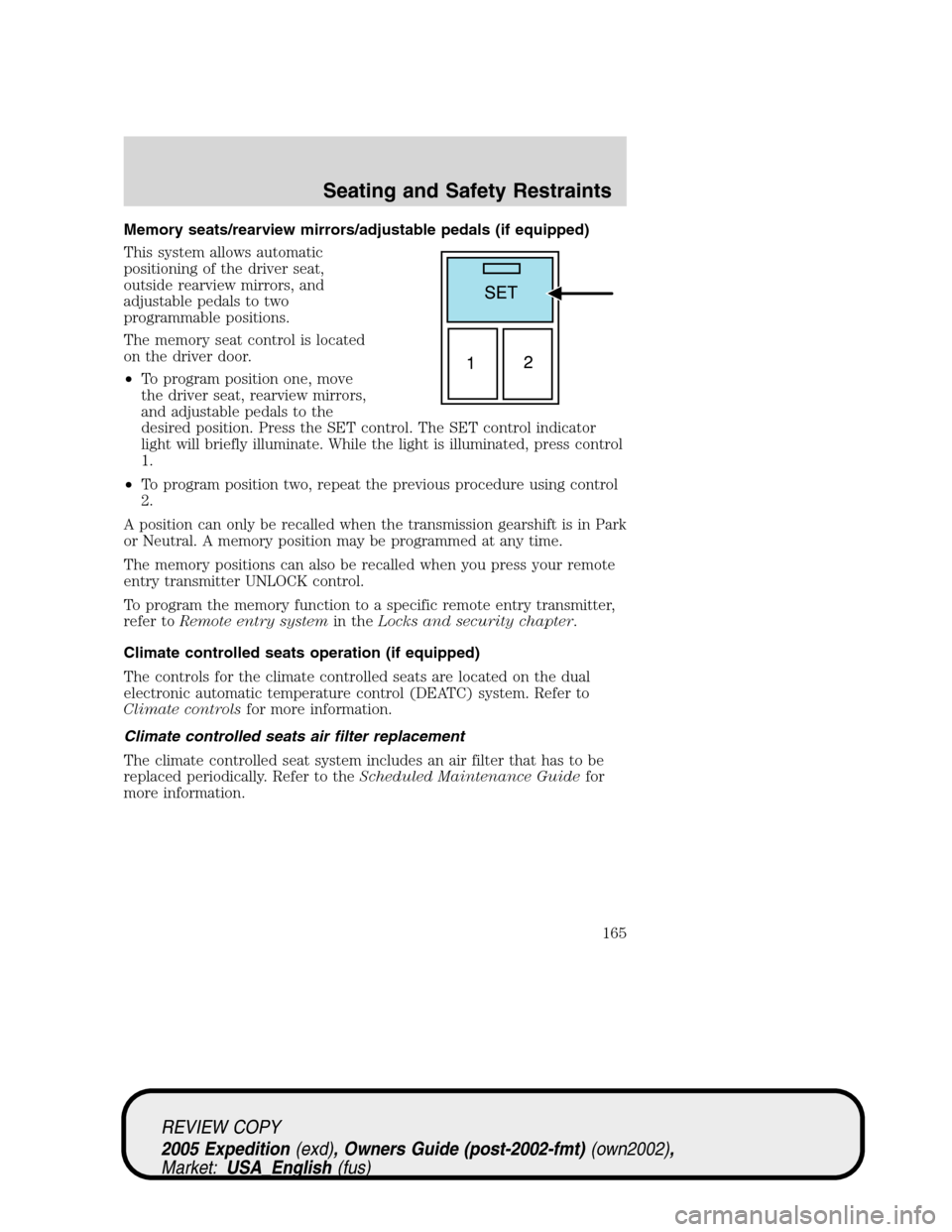
The memory seat control is located
on the driver door.
•To program position one, move
the driver seat, rearview mirrors,
and adjustable pedals to the
desired position. Press the SET control. The SET control indicator
light will briefly illuminate. While the light is illuminated, press control
1.
•To program position two, repeat the previous procedure using control
2.
A position can only be recalled when the transmission gearshift is in Park
or Neutral. A memory position may be programmed at any time.
The memory positions can also be recalled when you press your remote
entry transmitter UNLOCK control.
To program the memory function to a specific remote entry transmitter,
refer toRemote entry systemin theLocks and security chapter.
Climate controlled seats operation (if equipped)
The controls for the climate controlled seats are located on the dual
electronic automatic temperature control (DEATC) system. Refer to
Climate controlsfor more information.
Climate controlled seats air filter replacement
The climate controlled seat system includes an air filter that has to be
replaced periodically. Refer to theScheduled Maintenance Guidefor
more information.
REVIEW COPY
2005 Expedition(exd), Owners Guide (post-2002-fmt)(own2002),
Market:USA_English(fus)
Seating and Safety Restraints
165
Page 169 of 368
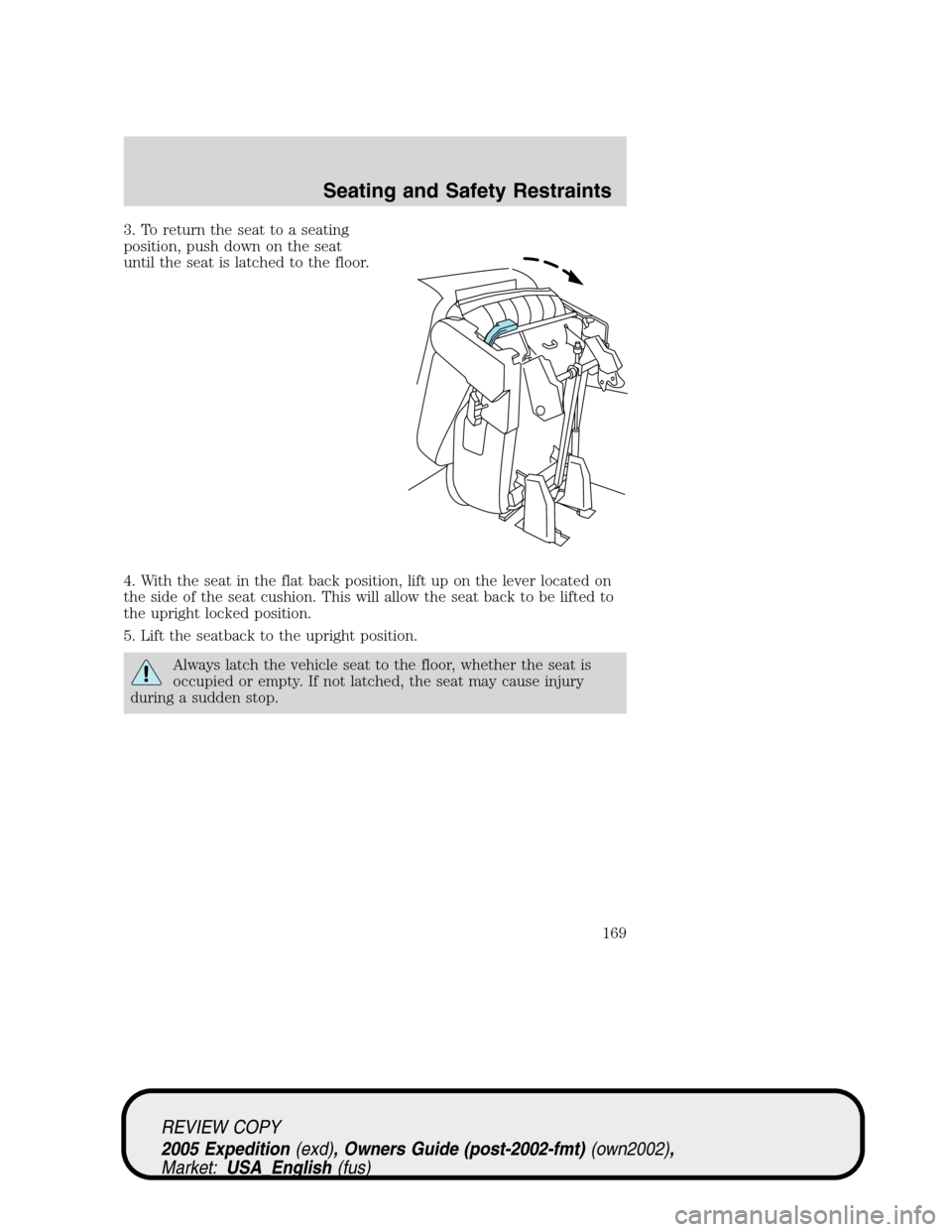
3. To return the seat to a seating
position, push down on the seat
until the seat is latched to the floor.
4. With the seat in the flat back position, lift up on the lever located on
the side of the seat cushion. This will allow the seat back to be lifted to
the upright locked position.
5. Lift the seatback to the upright position.
Always latch the vehicle seat to the floor, whether the seat is
occupied or empty. If not latched, the seat may cause injury
during a sudden stop.
REVIEW COPY
2005 Expedition(exd), Owners Guide (post-2002-fmt)(own2002),
Market:USA_English(fus)
Seating and Safety Restraints
169
Page 170 of 368
Folding 40% seat system to full lowered load floor position
Use caution when folding the seatback to the flat back position
as the system will move forward when you lift the release
handle.
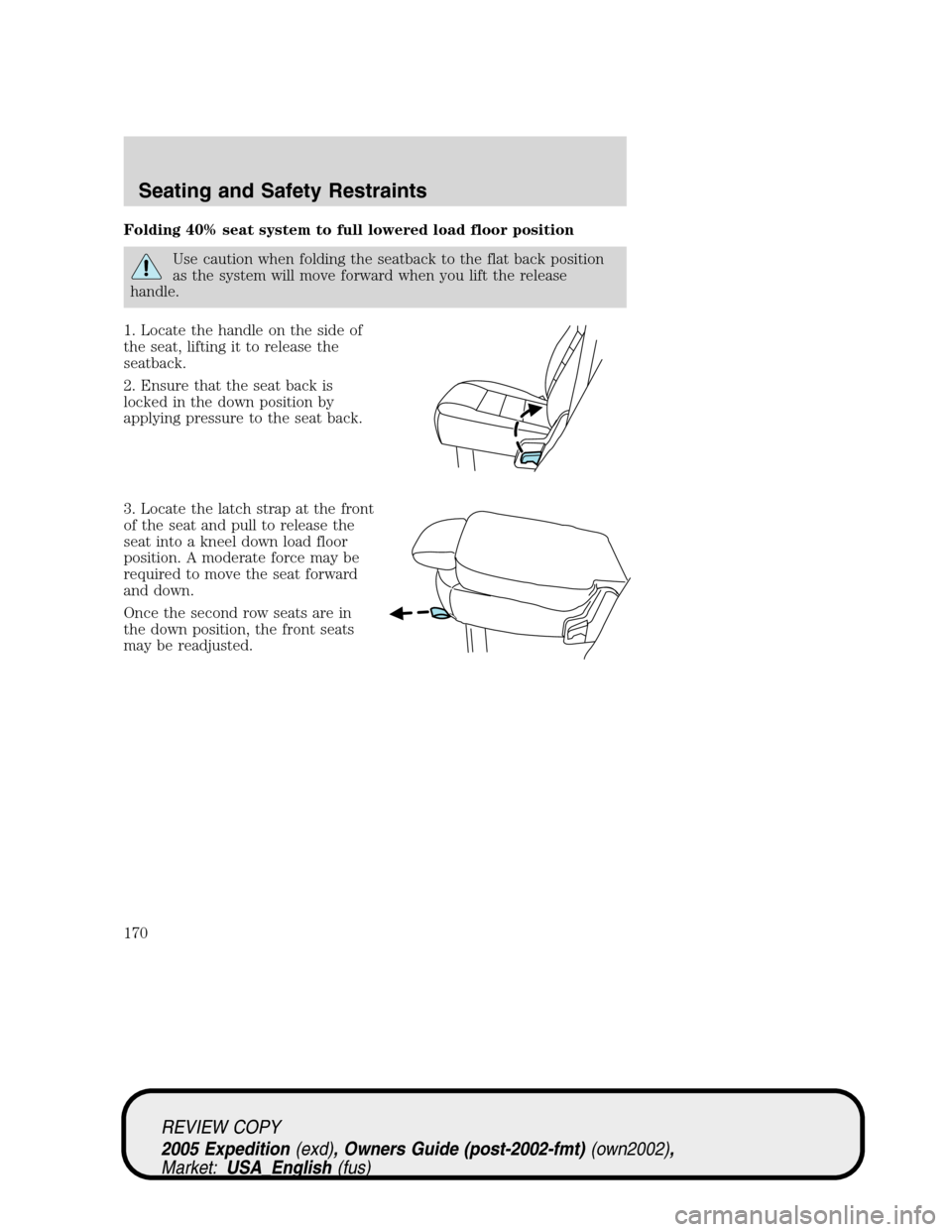
1. Locate the handle on the side of
the seat, lifting it to release the
seatback.
2. Ensure that the seat back is
locked in the down position by
applying pressure to the seat back.
3. Locate the latch strap at the front
of the seat and pull to release the
seat into a kneel down load floor
position. A moderate force may be
required to move the seat forward
and down.
Once the second row seats are in
the down position, the front seats
may be readjusted.
REVIEW COPY
2005 Expedition(exd), Owners Guide (post-2002-fmt)(own2002),
Market:USA_English(fus)
Seating and Safety Restraints
170
Page 171 of 368
Returning to the upright position from full lowered load floor
position
The seatback cannot be returned to the upright position until the seat is
returned from the kneel down position. To return the seat to the upright
position:
From the full lowered position:
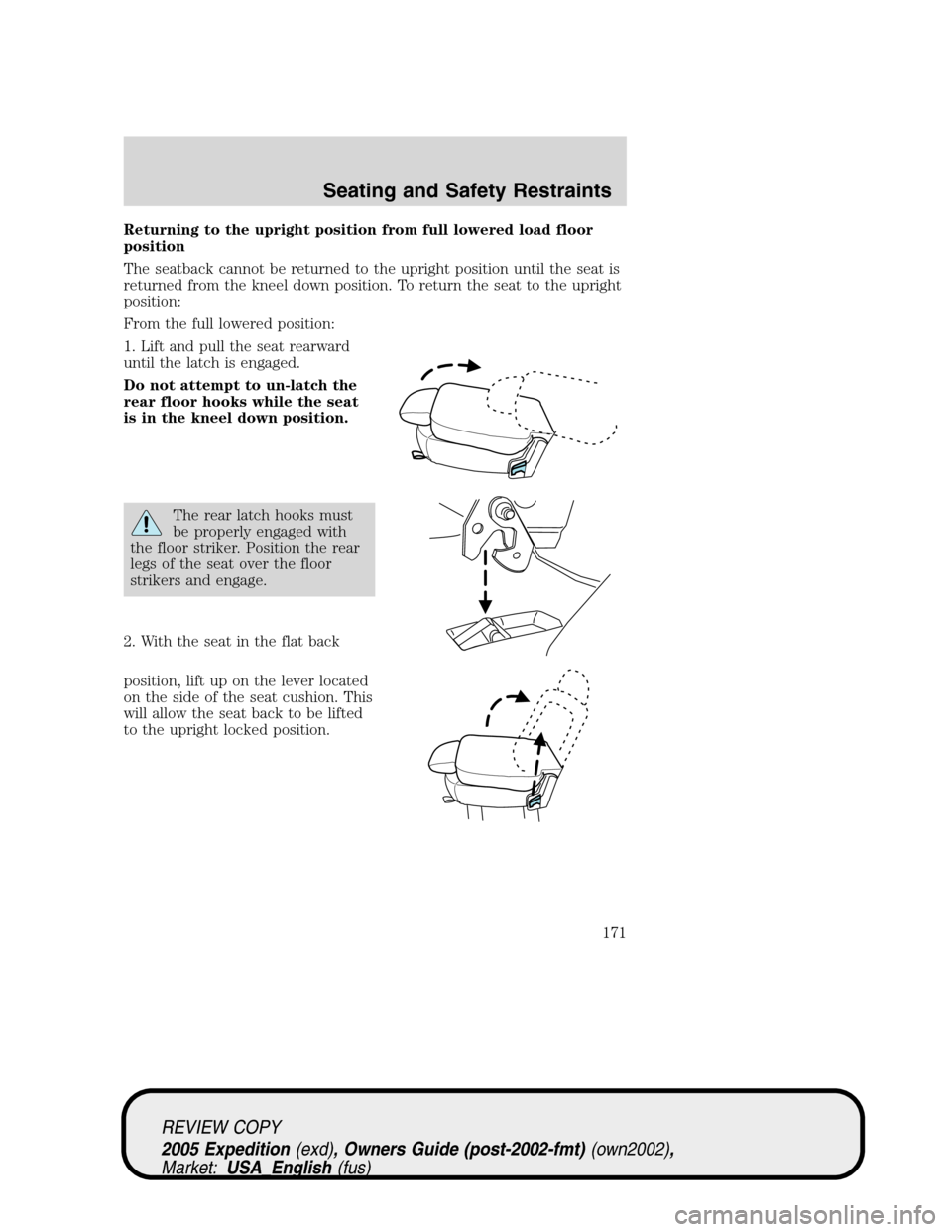
1. Lift and pull the seat rearward
until the latch is engaged.
Do not attempt to un-latch the
rear floor hooks while the seat
is in the kneel down position.
The rear latch hooks must
be properly engaged with
the floor striker. Position the rear
legs of the seat over the floor
strikers and engage.
2. With the seat in the flat back
position, lift up on the lever located
on the side of the seat cushion. This
will allow the seat back to be lifted
to the upright locked position.
REVIEW COPY
2005 Expedition(exd), Owners Guide (post-2002-fmt)(own2002),
Market:USA_English(fus)
Seating and Safety Restraints
171