Page 88 of 368
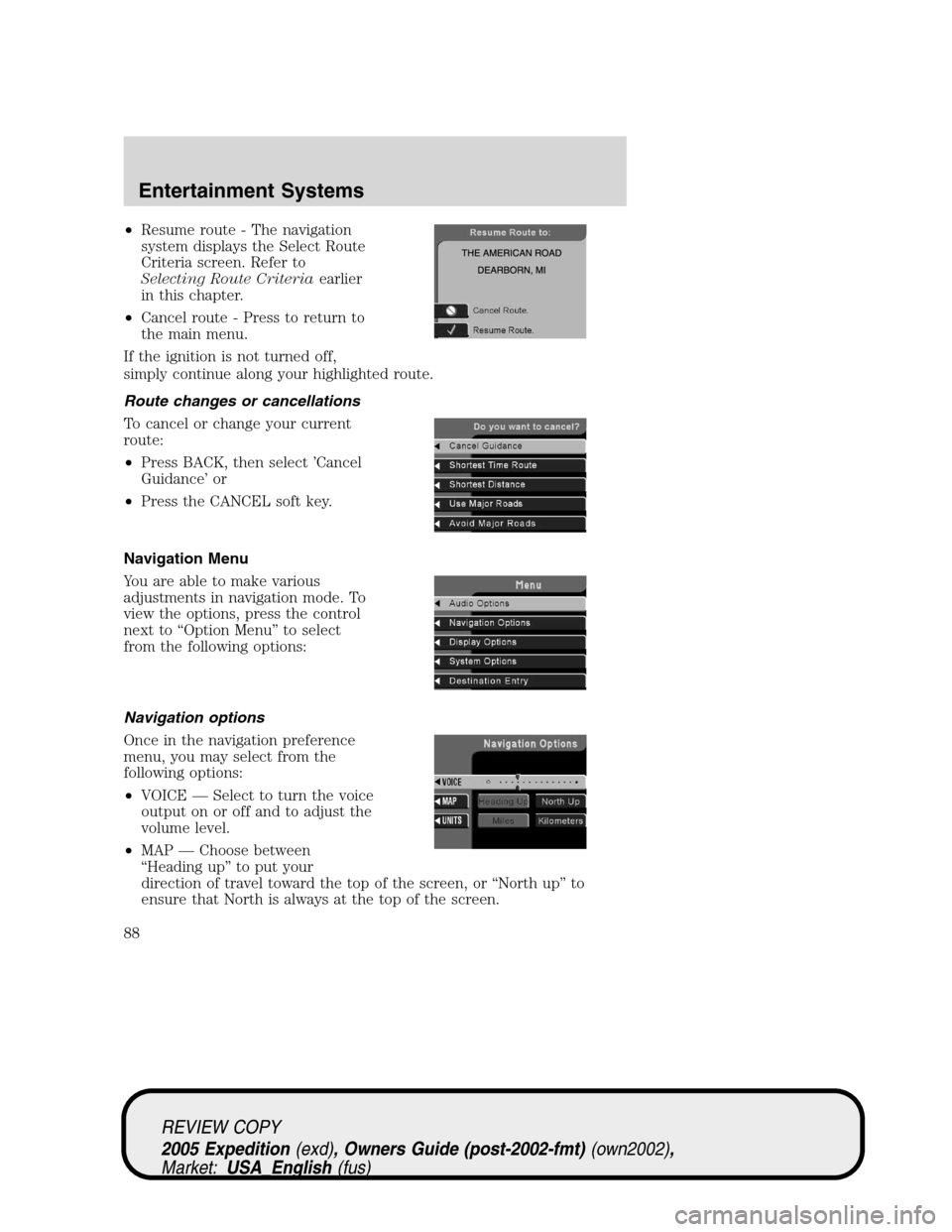
•Resume route - The navigation
system displays the Select Route
Criteria screen. Refer to
Selecting Route Criteriaearlier
in this chapter.
•Cancel route - Press to return to
the main menu.
If the ignition is not turned off,
simply continue along your highlighted route.
Route changes or cancellations
To cancel or change your current
route:
•Press BACK, then select ’Cancel
Guidance’ or
•Press the CANCEL soft key.
Navigation Menu
You are able to make various
adjustments in navigation mode. To
view the options, press the control
next to “Option Menu” to select
from the following options:
Navigation options
Once in the navigation preference
menu, you may select from the
following options:
•VOICE — Select to turn the voice
output on or off and to adjust the
volume level.
•MAP — Choose between
“Heading up” to put your
direction of travel toward the top of the screen, or “North up” to
ensure that North is always at the top of the screen.
REVIEW COPY
2005 Expedition(exd), Owners Guide (post-2002-fmt)(own2002),
Market:USA_English(fus)
Entertainment Systems
88
Page 98 of 368
Press and hold AUTO for about two seconds to toggle between single
zone and dual zone temperature control.
12.Driver heated seat:Press to turn on the driver side heated seat.
Press once for full heat (three lights above driver heated seat control will
be illuminated). Press a second time to select medium heat (two lights).
Press a third time to select low heat (one light). Press a fourth time to
disengage the feature (all lights will be off).Note:The driver heated
seat will turn off automatically after 15 minutes of use.
13.Driver cooled seat:Press to turn on the driver side cooled seat.
Press once for full cool (three lights above driver cooled seat control will
be illuminated). Press a second time to select medium cool (two lights).
Press a third time to select low cool (one light). Press a fourth time to
disengage the feature (all lights will be off).Note:The driver cooled
seat will turn off automatically after 30 minutes of use.
14.Driver’s side temperature
control:Controls the temperature
on the driver side of the vehicle in
dual zone and controls the
temperature of the entire vehicle in single zone.
15.Fan Speed:Press to manually
increase/decrease fan speed. In
manual mode, the display will
show
with a bar graph to
indicate fan speed. Fan speed can be manually adjusted in AUTO mode.
To allow the system to automatically control fan speed, press AUTO.
Note:The vehicle’s blower motor may run for a varied amount of time
after the ignition has been turned to the OFF position in order to purge
the evaporator case of moisture.
16.EXT control:Press to display
the outside air temperature. Press
again to return to interior
temperature. Exterior readings are most accurate when the vehicle is
moving.
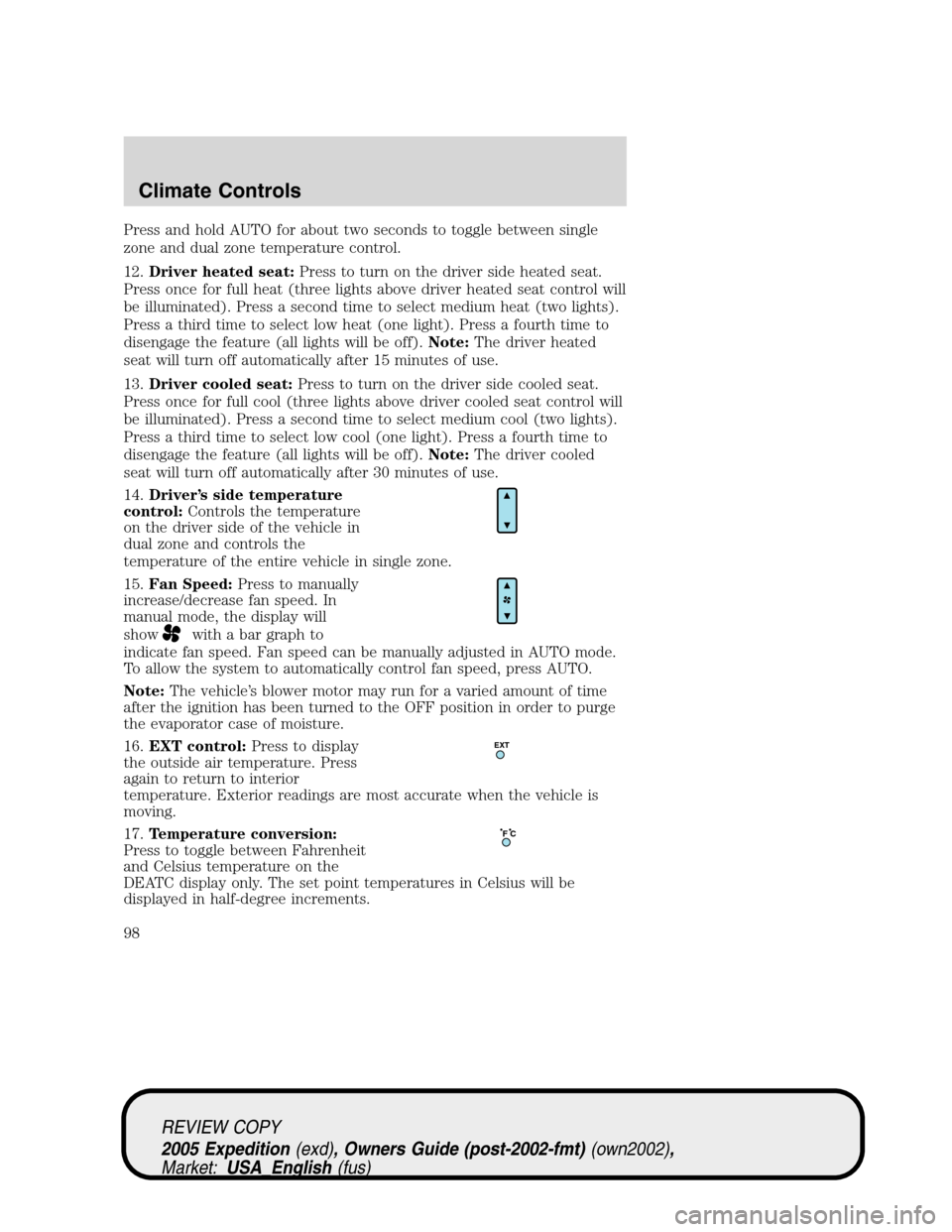
17.Temperature conversion:
Press to toggle between Fahrenheit
and Celsius temperature on the
DEATC display only. The set point temperatures in Celsius will be
displayed in half-degree increments.
EXT
F C
REVIEW COPY
2005 Expedition(exd), Owners Guide (post-2002-fmt)(own2002),
Market:USA_English(fus)
Climate Controls
98
Page 102 of 368
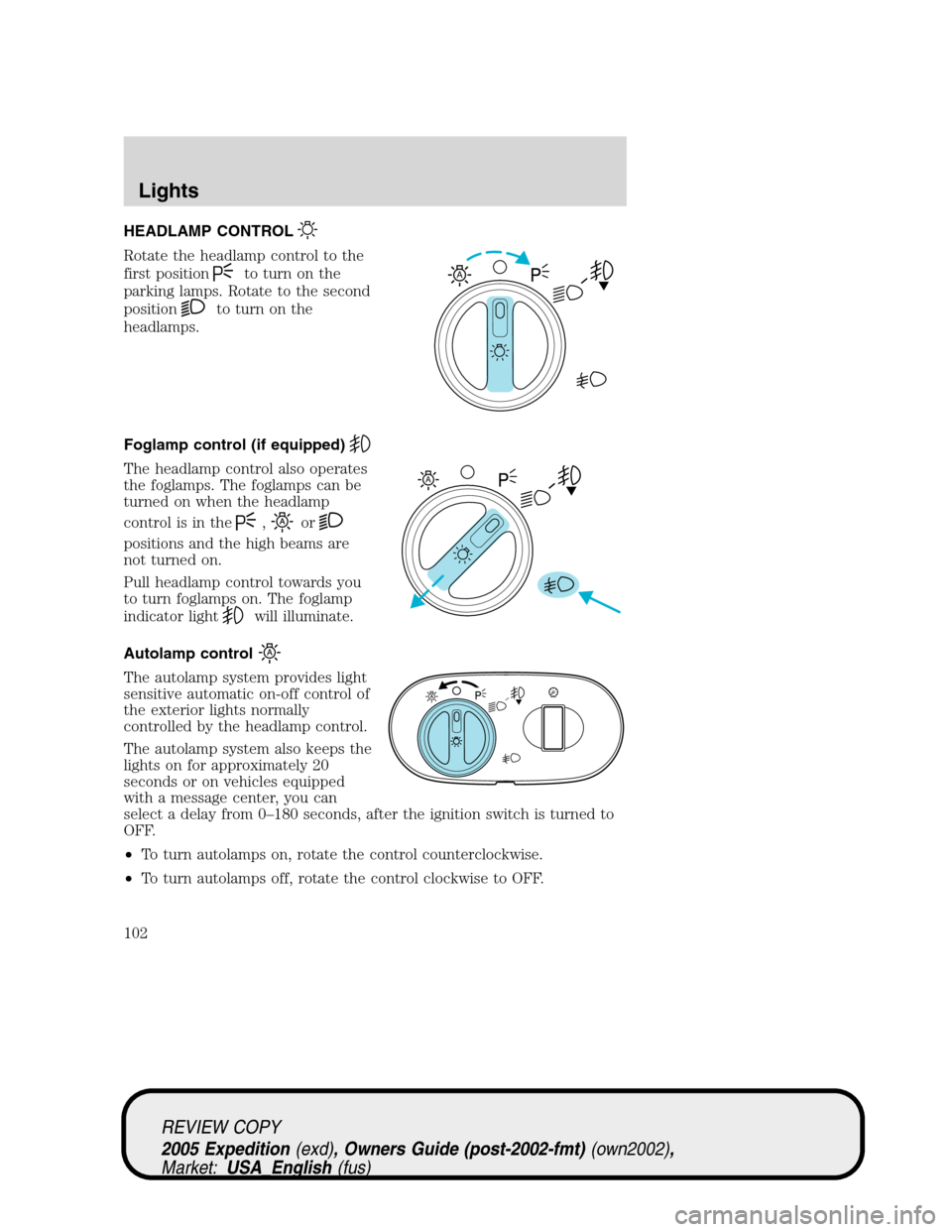
HEADLAMP CONTROL
Rotate the headlamp control to the
first position
to turn on the
parking lamps. Rotate to the second
position
to turn on the
headlamps.
Foglamp control (if equipped)
The headlamp control also operates
the foglamps. The foglamps can be
turned on when the headlamp
control is in the
,or
positions and the high beams are
not turned on.
Pull headlamp control towards you
to turn foglamps on. The foglamp
indicator light
will illuminate.
Autolamp control
The autolamp system provides light
sensitive automatic on-off control of
the exterior lights normally
controlled by the headlamp control.
The autolamp system also keeps the
lights on for approximately 20
seconds or on vehicles equipped
with a message center, you can
select a delay from 0–180 seconds, after the ignition switch is turned to
OFF.
•To turn autolamps on, rotate the control counterclockwise.
•To turn autolamps off, rotate the control clockwise to OFF.
A
A
REVIEW COPY
2005 Expedition(exd), Owners Guide (post-2002-fmt)(own2002),
Market:USA_English(fus)
Lights
Lights
102
Page 103 of 368
Daytime running lamps (DRL) (if equipped)
Turns the foglamps on at full intensity output. To activate:
•the ignition must be in the ON position and
•the headlamp control must be in the OFF or Parking lamps position.
Always remember to turn on your headlamps at dusk or during
inclement weather. The Daytime Running Lamp (DRL) system
does not activate the tail lamps and generally may not provide
adequate lighting during these conditions. Failure to activate your
headlamps under these conditions may result in a collision.
High beams
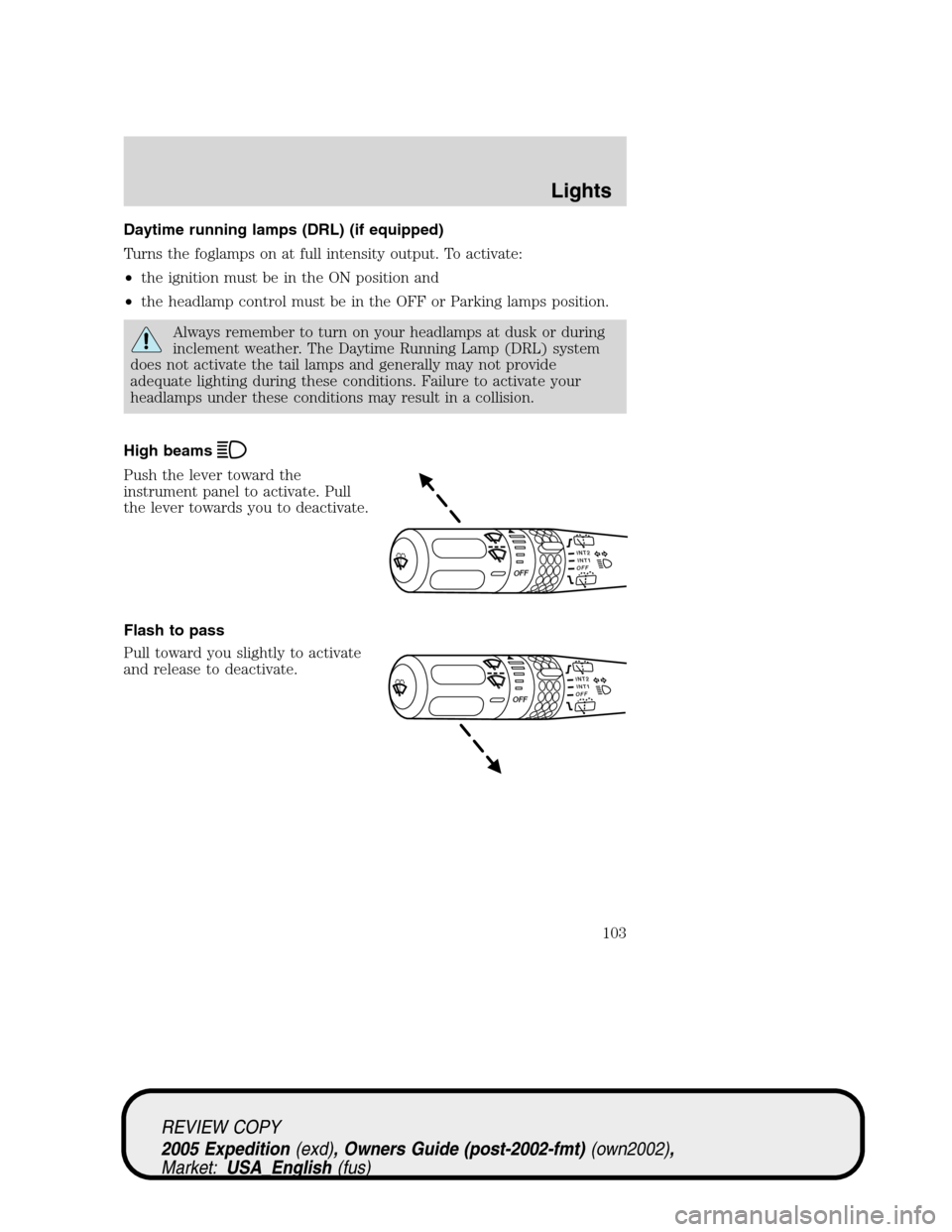
Push the lever toward the
instrument panel to activate. Pull
the lever towards you to deactivate.
Flash to pass
Pull toward you slightly to activate
and release to deactivate.
INT2OFFOFFINT1
INT2OFFOFFINT1
REVIEW COPY
2005 Expedition(exd), Owners Guide (post-2002-fmt)(own2002),
Market:USA_English(fus)
Lights
103
Page 106 of 368
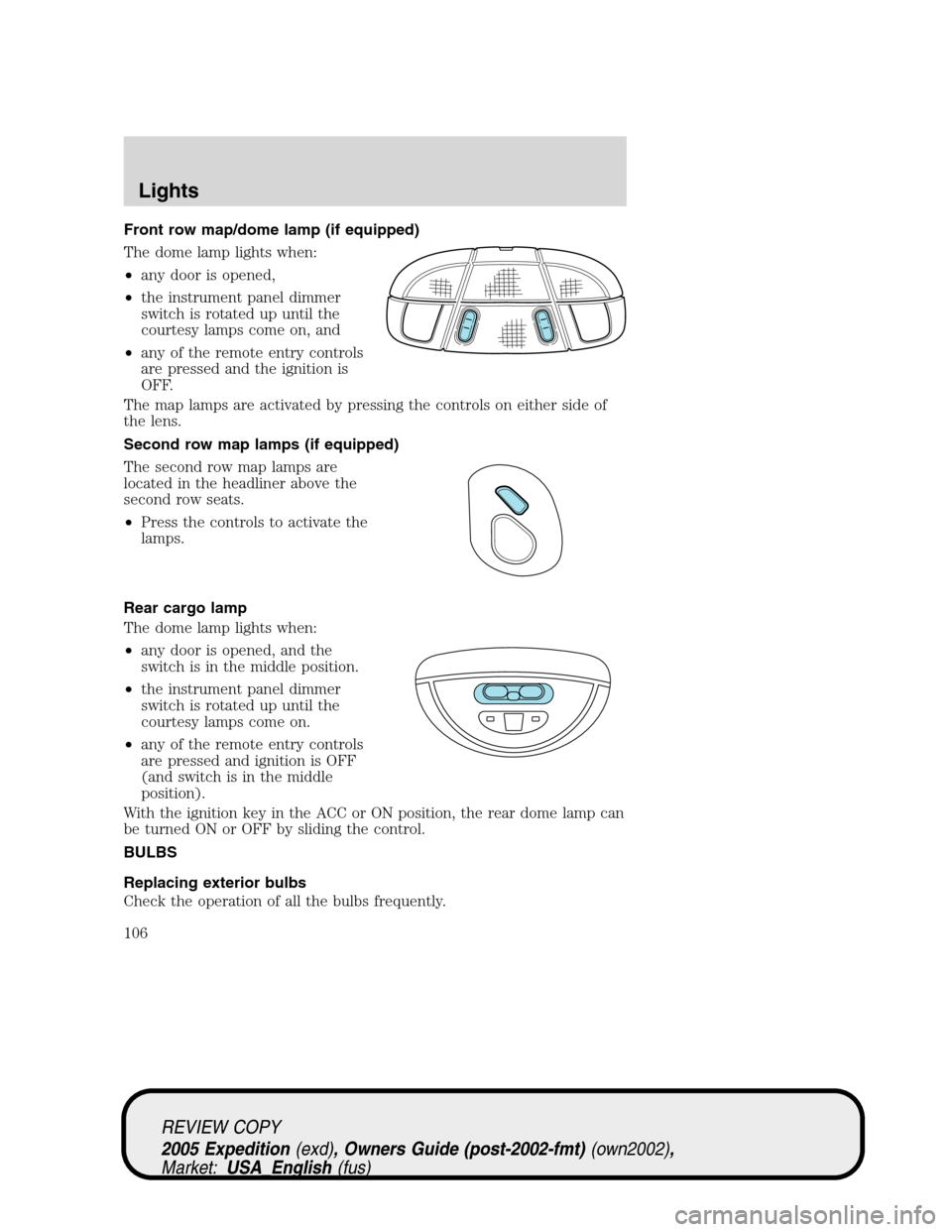
Front row map/dome lamp (if equipped)
The dome lamp lights when:
•any door is opened,
•the instrument panel dimmer
switch is rotated up until the
courtesy lamps come on, and
•any of the remote entry controls
are pressed and the ignition is
OFF.
The map lamps are activated by pressing the controls on either side of
the lens.
Second row map lamps (if equipped)
The second row map lamps are
located in the headliner above the
second row seats.
•Press the controls to activate the
lamps.
Rear cargo lamp
The dome lamp lights when:
•any door is opened, and the
switch is in the middle position.
•the instrument panel dimmer
switch is rotated up until the
courtesy lamps come on.
•any of the remote entry controls
are pressed and ignition is OFF
(and switch is in the middle
position).
With the ignition key in the ACC or ON position, the rear dome lamp can
be turned ON or OFF by sliding the control.
BULBS
Replacing exterior bulbs
Check the operation of all the bulbs frequently.
REVIEW COPY
2005 Expedition(exd), Owners Guide (post-2002-fmt)(own2002),
Market:USA_English(fus)
Lights
106
Page 121 of 368

Window lock
The window lock feature allows only
the driver to operate the power
windows.
To lock out all the window controls
except for the driver’s press the left
side of the control. Press the right
side to restore the window controls.
Accessory delay
With accessory delay, the window switches, audio system and moon roof
may be used for up to ten minutes after the ignition switch is turned to
the OFF position or until any door is opened.
MIRRORS
Automatic dimming inside rear view mirror (if equipped)
Your vehicle may be equipped with
an inside rear view mirror with an
auto-dimming function. The
electronic day/night mirror will
change from the normal (high
reflective) state to the non-glare
(darkened) state when bright lights (glare) reach the mirror. When the
mirror detects bright light from behind the vehicle, it will automatically
adjust (darken) to minimize glare.
The mirror will automatically return to the normal state whenever the
vehicle is placed in R (Reverse) to ensure a bright clear view when
backing up.
Do not block the sensor on the backside of the inside rear view mirror
since this may impair proper mirror performance.
Power side view mirrors
The ignition can be in any position to adjust the power side view mirrors.
To adjust your mirrors:
REVIEW COPY
2005 Expedition(exd), Owners Guide (post-2002-fmt)(own2002),
Market:USA_English(fus)
Driver Controls
121
Page 126 of 368
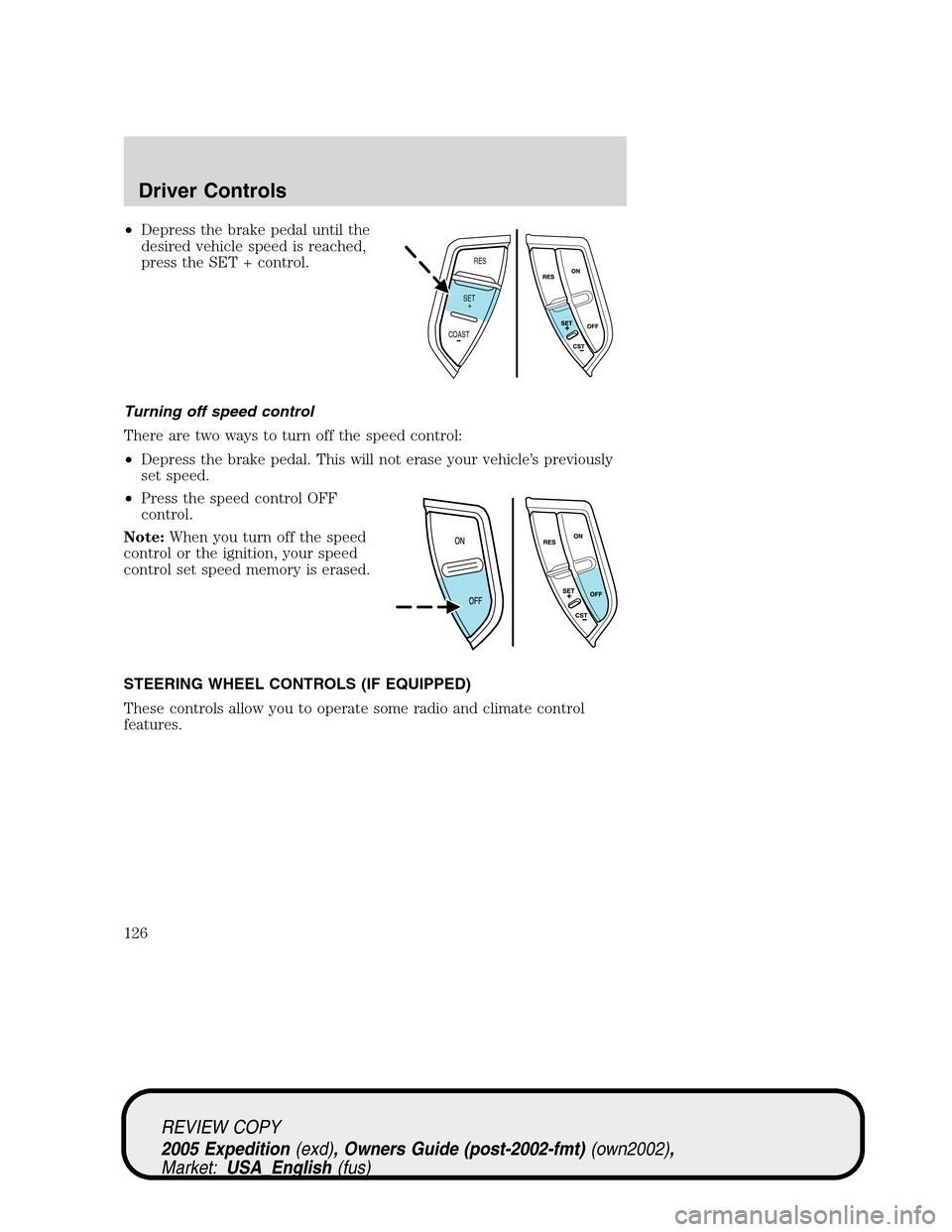
•Depress the brake pedal until the
desired vehicle speed is reached,
press the SET + control.
Turning off speed control
There are two ways to turn off the speed control:
•Depress the brake pedal. This will not erase your vehicle’s previously
set speed.
•Press the speed control OFF
control.
Note:When you turn off the speed
control or the ignition, your speed
control set speed memory is erased.
STEERING WHEEL CONTROLS (IF EQUIPPED)
These controls allow you to operate some radio and climate control
features.
RES
SET
COAST+
REVIEW COPY
2005 Expedition(exd), Owners Guide (post-2002-fmt)(own2002),
Market:USA_English(fus)
Driver Controls
126
Page 129 of 368
Retain the original transmitter for use in other vehicles as well as for
future programming procedures (i.e. new HomeLink�equipped vehicle
purchase). It is also suggested that upon the sale of the vehicle, the
programmed Homelink�buttons be erased for security purposes, refer to
Programmingin this section.
Programming
Do not program HomeLink�with the vehicle parked in the garage.
Note:Your vehicle may require the ignition switch to be turned to the
ACC position for programming and/or operation of the HomeLink�.Itis
also recommended that a new battery be placed in the hand-held
transmitter of the device being programmed to HomeLink�for quicker
training and accurate transmission of the radio-frequency signal.
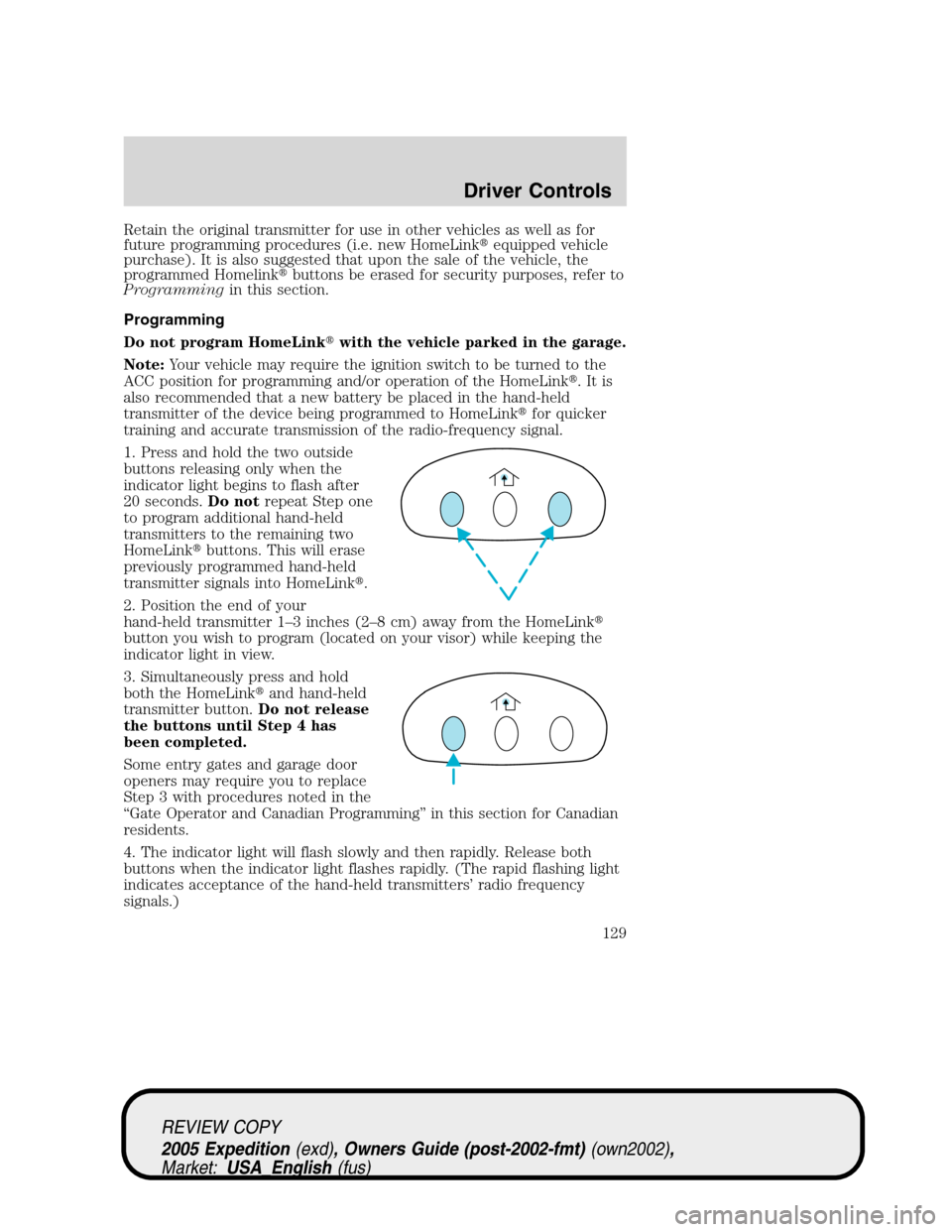
1. Press and hold the two outside
buttons releasing only when the
indicator light begins to flash after
20 seconds.Do notrepeat Step one
to program additional hand-held
transmitters to the remaining two
HomeLink�buttons. This will erase
previously programmed hand-held
transmitter signals into HomeLink�.
2. Position the end of your
hand-held transmitter 1–3 inches (2–8 cm) away from the HomeLink�
button you wish to program (located on your visor) while keeping the
indicator light in view.
3. Simultaneously press and hold
both the HomeLink�and hand-held
transmitter button.Do not release
the buttons until Step 4 has
been completed.
Some entry gates and garage door
openers may require you to replace
Step 3 with procedures noted in the
“Gate Operator and Canadian Programming” in this section for Canadian
residents.
4. The indicator light will flash slowly and then rapidly. Release both
buttons when the indicator light flashes rapidly. (The rapid flashing light
indicates acceptance of the hand-held transmitters’ radio frequency
signals.)
REVIEW COPY
2005 Expedition(exd), Owners Guide (post-2002-fmt)(own2002),
Market:USA_English(fus)
Driver Controls
129