Page 130 of 420
TRACTION CONTROL SWITCH—IF EQUIPPED
The traction control Indicator, located in the instrument
cluster, will light up when the Traction Control is in use.
To turn the system OFF, press the Traction Control switch
located on center console next to the ash tray, until the
traction control Indicator in the instrument cluster lights
up.
To turn the system back ON, press the switch a second
time until the traction control Indicator turns OFF.
NOTE:
•The traction control Indicator comes on each time the
ignition switch is turned ON. This will occur even if
you used the switch to turn the system OFF.
Traction Control Switch
130 UNDERSTANDING THE FEATURES OF YOUR VEHICLE
Page 136 of 420

To Deactivate:
A soft tap on the brake pedal, pushing the“CANCEL”
button or normal braking while slowing the vehicle will
deactivate the speed control without erasing the memory.
Pushing the“ON/OFF”button to the OFF position or
turning off the ignition erases the speed memory.
To Resume Speed:
To resume a previously set speed, push and release the
“ACCEL/RESUME”button. Resume can be used at any
speed above 25 mph (40 km/h).
To Vary the Speed Setting:
When the speed control is set, speed can be increased by
pressing and holding the“ACCEL/RESUME”button.
When the button is released, a new set speed will be
established.
Tapping the“ACCEL/RESUME”button once will result
in a 2 mph (3 km/h) speed increase. Each time the buttonis tapped, speed increases so that tapping the button
three times will increase speed by 6 mph (10 km/h), etc.
To decrease speed while speed control is set, press and
hold the“COAST”button. Release the button when the
desired speed is reached, and the new speed will be set.
Tapping the“COAST”button once will result ina1mph
(2 km/h) speed decrease. Each time the button is tapped,
speed decreases.
To Accelerate For Passing:
Depress the accelerator as you would normally. When the
pedal is released, the vehicle will return to the set speed.
NOTE:The speed control system maintains speed up
and down hills. A slight speed change on moderate hills
is normal.
136 UNDERSTANDING THE FEATURES OF YOUR VEHICLE
Page 137 of 420
Four speed automatic transmissions will experience a
downshift to 3rd gear while climbing uphill or descend-
ing downhill. This downshift to 3rd gear is necessary to
maintain vehicle set speed.
On steep hills a greater speed loss or gain may occur so
it may be preferable to drive without speed control.
WARNING!
Speed Control can be dangerous where the system
can’t maintain a constant speed. Your vehicle could
go too fast for the conditions, and you could lose
control. An accident could be the result. Don’t use
Speed Control in heavy traffic or on roads that are
winding, icy, snow-covered, or slippery.
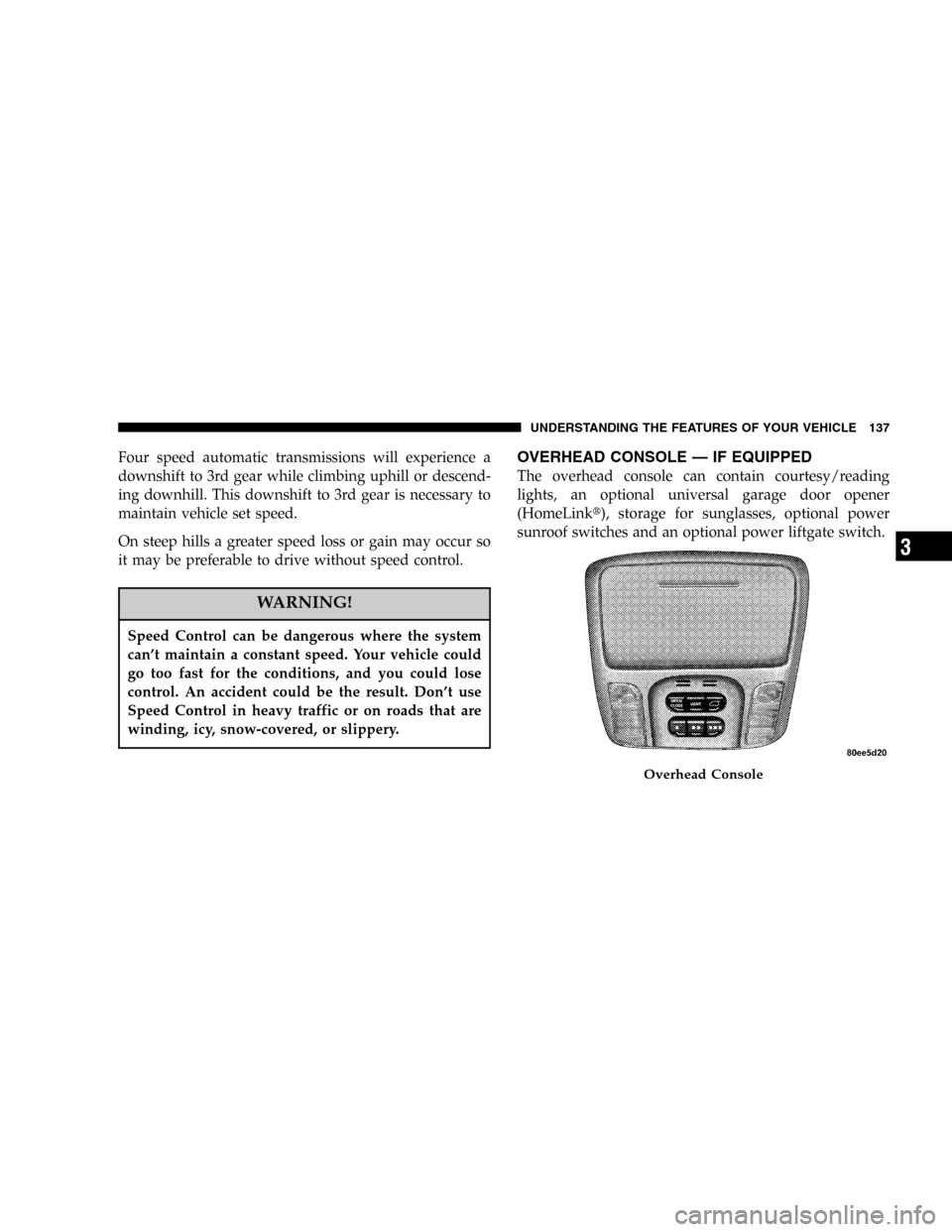
OVERHEAD CONSOLE—IF EQUIPPED
The overhead console can contain courtesy/reading
lights, an optional universal garage door opener
(HomeLink�), storage for sunglasses, optional power
sunroof switches and an optional power liftgate switch.
Overhead Console
UNDERSTANDING THE FEATURES OF YOUR VEHICLE 137
3
Page 138 of 420

Courtesy/Reading Lights
At the forward end of the console are two courtesy/
reading lights.
Press the lens to turn these lights on. Press a second time
to turn the lights off.
The lights also turn on when a front door, a rear door or
the liftgate is opened. The lights will also turn on when
the unlock button on the remote keyless entry transmitter
is pressed.
Sunglasses Storage
At the rear of the overhead console, a compartment is
provided for the storage of a pair of sunglasses.
Press the door latch to open the compartment. The door
will slowly rotate to an open position.
GARAGE DOOR OPENER—IF EQUIPPED
The HomeLink�Universal Transceiver replaces up to
three remote controls (hand held transmitters) that oper-
ate devices such as garage door openers, motorized
gates, or home lighting. It triggers these devices at the
push of a button. The Universal Transceiver operates off
your vehicle’s battery and charging system; no batteries
are needed.
For additional information on HomeLink�, call 1–800–
355–3515, or on the internet at www.homelink.com.
138 UNDERSTANDING THE FEATURES OF YOUR VEHICLE
Page 140 of 420
1. Press and hold the two outer HomeLink buttons, and
release only when the indicator light begins to flash or
the EVIC display shows“Channels Cleared”(after 20
seconds).Do nothold the buttons for longer than 30
seconds anddo notrepeat step one to program a second
and/or third hand-held transmitter to the remaining two
HomeLink buttons.
Homelink Buttons
140 UNDERSTANDING THE FEATURES OF YOUR VEHICLE
Page 141 of 420

WARNING!
Vehicle exhaust contains carbon monoxide, a danger-
ous gas. Do not run the vehicle’s exhaust while
training the transceiver. Exhaust gas can cause seri-
ous injury or death.
WARNING!
Your motorized door or gate will open and close
while you are training the Universal Transceiver. Do
not train the transceiver if people or pets are in the
path of the door or gate. A moving door or gate can
cause serious injury or death to people and pets or
damage to objects.
2. Position the end of your hand-held transmitter 1-3
inches (3-8 cm) away from the HomeLink buttons while
keeping the indicator light in view.
3. Simultaneously press and hold both the HomeLink
button that you want to train and the hand-held trans-
mitter buttons.Do not release the buttons until step 4
has been completed.
NOTE:Some gate operators and garage door openers
may require you to replace this Programming Step 3 with
procedures noted in the�Gate Operator/Canadian Pro-
gramming�section.
4. The HomeLink indicator light will flash slowly and
then rapidly after HomeLink successfully receives the
frequency signal from the hand-held transmitter and the
EVIC display will show“Channel X Training”(where X
is Channel 1, 2, or 3). Release both buttons after the
indicator light changes from the slow to the rapid flash or
the EVIC display shows“Channel X Trained”.
UNDERSTANDING THE FEATURES OF YOUR VEHICLE 141
3
Page 142 of 420

NOTE:If the EVIC display shows“Did Not Train”
repeat steps 2–4.
5. Press and hold the just trained HomeLink button and
observe the indicator light or the EVIC display. If the
indicator lightstays on constantly, programming is
completeand your device should activate when the
HomeLink button is pressed and released. If the EVIC
display shows“Channel X Transmit”(where X is Chan-
nel 1, 2, or 3), programming is complete and your device
should activate when the HomeLink button is pressed
and released.
NOTE:To program the remaining two HomeLink but-
tons, begin with�Programming�step two. Do not repeat
step one.If the indicator light blinksrapidly for two seconds and
then turns to a constant light continue with�Program-
ming�steps 6-8to complete the programming of a rolling
code equipped device (most commonly a garage door
opener).
6. At the garage door opener receiver (motor-head unit)
in the garage, locate the�learn�or�smart�button. This
can usually be found where the hanging antenna wire is
attached to the motor-head unit.
7. Firmly press and release the�learn�or�smart�button.
(The name and color of the button may vary by manu-
facturer.)
NOTE:There are 30 seconds in which to initiate step
eight.
142 UNDERSTANDING THE FEATURES OF YOUR VEHICLE
Page 143 of 420

8. Return to the vehicle and firmlypress, hold for two
seconds and releasethe programmed HomeLink button.
Repeat the�press/hold/release�sequence a second time,
and, depending on the brand of the garage door opener
(or other rolling code equipped device), repeat this
sequence a third time to complete the programming.
HomeLink should now activate your rolling code
equipped device.
NOTE:To program the remaining two HomeLink but-
tons, begin with�Programming�step two. Do not repeat
step one. For questions or comments, please contact
HomeLink atwww.homelink.com or 1-800-355-3515.
Canadian Programming/Gate Programming
Canadian radio-frequency laws require transmitter sig-
nals to�time-out�(or quit) after several seconds of
transmission which may not be long enough for
HomeLink to pick up the signal during programming.Similar to this Canadian law, some U.S. gate operators are
designed to�time-out�in the same manner.
If you live in Canada or you are having difficulties
programming a gate operator by using the�Program-
ming�procedures (regardless of where you live),replace
�Programming HomeLink�step 3with the following:
NOTE:If programming a garage door opener or gate
operator, it is advised to unplug the device during the
�cycling�process to prevent possible overheating.
3. Continue to press and hold the HomeLink button
while youpress and release every two seconds(�cycle�)
your hand-held transmitter until the frequency signal has
successfully been accepted by HomeLink. The indicator
light will flash slowly and then rapidly and the EVIC
display will show“Channel X Trained”(where X is
Channel 1, 2, or 3). Proceed with�Programming�step
four to complete.
UNDERSTANDING THE FEATURES OF YOUR VEHICLE 143
3