Page 149 of 420
A third outlet is located on the back of the front center
console near the floor, and is also controlled by the
ignition switch.
A fourth outlet is located on the driver’s side, in the rear
cargo area and is also controlled by the ignition switch.The outlets include tethered caps labeled with a key or
battery symbol indicating the power source. The passen-
ger side instrument panel and center console outlets are
powered directly from the battery, items plugged into
these outlets may discharge the battery and/or prevent
engine starting.
The passenger side and center console outlets are pro-
tected by an automatic reset circuit breaker. The auto-
matic circuit breaker restores power when the overload is
removed.
NOTE:If desired, the fourth power outlet in the rear
cargo area can be converted by your authorized dealer to
provide power with the ignition switch in the OFF
position.
Front Power Outlets
UNDERSTANDING THE FEATURES OF YOUR VEHICLE 149
3
Page 150 of 420

Electrical Outlet Use With Engine Off
CAUTION!
•Many accessories that can be plugged in draw power from
the vehicle’s battery, even when not in use (i.e. cellular
phones, etc.). Eventually, if plugged in long enough, the
vehicle’s battery will discharge sufficiently to degrade
battery life and/or prevent engine starting.
•Accessories that draw higher power (i.e. coolers, vacuum
cleaners, lights, etc.), will degrade the battery even more
quickly. Only use these intermittently and with greater
caution.
•After the use of high power draw accessories, or long
periods of the vehicle not being started (with accessories
still plugged in), the vehicle must be driven a sufficient
length of time to allow the alternator to recharge the
vehicle’s battery.
•Power outlets are designed for accessory plugs only. Do not
hang any type of accessory or accessory bracket from the
plug. Improper use of the power outlet can cause damage.
CUPHOLDERS
Front Seat Cupholders
The cupholders are located in the forward edge of the
center console. Push down on the forward edge of the
console to release the cupholders. Press the cover up
when the cupholders are no longer needed.
Six Passenger Seating Cupholders
150 UNDERSTANDING THE FEATURES OF YOUR VEHICLE
Page 174 of 420

ELECTRONIC VEHICLE INFORMATION CENTER
(EVIC)—IF EQUIPPED
The Electronic Vehicle Information Center (EVIC) con-
sists of the following:
•Vehicle information warning message displays
•Tire Pressure Monitor System—If Equipped
•Customer programmable features
•Compass display
•Mini-Trip functions
Pressing the MENU button will change the displayed
programming features. Pressing the STEP button will
display the available choices. Pressing the MENU button
a second time accepts a selected choice.
When the appropriate conditions exist, the Electronic
Vehicle Information Center (EVIC) displays the following
messages.
•LEFT/RIGHT TURN SIGNAL ON (with a continuous
warning chime)
•INVALID KEY & FOB (with a single chime)
•PARK ASSIST DISABLED
•SERVICE PARK ASSIST SYSTEM
•SERVICE IMMOBILIZER (with a single chime)
•KEY FOB BATTERY LOW (with a single chime)
•KEY & FOB PROGRAMMED (with a single chime)
•PROGRAM KEY & FOB
•MEMORY #1/#2 POSITION SET (with a single chime)
•MEMORY #1/#2 POS SELECTED
•MEMORY SYSTEM DISABLED VEHICLE NOT IN
PARK (with a single chime)
174 UNDERSTANDING YOUR INSTRUMENT PANEL
Page 209 of 420

NEXT/PREV Buttons (2, 15)
Press the up arrow or the NEXT button for the next
chapter or track on the disc. Press the down arrow or
PREV button to return to the beginning of the current
chapter or track. Press the down arrow or PREV button
twice within two seconds to return to the previous
chapter or track. Each press of the NEXT/PREV button
up or down will toggle through the chapters or tracks.
FF/RW Buttons (3, 16)
Press and hold FF (Fast Forward) once and the CD/DVD
changer will begin to fast forward until the FF button is
released. The RW (Reverse) button works in a similar
manner.
ENTER Button (17)
This button only functions in DVD video mode. Use the
ENTER button to enter selections from the menu screens.
Use the arrow buttons to toggle through the menu screen
options.
Light Button (18)
Pressing this button illuminates the buttons on the re-
mote control.
Remote Control Battery Service
•
To replace the batteries for the remote control slide the
cover rearward.
The replacement batteries for the remote control are two
AAA batteries.
UNDERSTANDING YOUR INSTRUMENT PANEL 209
4
Page 212 of 420
Power Button
Pressing the power button will turn the headphones
ON/OFF. An indicator light will illuminate on the head-
phone earpiece to indicate the headphones are ON.
NOTE:
•The headphones will turn off automatically in ap-
proximately 3 minutes if they lose the signal form the
system or when the radio or rear audio/video system
is turned off.
Volume Control
Rotate the volume control to adjust the volume to the
desired listening level.
Headphone Battery Service
•
Press the button at the bottom of each headphone
earpiece and lift the cover upward.
•Replace the battery in each earpiece and reinstall the
cover. The headphones require two AAA batteries.
Headphone Battery Service
212 UNDERSTANDING YOUR INSTRUMENT PANEL
Page 249 of 420
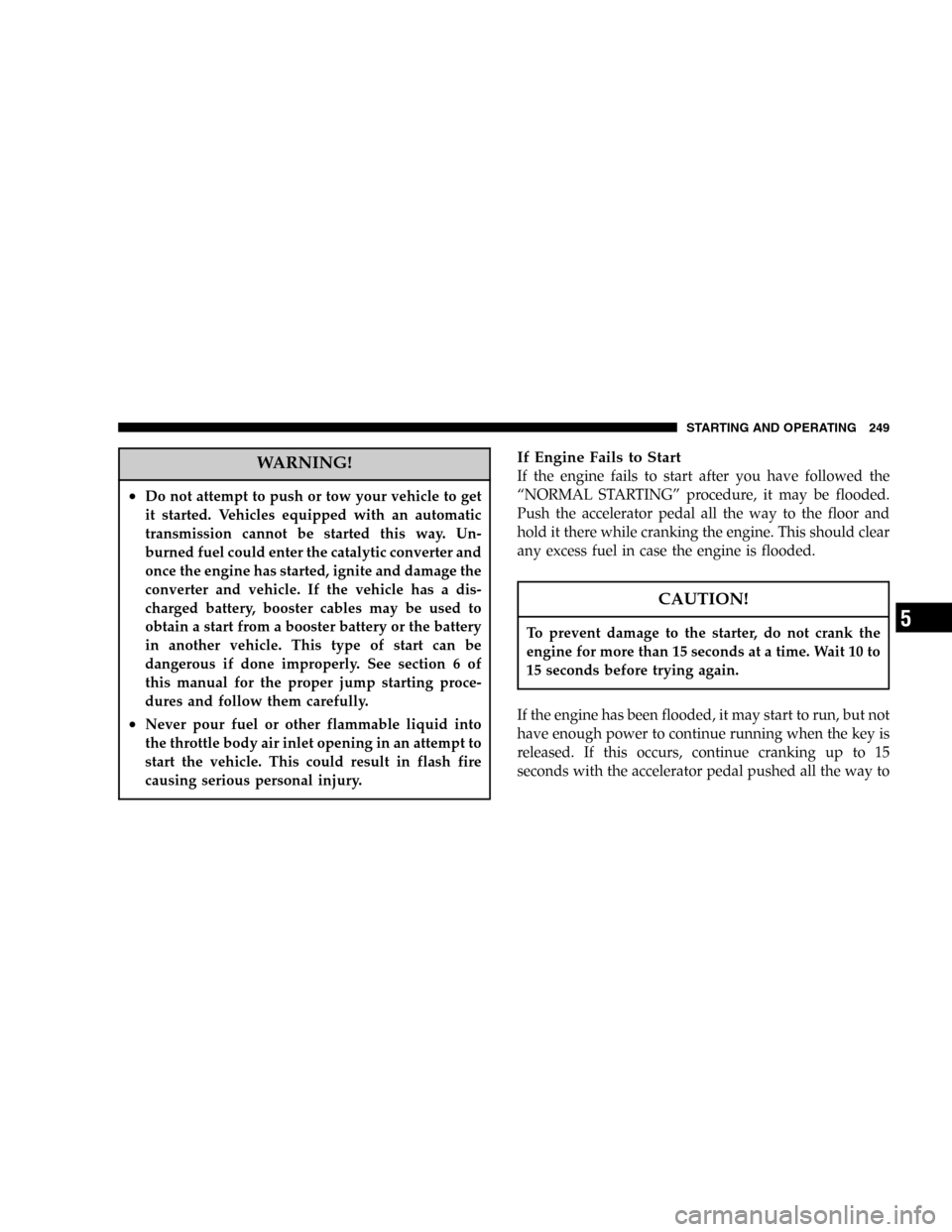
WARNING!
•Do not attempt to push or tow your vehicle to get
it started. Vehicles equipped with an automatic
transmission cannot be started this way. Un-
burned fuel could enter the catalytic converter and
once the engine has started, ignite and damage the
converter and vehicle. If the vehicle has a dis-
charged battery, booster cables may be used to
obtain a start from a booster battery or the battery
in another vehicle. This type of start can be
dangerous if done improperly. See section 6 of
this manual for the proper jump starting proce-
dures and follow them carefully.
•Never pour fuel or other flammable liquid into
the throttle body air inlet opening in an attempt to
start the vehicle. This could result in flash fire
causing serious personal injury.
If Engine Fails to Start
If the engine fails to start after you have followed the
“NORMAL STARTING”procedure, it may be flooded.
Push the accelerator pedal all the way to the floor and
hold it there while cranking the engine. This should clear
any excess fuel in case the engine is flooded.
CAUTION!
To prevent damage to the starter, do not crank the
engine for more than 15 seconds at a time. Wait 10 to
15 seconds before trying again.
If the engine has been flooded, it may start to run, but not
have enough power to continue running when the key is
released. If this occurs, continue cranking up to 15
seconds with the accelerator pedal pushed all the way to
STARTING AND OPERATING 249
5
Page 299 of 420
WHAT TO DO IN EMERGENCIES
CONTENTS
�Hazard Warning Flasher..................300
�If Your Engine Overheats.................301
�Jacking And Tire Changing................302
▫Jack Location........................303
▫Spare Tire Stowage....................304
▫Preparations For Jacking................305
▫Jacking Instructions....................306
�Jump-Starting Procedures If Battery Is Low....309
�Driving On Slippery Surfaces..............311
▫Acceleration.........................311▫Traction............................311
�Freeing A Stuck Vehicle..................312
�Towing A Disabled Vehicle................313
▫With Ignition Key.....................313
▫Without The Ignition Key...............314
▫Towing This Vehicle Behind Another Vehicle
(Flat Towing With All Four Wheels On The
Ground)............................314
▫Towing This Vehicle Behind Another Vehicle
With A Tow Dolley....................315
6
Page 300 of 420
HAZARD WARNING FLASHER
The hazard flasher switch is located in the center of the
instrument panel above the center air outlets.To engage the Hazard Warning Flashers, depress the
switch on the instrument panel. When the Hazard Warn-
ing Switch is activated, all directional turn signals will
flash on and off to warn oncoming traffic of an emer-
gency. Push the switch a second time to turn off the
flashers.
This is an emergency warning system and should not be
used when the vehicle is in motion. Use it when your
vehicle is disabled and is creating a safety hazard for
other motorists.
When you must leave the vehicle to seek assistance, the
Hazard Warning Flashers will continue to operate even
though the ignition switch is OFF.
NOTE:With extended use, the Hazard Warning Flash-
ers may wear down your battery.
Hazard Flasher Switch
300 WHAT TO DO IN EMERGENCIES