2005 CHEVROLET UPLANDER radio
[x] Cancel search: radioPage 242 of 460
CD AUX (Auxiliary):Press this button to play a CD
when listening to the radio. CD will appear on the display
when a CD is in the player. If your system is equipped
with a remote playback device, pressing this button
a second time will allow the remote device to play.
AUTO EQ (Automatic Equalization):Press AUTO EQ
to select the equalization setting while playing a CD.
The equalization will be stored whenever a CD is played.
For more information on AUTO EQ, see “AUTO EQ”
listed previously in this section.
Using an MP3 CD
MP3 Format
This MP3 player will accept MP3 les that were recorded
on an up to 700 MB CD-R CD. The les can be
recorded with the following xed bit rates: 32 kbps,
40 kbps, 56 kbps, 64 kbps, 80 kbps, 96 kbps,
112 kbps, 128 kbps, 160 kbps, 192 kbps, 224 kbps,
256 kbps, and 320 kbps or a variable bit rate. Song title,
artist name, and album will be available when recorded
using ID3 tags versions 1 and 2.
The player will be able to read and play a maximum of
50 folders, 50 playlists, 10 sessions, and 255 les.
Long le, folder, or playlist names or a combination of a
large number of les and folders or playlists may
cause the player to be unable to play up to the
maximum number of les, folders, playlists, or sessions.If you wish to play large numbers of les, folders,
playlists or sessions minimize the length of the le,
folder or playlist name. You can also play an MP3 CD
that was recorded using no le folders. The system can
support up to 11 folders in depth, though, keep the
depth of the folders to a minimum in order to keep down
the complexity and confusion in trying to locate a
particular folder during playback. If a CD contains more
than the maximum of 50 folders, 50 playlists,
10 sessions, and 255 les the player will let you access
and navigate up to the maximum, but all items over
the maximum will be ignored.
Root Directory
The root directory will be treated as a folder. If the root
directory has compressed audio les, the directory
will be displayed as F1 ROOT. All les contained directly
under the root directory will be accessed prior to any
root directory folders. However, playlists (Px) will always
be accessed before root folders or les.
Empty Directory or Folder
If a root directory or a folder exists somewhere in the
le structure that contains only folders/subfolders and no
compressed les directly beneath them, the player will
advance to the next folder in the le structure that
contains compressed audio les and the empty folder
will not be displayed or numbered.
3-90
Page 243 of 460
No Folder
When the CD contains only compressed les, the les will
be located under the root folder. The next and previous
folder functions will have no function on a CD that was
recorded without folders or playlists. When displaying the
name of the folder the radio will display ROOT.
When the CD contains only playlists and compressed
audio les, but no folders, all les will be located under
the root folder. The folder down and the folder up
buttons will search playlists (Px) rst and then go to the
root folder. When the radio displays the name of the
folder the radio will display ROOT.
Order of Play
Tracks will be played in the following order:
Play will begin from the rst track in the rst playlist
and will continue sequentially through all tracks in
each playlist. When the last track of the last playlist
has been played, play will continue from the rst
track of the rst playlist.
If the CD does not contain any playlists, then play
will begin from the rst track under the root
directory. When all tracks from the root directory
have been played, play will continue from les
according to their numerical listing. After playing the
last track from the last folder, play will begin
again at the rst track of the rst folder or root
directory.When play enters a new folder, the display will not
automatically show the new folder name unless
you have chosen the folder mode as the default display.
See the information button later in this section for
more information. The new track name will appear on
the display.
File System and Naming
The song name that will be displayed will be the song
name that is contained in the ID3 tag. If the song name is
not present in the ID3 tag, then the radio will display the
le name without the extension (such as .mp3) as the
track name.
Track names longer than 32 characters or four pages
will be shortened. The display will not show parts
of words on the last page of text and the extension of
the lename will not be displayed.
Preprogrammed Playlists
You can access preprogrammed playlists which were
created by WinAmp™, MusicMatch™, or Real
Jukebox™ software, however, you will not have editing
capability. These playlists will be treated as special
folders containing compressed audio song les.
3-91
Page 244 of 460

Playing an MP3
Insert a CD partway into the slot, label side up. The
player will pull it in, and READING will appear on
the display. The CD should begin playing and the CD
symbol will appear on the display.
If the ignition or radio is turned off with a CD in the
player it will stay in the player. When the ignition or radio
is turned on, the CD will start to play where it stopped,
if it was the last selected audio source.
As each new track starts to play, the track number will
appear on the display.
The CD player can play the smaller 3 inch (8 cm) single
CDs with an adapter ring. Full-size CDs and the
smaller CDs are loaded in the same manner.
If playing a CD-R the sound quality may be reduced
due to CD-R quality, the method of recording, the quality
of the music that has been recorded, and the way the
CD-R has been handled. There may be an increase
in skipping, difficulty in nding tracks, and/or difficulty in
loading and ejecting. If these problems occur try a
known good CD.
Do not add paper labels to CDs, they could get caught
in the CD player.Notice:If you add paper labels to a CD, insert more
than one CD into the slot at a time, or attempt to play
scratched or damaged CDs, you could damage the
CD player. When using the CD player, use only CDs
in good condition without paper labels, load one CD
at a time, and keep the CD player and the loading slot
free of foreign materials, liquids, and debris.
If an error appears on the display, see “CD Messages”
later in this section.
O/e(Tune):Turn this knob to go to the next or
previous track.
{(Previous Folder):Press this button to go to the
rst track in the previous folder. Press and hold this
button to reverse through the current track.
|(Next Folder):Press this pushbutton to go to the
rst track in the next folder. Press and hold this button to
fast forward the current track.
3-92
Page 245 of 460
RDM (Random):Press this button to hear the tracks in
random, rather than sequential order, on one CD,
one folder, or all of the loaded CDs.
To use random, do one of the following:
To play the tracks on the CD you are listening to in
random order, press and release this button until
RANDOM DISC appears on the display.
To play the tracks in the folder you are listening to
in random order, press and release this button
until RANDOM FOLDER appears on the display.
To play the tracks on all of the CDs that are loaded
in random order, press and release this button until
RANDOM ALL appears on the display.
To turn off random play, press and release the RDM
button until RANDOM OFF appears on the display
RPT (Repeat):Press this button to hear a track, CD, or
a folder over again.
To use repeat, do one of the following:
To repeat a track, press and release this button
until REPEAT TRACK appears on the display.
To repeat a CD, press and release this button until
REPEAT DISC appears on the display.
To repeat a folder, press and release this button
until REPEAT FOLDER appears on the display.To turn off repeated play, press and release the RPT
button until REPEAT OFF appears on the display
MUTE:Press this button to silence the system. Press
this button again to turn the sound on.
This button is not available on the Radio with
Six-Disc CD.
tSEEKu:Press the left arrow to go to the start of
the current track, if more than 10 seconds have played.
Press the right arrow to go to the next track. If either
arrow is held or pressed more than once, the player will
continue moving backward or forward through the CD.
4(Information):Press this button to display the artist
name and album contained in the ID3 tag.
BAND:Press this button to listen to the radio when a
CD is playing. The inactive CD will remain safely
inside the radio for future listening.
CD AUX (Auxiliary):Press this button to play a CD
when listening to the radio. The CD symbol will appear
on the display when a CD is loaded.
Y(Eject):Press this button to eject a CD. Eject may
be activated with either the ignition or radio off.
3-93
Page 247 of 460
To delete the entire song list, perform the following
steps:
1. Turn the CD player on.
2. Press the song list button to turn song list on.
S-LIST will appear on the display.
3. Press and hold the song list button for more than
four seconds. One beep will be heard. SONGLIST
EMPTY will appear on the display indicating the
song list has been deleted.
If a CD is ejected, and the song list contains saved
tracks from that CD, those tracks are automatically
deleted from the song list. Any tracks saved to the song
list again are added to the bottom of the list.
To end song list mode, press the song list button.
One beep will be heard and S-LIST will be removed
from the display.
CD Messages
CHECK CD:If this message appears on the display
and/or the CD comes out, it could be for one of the
following reasons:
It is very hot. When the temperature returns to
normal, the CD should play.
You are driving on a very rough road. When the
road becomes smoother, the CD should play.
The CD is dirty, scratched, wet, or upside down.
The air is very humid. If so, wait about an hour and
try again.
There may have been a problem while burning
the CD.
The label may be caught in the CD player.
If the CD is not playing correctly, for any other reason,
try a known good CD.
If any error occurs repeatedly or if an error cannot be
corrected, contact your GM dealer. If the radio displays
an error message, write it down and provide it to
your GM dealer when reporting the problem.
Rear Seat Entertainment System
Your vehicle may have a DVD Rear Seat Entertainment
(RSE) system. The RSE system includes a DVD
player, a video display screen, auxiliary inputs, two sets
of wireless headphones, and a remote control.
3-95
Page 251 of 460
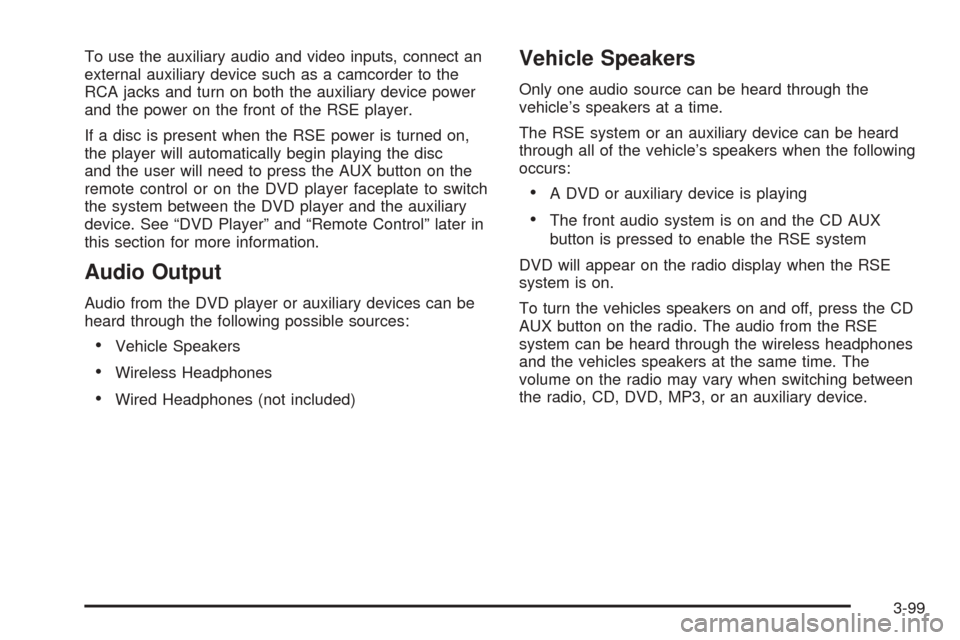
To use the auxiliary audio and video inputs, connect an
external auxiliary device such as a camcorder to the
RCA jacks and turn on both the auxiliary device power
and the power on the front of the RSE player.
If a disc is present when the RSE power is turned on,
the player will automatically begin playing the disc
and the user will need to press the AUX button on the
remote control or on the DVD player faceplate to switch
the system between the DVD player and the auxiliary
device. See “DVD Player” and “Remote Control” later in
this section for more information.
Audio Output
Audio from the DVD player or auxiliary devices can be
heard through the following possible sources:
Vehicle Speakers
Wireless Headphones
Wired Headphones (not included)
Vehicle Speakers
Only one audio source can be heard through the
vehicle’s speakers at a time.
The RSE system or an auxiliary device can be heard
through all of the vehicle’s speakers when the following
occurs:
A DVD or auxiliary device is playing
The front audio system is on and the CD AUX
button is pressed to enable the RSE system
DVD will appear on the radio display when the RSE
system is on.
To turn the vehicles speakers on and off, press the CD
AUX button on the radio. The audio from the RSE
system can be heard through the wireless headphones
and the vehicles speakers at the same time. The
volume on the radio may vary when switching between
the radio, CD, DVD, MP3, or an auxiliary device.
3-99
Page 254 of 460

Playing a Disc
To play a disc, gently insert the disc, with the label side
up, into the loading slot. The DVD player will continue
loading the disc and the player will automatically start if
the vehicle is in ACCESSORY, ON, or RAP.
If a disc is already in the player, make sure that the
DVD player is on, then press the play/pause button on
the player faceplate or on the remote control. You
can also, press the CD AUX button on the radio
faceplate, until RSE appears on the display, to start
playing a disc.
Some DVDs will not allow fast forwarding or skipping of
the copyright information or previews. Some DVDs
will begin playing after the previews have nished. If the
DVD does not begin playing at the main title, refer to
the on-screen instructions.
Stopping and Resuming Playback
To stop playing a disc, press and release the stop
button on the DVD player faceplate or the remote
control.
To resume playback, press the play/pause button on
the DVD player faceplate or the remote control.
The movie should resume play from where it was last
stopped if the disc has not been ejected.
If the disc has been ejected, the disc will resume play at
the beginning of the disc.
Ejecting a Disc
Press the eject button on the DVD player faceplate,
when the disc is stopped, to eject the disc. There is not
an eject button on the remote control.
If a disc is ejected from the player, but not removed, the
DVD player will reload the disc after a short period
of time.
Remote Control
The RSE system will include a remote control (batteries
not included). To use the remote control, aim it at the
transmitter window next to the RSE faceplate and press
the desired button. Direct sunlight or very bright light
may affect the ability of the transmitter to receive signals
from the remote control. If the remote control does
not seem to be working, the batteries may need to be
replaced. See “Battery Replacement” later in this
section. Objects blocking the line of sight will affect the
function of the remote control.
Notice:Storing the remote control in a hot area or
in direct sunlight may damage it, and the repairs
would not be covered by your warranty. Keep
the remote control stored in a cool, dry place.
3-102
Page 258 of 460
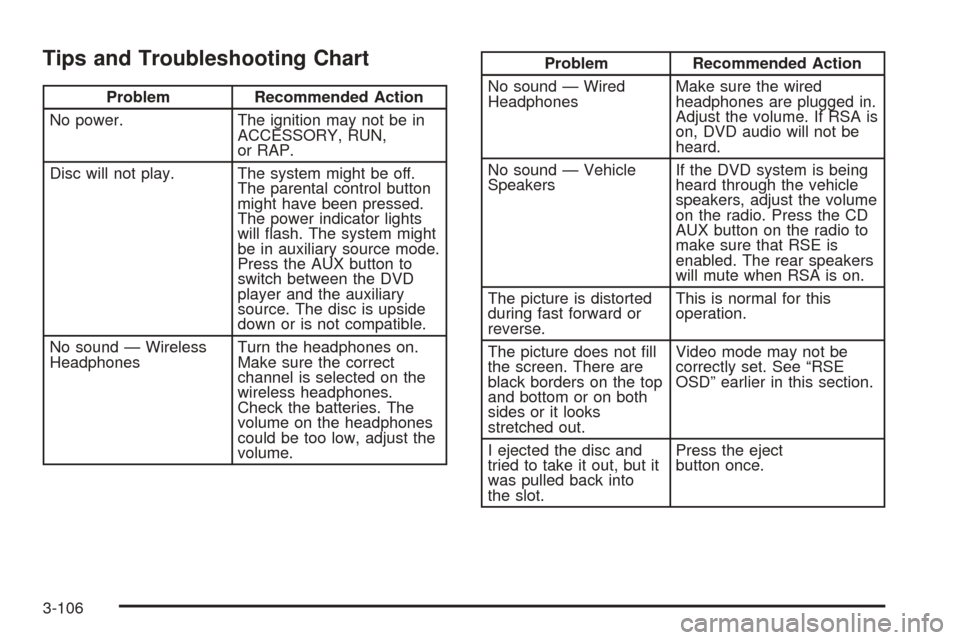
Tips and Troubleshooting Chart
Problem Recommended Action
No power. The ignition may not be in
ACCESSORY, RUN,
or RAP.
Disc will not play. The system might be off.
The parental control button
might have been pressed.
The power indicator lights
will ash. The system might
be in auxiliary source mode.
Press the AUX button to
switch between the DVD
player and the auxiliary
source. The disc is upside
down or is not compatible.
No sound — Wireless
HeadphonesTurn the headphones on.
Make sure the correct
channel is selected on the
wireless headphones.
Check the batteries. The
volume on the headphones
could be too low, adjust the
volume.
Problem Recommended Action
No sound — Wired
HeadphonesMake sure the wired
headphones are plugged in.
Adjust the volume. If RSA is
on, DVD audio will not be
heard.
No sound — Vehicle
SpeakersIf the DVD system is being
heard through the vehicle
speakers, adjust the volume
on the radio. Press the CD
AUX button on the radio to
make sure that RSE is
enabled. The rear speakers
will mute when RSA is on.
The picture is distorted
during fast forward or
reverse.This is normal for this
operation.
The picture does not ll
the screen. There are
black borders on the top
and bottom or on both
sides or it looks
stretched out.Video mode may not be
correctly set. See “RSE
OSD” earlier in this section.
I ejected the disc and
tried to take it out, but it
was pulled back into
the slot.Press the eject
button once.
3-106