2005 CHEVROLET UPLANDER climate control
[x] Cancel search: climate controlPage 157 of 460
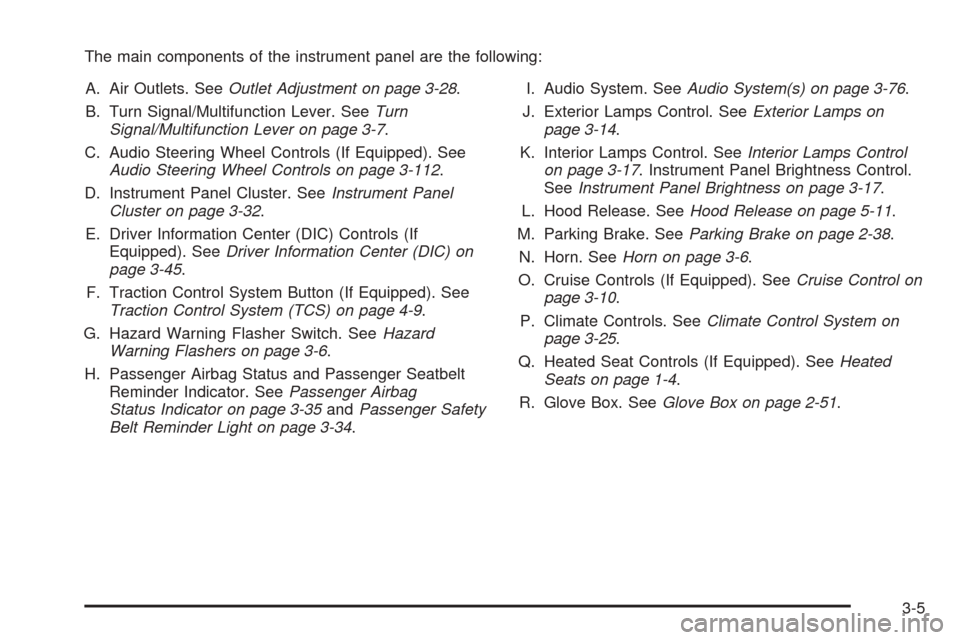
The main components of the instrument panel are the following:
A. Air Outlets. SeeOutlet Adjustment on page 3-28.
B. Turn Signal/Multifunction Lever. SeeTurn
Signal/Multifunction Lever on page 3-7.
C. Audio Steering Wheel Controls (If Equipped). See
Audio Steering Wheel Controls on page 3-112.
D. Instrument Panel Cluster. SeeInstrument Panel
Cluster on page 3-32.
E. Driver Information Center (DIC) Controls (If
Equipped). SeeDriver Information Center (DIC) on
page 3-45.
F. Traction Control System Button (If Equipped). See
Traction Control System (TCS) on page 4-9.
G. Hazard Warning Flasher Switch. SeeHazard
Warning Flashers on page 3-6.
H. Passenger Airbag Status and Passenger Seatbelt
Reminder Indicator. SeePassenger Airbag
Status Indicator on page 3-35andPassenger Safety
Belt Reminder Light on page 3-34.I. Audio System. SeeAudio System(s) on page 3-76.
J. Exterior Lamps Control. SeeExterior Lamps on
page 3-14.
K. Interior Lamps Control. SeeInterior Lamps Control
on page 3-17. Instrument Panel Brightness Control.
SeeInstrument Panel Brightness on page 3-17.
L. Hood Release. SeeHood Release on page 5-11.
M. Parking Brake. SeeParking Brake on page 2-38.
N. Horn. SeeHorn on page 3-6.
O. Cruise Controls (If Equipped). SeeCruise Control on
page 3-10.
P. Climate Controls. SeeClimate Control System on
page 3-25.
Q. Heated Seat Controls (If Equipped). SeeHeated
Seats on page 1-4.
R. Glove Box. SeeGlove Box on page 2-51.
3-5
Page 175 of 460

When the System Does Not Seem to Work
Properly
The light may ash red when the vehicle is in
REVERSE (R) if the ultrasonic sensors are not kept
clean. So be sure to keep your rear bumper free of mud,
dirt, snow, ice and slush. Other conditions that may
affect system performance include things like the
vibrations from a jackhammer or the compression of air
brakes on a very large truck. If after cleaning the
rear bumper and then driving forward at least 15 mph
(25 km/h), the display continues to ash red, see
your dealer.
If a trailer was attached to your vehicle, or a bicycle or
an object was on the back of, or hanging out of your
liftgate during your last drive cycle, the light may
also ash red. The light will continue to ash whenever
in REVERSE (R) until your vehicle is driven forward
at least 15 mph (25 km/h) without any obstructions
behind the vehicle.
Accessory Power Outlets
Your vehicle may be equipped with a front accessory
power outlet located below the climate controls on
the instrument panel. It can be used to plug in electrical
equipment such as a cellular telephone or CB radio.Pull the cover down to use the accessory power outlet.
When not in use, keep the cover on.
The rear accessory power outlet is located on the rear
compartment on the driver’s side.
To remove the cover, pull the tab on the cover and pull
it off. To put the cover back on, line up the tabs at
the back of the cover and put the cover in place. Push
down the tab to secure the cover. When not in use,
always cover the rear accessory power outlet with the
protective cap.
Notice:Leaving electrical equipment on for
extended periods will drain the battery. Always turn
off electrical equipment when not in use and do
not plug in equipment that exceeds the maximum
amperage rating.
Certain electrical accessories may not be compatible
with the accessory power outlet and could result
in blown vehicle or adapter fuses. If you experience a
problem see your dealer for additional information
on accessory power outlets.
Notice:Adding any electrical equipment to your
vehicle may damage it or keep other components
from working as they should. The repairs would not
be covered by your warranty. Do not use equipment
exceeding maximum amperage rating. Check
with your dealer before adding electrical equipment.
3-23
Page 177 of 460
Climate Controls
Climate Control System
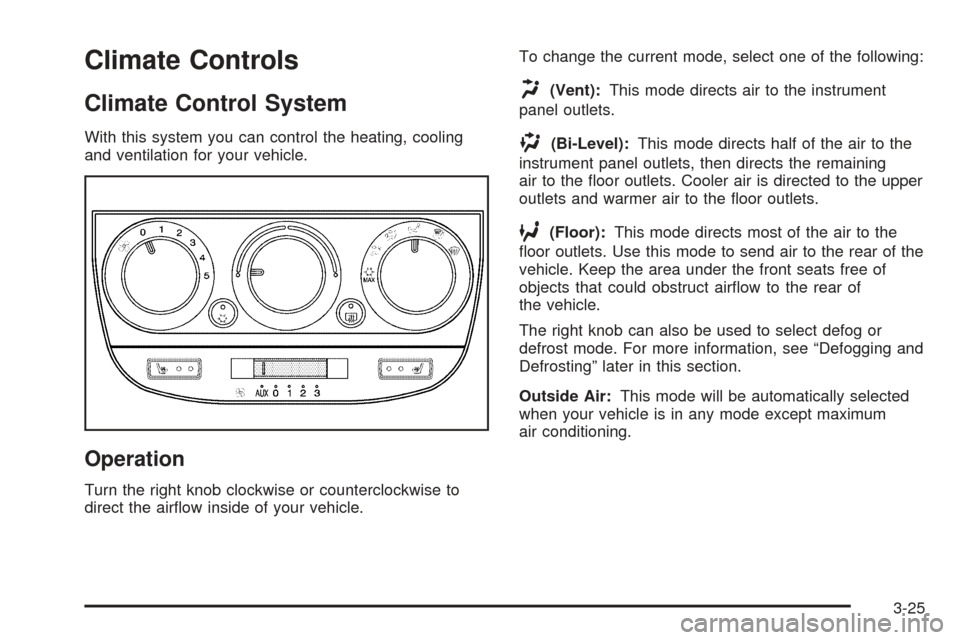
With this system you can control the heating, cooling
and ventilation for your vehicle.
Operation
Turn the right knob clockwise or counterclockwise to
direct the airow inside of your vehicle.To change the current mode, select one of the following:
H(Vent):This mode directs air to the instrument
panel outlets.
)(Bi-Level):This mode directs half of the air to the
instrument panel outlets, then directs the remaining
air to the oor outlets. Cooler air is directed to the upper
outlets and warmer air to the oor outlets.
6(Floor):This mode directs most of the air to the
oor outlets. Use this mode to send air to the rear of the
vehicle. Keep the area under the front seats free of
objects that could obstruct airow to the rear of
the vehicle.
The right knob can also be used to select defog or
defrost mode. For more information, see “Defogging and
Defrosting” later in this section.
Outside Air:This mode will be automatically selected
when your vehicle is in any mode except maximum
air conditioning.
3-25
Page 179 of 460
Defogging and Defrosting
Fog on the inside of windows is a result of high humidity,
or moisture, condensing on the cool window glass.
This can be minimized if the climate control system is
used properly. There are two modes to clear fog or frost
from your windshield. Use the defog mode to clear
the windows of fog or moisture and warm the
passengers. Use the defrost mode to remove fog or
frost from the windshield more quickly.
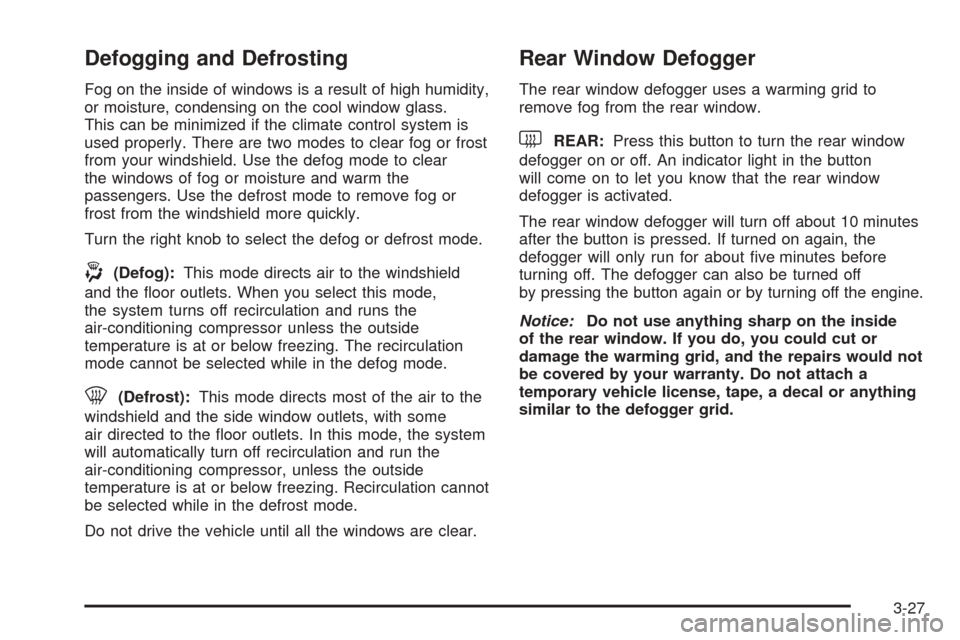
Turn the right knob to select the defog or defrost mode.
-(Defog):This mode directs air to the windshield
and the oor outlets. When you select this mode,
the system turns off recirculation and runs the
air-conditioning compressor unless the outside
temperature is at or below freezing. The recirculation
mode cannot be selected while in the defog mode.
0(Defrost):This mode directs most of the air to the
windshield and the side window outlets, with some
air directed to the oor outlets. In this mode, the system
will automatically turn off recirculation and run the
air-conditioning compressor, unless the outside
temperature is at or below freezing. Recirculation cannot
be selected while in the defrost mode.
Do not drive the vehicle until all the windows are clear.
Rear Window Defogger
The rear window defogger uses a warming grid to
remove fog from the rear window.
will come on to let you know that the rear window
defogger is activated.
The rear window defogger will turn off about 10 minutes
after the button is pressed. If turned on again, the
defogger will only run for about ve minutes before
turning off. The defogger can also be turned off
by pressing the button again or by turning off the engine.
Notice:Do not use anything sharp on the inside
of the rear window. If you do, you could cut or
damage the warming grid, and the repairs would not
be covered by your warranty. Do not attach a
temporary vehicle license, tape, a decal or anything
similar to the defogger grid.
3-27
Page 180 of 460
Outlet Adjustment
k(Open):Turn the thumbwheel to this position to
open the air outlets.
l(Closed):Turn the thumbwheel to this position to
close the air outlets.
Use the louvers located on the air outlets to change the
direction of the airow.
Operation Tips
Clear away any ice, snow, or leaves from the air
inlets at the base of the vehicle that may block
the ow of air into your vehicle.
Use of non-GM approved hood deectors may
adversely affect the performance of the system.
Keep the path under the front seats clear of objects
to help circulate the air inside of your vehicle more
effectively.
Rear Climate Control System
Your vehicle may have a rear climate control system
that allows the driver to adjust the fan speed for the rear
seating area. This system works with the main climate
control system in your vehicle.
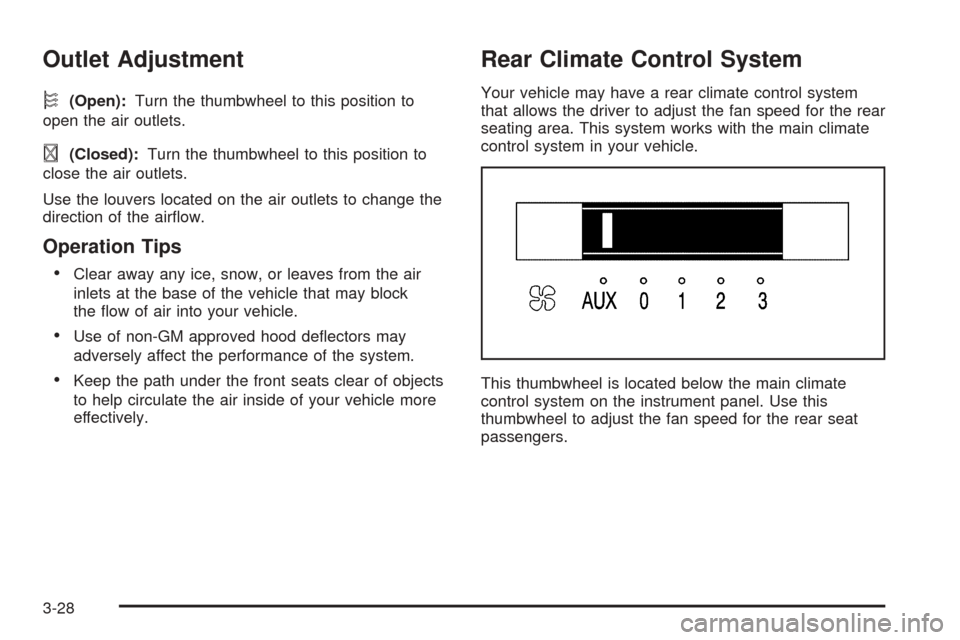
This thumbwheel is located below the main climate
control system on the instrument panel. Use this
thumbwheel to adjust the fan speed for the rear seat
passengers.
3-28
Page 181 of 460
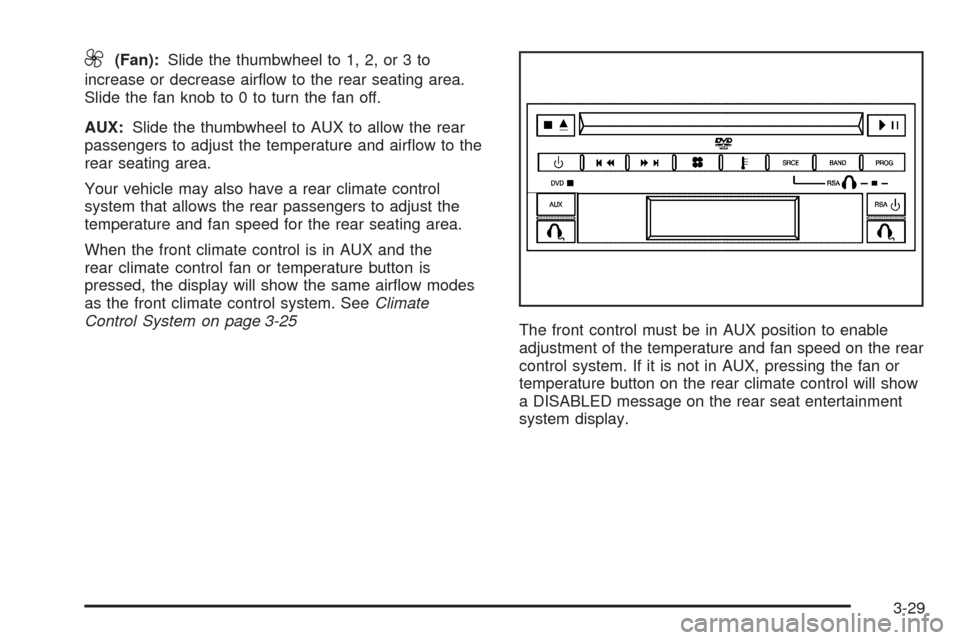
9(Fan):Slide the thumbwheel to 1, 2, or 3 to
increase or decrease airow to the rear seating area.
Slide the fan knob to 0 to turn the fan off.
AUX:Slide the thumbwheel to AUX to allow the rear
passengers to adjust the temperature and airow to the
rear seating area.
Your vehicle may also have a rear climate control
system that allows the rear passengers to adjust the
temperature and fan speed for the rear seating area.
When the front climate control is in AUX and the
rear climate control fan or temperature button is
pressed, the display will show the same airow modes
as the front climate control system. SeeClimate
Control System on page 3-25
The front control must be in AUX position to enable
adjustment of the temperature and fan speed on the rear
control system. If it is not in AUX, pressing the fan or
temperature button on the rear climate control will show
a DISABLED message on the rear seat entertainment
system display.
3-29
Page 182 of 460
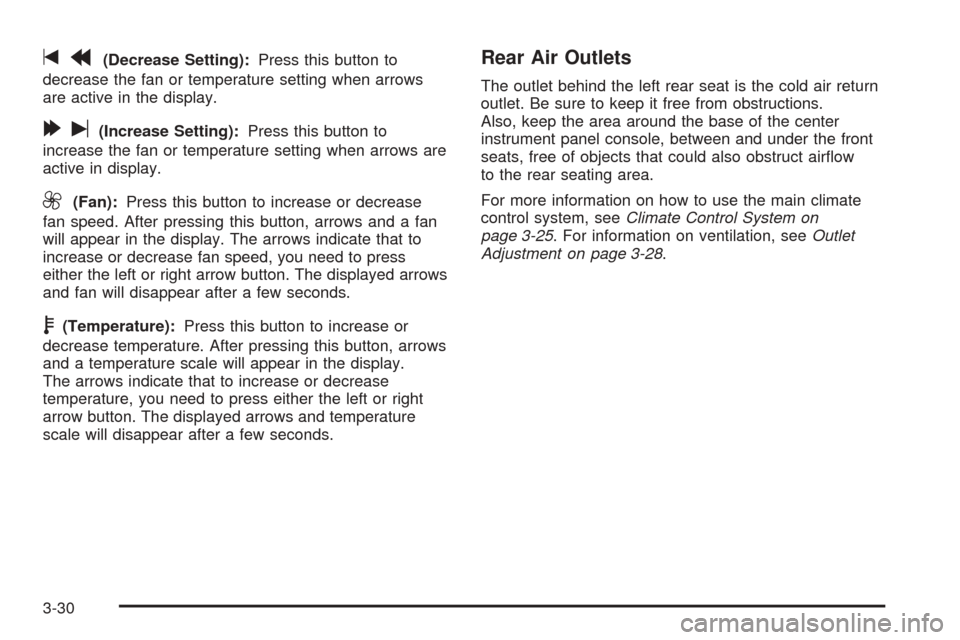
tr(Decrease Setting):Press this button to
decrease the fan or temperature setting when arrows
are active in the display.
[u(Increase Setting):Press this button to
increase the fan or temperature setting when arrows are
active in display.
9(Fan):Press this button to increase or decrease
fan speed. After pressing this button, arrows and a fan
will appear in the display. The arrows indicate that to
increase or decrease fan speed, you need to press
either the left or right arrow button. The displayed arrows
and fan will disappear after a few seconds.
b(Temperature):Press this button to increase or
decrease temperature. After pressing this button, arrows
and a temperature scale will appear in the display.
The arrows indicate that to increase or decrease
temperature, you need to press either the left or right
arrow button. The displayed arrows and temperature
scale will disappear after a few seconds.
Rear Air Outlets
The outlet behind the left rear seat is the cold air return
outlet. Be sure to keep it free from obstructions.
Also, keep the area around the base of the center
instrument panel console, between and under the front
seats, free of objects that could also obstruct airow
to the rear seating area.
For more information on how to use the main climate
control system, seeClimate Control System on
page 3-25. For information on ventilation, seeOutlet
Adjustment on page 3-28.
3-30
Page 253 of 460

DVD Player Buttons
cY(Stop/Eject):Press and release this button to
stop playing, rewinding, or fast forwarding.
Press this button twice to eject a disc. If the player is
already stopped, then only press this button once.
O(Power):Press this button to turn the DVD player
on and off.AUX (Auxiliary):Press this button to switch the system
between the DVD player and an auxiliary device.
s(Play/Pause):Press this button to start play of a
disc. Press this button while a disc is playing to
pause it. Press it again to continue play of a disc.
tr/[u(Previous and Fast Reverse/Next
and Fast Forward):These controls can be used
to move forward or backward through a disc.
These buttons can also be used to modify RSA, rear
temperature, rear fan speed, and wired headphone
volume adjustment. See “Headphones” earlier in this
section,Rear Seat Audio (RSA) on page 3-110,
andRear Climate Control System on page 3-28for
more information.
When a DVD is playing in the DVD player and the RSA
system is on, the stop/eject and play/pause buttons
are the only buttons that will work.
3-101