2005 CHEVROLET TAHOE radio controls
[x] Cancel search: radio controlsPage 254 of 536

Playing a Cassette Tape
The tape player is built to work best with tapes that are
up to 30 to 45 minutes long on each side. Tapes
longer than that are so thin they may not work well in
this player. The longer side with the tape visible should
face to the right. If you hear nothing or hear a garbled
sound, the tape may not be in squarely. Press the eject
button to remove the tape and start over.
If the ignition and radio are off, the tape can be inserted,
but will not play until ignition and radio are on. If the
ignition is on and the radio is off, the tape can be
inserted and will begin playing.
While the tape is playing, use the VOL, AUDIO, and
SEEK controls just as you do for the radio. The cassette
tape symbol will appear on the display and an arrow
showing which side of the tape is playing. The tape
player will play the other side of the tape when it
reaches the end.
Cassette tape adapter kits for portable CD players will
work in the cassette tape player. See “CD Adapter Kits”
later for more information.
The tape bias is set automatically when a metal or
chrome tape is inserted.If an error appears on the display, see “Cassette Tape
Messages” later in this section.
1 PREV (Previous):The tape must have at least
three seconds of silence between each selection for
previous to work. Press this pushbutton to go to
the previous selection on the tape if the current selection
has been playing for less than three seconds. If
pressed when the current selection has been playing
from three to 13 seconds, it will go to the beginning
of the previous selection or the beginning of the current
selection, depending on the position on the tape. If
pressed when the current selection has been playing for
more than 13 seconds, it will go to the beginning of
the current selection.
SEEK and a negative number will appear on the display
while the cassette player is in the previous mode.
Pressing this pushbutton multiple times will increase the
number of selections to be searched back, up to−9.
2 NEXT:The tape must have at least three seconds of
silence between each selection for next to work.
Press this pushbutton to go to the next selection on the
tape. Pressing this pushbutton multiple times, in next
mode, will increase the number of selections to be
searched forward. SEEK and a positive number
will appear on the display.
3-102
Page 263 of 536

Setting the Tone (Bass/Treble)
AUDIO:Push and release the AUDIO knob until BASS
or TREB appears on the display. Turn the knob to
increase or to decrease. The display will show the bass
or treble level. If a station is weak or noisy, decrease
the treble.
To adjust the bass or treble to the middle position while
it is displayed, push and hold the AUDIO knob. The
radio will produce one beep and adjust the display level
to the middle position.
To adjust all tone and speaker controls to the middle
position, push and hold the AUDIO knob when no tone
or speaker controls are displayed. ALL CENTERED
will appear on the display and you will hear a beep.
AUTO EQ (Automatic Equalization):Press this button
to select customized equalization settings designed
for country/western, jazz, talk, pop, rock, and classical.
The radio will save separate AUTO EQ settings for
each preset and source.
If the radio is equipped with the Bose
®audio system,
the equalization settings are either CUSTOM or TALK.
Adjusting the Speakers (Balance/Fade)
AUDIO:To adjust the balance between the right
and the left speakers, push and release the AUDIO
knob until BAL appears on the display. Turn the knob to
move the sound toward the right or the left speakers.
To adjust the fade between the front and rear speakers,
push and release the AUDIO knob until FAD appears
on the display. Turn the knob to move the sound toward
the front or the rear speakers.
To adjust the balance or fade to the middle position
while it is displayed, push and hold the AUDIO knob.
The radio will produce one beep and adjust the display
level to the middle position.
To adjust all tone and speaker controls to the middle
position, push and hold the AUDIO knob when no tone
or speaker controls are displayed. ALL CENTERED
will appear on the display and you will hear a beep.
3-111
Page 285 of 536

It may be necessary to turn off the DVD player when
operating one of these devices in or near the vehicle.
* Excludes the OnStar
®System.
Cleaning the Video Screen
Pour some isopropyl or rubbing alcohol on a clean cloth
and gently wipe the video screen. Do not spray
directly onto the screen and do not press too hard or
too long on the video screen.
Rear Seat Audio (RSA)
This feature allows rear seat passengers to listen to any
of the sources: radio, cassette tapes, CDs, or DVDs.
However, the rear seat passengers can only control the
sources that the front seat passengers are not listening
to. For example, rear seat passengers may listen to and
control cassette tapes, CDs, or DVDs through the
headphones while the driver listens to the radio through
the front speakers. The rear seat passengers have
control of the volume for each set of headphones.
The front seat audio controls always have priority over
the RSA controls. If the front seat passengers switch the
source for the main radio to a remote source, the RSA will
not be able to control the source. You can operate the
rear seat audio when the main radio is off.
P(Power):Press this button to turn the system on or
off. The rear speakers will be muted when the power
is turned on unless your vehicle is equipped with
the Bose
®audio system.
u(Volume):Turn this knob to increase or to
decrease the volume. The left knob controls the left
headphones and the right knob controls the right
headphones.
SRC (Source):Press this button to select a
source: radio, cassette tapes, CDs, or DVDs.RSA with HVAC Shown, RSA without HVAC Similar
3-133
Page 287 of 536

Audio Steering Wheel Controls
If your vehicle has this feature, some audio controls can
be adjusted at the steering wheel. They include the
following:
g(OnStar/Mute):If your vehicle has OnStar®, press
this button to interact with the OnStar®system. See
the OnStar®manual provided with your vehicle for more
information.
If your vehicle does not have OnStar
®, press this button
to silence the system. Press it again, or any other
radio button, to turn on the sound.PROG (Program):Press this button to play a station
you have programmed on the radio preset pushbuttons.
The radio will only seek preset stations with a strong
signal that are in the selected band.
When a cassette tape is playing, press this button to
play the other side of the tape.
When a CD is playing in the CD changer, press this
button to go to the next available CD, if multiple CDs
are loaded.
QSOURCER:Press this button to switch between
FM1, FM2, AM, or XM1 or XM2 (if equipped), or a
cassette tape or CD. The cassette or CD must be loaded
to play. Available loaded sources are shown on the
display as a tape or a CD symbol.
QSEEKR:Press the up or the down arrow to go to
the next or to the previous radio station and stay
there. The radio will only seek stations with a strong
signal that are in the selected band.
When a cassette tape or CD is playing, press the up or
the down arrow to fast forward or reverse.
QVOLR(Volume):Press the up or the down arrow
to increase or to decrease the volume.
3-135
Page 524 of 536

Audio System(s).............................................3-78
AM-FM Radio.............................................3-79
Audio Steering Wheel Controls....................3-135
Care of Your Cassette Tape Player...............3-136
Care of Your CD and DVD Player................3-137
Care of Your CDs and DVDs.......................3-137
Chime Level Adjustment.............................3-138
Fixed Mast Antenna...................................3-138
Navigation/Radio System, see Navigation
Manual.................................................3-121
Radio with Cassette and CD.........................3-93
Radio with CD............................................3-82
Radio with Six-Disc CD..............................3-108
Rear Seat Audio (RSA)...............................3-133
Setting the Time for Radios with Radio Data
Systems (RDS)........................................3-79
Setting the Time for Radios without Radio
Data Systems (RDS)................................3-78
Theft-Deterrent Feature...............................3-134
Understanding Radio Reception...................3-136
XM™ Satellite Radio Antenna System...........3-138
Automatic Headlamp System............................3-16
Automatic Transmission
Fluid..........................................................5-23
Operation...................................................2-24
Autoride
®™ ....................................................4-66
Auxiliary Roof Mounted Lamp Switch.................3-18
B
Battery..........................................................5-41
Run-Down Protection...................................3-20
Battery Warning Light......................................3-42
Before Leaving on a Long Trip.........................4-42
Bench Seat....................................................1-16
Bench Seat Split (50/50)..................................1-11
Bench Seat, Split (60/40)................................... 1-9
Brake
Anti-Lock Brake System (ABS)........................ 4-7
Emergencies................................................ 4-8
Parking......................................................2-35
System Warning Light..................................3-43
Brake Pedal, Throttle.......................................2-22
Brakes..........................................................5-38
Braking........................................................... 4-6
Braking in Emergencies..................................... 4-8
Break-In, New Vehicle.....................................2-19
Bucket Seats, Rear.........................................1-21
Bulb Replacement...........................................5-52
Front Turn Signal, Sidemarker and Daytime
Running Lamps........................................5-53
Halogen Bulbs............................................5-52
Headlamps.................................................5-52
Replacement Bulbs......................................5-58
Roof Marker Lamps.....................................5-55
2
Page 532 of 536

P
Park (P)
Shifting Into................................................2-36
Shifting Out of............................................2-38
Parking
Brake........................................................2-35
Over Things That Burn.................................2-38
Passenger Airbag Status Indicator.....................3-40
Passenger Sensing System..............................1-78
Passing.........................................................4-19
Passlock
®......................................................2-19
Power
Accessory Outlets........................................3-20
Door Locks.................................................. 2-9
Electrical System.......................................5-107
Lumbar Controls........................................... 1-5
Retained Accessory (RAP)............................2-21
Seat............................................................ 1-4
Steering Fluid.............................................5-36
Windows....................................................2-16
Programmable Automatic Door Locks.................2-11
Q
QUADRASTEER™..........................................4-16
Questions and Answers About Safety Belts.........1-28
R
Radios..........................................................3-78
AM-FM Radio.............................................3-79
Care of Your Cassette Tape Player...............3-136
Care of Your CD and DVD Player................3-137
Care of Your CDs and DVDs.......................3-137
Navigation/Radio System, see Navigation
Manual.................................................3-121
Radio with Cassette and CD.........................3-93
Radio with CD............................................3-82
Radio with Six-Disc CD..............................3-108
Rear Seat Audio........................................3-133
Setting the Time for Radios with Radio Data
Systems (RDS)........................................3-79
Setting the Time for Radios without Radio
Data Systems (RDS)................................3-78
Theft-Deterrent..........................................3-134
Understanding Reception............................3-136
Rear Air Conditioning and Heating System.........3-31
Rear Air Conditioning and Heating System and
Electronic Climate Controls...........................3-34
Rear Air Conditioning System...........................3-30
Rear Axle......................................................5-48
Locking......................................................4-10
Rear Door Security Locks................................2-13
Rear Safety Belt Comfort Guides......................1-41
Rear Seat Audio (RSA)..................................3-133
10
Page 534 of 536
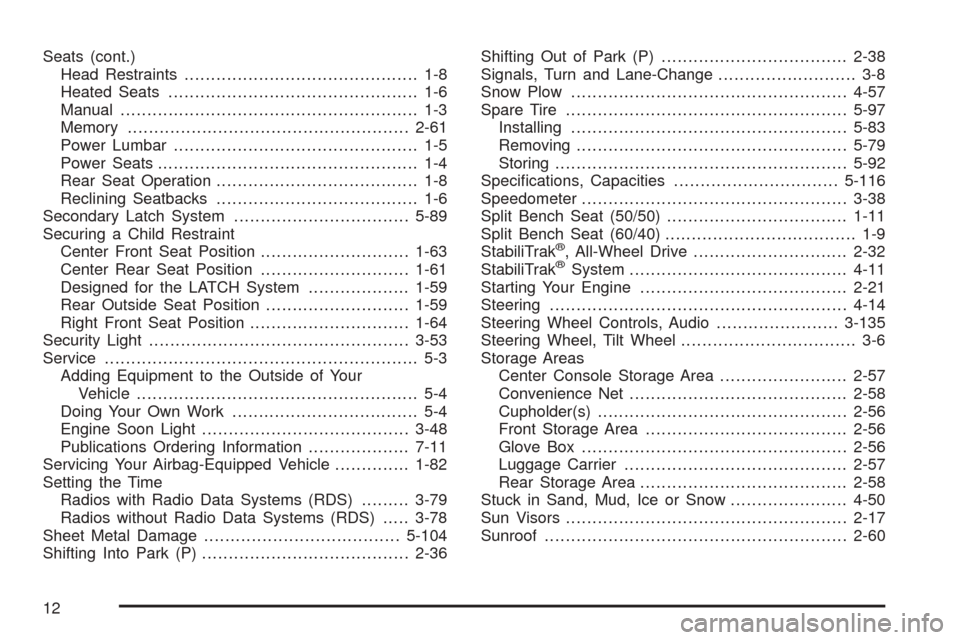
Seats (cont.)
Head Restraints............................................ 1-8
Heated Seats............................................... 1-6
Manual........................................................ 1-3
Memory.....................................................2-61
Power Lumbar.............................................. 1-5
Power Seats................................................. 1-4
Rear Seat Operation...................................... 1-8
Reclining Seatbacks...................................... 1-6
Secondary Latch System.................................5-89
Securing a Child Restraint
Center Front Seat Position............................1-63
Center Rear Seat Position............................1-61
Designed for the LATCH System...................1-59
Rear Outside Seat Position...........................1-59
Right Front Seat Position..............................1-64
Security Light.................................................3-53
Service........................................................... 5-3
Adding Equipment to the Outside of Your
Vehicle..................................................... 5-4
Doing Your Own Work................................... 5-4
Engine Soon Light.......................................3-48
Publications Ordering Information...................7-11
Servicing Your Airbag-Equipped Vehicle..............1-82
Setting the Time
Radios with Radio Data Systems (RDS).........3-79
Radios without Radio Data Systems (RDS).....3-78
Sheet Metal Damage.....................................5-104
Shifting Into Park (P).......................................2-36Shifting Out of Park (P)...................................2-38
Signals, Turn and Lane-Change.......................... 3-8
Snow Plow....................................................4-57
Spare Tire.....................................................5-97
Installing....................................................5-83
Removing...................................................5-79
Storing.......................................................5-92
Specications, Capacities...............................5-116
Speedometer..................................................3-38
Split Bench Seat (50/50)..................................1-11
Split Bench Seat (60/40).................................... 1-9
StabiliTrak
®, All-Wheel Drive.............................2-32
StabiliTrak®System.........................................4-11
Starting Your Engine.......................................2-21
Steering........................................................4-14
Steering Wheel Controls, Audio.......................3-135
Steering Wheel, Tilt Wheel................................. 3-6
Storage Areas
Center Console Storage Area........................2-57
Convenience Net.........................................2-58
Cupholder(s)...............................................2-56
Front Storage Area......................................2-56
Glove Box..................................................2-56
Luggage Carrier..........................................2-57
Rear Storage Area.......................................2-58
Stuck in Sand, Mud, Ice or Snow......................4-50
Sun Visors.....................................................2-17
Sunroof.........................................................2-60
12