2005 CHEVROLET MALIBU battery
[x] Cancel search: batteryPage 150 of 434
Rear Reading Lamps
The vehicle’s dome lamp may have two reading lamps.
The reading lamps turn on and off by pushing on
the lens.
Trunk Lamp
The trunk lamp comes on when you open your trunk.
Cargo Lamp
If your vehicle is the MAXX model, it has a cargo lamp.
The cargo lamp comes on when the liftgate is opened.
If you want to leave the liftgate open you can turn off
the cargo lamp by pushing on the lens.
Battery Run-Down Protection
Your vehicle has a battery run-down protection feature
designed to protect your vehicle’s battery.
When any interior lamp (trunk, reading, or visor vanity)
is left on while the ignition is turned off, the battery
run-down protection system will automatically shut the
lamp(s) off after 20 minutes. This will avoid draining
the battery.
To reactivate the interior lamps, do one of the following:
Turn on the ignition.
Turn the exterior lamp control off and then on.
Open a door.
Press any remote keyless entry transmitter button
(if equipped).
Press the remote trunk release button.
Press the power door lock switch.
The battery run-down feature will also be activated
when any door on the vehicle is left open and the
ignition is in OFF.
3-20
Page 151 of 434
Accessory Power Outlet(s)
With accessory power outlets you can plug in auxiliary
electrical equipment such as a cellular telephone.
For vehicles with Traction Control system, the accessory
power outlets are located on the front of the center
console storage area and also inside the console
storage compartment. The compartment has notches
that allow power cords to be routed outside of the
console while the lid is closed. On vehicles without
Traction Control, both outlets are located on the front
of the center console storage area. There is also
an outlet in the rear cargo area of the MAXX.
Notice:Leaving electrical equipment on for
extended periods will drain the battery. Always turn
off electrical equipment when not in use and do
not plug in equipment that exceeds the maximum
amperage rating.
Certain electrical accessories may not be compatible
with the accessory power outlet and could result
in blown vehicle or adapter fuses. If you experience
a problem see your dealer for additional information
on accessory power outlets.Notice:Adding any electrical equipment to your
vehicle may damage it or keep other components
from working as they should. The repairs would not
be covered by your warranty. Do not use equipment
exceeding maximum amperage rating. Check
with your dealer before adding electrical equipment.
When adding electrical equipment, be sure to follow
the proper installation instructions included with
the equipment.
Notice:Improper use of the power outlet can
cause damage not covered by your warranty.
Do not hang any type of accessory or accessory
bracket from the plug because the power outlets
are designed for accessory power plugs only.
3-21
Page 170 of 434
Charging System Light
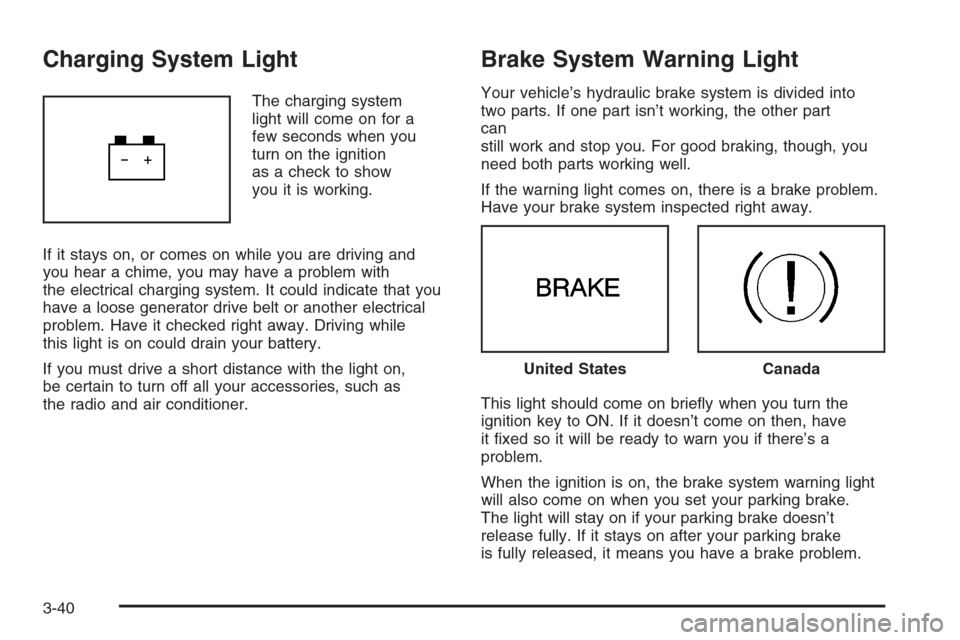
The charging system
light will come on for a
few seconds when you
turn on the ignition
as a check to show
you it is working.
If it stays on, or comes on while you are driving and
you hear a chime, you may have a problem with
the electrical charging system. It could indicate that you
have a loose generator drive belt or another electrical
problem. Have it checked right away. Driving while
this light is on could drain your battery.
If you must drive a short distance with the light on,
be certain to turn off all your accessories, such as
the radio and air conditioner.
Brake System Warning Light
Your vehicle’s hydraulic brake system is divided into
two parts. If one part isn’t working, the other part
can
still work and stop you. For good braking, though, you
need both parts working well.
If the warning light comes on, there is a brake problem.
Have your brake system inspected right away.
This light should come on briey when you turn the
ignition key to ON. If it doesn’t come on then, have
it xed so it will be ready to warn you if there’s a
problem.
When the ignition is on, the brake system warning light
will also come on when you set your parking brake.
The light will stay on if your parking brake doesn’t
release fully. If it stays on after your parking brake
is fully released, it means you have a brake problem.
United StatesCanada
3-40
Page 177 of 434
Have you recently changed brands of fuel?
If so, be sure to fuel your vehicle with quality fuel.
SeeGasoline Octane on page 5-5. Poor fuel quality
will cause your engine not to run as efficiently as
designed. You may notice this as stalling after start-up,
stalling when you put the vehicle into gear, misring,
hesitation on acceleration, or stumbling on acceleration.
(These conditions may go away once the engine is
warmed up.) This will be detected by the system and
cause the light to turn on.
If you experience one or more of these conditions,
change the fuel brand you use. It will require at least
one full tank of the proper fuel to turn the light off.
If none of the above steps have made the light turn off,
your dealer can check the vehicle. Your dealer has
the proper test equipment and diagnostic tools to x
any mechanical or electrical problems that may
have developed.Emissions Inspection and Maintenance
Programs
Some state/provincial and local governments have or
may begin programs to inspect the emission control
equipment on your vehicle. Failure to pass this
inspection could prevent you from getting a vehicle
registration.
Here are some things you need to know to help your
vehicle pass an inspection:
Your vehicle will not pass this inspection if the check
engine light is on or not working properly.
Your vehicle will not pass this inspection if the
OBD (on-board diagnostic) system determines that
critical emission control systems have not been
completely diagnosed by the system. The vehicle
would be considered not ready for inspection. This
can happen if you have recently replaced your battery
or if your battery has run down. The diagnostic system is
designed to evaluate critical emission control systems
during normal driving. This may take several days of
routine driving. If you have done this and your vehicle still
does not pass the inspection for lack of OBD system
readiness, your GM dealer can prepare the vehicle for
inspection.
3-47
Page 187 of 434
ENG (Engine) PWR (Power) REDUCED:This
message informs you that the vehicle has reduced
engine power to avoid damaging the engine.
ICE POSSIBLE:This message appears when the
outside air temperature is cold enough to create icy road
conditions.
KEY FOB BATT (Battery) LOW:This message is
displayed if the remote keyless entry transmitter battery
is low. You should replace the battery in the transmitter.
See “Battery Replacement” underRemote Keyless
Entry System Operation on page 2-5.
LOW COOLANT:This message is displayed when
there is a low level of engine coolant. Have the cooling
system serviced by your GM dealer as soon as
possible.
LOW FUEL:This message is displayed when your
vehicle is low on fuel. You should rell the fuel tank as
soon as possible. You will also see a low fuel warning
light on the instrument panel cluster. SeeFuel on
page 5-5andFilling the Tank on page 5-8.LOW WASHER FLUID:This message is displayed
when your vehicle is low on windshield washer uid. You
should rell the windshield washer uid reservoir as
soon as possible. See “Adding Washer Fluid” under
Windshield Washer Fluid on page 5-30.
POWER STEERING:This message is displayed if a
problem has been detected with the electric power
steering. Have your vehicle serviced by your GM dealer
immediately.
PUSH PARK PEDAL:This message is displayed if the
parking brake is left engaged. SeeParking Brake on
page 2-29for more information.
SERVICE AIR BAG:There is a problem with the airbag
system when this message appears. Let only a
qualied technician work on your vehicle. Have your
vehicle serviced by your GM dealer immediately.
TRUNK OR GATE AJAR:This message is displayed
when the trunk lid or liftgate of your vehicle is not closed
completely. You should make sure that the trunk lid or
liftgate is closed completely.
3-57
Page 233 of 434
Rear Seat Entertainment System
Your vehicle may have a DVD Rear Seat
Entertainment (RSE) system. The RSE system includes
a DVD player, a video display screen, two sets of
wireless headphones, and a remote control.
This system also functions as a rear seat audio (RSA)
system. SeeRear Seat Audio (RSA) (Without Rear Seat
Entertainment) on page 3-118orRear Seat Audio (RSA)
(With Entertainment System) on page 3-120for more
information.
Parental Control
The RSE system may be disabled from the driver’s seat
by pressing the power button on the radio twice. To
resume use of the RSE system press the RSE power
button.
Before You Drive
The RSE is designed for rear seat passengers only.
The driver cannot safely view the video screen
while driving and should not try to do so.
The DVD system is designed to be inoperable when the
vehicle is exposed to extremely low or high
temperatures, in order to protect your system from
damage. Operate the DVD system under normal
or comfortable cabin temperature ranges.
Headphones
The RSE system includes two sets of wireless
headphones.
The wireless headphones have an ON/OFF button and
a volume control. To use the headphones press, the
ON/OFF button. An indicator light on the headphones
will illuminate. If the light does not illuminate, the
batteries may need to be replaced. See “Battery
Replacement” later in this section for more information.
Press the button to turn the headphones OFF when
not in use.
If the RSE system is shut off or if the headphones are
out of range of the transmitters, located at the top of
the DVD player, for more than three minutes, the
headphones will shut off automatically to save the
battery power. If you move too far forward or step out of
the vehicle, the headphones will lose the audio signal.
To adjust the volume on the wireless headphones,
use the volume control on the headphones.
Make sure that the headphones are worn correctly, left
to right, to ensure the signal is received properly.
3-103
Page 234 of 434
Notice:Do not store the headphones in heat or
direct sunlight. This could damage the headphones
and repairs will not be covered by your warranty.
Keep the headphones stored in a cool, dry place.
If your vehicle is the MAXX, your vehicle may have
a rear seat storage compartment. Store the headphones
and the remote control in this compartment when not
in use.
If there is a decreased audio signal during CD or DVD
play, there may be a low hissing noise through the
speakers and/or headphones. If the hissing sound in the
wireless headphones seems excessive, make sure
that the headphone batteries are fully charged. Some
amount of hissing is normal.
Battery Replacement
To change the batteries, do the following:
1. Loosen the screw on the battery compartment door
located on the left side of the headphone earpiece.
2. Replace the two AAA batteries in the compartment.
Make sure that they are installed correctly using the
diagram on the inside of the battery compartment.
3. Replace the battery compartment door and tighten
the screw.
If the headphones are to be stored for a long period of
time, remove the batteries, and keep them in a cool,
dry place.
Stereo RCA Jacks
The RCA jacks are located on the DVD faceplate on the
oor console. The RCA jacks allow audio and video
signals to be connected from an auxiliary device such as
a camcorder or a video game unit to the RSE system.
The yellow RCA jack is used for video inputs, the
red RCA jack for right audio inputs, and the white RCA
jack for left audio inputs. The system requires
standard RCA cables, not included, to connect the
auxiliary device to the RCA jacks. Refer to the
manufacturer’s instructions for proper usage.
To use the auxiliary audio and video inputs, connect an
external auxiliary device such as a camcorder to the
RCA jacks and turn on both the auxiliary device power
and the power on the front of the RSE system. Press
the play and source buttons at the same time or
the AUX button on the remote control to switch to the
auxiliary device. See “DVD Player” and “Remote
Control” later in this section for more information.
3-104
Page 239 of 434
Remote Control
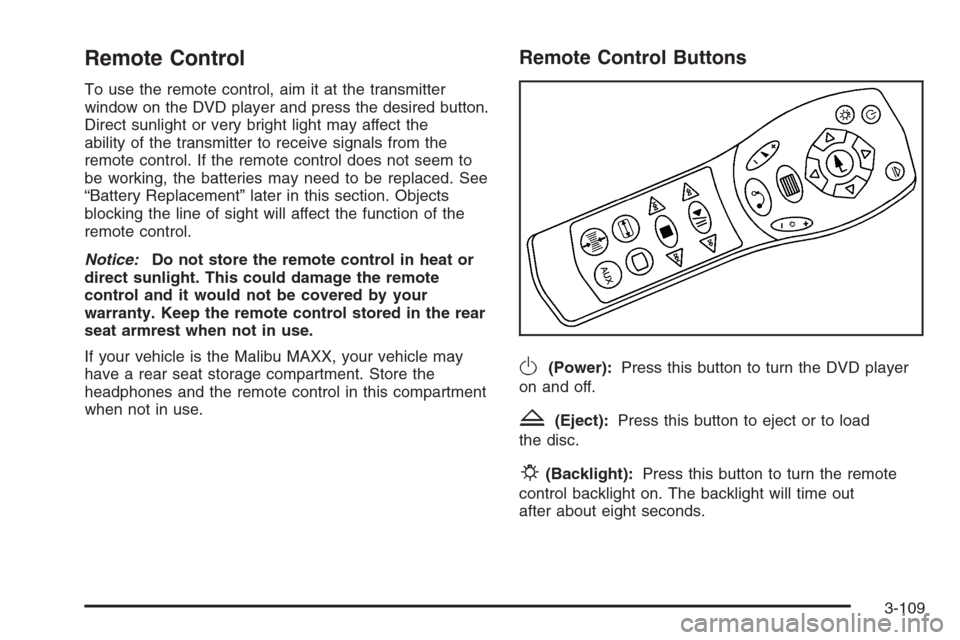
To use the remote control, aim it at the transmitter
window on the DVD player and press the desired button.
Direct sunlight or very bright light may affect the
ability of the transmitter to receive signals from the
remote control. If the remote control does not seem to
be working, the batteries may need to be replaced. See
“Battery Replacement” later in this section. Objects
blocking the line of sight will affect the function of the
remote control.
Notice:Do not store the remote control in heat or
direct sunlight. This could damage the remote
control and it would not be covered by your
warranty. Keep the remote control stored in the rear
seat armrest when not in use.
If your vehicle is the Malibu MAXX, your vehicle may
have a rear seat storage compartment. Store the
headphones and the remote control in this compartment
when not in use.
Remote Control Buttons
O(Power):Press this button to turn the DVD player
on and off.
Z(Eject):Press this button to eject or to load
the disc.
P(Backlight):Press this button to turn the remote
control backlight on. The backlight will time out
after about eight seconds.
3-109