2005 CHEVROLET KODIAK light
[x] Cancel search: lightPage 154 of 374
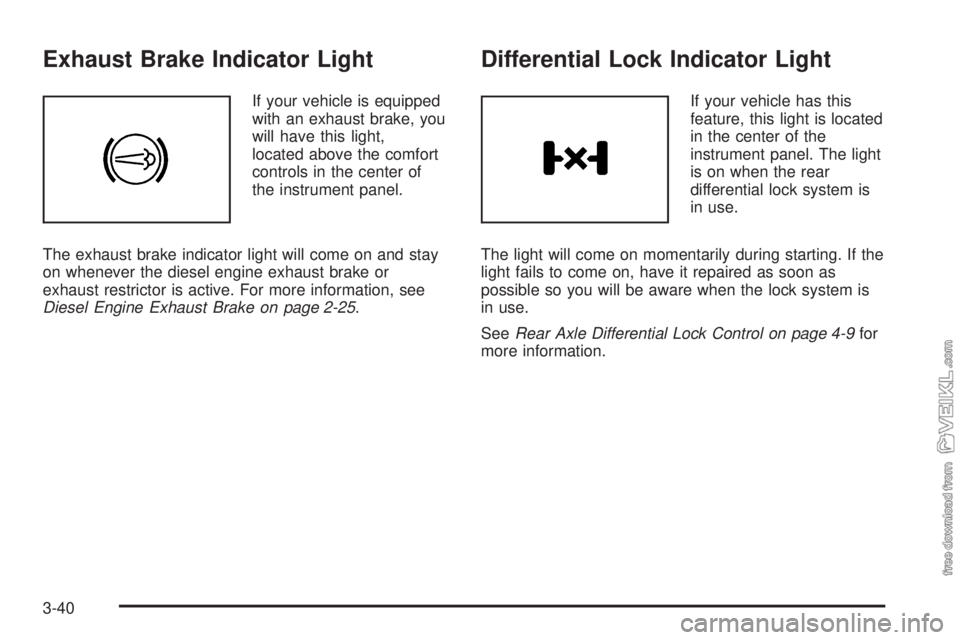
Exhaust Brake Indicator Light
If your vehicle is equipped
with an exhaust brake, you
will have this light,
located above the comfort
controls in the center of
the instrument panel.
The exhaust brake indicator light will come on and stay
on whenever the diesel engine exhaust brake or
exhaust restrictor is active. For more information, see
Diesel Engine Exhaust Brake on page 2-25.
Differential Lock Indicator Light
If your vehicle has this
feature, this light is located
in the center of the
instrument panel. The light
is on when the rear
differential lock system is
in use.
The light will come on momentarily during starting. If the
light fails to come on, have it repaired as soon as
possible so you will be aware when the lock system is
in use.
SeeRear Axle Differential Lock Control on page 4-9for
more information.
3-40
Page 155 of 374

Reduced Engine Power Light
If the check engine and
reduced engine power
lights are on, the throttle
may be disabled, and
a noticeable change in the
vehicle’s performance
may occur.
If the reduced engine power light is on, but there is no
change in performance, proceed to your destination.
The performance may be reduced the next time
the vehicle is driven. The vehicle may be driven at a
slower speed while the reduced engine power light is on,
but acceleration and speed may be limited.
Anytime the check engine light stays on, the vehicle
should be taken to an authorized GM dealer as soon as
possible for service.
Highbeam On Light
This light will come on
when the high-beam
headlamps are in use.
SeeHeadlamp High/Low-Beam Changer on page 3-8.
Daytime Running Lamps (DRL)
Indicator Light
This light is located on the
instrument panel cluster. It
goes on whenever the
Daytime Running Lamps
are on.
SeeDaytime Running Lamps (DRL) on page 3-15for
more information.
When it begins to get dark, the DRL indicator light is a
reminder to turn on your headlamps.
3-41
Page 156 of 374

Low Washer Fluid Warning Light
This light will come on
when your vehicle is low
on windshield washer fluid.
For more information, seeWindshield Washer Fluid on
page 5-46.
Check Gages Warning Light
This light will come on as
you’re starting the engine,
just as a check.
If this light comes on and stays on while you are driving.
it means that either your engine coolant temperature
gage or your engine oil pressure gage may be showing
a reading in the warning zone.When the check gages light comes on, you will also
hear a warning tone. The tone and the light will
stay activated until the problem is corrected.
This light may also come on if your vehicle is equipped
with the optional automatic engine shutdown system
and engine shutdown has begun. SeeEngine Alarm and
Automatic ShutdownunderStarting the Diesel Engine
on page 2-14.
Fuel Gage
Your fuel gage is located
on the right side of your
instrument panel cluster.
When the ignition is on, your fuel gage lets you know
about how much fuel you have left. When the gage first
shows empty, you’ll still have a little fuel left, but you
should get more fuel soon.
3-42
Page 157 of 374

If your vehicle has dual fuel tanks, the reading on the
gage is the total fuel left in both tanks.
Here are four concerns of some operators. None of
these shows a problem with your fuel gage:
•The gage moves a little when you turn a corner or
speed up.
•The gage does not go back to empty when you turn
off the ignition.
•At the gas station, the pump shuts off before the
gage reads full.
•It takes a little more or less fuel to fill up than the
gage indicated.
If you have a Caterpillar
®diesel engine, also see your
Caterpillar®Operation & Maintenance Manual.
Water in Fuel Warning Light
If your vehicle has the 6.6L
or 7.8L DURAMAX®diesel
engine, this light will
come on to warn you that
there is water in the
fuel system.
For more information on how this light works, seeWater
in Fuel on page 5-10.
Air Filter Restriction Indicator
If your vehicle has this
feature, the gage is
located above the
switchbank in the center of
the instrument panel. It
monitors the engine
air filter.
As the filter gets dirty, the yellow indicator will begin to
rise. When it reaches 25 inches of vacuum on the
scale, the filter should be replaced.
After replacing the filter, reset the gage by pressing in
the yellow reset button at the bottom of the gage.
If you have a Caterpillar
®diesel engine, also see your
Caterpillar®Operation & Maintenance Manual.
3-43
Page 158 of 374

Air Pressure Gage
If your vehicle has air
brakes, the air pressure
gage is located above the
switchbank in the center
of the instrument panel.
This gage shows the air pressure for both your front
and rear brake systems.
If the needle on the gage indicates that the air pressure
is below 60 to 75 psi (415 to 517 kPa), the low air
warning light will come on. An alarm will also sound if
this happens.
The top pointer shows the pressure available for the
front system, while the bottom pointer shows pressure
for the rear. There should be no more than 4 psi
(28 kPa) difference showing between the systems.
Don’t drive until both pointers are showing at least
120 psi (827 kPa), so you’ll have enough air if you need
to apply your brakes.
Hourmeter Gage
To access the engine hourmeter gage, press the trip
odometer button three times.
The instrument panel cluster displays the accumulated
engine run time hours using the reconfigurable
odometer display. The engine run time hours displays
only when the ignition is in the LOCK or ACCESSORY
position and the trip reset button is pressed for about
four seconds. The value of the accumulated hours does
not change when the battery is disconnected.
The hourmeter resets to 0.0 when 10,000 hours are
accumulated. The instrument panel cluster begins to
reaccumulate the engine run time hours from 0.0 hours.
Audio System(s)
Notice:Before adding any sound equipment to
your vehicle, such as an audio system, CD player,
CB radio, mobile telephone, or two-way radio, make
sure that it can be added by checking with your
dealer. Also, check federal rules covering mobile
radio and telephone units. If sound equipment can
be added, it is very important to do it properly.
Added sound equipment may interfere with
the operation of your vehicle’s engine, radio, or
other systems, and even damage them. Your
vehicle’s systems may interfere with the operation
of sound equipment that has been added.
3-44
Page 172 of 374

Care of the Cassette Tape Player
A tape player that is not cleaned regularly can cause
reduced sound quality, ruined cassettes or a damaged
mechanism. Cassette tapes should be stored in their
cases away from contaminants, direct sunlight and
extreme heat. If they aren’t, they may not operate
properly or may cause failure of the tape player.
The tape player should be cleaned regularly after every
50 hours of use. The radio may display CLN to
indicate that the tape player has been used for 50 hours
without resetting the tape clean timer. If this message
appears on the display, the cassette tape player
needs to be cleaned. It will still play tapes, but it should
be cleaned as soon as possible to prevent damage
to the tapes and player. If there is a reduction in sound
quality, try a known good cassette to see if the tape
or the tape player is at fault. If this other cassette has no
improvement in sound quality, clean the tape player.
For best results, use a scrubbing action, non-abrasive
cleaning cassette with pads which scrub the tape
head as the hubs of the cleaner cassette turn. The
recommended cleaning cassette is available through
your dealer.The cut tape detection feature of the cassette tape
player may identify the cleaning cassette as a damaged
tape. To prevent the cleaning cassette from being
ejected, use the following steps:
1. Turn the ignition on.
2. Turn the radio off.
3. Press and hold the TAPE button for two seconds
until the radio produces one beep. CAS will flash
on the display for five seconds.
4. Insert the scrubbing action cleaning cassette.
5. Eject the cleaning cassette after the manufacturer’s
recommended cleaning time.
After the cleaning cassette is ejected, the cut tape
detection feature will be active again.
A non-scrubbing action, wet-type cleaner which uses a
cassette with a fabric belt to clean the tape head
can be used. This type of cleaning cassette will not
eject on its own. A non-scrubbing action cleaner may not
clean as thoroughly as the scrubbing type cleaner.
The use of a non-scrubbing action, dry-type cleaning
cassette is not recommended.
After the player is cleaned, press and hold the eject
button for three seconds to reset the CLN indicator. The
radio will display --- to show the indicator was reset.
Cassettes are subject to wear and the sound quality may
degrade over time. Always make sure the cassette
tape is in good condition before the tape player
is serviced.
3-58
Page 173 of 374

Care of Your CDs
Handle CDs carefully. Store them in their original cases
or other protective cases and away from direct
sunlight and dust. If the surface of a CD is soiled,
dampen a clean, soft cloth in a mild, neutral detergent
solution and clean it, wiping from the center to the edge.
Be sure never to touch the side without writing when
handling CDs. Pick up CDs by grasping the outer edges
or the edge of the hole and the outer edge.
Care of the CD Player
The use of CD lens cleaners for CD players is not
advised, due to the risk of contaminating the lens of the
CD optics with lubricants internal to the CD mechanism.
Fixed Mast Antenna
The fixed mast antenna can withstand most car washes
without being damaged. If the mast should ever
become slightly bent, straighten it out by hand. If the
mast is badly bent, replace it.
Check occasionally to make sure the mast is still
tightened to the fender. If tightening is required, tighten
by hand, then with a wrench one quarter turn.
Chime Level Adjustment
The radio is the vehicle chime producer. The chime is
produced from the driver’s side front door speakers.
To change the volume level, press and hold
pushbutton 6 with the ignition on and the radio power
off. The chime volume level will change from the normal
level to loud, and HI will be displayed on the radio.
To change back to the default or normal setting, press
and hold pushbutton 6 again. The chime level will
change from the loud level to normal, and LO will be
displayed. Each time the chime volume is changed,
three chimes will sound as an example of the new
volume selected. Removing the radio and not replacing
it with a factory radio or chime module will disable
vehicle chimes.
3-59
Page 180 of 374

Avoid needless heavy braking. Some people drive
in spurts — heavy acceleration followed by heavy
braking — rather than keeping pace with traffic. This is
a mistake. Your brakes may not have time to cool
between hard stops. Your brakes will wear out much
faster if you do a lot of heavy braking. If you keep pace
with the traffic and allow realistic following distances,
you will eliminate a lot of unnecessary braking.
That means better braking and longer brake life.
If your engine ever stops while you are driving, brake
normally but do not pump your brakes. If you do,
the pedal may get harder to push down. If your engine
stops, you will still have some power brake assist.
But you will use it when you brake. Once the power
assist is used up, it may take longer to stop and
the brake pedal will be harder to push.
Hydraulic Brake Systems
If your engine stops running, or if your primary brake
system stops working, your vehicle has a reserve power
assist system to help you slow down. Just slowly and
steadily apply the brake pedal until you can safely get off
the road. The pedal will seem harder to push down.
Do not pump the pedal; the system will not work well or
at all that way.You may find that the steering wheel seems hard to turn
when you are turning and braking at the same time.
Also, the primary brake warning light may come on and
the warning tone may sound. This is normal because
the main hydraulic brake system and power steering
both use the power steering pump. If this ever happens,
let up on the brake pedal a little. When you let up on
the brake pedal in that situation, it lets the steering get a
little more help from the pump.
Anti-Lock Brake System (ABS)
Your vehicle has anti-lock brakes. ABS is an advanced
electronic braking system that will help prevent a
braking skid.
When you start your engine and begin to drive away,
your anti-lock brake system will check itself. You
may hear a momentary motor or clicking noise while
this test is going on. This is normal.
If there is a problem with
the anti-lock brake system,
this warning light will
stay on. SeeAnti-Lock
Brake System Warning
Light on page 3-34.
4-6