2005 CHEVROLET EQUINOX radio controls
[x] Cancel search: radio controlsPage 112 of 364
Highbeam On Light.......................................3-36
Daytime Running Lamps (DRL)
Indicator Light...........................................3-36
Gate Ajar Light.............................................3-37
Service Vehicle Soon Light............................3-37
Fuel Gage...................................................3-38
Low Fuel Warning Light.................................3-38Audio System(s).............................................3-39
Setting the Time...........................................3-40
Radio with CD (Base Level)...........................3-40
Radio with CD (MP3)....................................3-50
Radio with Six-Disc CD.................................3-65
Theft-Deterrent Feature..................................3-78
Audio Steering Wheel Controls.......................3-78
Radio Reception...........................................3-79
Care of Your CDs.........................................3-79
Care of the CD Player...................................3-79
Fixed Mast Antenna......................................3-79
XM™ Satellite Radio Antenna System.............3-80
Chime Level Adjustment................................3-80
Section 3 Instrument Panel
3-2
Page 125 of 364
Fog Lamps
If your vehicle has this feature, use your fog lamps for
better visibility in foggy or misty conditions.
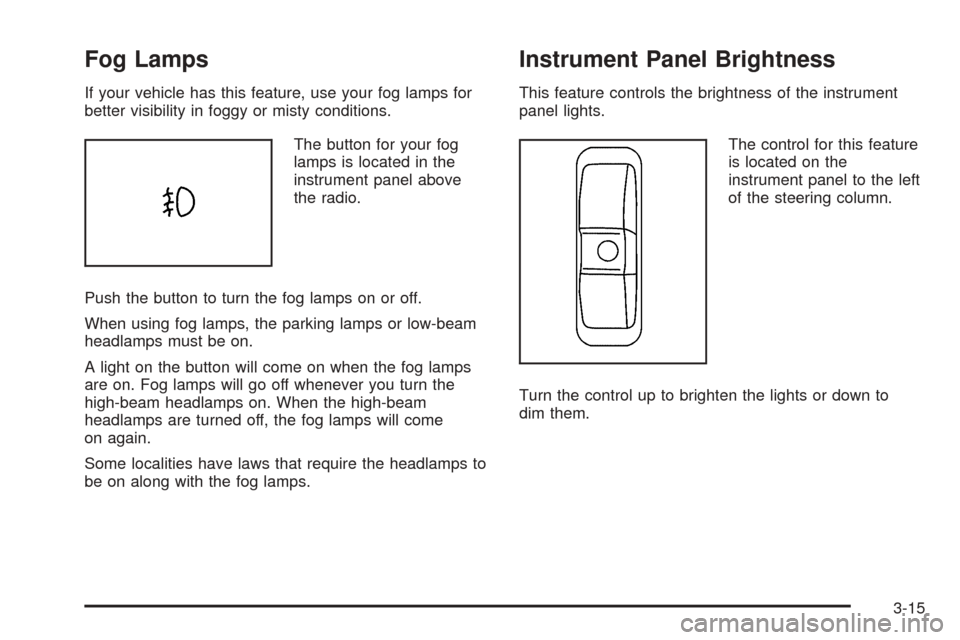
The button for your fog
lamps is located in the
instrument panel above
the radio.
Push the button to turn the fog lamps on or off.
When using fog lamps, the parking lamps or low-beam
headlamps must be on.
A light on the button will come on when the fog lamps
are on. Fog lamps will go off whenever you turn the
high-beam headlamps on. When the high-beam
headlamps are turned off, the fog lamps will come
on again.
Some localities have laws that require the headlamps to
be on along with the fog lamps.
Instrument Panel Brightness
This feature controls the brightness of the instrument
panel lights.
The control for this feature
is located on the
instrument panel to the left
of the steering column.
Turn the control up to brighten the lights or down to
dim them.
3-15
Page 149 of 364
Audio System(s)
Driving without distraction is a necessity for a safer
driving experience. SeeDefensive Driving on page 4-2.
By taking a few moments to read this manual and
get familiar with your vehicle’s audio system, you can
use it with less effort, as well as take advantage of
its features. While your vehicle is parked, program your
favorite radio stations and XM™ channels (if equipped).
Set the tone and balance the way you like them.
Then when driving conditions permit, you can tune to
your favorite stations using the presets and steering
wheel controls (if equipped).
Notice:Before adding any sound equipment to
your vehicle, such as an audio system, CD player,
CB radio, mobile telephone, or two-way radio, make
sure that it can be added by checking with your
dealer. Also, check federal rules covering mobile
radio and telephone units. If sound equipment can
be added, it is very important to do it properly.
Added sound equipment may interfere with
the operation of your vehicle’s engine, radio, or
other systems, and even damage them. Your
vehicle’s systems may interfere with the operation
of sound equipment that has been added.Notice:The chime signals related to seat belts,
parking brake, and other functions of your vehicle
operate through the GM radio/entertainment system.
If that equipment is replaced or additional
equipment is added to your vehicle, the chimes may
not work. Make sure that replacement or additional
equipment is compatible with your vehicle before
installing it.
Figure out which audio system is in your vehicle, nd
out what your audio system can do, and how to operate
all of its controls.
Your vehicle has a feature called Retained Accessory
Power (RAP). With RAP, the audio system can be
played even after the ignition is turned off. SeeRetained
Accessory Power (RAP) on page 2-16for more
information.
3-39
Page 188 of 364
Theft-Deterrent Feature
THEFTLOCK®is designed to discourage theft of your
vehicle’s radio. The feature works automatically by
learning a portion of the Vehicle Identication
Number (VIN). If the radio is moved to a different
vehicle, it will not operate and LOCKED will appear on
the display.
With THEFTLOCK
®activated, the radio will not operate
if stolen.
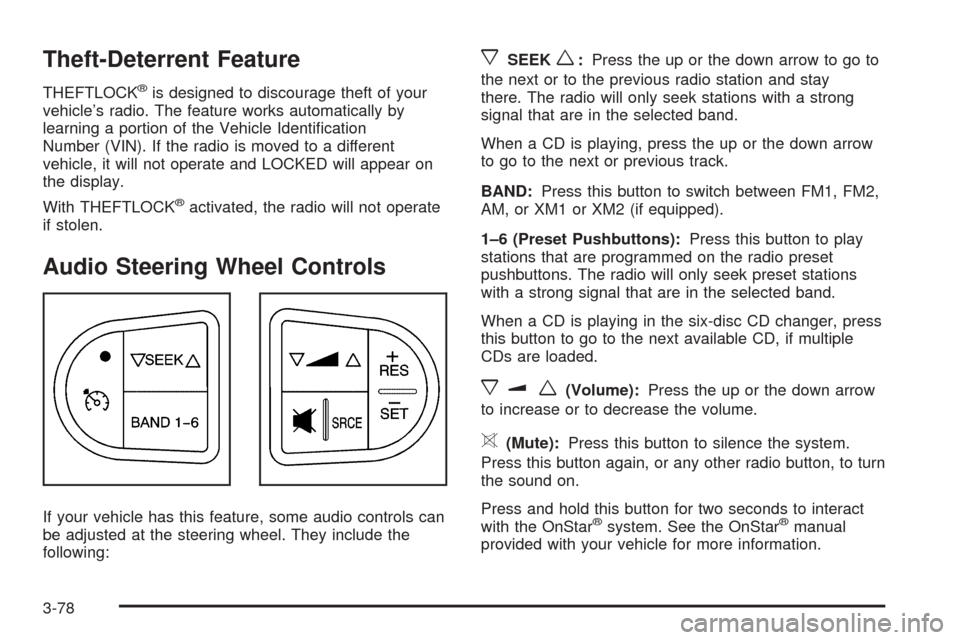
Audio Steering Wheel Controls
If your vehicle has this feature, some audio controls can
be adjusted at the steering wheel. They include the
following:
xSEEKw:Press the up or the down arrow to go to
the next or to the previous radio station and stay
there. The radio will only seek stations with a strong
signal that are in the selected band.
When a CD is playing, press the up or the down arrow
to go to the next or previous track.
BAND:Press this button to switch between FM1, FM2,
AM, or XM1 or XM2 (if equipped).
1–6 (Preset Pushbuttons):Press this button to play
stations that are programmed on the radio preset
pushbuttons. The radio will only seek preset stations
with a strong signal that are in the selected band.
When a CD is playing in the six-disc CD changer, press
this button to go to the next available CD, if multiple
CDs are loaded.
xuw(Volume):Press the up or the down arrow
to increase or to decrease the volume.
>(Mute):Press this button to silence the system.
Press this button again, or any other radio button, to turn
the sound on.
Press and hold this button for two seconds to interact
with the OnStar
®system. See the OnStar®manual
provided with your vehicle for more information.
3-78
Page 353 of 364
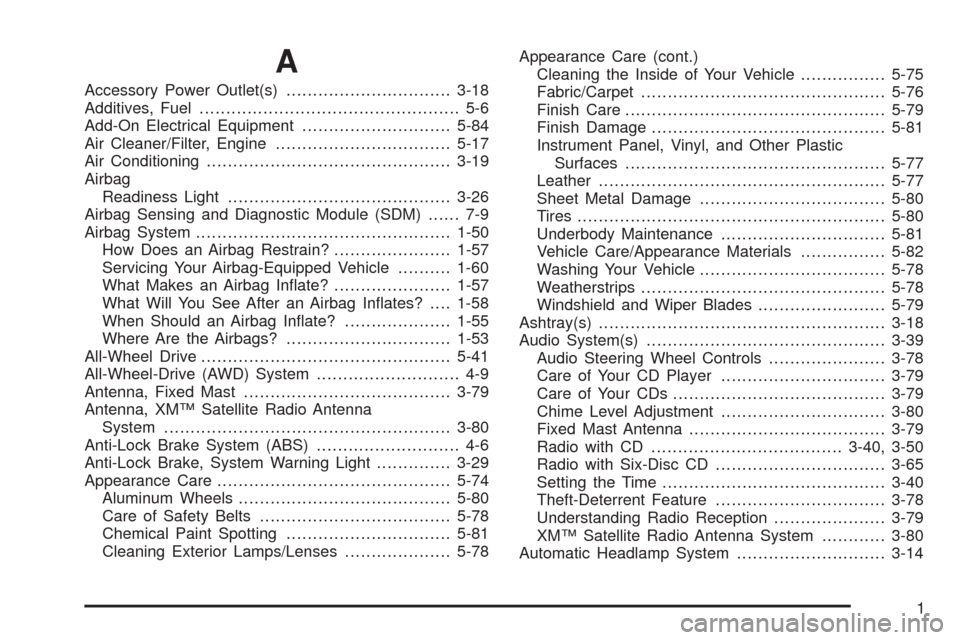
A
Accessory Power Outlet(s)...............................3-18
Additives, Fuel................................................. 5-6
Add-On Electrical Equipment............................5-84
Air Cleaner/Filter, Engine.................................5-17
Air Conditioning..............................................3-19
Airbag
Readiness Light..........................................3-26
Airbag Sensing and Diagnostic Module (SDM)...... 7-9
Airbag System................................................1-50
How Does an Airbag Restrain?......................1-57
Servicing Your Airbag-Equipped Vehicle..........1-60
What Makes an Airbag Inate?......................1-57
What Will You See After an Airbag Inates?....1-58
When Should an Airbag Inate?....................1-55
Where Are the Airbags?...............................1-53
All-Wheel Drive...............................................5-41
All-Wheel-Drive (AWD) System........................... 4-9
Antenna, Fixed Mast.......................................3-79
Antenna, XM™ Satellite Radio Antenna
System......................................................3-80
Anti-Lock Brake System (ABS)........................... 4-6
Anti-Lock Brake, System Warning Light..............3-29
Appearance Care............................................5-74
Aluminum Wheels........................................5-80
Care of Safety Belts....................................5-78
Chemical Paint Spotting...............................5-81
Cleaning Exterior Lamps/Lenses....................5-78Appearance Care (cont.)
Cleaning the Inside of Your Vehicle................5-75
Fabric/Carpet..............................................5-76
Finish Care.................................................5-79
Finish Damage............................................5-81
Instrument Panel, Vinyl, and Other Plastic
Surfaces.................................................5-77
Leather......................................................5-77
Sheet Metal Damage...................................5-80
Tires..........................................................5-80
Underbody Maintenance...............................5-81
Vehicle Care/Appearance Materials................5-82
Washing Your Vehicle...................................5-78
Weatherstrips..............................................5-78
Windshield and Wiper Blades........................5-79
Ashtray(s)......................................................3-18
Audio System(s).............................................3-39
Audio Steering Wheel Controls......................3-78
Care of Your CD Player...............................3-79
Care of Your CDs........................................3-79
Chime Level Adjustment...............................3-80
Fixed Mast Antenna.....................................3-79
Radio with CD....................................3-40, 3-50
Radio with Six-Disc CD................................3-65
Setting the Time..........................................3-40
Theft-Deterrent Feature................................3-78
Understanding Radio Reception.....................3-79
XM™ Satellite Radio Antenna System............3-80
Automatic Headlamp System............................3-14
1