Page 106 of 340
Hold Mode Light...........................................3-39
Engine Coolant Temperature Gage..................3-40
Tire Pressure Light.......................................3-40
Malfunction Indicator Lamp.............................3-41
Oil Pressure Light.........................................3-44
Cruise Control Light......................................3-45
Highbeam On Light.......................................3-45
Daytime Running Lamps (DRL)
Indicator Light...........................................3-45
Door Ajar Light.............................................3-45
Trunk Ajar Light (Sedan)................................3-46
Fuel Gage...................................................3-46
Low Fuel Warning Light.................................3-47Audio System(s).............................................3-47
Radio with CD (Base Level)...........................3-48
Radio with CD (MP3)....................................3-51
Trunk-Mounted CD Changer...........................3-58
Audio Steering Wheel Controls.......................3-61
Radio Reception...........................................3-61
Care of Your CDs.........................................3-61
Care of Your CD Player................................3-62
Backglass Antenna.......................................3-62
Section 3 Instrument Panel
3-2
Page 110 of 340
Horn
Press near or on the horn symbols on your steering
wheel pad to sound the horn.
Tilt Wheel
Your vehicle has a tilt wheel which allows you to adjust
the steering wheel before you drive. You can raise it
to the highest level to give your legs more room when
you exit and enter the vehicle.
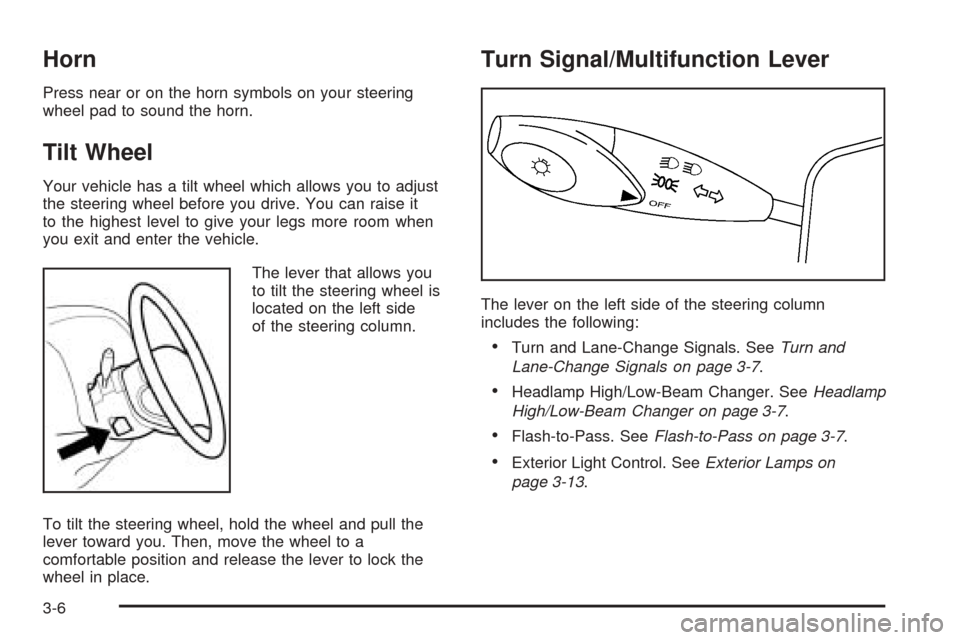
The lever that allows you
to tilt the steering wheel is
located on the left side
of the steering column.
To tilt the steering wheel, hold the wheel and pull the
lever toward you. Then, move the wheel to a
comfortable position and release the lever to lock the
wheel in place.
Turn Signal/Multifunction Lever
The lever on the left side of the steering column
includes the following:
•Turn and Lane-Change Signals. SeeTurn and
Lane-Change Signals on page 3-7.
•Headlamp High/Low-Beam Changer. SeeHeadlamp
High/Low-Beam Changer on page 3-7.
•Flash-to-Pass. SeeFlash-to-Pass on page 3-7.
•Exterior Light Control. SeeExterior Lamps on
page 3-13.
3-6
Page 112 of 340
Windshield Wipers
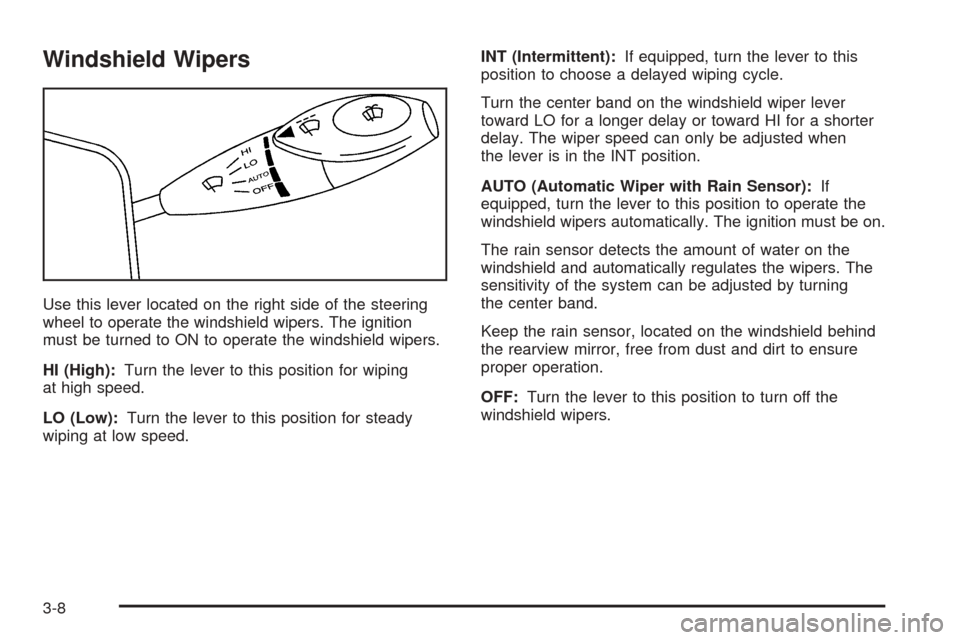
Use this lever located on the right side of the steering
wheel to operate the windshield wipers. The ignition
must be turned to ON to operate the windshield wipers.
HI (High):Turn the lever to this position for wiping
at high speed.
LO (Low):Turn the lever to this position for steady
wiping at low speed.INT (Intermittent):If equipped, turn the lever to this
position to choose a delayed wiping cycle.
Turn the center band on the windshield wiper lever
toward LO for a longer delay or toward HI for a shorter
delay. The wiper speed can only be adjusted when
the lever is in the INT position.
AUTO (Automatic Wiper with Rain Sensor):If
equipped, turn the lever to this position to operate the
windshield wipers automatically. The ignition must be on.
The rain sensor detects the amount of water on the
windshield and automatically regulates the wipers. The
sensitivity of the system can be adjusted by turning
the center band.
Keep the rain sensor, located on the windshield behind
the rearview mirror, free from dust and dirt to ensure
proper operation.
OFF:Turn the lever to this position to turn off the
windshield wipers.
3-8
Page 115 of 340
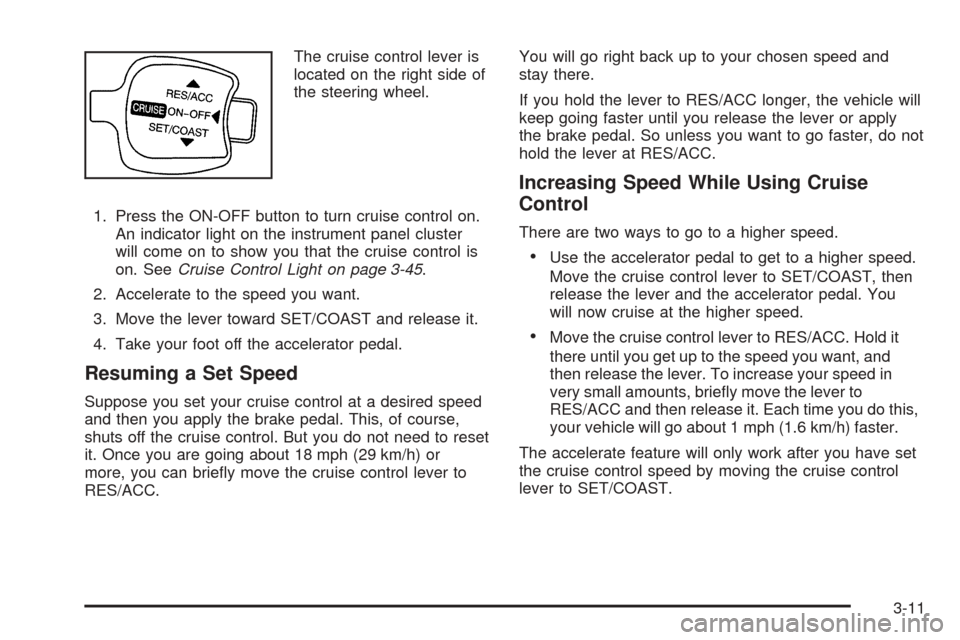
The cruise control lever is
located on the right side of
the steering wheel.
1. Press the ON-OFF button to turn cruise control on.
An indicator light on the instrument panel cluster
will come on to show you that the cruise control is
on. SeeCruise Control Light on page 3-45.
2. Accelerate to the speed you want.
3. Move the lever toward SET/COAST and release it.
4. Take your foot off the accelerator pedal.
Resuming a Set Speed
Suppose you set your cruise control at a desired speed
and then you apply the brake pedal. This, of course,
shuts off the cruise control. But you do not need to reset
it. Once you are going about 18 mph (29 km/h) or
more, you can briefly move the cruise control lever to
RES/ACC.You will go right back up to your chosen speed and
stay there.
If you hold the lever to RES/ACC longer, the vehicle will
keep going faster until you release the lever or apply
the brake pedal. So unless you want to go faster, do not
hold the lever at RES/ACC.
Increasing Speed While Using Cruise
Control
There are two ways to go to a higher speed.
•Use the accelerator pedal to get to a higher speed.
Move the cruise control lever to SET/COAST, then
release the lever and the accelerator pedal. You
will now cruise at the higher speed.
•Move the cruise control lever to RES/ACC. Hold it
there until you get up to the speed you want, and
then release the lever. To increase your speed in
very small amounts, briefly move the lever to
RES/ACC and then release it. Each time you do this,
your vehicle will go about 1 mph (1.6 km/h) faster.
The accelerate feature will only work after you have set
the cruise control speed by moving the cruise control
lever to SET/COAST.
3-11
Page 117 of 340
Exterior Lamps
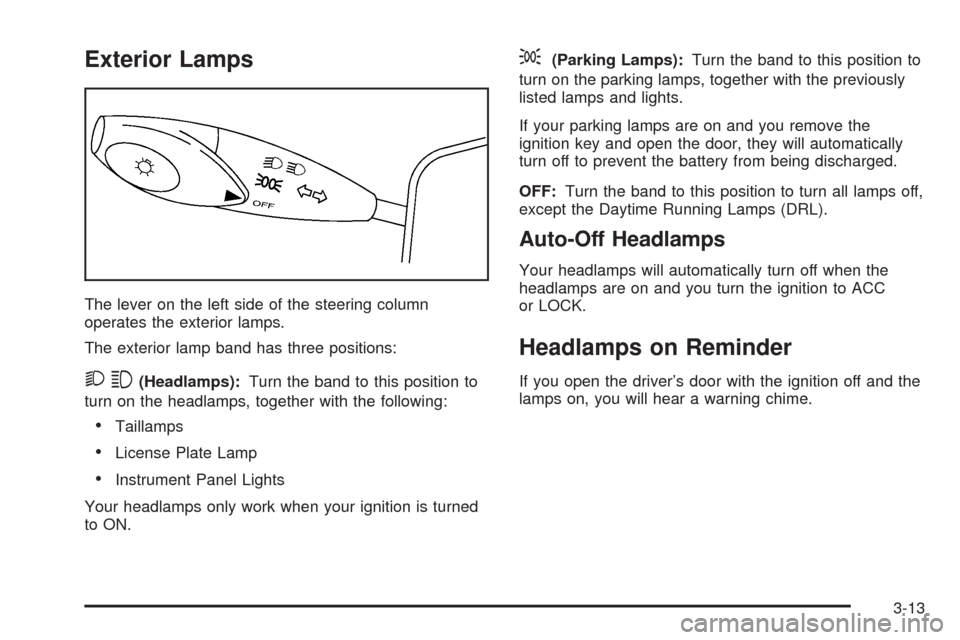
The lever on the left side of the steering column
operates the exterior lamps.
The exterior lamp band has three positions:
23(Headlamps):Turn the band to this position to
turn on the headlamps, together with the following:
•Taillamps
•License Plate Lamp
•Instrument Panel Lights
Your headlamps only work when your ignition is turned
to ON.
;(Parking Lamps):Turn the band to this position to
turn on the parking lamps, together with the previously
listed lamps and lights.
If your parking lamps are on and you remove the
ignition key and open the door, they will automatically
turn off to prevent the battery from being discharged.
OFF:Turn the band to this position to turn all lamps off,
except the Daytime Running Lamps (DRL).
Auto-Off Headlamps
Your headlamps will automatically turn off when the
headlamps are on and you turn the ignition to ACC
or LOCK.
Headlamps on Reminder
If you open the driver’s door with the ignition off and the
lamps on, you will hear a warning chime.
3-13
Page 119 of 340
Fog Lamps
If your vehicle has this feature, use your fog lamps for
better visibility in foggy or misty conditions.
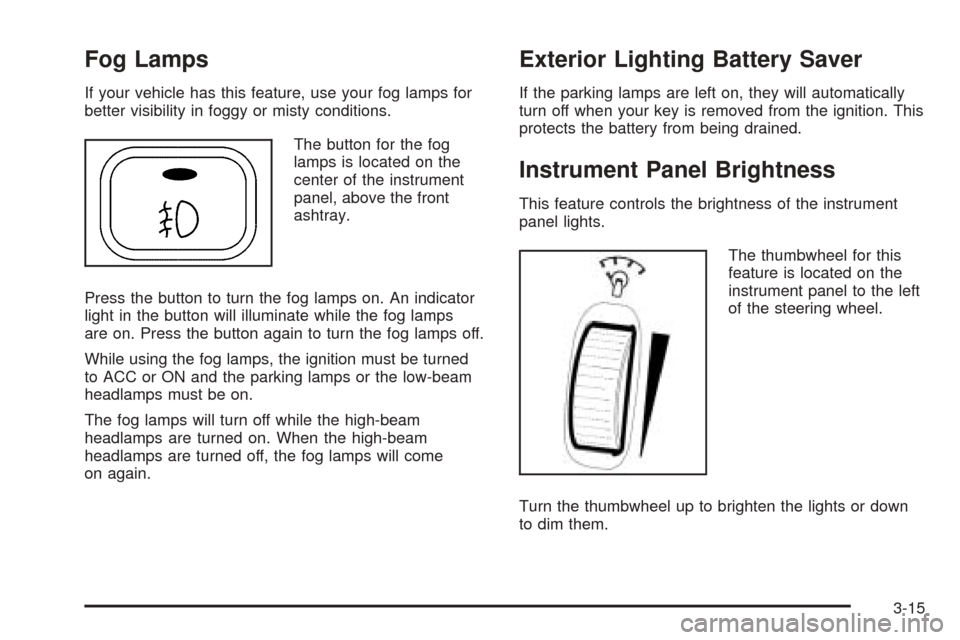
The button for the fog
lamps is located on the
center of the instrument
panel, above the front
ashtray.
Press the button to turn the fog lamps on. An indicator
light in the button will illuminate while the fog lamps
are on. Press the button again to turn the fog lamps off.
While using the fog lamps, the ignition must be turned
to ACC or ON and the parking lamps or the low-beam
headlamps must be on.
The fog lamps will turn off while the high-beam
headlamps are turned on. When the high-beam
headlamps are turned off, the fog lamps will come
on again.
Exterior Lighting Battery Saver
If the parking lamps are left on, they will automatically
turn off when your key is removed from the ignition. This
protects the battery from being drained.
Instrument Panel Brightness
This feature controls the brightness of the instrument
panel lights.
The thumbwheel for this
feature is located on the
instrument panel to the left
of the steering wheel.
Turn the thumbwheel up to brighten the lights or down
to dim them.
3-15
Page 136 of 340
Speedometer and Odometer
Your speedometer lets you see your speed in both
miles per hour (mph) and kilometers per hour (km/h).
Your odometer shows how far your vehicle has
been driven in kilometers.
Trip Odometer
The trip odometer can record the number of kilometers
traveled for up to two trips.
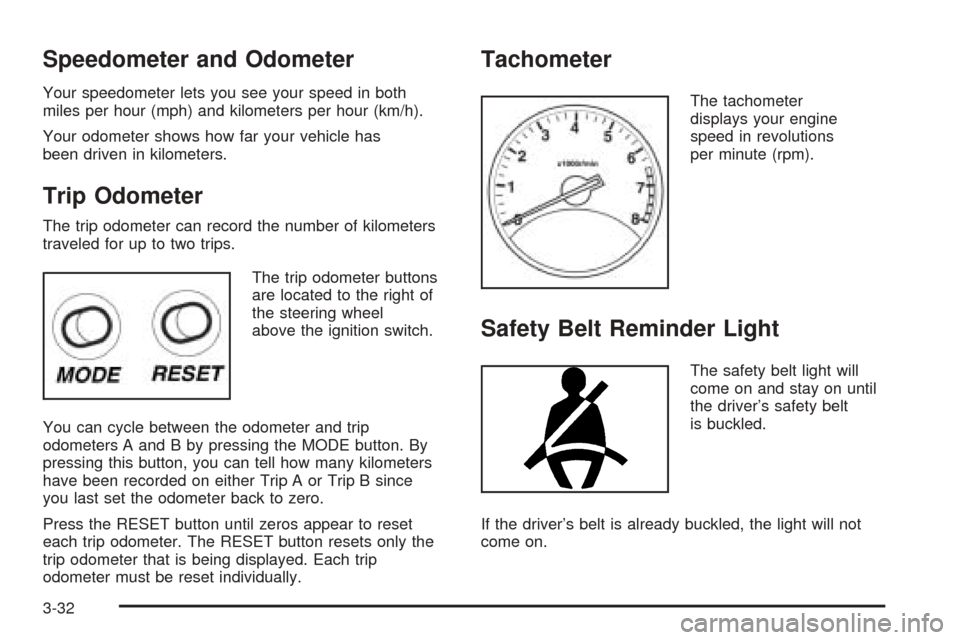
The trip odometer buttons
are located to the right of
the steering wheel
above the ignition switch.
You can cycle between the odometer and trip
odometers A and B by pressing the MODE button. By
pressing this button, you can tell how many kilometers
have been recorded on either Trip A or Trip B since
you last set the odometer back to zero.
Press the RESET button until zeros appear to reset
each trip odometer. The RESET button resets only the
trip odometer that is being displayed. Each trip
odometer must be reset individually.
Tachometer
The tachometer
displays your engine
speed in revolutions
per minute (rpm).
Safety Belt Reminder Light
The safety belt light will
come on and stay on until
the driver’s safety belt
is buckled.
If the driver’s belt is already buckled, the light will not
come on.
3-32
Page 141 of 340
Anti-Lock Brake System Warning
Light
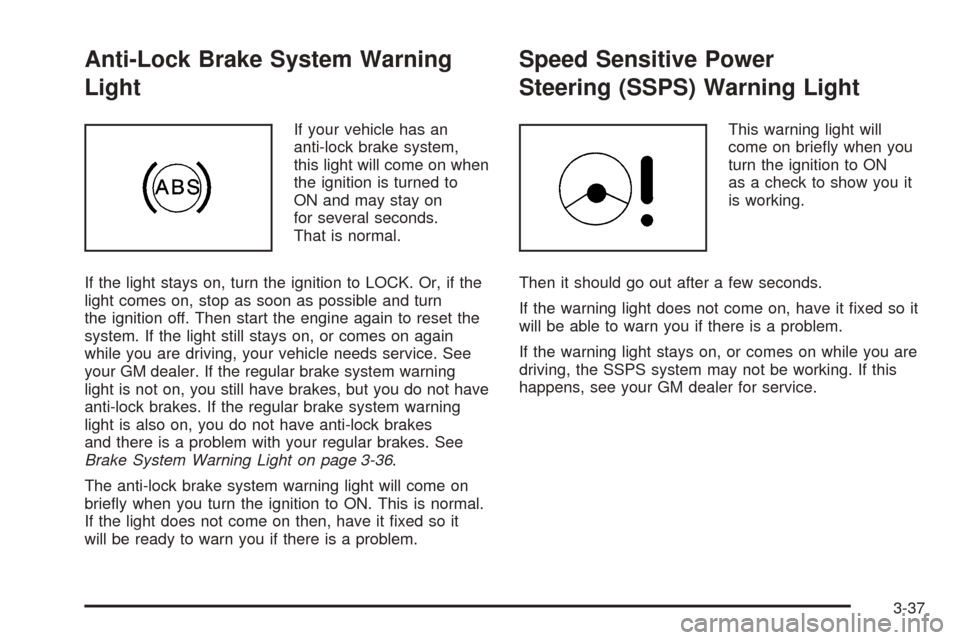
If your vehicle has an
anti-lock brake system,
this light will come on when
the ignition is turned to
ON and may stay on
for several seconds.
That is normal.
If the light stays on, turn the ignition to LOCK. Or, if the
light comes on, stop as soon as possible and turn
the ignition off. Then start the engine again to reset the
system. If the light still stays on, or comes on again
while you are driving, your vehicle needs service. See
your GM dealer. If the regular brake system warning
light is not on, you still have brakes, but you do not have
anti-lock brakes. If the regular brake system warning
light is also on, you do not have anti-lock brakes
and there is a problem with your regular brakes. See
Brake System Warning Light on page 3-36.
The anti-lock brake system warning light will come on
briefly when you turn the ignition to ON. This is normal.
If the light does not come on then, have it fixed so it
will be ready to warn you if there is a problem.
Speed Sensitive Power
Steering (SSPS) Warning Light
This warning light will
come on briefly when you
turn the ignition to ON
as a check to show you it
is working.
Then it should go out after a few seconds.
If the warning light does not come on, have it fixed so it
will be able to warn you if there is a problem.
If the warning light stays on, or comes on while you are
driving, the SSPS system may not be working. If this
happens, see your GM dealer for service.
3-37