Page 265 of 376
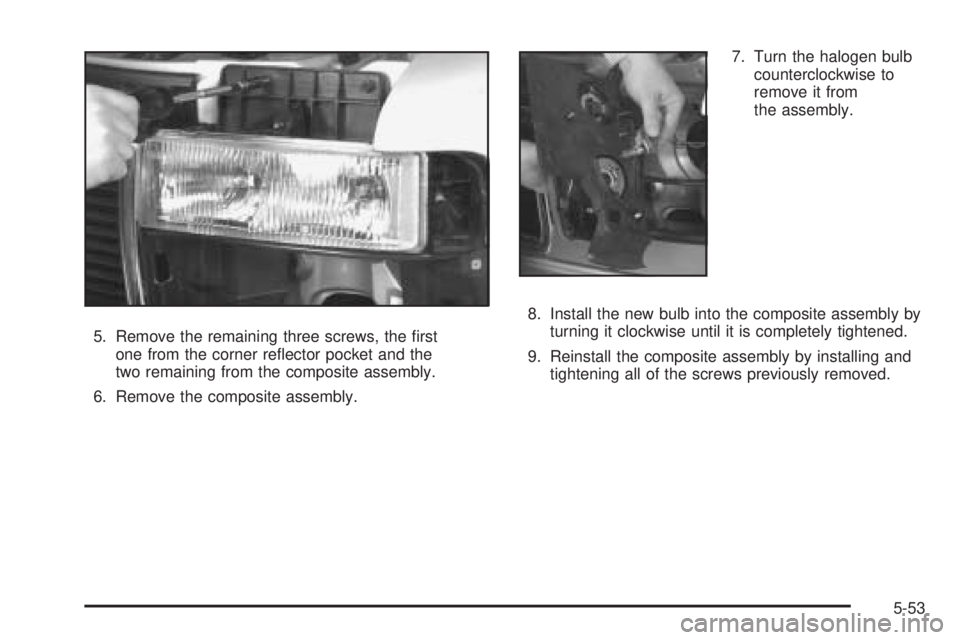
5. Remove the remaining three screws, the rst
one from the corner reector pocket and the
two remaining from the composite assembly.
6. Remove the composite assembly.7. Turn the halogen bulb
counterclockwise to
remove it from
the assembly.
8. Install the new bulb into the composite assembly by
turning it clockwise until it is completely tightened.
9. Reinstall the composite assembly by installing and
tightening all of the screws previously removed.
5-53
Page 266 of 376
Front Turn Signal and Parking
Lamps
1. Remove the two screws at the inside edge of the
parking/turn signal lamp assembly.
2. Remove the lamp assembly.
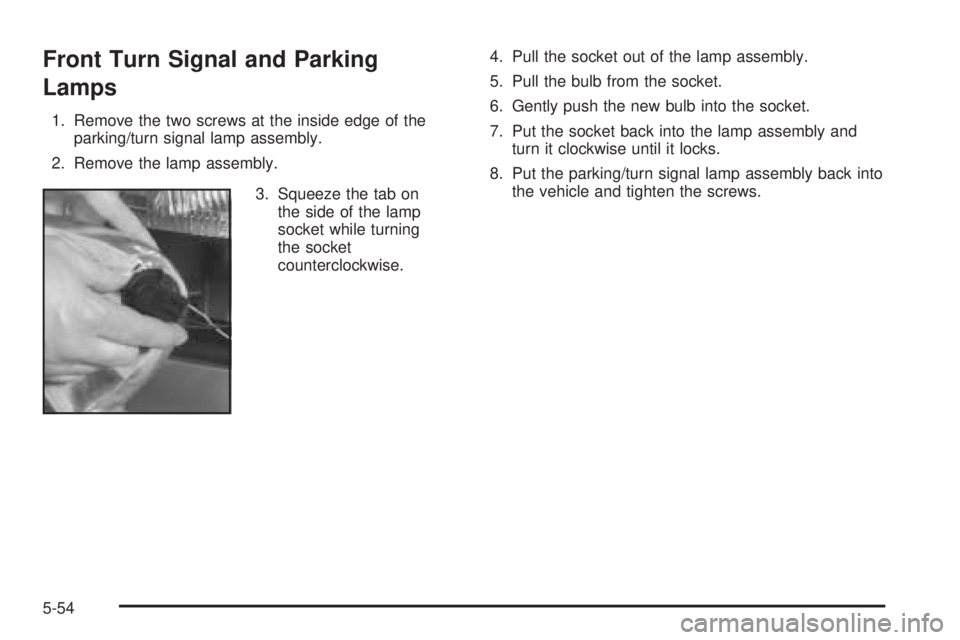
3. Squeeze the tab on
the side of the lamp
socket while turning
the socket
counterclockwise.4. Pull the socket out of the lamp assembly.
5. Pull the bulb from the socket.
6. Gently push the new bulb into the socket.
7. Put the socket back into the lamp assembly and
turn it clockwise until it locks.
8. Put the parking/turn signal lamp assembly back into
the vehicle and tighten the screws.
5-54
Page 268 of 376
4. Press the tab and
turn the socket
counterclockwise to
remove the socket
from the bezel. If the
socket does not have
a tab, turn the socket
counterclockwise to
remove the socket
from the bezel.
5. Remove the old bulb from the socket and replace it
with a new one.
6. Reverse Steps 1 through 4 to reinstall the taillamp.Replacement Bulbs
Exterior Lamp Bulb Number
Back-Up Lamps 1156
Headlamps
Composite High-Beam 9005
Composite Low-Beam 9006
Sealed-Beam Headlamps H6054
Parking, Turn Signal Lamps 3157NA
Sidemarker Lamps 194
Stoplamps 2057
For replacement bulbs not listed here, contact
your dealer.
5-56
Page 286 of 376
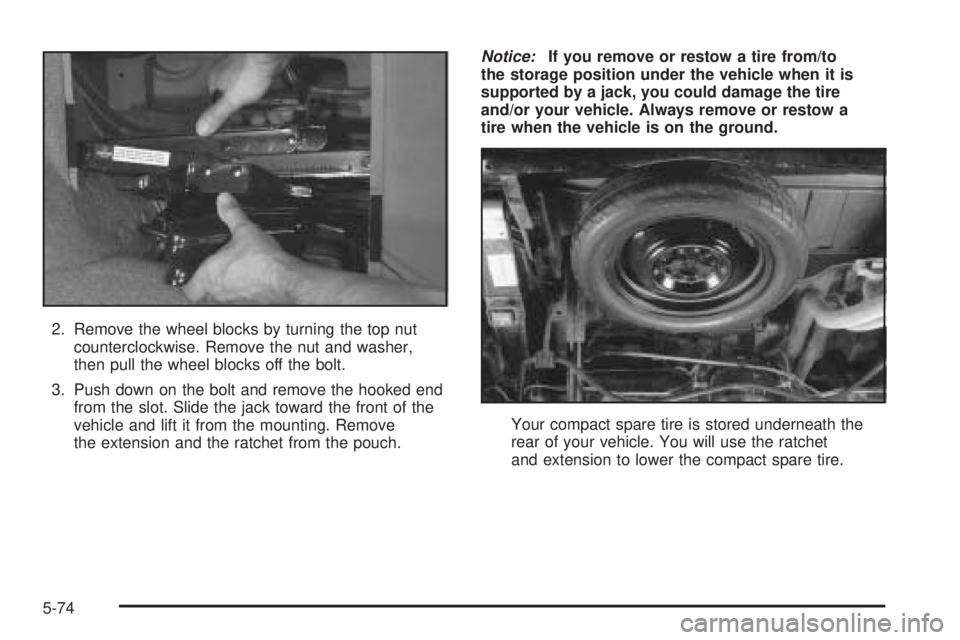
2. Remove the wheel blocks by turning the top nut
counterclockwise. Remove the nut and washer,
then pull the wheel blocks off the bolt.
3. Push down on the bolt and remove the hooked end
from the slot. Slide the jack toward the front of the
vehicle and lift it from the mounting. Remove
the extension and the ratchet from the pouch.Notice:If you remove or restow a tire from/to
the storage position under the vehicle when it is
supported by a jack, you could damage the tire
and/or your vehicle. Always remove or restow a
tire when the vehicle is on the ground.
Your compact spare tire is stored underneath the
rear of your vehicle. You will use the ratchet
and extension to lower the compact spare tire.
5-74
Page 287 of 376
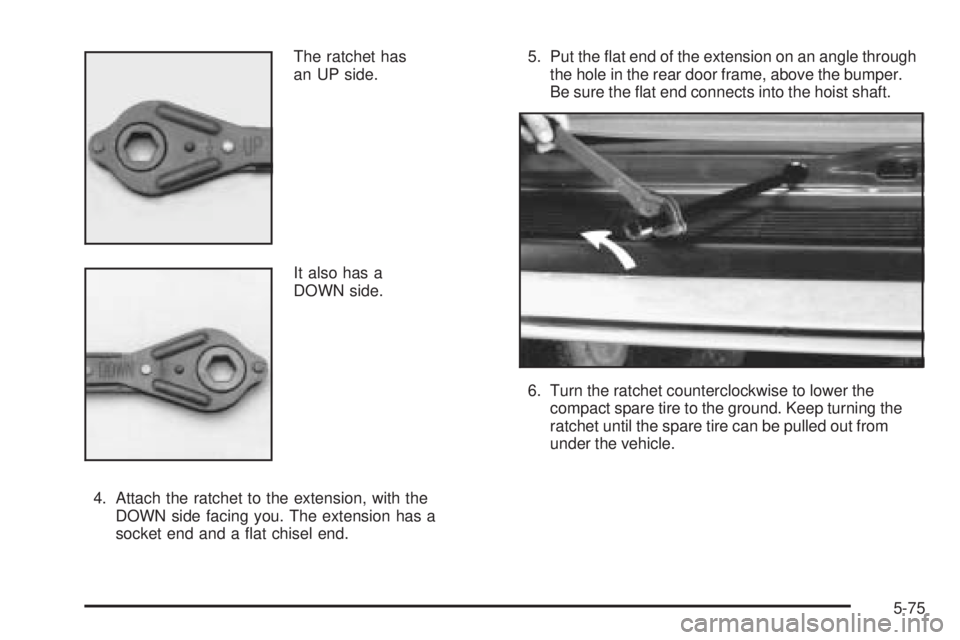
The ratchet has
an UP side.
It also has a
DOWN side.
4. Attach the ratchet to the extension, with the
DOWN side facing you. The extension has a
socket end and a at chisel end.5. Put the at end of the extension on an angle through
the hole in the rear door frame, above the bumper.
Be sure the at end connects into the hoist shaft.
6. Turn the ratchet counterclockwise to lower the
compact spare tire to the ground. Keep turning the
ratchet until the spare tire can be pulled out from
under the vehicle.
5-75
Page 288 of 376
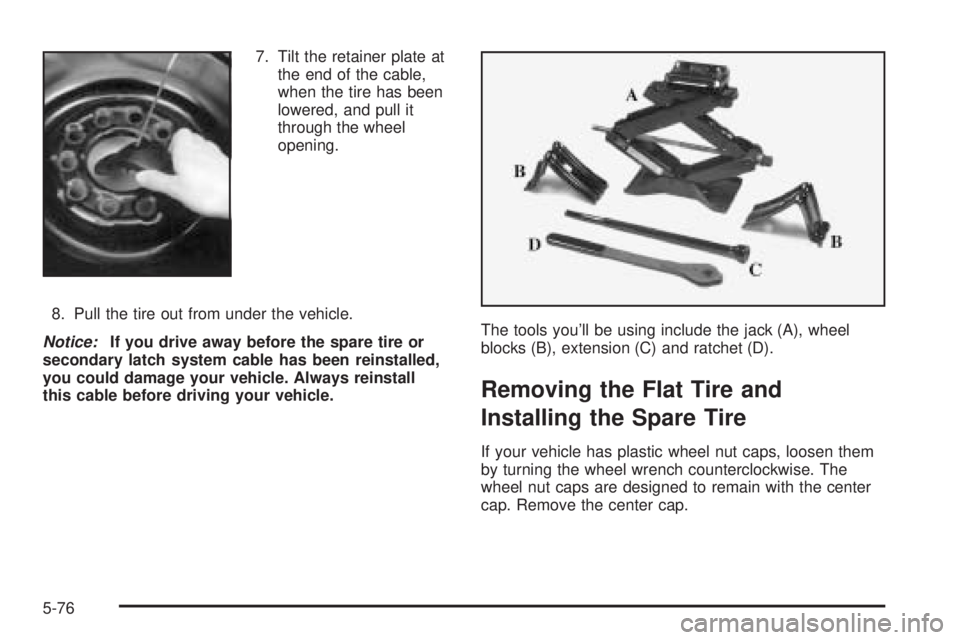
7. Tilt the retainer plate at
the end of the cable,
when the tire has been
lowered, and pull it
through the wheel
opening.
8. Pull the tire out from under the vehicle.
Notice:If you drive away before the spare tire or
secondary latch system cable has been reinstalled,
you could damage your vehicle. Always reinstall
this cable before driving your vehicle.The tools you’ll be using include the jack (A), wheel
blocks (B), extension (C) and ratchet (D).
Removing the Flat Tire and
Installing the Spare Tire
If your vehicle has plastic wheel nut caps, loosen them
by turning the wheel wrench counterclockwise. The
wheel nut caps are designed to remain with the center
cap. Remove the center cap.
5-76
Page 289 of 376
If the wheel has a smooth center piece, place the chisel
end of the wheel wrench in the slot on the wheel and
gently pry it out.
1. Before you start, block the front and rear of the tire
farthest away from the one being changed. Then
put your compact spare tire near the at tire.
{CAUTION:
Getting under a vehicle when it is jacked up is
dangerous. If the vehicle slips off the jack you
could be badly injured or killed. Never get under
a vehicle when it is supported only by a jack.
{CAUTION:
Raising your vehicle with the jack improperly
positioned can damage the vehicle and even
make the vehicle fall. To help avoid personal
injury and vehicle damage, be sure to t the
jack lift head into the proper location before
raising the vehicle.2. With the DOWN side facing you, turn the ratchet
and socket to loosen all the wheel nuts
counterclockwise. Don’t remove them yet.
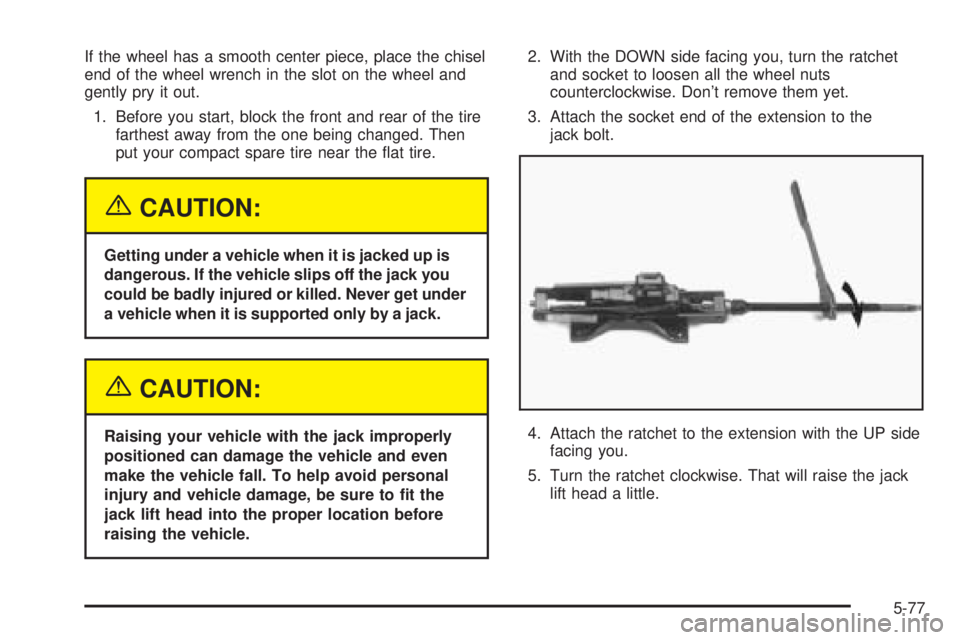
3. Attach the socket end of the extension to the
jack bolt.
4. Attach the ratchet to the extension with the UP side
facing you.
5. Turn the ratchet clockwise. That will raise the jack
lift head a little.
5-77
Page 291 of 376
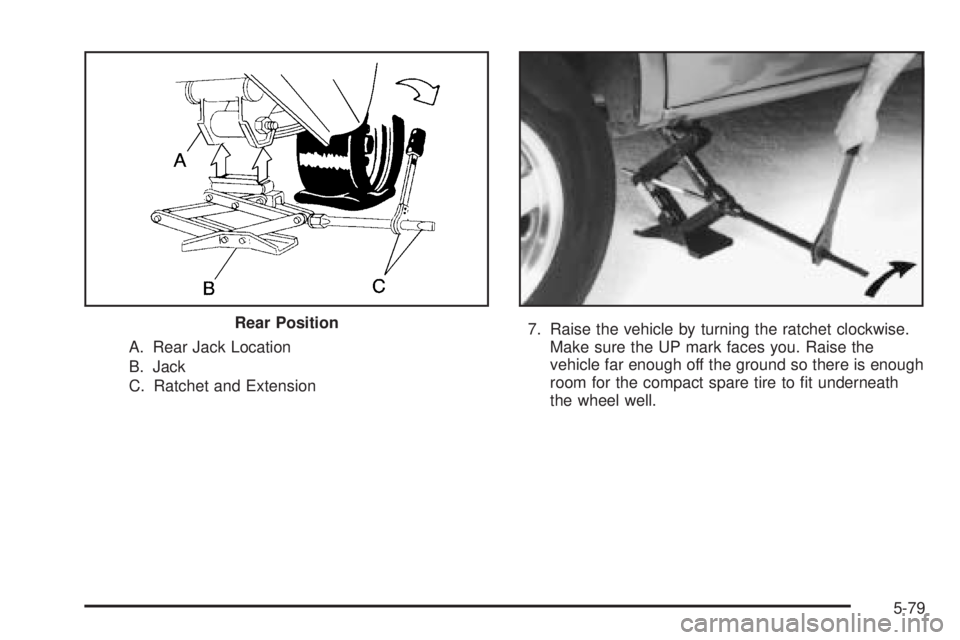
A. Rear Jack Location
B. Jack
C. Ratchet and Extension7. Raise the vehicle by turning the ratchet clockwise.
Make sure the UP mark faces you. Raise the
vehicle far enough off the ground so there is enough
room for the compact spare tire to t underneath
the wheel well. Rear Position
5-79