Page 210 of 370
Uniform Tire Quality Grading..........................5-66
Wheel Alignment and Tire Balance..................5-67
Wheel Replacement......................................5-67
Tire Chains..................................................5-68
If a Tire Goes Flat........................................5-69
Changing a Flat Tire.....................................5-70
Removing the Spare Tire and Tools................5-71
Removing the Flat Tire and Installing the
Spare Tire................................................5-74
Storing a Flat or Spare Tire and Tools............5-80
Compact Spare Tire......................................5-82
Appearance Care............................................5-82
Cleaning the Inside of Your Vehicle.................5-83
Fabric/Carpet...............................................5-84
Leather.......................................................5-85
Instrument Panel, Vinyl, and Other Plastic
Surfaces..................................................5-85
Care of Safety Belts......................................5-86
Weatherstrips...............................................5-86
Washing Your Vehicle...................................5-86
Cleaning Exterior Lamps/Lenses.....................5-86
Finish Care..................................................5-87Windshield and Wiper Blades.........................5-87
Aluminum Wheels.........................................5-88
Tires...........................................................5-88
Sheet Metal Damage.....................................5-89
Finish Damage.............................................5-89
Underbody Maintenance................................5-89
Chemical Paint Spotting.................................5-89
Vehicle Care/Appearance Materials..................5-90
Vehicle Identication......................................5-91
Vehicle Identication Number (VIN).................5-91
Service Parts Identication Label.....................5-91
Electrical System............................................5-92
Add-On Electrical Equipment..........................5-92
Headlamp Wiring..........................................5-92
Windshield Wiper Fuses................................5-92
Power Windows and Other Power Options.......5-92
Fuses and Circuit Breakers............................5-93
Instrument Panel Fuse Block..........................5-93
Underhood Fuse Block..................................5-96
Capacities and Specications..........................5-99
Normal Maintenance Replacement Parts.........5-101
Section 5 Service and Appearance Care
5-2
Page 215 of 370
Filling the Tank
{CAUTION:
Fuel vapor burns violently and a fuel re can
cause bad injuries. To help avoid injuries to
you and others, read and follow all the
instructions on the pump island. Turn off your
engine when you are refueling. Do not smoke
if you are near fuel or refueling your vehicle.
Keep sparks, ames, and smoking materials
away from fuel. Do not leave the fuel pump
unattended when refueling your vehicle — this
is against the law in some places. Keep
children away from the fuel pump; never let
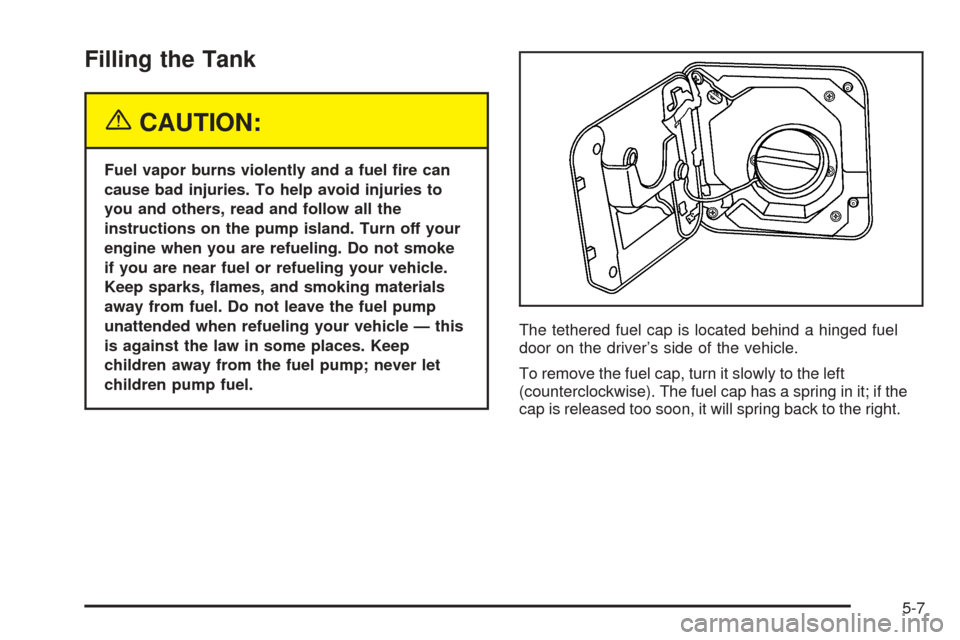
children pump fuel.The tethered fuel cap is located behind a hinged fuel
door on the driver’s side of the vehicle.
To remove the fuel cap, turn it slowly to the left
(counterclockwise). The fuel cap has a spring in it; if the
cap is released too soon, it will spring back to the right.
5-7
Page 216 of 370
While refueling, hang the tethered fuel cap from the
hook on the fuel door.
{CAUTION:
If you spill fuel and then something ignites it,
you could be badly burned. Fuel can spray out
on you if you open the fuel cap too quickly.
This spray can happen if your tank is nearly
full, and is more likely in hot weather. Open
the fuel cap slowly and wait for any hiss noise
to stop. Then unscrew the cap all the way.Be careful not to spill fuel. Do not top off or overll the
tank and wait a few seconds after you have nished
pumping before removing the nozzle. Clean fuel
from painted surfaces as soon as possible. See
Washing Your Vehicle on page 5-86.
When replacing the fuel cap, turn it to the right
(clockwise) until it clicks. Make sure the cap is fully
installed. The diagnostic system can determine if the fuel
cap has been left off or improperly installed. This
would allow fuel to evaporate into the atmosphere.
SeeMalfunction Indicator Lamp on page 3-31.
5-8
Page 233 of 370
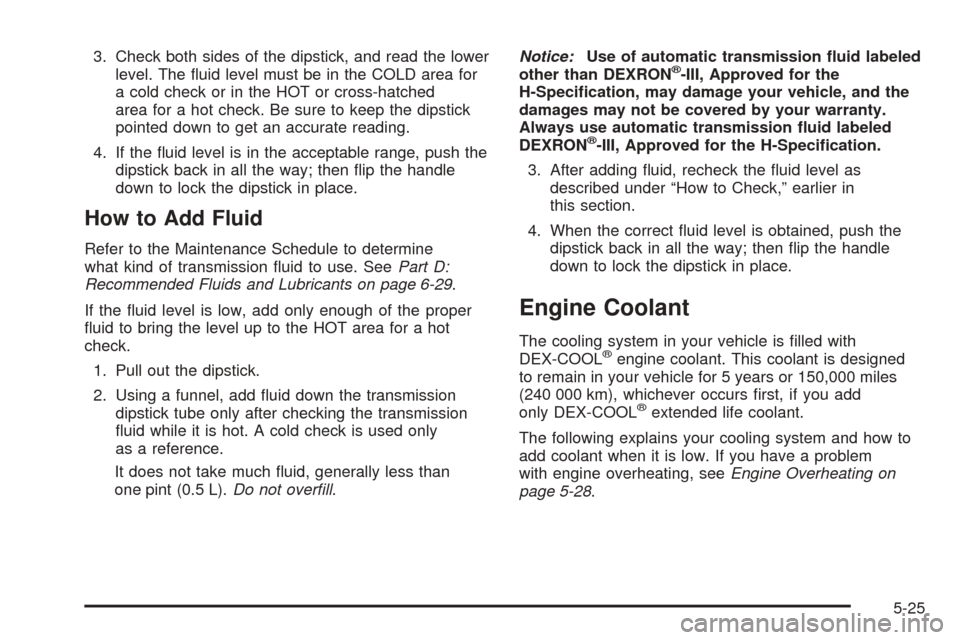
3. Check both sides of the dipstick, and read the lower
level. The uid level must be in the COLD area for
a cold check or in the HOT or cross-hatched
area for a hot check. Be sure to keep the dipstick
pointed down to get an accurate reading.
4. If the uid level is in the acceptable range, push the
dipstick back in all the way; then ip the handle
down to lock the dipstick in place.
How to Add Fluid
Refer to the Maintenance Schedule to determine
what kind of transmission uid to use. SeePart D:
Recommended Fluids and Lubricants on page 6-29.
If the uid level is low, add only enough of the proper
uid to bring the level up to the HOT area for a hot
check.
1. Pull out the dipstick.
2. Using a funnel, add uid down the transmission
dipstick tube only after checking the transmission
uid while it is hot. A cold check is used only
as a reference.
It does not take much uid, generally less than
one pint (0.5 L).Do not overll.Notice:Use of automatic transmission uid labeled
other than DEXRON
®-III, Approved for the
H-Specication, may damage your vehicle, and the
damages may not be covered by your warranty.
Always use automatic transmission uid labeled
DEXRON
®-III, Approved for the H-Specication.
3. After adding uid, recheck the uid level as
described under “How to Check,” earlier in
this section.
4. When the correct uid level is obtained, push the
dipstick back in all the way; then ip the handle
down to lock the dipstick in place.
Engine Coolant
The cooling system in your vehicle is lled with
DEX-COOL®engine coolant. This coolant is designed
to remain in your vehicle for 5 years or 150,000 miles
(240 000 km), whichever occurs rst, if you add
only DEX-COOL
®extended life coolant.
The following explains your cooling system and how to
add coolant when it is low. If you have a problem
with engine overheating, seeEngine Overheating on
page 5-28.
5-25
Page 240 of 370
If the overheat warning continues, there is one more
thing you can try. You can add the proper coolant
mixture directly to the radiator, but be sure the cooling
system is cool before you do it.
{CAUTION:
Steam and scalding liquids from a hot cooling
system can blow out and burn you badly. They
are under pressure, and if you turn the radiator
pressure cap — even a little — they can come
out at high speed. Never turn the cap when the
cooling system, including the radiator pressure
cap, is hot. Wait for the cooling system and
radiator pressure cap to cool if you ever have
to turn the pressure cap.
How to Add Coolant to the Radiator
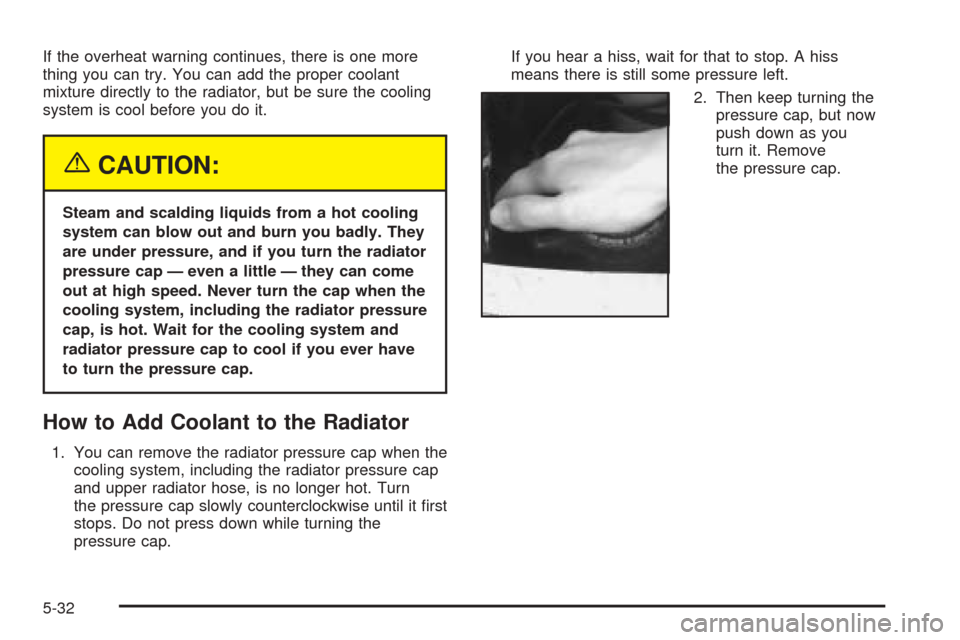
1. You can remove the radiator pressure cap when the
cooling system, including the radiator pressure cap
and upper radiator hose, is no longer hot. Turn
the pressure cap slowly counterclockwise until it rst
stops. Do not press down while turning the
pressure cap.If you hear a hiss, wait for that to stop. A hiss
means there is still some pressure left.
2. Then keep turning the
pressure cap, but now
push down as you
turn it. Remove
the pressure cap.
5-32
Page 259 of 370
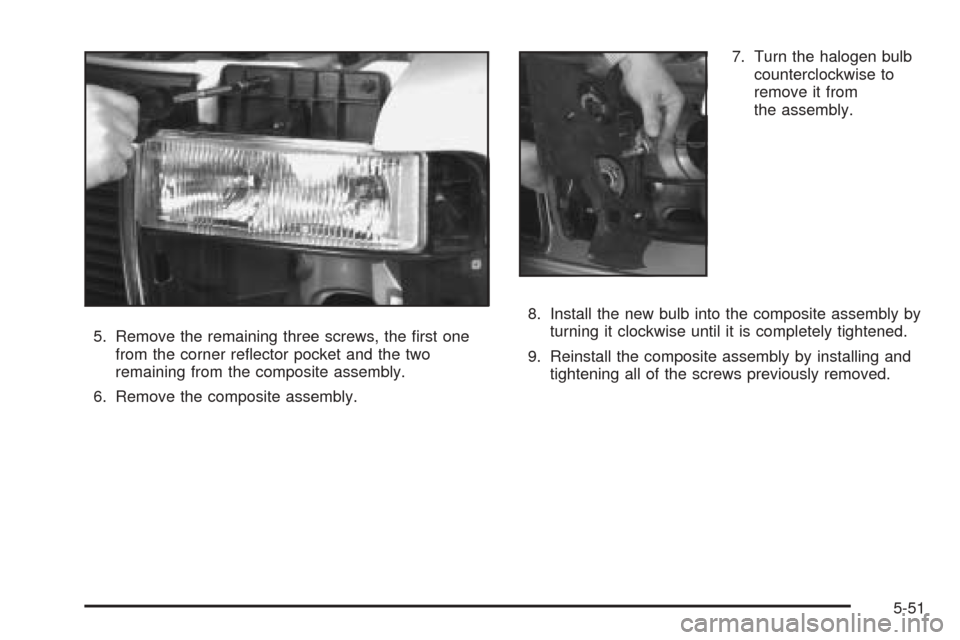
5. Remove the remaining three screws, the rst one
from the corner reector pocket and the two
remaining from the composite assembly.
6. Remove the composite assembly.7. Turn the halogen bulb
counterclockwise to
remove it from
the assembly.
8. Install the new bulb into the composite assembly by
turning it clockwise until it is completely tightened.
9. Reinstall the composite assembly by installing and
tightening all of the screws previously removed.
5-51
Page 260 of 370
Front Turn Signal and Parking
Lamps
1. Remove the two screws at the inside edge of the
parking/turn signal lamp assembly.
2. Remove the lamp assembly.
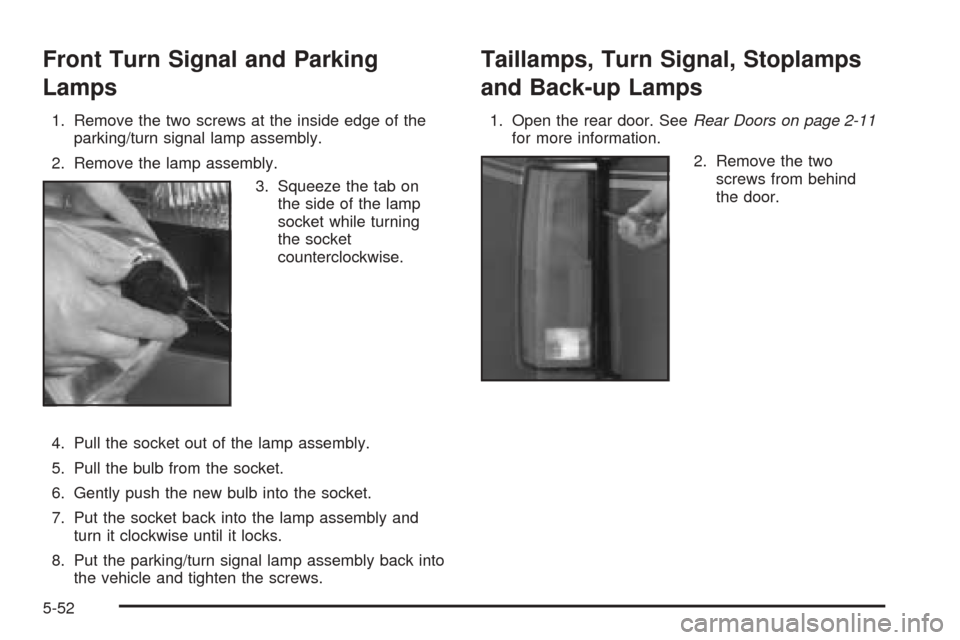
3. Squeeze the tab on
the side of the lamp
socket while turning
the socket
counterclockwise.
4. Pull the socket out of the lamp assembly.
5. Pull the bulb from the socket.
6. Gently push the new bulb into the socket.
7. Put the socket back into the lamp assembly and
turn it clockwise until it locks.
8. Put the parking/turn signal lamp assembly back into
the vehicle and tighten the screws.
Taillamps, Turn Signal, Stoplamps
and Back-up Lamps
1. Open the rear door. SeeRear Doors on page 2-11
for more information.
2. Remove the two
screws from behind
the door.
5-52
Page 261 of 370
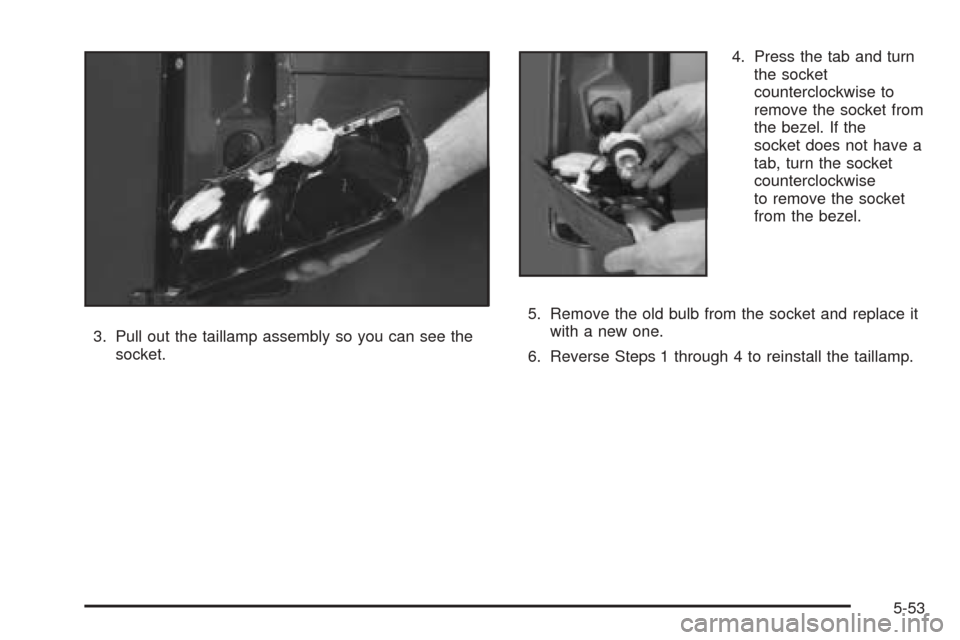
3. Pull out the taillamp assembly so you can see the
socket.4. Press the tab and turn
the socket
counterclockwise to
remove the socket from
the bezel. If the
socket does not have a
tab, turn the socket
counterclockwise
to remove the socket
from the bezel.
5. Remove the old bulb from the socket and replace it
with a new one.
6. Reverse Steps 1 through 4 to reinstall the taillamp.
5-53