2005 CHEVROLET ASTRO CARGO VAN audio
[x] Cancel search: audioPage 157 of 370
Setting the Tone (Bass/Treble)
BASS:Press this knob lightly so it extends. Turn the
knob to increase or to decrease the bass.
TREB (Treble):Press this knob lightly so it extends.
Turn the knob to increase or to decrease the treble. If a
station is weak or noisy, decrease the treble.
Return these knobs to their stored positions when you
are not using them.
AUTO TONE (Automatic Tone):Press this knob to
select customized equalization settings designed
for country/western, jazz, talk, pop, rock, and classical.
To return the bass and treble to the manual mode, either
press and release the AUTO TONE button until the
display goes blank or press and release the BASS or
TREB knobs and turn them until the display goes blank.
Adjusting the Speakers (Balance/Fade)
BAL (Balance):Press this knob lightly so it extends.
Turn the knob to move the sound toward the right or the
left speakers.
FADE:Press this knob lightly so it extends. Turn the
knob to move the sound toward the front or the
rear speakers.
Return these knobs to their stored positions when you
are not using them.
Playing a CD
Insert a CD partway into the slot, label side up. The
player will pull it in and the CD should begin playing.
If you want to insert a CD when the ignition is off, rst
press the EJECT button. If you insert a CD with the
radio off and the ignition on, it will start to play.
If the ignition or radio is turned off with a CD in the
player, it will stay in the player. When the ignition
or radio is turned on, the CD will start playing where it
stopped, if it was the last selected audio source.
When a CD is inserted, CD and a CD symbol will appear
on the display. As each new track starts to play, the
track number will appear on the display.
The CD player can play the smaller 3 inch (8 cm) single
CDs with an adapter ring. Full-size CDs and the
smaller CDs are loaded in the same manner.
If playing a CD-R the sound quality may be reduced
due to CD-R quality, the method of recording, the quality
of the music that has been recorded, and the way the
CD-R has been handled. There may be an increase
in skipping, difficulty in nding tracks, and/or difficulty in
loading and ejecting. If these problems occur try a
known good CD.
Do not add paper labels to CDs, they could get caught
in the CD player.
3-45
Page 159 of 370
CD Messages
ERR (Error):If this message appears on the display
and/or the CD comes out, it could be for one of the
following reasons:
It is very hot. When the temperature returns to
normal, the CD should play.
You are driving on a very rough road. When the
road becomes smoother, the CD should play.
The CD is dirty, scratched, wet, or upside down.
The air is very humid. If so, wait about an hour and
try again.
There may have been a problem while
burning the CD.
The label may be caught in the CD player.
Press RECALL to make ERR go off of the display.
If the CD is not playing correctly, for any other reason,
try a known good CD.
If any error occurs repeatedly or if an error cannot be
corrected, contact your dealer. If the radio displays
an error message, write it down and provide it to your
dealer when reporting the problem.
Rear Seat Audio (RSA)
This feature allows rear seat passengers to listen to any
of the sources: radio and CDs. However, the rear
seat passengers can only control the sources that the
front seat passengers are not listening to. For example,
rear seat passengers may listen to and control a CD
through headphones while the driver listens to the radio
through the front speakers. The rear seat passengers
have control of the volume for each set of headphones.
The front seat audio controls always have priority
over the RSA controls. If the front seat passengers
switch the source for the main radio to a remote source,
the RSA will not be able to control the remote source.
You can operate the RSA when the main radio is off.
3-47
Page 249 of 370
{CAUTION:
Batteries have acid that can burn you and gas
that can explode. You can be badly hurt if you
are not careful. SeeJump Starting on
page 5-41for tips on working around a battery
without getting hurt.
Also, for your audio system, seeTheft-Deterrent
Feature on page 3-49.
Jump Starting
If your vehicle’s battery has run down, you may want to
use another vehicle and some jumper cables to start
your vehicle. Be sure to use the following steps to do it
safely.
{CAUTION:
Batteries can hurt you. They can be dangerous
because:
They contain acid that can burn you.
They contain gas that can explode or
ignite.
They contain enough electricity to
burn you.
If you do not follow these steps exactly, some
or all of these things can hurt you.
Notice:Ignoring these steps could result in costly
damage to your vehicle that would not be covered
by your warranty.
Trying to start your vehicle by pushing or pulling it
will not work, and it could damage your vehicle.
1. Check the other vehicle. It must have a 12-volt
battery with a negative ground system.
Notice:If the other vehicle’s system is not a 12-volt
system with a negative ground, both vehicles can
be damaged. Only use vehicles with 12-volt systems
with negative grounds to jump start your vehicle.
5-41
Page 302 of 370
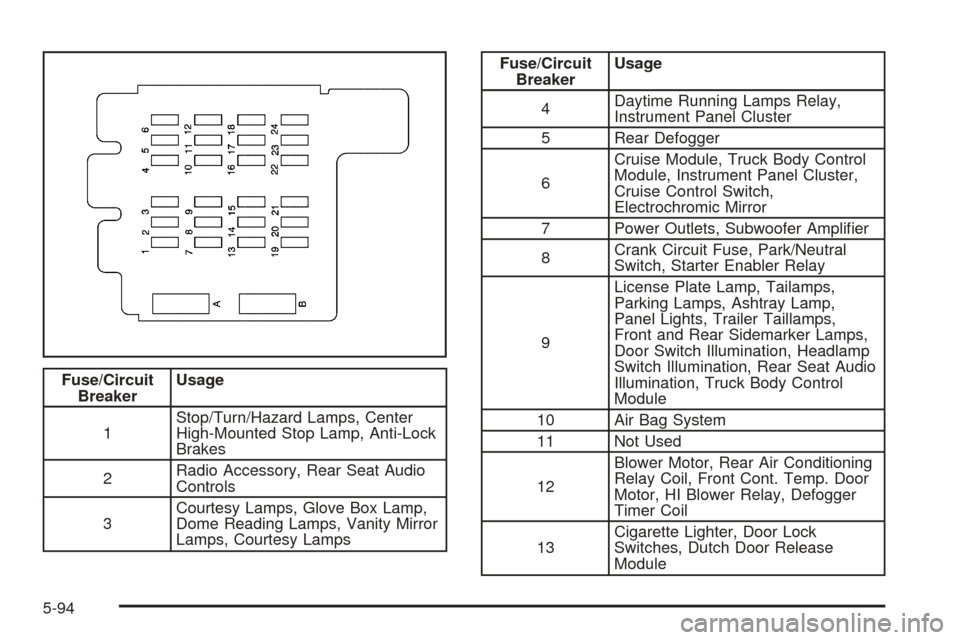
Fuse/Circuit
BreakerUsage
1Stop/Turn/Hazard Lamps, Center
High-Mounted Stop Lamp, Anti-Lock
Brakes
2Radio Accessory, Rear Seat Audio
Controls
3Courtesy Lamps, Glove Box Lamp,
Dome Reading Lamps, Vanity Mirror
Lamps, Courtesy Lamps
Fuse/Circuit
BreakerUsage
4Daytime Running Lamps Relay,
Instrument Panel Cluster
5 Rear Defogger
6Cruise Module, Truck Body Control
Module, Instrument Panel Cluster,
Cruise Control Switch,
Electrochromic Mirror
7 Power Outlets, Subwoofer Amplier
8Crank Circuit Fuse, Park/Neutral
Switch, Starter Enabler Relay
9License Plate Lamp, Tailamps,
Parking Lamps, Ashtray Lamp,
Panel Lights, Trailer Taillamps,
Front and Rear Sidemarker Lamps,
Door Switch Illumination, Headlamp
Switch Illumination, Rear Seat Audio
Illumination, Truck Body Control
Module
10 Air Bag System
11 Not Used
12Blower Motor, Rear Air Conditioning
Relay Coil, Front Cont. Temp. Door
Motor, HI Blower Relay, Defogger
Timer Coil
13Cigarette Lighter, Door Lock
Switches, Dutch Door Release
Module
5-94
Page 357 of 370
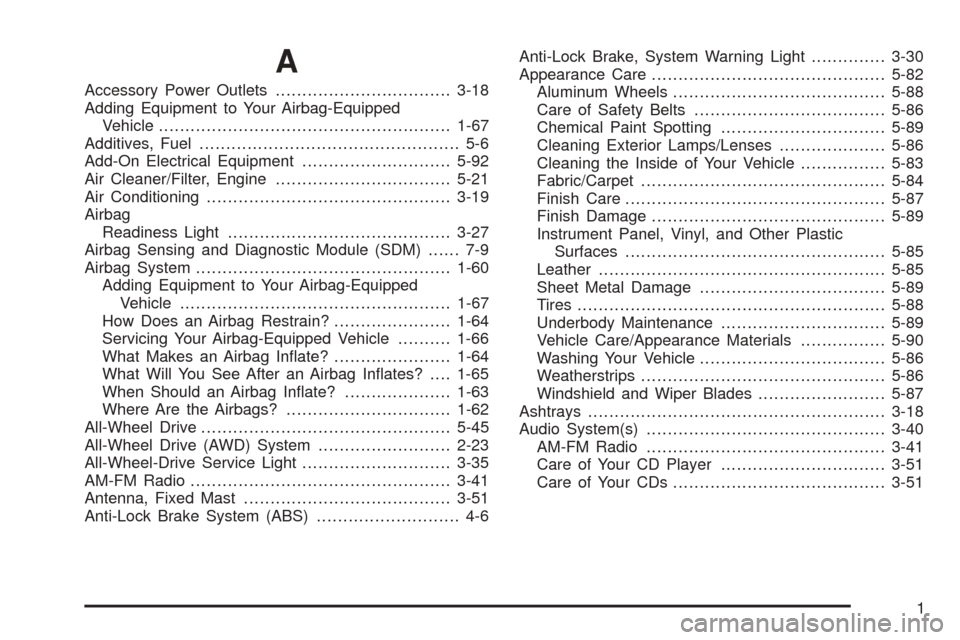
A
Accessory Power Outlets.................................3-18
Adding Equipment to Your Airbag-Equipped
Vehicle.......................................................1-67
Additives, Fuel................................................. 5-6
Add-On Electrical Equipment............................5-92
Air Cleaner/Filter, Engine.................................5-21
Air Conditioning..............................................3-19
Airbag
Readiness Light..........................................3-27
Airbag Sensing and Diagnostic Module (SDM)...... 7-9
Airbag System................................................1-60
Adding Equipment to Your Airbag-Equipped
Vehicle...................................................1-67
How Does an Airbag Restrain?......................1-64
Servicing Your Airbag-Equipped Vehicle..........1-66
What Makes an Airbag Inate?......................1-64
What Will You See After an Airbag Inates?....1-65
When Should an Airbag Inate?....................1-63
Where Are the Airbags?...............................1-62
All-Wheel Drive...............................................5-45
All-Wheel Drive (AWD) System.........................2-23
All-Wheel-Drive Service Light............................3-35
AM-FM Radio.................................................3-41
Antenna, Fixed Mast.......................................3-51
Anti-Lock Brake System (ABS)........................... 4-6Anti-Lock Brake, System Warning Light..............3-30
Appearance Care............................................5-82
Aluminum Wheels........................................5-88
Care of Safety Belts....................................5-86
Chemical Paint Spotting...............................5-89
Cleaning Exterior Lamps/Lenses....................5-86
Cleaning the Inside of Your Vehicle................5-83
Fabric/Carpet..............................................5-84
Finish Care.................................................5-87
Finish Damage............................................5-89
Instrument Panel, Vinyl, and Other Plastic
Surfaces.................................................5-85
Leather......................................................5-85
Sheet Metal Damage...................................5-89
Tires..........................................................5-88
Underbody Maintenance...............................5-89
Vehicle Care/Appearance Materials................5-90
Washing Your Vehicle...................................5-86
Weatherstrips..............................................5-86
Windshield and Wiper Blades........................5-87
Ashtrays........................................................3-18
Audio System(s).............................................3-40
AM-FM Radio.............................................3-41
Care of Your CD Player...............................3-51
Care of Your CDs........................................3-51
1
Page 358 of 370
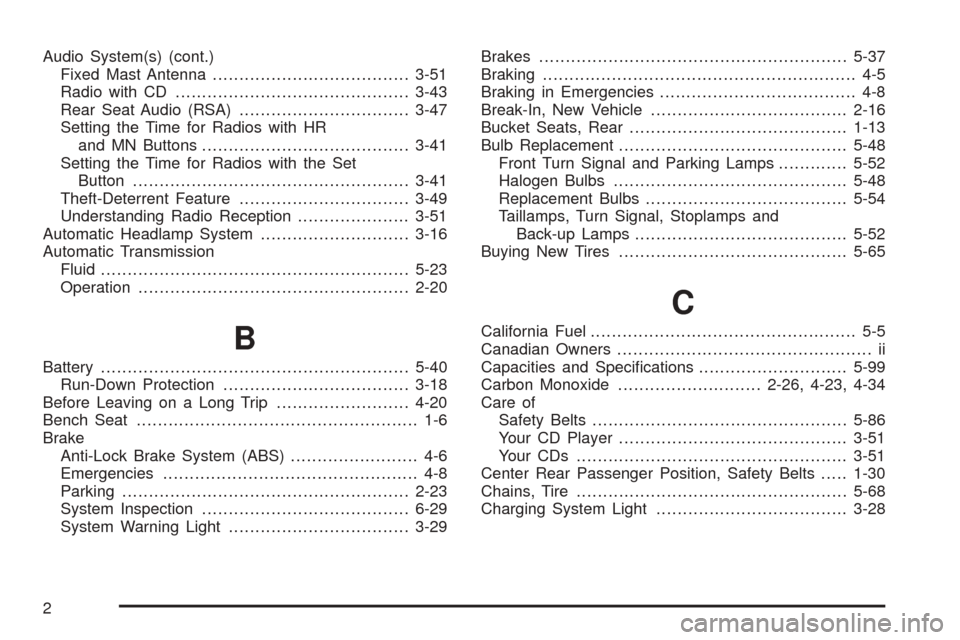
Audio System(s) (cont.)
Fixed Mast Antenna.....................................3-51
Radio with CD............................................3-43
Rear Seat Audio (RSA)................................3-47
Setting the Time for Radios with HR
and MN Buttons.......................................3-41
Setting the Time for Radios with the Set
Button....................................................3-41
Theft-Deterrent Feature................................3-49
Understanding Radio Reception.....................3-51
Automatic Headlamp System............................3-16
Automatic Transmission
Fluid..........................................................5-23
Operation...................................................2-20
B
Battery..........................................................5-40
Run-Down Protection...................................3-18
Before Leaving on a Long Trip.........................4-20
Bench Seat..................................................... 1-6
Brake
Anti-Lock Brake System (ABS)........................ 4-6
Emergencies................................................ 4-8
Parking......................................................2-23
System Inspection.......................................6-29
System Warning Light..................................3-29Brakes..........................................................5-37
Braking........................................................... 4-5
Braking in Emergencies..................................... 4-8
Break-In, New Vehicle.....................................2-16
Bucket Seats, Rear.........................................1-13
Bulb Replacement...........................................5-48
Front Turn Signal and Parking Lamps.............5-52
Halogen Bulbs............................................5-48
Replacement Bulbs......................................5-54
Taillamps, Turn Signal, Stoplamps and
Back-up Lamps........................................5-52
Buying New Tires...........................................5-65
C
California Fuel.................................................. 5-5
Canadian Owners................................................ ii
Capacities and Specications............................5-99
Carbon Monoxide...........................2-26, 4-23, 4-34
Care of
Safety Belts................................................5-86
Your CD Player...........................................3-51
Your CDs ...................................................3-51
Center Rear Passenger Position, Safety Belts.....1-30
Chains, Tire...................................................5-68
Charging System Light....................................3-28
2
Page 366 of 370
Q
Questions and Answers About Safety Belts.........1-18
R
Radiator Pressure Cap....................................5-28
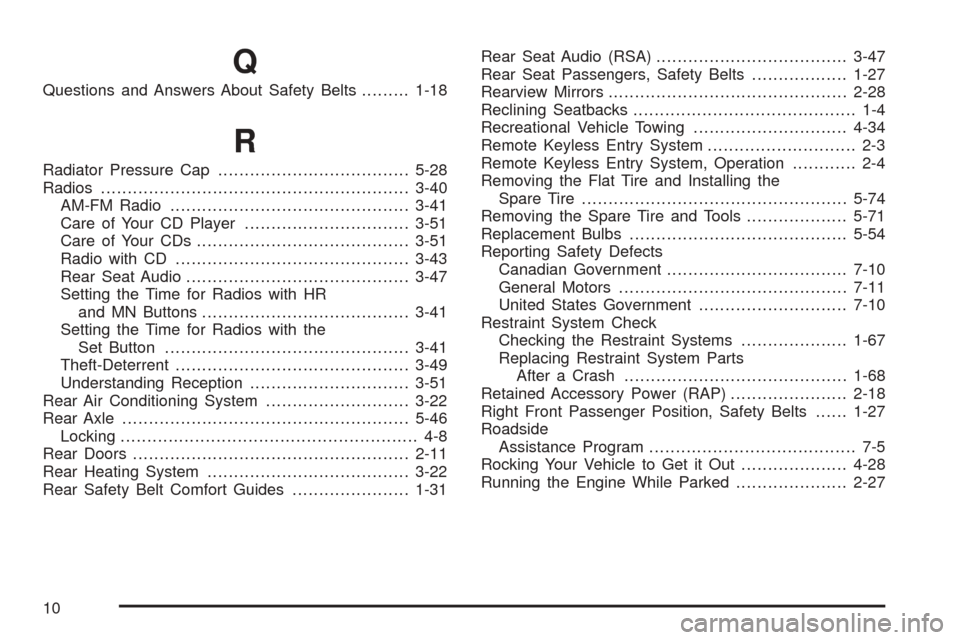
Radios..........................................................3-40
AM-FM Radio.............................................3-41
Care of Your CD Player...............................3-51
Care of Your CDs........................................3-51
Radio with CD............................................3-43
Rear Seat Audio..........................................3-47
Setting the Time for Radios with HR
and MN Buttons.......................................3-41
Setting the Time for Radios with the
Set Button..............................................3-41
Theft-Deterrent............................................3-49
Understanding Reception..............................3-51
Rear Air Conditioning System...........................3-22
Rear Axle......................................................5-46
Locking........................................................ 4-8
Rear Doors....................................................2-11
Rear Heating System......................................3-22
Rear Safety Belt Comfort Guides......................1-31Rear Seat Audio (RSA)....................................3-47
Rear Seat Passengers, Safety Belts..................1-27
Rearview Mirrors.............................................2-28
Reclining Seatbacks.......................................... 1-4
Recreational Vehicle Towing.............................4-34
Remote Keyless Entry System............................ 2-3
Remote Keyless Entry System, Operation............ 2-4
Removing the Flat Tire and Installing the
Spare Tire..................................................5-74
Removing the Spare Tire and Tools...................5-71
Replacement Bulbs.........................................5-54
Reporting Safety Defects
Canadian Government..................................7-10
General Motors...........................................7-11
United States Government............................7-10
Restraint System Check
Checking the Restraint Systems....................1-67
Replacing Restraint System Parts
After a Crash..........................................1-68
Retained Accessory Power (RAP)......................2-18
Right Front Passenger Position, Safety Belts......1-27
Roadside
Assistance Program....................................... 7-5
Rocking Your Vehicle to Get it Out....................4-28
Running the Engine While Parked.....................2-27
10