2005 CADILLAC STS fog light
[x] Cancel search: fog lightPage 173 of 446

Light Sensor
The light sensor for the DRL is located on top of the
instrument panel. If you cover the sensor, it will
read dark, and the exterior lamps may come on when
you do not need them.
Fog Lamps
Use the fog lamps for better vision in foggy or misty
conditions.
The fog lamp controls are located on the turn
signal/multifunction lever.
-:The band with this symbol is used to turn the
front fog lamps on and off.
The parking lamps must be on for the fog lamps
to work.
To turn the fog lamps on, turn the fog lamp band on the
lever up to the dot and release it. The band will return
to its original position.
To turn the fog lamps off, turn the fog lamp band up to
the dot and release it. The band will return to its
original position, and the fog lamps will turn off. If you
turn on the high-beam headlamps, the fog lamps
will also turn off. They’ll turn back on again when you
switch back to low-beam headlamps.
3-39
Page 176 of 446

Entry Lighting
The entry lighting system turns on the reading and
dome lamps and the backlighting to the exterior lamp
control when a door is opened or if you press the remote
keyless entry transmitter unlock button. If activated by
the transmitter, the lighting will remain active for
about 25 seconds. The entry lighting system uses the
light sensor; it must be dark outside in order for the
lamps to turn on. The lamps turn off about 25 seconds
after the last door is closed. They will dim to off if
the ignition is on, or immediately deactivate if the power
locks are activated.
Parade Dimming
This feature prohibits dimming of the instrument panel
displays and backlighting during daylight hours when the
key is in the ignition and the headlamps are on. This
feature operates with the light sensor and is fully
automatic. When the light sensor reads darkness outside
and the parking lamps are active, the instrument
panel displays can be adjusted by turning the instrument
panel brightness knob. SeeInstrument Panel Brightness
on page 3-41for additional information.
Reading Lamps
The reading lamps are located on the overhead console.
These lamps come on automatically when any door is
opened.
For manual operation, press the button next to each
lamp to turn it on. Press it again to turn the lamp off.
If the reading lamps are left on, they automatically shut
off 10 minutes after the ignition has been turned off.
Battery Load Management
The battery load management feature is designed to
monitor the vehicle’s electrical load and determine when
the battery is in a heavy discharge condition. During
times of high electrical loading, the engine may idle at
a higher revolutions per minute (rpm) setting than normal
to make sure the battery charges. High electrical
loads may occur when several of the following are on:
headlamps, high beams, fog lamps, rear window
defogger, the climate control fan at high speeds, heated
seats and engine cooling fans.
3-42
Page 177 of 446

If the battery continues to discharge, even with the
engine idling at a higher rpm setting, some electrical
loads will automatically be reduced. When this occurs,
the rear window defogger may take slightly longer
to clear the glass and the fan may cut back to a lower
speed. For more battery saving information, see “Battery
Saver Active Message” underDIC Warnings and
Messages on page 3-78.
Inadvertent Power Battery Saver
This feature is designed to protect your vehicle’s battery
against drainage from the interior lamps, trunk lamp,
glove box lamp, or the garage door opener. When the
ignition is turned off, the power to these features will
automatically turn off after 10 minutes (three minutes if
a new car has 15 miles (24 km) or less). Power will
be restored for an additional 10 minutes if any door is
opened, the trunk is opened or the courtesy lamp switch
is turned on.
Head-Up Display (HUD)
{CAUTION:
If the HUD image is too bright, or too high in
your eld of view, it may take you more time to
see things you need to see when it is dark
outside. Be sure to keep the HUD image dim
and placed low in your eld of view.
The Head-Up Display (HUD) allows you to see some of
the driver information that appears on your instrument
panel cluster on the windshield.
The information may be displayed in English or metric
units and appears as an image focused out toward
the front of your vehicle. To change from English
to metric units, seeDIC Controls and Displays on
page 3-74.
3-43
Page 205 of 446
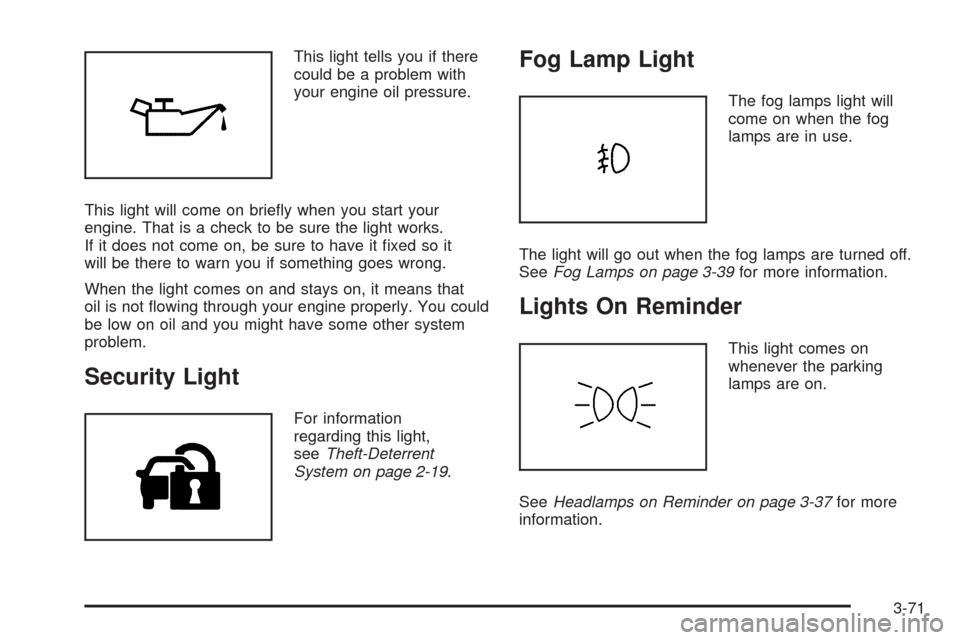
This light tells you if there
could be a problem with
your engine oil pressure.
This light will come on briey when you start your
engine. That is a check to be sure the light works.
If it does not come on, be sure to have it xed so it
will be there to warn you if something goes wrong.
When the light comes on and stays on, it means that
oil is not owing through your engine properly. You could
be low on oil and you might have some other system
problem.
Security Light
For information
regarding this light,
seeTheft-Deterrent
System on page 2-19.
Fog Lamp Light
The fog lamps light will
come on when the fog
lamps are in use.
The light will go out when the fog lamps are turned off.
SeeFog Lamps on page 3-39for more information.
Lights On Reminder
This light comes on
whenever the parking
lamps are on.
SeeHeadlamps on Reminder on page 3-37for more
information.
3-71
Page 252 of 446

Care of Your CDs
Handle CDs carefully. Store them in their original cases
or other protective cases and away from direct
sunlight and dust. If the surface of a CD is soiled,
dampen a clean, soft cloth in a mild, neutral detergent
solution and clean it, wiping from the center to the edge.
Be sure never to touch the side without writing when
handling CDs. Pick up CDs by grasping the outer edges
or the edge of the hole and the outer edge.
Care of the CD Player
The use of CD lens cleaners for CD players is not
advised, due to the risk of contaminating the lens of the
CD optics with lubricants internal to the CD mechanism.
Diversity Antenna System
The AM-FM antenna is integrated with the rear window
defogger, located in the rear window. Make sure that
the inside surface of the rear window is not scratched
and that the grid lines on the glass are not damaged.
If the inside surface is damaged, it could interfere
with radio reception.Notice:Do not apply aftermarket glass tinting with
metallic lm. The metallic lm in some tinting
materials will interfere with or distort the incoming
radio reception. Any damage caused to your
backglass antenna due to metallic tinting materials
will not be covered by your warranty.
Notice:Do not try to clear frost or other material
from the inside of the rear window with a razor blade
or anything else that is sharp, as this may damage
the rear window defogger grid and affect your
radio’s ability to pick up stations clearly. The repairs
would not be covered by your warranty.
If static is heard on the radio, when the rear window
defogger is turned on, it could mean that a defogger grid
line has been damaged. If this is true, the grid line
must be repaired.
If adding an aftermarket cellular telephone to your
vehicle, and the antenna needs to be attached to the
glass, make sure that the grid lines for the AM-FM
antennas are not damaged. Make sure the cellular
telephone antenna does not touch a grid line.
XM™ Satellite Radio Antenna
System
The XM™ Satellite Radio antenna is located on the roof
of your vehicle. Keep this antenna clear of snow and
ice build up for clear radio reception.
3-118
Page 344 of 446

8. Turn the vertical aiming screw until the headlamp
beam is aimed to the horizontal tape line. If you
turn it clockwise, it will raise the beam and if
you turn it counterclockwise, it will lower the beam.
The top edge of the cut-off should be positioned
at the bottom edge of the horizontal tape line.
9. Repeat Steps 7 and 8 for the opposite headlamp.
Bulb Replacement
For the proper type of replacement bulbs, see
Replacement Bulbs on page 5-51.
For any bulb changing procedure not listed in this
section, contact your dealer.
High Intensity Discharge (HID)
Lighting
{CAUTION:
The low beam high intensity discharge lighting
system operates at a very high voltage. If you
try to service any of the system components,
you could be seriously injured. Have your
dealer or a qualied technician service them.
Your vehicle may have HID headlamps and fog lamps.
After your vehicle’s HID headlamp or fog lamp bulb has
been replaced, you may notice that the beam is a slightly
different shade than it was originally. This is normal.
5-48
Page 393 of 446

The underhood fuse block is located in the front of the
engine compartment on the passenger’s side of the
vehicle. SeeEngine Compartment Overview on
page 5-12for more information on location, and removal
procedure for the front compartment underhood sights
shields.
To access the fuses, push in the tabs located on each
side of the fuse block cover. Then, lift the cover off.
Fuses Usage
BLOWER Blower Motor
R REAR Passenger’s Side Rear Fuse Block
I/P OUTLET Front Auxiliary Outlet
CCP Climate Control, Headlamp Leveling
PRE 02/CAM Oxygen Sensor, CAM Phasers
ENG W/H Engine W/H
R REAR Passenger’s Side Rear Fuse Block
WPR SW Wiper/Washer Switch
BODY W/H Body W/H
FOG LAMP Fog Lamps
OUTLET Rear Auxiliary Outlet
EVEN COILSEven Ignition Coils, Even Fuel
Injectors
L REAR Left Rear Fuse Block
WPR MOD Wiper Module
POST 02 Oxygen Sensor
Fuses Usage
COMP CLTCH Air Conditioner Compressor Clutch
STARTER Starter Solenoid
ABS Anti-Lock Brake Pump
L REAR Driver’s Side Rear Fuse Block
BODY W/H Body W/H
RAIN SSRRain Sensor, Headlamp Washer,
Tire Pressure Monitor
CCP Climate Control
SMT BM-OPT Smart Beam Relay (Option)
EXT LIGHTSLow Beam Relay, High Beam Relay,
Park Lamp Relay
VOLT CHECK Instrument Panel Module
ECM/TCMEngine Control Module,
Transmission Control Module,
Easy Key Module, Instrument
Panel Cluster
SPARE Spare
SPARE Spare
LT PARK Left Park Lamp, Left Taillamp
LIC DIMMINGLicense Plate, Instrument Panel
Dimming
IPM ALDLInstrument Panel Module Assembly
Line Data Link Connector
HUDHeads-Up Display, Column Lock
Module
5-97
Page 437 of 446

Engine (cont.)
Coolant Temperature Gage...........................3-67
Coolant Temperature Warning Light................3-67
Engine Compartment Overview......................5-12
Exhaust.....................................................2-33
Oil .............................................................5-15
Oil Life System...........................................5-18
Overheated Protection Operating Mode...........5-26
Overheating................................................5-24
Starting......................................................2-24
Entry Lighting.................................................3-42
Event Data Recorders (EDR)............................. 7-8
Extender, Safety Belt.......................................1-26
Exterior Lighting Battery Saver..........................3-41
F
Filter
Engine Air Cleaner......................................5-20
Finish Damage...............................................5-92
Flash-to-Pass.................................................3-13
Flat Tire........................................................5-74
Flat Tire, Changing.........................................5-74
Flat Tire, Storing.............................................5-83
Fluid
Automatic Transmission................................5-21
Power Steering...........................................5-31
Windshield Washer......................................5-32
Fog Lamp Light..............................................3-71Fog Lamps....................................................3-39
Forward Collision Alert (FAC) System.................. 3-9
Front Axle......................................................5-45
Fuel............................................................... 5-5
Additives...................................................... 5-6
California Fuel.............................................. 5-6
Filling a Portable Fuel Container....................5-10
Filling Your Tank........................................... 5-8
Fuels in Foreign Countries.............................. 5-7
Gage.........................................................3-72
Gasoline Octane........................................... 5-5
Gasoline Specications.................................. 5-5
Fuses
Fuses and Circuit Breakers...........................5-95
Rear Underseat Fuse Block..........................5-99
Underhood Fuse Block.................................5-96
Windshield Wiper.........................................5-95
G
Gage
Engine Coolant Temperature.........................3-67
Fuel..........................................................3-72
Speedometer..............................................3-62
Tachometer.................................................3-62
Garage Door Opener.......................................2-41
Gasoline
Octane........................................................ 5-5
Specications............................................... 5-5
5