2005 BUICK TERRAZA door lock
[x] Cancel search: door lockPage 118 of 428
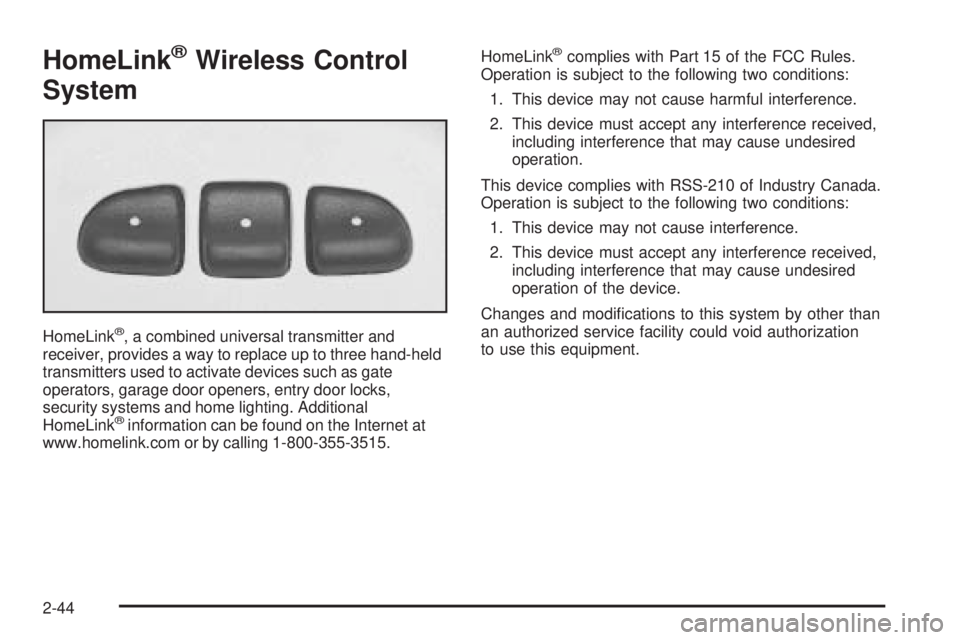
HomeLink®Wireless Control
System
HomeLink®, a combined universal transmitter and
receiver, provides a way to replace up to three hand-held
transmitters used to activate devices such as gate
operators, garage door openers, entry door locks,
security systems and home lighting. Additional
HomeLink
®information can be found on the Internet at
www.homelink.com or by calling 1-800-355-3515.HomeLink
®complies with Part 15 of the FCC Rules.
Operation is subject to the following two conditions:
1. This device may not cause harmful interference.
2. This device must accept any interference received,
including interference that may cause undesired
operation.
This device complies with RSS-210 of Industry Canada.
Operation is subject to the following two conditions:
1. This device may not cause interference.
2. This device must accept any interference received,
including interference that may cause undesired
operation of the device.
Changes and modications to this system by other than
an authorized service facility could void authorization
to use this equipment.
2-44
Page 122 of 428

Reprogramming a Single HomeLink®
Button
To program a device to HomeLink®using a HomeLink®
button previously trained, follow these steps:
1. Press and hold the desired HomeLink
®button.
Do not release the button.
2. The indicator light will begin to ash after
20 seconds. While still holding the HomeLink
®
button, proceed with Step 2 under “Programming
HomeLink®” shown earlier in this section.
Resetting Defaults
To reset HomeLink®to default settings do the following:
1. Hold down the two outside buttons for about
20 seconds until the indicator light begins to ash.
2. Continue to hold both buttons until the HomeLink
®
indicator light turns off.
3. Release both buttons.
For questions or comments, contact HomeLink
®
at 1-800-355-3515, or on the Internet at
www.homelink.com.
Storage Areas
Your vehicle’s large carrying capacity can store many
items. If the vehicle has an extended wheelbase,
it can carry even larger items. The oor pins that are
used to attach the seats, can be used to secure larger
loads. There may be additional storage areas behind
the seats.
Glove Box
If the glove box has a lock, put your key into the
lock and turn the key counterclockwise. To open the
glove box, pull the latch release.
The glove box door has a detent to prevent the door
from lowering too far. Open the glove box until the door
is partway open, then pull the door down if you need
it fully opened.
To close the glove box, the door must be pushed up
past the detent. To lock the glove box, put your key
into the lock and turn the key clockwise.
2-48
Page 127 of 428

Convenience Center
{CAUTION:
If any removable convenience item is not
secured properly, it can move around in a
collision or sudden stop. People in the vehicle
could be injured. Be sure to secure any such
item properly.
Your vehicle may have a convenience center. It provides
extra storage space for the rear of the vehicle.
To open the convenience center, pull up on the door
latch located on the front of the cover. The convenience
center cover has two automatic prop rods to hold it
up and in place.
To close the convenience center cover, you must pull
one of the prop rod linkages toward you while holding
onto the door latch and lower the convenience
center cover to close it.
Removing the Convenience Center
1. Make sure that all items are off the convenience
center and that it is empty.
2. Turn the hand knob, located at the rear of the
convenience center, counterclockwise until the
knob is loose.
3. Lift up on the hand knob, then grip and pull up
on the convenience center to remove it from the
vehicle.
Replacing the Convenience Center
1. Make sure the third row seat is properly installed in
the vehicle. SeeThird Row Seat on page 1-12for
more information. If the third row seat is not in
the vehicle with the convenience center, the
convenience center will not be locked into the
correct position in the vehicle.
2. Make sure that the convenience center is empty
and closed.
3. Lift the convenience center up and into the rear
of the vehicle.
2-53
Page 128 of 428

4. Slide the convenience center in and align it to the
rear seat.
5. Press down on the front of the convenience center
so the center is aligned on the sill mounting
bracket.
6. Turn the hand knob clockwise until it is tight.
7. Pull up on the convenience center to make sure it
is locked into place.
The cover of the convenience center can be left in its
upright position while the vehicle is moving.
The convenience center and the third row seat both
have a maximum weight capacity of 400 lbs (181.6 kg).
Notice:Overloading your vehicle may cause
damage. Repairs would not be covered by your
warranty. Do not overload your vehicle.Vehicle Personalization
Memory Seat
If your vehicle has this
feature, the controls for
the memory function
are located on the
driver’s door.
These buttons are used to program and recall memory
settings for the driver’s seating position. The settings
for these features can be personalized for both driver 1
and driver 2. Driver 1 or driver 2 corresponds to the
memory buttons labelled 1 and 2 on the driver’s door.
2-54
Page 145 of 428

Due to the momentary switch design, your automatic
lights may be disabled even if the control is in the
AUTO position.
;(Parking Lamps):Turn the control to this position
to turn on the parking lamps together with the
following:
Taillamps
Instrument Panel Lights
5(Headlamps):Turn the control to this position to
turn on the headlamps, together with the previously
listed lamps and lights.
Wiper Activated Headlamps
This feature, if equipped, will automatically activate the
headlamps and parking lamps after the windshield
wipers have been in use for about 30 seconds and
when all of the following conditions are met.
The exterior lamp control is in AUTO.
The headlamps have not already been activated
by automatic lighting.
The automatic lighting feature has not been
disabled using the exterior lamp control.SeeExterior Lamps on page 3-14for additional
information.
If the wipers are activated for over 30 seconds and the
exterior lamp control is in the parking lamps position,
or the automatic lighting feature has been disabled using
the exterior lamp control, a HEADLAMPS SUGGESTED
message will appear on the Driver Information Center,
if equipped.
Headlamps on Reminder
If you turn the ignition to LOCK while leaving the lamps
on, you will hear a warning chime once the driver’s
door is opened.
Daytime Running Lamps (DRL)/
Automatic Headlamp System
Daytime Running Lamps (DRL) can make it easier for
others to see the front of your vehicle during the
day. DRL can be helpful in many different driving
conditions, but they can be especially helpful in the
short periods after dawn and before sunset. Fully
functional Daytime Running Lamps are required on
all vehicles rst sold in Canada.
3-15
Page 147 of 428

Interior Lamps Control
The interior lamp control is
located to the right of the
exterior lamp controls
on the instrument panel to
the left of the steering
column.
R(Interior Lamp Override):Turn the outer knob to
this position to have your interior lamps remain off
while any door is open.
1(Door):Turn the outer knob to this position to turn
the interior lamps on while any door is open and
when the ignition key is removed from the ignition.
+(Interior Lamps):Turn the outer knob to
this position to turn the interior lamps on.
Turn the inner knob to adjust the instrument panel
brightness, described earlier in this section.
Dome Lamp
The dome lamp is located in the headliner and has
two buttons to manually turn it on or off. The dome lamp
will come on each time you open a door, unless you
turn on the interior lamps override feature. SeeInterior
Lamps Control on page 3-17.
Entry Lighting
With entry lighting, the interior of your vehicle is
illuminated so that you can see inside before you enter
your vehicle. The lamps will come on for 20 seconds
if you unlock your door using your key or the remote
keyless entry transmitter and the ignition is in LOCK.
After 20 seconds have passed, the interior lamps
will slowly fade out. The lamps will turn off before the
20 seconds if you do one of the following:
Lock all the doors using the key.
Press lock on the power door lock switch.
Press lock on the remote keyless entry transmitter.
When any door is opened, entry lighting is cancelled.
The interior lamps will stay on while any door or
the liftgate is open, and slowly fade out when all
doors and the liftgate are closed.
3-17
Page 148 of 428

The interior lamps may stay on for up to 25 seconds
after all doors have been closed if they have not been
locked. SeeDelayed Lighting on page 3-18.
To turn the entry lighting feature off or on, seeDIC
Vehicle Personalization (Uplevel Only) on page 3-68.
Delayed Lighting
The delayed lighting feature will continue to illuminate
the interior for 20 seconds after all doors have been
closed, so that you can nd your ignition and buckle your
safety belt at night. Delayed lighting will not occur
while the ignition is in RUN or ACCESSORY. After
20 seconds have passed, the interior lamps will slowly
fade out. The lamps will fade out before the 20 seconds
have passed if you do one of the following:
Turn the ignition to RUN or ACCESSORY.
Lock all doors using the remote keyless entry
transmitter.
Lock all doors using the power door lock switch
or the key.
To turn the delayed lighting feature off or on, seeDIC
Vehicle Personalization (Uplevel Only) on page 3-68.
Exit Lighting
With exit lighting, the interior lamps will come on for
about 25 seconds whenever you remove the key from
the ignition. If you turn the ignition key to RUN or
ACCESSORY, the lamps will fade out. The lamps will
also fade out if you lock the doors with the power
door lock switch or the remote keyless entry transmitter.
When any door is opened, exit lighting is cancelled.
The interior lamps will stay on while any door or
the liftgate is open, and slowly fade out when all doors
and the liftgate are closed.
The interior lamps may stay on for up to 20 seconds
after all doors have been closed if they have not been
locked. SeeDelayed Lighting on page 3-18.
To turn the exit lighting feature off or on, seeDIC
Vehicle Personalization (Uplevel Only) on page 3-68.
3-18
Page 149 of 428

Front Reading Lamps
There are two reading lamps and one courtesy lamp in
the overhead console. To turn either reading lamp
on or off, press the lens of the lamp. The courtesy lamp
will come on each time you open a door, unless you
turn on the interior lamps override feature. SeeInterior
Lamps Control on page 3-17.
Rear Reading Lamps
There are two reading lamps in the third row headliner.
To turn either reading lamp on or off, press the lens
of the lamp.
There may also be a reading lamp in the second row,
integrated with the dome lamp. To turn the second
row reading lamp on or off, press the button next to
the lamp lens.
Cargo Lamp
The cargo lamp is located in the rear of your vehicle,
above the liftgate opening, and does not have a switch.
The cargo lamp will come on each time you open a
door, unless you turn on the interior lamps override.
SeeInterior Lamps Control on page 3-17.
Battery Run-Down Protection
Your vehicle has a feature to help prevent you from
draining the battery, in case you accidentally leave the
interior lamps on. If you leave any interior lamps on
while the ignition is in lock or off, they will automatically
turn off after 10 minutes. The lamps will not come
back on again until you do one of the following:
Turn the ignition to RUN or ACCESSORY
Open a closed door, or close and reopen a door.
Turn the interior lamps on if they are in the door
or override position.
Turn the interior lamps to the door or override
position and then to on again if the interior
lamp control is in the on position.
If your vehicle has less than 15 miles (25 km) on the
odometer, the battery saver will turn off the lamps after
only three minutes.
3-19