2005 BUICK LESABRE steering
[x] Cancel search: steeringPage 127 of 392

Light Sensor
Your Twilight
Sentinel®and DRL work
with the light sensor
located on top of the
instrument panel.
Do not cover it up. If you do, it will sense darkness and
the Twilight Sentinel
®lighting will turn on.
Exterior Lighting Battery Saver
If the exterior lamp button has been left on, the exterior
lamps will turn off about 10 minutes after the ignition
is turned to LOCK and a door has been opened.
This protects against draining the battery in case you
have accidentally left the headlamps or parking
lamps on. If you need to leave the lamps on for more
than 10 minutes, use the manual control to turn the
lamps back on after the ignition is turned to LOCK and
any door is opened. To delay the lamps from turning
off, seeTwilight Sentinel
®on page 3-16.
Instrument Panel Brightness
The lever for this feature is
located to the left of the
steering column.
The brightness of the instrument panel lights can be
adjusted by sliding the INTERIOR lever from LO to HI.
The instrument panel lights will be on only while the
parking lamps are on. The interior courtesy lamps can
be turned on by sliding the INTERIOR lever all the
way to HI.
Courtesy Lamps
If it is dark enough outside, when any door is opened,
several lamps go on. They make it easy for you to enter
and leave the vehicle. You can also turn these lamps
on by sliding the INTERIOR lever all the way to HI.
3-17
Page 131 of 392

The HUD shows these images when they are lighted on
the instrument panel cluster.
Be sure to continue scanning your displays, controls
and driving environment just as you would in a vehicle
without HUD. If you never look at your instrument
panel cluster, you may not see something important,
such as a warning light.
Notice:If you try to use the HUD image as a
parking aid, you may misjudge the distance and
damage your vehicle. Do not use the HUD image as
a parking aid.The HUD controls are located on the instrument panel
to the left of the steering wheel.
1. Start your engine and slide the HUD dimmer lever
to HI.
The brightness of the HUD image is determined by
an internal photo-cell, and where you have the
HUD dimmer control set.
3-21
Page 132 of 392

2. Adjust the seat to your driving position. Press the
image height adjuster switch to raise the image as
far as possible.
3. Now press the image height adjuster switch to
position the image as low as possible, while still
keeping it in full view.
4. Slide the dimmer lever downward until the HUD
image is no brighter than necessary.
To turn the HUD display off, slide the dimmer lever
to OFF.
If the sun comes out and the sky becomes cloudy, you
may need to adjust the HUD brightness using the
dimmer lever. Polarized sunglasses could make the
HUD image harder to see.
To change the display from English to metric units,
push the ENG/MET button located to the left of
the steering column.
Clean the inside of the windshield as necessary to
remove any dirt or lm that reduces the sharpness or
clarity of the HUD image.
To clean the HUD lens, spray household glass cleaner
on a soft, clean cloth. Gently wipe and dry the HUD
lens. Do not spray cleaner directly on the lens to avoid
cleaner leaking inside the unit.If the ignition is in RUN and you cannot see the HUD
image, check to see if:
Something is covering the HUD unit.
The HUD dimmer lever is adjusted properly.
The HUD image is adjusted to the proper height.
A fuse is blown. SeeFuses and Circuit Breakers on
page 5-88.
Keep in mind that your windshield is part of the HUD
system. If you ever have your windshield replaced,
be sure to get one that is designed for HUD or your HUD
image may look blurred or out of focus.
Accessory Power Outlets
The accessory power outlets can be used to plug in
electrical equipment such as a cellular telephone or
CB radio.
Your vehicle may have up to three power outlets
depending on the type of front seat you have. If your
vehicle has front bucket seats with a center console, you
will nd two outlets inside the rear storage compartment.
An extra power outlet can be found in the ashtray.
3-22
Page 141 of 392

Outlet Adjustment
Use the levers located in the middle of the front outlets
to change the direction of the airow.
In vehicles equipped with rear seat outlets, you can
adjust the direction of the airow using the lever in the
center of each outlet. Use the thumbwheel located
between the outlets to turn them on and off.
Operation Tips
Clear away any ice, snow or leaves from the air
inlets at the base of the windshield that may
block the ow of air into your vehicle.
Use of non-GM approved hood deectors may
adversely affect the performance of the system.
Keep the path under the front seats clear of
objects to help circulate the air inside of your vehicle
more effectively.
Steering Wheel Climate Controls
If your vehicle has this
feature, you can control
the temperature function
by using the switch located
on your steering wheel.
wTEMPx(Temperature):Press the up or
down arrow on this switch to increase or decrease
the temperature.
3-31
Page 158 of 392

If a problem is detected, a diagnostic message will
appear in the display. The following pages will show the
messages you may see on the DIC display.
The message center is continuously updated with the
vehicle’s performance status.
The following buttons
are on the DIC control
panel which is located
to the left of the
steering column:
ODO/TRIP (Odometer/Trip):Press this button for the
display to show the total mileage, and Trip 1 or
Trip 2 miles. Trip 1 and Trip 2 will display the miles
traveled since the last reset. To reset the trip odometer,
press the ODO/TRIP button until the preferred trip
number (1 or 2) is shown in the DIC display, then press
the RESET button. The trip odometer will now
accumulate miles until the next reset.FUEL INFO (Information):Press this button to display
fuel information.
Press the FUEL INFO button until the display shows
FUEL ECONOMY AVERAGE. Average fuel economy is
viewed as a long term approximation of your overall
driving conditions. To learn the average fuel economy
from a new starting point, press the RESET button while
the average fuel economy is displayed in the DIC.
Press the FUEL INFO button until the display shows
FUEL ECONOMY INST. Instantaneous fuel economy
varies with your driving conditions, such as acceleration,
braking and the grade of the road being traveled. The
RESET button does not function in this mode.
Press the FUEL INFO button until the display shows
FUEL RANGE. The fuel range will calculate the
remaining distance you can drive without refueling. This
calculation is based on the average fuel economy for
the last 25 miles (40.25 km) driven, and the fuel
remaining in the fuel tank. The RESET button does not
function in this mode.
3-48
Page 161 of 392

SERVICE STABILITY SYSTEM – 54:If you ever see
the SERVICE STABILITY SYSTEM message, it
means there may be a problem with your stability
enhancement system. If you see this message, try to
reset the system: stop, turn off the engine, then start the
engine again. If the SERVICE STABILITY SYSTEM
message still comes on, it means there is a problem.
You should see your GM dealer for service. Reduce
your speed and drive accordingly.
STABILITY SYSTEM ACTIVE – 55:You may see the
STABILITY SYSTEM ACTIVE message on the Driver
Information Center. It means that an advanced,
computer-controlled system has come on to help your
vehicle continue to go in the direction in which you
are steering. This stability enhancement system
activates when the computer senses that your vehicle is
just starting to spin, as it might if you hit a patch of
ice or other slippery spot on the road. When the system
is on, you may hear a noise or feel a vibration in the
brake pedal. This is normal.
When the STABILITY SYSTEM ACTIVE message is on,
you should continue to steer in the direction you want
to go. The system is designed to help you in bad
weather or other difficult driving situations by making the
most of whatever road conditions will permit. If the
STABILITY SYSTEM ACTIVE message comes on, you
will know that something has caused your vehicle to
start to spin, so you should consider slowing down.DIC Vehicle Personalization
The DIC can be used to program the following personal
choice features available with your vehicle:
Automatic Door Locks
Window Lock Out
Security Feedback
Delayed Locking
Perimeter Lighting
Memory Seats
Outside Curb View Assist Mirror
Driver ID
Language Selection
The personal choice settings displayed on the DIC are
determined by the transmitter used to enter the
vehicle. Each remote keyless entry transmitter was
pre-programmed to belong to DRIVER 1 or DRIVER 2
and is numbered on the back. After the unlock button on
a remote keyless entry transmitter is pressed and the
ignition is in RUN, the DIC will display the identied
driver and recall the settings previously programmed for
that driver. The settings can also be recalled by
briey pressing one of the MEMORY buttons located on
the driver’s door.
3-51
Page 191 of 392

To program this feature, do the following:
1. Set all radio preferences. For more information see
“Setting Preset Stations” and “Setting the Tone”
listed for the radio.
2. Locate the memory buttons on the driver’s
door panel.
3. Press one of the memory buttons, 1 or 2, until you
hear two beeps. The beeps conrm that the
selection has been saved and can now be recalled.
Follow these steps each time you want to change the
stored settings.
Theft-Deterrent Feature
THEFTLOCK®is designed to discourage theft of your
vehicle’s radio. It works by using a secret code to
disable all radio functions whenever battery power is
removed and the radio is placed in a different vehicle.
This feature requires no user input to be activated.
The radio is automatically armed when it is put into the
vehicle for the rst time.
When the ignition is turned off, the blinking red light
indicates that THEFTLOCK
®is armed.
If THEFTLOCK®is activated, the radio will not operate
if stolen. The radio will display LOCKED and a red
LED indicator light will come on above the key symbol
to indicate a locked condition. If this occurs, the radio will
need to be returned to your GM dealer.
Audio Steering Wheel Controls
If your vehicle has this feature, some audio controls
can be adjusted at the steering wheel. They include
the following:
QSEEKR:Press the up or the down arrow to go to
the next or to the previous station and stay there.
The sound will mute while seeking. The radio will
only seek stations with a strong signal that are in the
selected band.
When playing a cassette tape or a CD, press the up
arrow to go to the next selection.
BAND:Press this button to switch between FM1, FM2,
AM, or XM1 or XM2 (if equipped).
3-81
Page 197 of 392
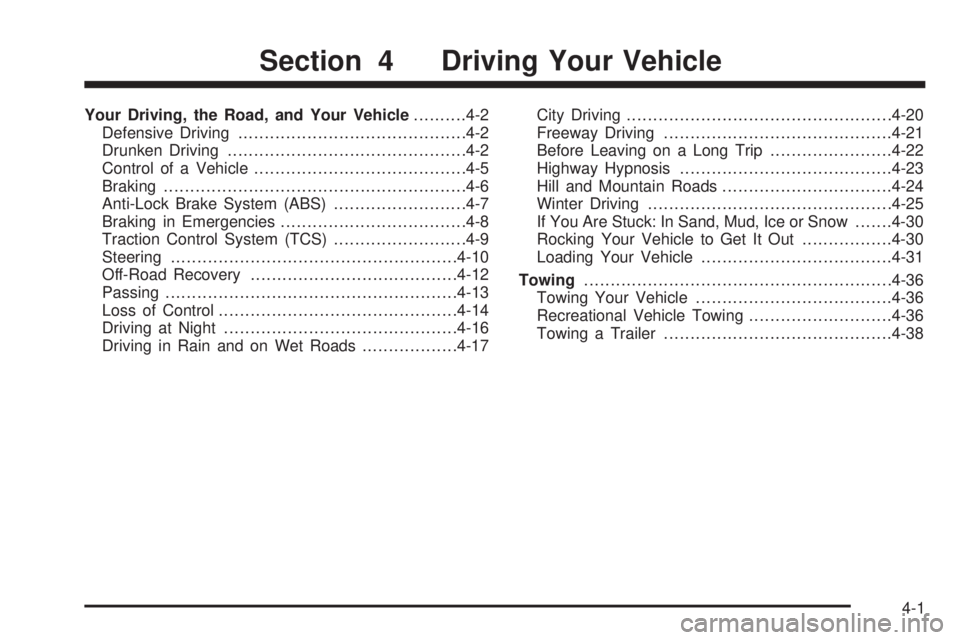
Your Driving, the Road, and Your Vehicle..........4-2
Defensive Driving...........................................4-2
Drunken Driving.............................................4-2
Control of a Vehicle........................................4-5
Braking.........................................................4-6
Anti-Lock Brake System (ABS).........................4-7
Braking in Emergencies...................................4-8
Traction Control System (TCS).........................4-9
Steering......................................................4-10
Off-Road Recovery.......................................4-12
Passing.......................................................4-13
Loss of Control.............................................4-14
Driving at Night............................................4-16
Driving in Rain and on Wet Roads..................4-17City Driving..................................................4-20
Freeway Driving...........................................4-21
Before Leaving on a Long Trip.......................4-22
Highway Hypnosis........................................4-23
Hill and Mountain Roads................................4-24
Winter Driving..............................................4-25
If You Are Stuck: In Sand, Mud, Ice or Snow.......4-30
Rocking Your Vehicle to Get It Out.................4-30
Loading Your Vehicle....................................4-31
Towing..........................................................4-36
Towing Your Vehicle.....................................4-36
Recreational Vehicle Towing...........................4-36
Towing a Trailer...........................................4-38
Section 4 Driving Your Vehicle
4-1