2005 BUICK LACROSSE lock
[x] Cancel search: lockPage 123 of 410
Windshield Wipers
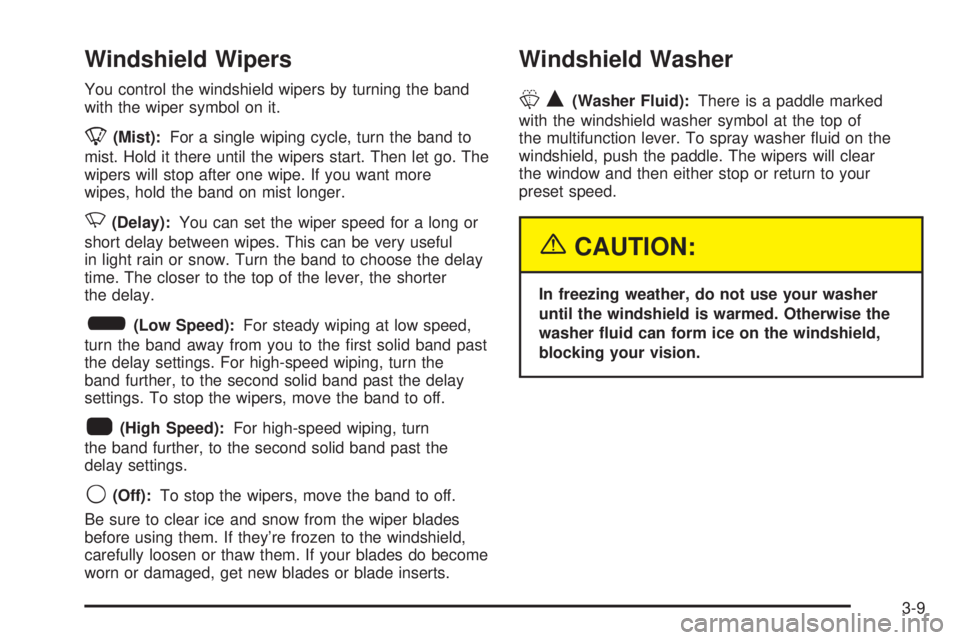
You control the windshield wipers by turning the band
with the wiper symbol on it.
8(Mist):For a single wiping cycle, turn the band to
mist. Hold it there until the wipers start. Then let go. The
wipers will stop after one wipe. If you want more
wipes, hold the band on mist longer.
N(Delay):You can set the wiper speed for a long or
short delay between wipes. This can be very useful
in light rain or snow. Turn the band to choose the delay
time. The closer to the top of the lever, the shorter
the delay.
6(Low Speed):For steady wiping at low speed,
turn the band away from you to the rst solid band past
the delay settings. For high-speed wiping, turn the
band further, to the second solid band past the delay
settings. To stop the wipers, move the band to off.
1(High Speed):For high-speed wiping, turn
the band further, to the second solid band past the
delay settings.
9(Off):To stop the wipers, move the band to off.
Be sure to clear ice and snow from the wiper blades
before using them. If they’re frozen to the windshield,
carefully loosen or thaw them. If your blades do become
worn or damaged, get new blades or blade inserts.
Windshield Washer
LQ(Washer Fluid):There is a paddle marked
with the windshield washer symbol at the top of
the multifunction lever. To spray washer uid on the
windshield, push the paddle. The wipers will clear
the window and then either stop or return to your
preset speed.
{CAUTION:
In freezing weather, do not use your washer
until the windshield is warmed. Otherwise the
washer uid can form ice on the windshield,
blocking your vision.
3-9
Page 130 of 410
Interior Lamps
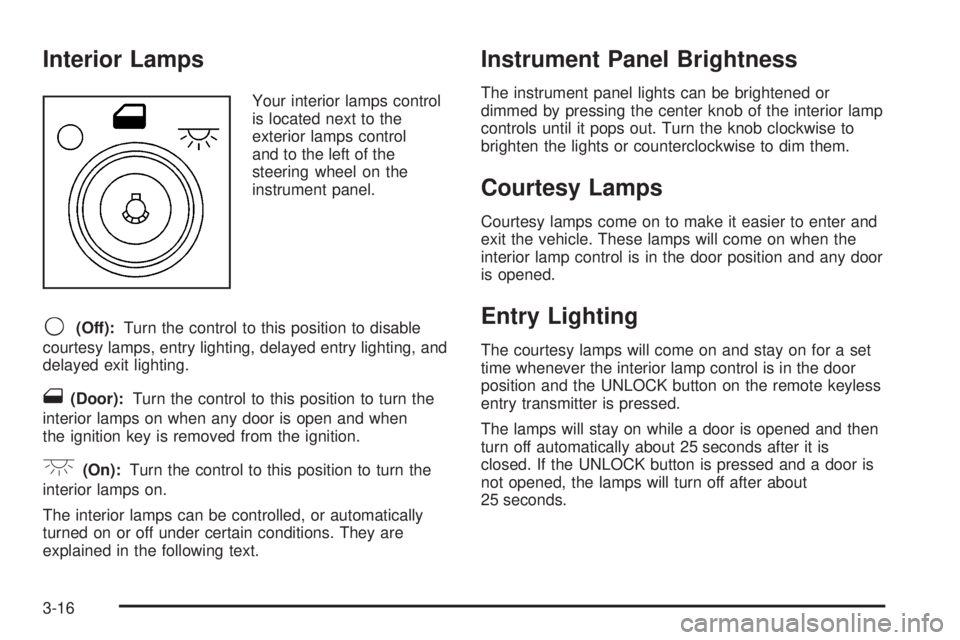
Your interior lamps control
is located next to the
exterior lamps control
and to the left of the
steering wheel on the
instrument panel.
9(Off):Turn the control to this position to disable
courtesy lamps, entry lighting, delayed entry lighting, and
delayed exit lighting.
1(Door):Turn the control to this position to turn the
interior lamps on when any door is open and when
the ignition key is removed from the ignition.
+(On):Turn the control to this position to turn the
interior lamps on.
The interior lamps can be controlled, or automatically
turned on or off under certain conditions. They are
explained in the following text.
Instrument Panel Brightness
The instrument panel lights can be brightened or
dimmed by pressing the center knob of the interior lamp
controls until it pops out. Turn the knob clockwise to
brighten the lights or counterclockwise to dim them.
Courtesy Lamps
Courtesy lamps come on to make it easier to enter and
exit the vehicle. These lamps will come on when the
interior lamp control is in the door position and any door
is opened.
Entry Lighting
The courtesy lamps will come on and stay on for a set
time whenever the interior lamp control is in the door
position and the UNLOCK button on the remote keyless
entry transmitter is pressed.
The lamps will stay on while a door is opened and then
turn off automatically about 25 seconds after it is
closed. If the UNLOCK button is pressed and a door is
not opened, the lamps will turn off after about
25 seconds.
3-16
Page 131 of 410
Entry lighting includes a feature called theater dimming.
With theater dimming, the lamps do not turn off at
the end of the delay time. Instead, they slowly dim after
the delay time and then turn off.
The courtesy lamps turn off when the ignition key is
turned to RUN or START. They will come on again when
a door is opened.
Delayed Entry Lighting
Delayed entry lighting lights the vehicle’s interior for a
period of time after all the doors have been closed.
After all the doors have been closed, the delayed entry
lighting feature will continue to work until one of the
following occurs:
The ignition is in run.
The doors are locked.
Twenty-ve seconds has elapsed.
If during the illumination period a door is opened, the
timed illumination period will be canceled and the interior
lamps will remain on.
Theater Dimming
This feature allows for a three to ve-second fade out of
the courtesy lamps instead of immediate turn off.
Delayed Exit Lighting
This feature can be programmed either on or off using
the Driver Information Center. SeeDIC Vehicle
Personalization on page 3-71under INT LIGHTS KEYS
REMOVED. When activated, this feature illuminates
the interior for a period of time after the ignition key is
removed from the ignition.
The ignition must be off and the interior lamp control
must be in the door position for delayed exit lighting to
work. When the ignition key is removed, interior
illumination will activate and remain on until one of the
following occurs:
The ignition is in run.
The power door locks are activated.
Twenty-ve seconds has elapsed.
If during the illumination period a door is opened, the
timed illumination period will be canceled and the interior
lamps will remain on.
3-17
Page 132 of 410
Perimeter Lighting
Perimeter lighting provides a period of exterior vehicle
lighting. Perimeter lighting activates when the key
is removed from the ignition or the vehicle is unlocked
using the remote keyless entry transmitter. The
amount of time the exterior lamps will remain on can be
programmed using the Driver Information Center
(DIC). See “EXIT LIGHT DELAY” underDIC Vehicle
Personalization on page 3-71for additional information.
Overhead Console Reading
Lamps
Your vehicle may have reading lamps located on the
overhead console. Press the lens to turn them on
and off.
Rear Assist Handle Reading Lamps
Your vehicle may have reading lamps located near
the rear assist handles. Press the lens to turn them on
and off.
Battery Run-Down Protection
This helps prevent the vehicle’s battery from draining in
case the interior courtesy lamps, reading lamps,
trunk lamp, underhood lamp, glove box lamps, or sun
visor vanity lamps, if equipped, are accidently left on. If
any of these lamps are left on while the ignition is
off, they will automatically turn off after 10 minutes. The
lamps will not come back on again until one of the
following occurs:
The ignition is turned on.
The interior lamps control is turned off, then to
door or on.
Ultrasonic Rear Parking
Assist (URPA)
Your vehicle may be equipped with Ultrasonic Rear
Parking Assist (URPA). URPA is designed to help you
park while in REVERSE (R) and operates only at speeds
less than 3 mph (5 km/h). URPA can help you avoid
colliding with objects such as parked vehicles. The
system can detect objects 5 feet (1.5 m) behind your
vehicle and tell you how close those objects are to your
rear bumper.
3-18
Page 136 of 410

9(Fan):Turn the knob by this symbol, located on the
left side of the climate control panel, clockwise or
counterclockwise to increase or decrease the fan speed.
During the highest fan speed selections, the fan
speed will be temporarily reduced between the transition
to a new mode. The fan will resume the original
speed when the transition to the new mode is complete.
Temperature Control:Turn the center knob clockwise
or counterclockwise to increase or decrease the
temperature inside your vehicle.
Use the right knob to select from the following modes:
H(Vent):This mode directs outside air to the
instrument panel outlets. If driving in city traffic, and the
vehicle is stopped and idling, or the weather is hot,
switch from this mode to the recirculation mode.
To prevent the air inside the vehicle from becoming
stale, be sure to return to the vent mode periodically.
)(Bi-Level):This mode directs half of the air to the
instrument panel outlets, and the remaining air to
the oor outlets. Some air may be directed toward the
windshield. Slightly cooler air is directed to the
instrument panel outlets and warmer air is directed to
the oor outlets.
6(Floor):This mode directs most of the air to the
oor outlets with some air directed toward the side
window outlets and a little air directed to the windshield.
In this mode, the system will automatically use outside
air. The air conditioning compressor will be engaged
unless the outside temperature is 40°F (4°C) or below.
Recirculation cannot be selected when in this mode.
You can also select modes by using the
following buttons:
h(Recirculate):Press this button to recirculate
cabin air through the vehicle. It can be used to prevent
outside air and odors from entering your vehicle or
to help heat or cool the air inside your vehicle more
quickly. An indicator light below the button will come on
in this mode. Operation in this mode during periods
of high humidity and cool outside temperatures
may result in increased window fogging. If window
fogging is experienced, select the defrost mode.
3-22
Page 138 of 410

Rear Window Defogger
The rear window defogger uses a warming grid to
remove fog from the rear window.
<(Rear):Press the button to turn the rear window
defogger on or off. An indicator light below the button will
come on to let you know that the rear window defogger
is activated.
The rear window defogger will only work when the
ignition is in run. The rear window defogger will stay on
for approximately 15 minutes after the button is
pressed, unless the ignition is turned to ACC or LOCK.
If turned on again, the defogger will only run for
approximately ve minutes before turning off. The
defogger can also be turned off by pressing the button
again or by turning off the engine.
Notice:Do not use anything sharp on the inside of
the rear window. If you do, you could cut or
damage the warming grid, and the repairs would not
be covered by your warranty. Do not attach a
temporary vehicle license, tape, a decal or anything
similar to the defogger grid.
Dual Automatic Climate
Control System
Your vehicle may have this climate control system. The
heating, cooling and ventilation can be controlled with it.
Automatic Operation
AUTO (Automatic):Press the AUTO button for
automatic control of the inside temperature, the air
delivery mode and the fan speed. There might be a
delay of two to three minutes before the fan comes on
when the automatic operation is used in cold weather.
For the automatic system to function, the temperature
must be set between 60°F (15°C) and 90°F (32°C).
1. Adjust the temperature to a comfortable setting.
3-24
Page 142 of 410

Rear Window Defogger
The rear window defogger uses a warming grid to
remove fog or frost from the rear window. The rear
window defogger will only work when the engine
is running.
=(Rear Window Defogger):Press this button to
turn the rear window defogger on and off. Be sure
to clear as much snow from the rear window as possible.
The rear window defogger will turn off approximately
20 minutes after the button is pressed. If turned on
again, the defogger will only run for approximately
20 minutes before turning off. The defogger can also be
turned off by pressing the button again or by turning
off the engine.
Do not drive the vehicle until all the windows are clear.
Notice:Using a razor blade or sharp object to
clear the inside rear window may damage the rear
window defogger. Repairs would not be covered
by your warranty. Do not clear the inside of the rear
window with sharp objects.
Outlet Adjustment
Use the thumbwheels located between the center
outlets to open and close the outlets. Move the lever in
the center of each air outlet to adjust the direction of
the airow.
Operation Tips
Clear away any ice, snow or leaves from the air
inlets at the base of the windshield that may
block the ow of air into the vehicle.
Use of non-GM approved hood deectors may
adversely affect the performance of the system.
Keep the path under the front seats clear of
objects to help circulate the air inside of the
vehicle more effectively.
If the vehicle has a passenger compartment air lter
and the airow seems low when the fan is at the
highest setting it may need to be replaced. For more
information, seePassenger Compartment Air
Filter on page 3-28.
Passenger Compartment Air Filter
The passenger compartment air lter is located in
the engine compartment below the air inlet grille, near
the passenger’s side windshield wiper arm. See
Engine Compartment Overview on page 5-12.
The lter traps most of the pollen from the air entering
the air conditioning module. Like the engine’s air cleaner
lter, it may need to be changed periodically. For
information on how often to change the passenger
compartment air lter, seeScheduled Maintenance on
page 6-4.
3-28
Page 151 of 410

Anti-Lock Brake System
Warning Light
With the anti-lock brake
system, the light will come
on when your engine is
started and may stay on
for several seconds. That
is normal.
If the ABS warning light comes on and stays on, there
may be a problem with the anti-lock portion of the brake
system. If the brake system warning light is not on,
you still have brakes, but you do not have anti-lock
brakes. SeeBrake System Warning Light on page 3-36.
If the light stays on, turn the ignition to OFF. If the
light comes on when you are driving, stop as soon as
possible and turn the ignition off. Then start the
engine again to reset the system. If the light still stays
on, or comes on again while you are driving, your
vehicle needs service. If the regular brake system
warning light is not on, you still have brakes, but you do
not have anti-lock brakes. If the regular brake system
warning light is also on, you do not have anti-lock brakes
and there is a problem with your regular brakes. See
Brake System Warning Light on page 3-36.
Traction Control System (TCS)
Warning Light
If the TC (traction control)
warning light comes on
and stays on, there may be
a problem with the
traction control system
and, if equipped, the
StabiliTrak
®system.
The TC (traction control) warning light will come on
briey when you turn the ignition to RUN. If it does not
come on then, have it xed so it will be ready to
warn you if there is a problem.
The light will also come on if you turn the traction
control system off using the TC (traction control) on/off
button located near the shift lever.
If the TC (traction control) warning light stays on or
comes on while you are driving, pull off the road as soon
as possible and stop carefully. Try resetting the
system by turning the ignition off then back on. If the
light still stays on or comes back on again while you are
driving, your vehicle needs service. Have the traction
control system and, if equipped, the StabiliTrak
®system
inspected as soon as possible. SeeTraction Control
System (TCS) on page 4-8andStabiliTrak
®System on
page 4-9for more information.
3-37