2005 BUICK LACROSSE wheel
[x] Cancel search: wheelPage 142 of 410

Rear Window Defogger
The rear window defogger uses a warming grid to
remove fog or frost from the rear window. The rear
window defogger will only work when the engine
is running.
=(Rear Window Defogger):Press this button to
turn the rear window defogger on and off. Be sure
to clear as much snow from the rear window as possible.
The rear window defogger will turn off approximately
20 minutes after the button is pressed. If turned on
again, the defogger will only run for approximately
20 minutes before turning off. The defogger can also be
turned off by pressing the button again or by turning
off the engine.
Do not drive the vehicle until all the windows are clear.
Notice:Using a razor blade or sharp object to
clear the inside rear window may damage the rear
window defogger. Repairs would not be covered
by your warranty. Do not clear the inside of the rear
window with sharp objects.
Outlet Adjustment
Use the thumbwheels located between the center
outlets to open and close the outlets. Move the lever in
the center of each air outlet to adjust the direction of
the airow.
Operation Tips
Clear away any ice, snow or leaves from the air
inlets at the base of the windshield that may
block the ow of air into the vehicle.
Use of non-GM approved hood deectors may
adversely affect the performance of the system.
Keep the path under the front seats clear of
objects to help circulate the air inside of the
vehicle more effectively.
If the vehicle has a passenger compartment air lter
and the airow seems low when the fan is at the
highest setting it may need to be replaced. For more
information, seePassenger Compartment Air
Filter on page 3-28.
Passenger Compartment Air Filter
The passenger compartment air lter is located in
the engine compartment below the air inlet grille, near
the passenger’s side windshield wiper arm. See
Engine Compartment Overview on page 5-12.
The lter traps most of the pollen from the air entering
the air conditioning module. Like the engine’s air cleaner
lter, it may need to be changed periodically. For
information on how often to change the passenger
compartment air lter, seeScheduled Maintenance on
page 6-4.
3-28
Page 144 of 410
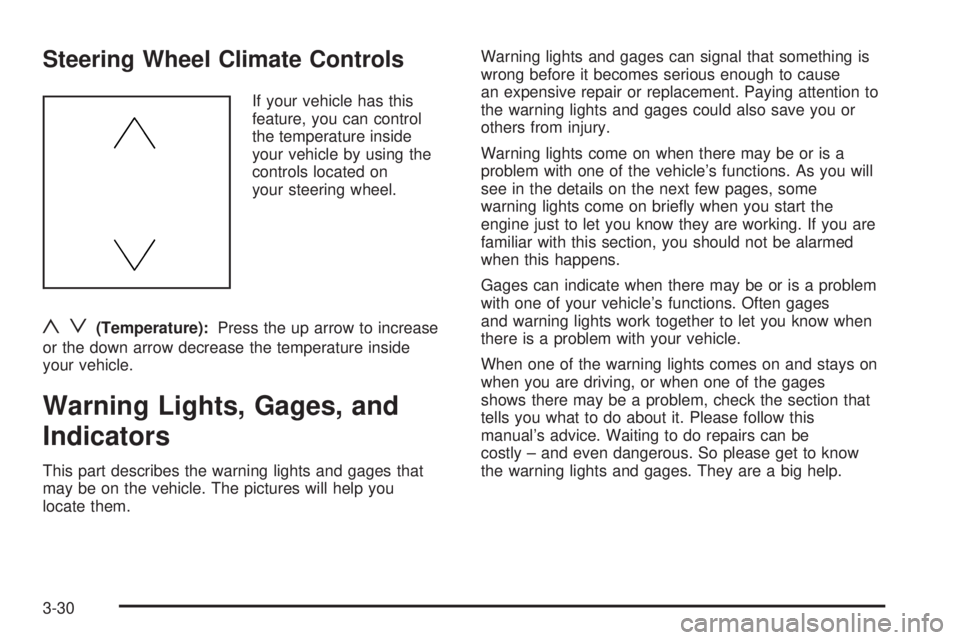
Steering Wheel Climate Controls
If your vehicle has this
feature, you can control
the temperature inside
your vehicle by using the
controls located on
your steering wheel.
yz(Temperature):Press the up arrow to increase
or the down arrow decrease the temperature inside
your vehicle.
Warning Lights, Gages, and
Indicators
This part describes the warning lights and gages that
may be on the vehicle. The pictures will help you
locate them.Warning lights and gages can signal that something is
wrong before it becomes serious enough to cause
an expensive repair or replacement. Paying attention to
the warning lights and gages could also save you or
others from injury.
Warning lights come on when there may be or is a
problem with one of the vehicle’s functions. As you will
see in the details on the next few pages, some
warning lights come on briey when you start the
engine just to let you know they are working. If you are
familiar with this section, you should not be alarmed
when this happens.
Gages can indicate when there may be or is a problem
with one of your vehicle’s functions. Often gages
and warning lights work together to let you know when
there is a problem with your vehicle.
When one of the warning lights comes on and stays on
when you are driving, or when one of the gages
shows there may be a problem, check the section that
tells you what to do about it. Please follow this
manual’s advice. Waiting to do repairs can be
costly – and even dangerous. So please get to know
the warning lights and gages. They are a big help.
3-30
Page 232 of 410
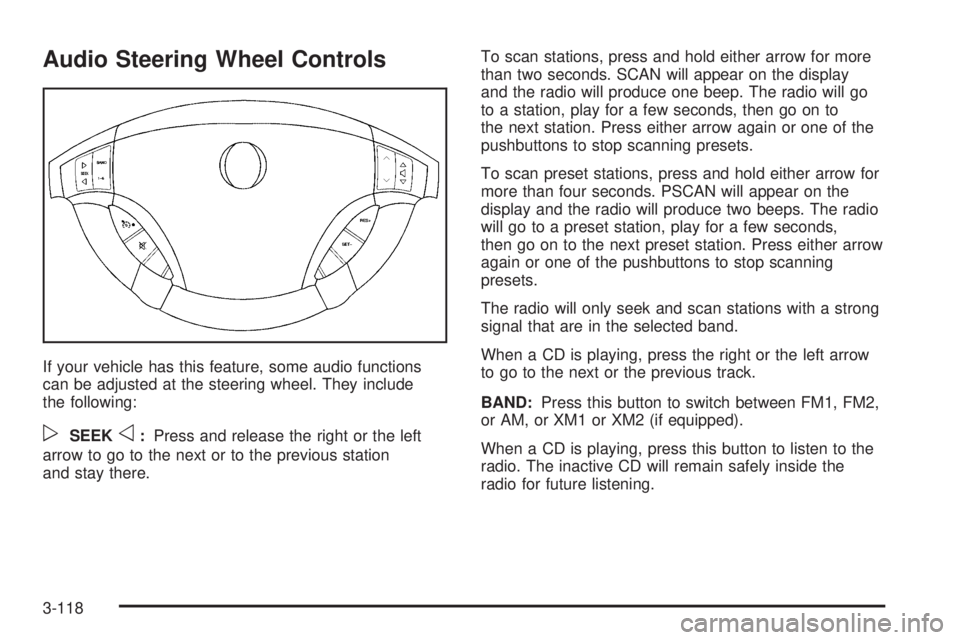
Audio Steering Wheel Controls
If your vehicle has this feature, some audio functions
can be adjusted at the steering wheel. They include
the following:
pSEEKo:Press and release the right or the left
arrow to go to the next or to the previous station
and stay there.To scan stations, press and hold either arrow for more
than two seconds. SCAN will appear on the display
and the radio will produce one beep. The radio will go
to a station, play for a few seconds, then go on to
the next station. Press either arrow again or one of the
pushbuttons to stop scanning presets.
To scan preset stations, press and hold either arrow for
more than four seconds. PSCAN will appear on the
display and the radio will produce two beeps. The radio
will go to a preset station, play for a few seconds,
then go on to the next preset station. Press either arrow
again or one of the pushbuttons to stop scanning
presets.
The radio will only seek and scan stations with a strong
signal that are in the selected band.
When a CD is playing, press the right or the left arrow
to go to the next or the previous track.
BAND:Press this button to switch between FM1, FM2,
or AM, or XM1 or XM2 (if equipped).
When a CD is playing, press this button to listen to the
radio. The inactive CD will remain safely inside the
radio for future listening.
3-118
Page 241 of 410
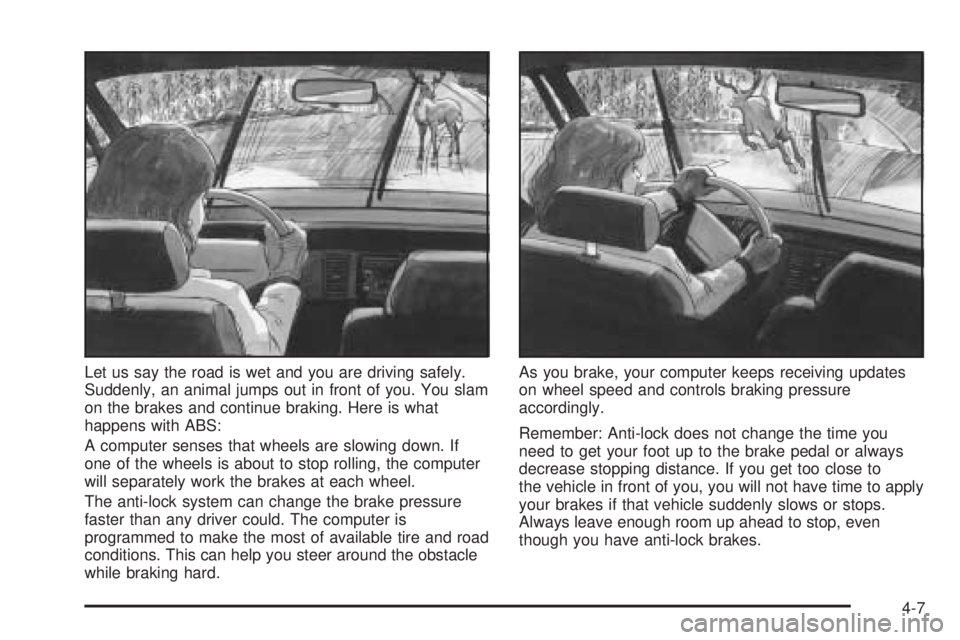
Let us say the road is wet and you are driving safely.
Suddenly, an animal jumps out in front of you. You slam
on the brakes and continue braking. Here is what
happens with ABS:
A computer senses that wheels are slowing down. If
one of the wheels is about to stop rolling, the computer
will separately work the brakes at each wheel.
The anti-lock system can change the brake pressure
faster than any driver could. The computer is
programmed to make the most of available tire and road
conditions. This can help you steer around the obstacle
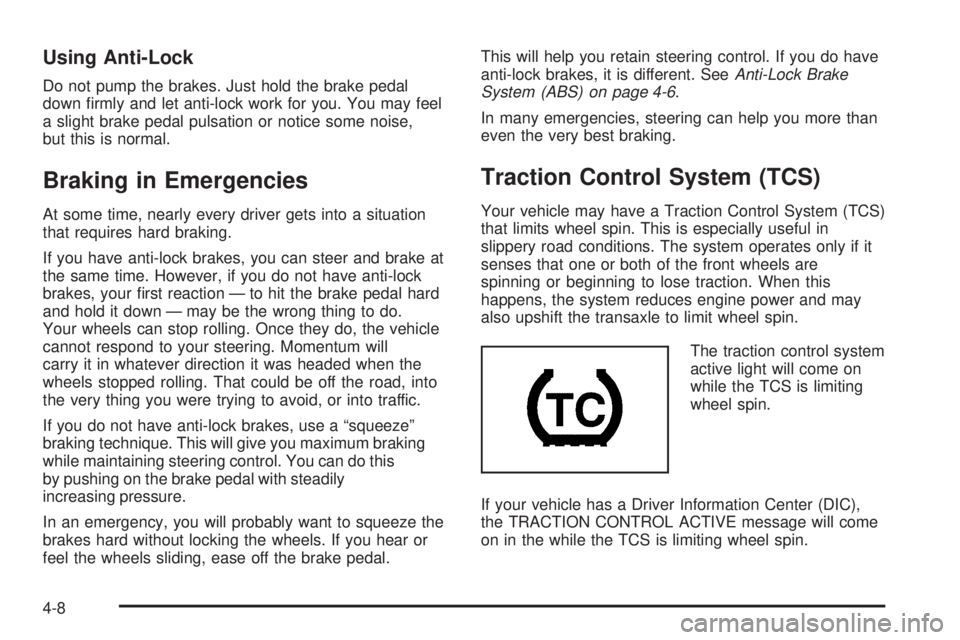
while braking hard.As you brake, your computer keeps receiving updates
on wheel speed and controls braking pressure
accordingly.
Remember: Anti-lock does not change the time you
need to get your foot up to the brake pedal or always
decrease stopping distance. If you get too close to
the vehicle in front of you, you will not have time to apply
your brakes if that vehicle suddenly slows or stops.
Always leave enough room up ahead to stop, even
though you have anti-lock brakes.
4-7
Page 242 of 410
Using Anti-Lock
Do not pump the brakes. Just hold the brake pedal
down rmly and let anti-lock work for you. You may feel
a slight brake pedal pulsation or notice some noise,
but this is normal.
Braking in Emergencies
At some time, nearly every driver gets into a situation
that requires hard braking.
If you have anti-lock brakes, you can steer and brake at
the same time. However, if you do not have anti-lock
brakes, your rst reaction — to hit the brake pedal hard
and hold it down — may be the wrong thing to do.
Your wheels can stop rolling. Once they do, the vehicle
cannot respond to your steering. Momentum will
carry it in whatever direction it was headed when the
wheels stopped rolling. That could be off the road, into
the very thing you were trying to avoid, or into traffic.
If you do not have anti-lock brakes, use a “squeeze”
braking technique. This will give you maximum braking
while maintaining steering control. You can do this
by pushing on the brake pedal with steadily
increasing pressure.
In an emergency, you will probably want to squeeze the
brakes hard without locking the wheels. If you hear or
feel the wheels sliding, ease off the brake pedal.This will help you retain steering control. If you do have
anti-lock brakes, it is different. SeeAnti-Lock Brake
System (ABS) on page 4-6.
In many emergencies, steering can help you more than
even the very best braking.
Traction Control System (TCS)
Your vehicle may have a Traction Control System (TCS)
that limits wheel spin. This is especially useful in
slippery road conditions. The system operates only if it
senses that one or both of the front wheels are
spinning or beginning to lose traction. When this
happens, the system reduces engine power and may
also upshift the transaxle to limit wheel spin.
The traction control system
active light will come on
while the TCS is limiting
wheel spin.
If your vehicle has a Driver Information Center (DIC),
the TRACTION CONTROL ACTIVE message will come
on in the while the TCS is limiting wheel spin.
4-8
Page 243 of 410
You may feel or hear the system working, but this is
normal.
If the vehicle is in cruise control when the TCS begins
to limit wheel spin, the cruise control will automatically
disengage. When road conditions allow safe use of
the cruise control, it can be used again. SeeCruise
Control on page 3-10.
The TCS operates in all transaxle shift lever positions.
But the system can upshift the transaxle only as high as
the shift lever position that was chosen, so use the
lower gears only when necessary. SeeAutomatic
Transaxle Operation on page 2-24.
To limit wheel spin, especially in slippery road
conditions, you should always leave the TCS on. But
you can turn the system off if you ever need to. The TCS
should be turned off if the vehicle ever gets stuck in
sand, mud or snow and rocking the vehicle is required.
SeeRocking Your Vehicle to Get It Out on page 4-28
andIf Your Vehicle is Stuck in Sand, Mud, Ice or Snow
on page 4-28.
To turn the TCS on or off, press the TCS button located
directly behind the gear shift lever. If your vehicle has
a DIC, the TCS button is located above the radio.
When the TCS is turned off, the TCS warning light will
come on. It will disappear when the TCS is turned
back on. If the TCS is limiting wheel spin when the TCS
button is pressed, the TCS warning light will come on
and the TCS will turn off right away.StabiliTrak®System
Your vehicle may be equipped with a vehicle stability
enhancement system called StabiliTrak®.Itisan
advanced computer controlled system that assists you
with directional control of the vehicle in difficult
driving conditions.
StabiliTrak
®activates when the computer senses a
discrepancy between your intended path and the
direction the vehicle is actually traveling. StabiliTrak
®
selectively applies braking pressure at any one of
the vehicle’s brakes to help steer the vehicle in the
direction which you are steering.
When the system activates, a STABILITY CONTROL
ACTIVE message will be displayed on the Driver
Information Center (DIC). SeeDIC Warnings and
Messages on page 3-53. You may also hear a noise or
feel vibration in the brake pedal. This is normal. Continue
to steer the vehicle in the direction you want it to go.
If there is a problem detected with StabiliTrak
®,a
SERVICE STABILITY SYSTEM message will be
displayed on the Driver Information Center (DIC). See
DIC Warnings and Messages on page 3-53. When
this message is displayed, the system is not operational.
Driving should be adjusted accordingly.
If your vehicle is in cruise control when the StabiliTrak
®
activates, the cruise control will automatically
disengage. When road conditions allow you to safely
use it again, you may reengage the cruise control. See
Cruise Control on page 3-10for more information.
4-9
Page 244 of 410
Steering
Power Steering
If you lose power steering assist because the engine
stops or the system is not functioning, you can steer but
it will take much more effort.
Steering Tips
Driving on Curves
It is important to take curves at a reasonable speed.
A lot of the “driver lost control” accidents mentioned on
the news happen on curves. Here is why:
Experienced driver or beginner, each of us is subject to
the same laws of physics when driving on curves.
The traction of the tires against the road surface makes
it possible for the vehicle to change its path when
you turn the front wheels. If there is no traction, inertia
will keep the vehicle going in the same direction. If
you have ever tried to steer a vehicle on wet ice, you
will understand this.
The traction you can get in a curve depends on the
condition of your tires and the road surface, the angle at
which the curve is banked, and your speed. While
you are in a curve, speed is the one factor you
can control.Suppose you are steering through a sharp curve.
Then you suddenly apply the brakes. Both control
systems — steering and braking — have to do their
work where the tires meet the road. Unless you
have four-wheel anti-lock brakes, adding the hard
braking can demand too much of those places. You can
lose control.
The same thing can happen if you are steering through
a sharp curve and you suddenly accelerate. Those
two control systems — steering and acceleration — can
overwhelm those places where the tires meet the
road and make you lose control. SeeTraction Control
System (TCS) on page 4-8.
What should you do if this ever happens? Ease up on
the brake or accelerator pedal, steer the vehicle the way
you want it to go, and slow down.
Speed limit signs near curves warn that you should
adjust your speed. Of course, the posted speeds
are based on good weather and road conditions. Under
less favorable conditions you will want to go slower.
If you need to reduce your speed as you approach
a curve, do it before you enter the curve, while your front
wheels are straight ahead.
Try to adjust your speed so you can “drive” through the
curve. Maintain a reasonable, steady speed. Wait to
accelerate until you are out of the curve, and then
accelerate gently into the straightaway.
4-10
Page 245 of 410
Steering in Emergencies
There are times when steering can be more effective
than braking. For example, you come over a hill and nd
a truck stopped in your lane, or a car suddenly pulls
out from nowhere, or a child darts out from between
parked cars and stops right in front of you. You
can avoid these problems by braking — if you can stop
in time. But sometimes you cannot; there is not room.
That is the time for evasive action — steering around
the problem.
Your vehicle can perform very well in emergencies like
these. First apply your brakes.
SeeBraking on page 4-5. It is better to remove as much
speed as you can from a possible collision. Then
steer around the problem, to the left or right depending
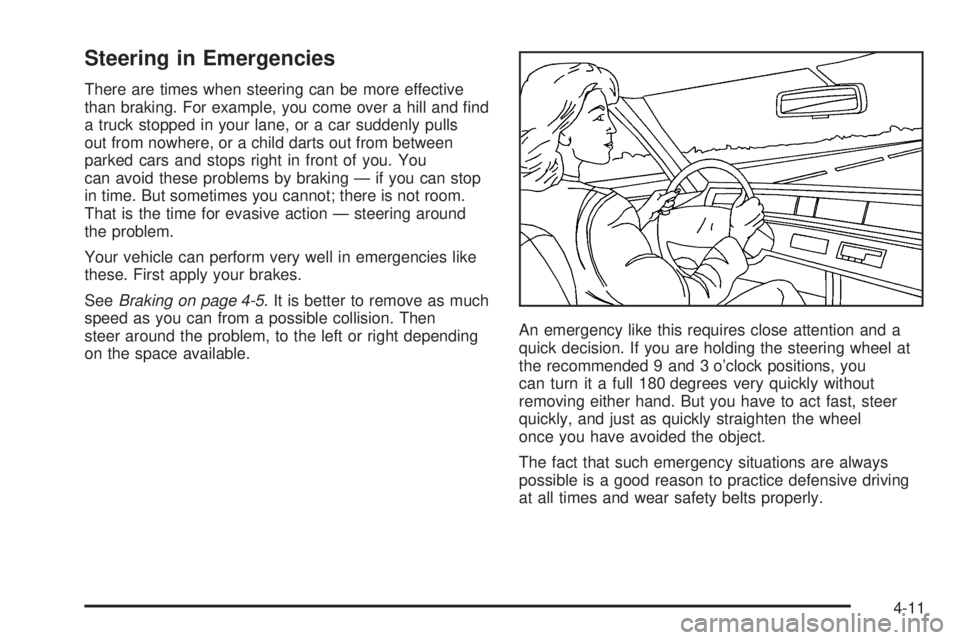
on the space available.An emergency like this requires close attention and a
quick decision. If you are holding the steering wheel at
the recommended 9 and 3 o’clock positions, you
can turn it a full 180 degrees very quickly without
removing either hand. But you have to act fast, steer
quickly, and just as quickly straighten the wheel
once you have avoided the object.
The fact that such emergency situations are always
possible is a good reason to practice defensive driving
at all times and wear safety belts properly.
4-11