Page 135 of 312

The rear system selects the source it
waslastsetto.Ifthatsourcehas
been removed (the DVD has been
ejected f rom the player, f or example),
youwillsee‘‘____’’inthedisplay.
You must select another source.Whenyouturnonthesystem,the
rear speakers are automatically
turned off. You will see the Rear
Speakers Of f icon in the display. The
sound f or the rear system is sent to
the wireless headphones.
If youwanttoturntherearspeakers
on again, press and hold the REAR
PWR button until the Rear Speakers
Of f icon goes of f .
The rear speakers are
connected to the f ront system, so
they will always play the source that
the f ront system is set to.
With this system, the rear
passengers can enjoy a dif f erent
entertainment source (AM/FM
radio, XM radio, CD changer, DVD
player or AUX) than the front seat
occupants. The audio is broadcast
through the supplied wireless
headphones.
Press the REAR PWR button. To
turn on the rear controls (ceiling
panel or remote), press the REAR
CTRL knob. The system’s icon
shows in the right side display. Your
passengers can then operate the rear
system with the control panel in the
ceiling or with the remote control.
Press the REAR CTRL knob again to
turn the rear controls off. You will
seetheRearControlsOff iconinthe
right display.
If equippedRear Speakers
To Turn On the System
Rear Entertainment System
Features
133
NOTE:
Page 136 of 312

�Î
�Î
The DVD player in your Rear
Entertainment System can play DVD
video discs and CDs. It features
Dolby noise reduction.
To play the radio or XM radio, the
buttons f or the f ront entertainment
system have the same f unctions.
If aCDisloadedinthemainCD
changer, select CD/CHG. If the CD
is loaded in the lower player, select
DVD/AUX. Open the overhead screen by
pushingonthebutton.Thescreen
will swing down part-way. Pivot the
screen the rest of the way (to detent
one or two). If you pivot the screen
too f ar f orward, past detent three,
the display will turn of f . Pivot the
screen back to the detent to turn the
display back on. To close the screen,
pivot it up until it latches.
To operate the rear entertainment
system from the front panel, turn the
REAR CTRL knob clockwise. The
amber RR LED comes on to show
that the control panel is enabled.
Dolby noise reduction manuf actured under
license from Dolby Laboratories Licensing Corpo-
ration. ‘‘DOLBY’’ and the double-D symbol are trademarks of Dolby Laboratories
Licensing Corporation.
To Select Rear Entertainment
f rom the Front Control Panel Operating the DVD Player f rom
the Front Control Panel
Rear Entertainment System
134
REAR CONTROL PANEL
BUTTON
OVERHEAD SCREEN
Page 138 of 312
Use these buttons to select the
entertainment source (radio, XM
radio, CD changer, or DVD player/
Auxiliary device). The selected
source will be shown in the display.
Make sure the rear control operation
has not been disabled with the REAR
CTRL knob on the f ront panel.
Use the and buttons to
select from the stations on the radio
preset buttons. Pressing the orbutton will cause the system to
search up or down the band f or a
station with a strong signal. You will
seeSEEKinthedisplay. When the display is open,
use the manual controls to select
icons f rom the menu. Using the Rear Control Panel
To Play the Radio f rom the Rear
Control Panel
Rear Entertainment System
136
NOTE:
SOURCE SELECTION BUTTONS
SEEK/SKIP
BUTTON
CH/DISK
BUTTON
MENU BUTTON
SEEK/SKIP
BUTTON
PLAY/PAUSE/PROG BUTTON ENTER BUTTON CH/DISK BUTTON REAR CONTROLS
OFF INDICATOR
Page 140 of 312
You can use the remote control to
select the entertainment source
(radio, CD player, or DVD player/
Auxiliary device). The selected
source will be shown in the display.
Make sure the rear control operation
has not been disabled with the RR
CTRL knob on the f ront panel.
When using the remote control,
point it at the rear control panel in
the ceiling.
ThePLAY/PROG,PAUSE,SKIP,
and FWD/REW buttons work the
same f unction as the f ront and rear
control panel buttons.
ThePLAY/PROG,PAUSE,SKIP,
and FWD/REW buttons work the
same f unction as the f ront and rear
control panel buttons. Using the Remote Control
To Play a CD or Radio
To Play a DVD
Rear Entertainment System
138
SOURCE SELECTION
BUTTONSSEEK/SKIP BUTTONS
DISP BUTTON
POWER (T/C) BUTTON
REW/FWD BUTTONS
STOP BUTTON
PAUSE BUTTON
TITLE/CAPTER BUTTON
SET-UP BUTTON
MENU BUTTON
RETURN BUTTON PLAY/PROG BUTTON
XM MODE BUTTON
Page 147 of 312
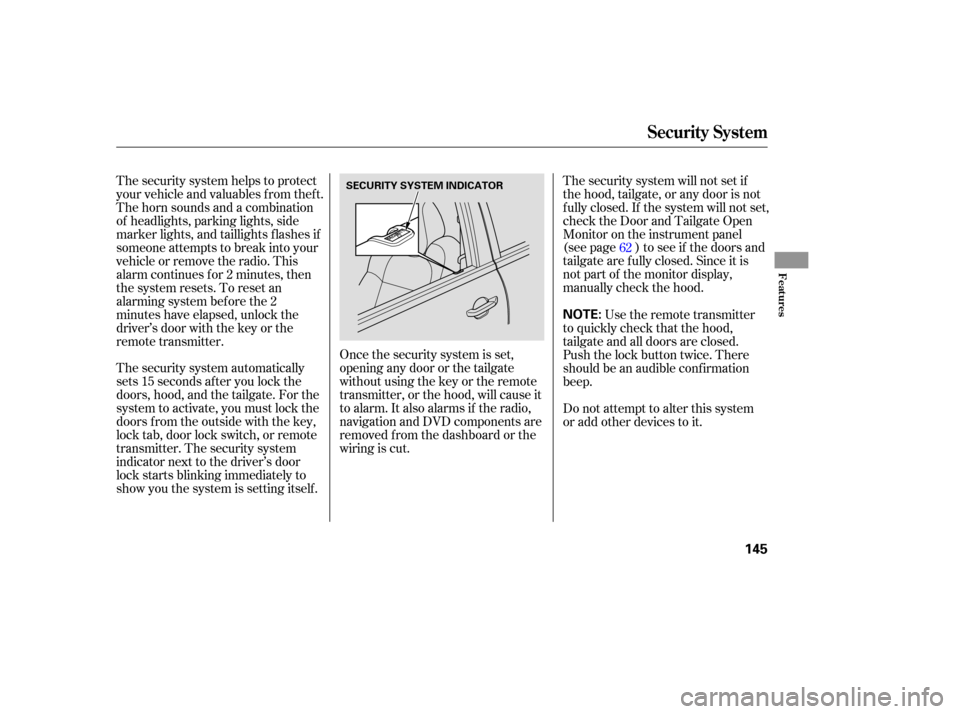
The security system automatically
sets 15 seconds after you lock the
doors, hood, and the tailgate. For the
system to activate, you must lock the
doors f rom the outside with the key,
lock tab, door lock switch, or remote
transmitter. The security system
indicator next to the driver’s door
lock starts blinking immediately to
show you the system is setting itself .The security system will not set if
the hood, tailgate, or any door is not
f ully closed. If the system will not set,
check the Door and Tailgate Open
Monitor on the instrument panel
(see page ) to see if the doors and
tailgate are f ully closed. Since it is
notpartofthemonitordisplay,
manually check the hood.
The security system helps to protect
your vehicle and valuables f rom thef t.
The horn sounds and a combination
of headlights, parking lights, side
marker lights, and taillights f lashes if
someone attempts to break into your
vehicleorremovetheradio.This
alarm continues f or 2 minutes, then
the system resets. To reset an
alarming system bef ore the 2
minutes have elapsed, unlock the
driver’s door with the key or the
remote transmitter.
Once the security system is set,
opening any door or the tailgate
without using the key or the remote
transmitter, or the hood, will cause it
to alarm. It also alarms if the radio,
navigation and DVD components are
removed f rom the dashboard or the
wiring is cut. Use the remote transmitter
to quickly check that the hood,
tailgate and all doors are closed.
Push the lock button twice. There
should be an audible conf irmation
beep.
Do not attempt to alter this system
or add other devices to it. 62
Security System
Features
145
NOTE:
SECURITY SYSTEM INDICATOR
Page 193 of 312

Modif ying your vehicle, or installing
some non-Acura accessories, can
make your vehicle unsaf e. Bef ore
you make any modif ications or add
anyaccessories,besuretoreadthe
f ollowing inf ormation.Bef ore installing any accessory:
Make sure the accessory does not
obscure any lights, or interf ere
with proper vehicle operation or
perf ormance.
Be sure electronic accessories do
not overload electrical circuits
(see page ) or interf ere with
proper operation of your vehicle.
Do not install accessories on the
side pillars or across the rear
windows as these may interf ere
with proper operation of the side
curtain airbags.
Your dealer has Acura accessories
that allow you to personalize your
vehicle. These accessories have
been designed and approved f or your
vehicle, and are covered by warranty.
Although aftermarket accessories
may f it on your vehicle, they may not
meet f actory specif ications, and
could adversely af f ect your vehicle’s
handling and stability.
When properly installed, cellular
phones, alarms, two-way radios, and
low-powered audio systems should
not interf ere with your vehicle’s
computer controlled systems, such
as your airbags, anti-lock brakes, and
Tire Pressure Monitoring System.
Bef ore installing any accessory,
have the installer contact your
dealer f or assistance.
If possible, have your dealer
inspect the f inal installation.280
A ccessories and Modif ications
A ccessories
Bef ore Driving
191
Improper accessories or
modifications can affect your
vehicle’s handling, stability, and
performance, and cause a
crash in which you can be hurt
or killed.
Follow all instructions in this
owner’s manual regarding
accessories and modifications.
Page 224 of 312

Your MDX can be towed behind a
motorhome at legal highway speeds
up to 65 mph (100 km/h). Do not
exceed 65 mph (100 km/h) or severe
transmission damage will occur. To
avoid damage to the 4WD system, it
must be towed with all f our wheels
on the ground (f lat towing).
When purchasing a tow bar, make
sure you select a reputable
manuf acturer. Follow the
manufacturer’s attachment
instructions caref ully.
Perf orm this procedure every day
immediately bef ore you begin towing.
Otherwise, severe automatic
transmission damage will occur.Start the engine. Check the transmission f luid level
(see page ). Press on the brake pedal. Shif t the
lever through all the positions (P,
R,N,D,D,D,2,1).
ShifttoD ,thentoN.Letthe
engine run f or three minutes, then
turn it off.
Release the parking brake.
Leave the ignition switch in the
ACCESSORY (I) position so the
steering wheel does not lock.
Make sure the radio and any items
plugged into the accessory power
sockets are turned of f so you do
not run down the battery.
If you tow more than 8 hours in one
day, you should repeat the above
procedure at least every 8 hours
(when you stop f or f uel, etc.)
242
543 5
Ext ended T owing
Towing Your Vehicle Behind a Motorhome
222
The steering system can be damaged if
the steering wheel is locked. Leave the
ignition switch in the ACCESSORY (I)
position, and make sure the steering
wheel turns f reely bef ore you begin
towing.
Page 279 of 312

If you cannot drive the vehicle
without f ixing the problem, and you
do not have a spare fuse, take a fuse
of the same rating or a lower rating
f rom one of the other circuits. Make
sureyoucandowithoutthatcircuit
temporarily (such as the accessory
power socket or radio).
If you replace the blown f use with a
spare f use that has a lower rating, it
might blow out again. This does not
indicate anything wrong. Replace the
f use with one of the correct rating as
soon as you can.
Look f or a burned wire inside the
f use. If it is burned, replace it with
oneof thesparefusesof thesame
rating or lower.
If the radio f use is removed, the
audio system will disable itself . The
nexttimeyouturnontheradioyou
will see ‘‘ ’’ in the f requency
display. Use the preset buttons to
enter the f ive-digit code (see page).
If the replacement fuse of the
same rating blows in a short time,
there is probably a serious
electrical problem with your
vehicle. Leave the blown fuse in
that circuit, and have your vehicle
checked by a qualif ied mechanic.
6.
5.
131
Fuses
T aking Care of t he Unexpect ed
277
BLOWN
Replacing a f use with one that has a
higher rating greatly increases the
chances of damaging the electrical
system. If you do not have a
replacement f use with the proper rating
f or the circuit, install one with a lower
rating.

