Page 276 of 506
04 SIENNA_U (L/O 0408)
270
2004 SIENNA from Aug. ’04 Prod. (OM45422U)
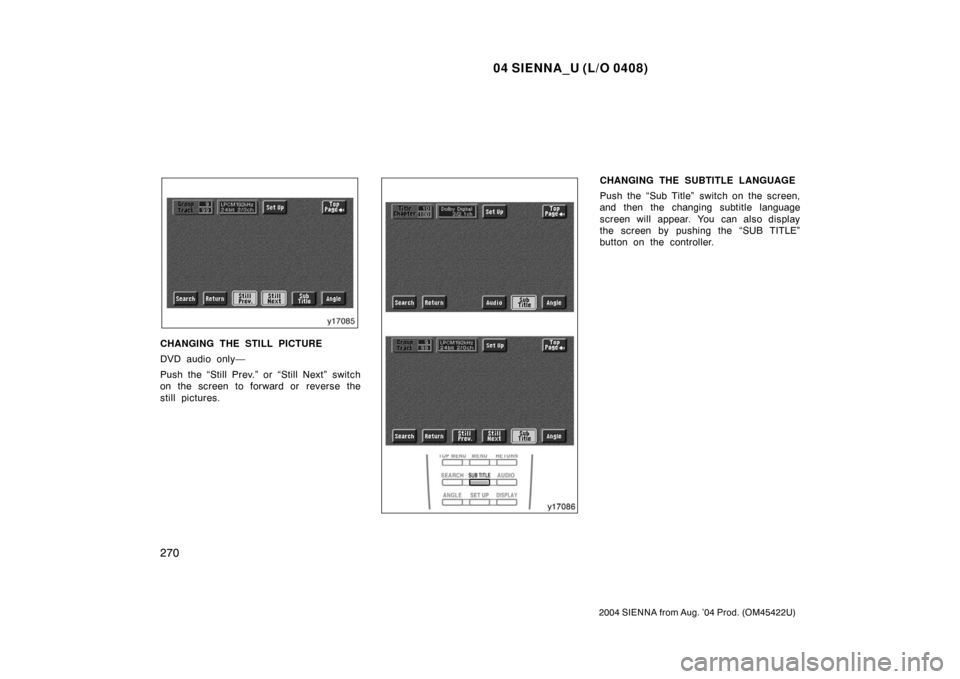
CHANGING THE STILL PICTURE
DVD audio only—
Push the “Still Prev.” or “Still Next” switch
on the screen to forward or reverse the
still pictures.
CHANGING THE SUBTITLE LANGUAGE
Push the “Sub Title” switch on the screen,
and then the changing subtitle language
screen will appear. You can also display
the screen by pushing the “SUB TITLE”
button on the controller.
Page 277 of 506
04 SIENNA_U (L/O 0408)
271
2004 SIENNA from Aug. ’04 Prod. (OM45422U)
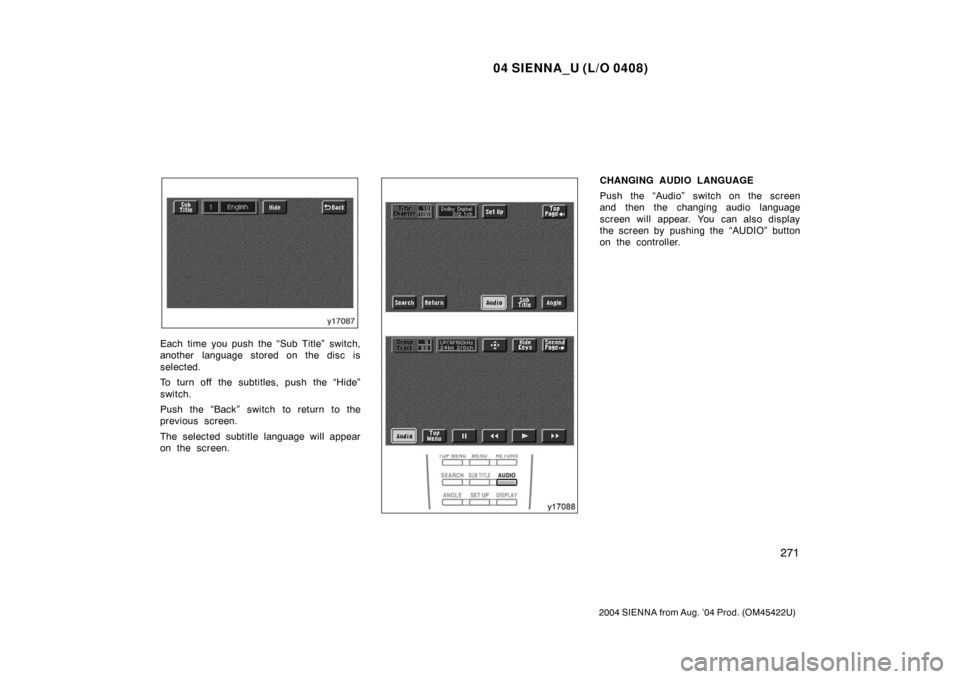
Each time you push the “Sub Title” switch,
another language stored on the disc is
selected.
To turn off the subtitles, push the “Hide”
switch.
Push the “Back” switch to return to the
previous screen.
The selected subtitle language will appear
on the screen.
CHANGING AUDIO LANGUAGE
Push the “Audio” switch on the screen
and then the changing audio language
screen will appear. You can also display
the screen by pushing the “AUDIO” button
on the controller.
Page 278 of 506
04 SIENNA_U (L/O 0408)
272
2004 SIENNA from Aug. ’04 Prod. (OM45422U)
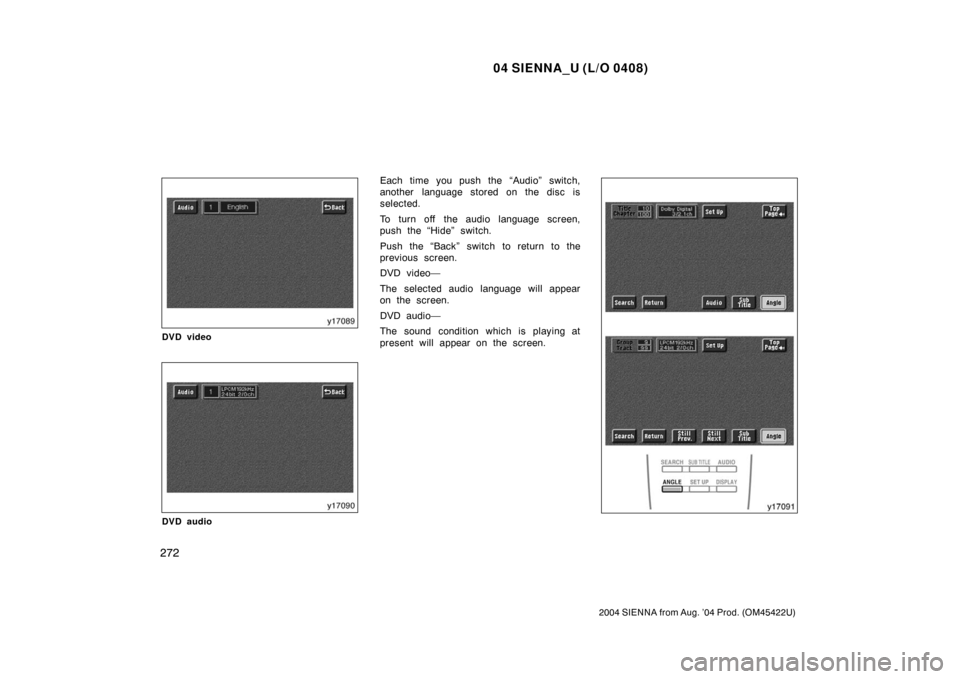
DVD video
DVD audio
Each time you push the “Audio” switch,
another language stored on the disc is
selected.
To turn off the audio language screen,
push the “Hide” switch.
Push the “Back” switch to return to the
previous screen.
DVD video—
The selected audio language will appear
on the screen.
DVD audio—
The sound condition which is playing at
present will appear on the screen.
Page 281 of 506
04 SIENNA_U (L/O 0408)
275
2004 SIENNA from Aug. ’04 Prod. (OM45422U)
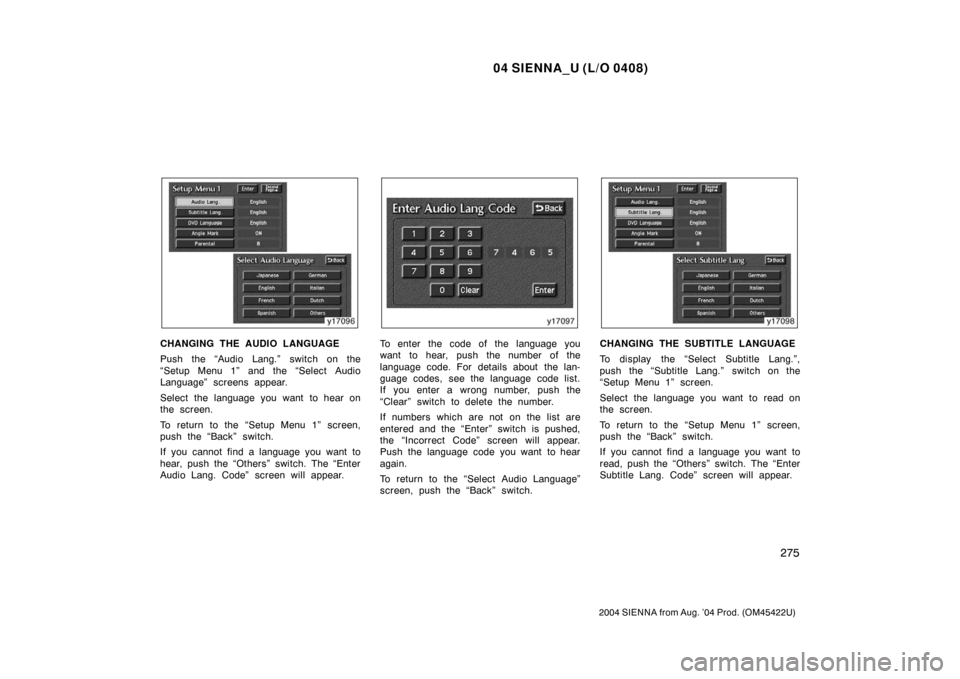
CHANGING THE AUDIO LANGUAGE
Push the “Audio Lang.” switch on the
“Setup Menu 1” and the “Select Audio
Language” screens appear.
Select the language you want to hear on
the screen.
To return to the “Setup Menu 1” screen,
push the “Back” switch.
If you cannot find a language you want to
hear, push the “Others” switch. The “Enter
Audio Lang. Code” screen will appear.To enter the code of the language you
want to hear, push the number of the
language code. For details about the lan-
guage codes, see the language code list.
If you enter a wrong number, push the
“Clear” switch to delete the number.
If numbers which are not on the list are
entered and the “Enter” switch is pushed,
the “Incorrect Code” screen will appear.
Push the language code you want to hear
again.
To return to the “Select Audio Language”
screen, push the “Back” switch.CHANGING THE SUBTITLE LANGUAGE
To display the “Select Subtitle Lang.”,
push the “Subtitle Lang.” switch on the
“Setup Menu 1” screen.
Select the language you want to read on
the screen.
To return to the “Setup Menu 1” screen,
push the “Back” switch.
If you cannot find a language you want to
read, push the “Others” switch. The “Enter
Subtitle Lang. Code” screen will appear.
Page 282 of 506
04 SIENNA_U (L/O 0408)
276
2004 SIENNA from Aug. ’04 Prod. (OM45422U)
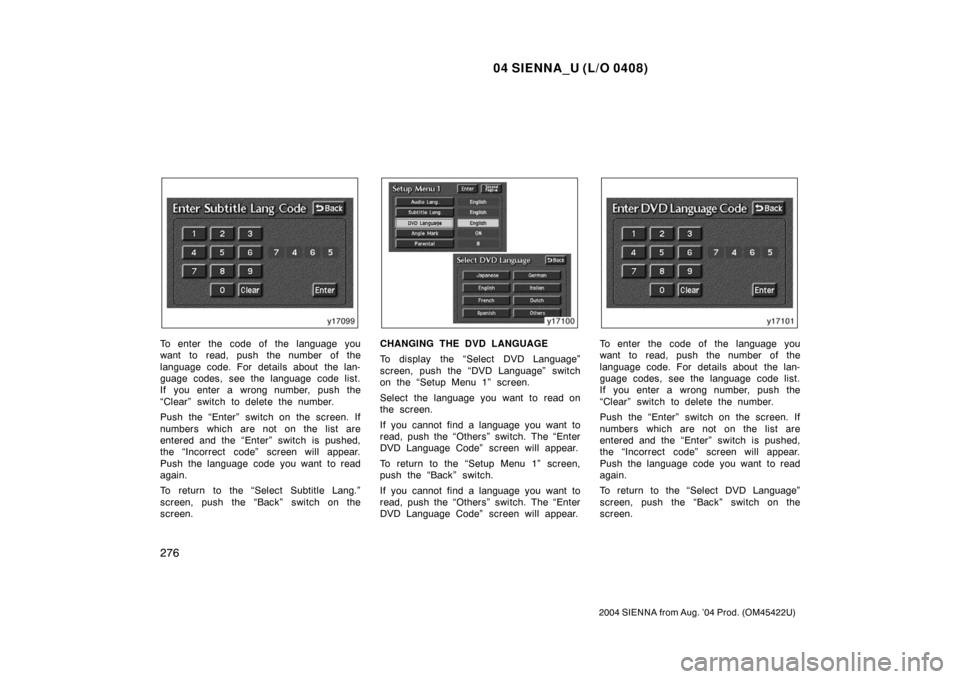
To enter the code of the language you
want to read, push the number of the
language code. For details about the lan-
guage codes, see the language code list.
If you enter a wrong number, push the
“Clear” switch to delete the number.
Push the “Enter” switch on the screen. If
numbers which are not on the list are
entered and the “Enter” switch is pushed,
the “Incorrect code” screen will appear.
Push the language code you want to read
again.
To return to the “Select Subtitle Lang.”
screen, push the “Back” switch on the
screen.CHANGING THE DVD LANGUAGE
To display the “Select DVD Language”
screen, push the “DVD Language” switch
on the “Setup Menu 1” screen.
Select the language you want to read on
the screen.
If you cannot find a language you want to
read, push the “Others” switch. The “Enter
DVD Language Code” screen will appear.
To return to the “Setup Menu 1” screen,
push the “Back” switch.
If you cannot find a language you want to
read, push the “Others” switch. The “Enter
DVD Language Code” screen will appear.To enter the code of the language you
want to read, push the number of the
language code. For details about the lan-
guage codes, see the language code list.
If you enter a wrong number, push the
“Clear” switch to delete the number.
Push the “Enter” switch on the screen. If
numbers which are not on the list are
entered and the “Enter” switch is pushed,
the “Incorrect code” screen will appear.
Push the language code you want to read
again.
To return to the “Select DVD Language”
screen, push the “Back” switch on the
screen.
Page 284 of 506
04 SIENNA_U (L/O 0408)
278
2004 SIENNA from Aug. ’04 Prod. (OM45422U)
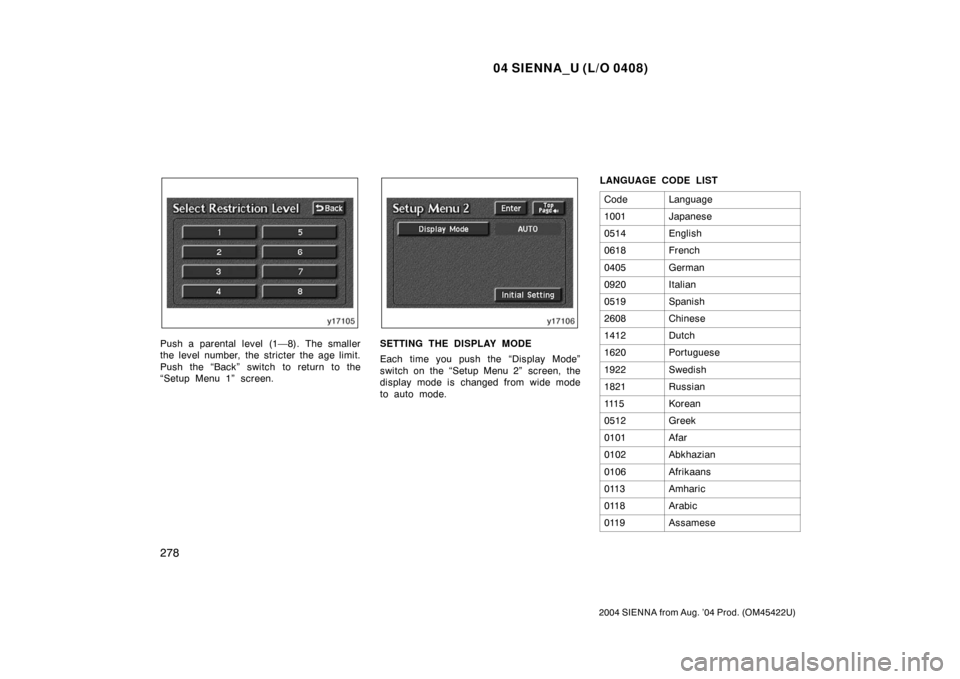
Push a parental level (1—8). The smaller
the level number, the stricter the age limit.
Push the “Back” switch to return to the
“Setup Menu 1” screen.SETTING THE DISPLAY MODE
Each time you push the “Display Mode”
switch on the “Setup Menu 2” screen, the
display mode is changed from wide mode
to auto mode.LANGUAGE CODE LIST
Code
Language
1001Japanese
0514English
0618French
0405German
0920Italian
0519Spanish
2608Chinese
1412Dutch
1620Portuguese
1922Swedish
1821Russian
111 5Korean
0512Greek
0101Afar
0102Abkhazian
0106Afrikaans
0113Amharic
0118Arabic
0119Assamese
Page 294 of 506
04 SIENNA_U (L/O 0408)
288
2004 SIENNA from Aug. ’04 Prod. (OM45422U)
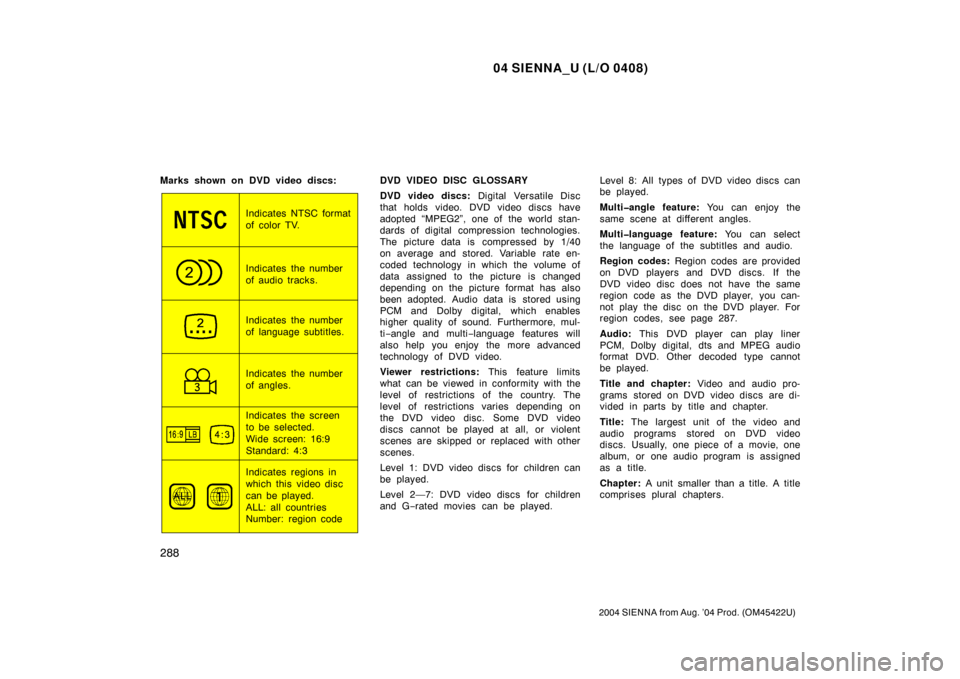
Marks shown on DVD video discs:
Indicates NTSC format
of color TV.
Indicates the number
of audio tracks.
Indicates the number
of language subtitles.
Indicates the number
of angles.
Indicates the screen
to be selected.
Wide screen: 16:9
Standard: 4:3
Indicates regions in
which this video disc
can be played.
ALL: all countries
Number: region codeDVD VIDEO DISC GLOSSARY
DVD video discs:
Digital Versatile Disc
that holds video. DVD video discs have
adopted “MPEG2”, one of the world stan-
dards of digital compression technologies.
The picture data is compressed by 1/40
on average and stored. Variable rate en-
coded technology in which the volume of
data assigned to the picture is changed
depending on the picture format has also
been adopted. Audio data is stored using
PCM and Dolby digital, which enables
higher quality of sound. Furthermore, mul-
ti −angle and multi −language features will
also help you enjoy the more advanced
technology of DVD video.
Viewer restrictions: This feature limits
what can be viewed in conformity with the
level of restrictions of the country. The
level of restrictions varies depending on
the DVD video disc. Some DVD video
discs cannot be played at all, or violent
scenes are skipped or replaced with other
scenes.
Level 1: DVD video discs for children can
be played.
Level 2—7: DVD video discs for children
and G −rated movies can be played. Level 8: All types of DVD video discs can
be played.
Multiangle feature:
You can enjoy the
same scene at different angles.
Multilanguage feature: You can select
the language of the subtitles and audio.
Region codes: Region codes are provided
on DVD players and DVD discs. If the
DVD video disc does not have the same
region code as the DVD player, you can-
not play the disc on the DVD player. For
region codes, see page 287.
Audio: This DVD player can play liner
PCM, Dolby digital, dts and MPEG audio
format DVD. Other decoded type cannot
be played.
Title and chapter: Video and audio pro-
grams stored on DVD video discs are di-
vided in parts by title and chapter.
Title: The largest unit of the video and
audio programs stored on DVD video
discs. Usually, one piece of a movie, one
album, or one audio program is assigned
as a title.
Chapter: A unit smaller than a title. A title
comprises plural chapters.