Page 245 of 506
04 SIENNA_U (L/O 0408)
239
2004 SIENNA from Aug. ’04 Prod. (OM45422U)
REPLACING CONTROLLER BATTERY
For replacement, use a CR2025 lithium
battery or equivalent.
CAUTION
Special care should be taken that
small children do not swallow the re-
moved battery or components.
NOTICE
�When replacing the battery, be care-
ful not to lose the components.
� Replace only with the same or
equivalent type of battery recom-
mended by a Toyota dealer.
� Dispose of used batteries according
to the local regulations.
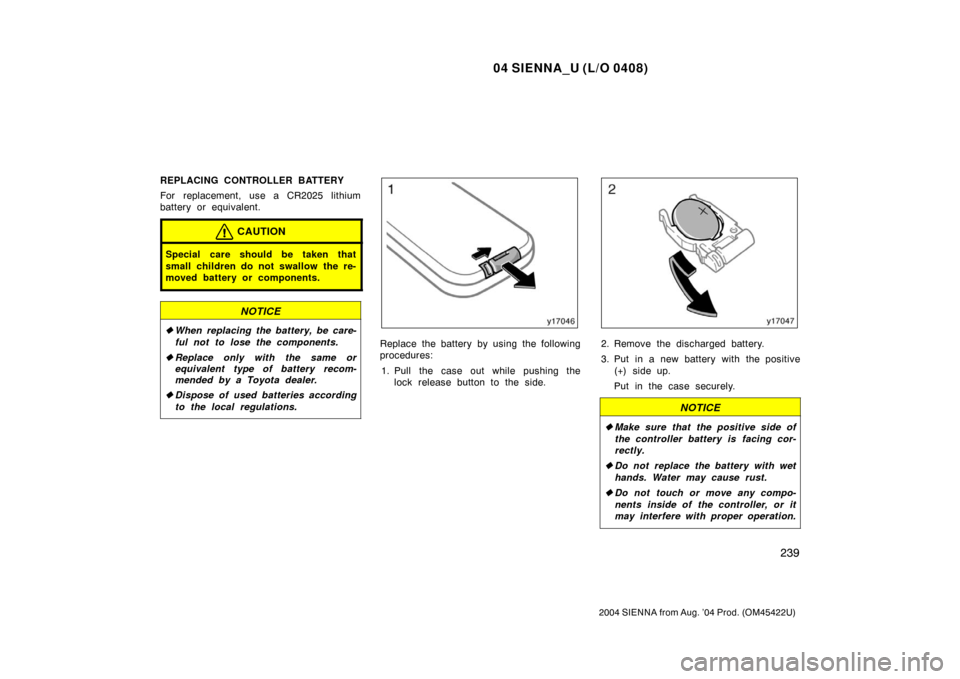
Replace the battery by using the following
procedures:
1. Pull the case out while pushing the lock release button to the side.2. Remove the discharged battery.
3. Put in a new battery with the positive
(+) side up.
Put in the case securely.
NOTICE
�Make sure that the positive side of
the controller battery is facing cor-
rectly.
� Do not replace the battery with wet
hands. Water may cause rust.
� Do not touch or move any compo-
nents inside of the controller, or it
may interfere with proper operation.
Page 246 of 506
04 SIENNA_U (L/O 0408)
240
2004 SIENNA from Aug. ’04 Prod. (OM45422U)
�Be careful not to bend the electrode
of the controller battery insertion
and that dust or oil does not ad-
here to the transmitter case.
� Close the battery case securely.
After replacing the battery, check that the
controller operates properly. If the control-
ler still does not operate properly, contact
your Toyota dealer.
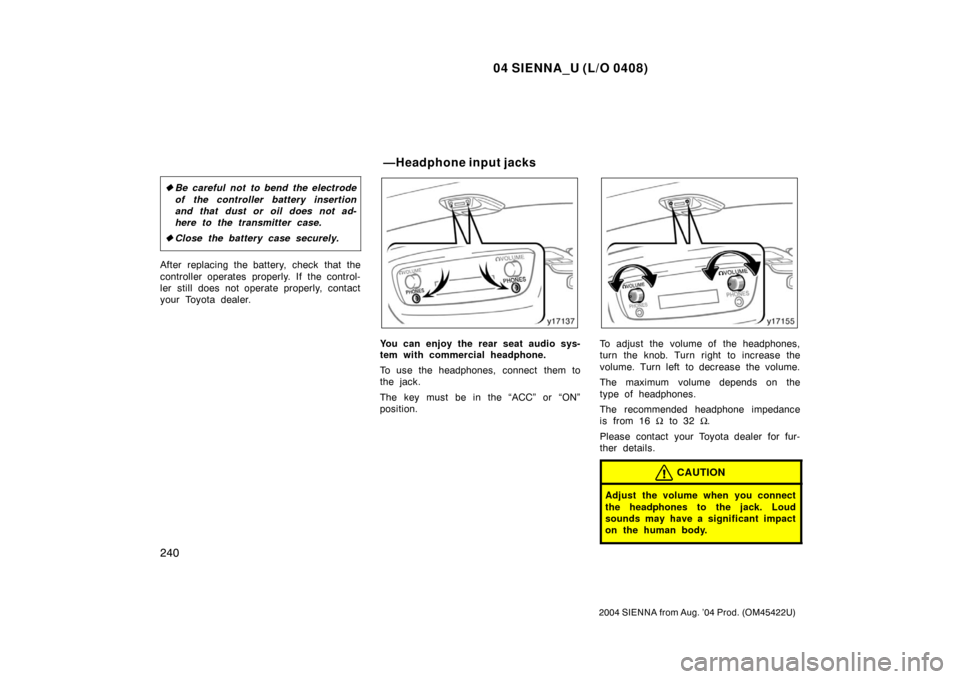
You can enjoy the rear seat audio sys-
tem with commercial headphone.
To use the headphones, connect them to
the jack.
The key must be in the “ACC” or “ON”
position.To adjust the volume of the headphones,
turn the knob. Turn right to increase the
volume. Turn left to decrease the volume.
The maximum volume depends on the
type of headphones.
The recommended headphone impedance
is from 16 Ω to 32 Ω.
Please contact your Toyota dealer for fur-
ther details.
CAUTION
Adjust the volume when you connect
the headphones to the jack. Loud
sounds may have a significant impact
on the human body.
—Headphone input j acks
Page 263 of 506
04 SIENNA_U (L/O 0408)
257
2004 SIENNA from Aug. ’04 Prod. (OM45422U)
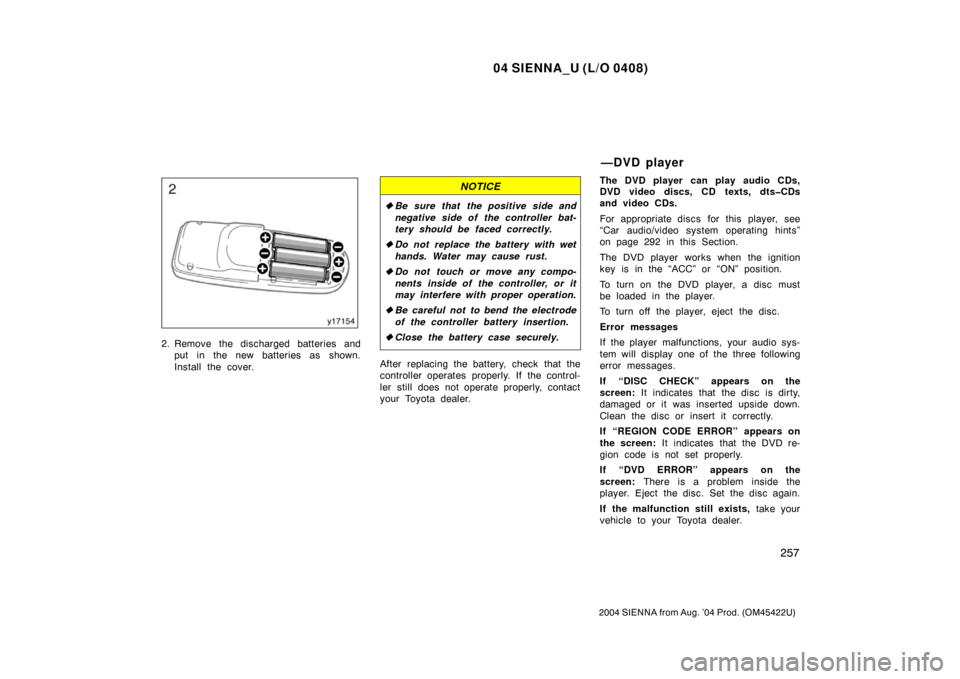
2. Remove the discharged batteries andput in the new batteries as shown.
Install the cover.
NOTICE
�Be sure that the positive side and
negative side of the controller bat-
tery should be faced correctly.
� Do not replace the battery with wet
hands. Water may cause rust.
� Do not touch or move any compo-
nents inside of the controller, or it
may interfere with proper operation.
� Be careful not to bend the electrode
of the controller battery insertion.
� Close the battery case securely.
After replacing the battery, check that the
controller operates properly. If the control-
ler still does not operate properly, contact
your Toyota dealer. The DVD player can play audio CDs,
DVD video discs, CD texts, dtsCDs
and video CDs.
For appropriate discs for this player, see
“Car audio/video system operating hints”
on page 292 in this Section.
The DVD player works when the ignition
key is in the “ACC” or “ON” position.
To turn on the DVD player, a disc must
be loaded in the player.
To turn off the player, eject the disc.
Error messages
If the player malfunctions, your audio sys-
tem will display one of the three following
error messages.
If “DISC CHECK” appears on the
screen:
It indicates that the disc is dirty,
damaged or it was inserted upside down.
Clean the disc or insert it correctly.
If “REGION CODE ERROR” appears on
the screen: It indicates that the DVD re-
gion code is not set properly.
If “DVD ERROR” appears on the
screen: There is a problem inside the
player. Eject the disc. Set the disc again.
If the malfunction still exists, take your
vehicle to your Toyota dealer.
—DVD player
Page 324 of 506
04 SIENNA_U (L/O 0408)
318
2004 SIENNA from Aug. ’04 Prod. (OM45422U)
“MODE” button
This button is used to select the item.
Every time you push the “MODE” button,
the display toggles.
For more details, see “—Outside tempera-
ture and cruise information display” on
page 321.
CAUTION
Do not adjust the display while the
vehicle is moving. Be sure to adjust
the display only when the vehicle is
stopped.
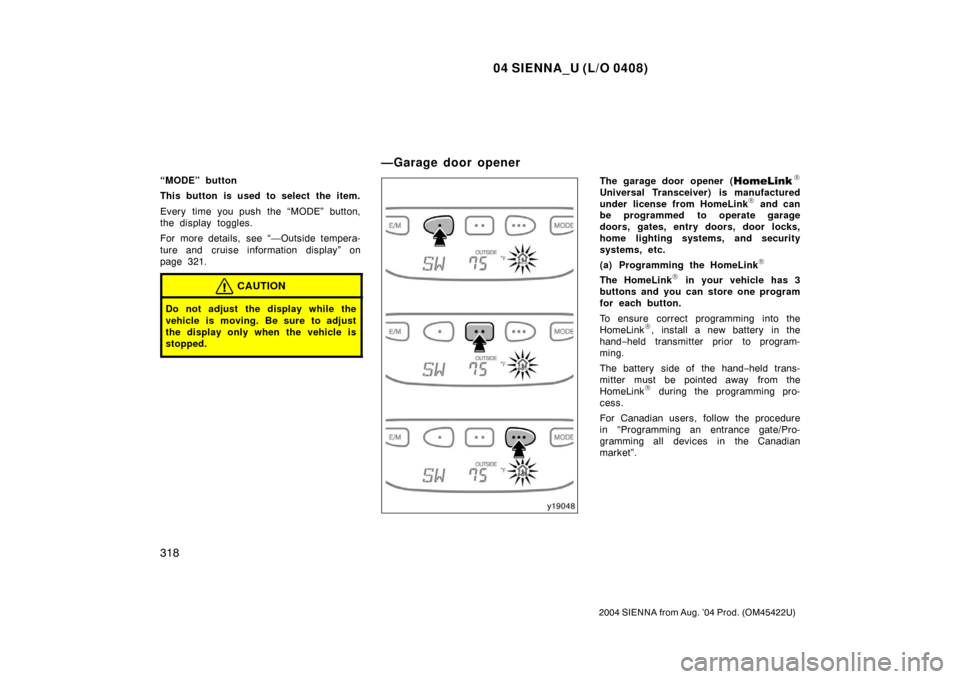
The garage door opener (\b
Universal Transceiver) is manufactured
under license from HomeLink\b and can
be programmed to operate garage
doors, gates, entry doors, door locks,
home lighting systems, and security
systems, etc.
(a) Programming the HomeLink
\b
The HomeLink\b in your vehicle has 3
buttons and you can store one program
for each button.
To ensure correct programming into the
HomeLink
\b, install a new battery in the
hand− held transmitter prior to program-
ming.
The battery side of the hand −held trans-
mitter must be pointed away from the
HomeLink
\b during the programming pro-
cess.
For Canadian users, follow the procedure
in “Programming an entrance gate/Pro-
gramming all devices in the Canadian
market”.
—Garage door opener
Page 326 of 506

04 SIENNA_U (L/O 0408)
320
2004 SIENNA from Aug. ’04 Prod. (OM45422U)
Programming an entrance gate/program-
ming all devices in the Canadian market1. Decide which of the 3 HomeLink
\b but-
tons you want to program.
2. Place your hand− held gate/device
transmitter 25 to 75 mm (1 to 3 in.)
away from the surface of the
HomeLink
\b.
Keep the indicator light on the HomeLink
\b
in view while programming. 3. Press and hold the selected HomeLink
\b button.
4. Continuously press and release ( cycle)
the hand− held gate/device transmitter
button every two seconds until step 5
is complete.
5. When the indicator light on the HomeLink
\b changes from a slow to a
rapid flash after 20 seconds, you can
release both buttons.
6. Test the operation of the HomeLink
\b by
pressing the newly programmed button.
Check to see if the gate/device oper-
ates correctly.
7. Repeat steps 1 through 6 for each re- maining HomeLink
\b button to program
another device. Programming other devices
To program other devices such as home
security systems, home door locks or
lighting, contact your authorized Toyota
dealer for assistance.
Reprogramming a button
Individual HomeLink
\b
buttons cannot be
erased, however, to reprogram a single
button, follow the procedure “Programming
the HomeLink
\b”.
(b) Operating the HomeLink
\b
To operate the HomeLink\b, press the
appropriate HomeLink\b button to activate
the programmed device. The HomeLink\b
indicator light should come on. The
HomeLink\b continues to send the signal
for up to 20 seconds as long as the
button is pressed. (c) Erasing the entire HomeLink
\b
memory (all three programs)
To erase all previously programmed codes
at one time, press and hold down the 2
outside buttons for 20 seconds until the
indicator light flashes.
If you sell your vehicle, be sure to erase
the programs stored in the HomeLink
\b
memory.
Page 333 of 506
04 SIENNA_U (L/O 0408)
327
2004 SIENNA from Aug. ’04 Prod. (OM45422U)
Perform circling calibration just after
you have purchased your Toyota. And
then always perform circling calibration
after the battery has been removed, re-
placed or disconnected.
�Do not perform circling calibration of
the compass in a place where the
earth’s magnetic field is subject to in-
terference by artificial magnetic fields
(underground parking, under a steel
tower, between buildings, roof parking,
near a crossing, near a large vehicle,
etc.).
�During calibration, do not operate elec-
tric systems (moon roof, power win-
dows, etc.) as they may interfere with
the calibration.
CAUTION
�When doing the circling calibration,
be sure to secure a wide space,
and watch out for people and ve-
hicles in the neighborhood. Do not
violate any local traffic rules while
performing circling calibration.
�Do not adjust the display while the
vehicle is moving. Be sure to adjust
the display only when the vehicle is
stopped.
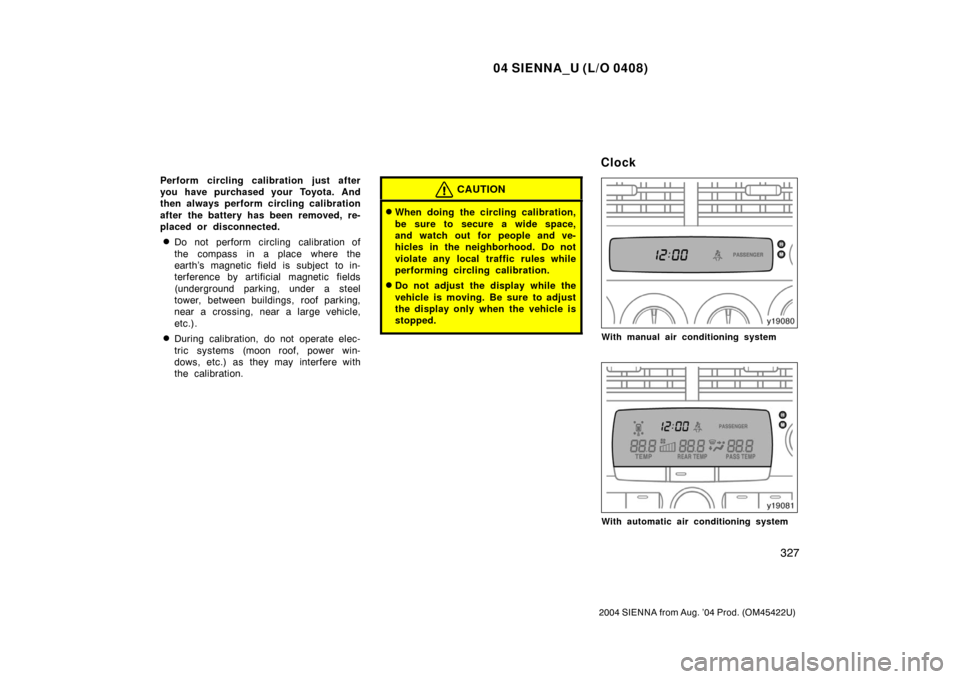
With manual air conditioning system
With automatic air conditioning system
Clock
Page 346 of 506
04 SIENNA_U (L/O 0408)
340
2004 SIENNA from Aug. ’04 Prod. (OM45422U)
If a bright light (for example, sunlight re-
flected off the vehicle body) is picked up
by the camera, the smear effect
∗ peculiar
to the camera may occur.
∗: Smear effect—A phenomenon that oc-
curs when a bright light (for example, sun-
light reflected off the vehicle body) is
picked up by the camera; when trans-
mitted by the camera, the light source
appears to have a vertical streak above
and below it.
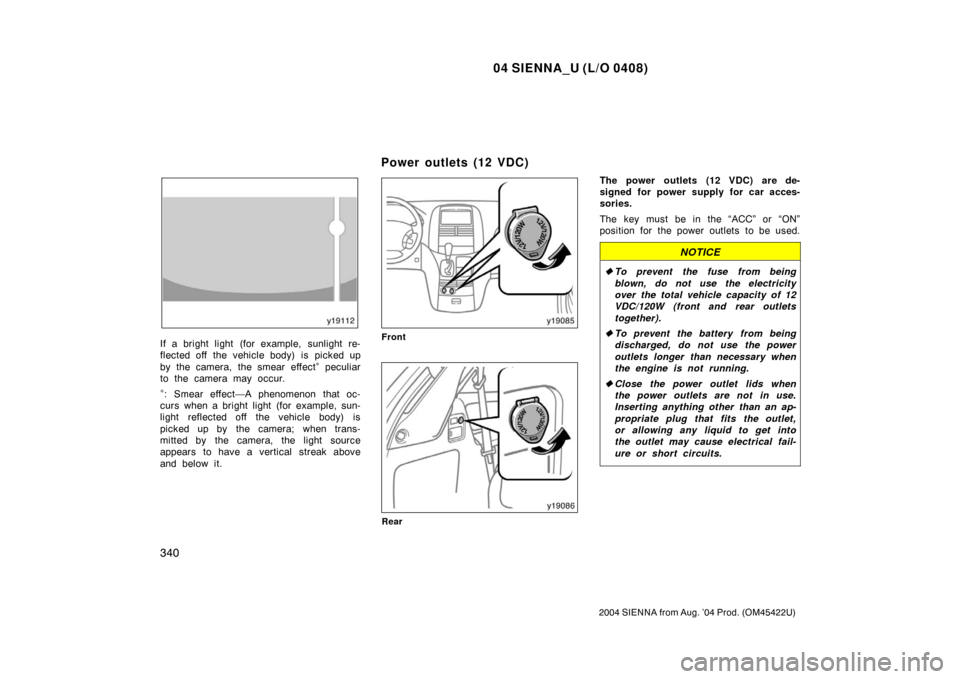
Front
Rear
The power outlets (12 VDC) are de-
signed for power supply for car acces-
sories.
The key must be in the “ACC” or “ON”
position for the power outlets to be used.
NOTICE
� To prevent the fuse from being
blown, do not use the electricity
over the total vehicle capacity of 12
VDC/120W (front and rear outlets
together).
� To prevent the battery from being
discharged, do not use the power
outlets longer than necessary when
the engine is not running.
� Close the power outlet lids when
the power outlets are not in use.
Inserting anything other than an ap-
propriate plug that fits the outlet,
or allowing any liquid to get into
the outlet may cause electrical fail-
ure or short circuits.
Power outlets (12 VDC)
Page 357 of 506
04 SIENNA_U (L/O 0408)
351
2004 SIENNA from Aug. ’04 Prod. (OM45422U)
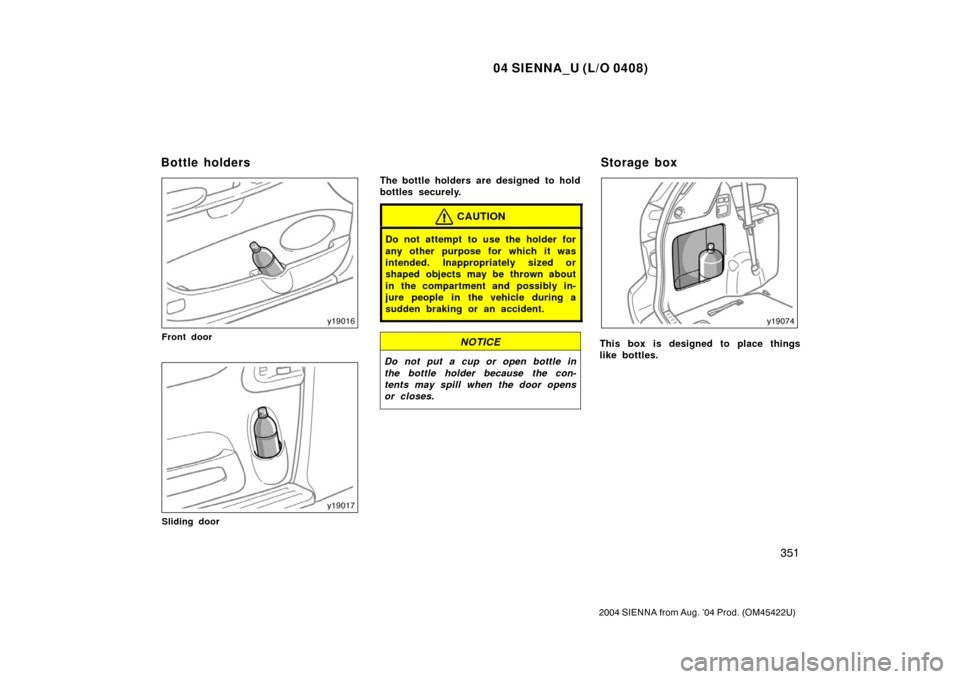
Front door
Sliding door
The bottle holders are designed to hold
bottles securely.
CAUTION
Do not attempt to use the holder for
any other purpose for which it was
intended. Inappropriately sized or
shaped objects may be thrown about
in the compartment and possibly in-
jure people in the vehicle during a
sudden braking or an accident.
NOTICE
Do not put a cup or open bottle in
the bottle holder because the con-
tents may spill when the door opens
or closes.
This box is designed to place things
like bottles.
Bottle holdersStorage box