Page 134 of 333
134
NOTICE
�The hybrid system cannot be
started when the shift position is in
“N”. Be sure to put it in “P” and
then start the system.
� Do not leave the hybrid system in
“ACC” or “IGON” for a long time.
The auxiliary battery will discharge.
� The hybrid mode in which the bat-
tery is discharged or disconnected
is retained in memory, and that
mode is turned on when power is
applied.
When you leave your vehicle, be sure to
turn the “POWER” switch off and carry the
smart key.
If you get out of your vehicle while carry-
ing a key without turning off the “POWER”
switch and then close the door, a warning
tone sounds inside and beeps sound out-
side.
INFORMATION
You can insert a genuine key while in
the “IGON” mode or with the hybrid
system starting. Do not insert any key
other than genuine keys.
Page 137 of 333
137
25p004c
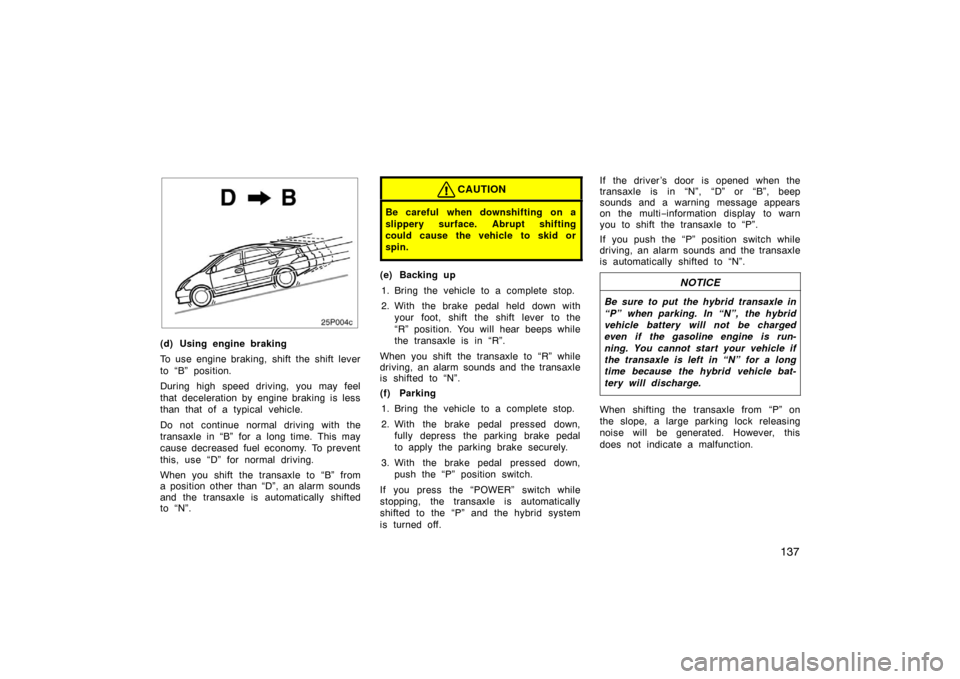
(d) Using engine braking
To use engine braking, shift the shift lever
to “B” position.
During high speed driving, you may feel
that deceleration by engine braking is less
than that of a typical vehicle.
Do not continue normal driving with the
transaxle in “B” for a long time. This may
cause decreased fuel economy. To prevent
this, use “D” for normal driving.
When you shift the transaxle to “B” from
a position other than “D”, an alarm sounds
and the transaxle is automatically shifted
to “N”.
CAUTION
Be careful when downshifting on a
slippery surface. Abrupt shifting
could cause the vehicle to skid or
spin.
(e) Backing up1. Bring the vehicle to a complete stop.
2. With the brake pedal held down with your foot, shift the shift lever to the
“R” position. You will hear beeps while
the transaxle is in “R”.
When you shift the transaxle to “R” while
driving, an alarm sounds and the transaxle
is shifted to “N”.
(f) Parking 1. Bring the vehicle to a complete stop.
2. With the brake pedal pressed down, fully depress the parking brake pedal
to apply the parking brake securely.
3. With the brake pedal pressed down, push the “P” position switch.
If you press the “POWER” switch while
stopping, the transaxle is automatically
shifted to the “P” and the hybrid system
is turned off. If the driver ’s door is opened when the
transaxle is in “N”, “D” or “B”, beep
sounds and a warning message appears
on the multi
−information display to warn
you to shift the transaxle to “P”.
If you push the “P” position switch while
driving, an alarm sounds and the transaxle
is automatically shifted to “N”.NOTICE
Be sure to put the hybrid transaxle in
“P” when parking. In “N”, the hybrid
vehicle battery will not be charged
even if the gasoline engine is run-
ning. You cannot start your vehicle if
the transaxle is left in “N” for a long
time because the hybrid vehicle bat-
tery will discharge.
When shifting the transaxle from “P” on
the slope, a large parking lock releasing
noise will be generated. However, this
does not indicate a malfunction.
Page 138 of 333

138
(g) Vehicle driving characteristics
Creeping
In order to hold the vehicle properly on an
incline and for better accelerator pedal
operation at starting, your vehicle is de-
signed like a typical automatic transmis-
sion vehicle which tends to move without
depressing the accelerator pedal with the
transaxle in a position other than “P” or
“N”.
With the transaxle in a position other than
“P” or “N”, depress the brake pedal firmly
even when stopped and apply the parking
brake as required.
When moving in a compact area or during
a traffic jam, it is an effective way to
control the speed using only the brake
pedal operation without depressing the ac-
celerator pedal.
Regenerative brake
When the accelerator pedal is released or
the brake pedal is depressed, the electric
motor acts as a generator and converts
kinetic energy to electric energy to provide
deceleration and recover electric energy to
charge the hybrid vehicle battery.
At this time, the electric motor running
noise may increase.The operation is the same as a typical
gasoline powered vehicle.
You may experience the following condi-
tion while braking. As they do not indicate
a malfunction, perform braking as usual:
�In the “OFF” mode, pressing the
“POWER” switch once or twice will se-
lect “ACC” or “IG
−ON” only if the brake
pedal is not depressed. In this condi-
tion, the brake pedal may move a little.
Hybrid driving
This vehicle runs in combination with the
gasoline engine and electric motor.
If the “READY” light is on, you can start
your vehicle even with the gasoline engine
stopped. (h) If the system malfunctions
In the following conditions, there is some
problem in the system.
�The indicator on the “P” position switch
flashes. However, this does not indi-
cate a malfunction unless a warning
message appears in the multi
−informa-
tion display.
�All frames of shift position indicators in
the instrument cluster flash.
�The parking system error message ap-
pears on the multi −information display.
�The instrument cluster and multi −infor-
mation display does not come on when
the “IG −ON” mode is enabled.
In these cases, stop your vehicle in a
safe and level place, apply the parking
brake securely and contact your Toyota
dealer immediately.
(i) When the auxiliary battery is dis- connected
Before you disconnect the aux iliary bat-
tery, confirm the shift position is “P” and
apply the parking brake completely.
After you reconnect the auxiliary battery,
shift the shift lever to “N” and confirm the
shift position is in “N” when the “IG −ON”
mode is enabled.
Page 150 of 333
150
Information
26p009b
Type AType B
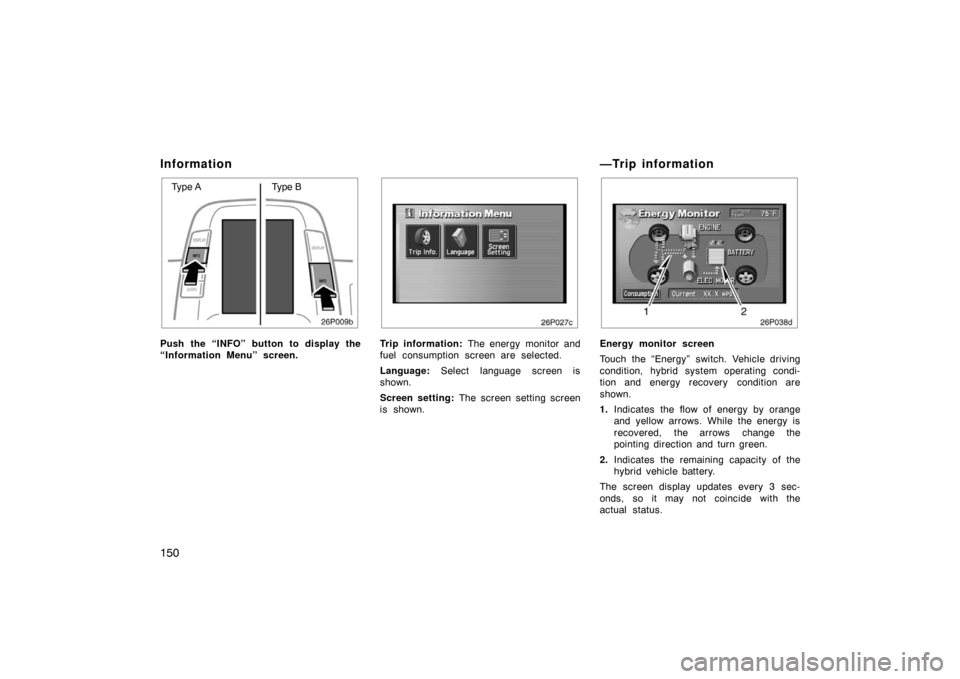
Push the “INFO” button to display the
“Information Menu” screen.
26p027c
Trip information: The energy monitor and
fuel consumption screen are selected.
Language: Select language screen is
shown.
Screen setting: The screen setting screen
is shown.
—Trip information
26p038d
Energy monitor screen
Touch the “Energy” switch. Vehicle driving
condition, hybrid system operating condi-
tion and energy recovery condition are
shown.
1. Indicates the flow of energy by orange
and yellow arrows. While the energy is
recovered, the arrows change the
pointing direction and turn green.
2. Indicates the remaining capacity of the
hybrid vehicle battery.
The screen display updates every 3 sec-
onds, so it may not coincide with the
actual status.
Page 158 of 333
158
12. Adjusting the volume(See page 159 for details.)
13. Compact disc load button (See page 169 for details.)
14. Audio operation screen display button (See page 160 for details.)
*: In this manual, English version screens are shown as an example. This section describes some of the basic
features of the Toyota audio system.
Some information may not pertain to your
system.
Your audio system works when the hybrid
system is in “ACC” or “IG
−ON”.
NOTICE
To prevent the battery from being
discharged, do not leave the car
audio on longer than necessary when
the hybrid system is not running.
TURNING THE SYSTEM ON AND OFF
Push “PWR” button to turn the audio sys-
tem on and off. The system turns on in
the last mode used.
Using your audio system—
—Some basics
Page 164 of 333
164
26p141a
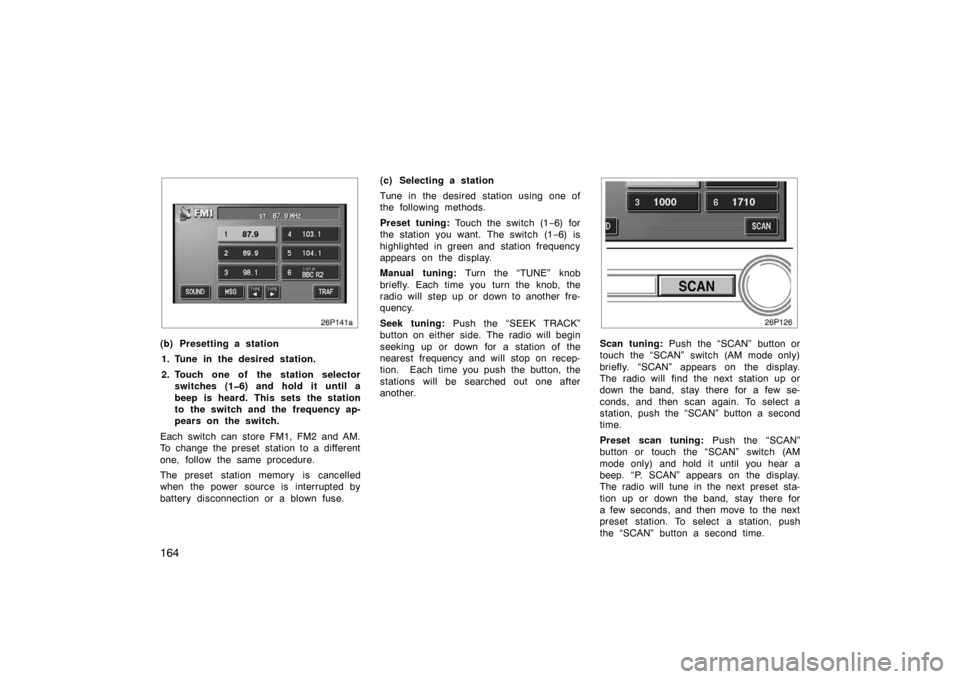
(b) Presetting a station1. Tune in the desired station.
2. Touch one of the station selector switches (16) and hold it until a
beep is heard. This sets the station
to the switch and the frequency ap-
pears on the switch.
Each switch can store FM1, FM2 and AM.
To change the preset station to a different
one, follow the same procedure.
The preset station memory is cancelled
when the power source is interrupted by
battery disconnection or a blown fuse. (c) Selecting a station
Tune in the desired station using one of
the following methods.
Preset tuning:
Touch the switch (1 −6) for
the station you want. The switch (1 −6) is
highlighted in green and station frequency
appears on the display.
Manual tuning: Turn the “TUNE” knob
briefly. Each time you turn the knob, the
radio will step up or down to another fre-
quency.
Seek tuning: Push the “SEEK TRACK”
button on either side. The radio will begin
seeking up or down for a station of the
nearest frequency and will stop on recep-
tion. Each time you push the button, the
stations will be searched out one after
another.
26p126
Scan tuning: Push the “SCAN” button or
touch the “SCAN” switch (AM mode only)
briefly. “SCAN” appears on the display.
The radio will find the next station up or
down the band, stay there for a few se-
conds, and then scan again. To select a
station, push the “SCAN” button a second
time.
Preset scan tuning: Push the “SCAN”
button or touch the “SCAN” switch (AM
mode only) and hold it until you hear a
beep. “P. SCAN” appears on the display.
The radio will tune in the next preset sta-
tion up or down the band, stay there for
a few seconds, and then move to the next
preset station. To select a station, push
the “SCAN” button a second time.
Page 181 of 333
181
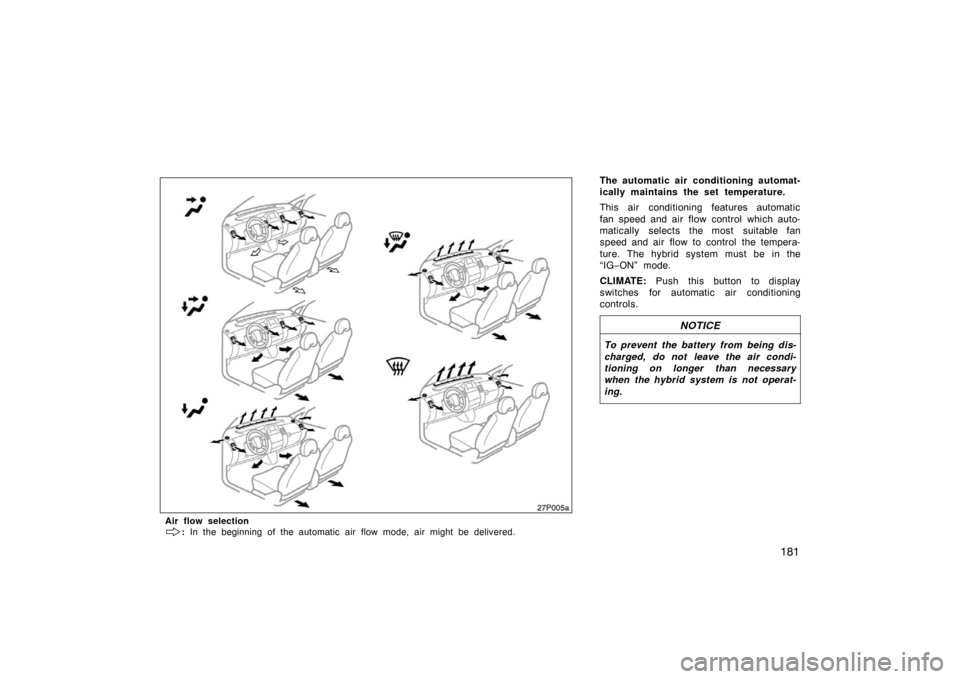
The automatic air conditioning automat-
ically maintains the set temperature.
This air conditioning features automatic
fan speed and air flow control which auto-
matically selects the most suitable fan
speed and air flow to control the tempera-
ture. The hybrid system must be in the
“IG−ON” mode.
CLIMATE: Push this button to display
switches for automatic air conditioning
controls.
NOTICE
To prevent the battery from being dis-
charged, do not leave the air condi-
tioning on longer than necessary
when the hybrid system is not operat-
ing.
27p005a
Air flow selection
: In the beginning of the automatic air flow mode, air might be delivered.
Page 190 of 333
190
Clock
28p009d
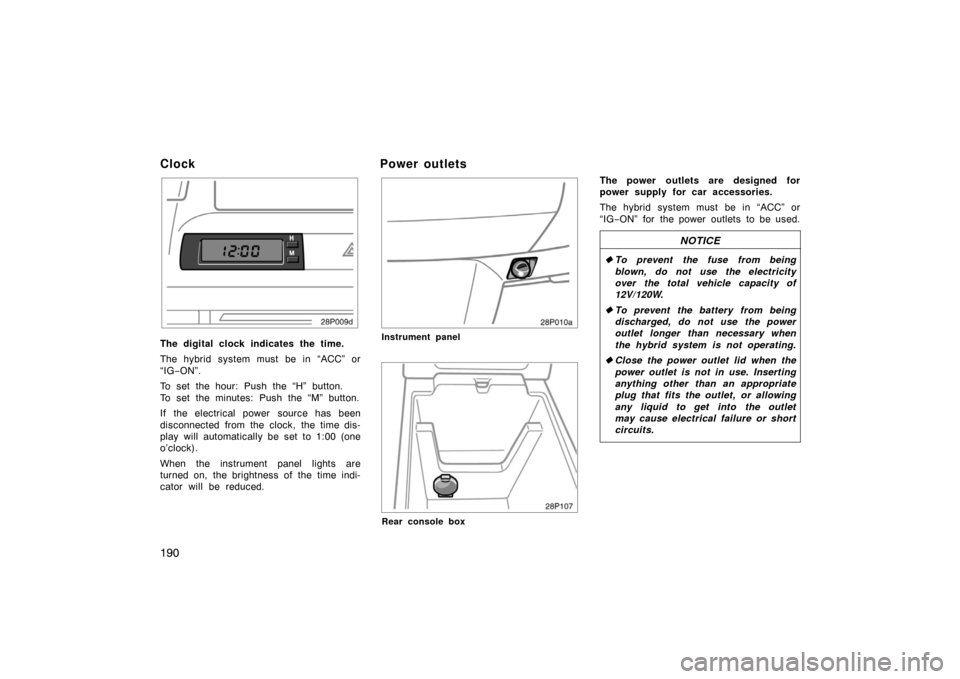
The digital clock indicates the time.
The hybrid system must be in “ACC” or
“IG−ON”.
To set the hour: Push the “H” button.
To set the minutes: Push the “M” button.
If the electrical power source has been
disconnected from the clock, the time dis-
play will automatically be set to 1:00 (one
o’clock).
When the instrument panel lights are
turned on, the brightness of the time indi-
cator will be reduced.
Power outlets
28p010a
Instrument panel
28p107
Rear console box
The power outlets are designed for
power supply for car accessories.
The hybrid system must be in “ACC” or
“IG −ON” for the power outlets to be used.
NOTICE
� To prevent the fuse from being
blown, do not use the electricity
over the total vehicle capacity of
12V/120W.
� To prevent the battery from being
discharged, do not use the power
outlet longer than necessary when
the hybrid system is not operating.
� Close the power outlet lid when the
power outlet is not in use. Inserting
anything other than an appropriate
plug that fits the outlet, or allowing
any liquid to get into the outlet
may cause electrical failure or short
circuits.