Page 34 of 333

34
The wireless remote control system is
designed to lock or unlock all the side
doors and back door, or activate the
theft deterrent system from a distance
within approximately 1 m (3 ft.) of the
vehicle.
LOCKING AND UNLOCKING THE
DOORS
To lock and unlock all the doors, push
the switches slowly and securely. At
this time, the indicator light on the key
flashes once.
To lock: Push the “
” (lock) switch. All
the side doors and back door are locked
simultaneously. At this time, the turn sig-
nal lights will flash once.
Check to see that the doors are securely
locked.
If any of the doors is not securely closed
or if the key is in the key slot, locking
cannot be performed by the “
” (lock)
switch. At this time, a beep will sound for
10 seconds on the vehicle with smart
entry and smart system. However, if the
key is in the key slot, a beep will not
sound. To stop the beep, close all the
side doors and back door securely or
push the “
” (unlock) switch. The buzzer can be disabled. For details,
contact your Toyota dealer.
To unlock: Push the “
” (unlock) switch
once to unlock the driver ’s door alone.
Pushing the switch twice within 3 seconds
unlocks all the doors simultaneously. Each
time the “
” (unlock) switch is pushed,
the turn signal lights will flash twice.
This double switch operation to unlock all
the side doors and back door can be
changed to a single switch operation. For
details, contact your Toyota dealer.
When the “
” (unlock) switch is pressed
the interior light comes on. The light re-
mains on for about 15 seconds unless any
of the doors is opened and then closed.
(For further information, see “Interior light”
on page 107.)
You have 30 seconds to open a door after
using the wireless remote unlock feature.
If a door is not opened by then, all the
doors will be automatically locked again.
The timing for the automatic door lock
function can be changed. For details, con-
tact your Toyota dealer. If the “
” (lock) or “” (unlock) switch
is kept pressed in, the locking or unlock-
ing operation is not repeated. Release the
switch and then push it again.
The following adjustments can be made in
this system. For details, contact your
Toyota dealer:
�Cancelling the wireless door locking or
unlocking function
�Cancelling the flash of the turn signal
lights
Page 36 of 333
36
CAUTION
Changes or modifications not ex-
pressly approved by the party respon-
sible for compliance could void the
user’s authority to operate the equip-
ment.
For vehicles sold in Canada
This device complies with RSS−210 of
industry Canada. Operation is subject to
the following two conditions:
(1) This device may not cause interfer-
ence, and (2) this device must accept
any interference, including interference
that may cause undesired operation of
the device.
REPLACING THE BATTERY
For replacement, use a CR2032 lithium
battery or equivalent and a special screw-
driver.
CAUTION
Special care should be taken that
small children do not swallow the re-
moved battery or components.
NOTICE
� When replacing the battery, be care-
ful not to lose the components.
� Replace only with the same or
equivalent type recommended by a
Toyota dealer.
� Dispose of used batteries according
to the local laws.
Replace the battery by following proce-
dures.
21p016c
1. Remove the mechanical key and cover
with slide the lock knob in the arrow
direction.
Page 37 of 333
37
21p017c
2. Remove the 4 screws to take out thelid of the module.
NOTICE
Do not bend the terminals.
3. Remove the discharged battery and put
in a new battery with positive (+) side
up.
NOTICE
�Make sure the positive side and
negative side of the battery are
faced correctly.
� Do not replace the battery with wet
hands. Water may cause unexpected
rust.
� Do not touch or move any compo-
nents inside the transmitter, or it
may interfere with proper operation.
� Be careful not to bend the electrode
when inserting the battery and that
dust or oils do not adhere to the
case.
4. Install the lid with the 4 screws.
NOTICE
Take care not to damage or bend the
Oring when installing.
5. Replace the mechanical key and cover
with slide the lock knob.
After replacing the battery, check that the
key operates properly. If the key still does
not operate properly, contact your Toyota
dealer.
21p008a
LOCKING AND UNLOCKING THE DRIV-
ER’S DOOR WITH MECHANICAL KEY
Insert the mechanical key into the key-
hole and turn it.
To lock: Turn the knob forward.
To unlock: Turn the knob backward.
The alarm sounds when you unlock the
door using a key with the theft deterrent
system set. For details, see “Theft deter-
rent system” on page 44.
Side doors
Page 38 of 333
38
21p009a
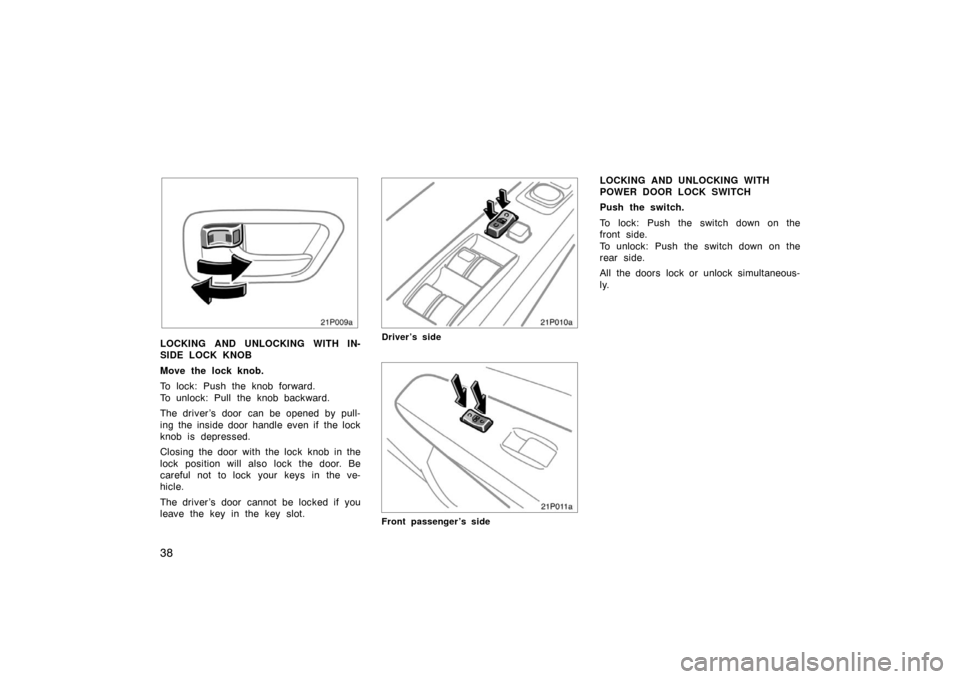
LOCKING AND UNLOCKING WITH IN-
SIDE LOCK KNOB
Move the lock knob.
To lock: Push the knob forward.
To unlock: Pull the knob backward.
The driver ’s door can be opened by pull-
ing the inside door handle even if the lock
knob is depressed.
Closing the door with the lock knob in the
lock position will also lock the door. Be
careful not to lock your keys in the ve-
hicle.
The driver ’s door cannot be locked if you
leave the key in the key slot.
21p010a
Driver’s side
21p011a
Front passenger’s side
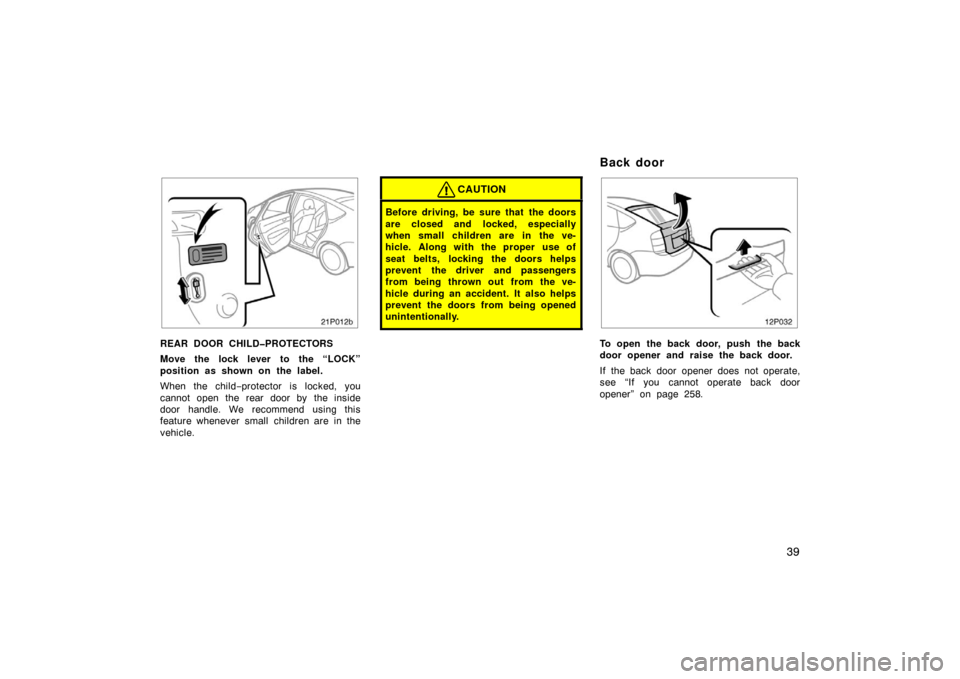
LOCKING AND UNLOCKING WITH
POWER DOOR LOCK SWITCH
Push the switch.
To lock: Push the switch down on the
front side.
To unlock: Push the switch down on the
rear side.
All the doors lock or unlock simultaneous-
ly.
Page 39 of 333
39
21p012b
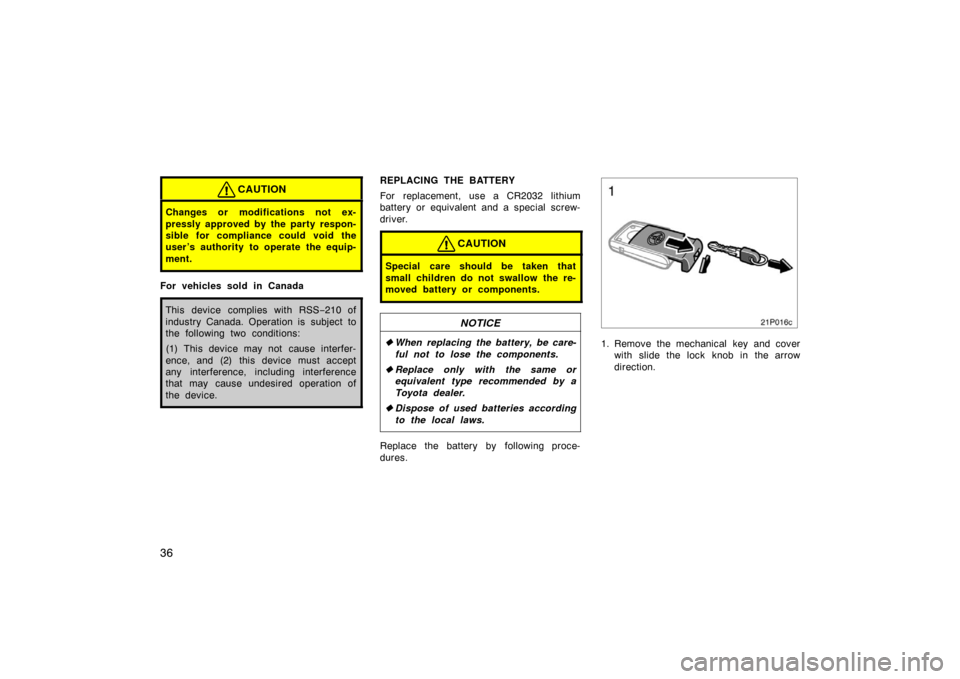
REAR DOOR CHILDPROTECTORS
Move the lock lever to the “LOCK”
position as shown on the label.
When the child−protector is locked, you
cannot open the rear door by the inside
door handle. We recommend using this
feature whenever small children are in the
vehicle.
CAUTION
Before driving, be sure that the doors
are closed and locked, especially
when small children are in the ve-
hicle. Along with the proper use of
seat belts, locking the doors helps
prevent the driver and passengers
from being thrown out from the ve-
hicle during an accident. It also helps
prevent the doors from being opened
unintentionally.
12p032
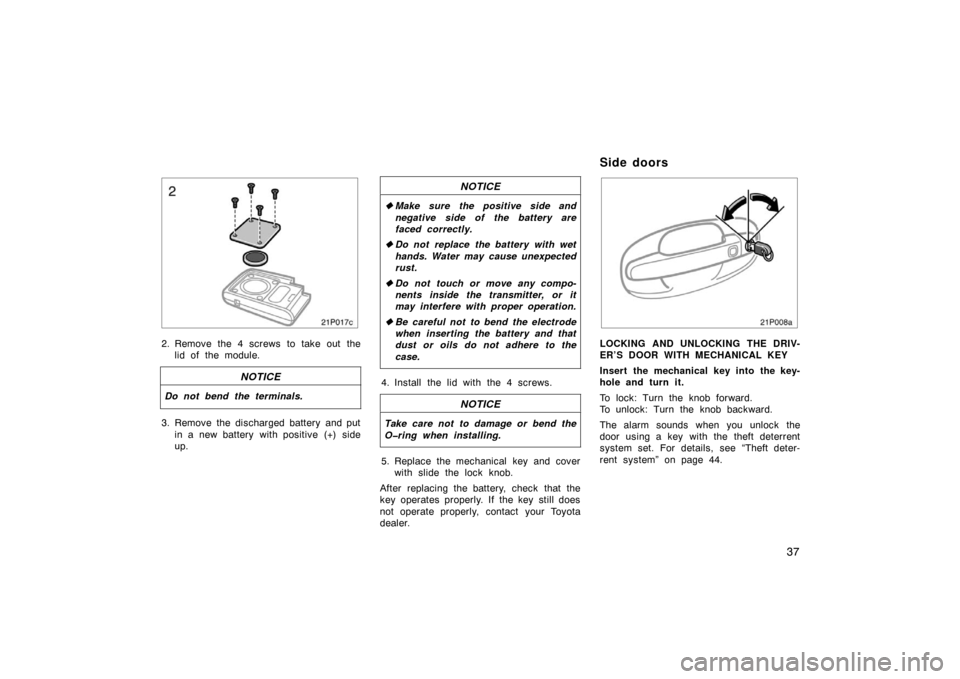
To open the back door, push the back
door opener and raise the back door.
If the back door opener does not operate,
see “If you cannot operate back door
opener” on page 258.
Back door
Page 40 of 333
40
12p033
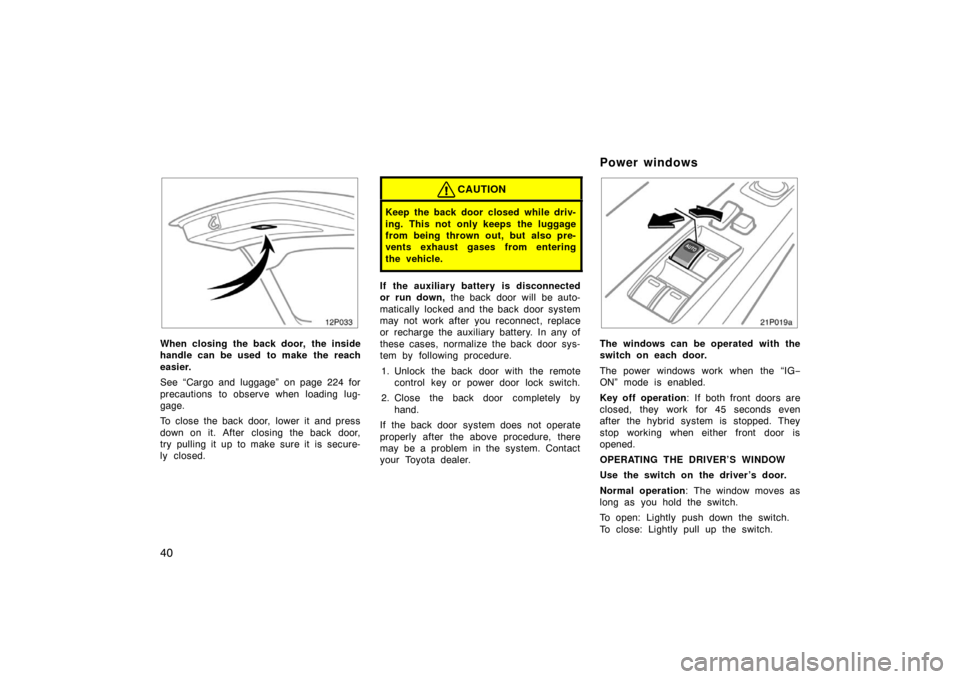
When closing the back door, the inside
handle can be used to make the reach
easier.
See “Cargo and luggage” on page 224 for
precautions to observe when loading lug-
gage.
To close the back door, lower it and press
down on it. After closing the back door,
try pulling it up to make sure it is secure-
ly closed.
CAUTION
Keep the back door closed while driv-
ing. This not only keeps the luggage
from being thrown out, but also pre-
vents exhaust gases from entering
the vehicle.
If the auxiliary battery is disconnected
or run down, the back door will be auto-
matically locked and the back door system
may not work after you reconnect, replace
or recharge the auxiliary battery. In any of
these cases, normalize the back door sys-
tem by following procedure.
1. Unlock the back door with the remote control key or power door lock switch.
2. Close the back door completely by hand.
If the back door system does not operate
properly after the above procedure, there
may be a problem in the system. Contact
your Toyota dealer.
21p019a
The windows can be operated with the
switch on each door.
The power windows work when the “IG −
ON” mode is enabled.
Key off operation : If both front doors are
closed, they work for 45 seconds even
after the hybrid system is stopped. They
stop working when either front door is
opened.
OPERATING THE DRIVER’S WINDOW
Use the switch on the driver’s door.
Normal operation : The window moves as
long as you hold the switch.
To open: Lightly push down the switch.
To close: Lightly pull up the switch.
Power windows
Page 41 of 333
41
21p020b
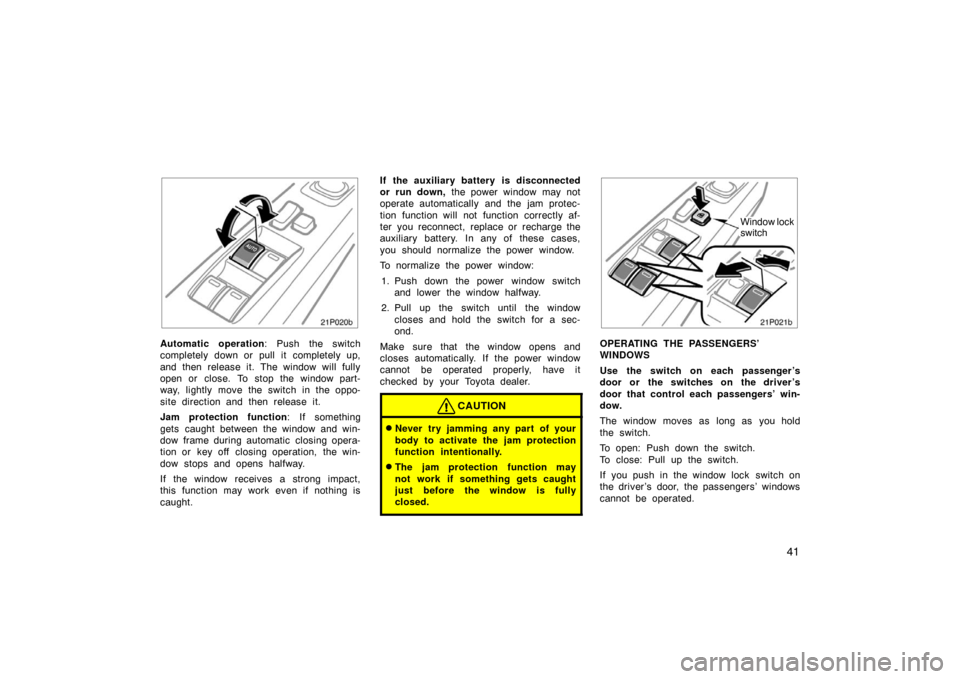
Automatic operation: Push the switch
completely down or pull it completely up,
and then release it. The window will fully
open or close. To stop the window part-
way, lightly move the switch in the oppo-
site direction and then release it.
Jam protection function: If something
gets caught between the window and win-
dow frame during automatic closing opera-
tion or key off closing operation, the win-
dow stops and opens halfway.
If the window receives a strong impact,
this function may work even if nothing is
caught. If the auxiliary battery is disc
onnected
or run down, the power window may not
operate automatically and the jam protec-
tion function will not function correctly af-
ter you reconnect, replace or recharge the
auxiliary battery. In any of these cases,
you should normalize the power window.
To normalize the power window:
1. Push down the power window switch and lower the window halfway.
2. Pull up the switch until the window closes and hold the switch for a sec-
ond.
Make sure that the window opens and
closes automatically. If the power window
cannot be operated properly, have it
checked by your Toyota dealer.
CAUTION
�Never try jamming any part of your
body to activate the jam protection
function intentionally.
�The jam protection function may
not work if something gets caught
just before the window is fully
closed.
21p021b
Window lock
switch
OPERATING THE PASSENGERS’
WINDOWS
Use the switch on each passenger ’s
door or the switches on the driver ’s
door that control each passengers’ win-
dow.
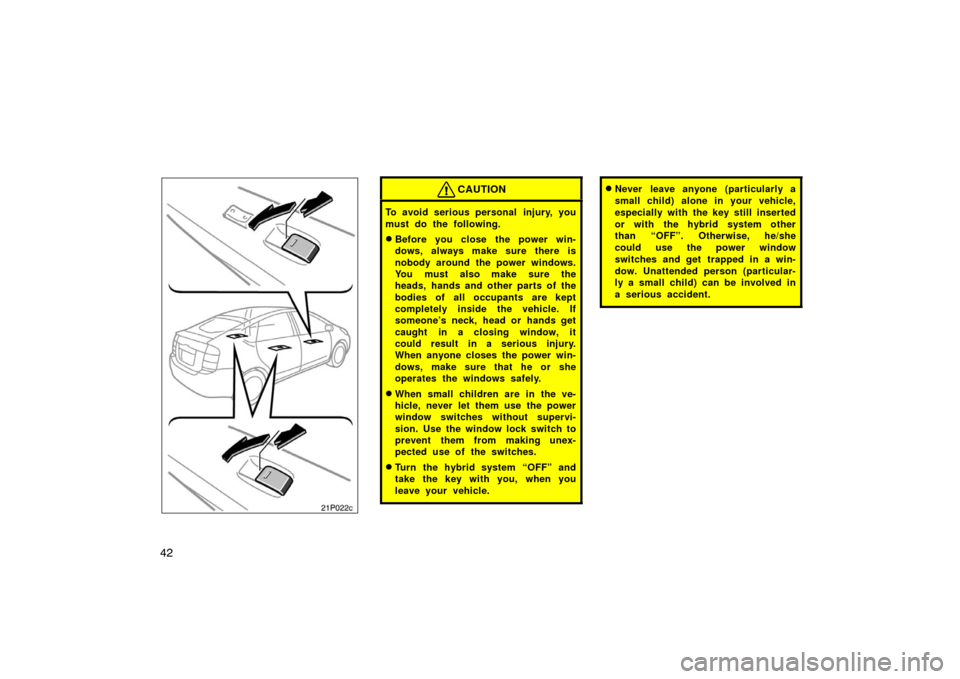
The window moves as long as you hold
the switch.
To open: Push down the switch.
To close: Pull up the switch.
If you push in the window lock switch on
the driver ’s door, the passengers’ windows
cannot be operated.
Page 42 of 333
42
21p022b21p022c
CAUTION
To avoid serious personal injury, you
must do the following.
�Before you close the power win-
dows, always make sure there is
nobody around the power windows.
You must also make sure the
heads, hands and other parts of the
bodies of all occupants are kept
completely inside the vehicle. If
someone’s neck, head or hands get
caught in a closing window, it
could result in a serious injury.
When anyone closes the power win-
dows, make sure that he or she
operates the windows safely.
�When small children are in the ve-
hicle, never let them use the power
window switches without supervi-
sion. Use the window lock switch to
prevent them from making unex-
pected use of the switches.
�Turn the hybrid system “OFF” and
take the key with you, when you
leave your vehicle.
�Never leave anyone (particularly a
small child) alone in your vehicle,
especially with the key still inserted
or with the hybrid system other
than “OFF”. Otherwise, he/she
could use the power window
switches and get trapped in a win-
dow. Unattended person (particular-
ly a small child) can be involved in
a serious accident.