Page 22 of 330
’04Camry_U (L/O 0307)
14
2004 CAMRY from Jul. ’03 Prod. (OM33616U)
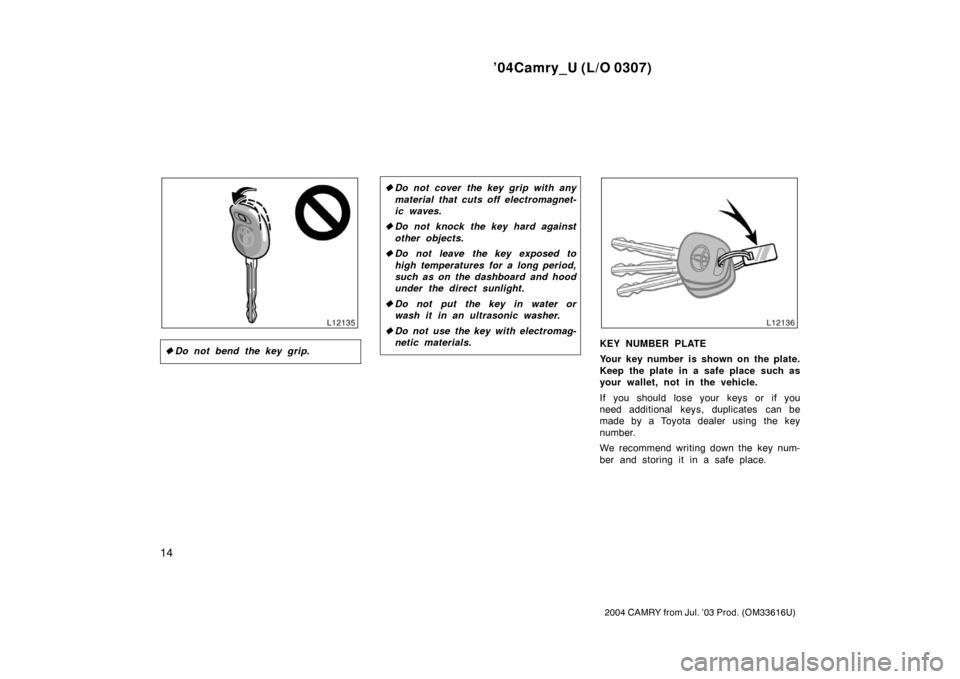
�Do not bend the key grip.
�Do not cover the key grip with any
material that cuts off electromagnet-
ic waves.
� Do not knock the key hard against
other objects.
� Do not leave the key exposed to
high temperatures for a long period,
such as on the dashboard and hood
under the direct sunlight.
� Do not put the key in water or
wash it in an ultrasonic washer.
� Do not use the key with electromag-
netic materials.
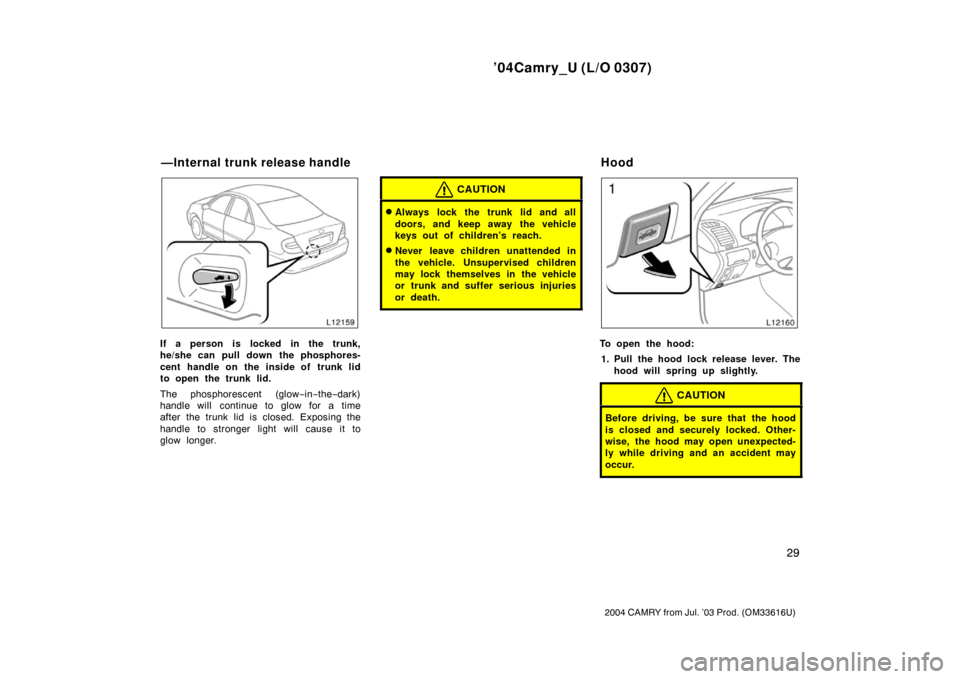
KEY NUMBER PLATE
Your key number is shown on the plate.
Keep the plate in a safe place such as
your wallet, not in the vehicle.
If you should lose your keys or if you
need additional keys, duplicates can be
made by a Toyota dealer using the key
number.
We recommend writing down the key num-
ber and storing it in a safe place.
Page 23 of 330
’04Camry_U (L/O 0307)
15
2004 CAMRY from Jul. ’03 Prod. (OM33616U)
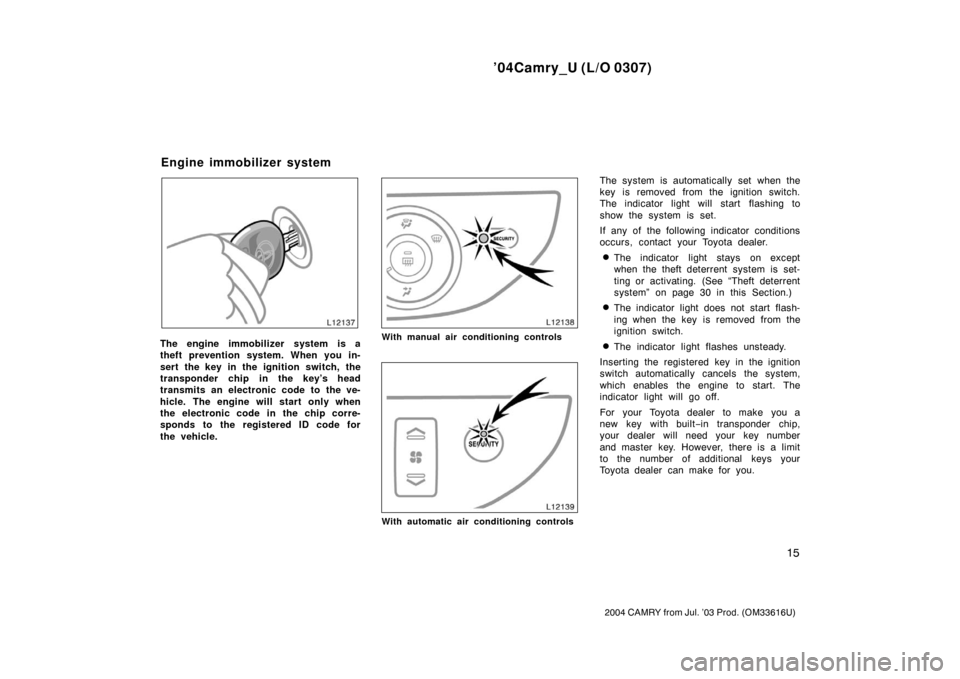
The engine immobilizer system is a
theft prevention system. When you in-
sert the key in the ignition switch, the
transponder chip in the key’s head
transmits an electronic code to the ve-
hicle. The engine will start only when
the electronic code in the chip corre-
sponds to the registered ID code for
the vehicle.With manual air conditioning controls
With automatic air conditioning controls
The system is automatically set when the
key is removed from the ignition switch.
The indicator light will start flashing to
show the system is set.
If any of the following indicator conditions
occurs, contact your Toyota dealer.
�The indicator light stays on except
when the theft deterrent system is set-
ting or activating. (See “Theft deterrent
system” on page 30 in this Section.)
�The indicator light does not start flash-
ing when the key is removed from the
ignition switch.
�The indicator light flashes unsteady.
Inserting the registered key in the ignition
switch automatically cancels the system,
which enables the engine to start. The
indicator light will go off.
For your Toyota dealer to make you a
new key with built −in transponder chip,
your dealer will need your key number
and master key. However, there is a limit
to the number of additional keys your
Toyota dealer can make for you.
Engine immobilizer system
Page 25 of 330
’04Camry_U (L/O 0307)
17
2004 CAMRY from Jul. ’03 Prod. (OM33616U)
When all the doors are unlocked simulta-
neously using either the key or the wire-
less remote control transmitter, the interior
light and ignition switch light will come on
and remain on for about 15 seconds be-
fore fading out. (For further information,
see “Interior light” on page 103 and “Igni-
tion switch light” on page 103 in Section
1−5.)
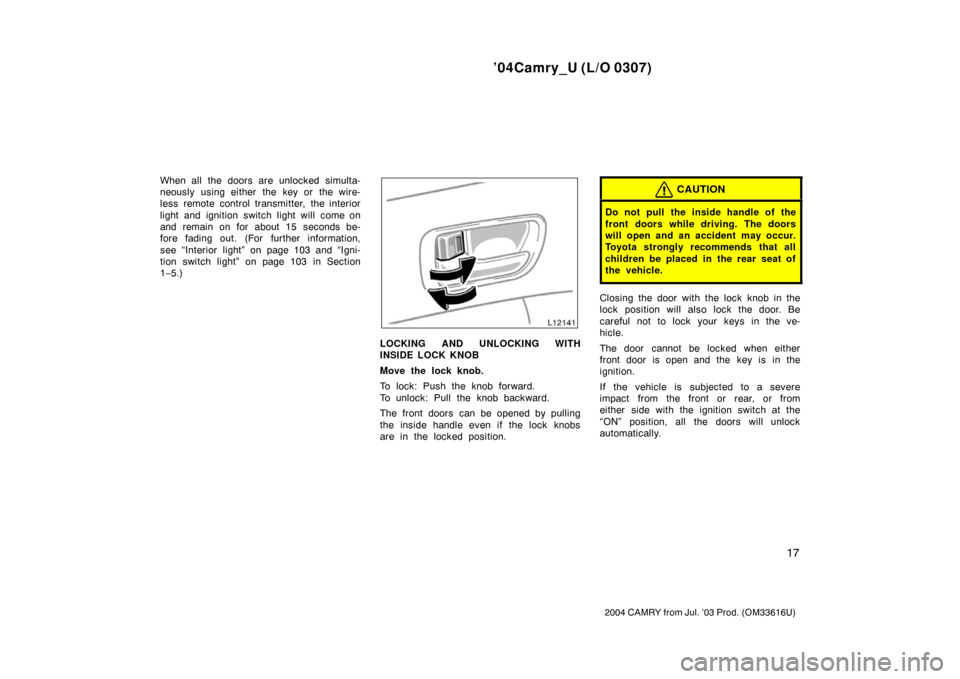
LOCKING AND UNLOCKING WITH
INSIDE LOCK KNOB
Move the lock knob.
To lock: Push the knob forward.
To unlock: Pull the knob backward.
The front doors can be opened by pulling
the inside handle even if the lock knobs
are in the locked position.
CAUTION
Do not pull the inside handle of the
front doors while driving. The doors
will open and an accident may occur.
Toyota strongly recommends that all
children be placed in the rear seat of
the vehicle.
Closing the door with the lock knob in the
lock position will also lock the door. Be
careful not to lock your keys in the ve-
hicle.
The door cannot be locked when either
front door is open and the key is in the
ignition.
If the vehicle is subjected to a severe
impact from the front or rear, or from
either side with the ignition switch at the
“ON” position, all the doors will unlock
automatically.
Page 28 of 330
’04Camry_U (L/O 0307)
20
2004 CAMRY from Jul. ’03 Prod. (OM33616U)
4. Within 5 seconds after the ignitionswitch is turned to the “ON” position,
push and hold the power door lock
switch on the front side for about 5
seconds.
5. Open door warning light will flash to indicate that the mode has been
changed.
The flashing of the open door warning
light indicates the mode which has been
selected.
�Flashing once, the function has
changed to mode 1.
�Flashing twice, the function has
changed to mode 2.
�Flashing three times, the function has
changed to mode 3.
�Flashing four times, the function has
changed to mode 4.
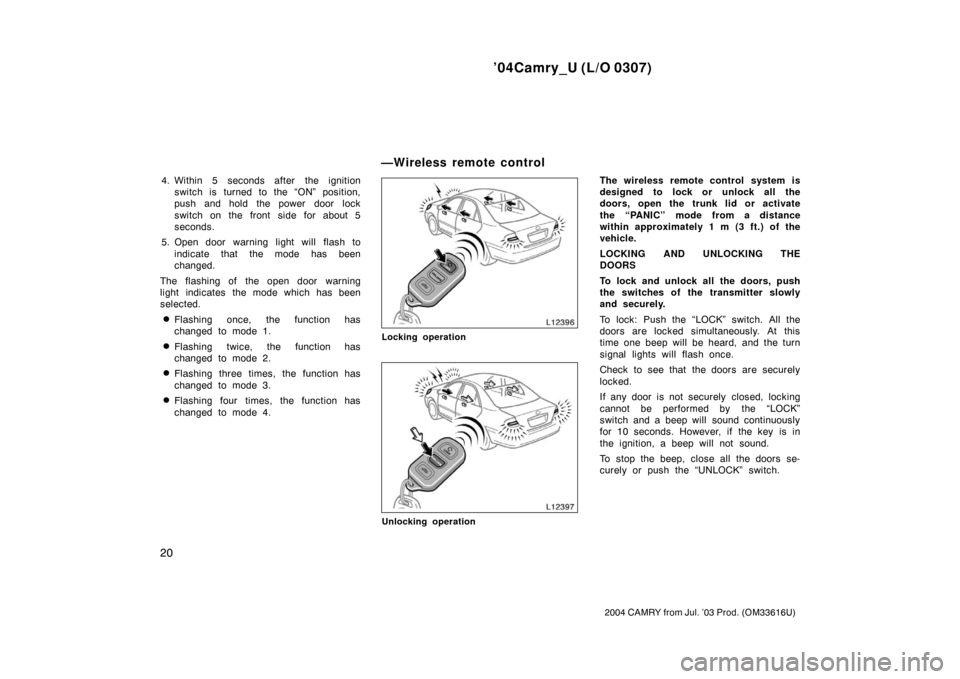
Locking operation
Unlocking operation
The wireless remote control system is
designed to lock or unlock all the
doors, open the trunk lid or activate
the “PANIC” mode from a distance
within approximately 1 m (3 ft.) of the
vehicle.
LOCKING AND UNLOCKING THE
DOORS
To lock and unlock all the doors, push
the switches of the transmitter slowly
and securely.
To lock: Push the “LOCK” switch. All the
doors are locked simultaneously. At this
time one beep will be heard, and the turn
signal lights will flash once.
Check to see that the doors are securely
locked.
If any door is not securely closed, locking
cannot be performed by the “LOCK”
switch and a beep will sound continuously
for 10 seconds. However, if the key is in
the ignition, a beep will not sound.
To stop the beep, close all the doors se-
curely or push the “UNLOCK” switch.
—Wireless remote control
Page 29 of 330
’04Camry_U (L/O 0307)
21
2004 CAMRY from Jul. ’03 Prod. (OM33616U)
To unlock: Push the “UNLOCK” switch
once to unlock the driver ’s door alone.
Pushing the switch twice within 3 seconds
unlocks all the doors simultaneously. Each
time the “UNLOCK” switch is pushed, two
beeps will be heard, and the turn signal
lights will flash twice.
When the “UNLOCK” switch is pressed,
the interior light and ignition switch light
come on. The lights remain on for about
15 seconds unless any door is opened
and closed. (For further information, see
“Interior light” on page 103 and “Ignition
switch light” on page 103 in Section 1−5.)
You have 30 seconds to open a door after
using the wireless remote unlock feature.
If a door is not opened by then, all the
doors will be automatically locked again
and one beep will be heard.
If the “LOCK” or “UNLOCK” switch is kept
pressed in, the locking or unlocking opera-
tion is not repeated. Release the switch
and then push again.
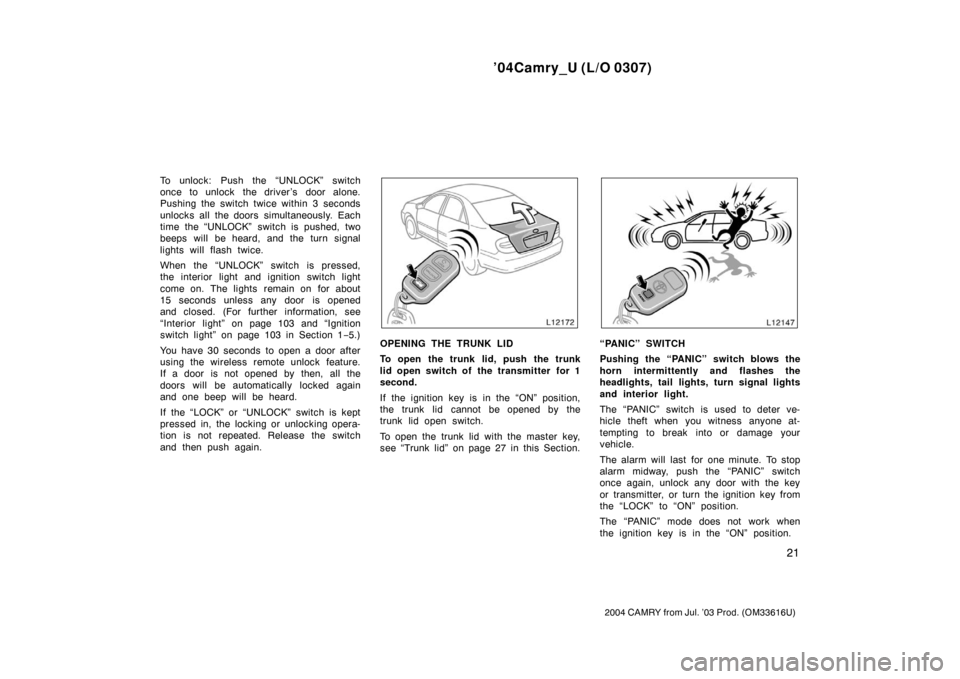
OPENING THE TRUNK LID
To open the trunk lid, push the trunk
lid open switch of the transmitter for 1
second.
If the ignition key is in the “ON” position,
the trunk lid cannot be opened by the
trunk lid open switch.
To open the trunk lid with the master key,
see “Trunk lid” on page 27 in this Section.“PANIC” SWITCH
Pushing the “PANIC” switch blows the
horn intermittently and flashes the
headlights, tail lights, turn signal lights
and interior light.
The “PANIC” switch is used to deter ve-
hicle theft when you witness anyone at-
tempting to break into or damage your
vehicle.
The alarm will last for one minute. To stop
alarm midway, push the “PANIC” switch
once again, unlock any door with the key
or transmitter, or turn the ignition key from
the “LOCK” to “ON” position.
The “PANIC” mode does not work when
the ignition key is in the “ON” position.
Page 32 of 330
’04Camry_U (L/O 0307)
24
2004 CAMRY from Jul. ’03 Prod. (OM33616U)
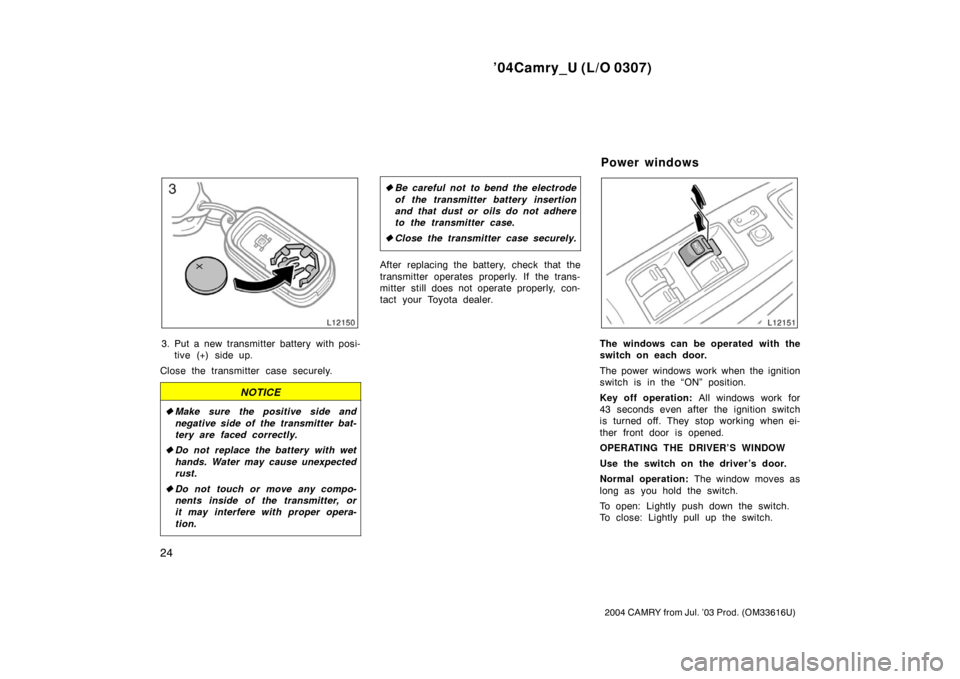
3. Put a new transmitter battery with posi-tive (+) side up.
Close the transmitter case securely.
NOTICE
� Make sure the positive side and
negative side of the transmitter bat-
tery are faced correctly.
� Do not replace the battery with wet
hands. Water may cause unexpected
rust.
� Do not touch or move any compo-
nents inside of the transmitter, or
it may interfere with proper opera-
tion.
�Be careful not to bend the electrode
of the transmitter battery insertion
and that dust or oils do not adhere
to the transmitter case.
� Close the transmitter case securely.
After replacing the battery, check that the
transmitter operates properly. If the trans-
mitter still does not operate properly, con-
tact your Toyota dealer.
The windows can be operated with the
switch on each door.
The power windows work when the ignition
switch is in the “ON” position.
Key off operation: All windows work for
43 seconds even after the ignition switch
is turned off. They stop working when ei-
ther front door is opened.
OPERATING THE DRIVER’S WINDOW
Use the switch on the driver’s door.
Normal operation: The window moves as
long as you hold the switch.
To open: Lightly push down the switch.
To close: Lightly pull up the switch.
Power windows
Page 33 of 330
’04Camry_U (L/O 0307)
25
2004 CAMRY from Jul. ’03 Prod. (OM33616U)
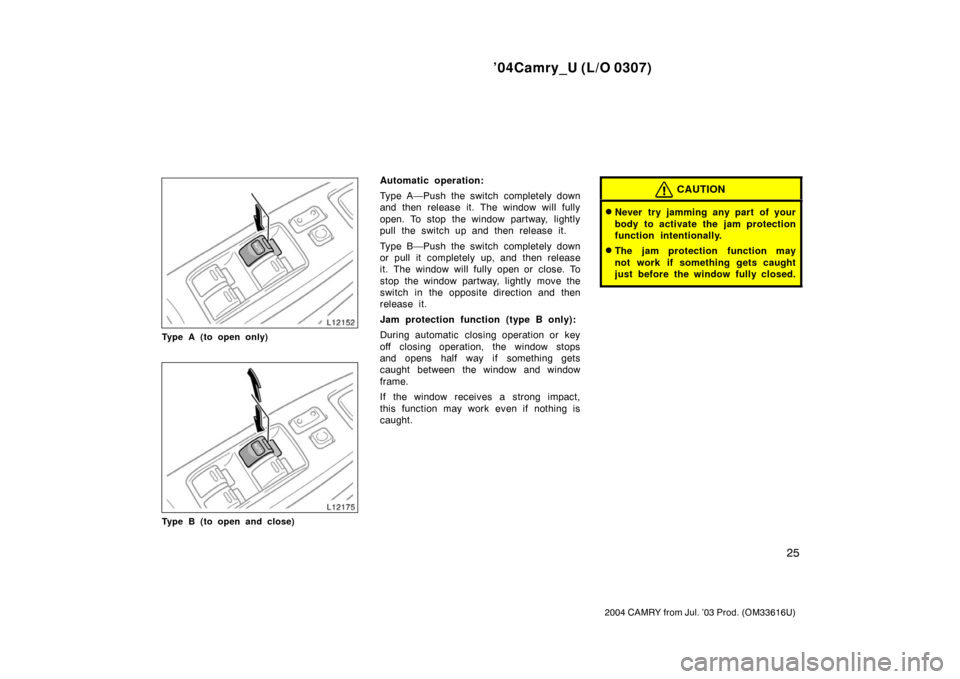
Type A (to open only)
Type B (to open and close)
Automatic operation:
Type A—Push the switch completely down
and then release it. The window will fully
open. To stop the window partway, lightly
pull the switch up and then release it.
Type B—Push the switch completely down
or pull it completely up, and then release
it. The window will fully open or close. To
stop the window partway, lightly move the
switch in the opposite direction and then
release it.
Jam protection function (type B only):
During automatic closing operation or key
off closing operation, the window stops
and opens half way if something gets
caught between the window and window
frame.
If the window receives a strong impact,
this function may work even if nothing is
caught.CAUTION
�Never try jamming any part of your
body to activate the jam protection
function intentionally.
�The jam protection function may
not work if something gets caught
just before the window fully closed.
Page 37 of 330
’04Camry_U (L/O 0307)
29
2004 CAMRY from Jul. ’03 Prod. (OM33616U)
If a person is locked in the trunk,
he/she can pull down the phosphores-
cent handle on the inside of trunk lid
to open the trunk lid.
The phosphorescent (glow−in −the −dark)
handle will continue to glow for a time
after the trunk lid is closed. Exposing the
handle to stronger light will cause it to
glow longer.
CAUTION
�Always lock the trunk lid and all
doors, and keep away the vehicle
keys out of children’s reach.
�Never leave children unattended in
the vehicle. Unsupervised children
may lock themselves in the vehicle
or trunk and suffer serious injuries
or death.
To open the hood:
1. Pull the hood lock release lever. The hood will spring up slightly.
CAUTION
Before driving, be sure that the hood
is closed and securely locked. Other-
wise, the hood may open unexpected-
ly while driving and an accident may
occur.
—Internal trunk release handle Hood