Page 189 of 339
’04 AVALON U (L/O 0408)
181
2004 AVALON from Aug. ’04 Prod. (OM41412U)
Air intake selector
Press the button to select the air source.
The air intake mode which is being se-
lected is shown on the display.1. Recirculate— Recirculates the air inside
the vehicle.
2. Fresh— Draws outside air into the sys-
tem.
To prevent fogging up of the windshield,
the air intake mode may change automati-
cally to FRESH depending on the condi-
tion of the air conditioning system.
For example, when the ambient tempera-
ture is low, the air intake mode may
change automatically to FRESH. This is
not a malfunction. “A/C” button
To turn on the air conditioning, press the
“A/C” button. The “A/C” button indicator
will come on. To turn the air conditioning
off, press the button again.
If the “A/C” button indicator flashes, there
is a problem in the air conditioning system
and the air conditioning automatically
shuts off. If this happens, take your ve-
hicle to your Toyota dealer for service.
Page 190 of 339
’04 AVALON U (L/O 0408)
182
2004 AVALON from Aug. ’04 Prod. (OM41412U)
�To cool off your Toyota after it has
been parked in the hot sun, drive with
the windows open for a few minutes.
This vents the hot air, allowing the air
conditioning to cool the interior more
quickly.
�Make sure the air intake grilles in front
of the windshield are not blocked (by
leaves or snow, for example).
�On humid days, do not blow cold air
on the windshield. The windshield could
fog up because of the difference in air
temperature on the inside and outside
of the windshield.
�Keep the area under the front seats
clear to allow air to circulate through-
out the vehicle.
�On cold days, set the fan speed to
high for a minute to help clear the
intake ducts of snow or moisture. This
can reduce the amount of fogging on
the windows.
�When driving on dusty roads, close all
windows. If dust thrown up by the ve-
hicle is still drawn into the vehicle after
closing the windows, it is recommended
that the air intake selector be set to
FRESH and the fan speed selector to
any setting except “OFF”.
On some models
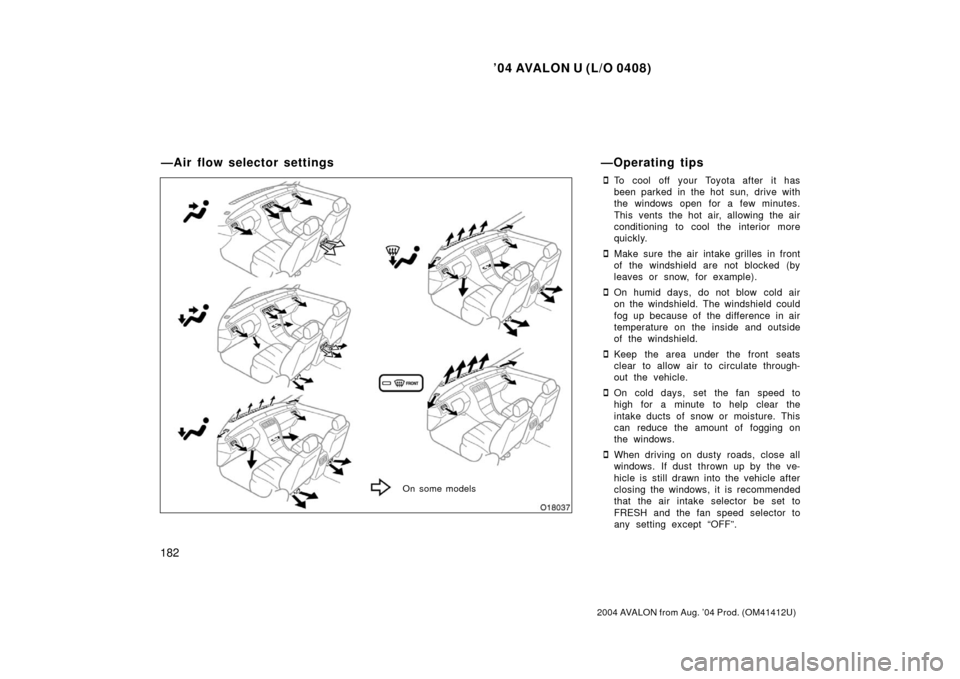
—Air flow selector settings—Operating tips
Page 191 of 339

’04 AVALON U (L/O 0408)
183
2004 AVALON from Aug. ’04 Prod. (OM41412U)
�If following another vehicle on a dusty
road, or driving in windy and dusty
conditions, it is recommended that the
air intake selector be temporarily set to
RECIRCULATE, which will close off the
outside passage and prevent outside
air and dust from entering the vehicle
interior.Heating
For best results, set controls to:
—For automatic operation
Press in the “AUTO” button.
Temperature— To the desired
temperature
Air intake—FRESH (outside air)
Air conditioning—OFF
—For manual operation
Fan speed— To the desired fan speed
Temperature— To w a r d s high temperature
Air intake—FRESH (outside air)
Air flow—FLOOR
Air conditioning—OFF
�For quick heating, select recirculated
air for a few minutes. To keep the
windows from fogging, select fresh af-
ter the vehicle interior has been
warmed.
�Press the “A/C” button on for dehumidi-
fied heating.
�Choose floor/windshield air flow to heat
the vehicle interior while defrosting or
defogging the windshield. Air conditioning
For best results, set controls to:
—For automatic operation
Press in the “AUTO” button.
Temperature— To the desired
temperature
Air intake—FRESH (outside air)
Air conditioning—ON
—For manual operation
Fan speed— To the desired fan speed
Temperature— Towards low temperature
Air intake—FRESH (outside air)
Air flow—PANEL
Air conditioning—ON
�For quick cooling, select recirculated
air for a few minutes.
Page 192 of 339

’04 AVALON U (L/O 0408)
184
2004 AVALON from Aug. ’04 Prod. (OM41412U)
Ventilation
For best results, set controls to:
—For automatic operationPress in the “AUTO” button.
Temperature— Towards low temperature
Air intake—FRESH (outside air)
Air conditioning—OFF
—For manual operation
Fan speed— To the desired fan speed
Temperature— Towards low temperature
Air intake—FRESH (outside air)
Air flow—PANEL
Air conditioning—OFF
Defogging and defrosting
—The inside of the windshield
For best results, set controls to:
—For automatic operation
Temperature— To w a r d s high temperature
to heat; low temperature
to cool
Air intake—FRESH (outside air)
Air flow—WINDSHIELD
—For manual operation
Fan speed— To the desired fan speed
Temperature— To w a r d s high temperature
to heat; low temperature
to cool
Air intake—FRESH (outside air)
Air flow—WINDSHIELD
Pressing the windshield air flow button
turns on the defogging function with the
purpose of clearing the front view.
When pressing the windshield air flow but-
ton, the air intake selects FRESH auto-
matically. This is to clean up the front
view more quickly.
If you want to return the setting to
RECIRCULATE mode, press the air intake
selector button once again. Press the “A/C” button for dehumidified
heating or cooling. This setting clears the
front view more quickly.
�On humid days, do not blow cold air
on the windshield—the difference be-
tween the outside and inside tempera-
tures could make the fogging worse.
—The outside of the windshield
For best results, set controls to:
—For automatic operation
Temperature— Towards high temperature
Air intake—FRESH (outside air)
Air flow—WINDSHIELD
—For manual operation
Fan speed— To the desired fan speed
Temperature— Towards high temperature
Air intake—FRESH (outside air)
Air flow—WINDSHIELD
Pressing the windshield air flow button
turns on the defrosting function with the
purpose of clearing the front view.
When pressing the windshield air flow but-
ton, the air intake selects FRESH auto-
matically. This is to clean up the front
view more quickly.
Page 193 of 339
’04 AVALON U (L/O 0408)
185
2004 AVALON from Aug. ’04 Prod. (OM41412U)
If you want to return the setting to
RECIRCULATE mode, press the air intake
selector button once again.
Press the “A/C” button for dehumidified
heating or cooling. This setting clears the
front view more quickly.
�To heat the vehicle interior while de-
frosting the windshield, choose
floor/windshield air flow.
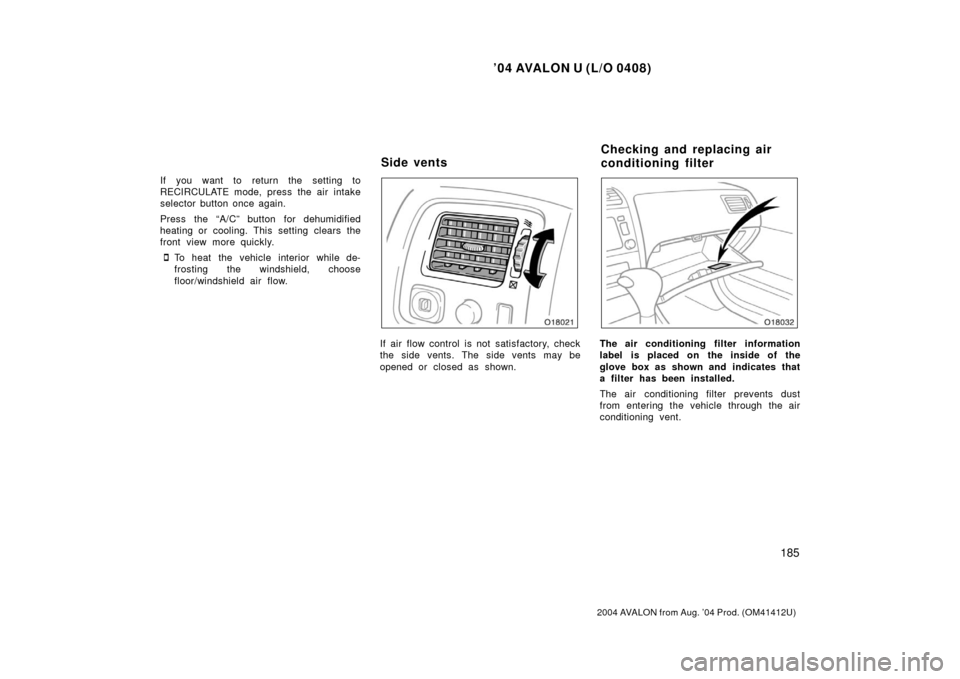
If air flow control is not satisfactory, check
the side vents. The side vents may be
opened or closed as shown.The air conditioning filter information
label is placed on the inside of the
glove box as shown and indicates that
a filter has been installed.
The air conditioning filter prevents dust
from entering the vehicle through the air
conditioning vent.
Side ventsChecking and replacing air
conditioning filter
Page 194 of 339
’04 AVALON U (L/O 0408)
186
2004 AVALON from Aug. ’04 Prod. (OM41412U)
This air conditioning system has a high
efficient air refiner filter which helps
eliminate dust and pollen, thereby in-
creasing your driving comfort.
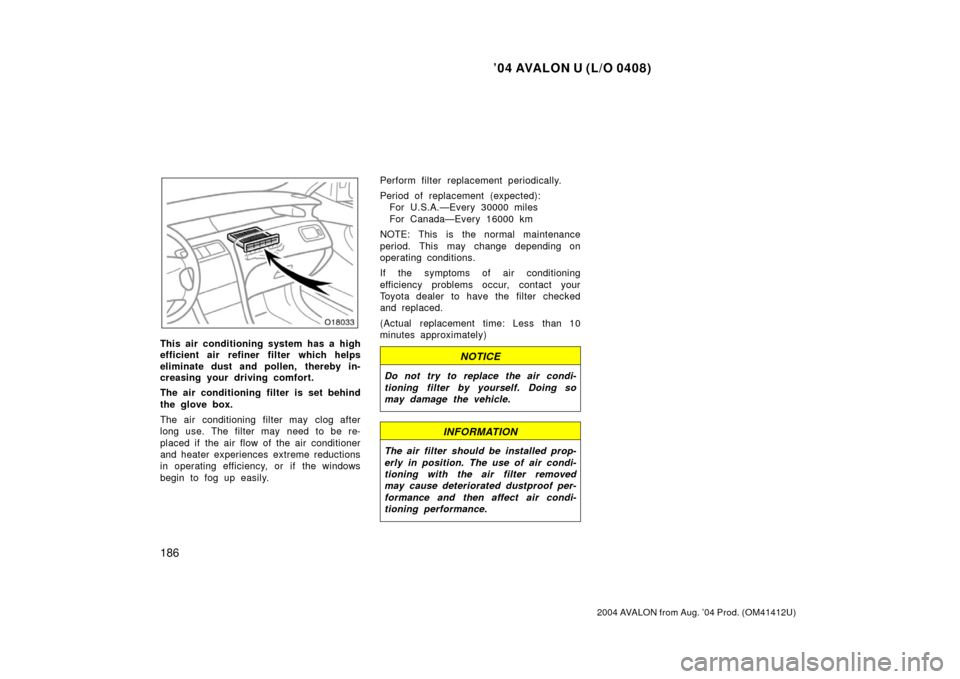
The air conditioning filter is set behind
the glove box.
The air conditioning filter may clog after
long use. The filter may need to be re-
placed if the air flow of the air conditioner
and heater experiences extreme reductions
in operating efficiency, or if the windows
begin to fog up easily.Perform filter replacement periodically.
Period of replacement (expected):
For U.S.A.—Every 30000 miles
For Canada—Every 16000 km
NOTE: This is the normal maintenance
period. This may change depending on
operating conditions.
If the symptoms of air conditioning
efficiency problems occur, contact your
Toyota dealer to have the filter checked
and replaced.
(Actual replacement time: Less than 10
minutes approximately)
NOTICE
Do not try to replace the air condi-
tioning filter by yourself. Doing so
may damage the vehicle.
INFORMATION
The air filter should be installed prop-
erly in position. The use of air condi-
tioning with the air filter removed
may cause deteriorated dustproof per-
formance and then affect air condi-
tioning performance.
Page 200 of 339
’04 AVALON U (L/O 0408)
192
2004 AVALON from Aug. ’04 Prod. (OM41412U)
After resetting the calendar, push the
“MODE” button until the display returns to
normal calendar mode.
The outside temperature display indi-
cates outside air temperatures.
To set the unit, push the “MODE” button
until the unit display appears and blinks.
Then push the “RESET/ADJ” button to se-
lect “�C” or “ �F”. (At this time, cruise
information and air conditioning displays
also change.)
After setting the unit, push the “MODE”
button until the display returns to normal
calendar mode.
—Outside temperature display —Cruise information display
Page 238 of 339

’04 AVALON U (L/O 0408)
230
2004 AVALON from Aug. ’04 Prod. (OM41412U)
Ti r e relat ed ter mMeaning
Accessory weight
the combined weight (in excess of those standard items which may be
replaced) of automatic transmission, power steering, power brakes, power
windows, power seats, radio, and heater, to the extent that these items
are available as factoryinstalled equipment (whether installed or not)
Cold tire inflation pressure
tire inflation pressure when the vehicle has been parked for at least 3
hours or more, or it has not been driven more than 1.5 km or 1 mile
under that condition
Curb weight
the weight of a motor vehicle with standard equipment including the
maximum capacity of fuel, oil, and coolant, and, if so equipped, air
conditioning and additional weight optional engine
Intended outboard sidewall
(A) the sidewall that contains a whitew all, bears white lettering or bears
manufacturer, brand, and/or model name molding that is higher or
deeper than the same molding on th e other sidewall of the tire, or
(B) the outward facing sidewall of an asymmetrical tire that has a particular side that must always face outward when mounted on a vehicle
Maximum inflation pressurethe maximum cold inflation pressure to which a tire may be inflated and it
is shown on the sidewall of the tire
Maximum loaded vehicle weight
t he sum of —
(a) curb weight;
(b) accessory weight;
(c) vehicle capacity weight; and
(d) production options weight
—Glossary of tire terminology