Page 174 of 339
’04 AVALON U (L/O 0408)
166
2004 AVALON from Aug. ’04 Prod. (OM41412U)
CARING FOR YOUR CASSETTE PLAYER
AND TAPES
For the best performance for your cas-
sette player and tapes:
Clean the tape head and other parts regu-
larly.
�A dirty tape head or tape path can
decrease sound quality and tangle your
cassette tapes. The easiest way to
clean them is by using a cleaning tape.
(A wet type is recommended.)
Use highquality cassettes.
�Lowquality cassette tapes can cause
many problems, including poor sound,
inconsistent playing speed, and
constant autoreversing. They can also
get stuck or tangled in the cassette
player.
�Do not use a cassette if it has been
damaged or tangled or if its label is
peeling off.
�Do not leave a cassette in the player
if you are not listening to it, especially
if it is hot outside.
�Store cassettes in their cases and out
of direct sunlight.
�Avoid using cassettes with a total play-
ing time longer than 100 minutes (50
minutes per side). The tape used in
these cassettes is thin and could get
stuck or tangled in the cassette player. CARING FOR YOUR COMPACT DISC
PLAYER AND DISCS
�Your compact disc player is intended
for use with 12 cm (4.7 in.) discs only.
�Extremely high temperatures can keep
your compact disc player from working.
On hot days, use the air conditioning
to cool the vehicle interior before you
listen to a disc.
�Bumpy roads or other vibrations may
make your compact disc player skip.
�If moisture gets into your compact disc
player, you may not hear any sound
even though your compact disc player
appears to be working. Remove the
disc from the player and wait until it
dries.
CAUTION
Compact disc players use an invisible
laser beam which could cause hazard-
ous radiation exposure if directed
outside the unit. Be sure to operate
the player correctly.
Page 176 of 339
’04 AVALON U (L/O 0408)
168
2004 AVALON from Aug. ’04 Prod. (OM41412U)
NOTICE
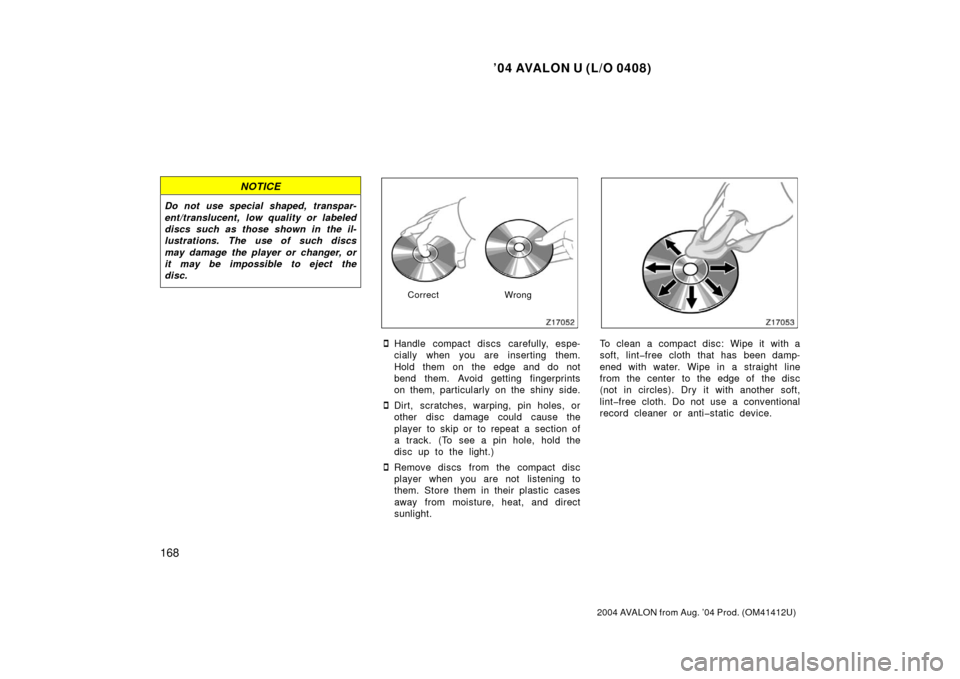
Do not use special shaped, transpar-
ent/translucent, low quality or labeled
discs such as those shown in the il-
lustrations. The use of such discs
may damage the player or changer, or
it may be impossible to eject the
disc.
CorrectWrong
�Handle compact discs carefully, espe-
cially when you are inserting them.
Hold them on the edge and do not
bend them. Avoid getting fingerprints
on them, particularly on the shiny side.
�Dirt, scratches, warping, pin holes, or
other disc damage could cause the
player to skip or to repeat a section of
a track. (To see a pin hole, hold the
disc up to the light.)
�Remove discs from the compact disc
player when you are not listening to
them. Store them in their plastic cases
away from moisture, heat, and direct
sunlight.
To clean a compact disc: Wipe it with a
soft, lintfree cloth that has been damp-
ened with water. Wipe in a straight line
from the center to the edge of the disc
(not in circles). Dry it with another soft,
lintfree cloth. Do not use a conventional
record cleaner or antistatic device.
Page 181 of 339
’04 AVALON U (L/O 0408)
173
2004 AVALON from Aug. ’04 Prod. (OM41412U)
4. Floor/Windshield—Air flows mainly
from the floor vents and windshield
vents.
Turning the air flow selector to the
floor/windshield position turns on the
defogging function with the purpose of
clearing the front view.
This position allows the air intake to
select FRESH automatically. This is to
clean up the front view more quickly.
If you want to return the setting to
RECIRCULATE mode, press the air in-
take selector button once again.
Press the “A/C” button for dehumidified
heating or cooling. This setting clears
the front view more quickly.
5. Windshield— Air flows mainly from the
windshield vents.
Turning the air flow selector to the
windshield position turns on the defog-
ging function with the purpose of clear-
ing the front view.
This position allows the air intake to
select FRESH automatically. This is to
clean up the front view more quickly.
If you want to return the setting to
RECIRCULATE mode, press the air in-
take selector button once again. Press the “A/C” button for dehumidified
heating or cooling. This setting clears
the front view more quickly.
For details about air flow selector settings,
see “—Air flow selector settings” de-
scribed below.
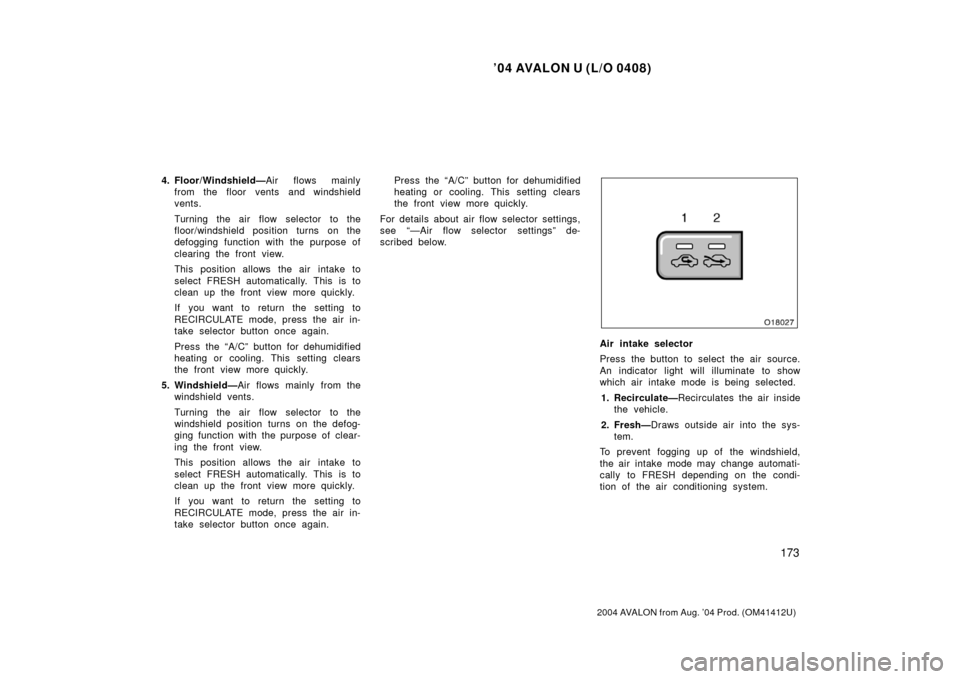
Air intake selector
Press the button to select the air source.
An indicator light will illuminate to show
which air intake mode is being selected. 1. Recirculate— Recirculates the air inside
the vehicle.
2. Fresh— Draws outside air into the sys-
tem.
To prevent fogging up of the windshield,
the air intake mode may change automati-
cally to FRESH depending on the condi-
tion of the air conditioning system.
Page 196 of 339

’04 AVALON U (L/O 0408)
188
2004 AVALON from Aug. ’04 Prod. (OM41412U)
OPERATION OF INSTRUMENTS AND
CONTROLS
Other equipment
Multiinformation display189
. . . . . . . . . . . . . . . . . . . . . . . . . . . . . . . . . . . .
Clock 198
. . . . . . . . . . . . . . . . . . . . . . . . . . . . . . . . . . . . \
. . . . . . . . . . . . . . . . . .
Outside temperature display 198
. . . . . . . . . . . . . . . . . . . . . . . . . . . . . . . . .
Cigarette lighter and ashtray 198
. . . . . . . . . . . . . . . . . . . . . . . . . . . . . . . . .
Power outlet 199
. . . . . . . . . . . . . . . . . . . . . . . . . . . . . . . . . . . . \
. . . . . . . . . . .
Glove box 202
. . . . . . . . . . . . . . . . . . . . . . . . . . . . . . . . . . . . \
. . . . . . . . . . . . . .
Garage door opener 202
. . . . . . . . . . . . . . . . . . . . . . . . . . . . . . . . . . . . \
. . . .
Auxiliary box 205
. . . . . . . . . . . . . . . . . . . . . . . . . . . . . . . . . . . . \
. . . . . . . . . . .
Front cup holder 207
. . . . . . . . . . . . . . . . . . . . . . . . . . . . . . . . . . . . \
. . . . . . . .
Rear cup holder 208
. . . . . . . . . . . . . . . . . . . . . . . . . . . . . . . . . . . . \
. . . . . . . .
Floor mat 210
. . . . . . . . . . . . . . . . . . . . . . . . . . . . . . . . . . . . \
. . . . . . . . . . . . . .
SECTION 1 10
Page 197 of 339
’04 AVALON U (L/O 0408)
189
2004 AVALON from Aug. ’04 Prod. (OM41412U)
1. Outside temperature display
2. Clock
3. Compass
4. Calendar
5. Cruise information display
6. “LIGHT” button
7. “MODE” button
8. “RESET/ADJ” button
9. “DISPLAY” button
Multiinformation display—
Page 198 of 339

’04 AVALON U (L/O 0408)
190
2004 AVALON from Aug. ’04 Prod. (OM41412U)
Operate the multiinformation display
with the ignition switch on.
When the ignition switch is turned to
“ON”, the last previously used mode dis-
played just before the ignition switch is
turned off will appear.
If the electrical power source has been
disconnected from the multiinformation
display, the display will automatically be
set to the initial mode.
When the instrument panel lights are
turned on, the brightness of the display
will be reduced.“LIGHT” button
This button is used to select the illumi-
nation pattern of the display.
Every time you push the “LIGHT” button,
the display illuminates in the following or-
der.1. All the parts of the display are illumi- nated.
2. Clock, outside temperature display and compass are illuminated.
3. Illumination is off.
“MODE” and “RESET/ADJ” buttons
These buttons are used to select the
item to be reset or adjusted.
Every time you push the “MODE” button,
the display toggles in the following order.
1. Hour
2. Minute
3. Year
4. Month
5. Day
6. English or metric unit selection of the outside temperature display and cruise
information display
7. Compass deviation calibration (zone)
8. Compass circling calibration
—Before using the
multiinformation display
Page 206 of 339
’04 AVALON U (L/O 0408)
198
2004 AVALON from Aug. ’04 Prod. (OM41412U)
To reset the hour: Push the “MODE” but-
ton until the hour display blinks. Then
push the “ADJ” button.
To reset the minutes: Push the “MODE”
button until the minute display blinks.
Then push the “ADJ” button.
The key must be in the “ON” position.
If the electrical power source has been
disconnected from the clock, the time dis-
play will automatically be set to 1:00 (one
o’clock).
When the instrument panel lights are
turned on, the brightness of the time in-
dication will be reduced.The key must be in the “ON” position.
When the instrument panel lights are
turned on, the brightness of the display
will be reduced.
To change the display between “�C” to
“ � F”, push the “MODE” button until the
display blinks. Then push the “ADJ” button
to select “ �C” or “ �F”.With bucket front seat
With bench type front seat
Clock Outside temperature display Cigarette lighter and ashtray
Page 207 of 339
’04 AVALON U (L/O 0408)
199
2004 AVALON from Aug. ’04 Prod. (OM41412U)
CIGARETTE LIGHTER
To use the cigarette lighter, first open
the ashtray lid, then press in the light-
er. After it finishes heating up, it auto-
matically pops out ready for use.
If the engine is not running, the key must
be in the “ACC” position.
Do not hold the cigarette lighter pressed
in.
Use a Toyota genuine cigarette lighter or
equivalent for replacement.
ASHTRAY
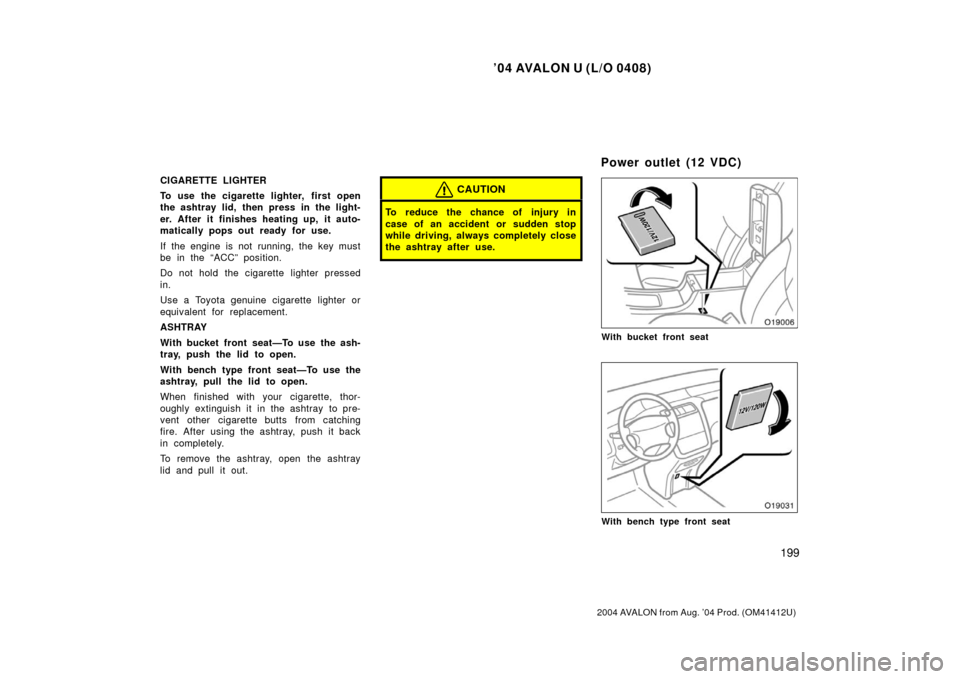
With bucket front seat—To use the ash-
tray, push the lid to open.
With bench type front seat—To use the
ashtray, pull the lid to open.
When finished with your cigarette, thor-
oughly extinguish it in the ashtray to pre-
vent other cigarette butts from catching
fire. After using the ashtray, push it back
in completely.
To remove the ashtray, open the ashtray
lid and pull it out.CAUTION
To reduce the chance of injury in
case of an accident or sudden stop
while driving, always completely close
the ashtray after use.
With bucket front seat
With bench type front seat
Power outlet (12 VDC)

