2004 NISSAN MAXIMA sunroof
[x] Cancel search: sunroofPage 9 of 280
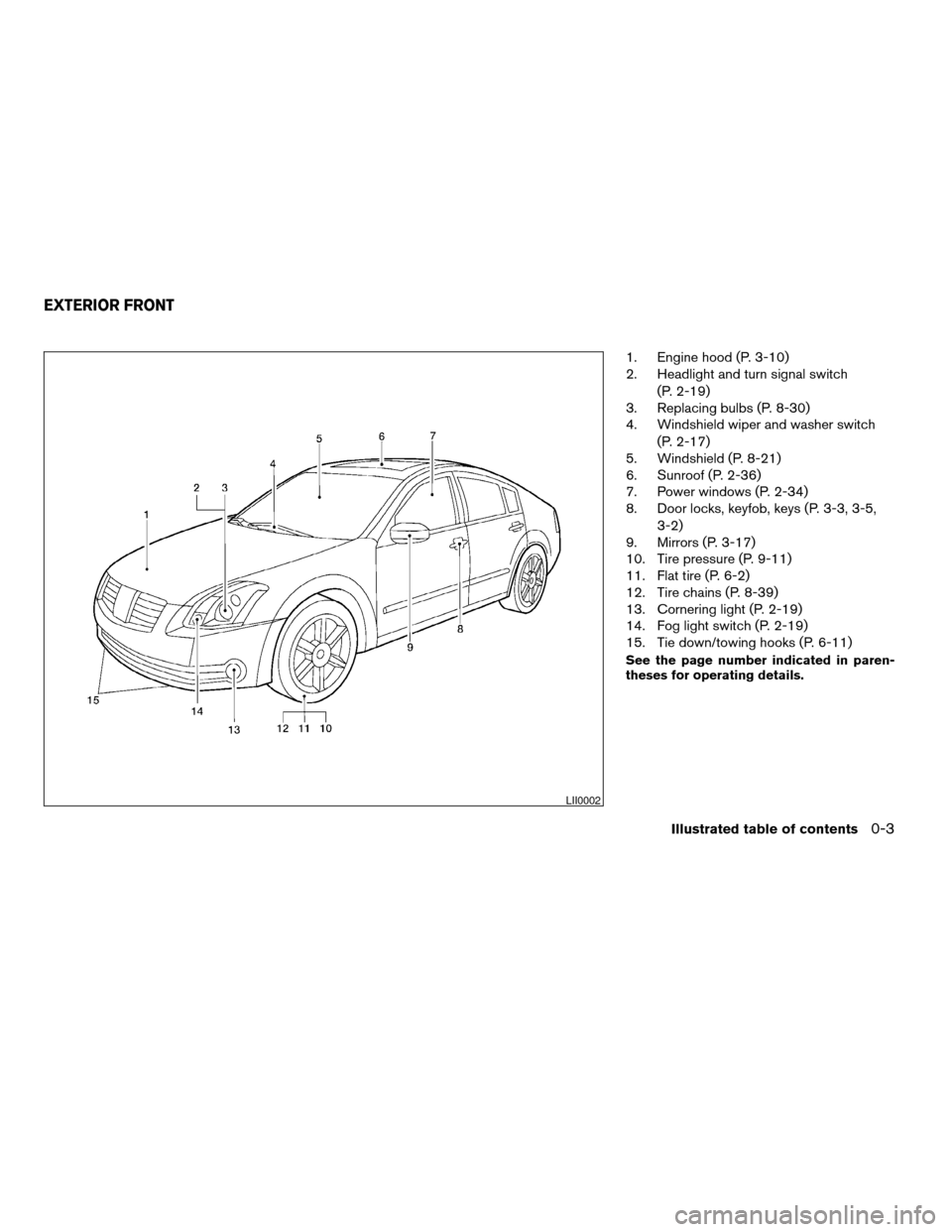
1. Engine hood (P. 3-10)
2. Headlight and turn signal switch
(P. 2-19)
3. Replacing bulbs (P. 8-30)
4. Windshield wiper and washer switch
(P. 2-17)
5. Windshield (P. 8-21)
6. Sunroof (P. 2-36)
7. Power windows (P. 2-34)
8. Door locks, keyfob, keys (P. 3-3, 3-5,
3-2)
9. Mirrors (P. 3-17)
10. Tire pressure (P. 9-11)
11. Flat tire (P. 6-2)
12. Tire chains (P. 8-39)
13. Cornering light (P. 2-19)
14. Fog light switch (P. 2-19)
15. Tie down/towing hooks (P. 6-11)
See the page number indicated in paren-
theses for operating details.
LII0002
EXTERIOR FRONT
Illustrated table of contents0-3
ZREVIEW COPY:Ð2004 Maxima(max)
Owners Manual(owners)ÐUSA English(nna)
10/20/03Ðarosenma
X
Page 11 of 280
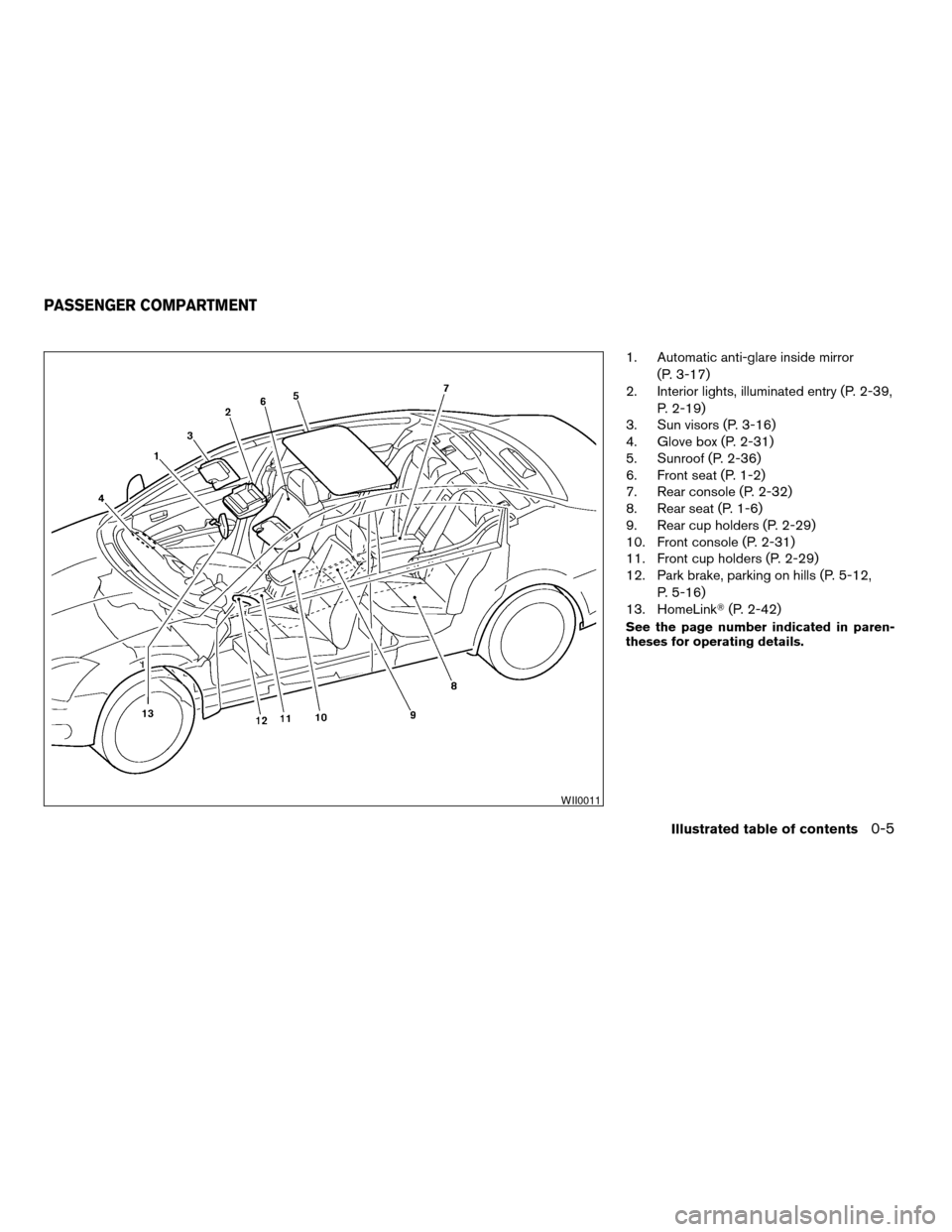
1. Automatic anti-glare inside mirror
(P. 3-17)
2. Interior lights, illuminated entry (P. 2-39,
P. 2-19)
3. Sun visors (P. 3-16)
4. Glove box (P. 2-31)
5. Sunroof (P. 2-36)
6. Front seat (P. 1-2)
7. Rear console (P. 2-32)
8. Rear seat (P. 1-6)
9. Rear cup holders (P. 2-29)
10. Front console (P. 2-31)
11. Front cup holders (P. 2-29)
12. Park brake, parking on hills (P. 5-12,
P. 5-16)
13. HomeLinkT(P. 2-42)
See the page number indicated in paren-
theses for operating details.
WII0011
PASSENGER COMPARTMENT
Illustrated table of contents0-5
ZREVIEW COPY:Ð2004 Maxima(max)
Owners Manual(owners)ÐUSA English(nna)
10/20/03Ðarosenma
X
Page 61 of 280
Windows........................................2-34
Power windows...............................2-34
Skyview™ roof (if so equipped).....................2-36
Sunroof (if so equipped)...........................2-36
Automatic sunroof.............................2-36
Rear sun shade (if so equipped)....................2-38
Interior light......................................2-39
Personal lights...................................2-40
Front.........................................2-40
Rear.........................................2-41
Trunk light.......................................2-41HomelinkTuniversal transceiver....................2-42
Programming HomeLinkT.......................2-42
Programming HomeLinkTfor Canadian
customers....................................2-44
Operating the HomeLinkTuniversal
transceiver....................................2-44
Programming trouble-diagnosis.................2-44
Clearing the programmed information............2-44
Reprogramming a single HomeLinkTbutton......2-44
If your vehicle is stolen.........................2-45
ZREVIEW COPY:Ð2004 Maxima(max)
Owners Manual(owners)ÐUSA English(nna)
10/20/03Ðarosenma
X
Page 96 of 280
Depending on the environment or driving
conditions, the auto-reverse function may
be activated if an impact or load similar to
something being caught in the window oc-
curs.
WARNING
There are some small distances immedi-
ately before the closed position which
cannot be detected. Make sure that all
passengers have their hands, etc., inside
the vehicle before closing the window.
If the control unit detects something caught in a
window equipped with automatic operation as it
is closing, the window will be immediately low-
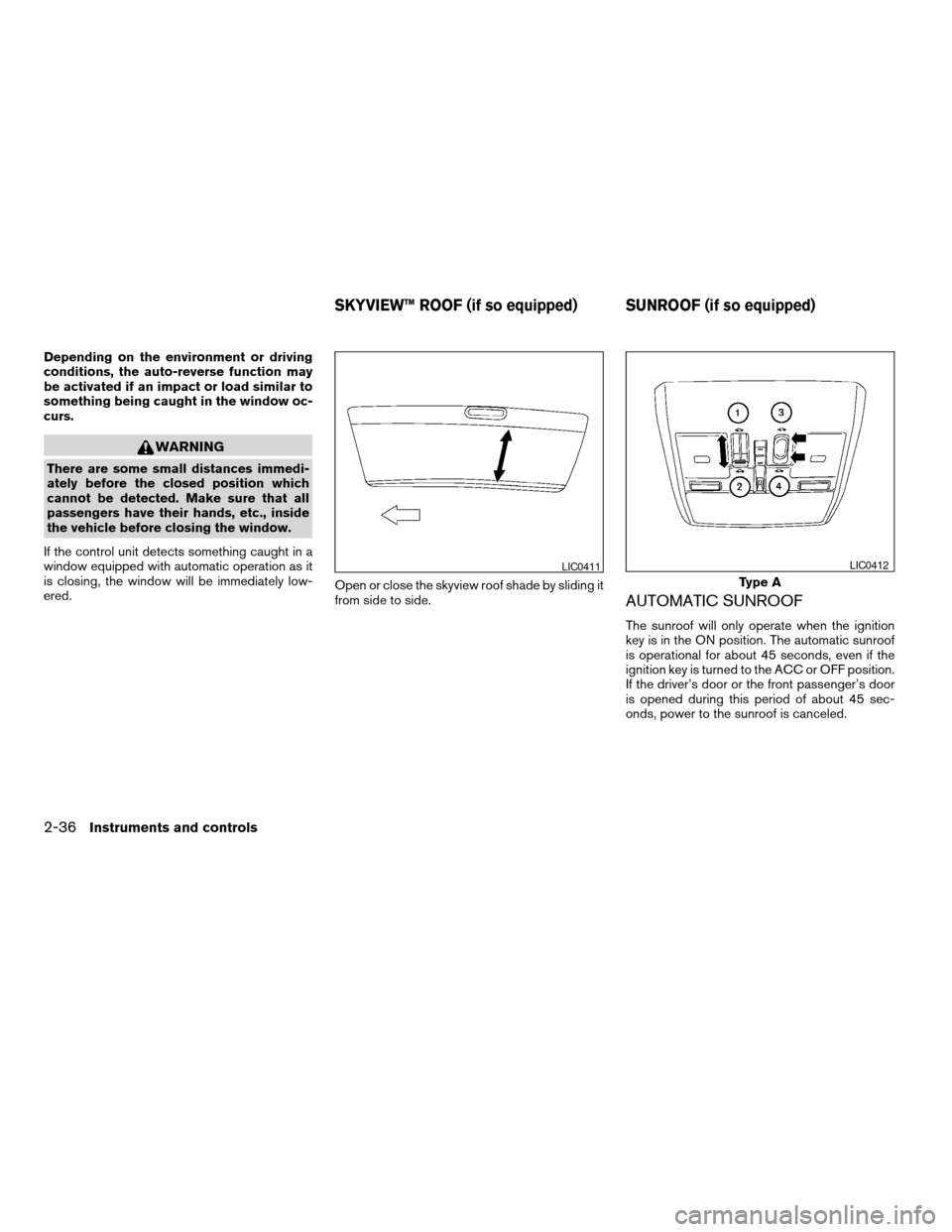
ered.Open or close the skyview roof shade by sliding it
from side to side.
AUTOMATIC SUNROOF
The sunroof will only operate when the ignition
key is in the ON position. The automatic sunroof
is operational for about 45 seconds, even if the
ignition key is turned to the ACC or OFF position.
If the driver’s door or the front passenger’s door
is opened during this period of about 45 sec-
onds, power to the sunroof is canceled.
LIC0411
Type A
LIC0412
SKYVIEW™ ROOF (if so equipped) SUNROOF (if so equipped)
2-36Instruments and controls
ZREVIEW COPY:Ð2004 Maxima(max)
Owners Manual(owners)ÐUSA English(nna)
10/07/03Ðtbrooks
X
Page 97 of 280
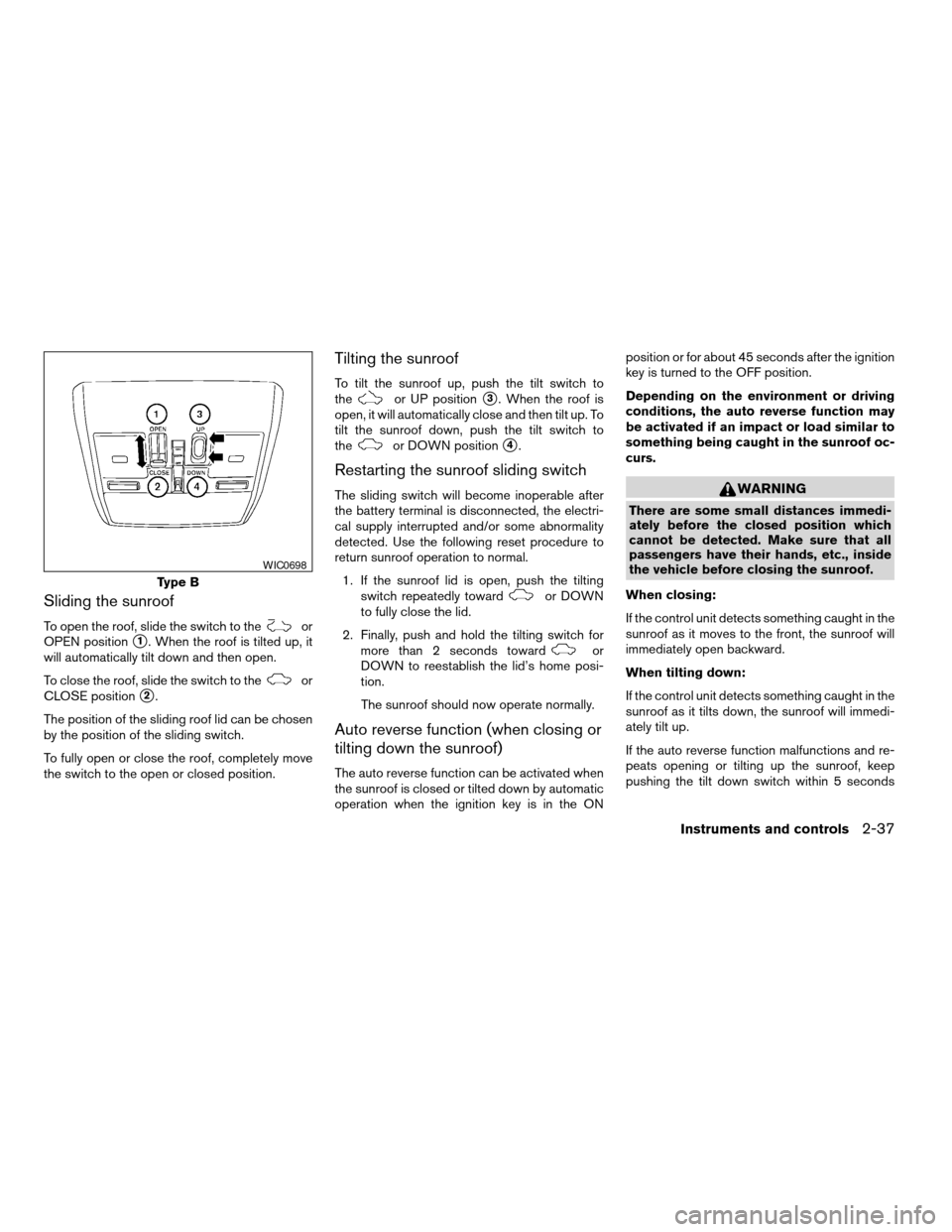
Sliding the sunroof
To open the roof, slide the switch to theor
OPEN position
s1. When the roof is tilted up, it
will automatically tilt down and then open.
To close the roof, slide the switch to the
or
CLOSE position
s2.
The position of the sliding roof lid can be chosen
by the position of the sliding switch.
To fully open or close the roof, completely move
the switch to the open or closed position.
Tilting the sunroof
To tilt the sunroof up, push the tilt switch to
theor UP positions3. When the roof is
open, it will automatically close and then tilt up. To
tilt the sunroof down, push the tilt switch to
the
or DOWN positions4.
Restarting the sunroof sliding switch
The sliding switch will become inoperable after
the battery terminal is disconnected, the electri-
cal supply interrupted and/or some abnormality
detected. Use the following reset procedure to
return sunroof operation to normal.
1. If the sunroof lid is open, push the tilting
switch repeatedly toward
or DOWN
to fully close the lid.
2. Finally, push and hold the tilting switch for
more than 2 seconds toward
or
DOWN to reestablish the lid’s home posi-
tion.
The sunroof should now operate normally.
Auto reverse function (when closing or
tilting down the sunroof)
The auto reverse function can be activated when
the sunroof is closed or tilted down by automatic
operation when the ignition key is in the ONposition or for about 45 seconds after the ignition
key is turned to the OFF position.
Depending on the environment or driving
conditions, the auto reverse function may
be activated if an impact or load similar to
something being caught in the sunroof oc-
curs.
WARNING
There are some small distances immedi-
ately before the closed position which
cannot be detected. Make sure that all
passengers have their hands, etc., inside
the vehicle before closing the sunroof.
When closing:
If the control unit detects something caught in the
sunroof as it moves to the front, the sunroof will
immediately open backward.
When tilting down:
If the control unit detects something caught in the
sunroof as it tilts down, the sunroof will immedi-
ately tilt up.
If the auto reverse function malfunctions and re-
peats opening or tilting up the sunroof, keep
pushing the tilt down switch within 5 seconds
Type B
WIC0698
Instruments and controls2-37
ZREVIEW COPY:Ð2004 Maxima(max)
Owners Manual(owners)ÐUSA English(nna)
10/07/03Ðtbrooks
X
Page 98 of 280
after it happens, then the sunroof will fully close
gradually. In this case, make sure nothing is
caught in the sunroof.
WARNING
cIn an accident you could be thrown from
the vehicle through an open sunroof.
Always use seat belts and child
restraints.
cDo not allow anyone to stand up or
extend any portion of their body out of
the sunroof opening while the vehicle is
in motion or while the sunroof is
closing.
CAUTION
cRemove water drops, snow, ice or sand
from the sunroof before opening.
cDo not place heavy objects on the sun-
roof or surrounding area.
Sun shade
Open and close the sun shade by sliding it for-
ward or backward.
If the sunroof does not close
Have your NISSAN dealer check and repair the
sunroof.
CAUTION
cTo avoid personal injury, keep your
hands, fingers and head away from the
sun shade arm, arm rail and screen inlet
port.
cDo not allow children near the rear sun
shade system. They could be injured.
cDo not place objects on or near the rear
sun shade. This could cause improper
operation or damage it.
cDo not pull or push the rear sun shade.
This could cause improper operation or
damage it.
LIC0418
REAR SUN SHADE (if so equipped)
2-38Instruments and controls
ZREVIEW COPY:Ð2004 Maxima(max)
Owners Manual(owners)ÐUSA English(nna)
10/07/03Ðtbrooks
X
Page 99 of 280
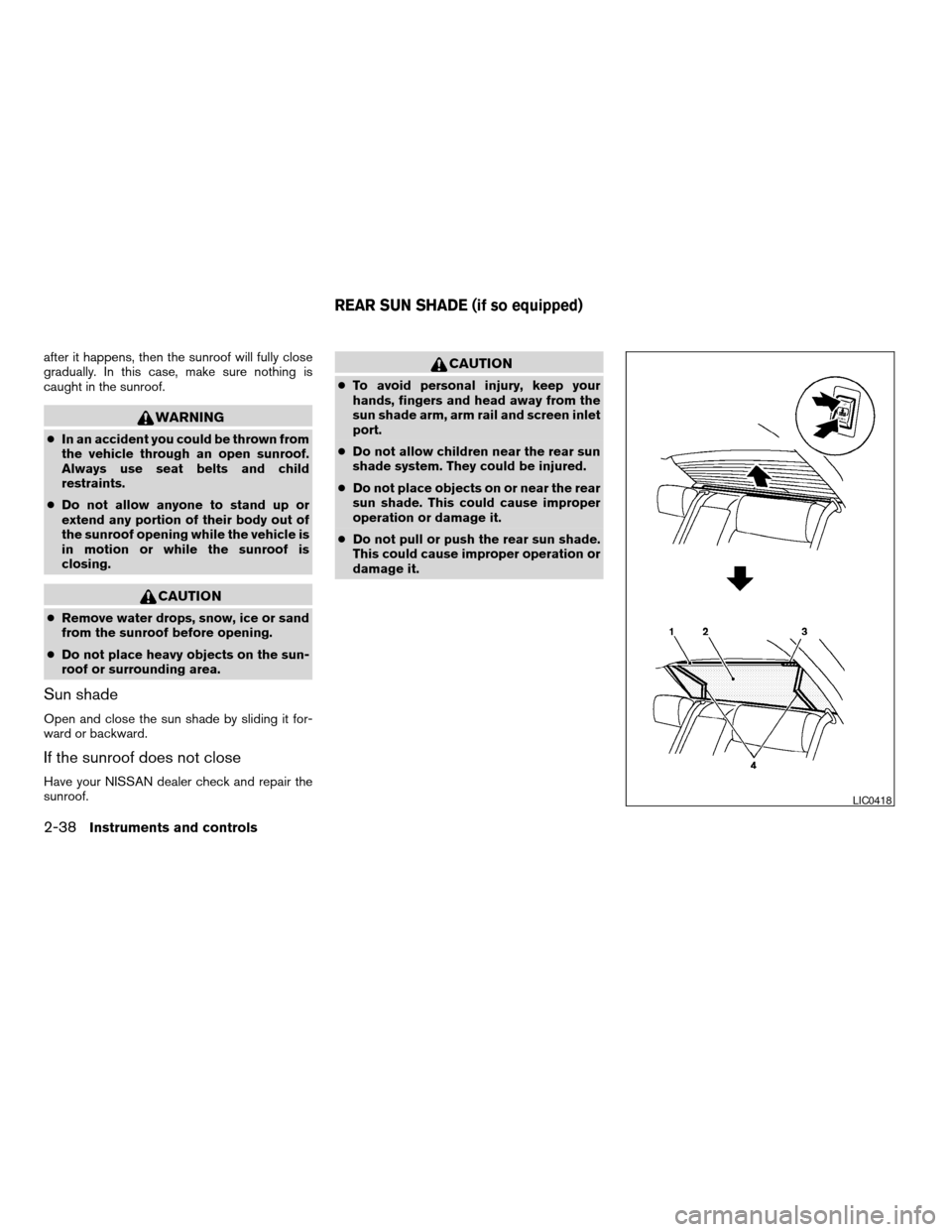
1. Arm rail
2. Screen
3. Caution label
4. Sun shade arms
The rear sun shade operates when the ignition
key is in the ACC or ON position.
The rear sun shade switches are located on the
front and rear center consoles.
To raise the screen, push the upper side of the
switch.
To lower the screen, push the lower side of the
switch.
The switch need not be held down.
CAUTION
cDo not place objects (such as newspa-
pers, handkerchiefs, etc.) on the screen
inlet port. Doing so may entangle these
objects in the screen when it is extend-
ing or retracting, causing improper op-
eration or damage to the screen.
cDo not push the sun shade arm with
your hands, etc., as this may deform it.
Improper operation or damage to the
screen may result.cDo not hang any object on the arm rail
as this may result in improper operation
or damage the screen.
cDo not forcefully pull the screen. Doing
so may elongate the screen. Improper
operation or damage to the screen may
result.
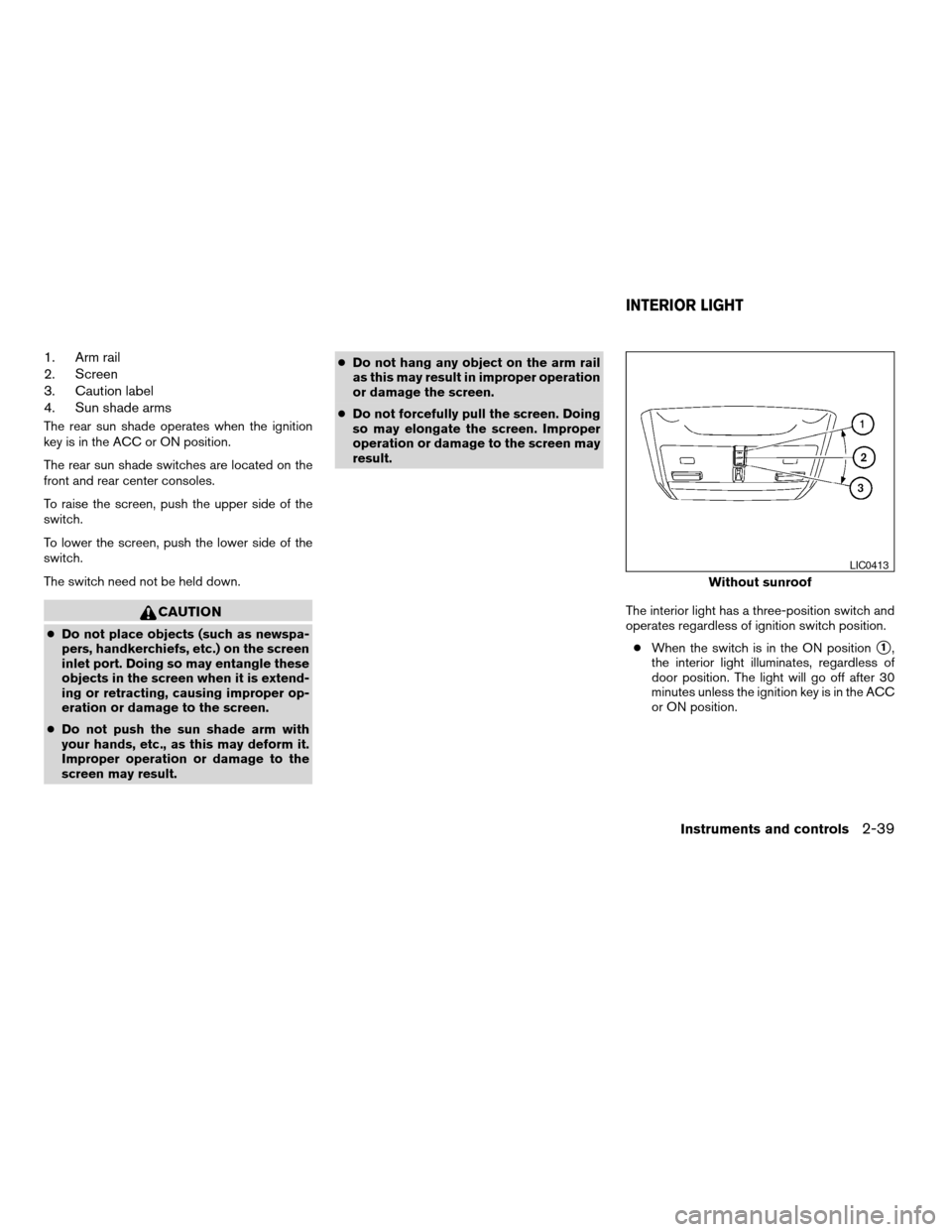
The interior light has a three-position switch and
operates regardless of ignition switch position.
cWhen the switch is in the ON position
s1,
the interior light illuminates, regardless of
door position. The light will go off after 30
minutes unless the ignition key is in the ACC
or ON position.
Without sunroof
LIC0413
INTERIOR LIGHT
Instruments and controls2-39
ZREVIEW COPY:Ð2004 Maxima(max)
Owners Manual(owners)ÐUSA English(nna)
10/07/03Ðtbrooks
X
Page 100 of 280
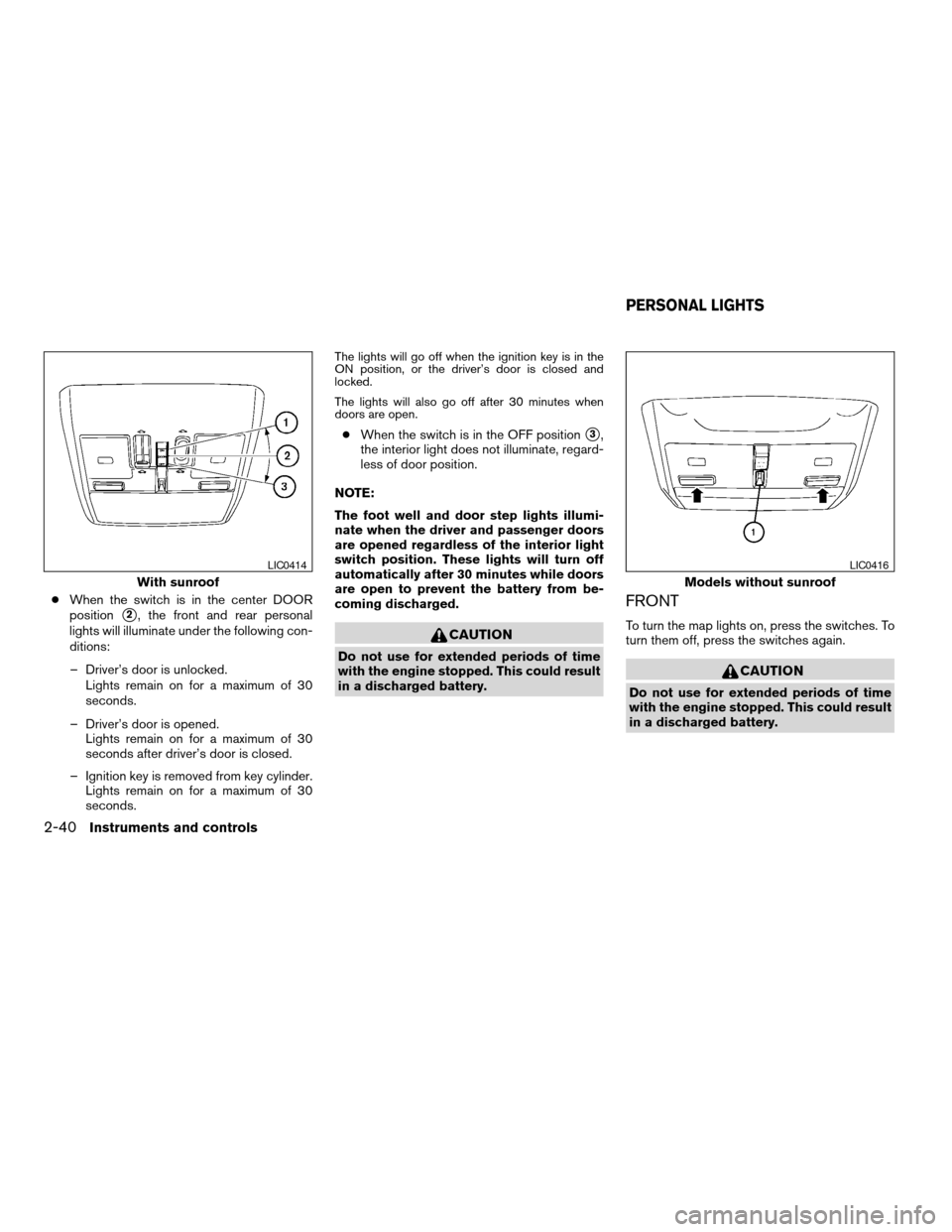
cWhen the switch is in the center DOOR
position
s2, the front and rear personal
lights will illuminate under the following con-
ditions:
– Driver’s door is unlocked.
Lights remain on for a maximum of 30
seconds.
– Driver’s door is opened.
Lights remain on for a maximum of 30
seconds after driver’s door is closed.
– Ignition key is removed from key cylinder.
Lights remain on for a maximum of 30
seconds.
The lights will go off when the ignition key is in the
ON position, or the driver’s door is closed and
locked.
The lights will also go off after 30 minutes when
doors are open.
cWhen the switch is in the OFF positions3,
the interior light does not illuminate, regard-
less of door position.
NOTE:
The foot well and door step lights illumi-
nate when the driver and passenger doors
are opened regardless of the interior light
switch position. These lights will turn off
automatically after 30 minutes while doors
are open to prevent the battery from be-
coming discharged.
CAUTION
Do not use for extended periods of time
with the engine stopped. This could result
in a discharged battery.
FRONT
To turn the map lights on, press the switches. To
turn them off, press the switches again.
CAUTION
Do not use for extended periods of time
with the engine stopped. This could result
in a discharged battery.
With sunroof
LIC0414
Models without sunroof
LIC0416
PERSONAL LIGHTS
2-40Instruments and controls
ZREVIEW COPY:Ð2004 Maxima(max)
Owners Manual(owners)ÐUSA English(nna)
10/07/03Ðtbrooks
X