Page 92 of 296

The vehicle should be driven with the Vehicle
Dynamic Control (VDC) system on for most driv-
ing conditions.
If the vehicle is stuck in mud or snow, the VDC
system reduces the engine output to reduce
wheel spin. The engine speed will be reduced
even if the accelerator is depressed to the floor. If
maximum engine power is needed to free a stuck
vehicle, turn the VDC system off.
To turn off the VDC system, push the VDC OFF
switch. The
indicator will come on.Push the VDC OFF switch again or restart the
engine and the system will operate normally. See
“Vehicle dynamic control (VDC) system” in the
“Starting and driving” section.
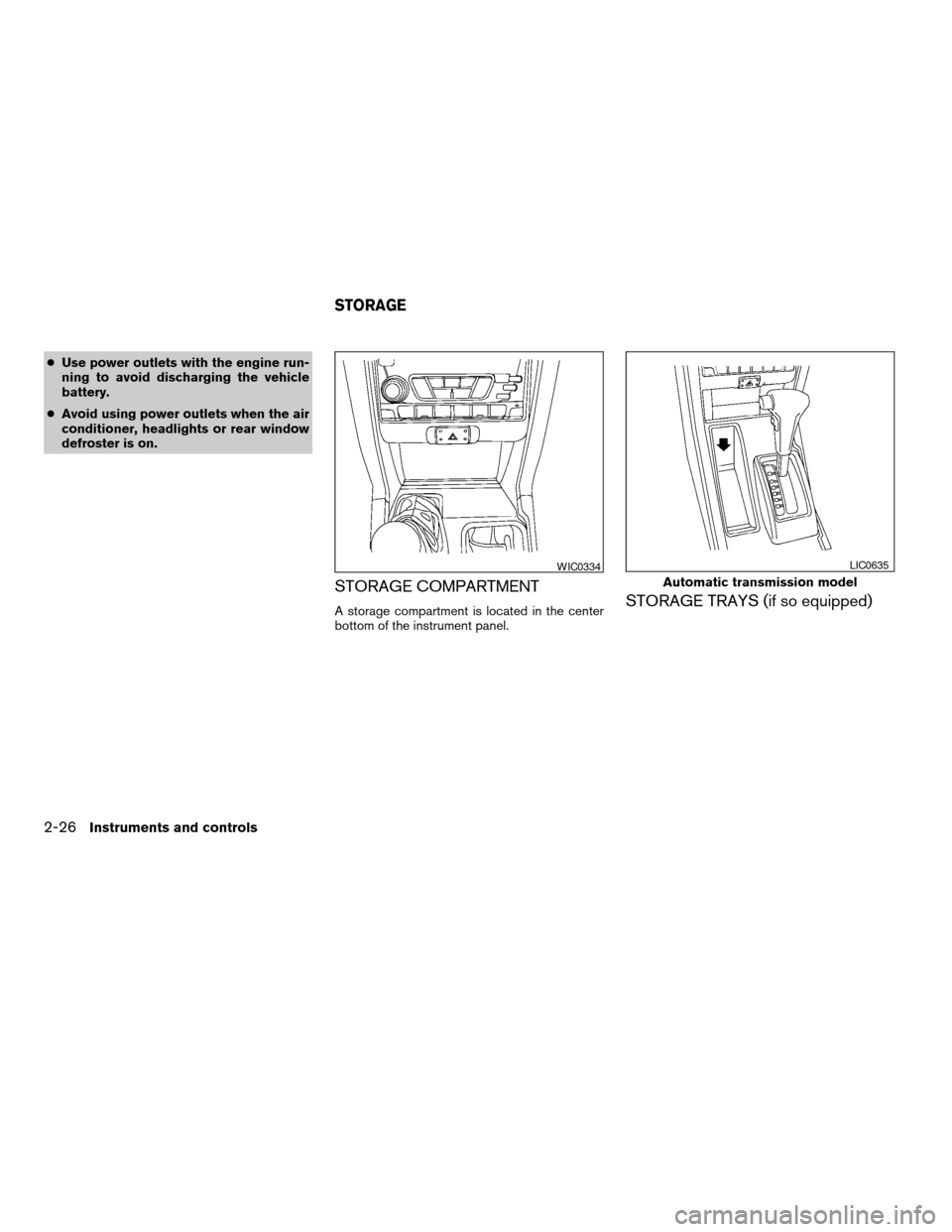
The power outlets are for powering electrical
accessories such as cellular telephones. They
are rated at 12 volt, 120 W (10A) maximum.
CAUTION
cThe outlet and plug may be hot during
or immediately after use.
cThis power outlet is not designed for
use with a cigarette lighter unit.
c
WIC0534
Front
WIC0330
VEHICLE DYNAMIC CONTROL (VDC)
OFF SWITCH (if so equipped)POWER OUTLET
2-24Instruments and controls
ZREVIEW COPY:Ð2004 Truck/Frontier(d22)
Owners Manual(owners)ÐUSA English(nna)
11/21/03Ðdebbie
X
Page 93 of 296
cDo not use with accessories that ex-
ceed a 12 volt, 120W (10A) power draw.
Do not use double adapters or more
than one electrical accessory.
cUse power outlets with the engine run-
ning to avoid discharging the vehicle
battery.
cAvoid using power outlets when the air
conditioner, headlights or rear window
defroster is on.cBefore inserting or disconnecting a
plug, be sure the electrical accessory
being used is turned OFF.
cPush the plug in as far as it will go. If
good contact is not made, the plug may
overheat or the internal temperature
fuse may blow.
cWhen not in use, be sure to close the
cap. Do not allow water to contact the
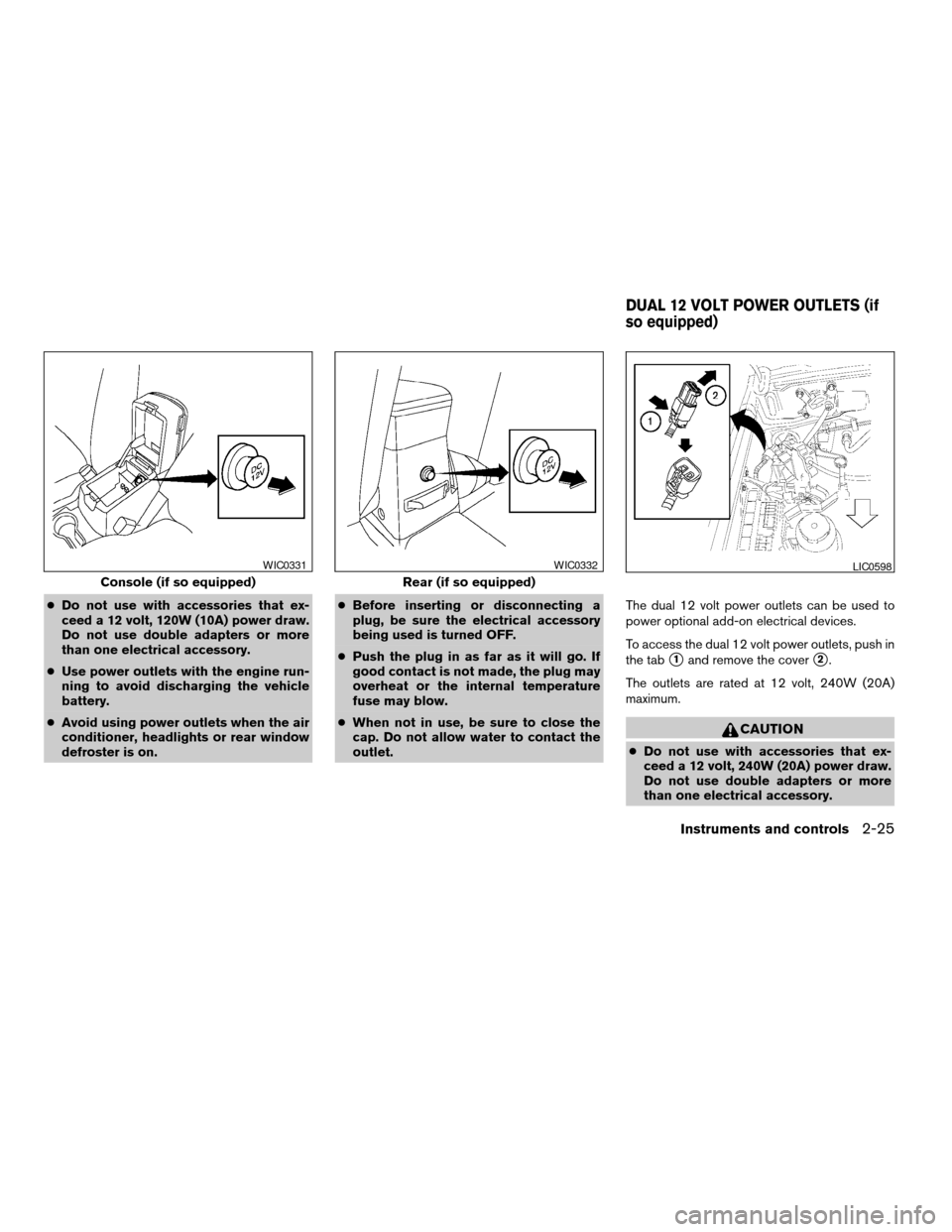
outlet.The dual 12 volt power outlets can be used to
power optional add-on electrical devices.
To access the dual 12 volt power outlets, push in
the tab
s1and remove the covers2.
The outlets are rated at 12 volt, 240W (20A)
maximum.
CAUTION
cDo not use with accessories that ex-
ceed a 12 volt, 240W (20A) power draw.
Do not use double adapters or more
than one electrical accessory.
Console (if so equipped)
WIC0331
Rear (if so equipped)
WIC0332LIC0598
DUAL 12 VOLT POWER OUTLETS (if
so equipped)
Instruments and controls2-25
ZREVIEW COPY:Ð2004 Truck/Frontier(d22)
Owners Manual(owners)ÐUSA English(nna)
11/21/03Ðdebbie
X
Page 94 of 296
cUse power outlets with the engine run-
ning to avoid discharging the vehicle
battery.
cAvoid using power outlets when the air
conditioner, headlights or rear window
defroster is on.
STORAGE COMPARTMENT
A storage compartment is located in the center
bottom of the instrument panel.STORAGE TRAYS (if so equipped)
WIC0334
Automatic transmission model
LIC0635
STORAGE
2-26Instruments and controls
ZREVIEW COPY:Ð2004 Truck/Frontier(d22)
Owners Manual(owners)ÐUSA English(nna)
11/21/03Ðdebbie
X
Page 102 of 296
MANUAL WINDOWS
The side windows can be opened or closed by
turning the hand crank on each door.
REAR SLIDING WINDOW (if so
equipped)
Squeeze the handles of the levers1, then slide
the window open
s2.
WIC0263WIC0352
Dome light — Type A
LIC0630
INTERIOR LIGHTS
2-34Instruments and controls
ZREVIEW COPY:Ð2004 Truck/Frontier(d22)
Owners Manual(owners)ÐUSA English(nna)
11/21/03Ðdebbie
X
Page 103 of 296
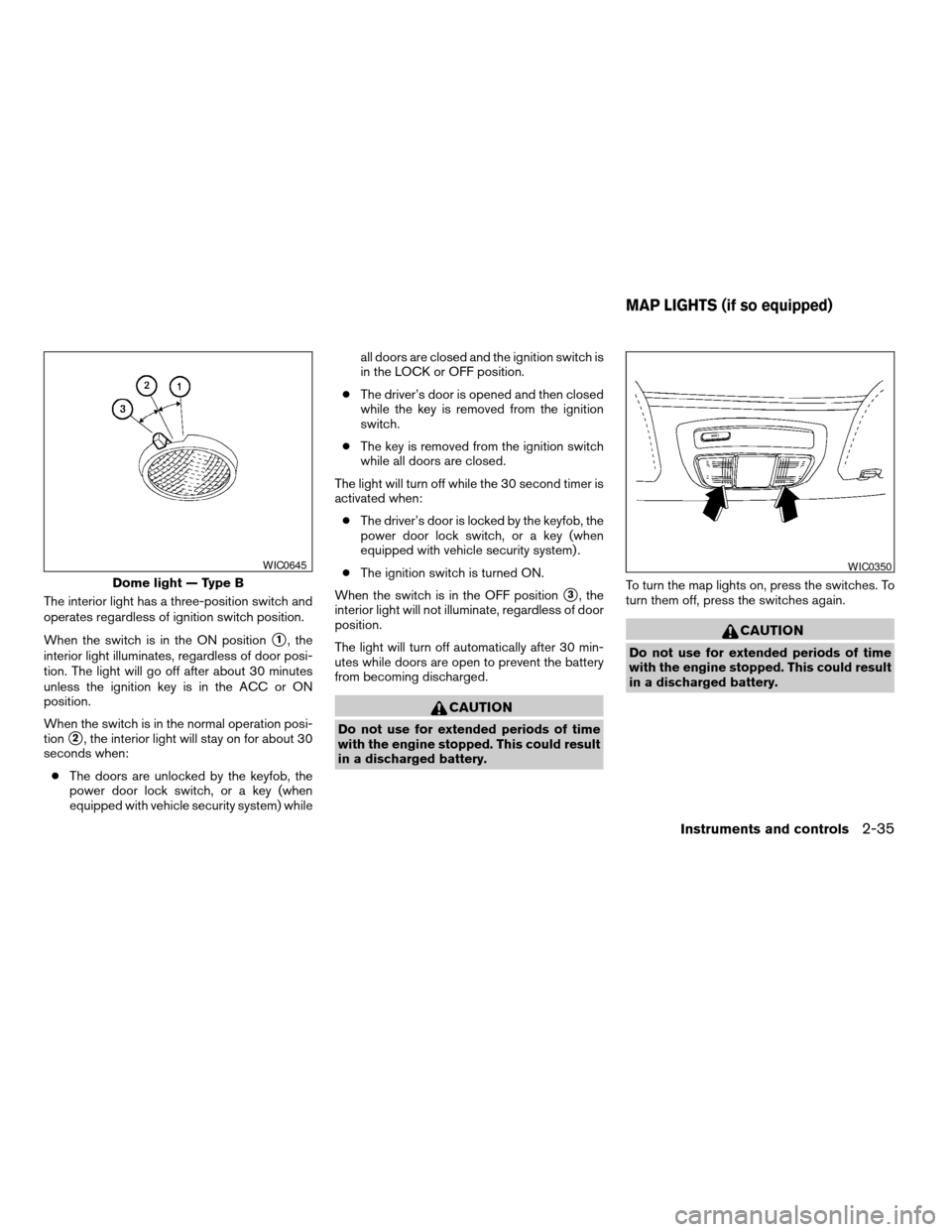
The interior light has a three-position switch and
operates regardless of ignition switch position.
When the switch is in the ON position
s1, the
interior light illuminates, regardless of door posi-
tion. The light will go off after about 30 minutes
unless the ignition key is in the ACC or ON
position.
When the switch is in the normal operation posi-
tion
s2, the interior light will stay on for about 30
seconds when:
cThe doors are unlocked by the keyfob, the
power door lock switch, or a key (when
equipped with vehicle security system) whileall doors are closed and the ignition switch is
in the LOCK or OFF position.
cThe driver’s door is opened and then closed
while the key is removed from the ignition
switch.
cThe key is removed from the ignition switch
while all doors are closed.
The light will turn off while the 30 second timer is
activated when:
cThe driver’s door is locked by the keyfob, the
power door lock switch, or a key (when
equipped with vehicle security system) .
cThe ignition switch is turned ON.
When the switch is in the OFF position
s3, the
interior light will not illuminate, regardless of door
position.
The light will turn off automatically after 30 min-
utes while doors are open to prevent the battery
from becoming discharged.
CAUTION
Do not use for extended periods of time
with the engine stopped. This could result
in a discharged battery.To turn the map lights on, press the switches. To
turn them off, press the switches again.
CAUTION
Do not use for extended periods of time
with the engine stopped. This could result
in a discharged battery.
Dome light — Type B
WIC0645WIC0350
MAP LIGHTS (if so equipped)
Instruments and controls2-35
ZREVIEW COPY:Ð2004 Truck/Frontier(d22)
Owners Manual(owners)ÐUSA English(nna)
11/21/03Ðdebbie
X
Page 108 of 296

Lockout protection
When the power door lock switch (driver or front
passenger) is moved to the lock position with the
key in the ignition and any door open, all doors
will lock and unlock automatically. This helps to
prevent the keys from being accidently locked
inside the vehicle.
CHILD SAFETY REAR DOOR LOCK
(Crew Cab models only)
Child safety locks help prevent the rear doors
from being opened accidentally, especially when
small children are in the vehicle.
The child safety lock levers are located on the
edge of the rear doors.
When the lever is in the lock position, the
door can be opened only from the outside.It is possible to lock/unlock all doors, turn the
interior light on, and activate the panic alarm by
using the keyfob from outside the vehicle.
Be sure to remove the key from the vehicle
before locking the doors.
The keyfob can operate at a distance of approxi-
mately 33 ft (10 m) from the vehicle. The effective
distance depends on the conditions around the
vehicle.
As many as 4 keyfobs can be used with one
vehicle. For information concerning the purchase
and use of additional keyfobs, contact a NISSAN
dealer.
The keyfob will not function when:
cthe battery is discharged
cthe distance between the vehicle and the
keyfob is over 33 ft (10 m)
CAUTION
Listed below are conditions or occur-
rences which will damage the keyfob:
cDo not allow the keyfob to become wet.
cDo not drop the keyfob.
cDo not strike the keyfob sharply against
another object.
WPD0037
REMOTE KEYLESS ENTRY SYSTEM
(if so equipped)
3-4Pre-driving checks and adjustments
ZREVIEW COPY:Ð2004 Truck/Frontier(d22)
Owners Manual(owners)ÐUSA English(nna)
11/21/03Ðdebbie
X
Page 109 of 296
cDo not place the keyfob for an extended
period in an area where temperatures
exceed 140°F (60°C) .
HOW TO USE REMOTE KEYLESS
ENTRY SYSTEM
Locking doors
1. Close all windows.
2. Remove the key from the ignition switch.
3. Close the hood and all doors
4. Push the
button on the keyfob. All
the doors lock. The hazard lights flash twice
and the horn beeps once to indicate all
doors are locked.
cWhen the
button is pushed with
all doors locked, the hazard lights flashtwice and the horn beeps once as a re-
minder that the doors are already locked.
The horn may or may not beep once. Refer to
“Silencing the horn beep feature” later in this
section for details.
cIf a door is open and you push
the
button, the doors will lock
but the horn will not beep and the hazard
lights will not flash.
WPD0157
Pre-driving checks and adjustments3-5
ZREVIEW COPY:Ð2004 Truck/Frontier(d22)
Owners Manual(owners)ÐUSA English(nna)
11/21/03Ðdebbie
X
Page 110 of 296

Unlocking doors
Push thebutton on the keyfob once.
cOnly the driver’s door unlocks.
cThe interior lights illuminate for 30 seconds
when the interior light switch is in the normal
operation position.
Push the
button on the keyfob again with 5
seconds.
cAll doors unlock.The interior lights can be turned off without wait-
ing 30 seconds by inserting the key into the
ignition and turning to the ON or START position,
locking the doors with the keyfob or pushing the
interior light switch to the OFF position.
Auto relock
When thebutton on the keyfob is pushed,
all doors will lock automatically within 5 minutes
unless one of the following operations is per-
formed:
cAny door is opened.
cA key is inserted into the ignition switch and
the key is turned from OFF to ON.
Using the panic alarm
If you are near your vehicle and feel threatened,
you may activate the panic alarm to call attention
by pushing and holding the
button on the
keyfob forlonger than 0.5 second.
The panic alarm and headlights will stay on for
about 30 seconds.
The panic alarm stops when:
cit has run for about 30 seconds, or
cthe
orbutton is pushed on
the keyfob.
WPD0158WPD0159
3-6Pre-driving checks and adjustments
ZREVIEW COPY:Ð2004 Truck/Frontier(d22)
Owners Manual(owners)ÐUSA English(nna)
11/21/03Ðdebbie
X