Page 109 of 435
108 Controls in detailSeats
�SeatsFor more information on seat adjustment,
see “Seat adjustment” (
�page 35).
Easy-entry/exit feature
With the easy-entry/exit feature activated,
the steering wheel tilts upwards and the
driver’s seat moves to the rear.
This allows easier entry into and exit from
the vehicle when the driver’s door is
opened. However, the engine must be
turned off.
When the SmartKey is inserted in the start-
er switch or you have pressed the
KEYLESS-GO* start/stop button once and
the driver’s door is closed, the steering
wheel and the driver’s seat return to their
last set positions.You can activate the following functions:
�
Steering column
Only the steering column is adjusted.
�
Steering column and seat
The steering column and the seat are
adjusted.
The easy-entry/exit feature can be
switched on or off in the convenience sub-
menu of the control system (
�page 160).
Warning!
G
You must ensure that no one can become
trapped or injured by the moving steering
wheel and driver’s seat when the
easy-entry / exit feature is activated, the
driver’s door is being opened, and the en-
gine is turned off or the SmartKey is re-
moved from the starter switch.
Do not leave children unattended in the ve-
hicle, or with access to an unlocked vehicle.
Children could open the driver’s door and
unintentionally activate the easy-entry/exit
feature*, which could result in an accident
and/or serious personal injury.
iTo cancel seat/steering wheel move-
ment, do one of the following:�
Press the seat adjustment switch
(�page 35)
�
Move the steering column stalk
(�page 37)
�
Press the memory button
(�page 121)
Page 139 of 435
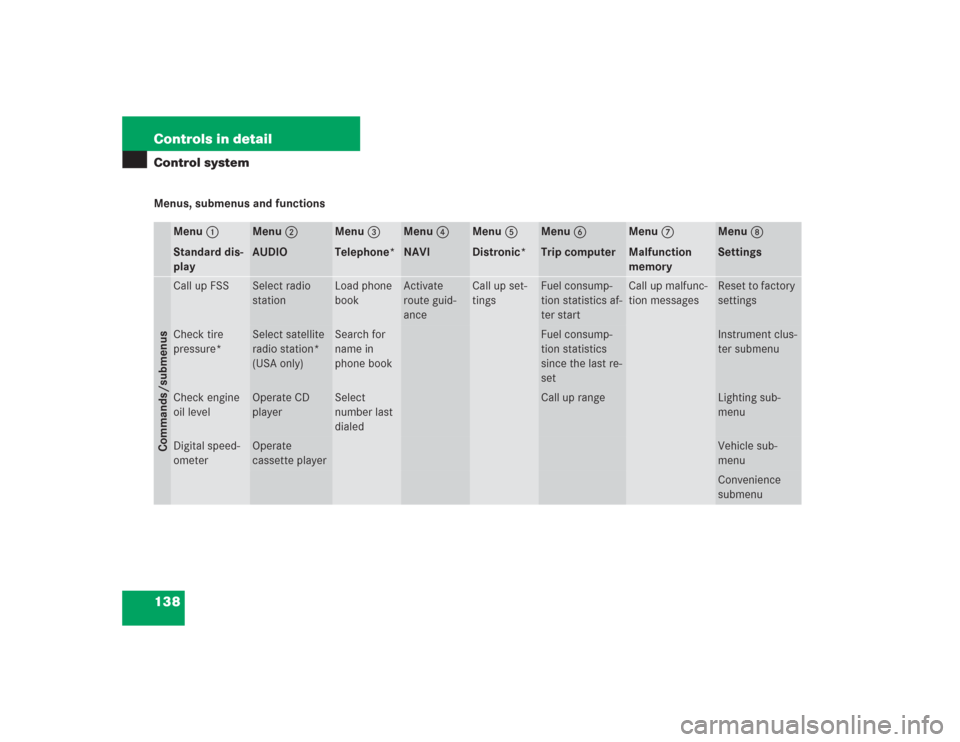
138 Controls in detailControl systemMenus, submenus and functions
Menu1
Standard dis-
play
Menu2
AUDIO
Menu3
Telephone*
Menu4
NAVI
Menu5
Distronic*
Menu6
Trip computer
Menu7
Malfunction
memory
Menu8
Settings
Commands/submenusCall up FSS
Select radio
station
Load phone
book
Activate
route guid-
ance
Call up set-
tings
Fuel consump-
tion statistics af-
ter start
Call up malfunc-
tion messages
Reset to factory
settings
Check tire
pressure*
Select satellite
radio station*
(USA only)
Search for
name in
phone book
Fuel consump-
tion statistics
since the last re-
set
Instrument clus-
ter submenu
Check engine
oil level
Operate CD
player
Select
number last
dialed
Call up range
Lighting sub-
menu
Digital speed-
ometer
Operate
cassette player
Vehicle sub-
menuConvenience
submenu
Page 154 of 435
153 Controls in detail
Control system
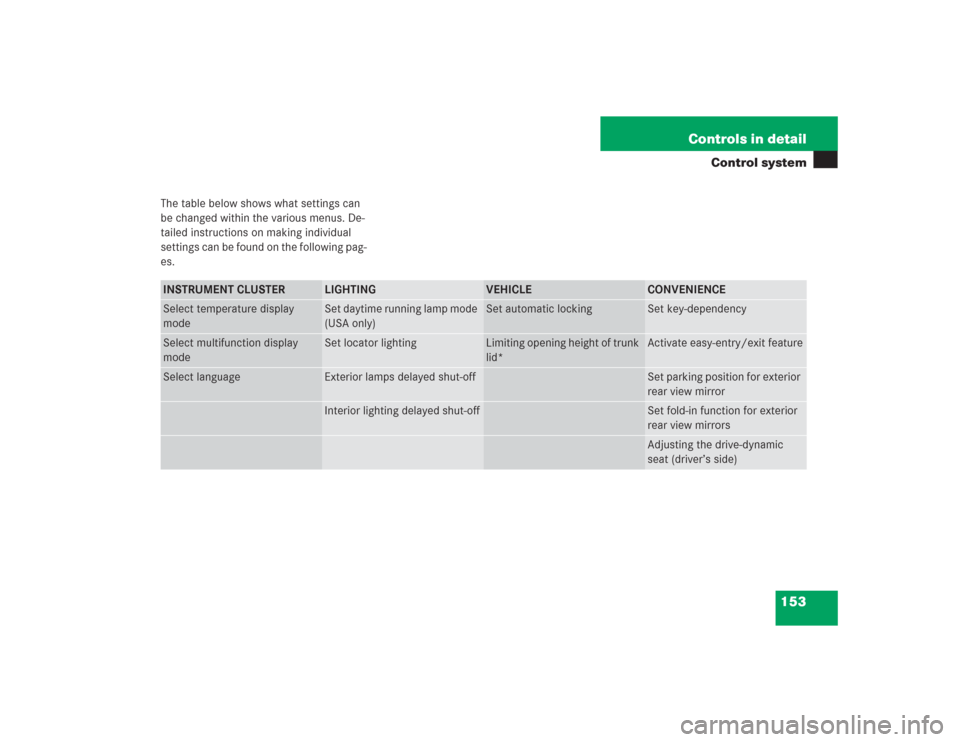
The table below shows what settings can
be changed within the various menus. De-
tailed instructions on making individual
settings can be found on the following pag-
es.INSTRUMENT CLUSTER
LIGHTING
VEHICLE
CONVENIENCE
Select temperature display
mode
Set daytime running lamp mode
(USA only)
Set automatic locking
Set key-dependency
Select multifunction display
mode
Set locator lighting
Limiting opening height of trunk
lid*
Activate easy-entry/exit feature
Select language
Exterior lamps delayed shut-off
Set parking position for exterior
rear view mirror
Interior lighting delayed shut-off
Set fold-in function for exterior
rear view mirrorsAdjusting the drive-dynamic
seat (driver’s side)
Page 161 of 435
160 Controls in detailControl systemConvenience submenu
Access the
CONVENIENCE
submenu via the
SETTINGS
menu. Use the
CONVENIENCE
sub-
menu to change the settings for a number
of convenience features. The following
functions are available:Setting key-dependency
Use this function to set whether the mem-
ory settings for the seats, the steering
wheel, the mirrors, and the automatic cli-
mate control should be stored separately
for each SmartKey (
�page 121).
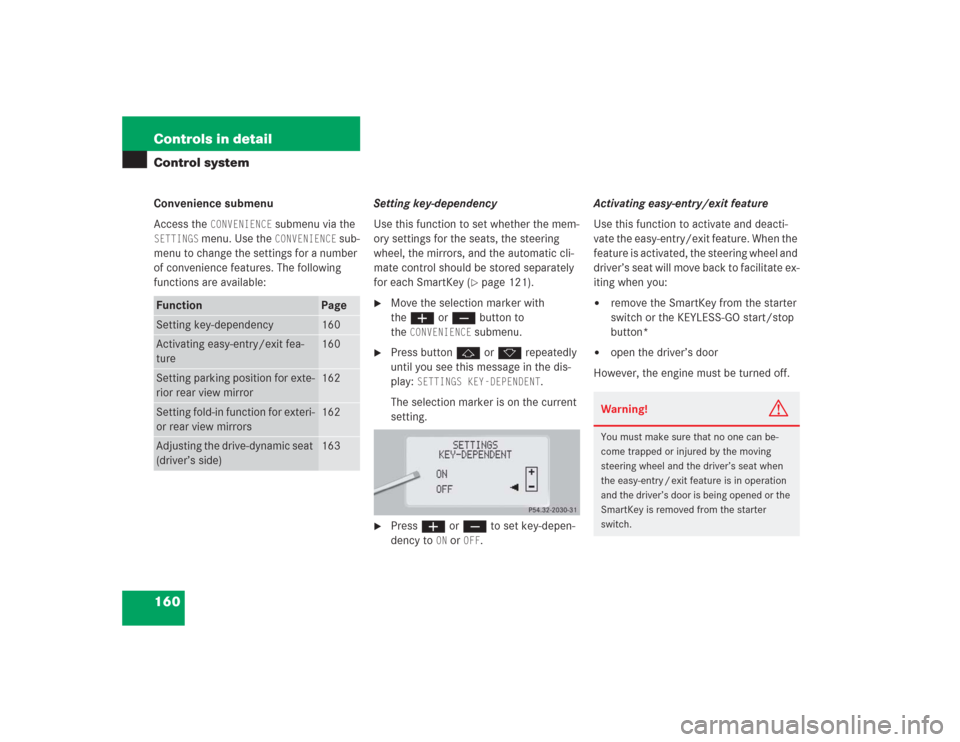
�
Move the selection marker with
theæ orç button to
the
CONVENIENCE
submenu.
�
Press buttonj ork repeatedly
until you see this message in the dis-
play:
SETTINGS KEY-DEPENDENT
.
The selection marker is on the current
setting.
�
Pressæ orç to set key-depen-
dency to
ON or
OFF
. Activating easy-entry/exit feature
Use this function to activate and deacti-
vate the easy-entry/exit feature. When the
feature is activated, the steering wheel and
driver’s seat will move back to facilitate ex-
iting when you:
�
remove the SmartKey from the starter
switch or the KEYLESS-GO start/stop
button*
�
open the driver’s door
However, the engine must be turned off.
Function
Page
Setting key-dependency
160
Activating easy-entry/exit fea-
ture
160
Setting parking position for exte-
rior rear view mirror
162
Setting fold-in function for exteri-
or rear view mirrors
162
Adjusting the drive-dynamic seat
(driver’s side)
163
Warning!
G
You must make sure that no one can be-
come trapped or injured by the moving
steering wheel and the driver’s seat when
the easy-entry / exit feature is in operation
and the driver’s door is being opened or the
SmartKey is removed from the starter
switch.
Page 162 of 435
161 Controls in detail
Control system
After entering the vehicle, the steering
wheel and seat will move into the position
stored in memory when:�
the driver’s door is closed
�
you put the SmartKey in the starter
switch
�
press and hold the appropriate stored
position button on the memory switch
(�page 121)
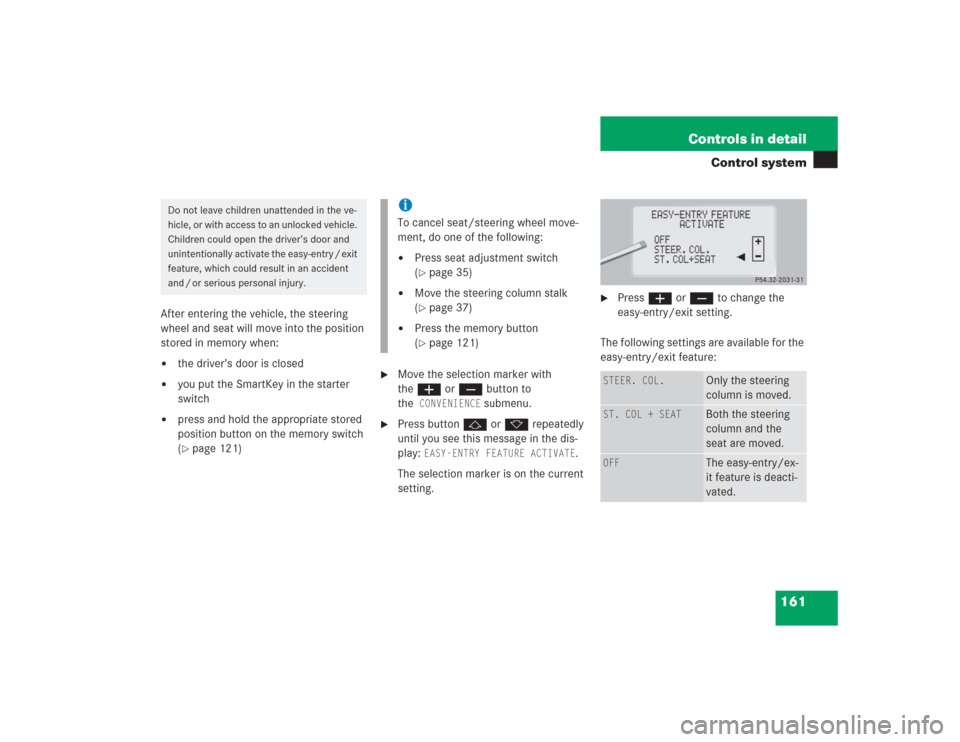
�
Move the selection marker with
theæ orç button to
the
CONVENIENCE
submenu.
�
Press buttonj ork repeatedly
until you see this message in the dis-
play:
EASY-ENTRY FEATURE ACTIVATE
.
The selection marker is on the current
setting.
�
Pressæ orç to change the
easy-entry/exit setting.
The following settings are available for the
easy-entry/exit feature:
Do not leave children unattended in the ve-
hicle, or with access to an unlocked vehicle.
Children could open the driver’s door and
unintentionally activate the easy-entry / exit
feature, which could result in an accident
and / or serious personal injury.
iTo cancel seat/steering wheel move-
ment, do one of the following:�
Press seat adjustment switch
(�page 35)
�
Move the steering column stalk
(�page 37)
�
Press the memory button
(�page 121)
STEER. COL.
Only the steering
column is moved.
ST. COL + SEAT
Both the steering
column and the
seat are moved.
OFF
The easy-entry/ex-
it feature is deacti-
vated.
Page 163 of 435
162 Controls in detailControl systemSetting parking position for exterior rear
view mirror
Use the
MIRROR SETTING WHEN PARKING
function to select whether the passen-
ger-side exterior rear view mirror should be
turned downward during parking maneu-
vers when reverse gearR is engaged. For
additional information, see “Activating ex-
terior rear view mirror parking position”
(
�page 175).
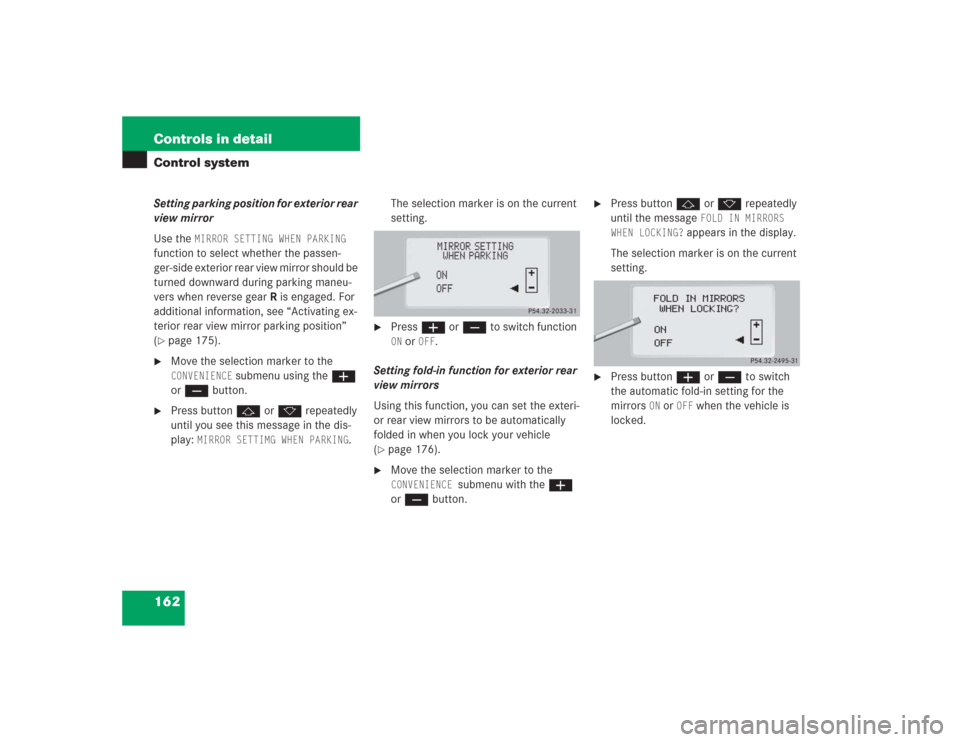
�
Move the selection marker to the CONVENIENCE
submenu using theæ
orç button.
�
Press buttonj ork repeatedly
until you see this message in the dis-
play:
MIRROR SETTIMG WHEN PARKING
.The selection marker is on the current
setting.
�
Pressæ orç to switch function ON or
OFF
.
Setting fold-in function for exterior rear
view mirrors
Using this function, you can set the exteri-
or rear view mirrors to be automatically
folded in when you lock your vehicle
(
�page 176).
�
Move the selection marker to the CONVENIENCE
submenu with the æ
or ç button.
�
Press buttonj or k repeatedly
until the message
FOLD IN MIRRORS
WHEN LOCKING?
appears in the display.
The selection marker is on the current
setting.
�
Press buttonæ or ç to switch
the automatic fold-in setting for the
mirrors
ON or
OFF
when the vehicle is
locked.
Page 164 of 435
163 Controls in detail
Control system
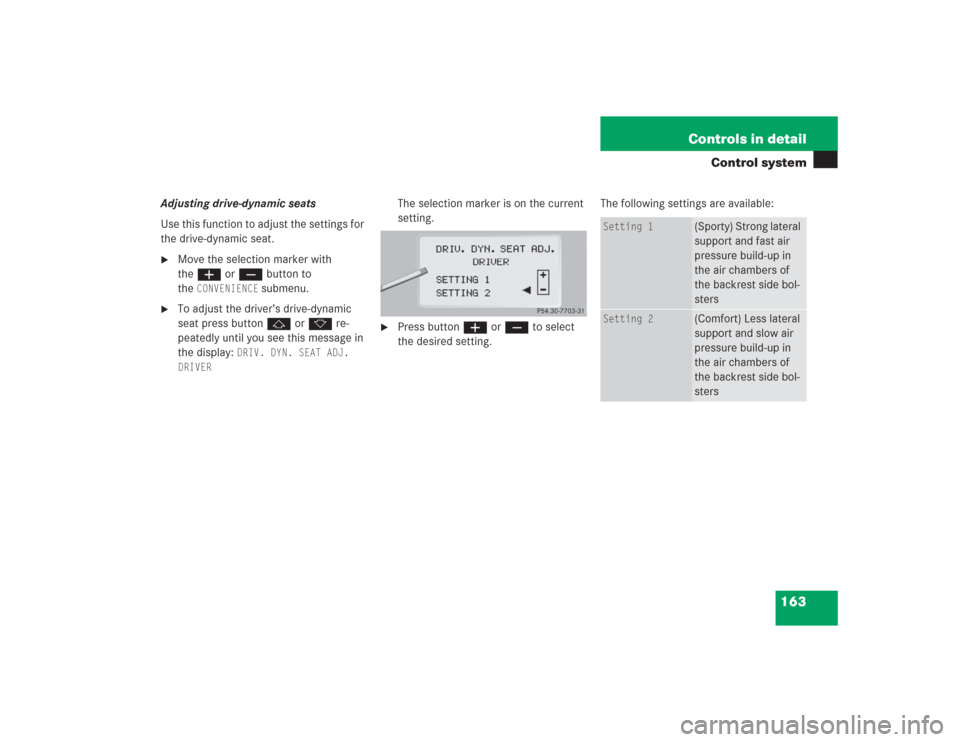
Adjusting drive-dynamic seats
Use this function to adjust the settings for
the drive-dynamic seat.�
Move the selection marker with
theæ orç button to
the
CONVENIENCE
submenu.
�
To adjust the driver’s drive-dynamic
seat press buttonj ork re-
peatedly until you see this message in
the display:
DRIV. DYN. SEAT ADJ.
DRIVER
The selection marker is on the current
setting.
�
Press buttonæ orç to select
the desired setting. The following settings are available:
Setting 1
(Sporty) Strong lateral
support and fast air
pressure build-up in
the air chambers of
the backrest side bol-
sters
Setting 2
(Comfort) Less lateral
support and slow air
pressure build-up in
the air chambers of
the backrest side bol-
sters
Page 176 of 435
175 Controls in detail
Good visibility
Activating exterior rear view mirror
parking position
Follow these steps to activate the mirror
parking position so that the passen-
ger-side exterior rear view mirror will be
turned downward to the stored position.�
Make sure you have stored a parking
position for the passenger-side exterior
rear view mirror (
�page 122).
�
Make sure the
MIRROR SETTING WHEN
PARKING
function in the
CONVENIENCE
submenu of the control system is
switched to
ON (�page 162).
�
Switch on ignition (if not already on).
�
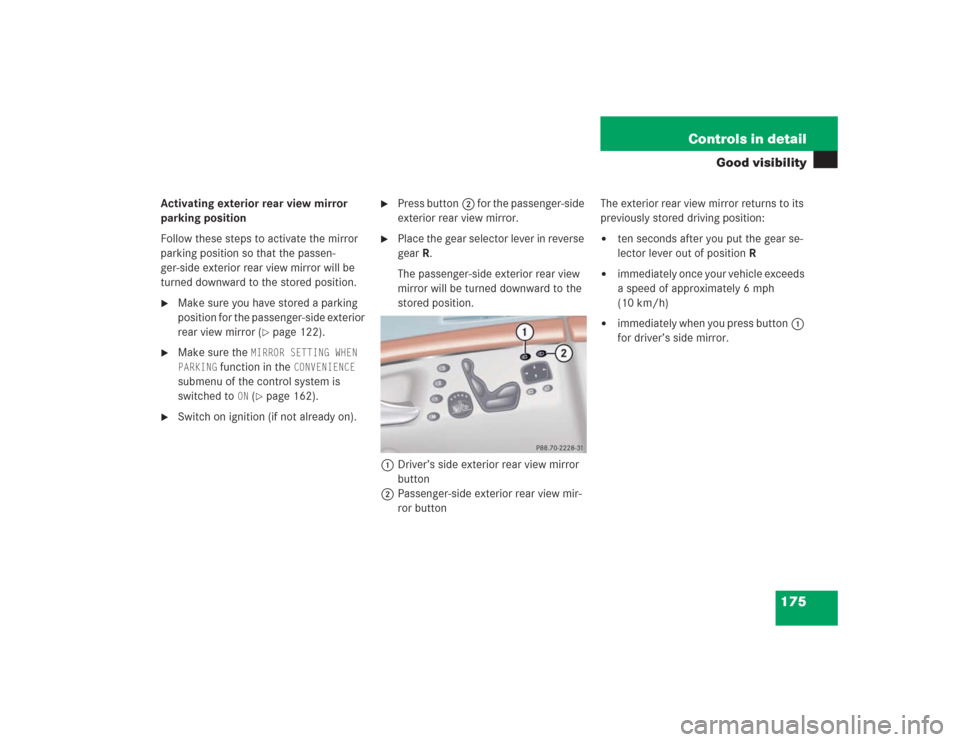
Press button2 for the passenger-side
exterior rear view mirror.
�
Place the gear selector lever in reverse
gearR.
The passenger-side exterior rear view
mirror will be turned downward to the
stored position.
1Driver’s side exterior rear view mirror
button
2Passenger-side exterior rear view mir-
ror buttonThe exterior rear view mirror returns to its
previously stored driving position:
�
ten seconds after you put the gear se-
lector lever out of positionR
�
immediately once your vehicle exceeds
a speed of approximately 6 mph
(10 km/h)
�
immediately when you press button1
for driver’s side mirror.