Page 88 of 344
88 Controls in detailLocking and unlocking
�In the “Controls in detail” section you will
find detailed information on how to ope-
rate the equipment installed in your vehi-
cle. If you are already familiar with the ba-
sic functions of your vehicle, this section
will be of particular interest to you.
To quickly familiarize yourself with the ba-
sic functions of the vehicle, refer to the
“Getting started” section of this manual.
The corresponding page numbers are
given at the beginning of each segment.
Locking and unlocking
Remote control with folding key
Your vehicle comes supplied with two
remote controls with folding key.
The remote control provides an extended
operating range. To prevent theft,
however, it is advisable to only unlock the
vehicle when you are in close proximity to
it.
The key centrally locks and unlocks:�
the doors
�
the liftgate
�
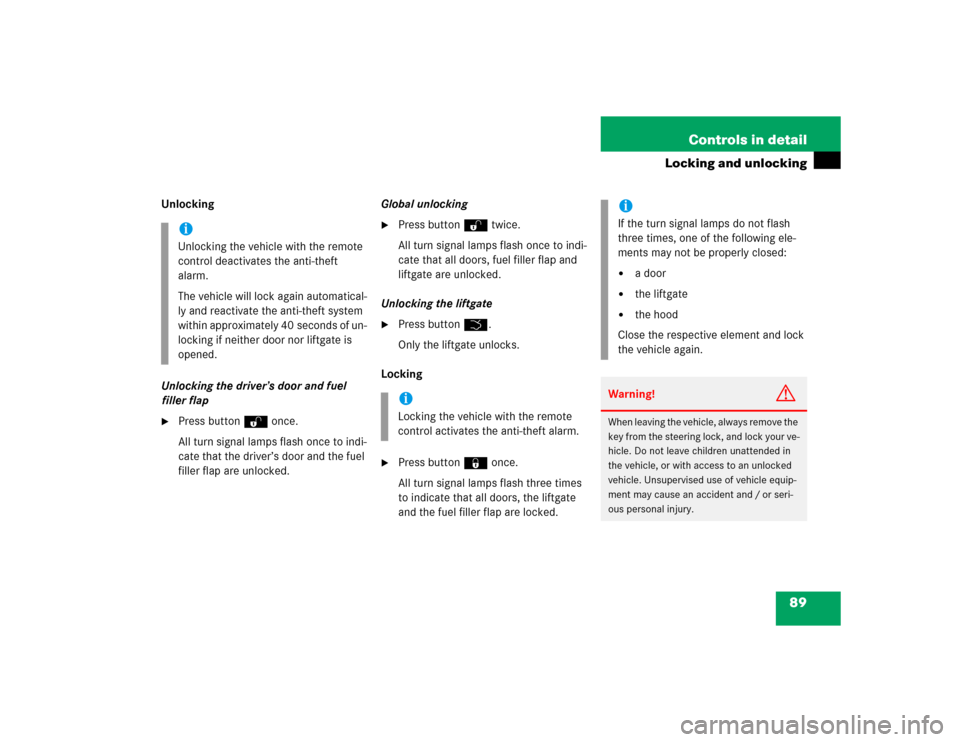
the fuel filler flap1ÂPanic button (
�page 75)
2ŒUnlock button
3‹Lock button
4Release button for key
5ŠUnlock button for liftgate
iIf the key is inserted in the steering
lock, the vehicle cannot be locked or
unlocked with the remote control.
!To prevent possible malfunction, avoid
exposing the remote control to high
levels of electromagnetic radiation.
Page 89 of 344
89 Controls in detail
Locking and unlocking
Unlocking
Unlocking the driver’s door and fuel
filler flap�
Press buttonΠonce.
All turn signal lamps flash once to indi-
cate that the driver’s door and the fuel
filler flap are unlocked.Global unlocking
�
Press buttonΠtwice.
All turn signal lamps flash once to indi-
cate that all doors, fuel filler flap and
liftgate are unlocked.
Unlocking the liftgate
�
Press buttonŠ.
Only the liftgate unlocks.
Locking
�
Press button‹ once.
All turn signal lamps flash three times
to indicate that all doors, the liftgate
and the fuel filler flap are locked.
iUnlocking the vehicle with the remote
control deactivates the anti-theft
alarm.
The vehicle will lock again automatical-
ly and reactivate the anti-theft system
within approximately 40 seconds of un-
locking if neither door nor liftgate is
opened.
iLocking the vehicle with the remote
control activates the anti-theft alarm.
iIf the turn signal lamps do not flash
three times, one of the following ele-
ments may not be properly closed:�
a door
�
the liftgate
�
the hood
Close the respective element and lock
the vehicle again.
Warning!
G
When leaving the vehicle, always remove the
key from the steering lock, and lock your ve-
hicle. Do not leave children unattended in
the vehicle, or with access to an unlocked
vehicle. Unsupervised use of vehicle equip-
ment may cause an accident and / or seri-
ous personal injury.
Page 91 of 344
91 Controls in detail
Locking and unlocking
Opening the liftgate
Opening the liftgate from outside
A minimum height clearance of 7 ft
(2.15 m) is required to open the liftgate.
The handle is located above the rear
license plate recess.
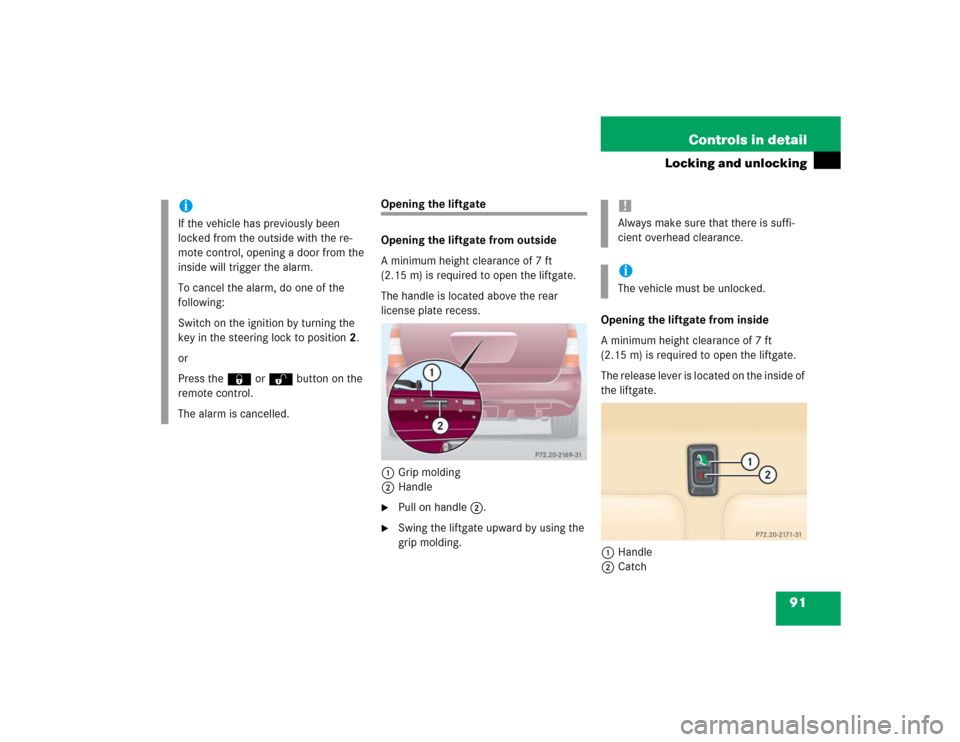
1Grip molding
2Handle�
Pull on handle2.
�
Swing the liftgate upward by using the
grip molding.Opening the liftgate from inside
A minimum height clearance of 7 ft
(2.15 m) is required to open the liftgate.
The release lever is located on the inside of
the liftgate.
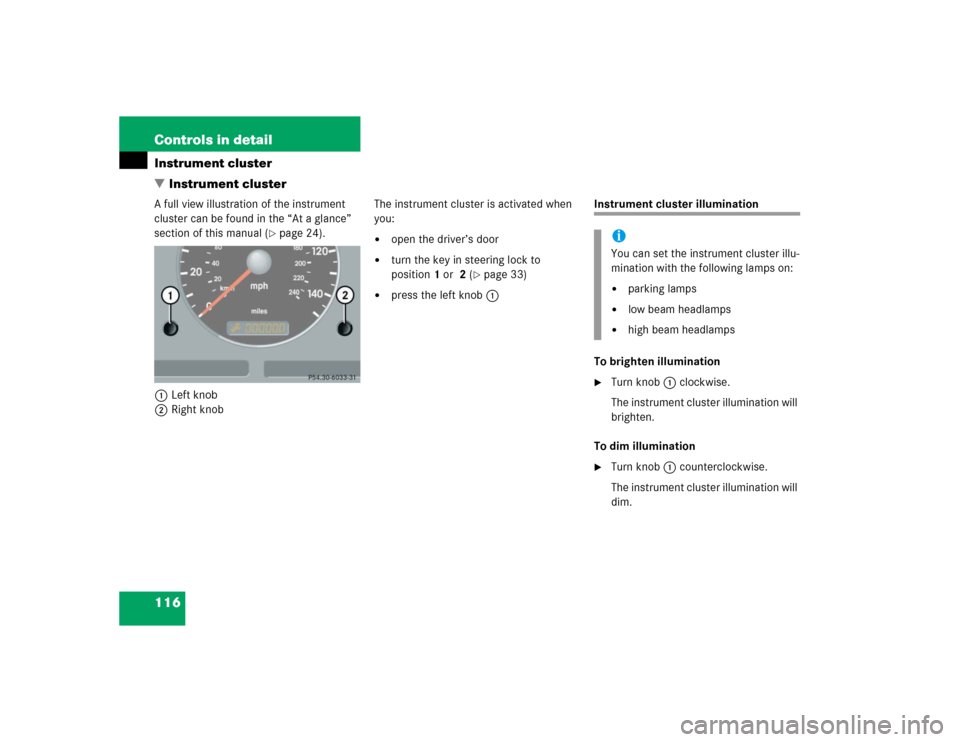
1Handle
2Catch
iIf the vehicle has previously been
locked from the outside with the re-
mote control, opening a door from the
inside will trigger the alarm.
To cancel the alarm, do one of the
following:
Switch on the ignition by turning the
key in the steering lock to position2.
or
Press the‹ or Œbutton on the
remote control.
The alarm is cancelled.
!Always make sure that there is suffi-
cient overhead clearance.iThe vehicle must be unlocked.
Page 92 of 344
92 Controls in detailLocking and unlocking�
To unlock the liftgate, move the
catch2 to the right.
�
Pull handle1 down and swing liftgate
upward.
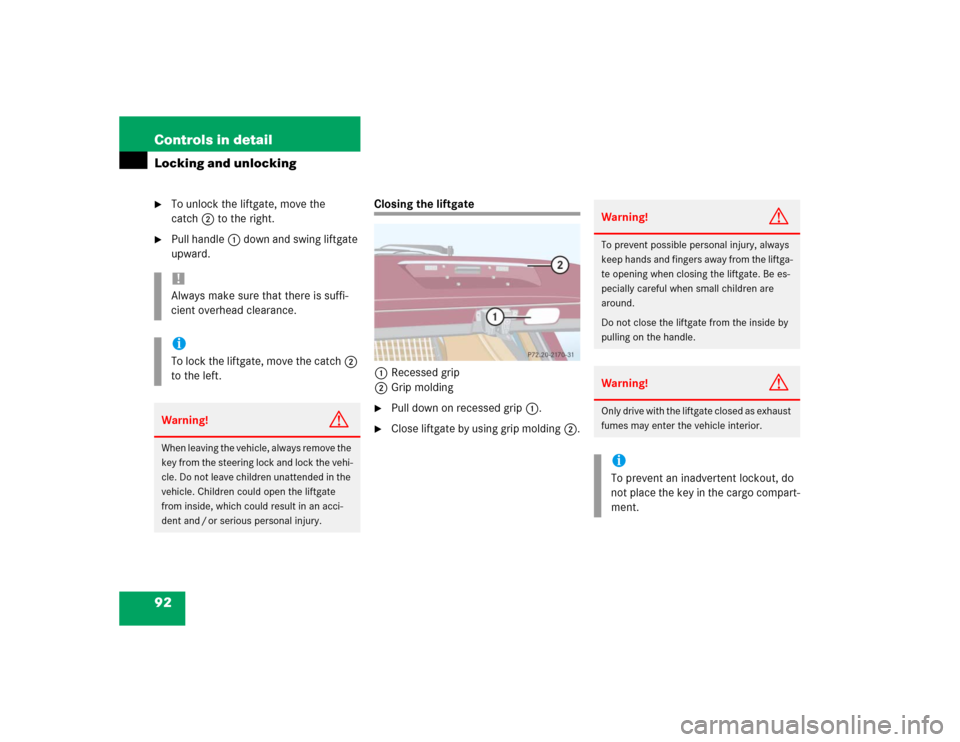
Closing the liftgate
1Recessed grip
2Grip molding�
Pull down on recessed grip1.
�
Close liftgate by using grip molding2.
!Always make sure that there is suffi-
cient overhead clearance.iTo lock the liftgate, move the catch2
to the left.Warning!
G
When leaving the vehicle, always remove the
key from the steering lock and lock the vehi-
cle. Do not leave children unattended in the
vehicle. Children could open the liftgate
from inside, which could result in an acci-
dent and / or serious personal injury.
Warning!
G
To prevent possible personal injury, always
keep hands and fingers away from the liftga-
te opening when closing the liftgate. Be es-
pecially careful when small children are
around.
Do not close the liftgate from the inside by
pulling on the handle.Warning!
G
Only drive with the liftgate closed as exhaust
fumes may enter the vehicle interior.iTo prevent an inadvertent lockout, do
not place the key in the cargo compart-
ment.
Page 94 of 344
94 Controls in detailLocking and unlockingLocking and unlocking from the inside
You can lock or unlock the doors and the
tailgate from inside using the central lock-
ing switch. This can be useful, for example,
if you want to lock the vehicle before start-
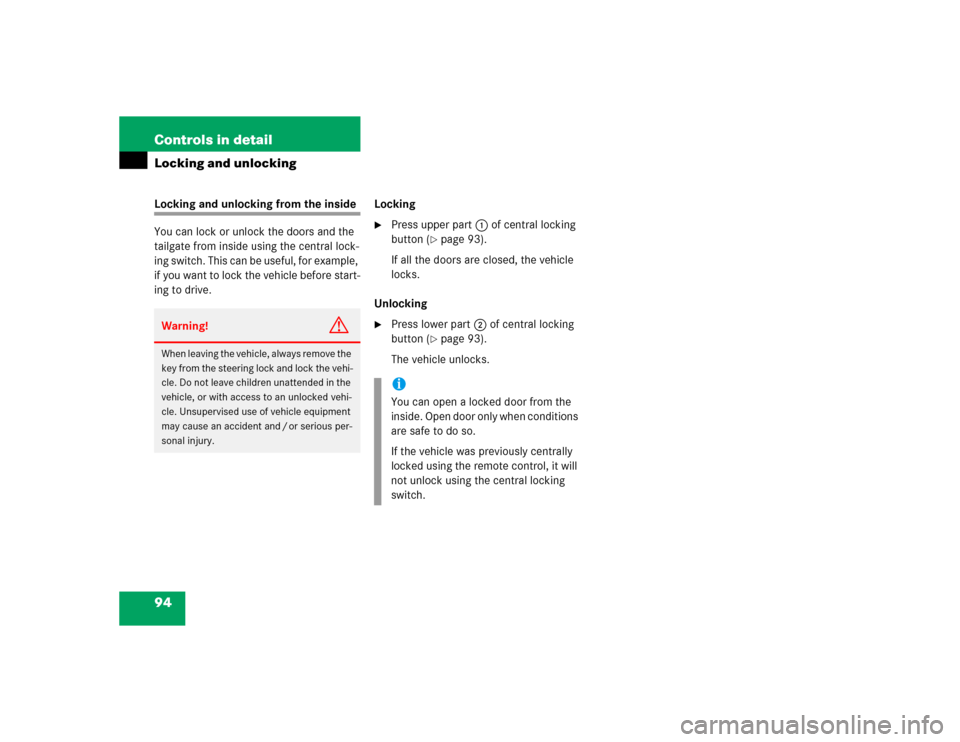
ing to drive.Locking
�
Press upper part1 of central locking
button (
�page 93).
If all the doors are closed, the vehicle
locks.
Unlocking
�
Press lower part2 of central locking
button (
�page 93).
The vehicle unlocks.
Warning!
G
When leaving the vehicle, always remove the
key from the steering lock and lock the vehi-
cle. Do not leave children unattended in the
vehicle, or with access to an unlocked vehi-
cle. Unsupervised use of vehicle equipment
may cause an accident and / or serious per-
sonal injury.
iYou can open a locked door from the
inside. Open door only when conditions
are safe to do so.
If the vehicle was previously centrally
locked using the remote control, it will
not unlock using the central locking
switch.
Page 109 of 344
109 Controls in detail
Lighting
Daytime running lamp mode
Canada only:�
Turn combination switch to
positionM orU.
When the engine is running, the low beam
headlamps are automatically switched on.
In low ambient light conditions, the parking
lamps will also switch on.
When you shift from a driving position to
positionN orP, the low beam switches off
(three minutes delay).
For nighttime driving you should turn the
combination switch to positionõ to
permit activation of the high beam head-
lamps.Night security illumination
When you turn off the engine and the last
door has been closed, the following lamps
will remain lit:
�
Parking lamps
�
Tail lamps
�
License plate lamps
�
Front fog lamps
The combination switch must be set to
positionU (
�page 107).Deactivating night security illumination
temporarily
�
Before leaving the vehicle, turn the key
in the steering lock to position0
(�page 33) then turn it to position2
and back to0.
The night security illumination is deac-
tivated. It will reactivate as soon as you
start the engine.
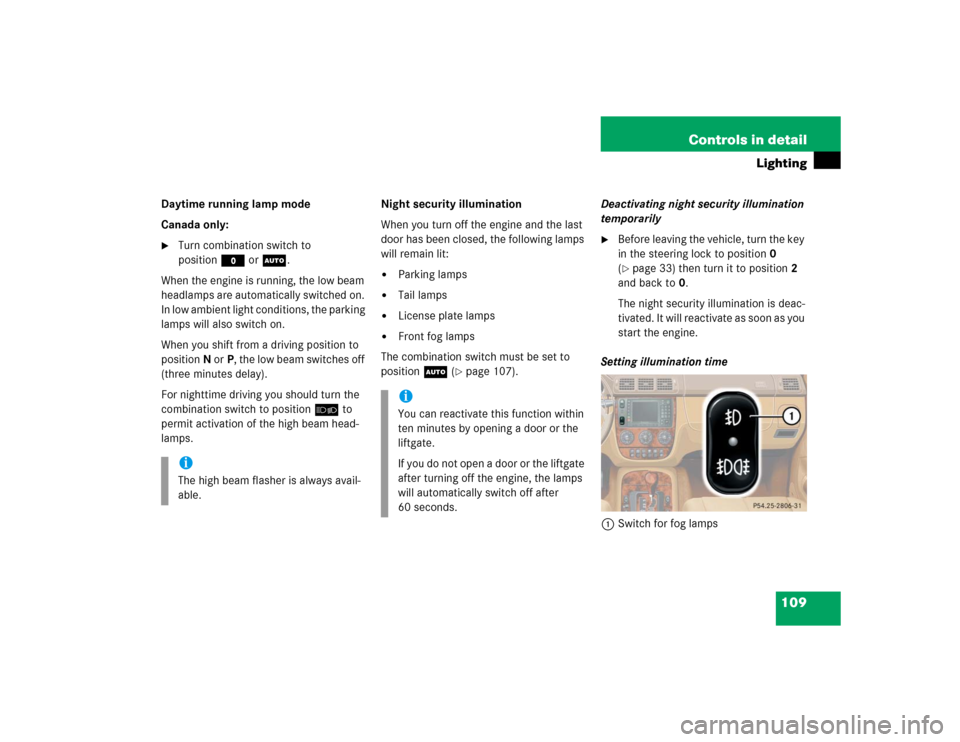
Setting illumination time
1Switch for fog lamps
iThe high beam flasher is always avail-
able.
iYou can reactivate this function within
ten minutes by opening a door or the
liftgate.
If you do not open a door or the liftgate
after turning off the engine, the lamps
will automatically switch off after
60 seconds.
Page 113 of 344
113 Controls in detail
Lighting
Automatic control
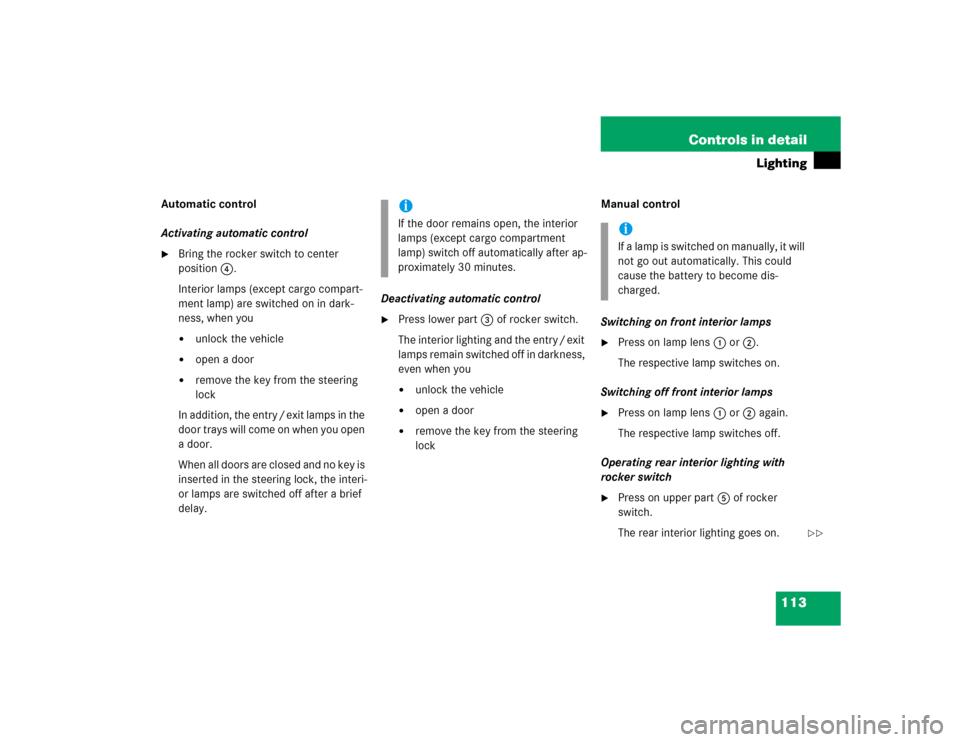
Activating automatic control�
Bring the rocker switch to center
position4.
Interior lamps (except cargo compart-
ment lamp) are switched on in dark-
ness, when you�
unlock the vehicle
�
open a door
�
remove the key from the steering
lock
In addition, the entry / exit lamps in the
door trays will come on when you open
a door.
When all doors are closed and no key is
inserted in the steering lock, the interi-
or lamps are switched off after a brief
delay.Deactivating automatic control
�
Press lower part3 of rocker switch.
The interior lighting and the entry / exit
lamps remain switched off in darkness,
even when you�
unlock the vehicle
�
open a door
�
remove the key from the steering
lockManual control
Switching on front interior lamps
�
Press on lamp lens1 or2.
The respective lamp switches on.
Switching off front interior lamps
�
Press on lamp lens1 or2 again.
The respective lamp switches off.
Operating rear interior lighting with
rocker switch
�
Press on upper part5 of rocker
switch.
The rear interior lighting goes on.
iIf the door remains open, the interior
lamps (except cargo compartment
lamp) switch off automatically after ap-
proximately 30 minutes.
iIf a lamp is switched on manually, it will
not go out automatically. This could
cause the battery to become dis-
charged.
��
Page 116 of 344
116 Controls in detailInstrument cluster
�Instrument clusterA full view illustration of the instrument
cluster can be found in the “At a glance”
section of this manual (
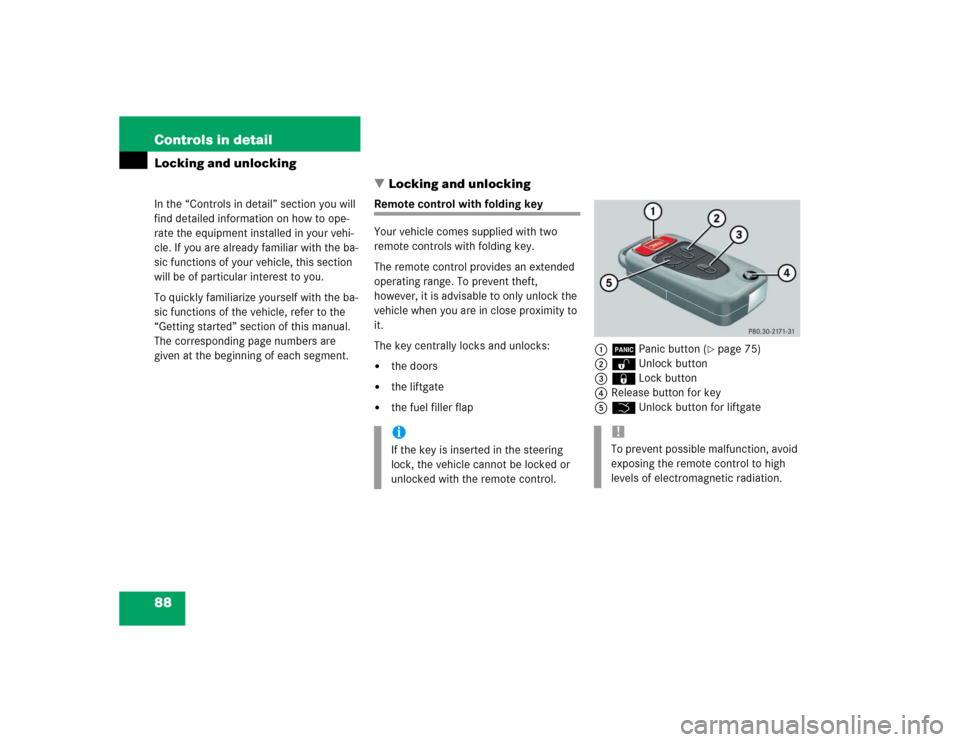
�page 24).
1Left knob
2Right knobThe instrument cluster is activated when
you:
�
open the driver’s door
�
turn the key in steering lock to
position1 or 2 (
�page 33)
�
press the left knob1
Instrument cluster illumination
To brighten illumination�
Turn knob1 clockwise.
The instrument cluster illumination will
brighten.
To dim illumination
�
Turn knob1 counterclockwise.
The instrument cluster illumination will
dim.iYou can set the instrument cluster illu-
mination with the following lamps on:�
parking lamps
�
low beam headlamps
�
high beam headlamps