Page 220 of 442
220 Controls in detailDriving systemsSetting a lower speed�
Briefly tip the cruise control lever in the
direction of arrow2 (
�page 218) to
decrease vehicle speed in increments
of 5 mph (Canada: 10 km / h).
The new speed is set.
The stored speed is displayed in the
multifunction display for approximately
five seconds (
�page 218), and one or
two segments around the stored speed
come on on the speedometer
(
�page 216).Fine adjustment in 1 mph
(Canada: 1 km/h) increments
Faster
�
Briefly tip the cruise control lever in the
direction of arrow4 (
�page 218).Setting stored speed
(“Resume” function)
�
Briefly tip the cruise control lever in the
direction of arrow4 (
�page 218).
Distronic is activated and set to the last
stored speed.
�
Remove your foot from the accelerator
pedal.
iWhen you use the cruise control lever
to decelerate, the transmission will au-
tomatically downshift if the rate of de-
celeration is too low.
Warning!
G
The speed stored in memory should only be
set again if prevailing road conditions per-
mit. Possible acceleration or deceleration
differences arising from returning to preset
speed could cause an accident and / or seri-
ous injury to you and others.
Page 221 of 442
221 Controls in detail
Driving systems
Deactivating Distronic
There are several ways to deactivate the
Distronic system:�
Briefly tip the cruise control lever in the
direction of arrow3 (
�page 218).
or
�
Step on the brake pedal.
Distronic will be deactivated. The last
speed set will be stored in memory.Distronic deactivates automatically when:
�
you set the parking brake
�
you drive slower than 25 mph
(40 km / h)
�
the ESP is active (
�page 76) or you de-
activate the ESP
�
you move the transmission selector le-
ver into positionN
A signal will sound. The
Distronic off
message appears in the multifunction
display for approximately five seconds.Setting the following distance in
Distronic
You can set the specified following dis-
tance for Distronic by varying the time set-
ting between 1.0 and 2.0 seconds. Using
this time setting and the current speed of
your vehicle, Distronic calculates and sets
the required following distance to the vehi-
cle ahead. The set distance will be shown
in the multifunction display field.
The thumbwheel for making the time set-
ting is located on the lower section of the
center console.
iThe following message will appear in
the multifunction display for approxi-
mately five seconds:
Distronic off
.
The last stored speed is deleted when
you turn off the engine.
Warning!
G
Distronic switches off and releases the
brakes when the vehicle decelerates below
the minimum speed of approximately
25 mph (40 km / h) by operation of the sys-
tem. At that time the driver must apply the
brakes in order to reduce vehicle speed fur-
ther or bring it to a stop.
Warning!
G
It is up to the driver to exercise discretion to
select the appropriate setting given road
conditions, traffic, driver’s preferred driving
style and applicable laws and driving recom-
mendations for safe following distance.
Page 222 of 442
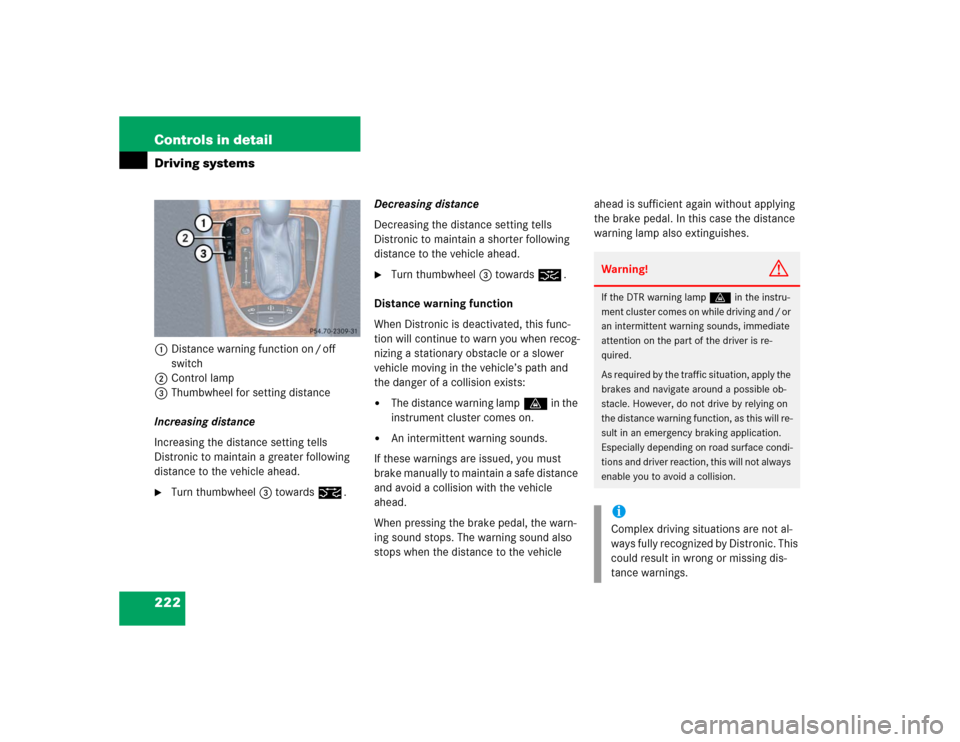
222 Controls in detailDriving systems1Distance warning function on / off
switch
2Control lamp
3Thumbwheel for setting distance
Increasing distance
Increasing the distance setting tells
Distronic to maintain a greater following
distance to the vehicle ahead.�
Turn thumbwheel3 towards¯.Decreasing distance
Decreasing the distance setting tells
Distronic to maintain a shorter following
distance to the vehicle ahead.
�
Turn thumbwheel3 towards®.
Distance warning function
When Distronic is deactivated, this func-
tion will continue to warn you when recog-
nizing a stationary obstacle or a slower
vehicle moving in the vehicle’s path and
the danger of a collision exists:
�
The distance warning lampl in the
instrument cluster comes on.
�
An intermittent warning sounds.
If these warnings are issued, you must
brake manually to maintain a safe distance
and avoid a collision with the vehicle
ahead.
When pressing the brake pedal, the warn-
ing sound stops. The warning sound also
stops when the distance to the vehicle ahead is sufficient again without applying
the brake pedal. In this case the distance
warning lamp also extinguishes.
Warning!
G
If the DTR warning lampl in the instru-
ment cluster comes on while driving and / or
an intermittent warning sounds, immediate
attention on the part of the driver is re-
quired.
As required by the traffic situation, apply the
brakes and navigate around a possible ob-
stacle. However, do not drive by relying on
the distance warning function, as this will re-
sult in an emergency braking application.
Especially depending on road surface condi-
tions and driver reaction, this will not always
enable you to avoid a collision.iComplex driving situations are not al-
ways fully recognized by Distronic. This
could result in wrong or missing dis-
tance warnings.
Page 223 of 442
223 Controls in detail
Driving systems
Activating�
Press button1.
Indicator lamp 2 on the button comes
on. A loudspeaker symbol appears in
the multifunction display (
�page 218).
Deactivating
�
Press button1.
Indicator lamp 2 on the button goes
out. No loudspeaker symbol appears in
the multifunction display.Driving with Distronic
This section describes a number of driving
situations where special precaution is re-
quired on the part of the driver. Be pre-
pared to brake in such situations. This will
deactivate the Distronic system.
Warning!
G
Distronic works to maintain the speed se-
lected by the driver unless a moving obsta-
cle proceeding directly ahead of it in the
same travel direction is detected (e.g. fol-
lowing another vehicle ahead of you at a dis-
tance set by Distronic). This means that:�
Your vehicle can pass another vehicle
after you change lanes
�
While in a sharp turn or if the vehicle in
front is in a sharp turn, Distronic could
lose sight of a vehicle traveling in front
of it, then your vehicle could accelerate
to the previously selected speed.
Distronic regulates only the distance be-
tween your vehicle and those directly ahead
of it, but does not register stationary objects
in the road, e.g.: �
A stopped vehicle in a traffic jam
�
A disabled vehicle
�
An oncoming vehicle
The driver must always be on the alert, ob-
serve all traffic and intercede as required by
steering or braking the vehicle.
Warning!
G
Distronic should not be used in snowy or icy
road conditions.
Page 224 of 442
224 Controls in detailDriving systemsThe most likely cause for a malfunctioning
system is a dirty sensor (located behind
the hood grille), especially at times of snow
and ice or heavy rain. In such a case,
Distronic will switch off, and the message Currently unavailable
see oper. manual
appears in the multifunction display.
For cleaning and care of the Distronic sen-
sor, see “Cleaning the Distronic system
sensor” (
�page 305).Turns and bends
In turns or bends, Distronic may not detect
a moving vehicle in front, or it may detect
one too soon. This may cause your vehicle
to brake late or unexpectedly.
iIf the message “Distronic - clean sen-
sor!” See oper. manual disappears dur-
ing driving and the last speed stored
flashes for approximately five seconds,
the dirt (e.g. slush) has dissolved;
Distronic works again.
Page 225 of 442
225 Controls in detail
Driving systems
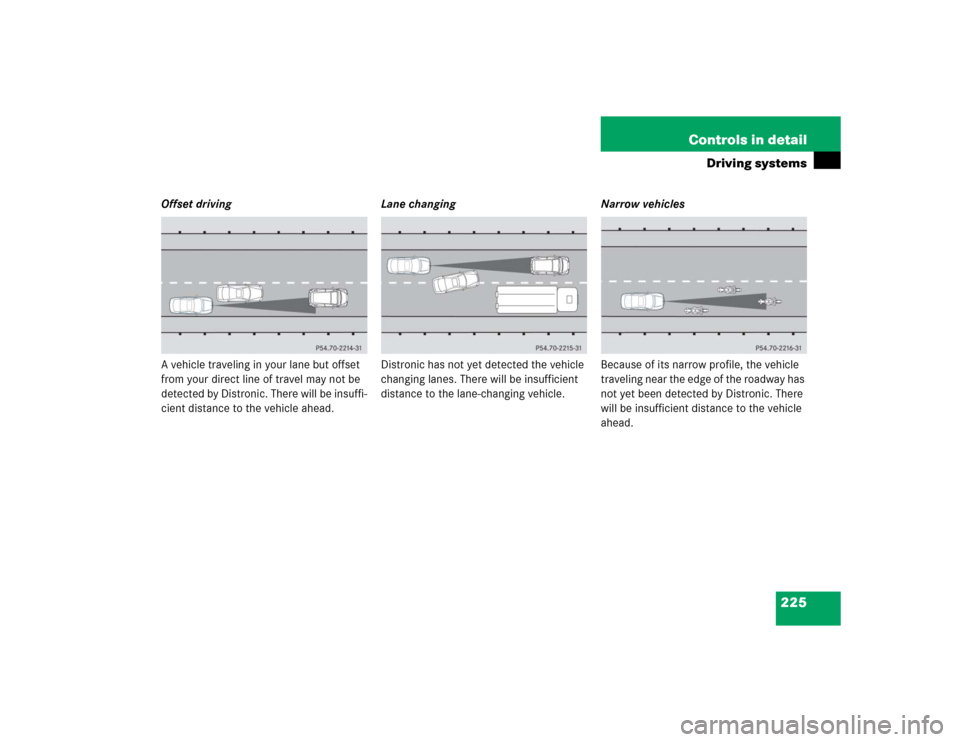
Offset driving
A vehicle traveling in your lane but offset
from your direct line of travel may not be
detected by Distronic. There will be insuffi-
cient distance to the vehicle ahead.Lane changing
Distronic has not yet detected the vehicle
changing lanes. There will be insufficient
distance to the lane-changing vehicle.Narrow vehicles
Because of its narrow profile, the vehicle
traveling near the edge of the roadway has
not yet been detected by Distronic. There
will be insufficient distance to the vehicle
ahead.
Page 305 of 442
305 Operation
Vehicle care
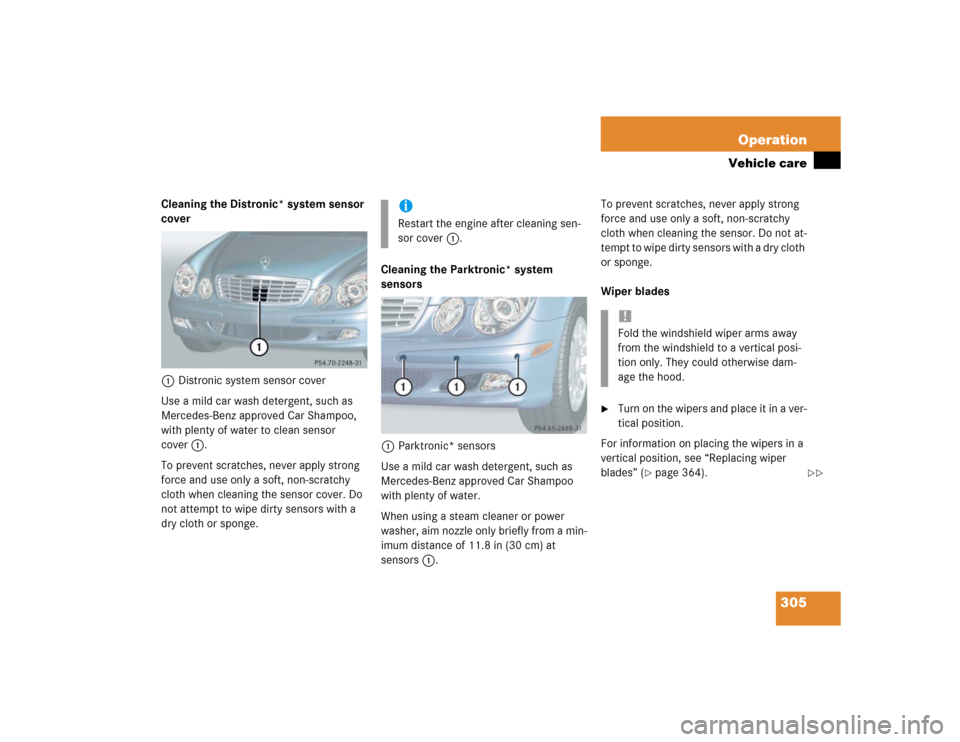
Cleaning the Distronic* system sensor
cover
1Distronic system sensor cover
Use a mild car wash detergent, such as
Mercedes-Benz approved Car Shampoo,
with plenty of water to clean sensor
cover1.
To prevent scratches, never apply strong
force and use only a soft, non-scratchy
cloth when cleaning the sensor cover. Do
not attempt to wipe dirty sensors with a
dry cloth or sponge.Cleaning the Parktronic* system
sensors
1Parktronic* sensors
Use a mild car wash detergent, such as
Mercedes-Benz approved Car Shampoo
with plenty of water.
When using a steam cleaner or power
washer, aim nozzle only briefly from a min-
imum distance of 11.8 in (30 cm) at
sensors1.To prevent scratches, never apply strong
force and use only a soft, non-scratchy
cloth when cleaning the sensor. Do not at-
tempt to wipe dirty sensors with a dry cloth
or sponge.
Wiper blades
�
Turn on the wipers and place it in a ver-
tical position.
For information on placing the wipers in a
vertical position, see “Replacing wiper
blades” (
�page 364).
iRestart the engine after cleaning sen-
sor cover1.
!Fold the windshield wiper arms away
from the windshield to a vertical posi-
tion only. They could otherwise dam-
age the hood.
��
Page 310 of 442
310 Practical hintsWhat to do if …
�What to do if …Lamps in instrument clusterGeneral information:
If a bulb in the instrument cluster fails to
come on during the bulb self-check when turning the SmartKey in the starter switch
to position2, have it checked and replaced
if necessary.Problem
Possible cause
Suggested solution
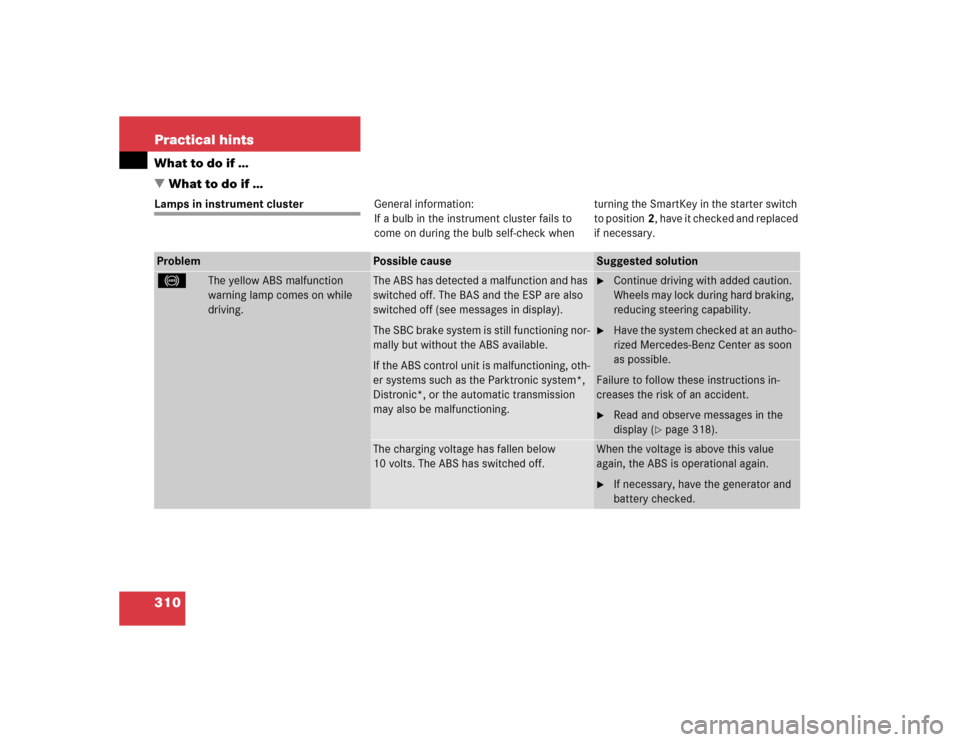
-
The yellow ABS malfunction
warning lamp comes on while
driving.
The ABS has detected a malfunction and has
switched off. The BAS and the ESP are also
switched off (see messages in display).
The SBC brake system is still functioning nor-
mally but without the ABS available.
If the ABS control unit is malfunctioning, oth-
er systems such as the Parktronic system*,
Distronic*, or the automatic transmission
may also be malfunctioning.
�
Continue driving with added caution.
Wheels may lock during hard braking,
reducing steering capability.
�
Have the system checked at an autho-
rized Mercedes-Benz Center as soon
as possible.
Failure to follow these instructions in-
creases the risk of an accident.
�
Read and observe messages in the
display (
�page 318).
The charging voltage has fallen below
10 volts. The ABS has switched off.
When the voltage is above this value
again, the ABS is operational again.�
If necessary, have the generator and
battery checked.