Page 123 of 400

123 Controls in detail
Control system
Settings menu
In the
SETTINGS
menu there are two
functions:
�
The function
RESET TO FACTORY
SETTINGS
, with which you can reset all
the settings to the original factory
settings.
�
A collection of submenus with which
you can make individual settings for
your vehicle.
�
Press buttonè orÿ repeatedly
until the
SETTINGS
menu is seen in the
display.Resetting all settings
You can reset all the functions of all
submenus to the factory settings.
�
Press the reset button in the
instrument cluster (
�page 22) for
approximately three seconds.
In the display you will see the request
to press the reset button again to
confirm.
�
Press the reset button again.
The functions of all the submenus will
reset to factory settings.
iThe settings you have changed will not
be reset unless you confirm the action
by pressing the reset button a second
time. Approximately five seconds after
pressing the reset button for the
second time, the
SETTINGS...
menu
reappears in the display.
For safety reasons, the following
functions are not reset while driving:
�
the
LIGHT CIRCUIT HEADLIGHT MODE
function in the
LIGHTING
submenu
�
the
SETTINGS KEY-DEPENDENT
function in the
CONVENIENCE
submenu
Page 129 of 400
129 Controls in detail
Control system
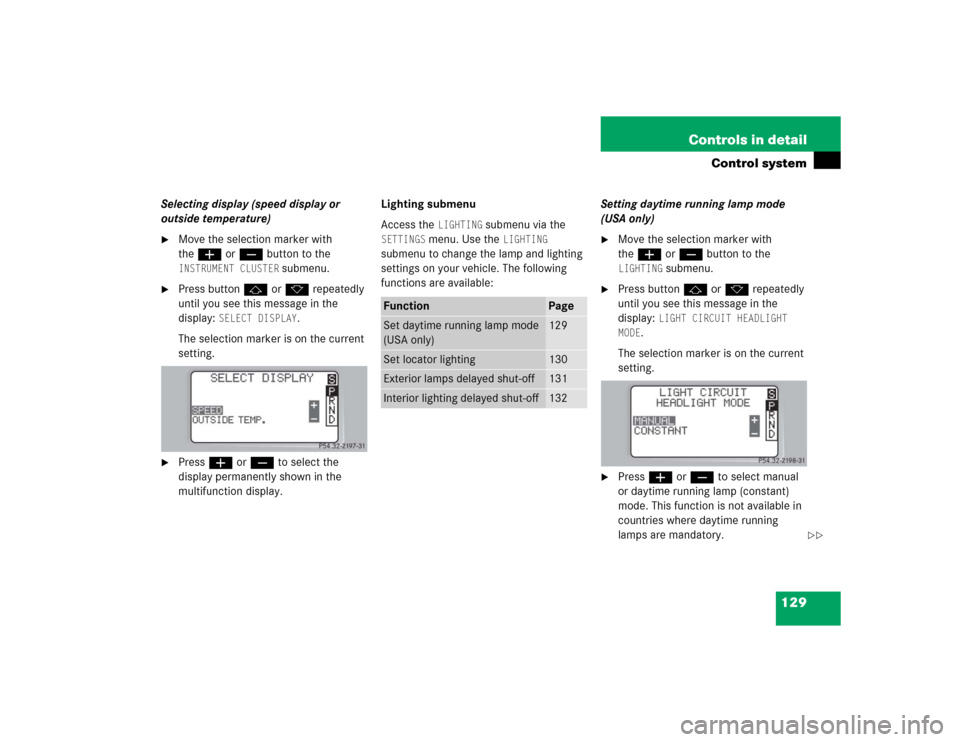
Selecting display (speed display or
outside temperature)�
Move the selection marker with
theæ orç button to the INSTRUMENT CLUSTER
submenu.
�
Press buttonj ork repeatedly
until you see this message in the
display:
SELECT DISPLAY
.
The selection marker is on the current
setting.
�
Pressæ orç to select the
display permanently shown in the
multifunction display.Lighting submenu
Access the
LIGHTING
submenu via the
SETTINGS
menu. Use the
LIGHTING
submenu to change the lamp and lighting
settings on your vehicle. The following
functions are available:Setting daytime running lamp mode
(USA only)
�
Move the selection marker with
theæ orç button to the LIGHTING
submenu.
�
Press buttonj ork repeatedly
until you see this message in the
display:
LIGHT CIRCUIT HEADLIGHT
MODE
.
The selection marker is on the current
setting.
�
Pressæ orç to select manual
or daytime running lamp (constant)
mode. This function is not available in
countries where daytime running
lamps are mandatory.
Function
Page
Set daytime running lamp mode
(USA only)
129
Set locator lighting
130
Exterior lamps delayed shut-off
131
Interior lighting delayed shut-off
132
��
Page 131 of 400

131 Controls in detail
Control system
Setting night security illumination
(Exterior lamps delayed shut-off)
Use the
HEADLIGHTS DELAYED SHUT-OFF
function to set whether and for how long
you would like the exterior lamps to illumi-
nate during darkness after all doors are
closed.
When the delayed shut-off feature is acti-
vated and the exterior lamp switch is in
positionU, the following lamps will re-
main lit after you remove the SmartKey
from the starter switch:
�
Parking lamps
�
Tail lamps
�
License plate lamps
�
Front fog lampsTo activate night security illumination:
�
Select delayed shut-off period
(�page 131).
�
Turn the exterior lamp switch to
positionU.
To select delayed shut-off period:
�
Move the selection marker with
theæ orç button to the LIGHTING
submenu.
�
Press buttonj ork repeatedly
until you see this message in the
display:
HEADLIGHTS DELAYED
SHUT-OFF.The selection marker is on the current
setting.
�
Pressæ orç to select the
desired lamp-on period.
You can select:�
0 s
, the delayed shut-off feature is
deactivated
�
15 s
, 30 s
, 45 s
or
60 s
, the delayed
shut-off feature is activated
You can temporarily deactivate the
delayed shut-off feature:
�
Before leaving the vehicle turn the
SmartKey in the starter switch to
position0.
�
Then turn it to position2 and back
to0.
iYou can reactivate this function within
ten minutes by opening a door.
If you do not open a door after
removing the SmartKey, the lamps will
automatically switch off after
60 seconds.
��
Page 295 of 400

295 Practical hints
What to do if …
Display symbol
Display message
Possible cause
Possible solution
.
LIGHTS
TURN OFF LIGHTS!
This display appears if the driver’s door is
opened and no SmartKey in the starter
switch.
�
Insert SmartKey in the starter switch.
�
Switch off the headlights.
LOW BEAM, L
CHECK LIGHT!
The left low beam lamp is malfunctioning.
�
Visit an authorized Mercedes-Benz
Center as soon as possible.
LOW BEAM, R
CHECK LIGHT!
The right low beam lamp is
malfunctioning.
�
Visit an authorized Mercedes-Benz
Center as soon as possible.
REVERSE LIGHT, L
CHECK LIGHT!
The left backup lamp is malfunctioning.
�
Replace the bulb as soon as possible.
REVERSE LIGHT, R
CHECK LIGHT!
The right backup lamp is malfunctioning.
�
Replace the bulb as soon as possible.
MARKER LIGHT, FL
CHECK LIGHTS!
BACK-UP LIGHT ON!
The left parking lamps are
malfunctioning. A backup bulb is being
used.
�
Visit an authorized Mercedes-Benz
Center as soon as possible.
MARKER LIGHT, FR
CHECK LIGHTS!
BACK-UP LIGHT ON!
The right parking lamps are
malfunctioning. A backup bulb is being
used.
�
Visit an authorized Mercedes-Benz
Center as soon as possible.
TAIL LIGHT, L
CHECK LIGHTS!
BACK-UP LIGHT ON!
The left tail lamp is malfunctioning.
A backup bulb is being used.
�
Visit an authorized Mercedes-Benz
Center as soon as possible.