Page 66 of 253

1FEATURES OF YOUR HYUNDAI
53DIGITAL CALENDARDIGITAL CLOCK
NOTE:The ignition must be in the "ON" position
for the rear window defroster to operate.
B400A01A-AAT
There are three control buttons for the digital
clock. Their functions are:
HOUR - Push "H" to advance the hour indi-
cated.
MIN - Push "M" to advance the minute indicated.
RESET - Push "R" to reset minutes to ":00" to
facilitate resetting the clock to the correct time.
When this is done:
Pressing "R" between 10 : 30 and 11 : 29
changes the readout to 11 : 00.
Pressing "R" between 11 : 30 and 12 : 29
changes the readout to 12 : 00.
B400B02O-GAT
(If installed)
How to adjust the date & the time
1. Whenever "M" button is pushed, the "YEAR",
"MONTH", "DAY", "HOUR" and "MINUTE"
blinks in order.
2. Adjust the date & the time by pushing
" (UP)", " (DOWN)" button when the
year/month/day/hour/minute each blinks.
3. After adjusting the date & the time, push "M"
button once more and the adjustment is
completed.
NOTE:When the battery has been reconnected or
charged, set the date and time as described
above. However, the first display mode is
set on DEC 01.
HSM100
HSM292
CAUTION:Do not clean the inner side of the rear
window glass with an abrasive type of glass
cleaner or use a scraper to remove foreign
deposits from the inner surface of the glass
as this may cause damage to the defroster
elements.
!
Page 69 of 253
1FEATURES OF YOUR HYUNDAI
56SUNROOF
!
B460A01Y-AAT
(If installed)
Sun Shade
Your HYUNDAI is equipped with a sliding sun-
shade which you can manually adjust to let in
light with the sunroof closed, or to block sunlight.
WARNING:Never adjust the sunshade while driving.
B460A01O
!
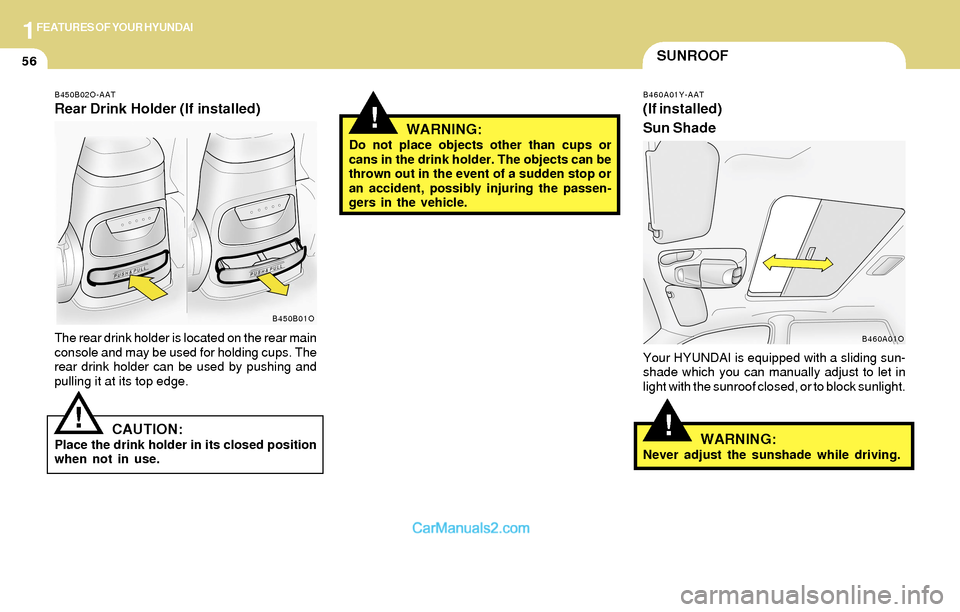
B450B02O-AAT
Rear Drink Holder (If installed)
The rear drink holder is located on the rear main
console and may be used for holding cups. The
rear drink holder can be used by pushing and
pulling it at its top edge.
CAUTION:Place the drink holder in its closed position
when not in use.
WARNING:Do not place objects other than cups or
cans in the drink holder. The objects can be
thrown out in the event of a sudden stop or
an accident, possibly injuring the passen-
gers in the vehicle.
B450B01O
!
Page 71 of 253
1FEATURES OF YOUR HYUNDAI
58
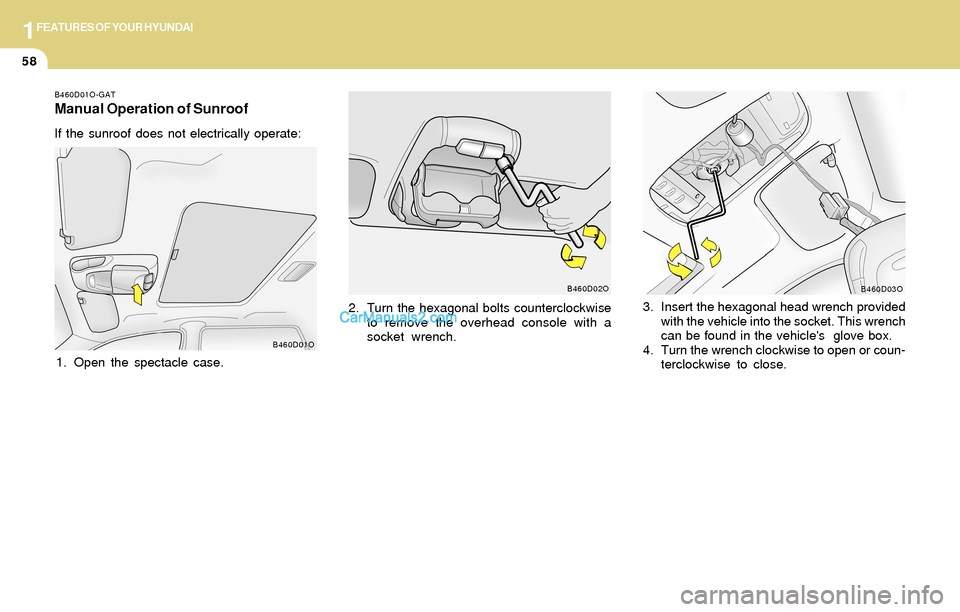
3. Insert the hexagonal head wrench provided
with the vehicle into the socket. This wrench
can be found in the vehicle's glove box.
4. Turn the wrench clockwise to open or coun-
terclockwise to close.
B460D03O
B460D01O-GAT
Manual Operation of Sunroof
If the sunroof does not electrically operate:
1. Open the spectacle case.2. Turn the hexagonal bolts counterclockwise
to remove the overhead console with a
socket wrench.
B460D01OB460D02O
Page 73 of 253
1FEATURES OF YOUR HYUNDAI
60GLOVE BOXSPECTACLE CASE
!
B500A01S-AAT
WARNING:To avoid the possibility of injury in case of
an accident or a sudden stop, the glove box
door should be kept closed when the car is
in motion.
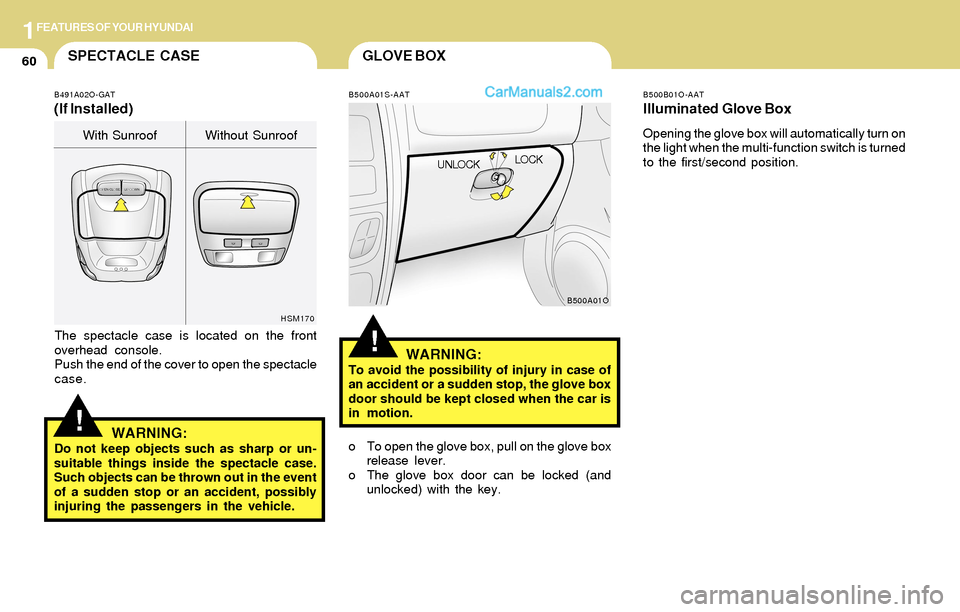
o To open the glove box, pull on the glove box
release lever.
o The glove box door can be locked (and
unlocked) with the key.
B500A01O
UNLOCKLOCK
!
B491A02O-GAT
(If Installed)
HSM170
The spectacle case is located on the front
overhead console.
Push the end of the cover to open the spectacle
case.
WARNING:Do not keep objects such as sharp or un-
suitable things inside the spectacle case.
Such objects can be thrown out in the event
of a sudden stop or an accident, possibly
injuring the passengers in the vehicle.With Sunroof Without Sunroof
B500B01O-AAT
Illuminated Glove Box
Opening the glove box will automatically turn on
the light when the multi-function switch is turned
to the first/second position.
Page 79 of 253

1FEATURES OF YOUR HYUNDAI
66
Reprogramming a Single HomeLink
Button
To program a device to HomeLink using a
HomeLink button previously trained, follow these
steps:
1. Press and hold the desired HomeLink but-
ton. Do not release until step 4 has been
completed.
2. When the indicator light begins to flash slowly
(after 20 seconds), hold the handheld trans-
mitter 1 to 3 inches away from the bottom of
the mirror.
3. Press and hold the transmitter button (or, if
necessary, press and "cycle," as described
in the '"Gate Operator & Canadian Program-
ming" portion of this text).
4. The HomeLink indicator light will flash slowly
at first, then rapidly, indicating successful
programming. Release both buttons.
Operating HomeLink
Simply press the appropriate HomeLink button
to activate the trained product (garage door,
security system, entry door lock, estate gate,
lighting, etc.). The original handheld transmit-
ters may also be used at any time.
Erasing Programmed Buttons
To erase the three HomeLink buttons, press
and hold the two outside buttons until the indica-
tor light begins to flash (after 20 seconds).
Release both buttons.
Individual buttons cannot be erased, but can be
reprogrammed.
B520C02L
Flashing 3. Return to the vehicle and firmly press and
release the programmed HomeLink button.
Press and release the same HomeLink but-
ton a second time to complete the program-
ming process. (Some devices may require
you to press and release a third time to
complete the programming.)
4. Now HomeLink mirror and rolling-code-
equipped device should be synchronized.
The remaining HomeLink buttons may now
be programmed if this has not been done
previously.
Page 80 of 253

1FEATURES OF YOUR HYUNDAI
67PARKING BRAKE
Gate Operator Programming & Cana-
dian Programming
During programming, your handheld transmit-
ter may automatically stop transmitting.
Continue to press and hold the HomeLink button
while you press and repress ("cycle") your
handheld transmitter every two seconds until
the frequency signal has been learned. The
indicator light will flash slowly at first and then
rapidly upon successful programming.
Accessories
For more information on HomeLink and
HomeLink-compatible products, or to purchase
HomeLink accessories, call 1-800-355-3515
or visit www.homeink.com.
B530A01A-AAT
Always engage the parking brake before leav-
ing the car. This also turns on the parking brake
indicator light when the key is in the "ON" or
"START" position. Before driving away, be sure
that the parking brake is fully released and the
indicator light is off.
o To engage the parking brake, pull the lever
up as far as possible.
o To release the parking brake, pull up and
press the thumb button. Then, while holding
the button in, lower the brake lever.
B530A01O
TAIL GATE
!
B540A01FC-AAT
WARNING:The tail gate should always be kept com-
pletely closed while the vehicle is in motion.
If it is left open or ajar, poisonous exhaust
gases may enter the car resulting in serious
illness or death to the occupants. See addi-
tional warnings concerning exhaust gases
on page 2-2.
B540A01O
o The tail gate can be locked or unlocked with
a key.
Page 81 of 253

1FEATURES OF YOUR HYUNDAI
68
o To close the tail gate window, lower the tail
gate window, and it will close by itself.
To be sure the tail gate window is securely
fastened, always try to pull it up again.
NOTE:The tail gate window lock is operated is in
connection with the tail gate lock. To open
the tail gate window make sure the tail gate
is unlocked with a key or the central door
locking switch. o The tail gate is opened by pulling the outside
handle up, raising the tail gate manually.
o To close, lower the tail gate, then press down
on it until it is closed. To be sure the tail gate
is fully closed, always try to pull it up again
without using the outside handle.
B540B02O-AATTail gate Window
B540B01O
o When you push the tail gate window release
button to open the tail gate window, it will
spring up slightly.
Raise the tail gate window. The window will
raise completly by itself after it has been
raised halfway.
B540C01HP-GAT
LUGGAGE COMPARTMENT LIGHT
Luggage compartment light has a 3-position
switch. The three positions are:
o In the "MIDDLE" position, the luggage com-
partment light comes on when the tail gate is
opened, then goes out when it is closed.
o In the "ON" position, the light stays on at all
times.
o In the "OFF" position, the light stays off at all
times.
B540C01O
LUGGAGE COMPARTMENT
Page 86 of 253
1FEATURES OF YOUR HYUNDAI
73SUN VISORFLOOR MAT ANCHOR
!WARNING:o Always double check to be sure that the
hood is firmly latched before driving
away. If it is not latched, the hood could
open while the vehicle is being driven,
causing a total loss of visibility, which
might result in an accident.
o Do not move the vehicle with the hood
in the raised position, as vision is ob-
structed and the hood could fall or be
damaged. 2. Push the secondary latch lever up and lift the
hood.
3. Raise the hood by hand.
When closing the hood, slowly close the hood
and make sure it locks into place.
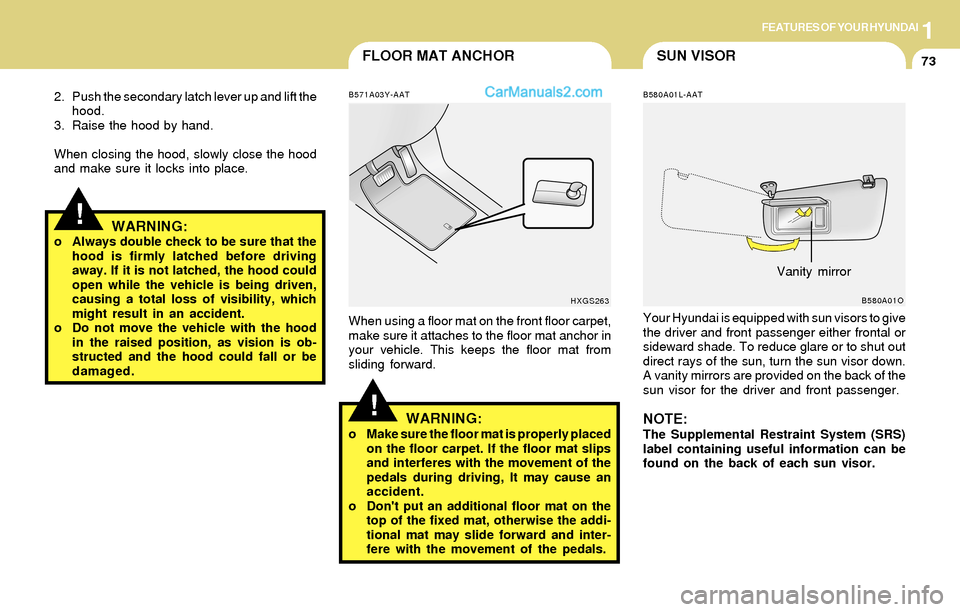
B580A01L-AAT
Your Hyundai is equipped with sun visors to give
the driver and front passenger either frontal or
sideward shade. To reduce glare or to shut out
direct rays of the sun, turn the sun visor down.
A vanity mirrors are provided on the back of the
sun visor for the driver and front passenger.
NOTE:The Supplemental Restraint System (SRS)
label containing useful information can be
found on the back of each sun visor.
B580A01O
Vanity mirror
!
B571A03Y-AAT
When using a floor mat on the front floor carpet,
make sure it attaches to the floor mat anchor in
your vehicle. This keeps the floor mat from
sliding forward.
WARNING:o Make sure the floor mat is properly placed
on the floor carpet. If the floor mat slips
and interferes with the movement of the
pedals during driving, It may cause an
accident.
o Don't put an additional floor mat on the
top of the fixed mat, otherwise the addi-
tional mat may slide forward and inter-
fere with the movement of the pedals.
HXGS263