2004 Hyundai Grandeur clock
[x] Cancel search: clockPage 137 of 235
2- 4 DRIVING YOUR HYUNDAI
C070C01E
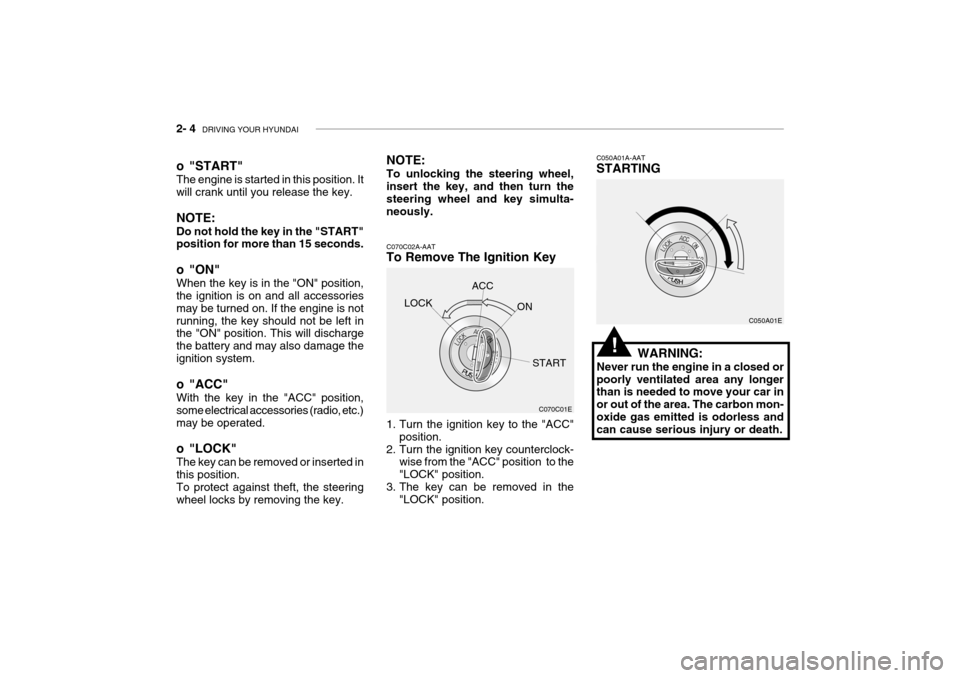
C070C02A-AAT
To Remove The Ignition Key
1. Turn the ignition key to the "ACC"
position.
2. Turn the ignition key counterclock- wise from the "ACC" position to the "LOCK" position.
3. The key can be removed in the "LOCK" position. C050A01A-AAT STARTING
C050A01E
WARNING:
Never run the engine in a closed or poorly ventilated area any longer than is needed to move your car in or out of the area. The carbon mon-oxide gas emitted is odorless and can cause serious injury or death.
LOCK
ACC
ON
START
o "START" The engine is started in this position. It will crank until you release the key. NOTE: Do not hold the key in the "START" position for more than 15 seconds.
o "ON" When the key is in the "ON" position, the ignition is on and all accessories may be turned on. If the engine is notrunning, the key should not be left in the "ON" position. This will discharge the battery and may also damage theignition system.
o "ACC" With the key in the "ACC" position, some electrical accessories (radio, etc.)may be operated.
o "LOCK" The key can be removed or inserted in this position. To protect against theft, the steering wheel locks by removing the key. NOTE: To unlocking the steering wheel, insert the key, and then turn the steering wheel and key simulta-neously.
!
Page 162 of 235
WHAT TO DO IN AN EMERGENCY 3- 7
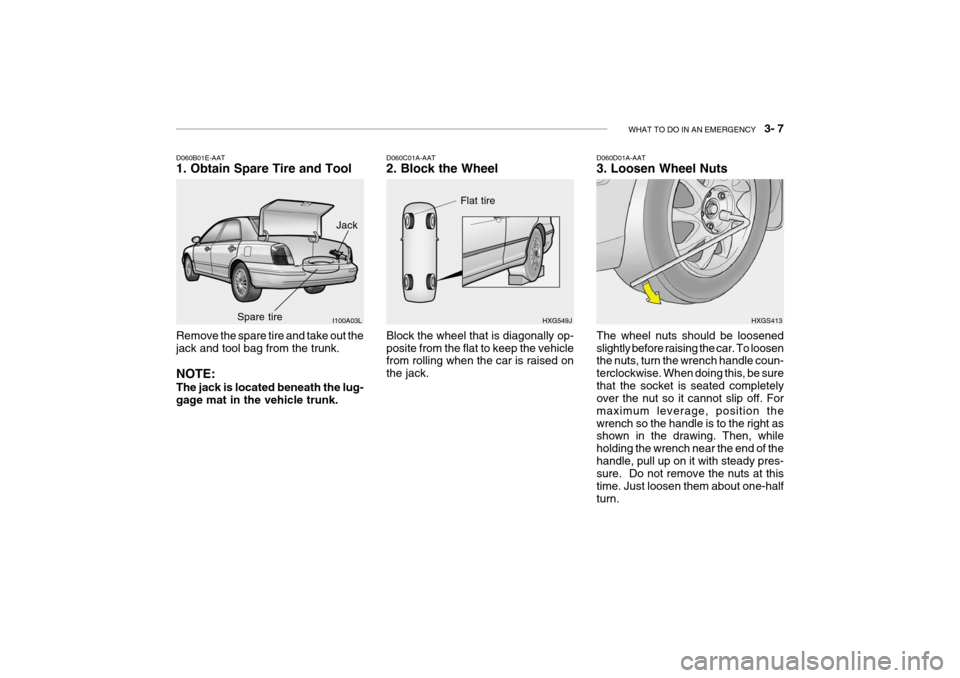
Remove the spare tire and take out the jack and tool bag from the trunk. NOTE: The jack is located beneath the lug- gage mat in the vehicle trunk.
D060B01E-AAT 1. Obtain Spare Tire and Tool
I100A03L
D060C01A-AAT 2. Block the Wheel Block the wheel that is diagonally op- posite from the flat to keep the vehicle from rolling when the car is raised on the jack.HXG549JD060D01A-AAT 3. Loosen Wheel Nuts
HXGS413
The wheel nuts should be loosened slightly before raising the car. To loosen the nuts, turn the wrench handle coun- terclockwise. When doing this, be surethat the socket is seated completely over the nut so it cannot slip off. For maximum leverage, position thewrench so the handle is to the right as shown in the drawing. Then, while holding the wrench near the end of thehandle, pull up on it with steady pres- sure. Do not remove the nuts at this time. Just loosen them about one-halfturn.
Jack
Spare tire
Flat tire
Page 163 of 235

3- 8 WHAT TO DO IN AN EMERGENCY
D060G02Y-AAT 6. Changing Wheels
Loosen the wheel nuts and remove them with your fingers. Slide the wheeloff the studs and lay it flat so it cannot roll away. To put the wheel on the hub, pick up the spare tire, line up the holes D060G01L
D060F02E-AAT 5. Raising the Car After inserting a wrench bar into the wheel nut wrench, install the wrench bar into the jack as shown in the draw- ing. To raise the vehicle, turn the wheelnut wrench clockwise. As the jack be- gins to raise the vehicle, double check that it is properly positioned and willnot slip. If the jack is on soft ground or sand, place a board, brick, flat stone or other object under the base of the jackto keep it from sinking. Raise the car high enough so that the fully inflated spare tire can be installed.To do this, you will need more ground clearance than is required to remove the flat tire.
HFC4022
Wrench bar
Wheel nut wrench
D060E01A-AAT 4. Put the Jack in Place The base of the jack should be placed on firm, level ground. The jack should be positioned as shown in the drawing. HXGS402 WARNING:
Do not get under the car when it issupported by the jack! This is very dangerous as the vehicle could falland cause serious injury or death. No one should stay in the car while the jack is being used.
!
Page 165 of 235
3- 10 WHAT TO DO IN AN EMERGENCY
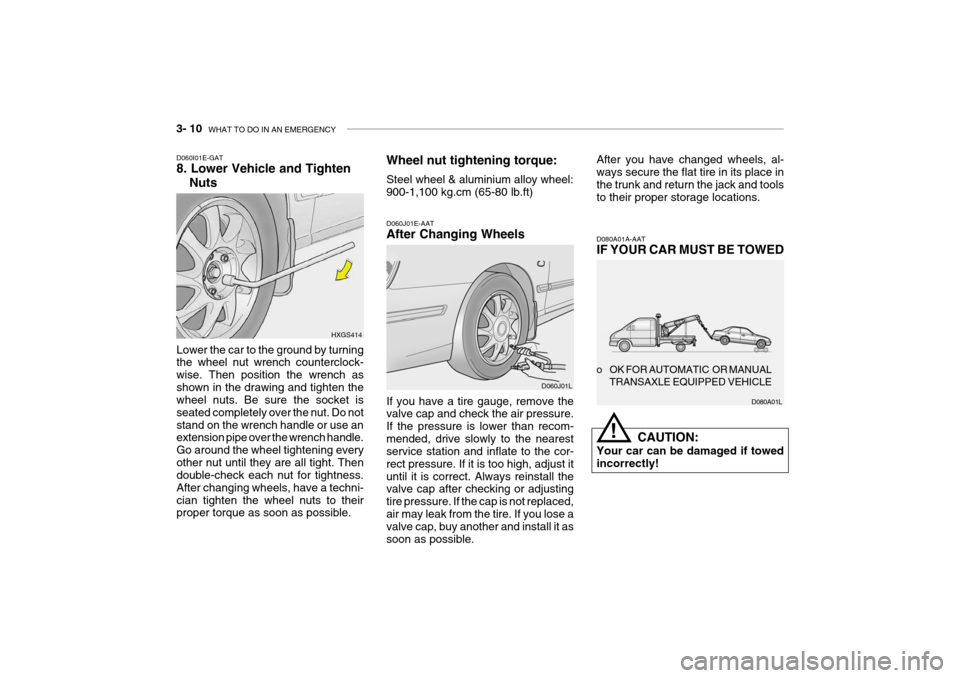
Lower the car to the ground by turning the wheel nut wrench counterclock- wise. Then position the wrench asshown in the drawing and tighten the wheel nuts. Be sure the socket is seated completely over the nut. Do not
stand on the wrench handle or use an extension pipe over the wrench handle. Go around the wheel tightening everyother nut until they are all tight. Then double-check each nut for tightness. After changing wheels, have a techni-cian tighten the wheel nuts to their proper torque as soon as possible.
D060I01E-GAT 8. Lower Vehicle and Tighten
Nuts
HXGS414Wheel nut tightening torque: Steel wheel & aluminium alloy wheel: 900-1,100 kg.cm (65-80 lb.ft)
D060J01E-AAT After Changing Wheels If you have a tire gauge, remove the valve cap and check the air pressure. If the pressure is lower than recom-mended, drive slowly to the nearest service station and inflate to the cor- rect pressure. If it is too high, adjust ituntil it is correct. Always reinstall the valve cap after checking or adjusting tire pressure. If the cap is not replaced,air may leak from the tire. If you lose a valve cap, buy another and install it as soon as possible.
D060J01LAfter you have changed wheels, al- ways secure the flat tire in its place in the trunk and return the jack and toolsto their proper storage locations.
D080A01A-AAT IF YOUR CAR MUST BE TOWED
CAUTION:
Your car can be damaged if towed incorrectly!
o OK FOR AUTOMATIC OR MANUAL
TRANSAXLE EQUIPPED VEHICLE
D080A01L
!
Page 188 of 235
6- 6 DO-IT-YOURSELF MAINTENANCE
G030C02A-AAT
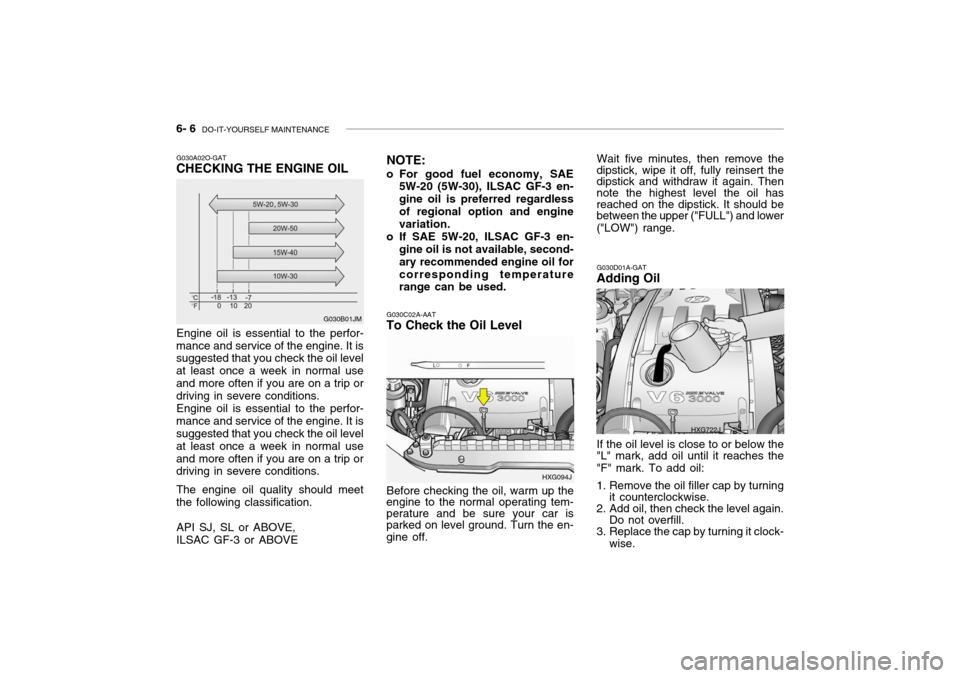
To Check the Oil Level
Before checking the oil, warm up the
engine to the normal operating tem- perature and be sure your car is parked on level ground. Turn the en- gine off. HXG094JG030D01A-GAT
Adding Oil
If the oil level is close to or below the
"L" mark, add oil until it reaches the"F" mark. To add oil:
1. Remove the oil filler cap by turning it counterclockwise.
2. Add oil, then check the level again. Do not overfill.
3. Replace the cap by turning it clock-
wise.
HXG722J
G030A02O-GAT CHECKING THE ENGINE OIL Engine oil is essential to the perfor-
mance and service of the engine. It is suggested that you check the oil level at least once a week in normal useand more often if you are on a trip or driving in severe conditions.
Engine oil is essential to the perfor-
mance and service of the engine. It issuggested that you check the oil level at least once a week in normal useand more often if you are on a trip or driving in severe conditions.
The engine oil quality should meet
the following classification.
API SJ, SL or ABOVE, ILSAC GF-3 or ABOVE G030B01JM
NOTE:
o For good fuel economy, SAE 5W-20 (5W-30), ILSAC GF-3 en-gine oil is preferred regardlessof regional option and engine variation.
o If SAE 5W-20, ILSAC GF-3 en- gine oil is not available, second- ary recommended engine oil forcorresponding temperature range can be used. Wait five minutes, then remove the
dipstick, wipe it off, fully reinsert the dipstick and withdraw it again. Then note the highest level the oil has reached on the dipstick. It should bebetween the upper ("FULL") and lower ("LOW") range.
Page 189 of 235
DO-IT-YOURSELF MAINTENANCE 6- 7
G040A02A-AAT
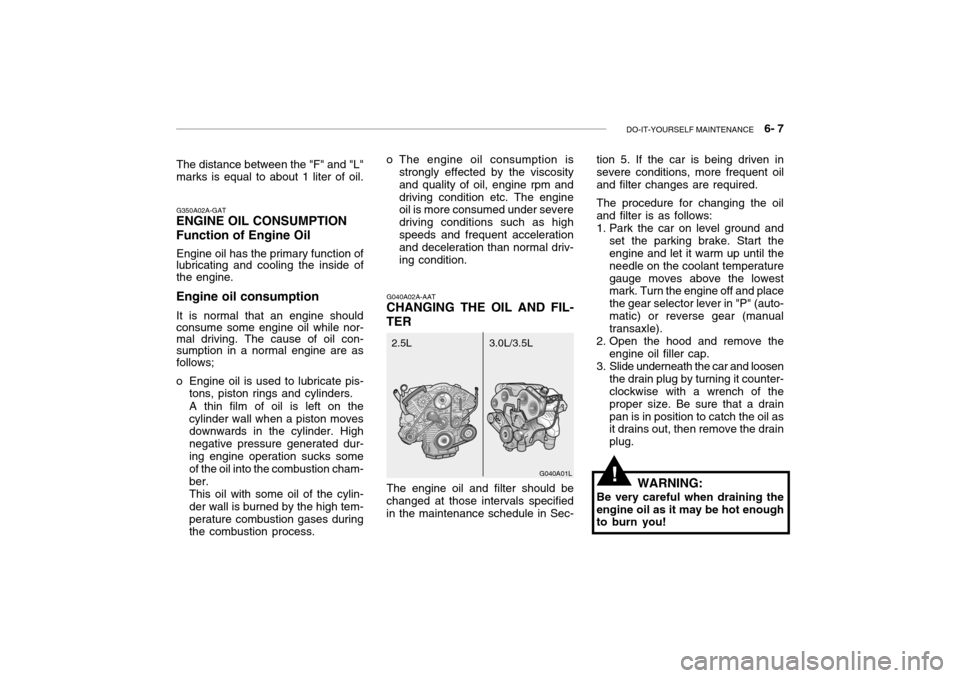
CHANGING THE OIL AND FIL- TER tion 5. If the car is being driven in severe conditions, more frequent oil and filter changes are required. The procedure for changing the oil and filter is as follows:
1. Park the car on level ground and
set the parking brake. Start the engine and let it warm up until the needle on the coolant temperaturegauge moves above the lowest mark. Turn the engine off and place the gear selector lever in "P" (auto-matic) or reverse gear (manual transaxle).
2. Open the hood and remove the engine oil filler cap.
3. Slide underneath the car and loosen the drain plug by turning it counter-clockwise with a wrench of the proper size. Be sure that a drainpan is in position to catch the oil as it drains out, then remove the drain plug.
G040A01L
3.0L/3.5L
2.5L
G350A02A-GAT
ENGINE OIL CONSUMPTION Function of Engine Oil
Engine oil has the primary function of lubricating and cooling the inside of the engine.
Engine oil consumption It is normal that an engine should consume some engine oil while nor- mal driving. The cause of oil con- sumption in a normal engine are as follows;
o Engine oil is used to lubricate pis- tons, piston rings and cylinders. A thin film of oil is left on the cylinder wall when a piston moves downwards in the cylinder. High negative pressure generated dur-ing engine operation sucks some of the oil into the combustion cham- ber.This oil with some oil of the cylin-der wall is burned by the high tem-perature combustion gases during the combustion process.
!
The distance between the "F" and "L" marks is equal to about 1 liter of oil.
WARNING:
Be very careful when draining the engine oil as it may be hot enough to burn you!
o The engine oil consumption is
strongly effected by the viscosity and quality of oil, engine rpm anddriving condition etc. The engine oil is more consumed under severe driving conditions such as highspeeds and frequent acceleration and deceleration than normal driv- ing condition.
The engine oil and filter should be
changed at those intervals specifiedin the maintenance schedule in Sec-
Page 190 of 235

6- 8 DO-IT-YOURSELF MAINTENANCE
!
4. When the oil has stopped draining,
replace the drain plug using a new gasket and retighten by turning itclockwise. Oil pan drain plug tightening torque : 3.5 ~4.0 kgf.m
5. Remove the oil filter by turning it counterclockwise with a oil filter wrench of the proper size. A cer- tain amount of oil will come out when you remove the filter. So besure to have your drain pan in place underneath it.
6. Install a new oil filter in accordance with the instructions on the carton or on the filter itself. Do not over-tighten. Oil filter tightening torque : 1.2 ~ 1.6 kgf.m Be sure that the mounting surface on the engine is clean and that theold gasket is removed completely. Lubricate the new gasket on the filter with clean engine oil beforeinstallation. 7. Remove the engine oil level dip-
stick.
8. Refill the crankcase with the rec- ommended engine oil. Refer tothe specification in chapter 9 forengine oil capacity.
G050A01A-AAT
CHECKING AND CHANGING THE ENGINE COOLANT
WARNING:
Do not remove the radiator cap
when the engine is hot. When the engine is hot, the engine coolant is under pressure and may eruptthrough the opening if the cap is removed. You could be seriously burned if you do not observe thisprecaution. Do not remove the ra- diator cap until the radiator is cool to the touch.
!
!
WARNING:
Used motor oil may cause irrita- tion or cancer of the skin if left incontact with the skin for prolonged periods of time. Wash your hands thoroughly with soap and warmwater as soon as possible after handling used oil.
CAUTION
Slowly pour the recommended oil
using by a tunnel. Do not overfill not to damage engine.
9. Start the engine and check to be sure no oil is leaking from the drain plug or oil filter.
10.Shut off the engine and recheck
the oil level.
NOTE: Always dispose of used engine oil
in an environmentally acceptable manner. It is suggested that it be placed in a sealed container andtaken to a service station for recla- mation. Do not pour the oil on the ground or put it in with the house-hold trash.
Page 192 of 235

6- 10 DO-IT-YOURSELF MAINTENANCE
4. Turn the radiator cap counterclock-
wise without pressing down on it, until it stops. This relieves any pres-sure remaining in the cooling sys- tem. And remove the radiator cap by pushing down and turning coun-terclockwise.Now fill the radiator with clean dem-ineralized or distilled water. Con- tinue to add clean demineralized or distilled water in small quantitiesuntil the fluid level stays up in the radiator neck. G050D01L
G050D02L
5. Start the engine, top off the radia- tor with water and then add enginecoolant to the reservoir until the level is between "LOW" and "FULL".
6. Replace the radiator and reservoir
caps and check to be sure thedrain cocks are fully closed and not leaking.
WARNING:
The cooling fan is controlled by
engine coolant temperature andmay sometimes operate even when the engine is not running. Useextreme caution when working near the blades of the cooling fan so that you are not injured by a
3. Check Section 9 for the capacity of
the cooling system in your car.Then, following the manufacturer'sdirections on the engine coolant container, add the appropriate quantity of coolant to the radiator. rotating fan blade. As the engine coolant temperature decreases, the fan will automatically shut off. Thisis a normal condition.
G060A01L
G060A02L-GAT
SPARK PLUGS
Your engine was originally equipped
with platinum-tipped spark plugs. (If installed)
Platinum-tipped spark plugs will last
longer than conventional type sparkplugs and can be identified by blue lines on the ceramic shell.Unleaded: 1.0 ~ 1.1 mm (0.039 ~ 0.043 in.) Leaded: 0.7 ~ 0.8 mm (0.028 ~ 0.032 in.)
!