2004 Hyundai Grandeur brake
[x] Cancel search: brakePage 58 of 235

FEATURES OF YOUR HYUNDAI 1- 45
Your Hyundai is equipped with dual- diagonal braking systems. This means you still have braking on two wheelseven if one of the dual systems should fail. With only one of the dual systems working, more than normal pedal traveland greater pedal pressure are re- quired to stop the car. Also, the car will not stop in as short a distance with onlyhalf of the brake system working. If the brakes fail while you are driving, shift to a lower gear for additional enginebraking and stop the car as soon as it is safe to do so. B260J01A-GAT
CHARGING SYSTEM WARNING LIGHT
The charging system warning light should come on when the ignition isturned on, then go out when the engine
is running. If the light stays on while the engine is running, there is a malfunc-tion in the electrical charging system. If the light comes on while you are driv- ing, stop, turn off the engine and checkunder the hood. First, make certain the generator drive belt is in place. If it is, check the tension of the belt. B260L01Y-AAT
DOOR AJAR WARNING
LIGHT AND CHIME(If installed)
The door ajar warning light warns you that a door is not completely closed and the chime warns you that driver'sside front door is not completely closed. NOTE: To remind you not to lock the key inside the car, the warning light comes on whenever the key is inthe ignition switch and a door is open. The warning chime only sounds whenever the key is in the"LOCK" position and the driver's side front door is open. The chime sounds and the light remains onuntil the key is removed from the ignition switch. B260M01A-AAT
LOW FUEL LEVEL WARNING LIGHT
The low fuel level warning light comes on when the fuel tank is approaching empty. When it comes on, you shouldadd fuel as soon as possible. Driving with the fuel level warning light on or with the fuel level below "E" can causethe engine to misfire and damage the catalytic converter. B260B01L-AAT SRS (Airbag) SERVICE REMINDER INDICATOR(SRI)
The SRS service reminder indicator (SRI) comes on and flashes for about 6 seconds after the ignition key is turned to the "ON" position or after theengine is started, after which it will go out. This light also comes on when the SRS is not working properly. If the SRI does not come on, or continuously remainson after flashing for about 6 seconds, or goes out for a second after illuminat- ing for about 6 seconds and then con-
Page 59 of 235

1- 46 FEATURES OF YOUR HYUNDAI
B260N02FC-GAT
MALFUNCTION INDICATOR LIGHT(If installed)
This light illuminates when there is a malfunction of an exhaust gas related component, and the system is not functioning properly so that the ex-haust gas regulation values are not satisfied. This light will also illuminate when the ignition key is turned to the"ON" position, and will go out in a few seconds. If it illuminates while driving, or does not illuminate when the ignitionkey is turned to the "ON" position, take your car to your nearest authorized Hyundai dealer and have the systemchecked. B270B01L-AAT
STOP/TAIL LIGHT FAIL URE WARNINGLIGHT
If the Stop/Tail Light Failure warning light comes on when the parking brake is applied or the tail light is turned on,check the brake lines or the tail light bulb.
B260Q01HP-DAT
CRUISE INDICATOR LIGHT (If installed)
The cruise indicator light in the instru- ment cluster is illuminated only when the vehicle cruising speed has beenset using the control switch on the steering wheel. The indicator light does not illuminatewhen the main cruise control switch is activated. Information on the use of cruise con-trol may be found on page 1-76.
tinuously comes on again when you turned the ignition key to the "ON" position or started the engine, or if itcomes on while driving, have the SRS inspected by an authorized Hyundai Dealer.
B270A01A-AAT BRAKE PAD WEAR WARNING SOUND The front disc brake pads have wear indicators that should make a high- pitched squealing or scraping noisewhen new pads are needed. The sound may come and go or be heard all the time when the vehicle is moving. Itmay also be heard when the brake pedal is pushed down firmly. Exces- sive rotor damage will result if the wornpads are not replaced. See your Hyundai dealer immediately.
Page 64 of 235
FEATURES OF YOUR HYUNDAI 1- 51
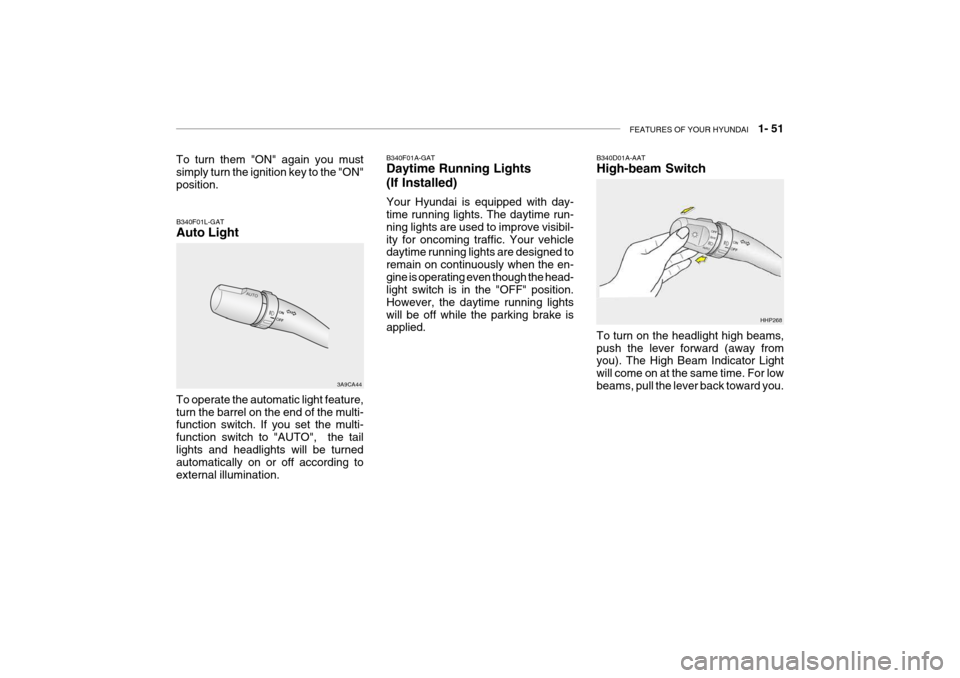
B340F01L-GAT Auto Light
3A9CA44
To operate the automatic light feature, turn the barrel on the end of the multi- function switch. If you set the multi- function switch to "AUTO", the taillights and headlights will be turned automatically on or off according to external illumination. B340D01A-AAT High-beam Switch To turn on the headlight high beams, push the lever forward (away from you). The High Beam Indicator Light will come on at the same time. For lowbeams, pull the lever back toward you.
HHP268
B340F01A-GAT Daytime Running Lights (If Installed) Your Hyundai is equipped with day- time running lights. The daytime run- ning lights are used to improve visibil-ity for oncoming traffic. Your vehicle daytime running lights are designed to remain on continuously when the en-gine is operating even though the head- light switch is in the "OFF" position. However, the daytime running lightswill be off while the parking brake is applied.
To turn them "ON" again you mustsimply turn the ignition key to the "ON" position.
Page 79 of 235

1- 66 FEATURES OF YOUR HYUNDAI
B540A01S-GAT TRUNK LID Remote Trunk Lid Release
To open the trunk lid without using the key, pull up the lid release lever lo-cated on the driver's door panel. To close, lower the trunk lid, then press down on it until it locks. To besure the trunk lid is securely fastened, always check by trying to pull it up again. HXGS231B530B01L-GAT PARKING BRAKE (Foot type)
o To engage the foot type parking
brake, depress the parking brake pedal beneath the left side of the lower instrument panel.
o To release the parking brake, pull up the parking brake release leverat the left side of the instrumentpanel. HXGS325
Always engage the parking brake be- fore leaving the car. This also turns on the parking brake indicator light when the key is in the "ON" or "START"position. Before driving away, be sure that the parking brake is fully released and the indicator light is off.
o To engage the parking brake, pull
the lever up as far as possible.
o To release the parking brake, pull up the lever and press the thumb button. Then, while holding the but-ton in, lower the brake lever.
B530A01A-AAT PARKING BRAKE
HXGS324
Page 81 of 235
1- 68 FEATURES OF YOUR HYUNDAI
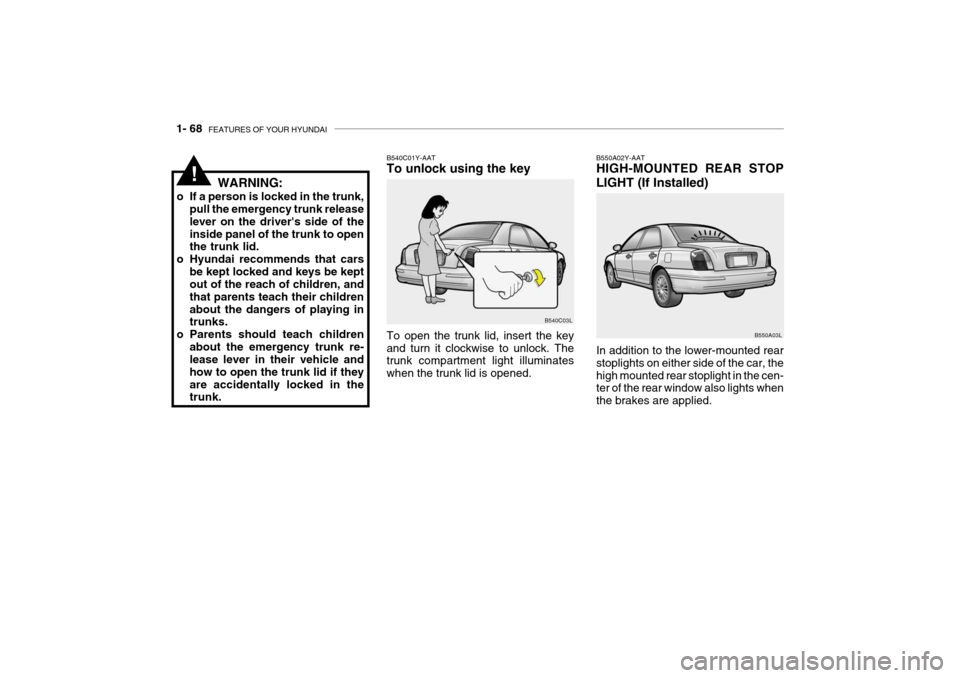
B550A02Y-AAT HIGH-MOUNTED REAR STOP
LIGHT (If Installed) In addition to the lower-mounted rear stoplights on either side of the car, thehigh mounted rear stoplight in the cen- ter of the rear window also lights when the brakes are applied. B550A03L
To open the trunk lid, insert the key and turn it clockwise to unlock. The trunk compartment light illuminates when the trunk lid is opened.
WARNING:
o If a person is locked in the trunk, pull the emergency trunk releaselever on the driver's side of theinside panel of the trunk to open the trunk lid.
o Hyundai recommends that cars be kept locked and keys be keptout of the reach of children, and that parents teach their childrenabout the dangers of playing in trunks.
o Parents should teach children about the emergency trunk re-lease lever in their vehicle and how to open the trunk lid if theyare accidentally locked in the trunk. B540C01Y-AAT To unlock using the key
B540C03L
!
Page 90 of 235

FEATURES OF YOUR HYUNDAI 1- 77
B660C02L-GAT To Cancel the Cruise Speed
Do one of the following:
o Push the control switch "CANCEL".
o Depress the brake pedal.
o Depress the clutch pedal (Manual transaxle).
o Shift the selector lever in "P" or "N" position (Automatic transaxle).
o Decrease the vehicle speed lower
than memory speed by 15 km/h (9mph).
o Decrease the vehicle speed approxi-
mately to less than 40 km/h (25mph).
o Release the main switch. B660C01LB660D01L-GAT To Resume the Preset Speed The vehicle will automatically resume the speed set prior to cancellation when you push the control switch "RESUME(ACCEL)" (above 40 km/h).
B660D01L
B660E01L-GAT To Reset at a Faster Speed
1. Push the control switch "RESUME (ACCEL)"
2. Accelerate to desired speed. While the control switch is held, the ve- hicle will gradually gain speed.B660F01L-GAT To Reset at a Slower Speed
1. Push the control button "SET(COAST)". The vehicle will deceler- ate.
2. When the desired speed is obtained, release the control button. Whilethe control switch is pushed, thevehicle speed will gradually de- crease. B660B01L
Page 91 of 235
1- 78 FEATURES OF YOUR HYUNDAI
WARNING:
o Keep the main switch off when not using the cruise control.
o Do not use the cruise control
when it may not be safe to keep the car at a constant speed, for instance, driving in heavy or vary-ing traffic, or on slippery (rainy, icy or snow-covered) or winding roads or over 6% up-hill or down-hill roads.
o Pay particular attention to the
driving conditions whenever us- ing the cruise control system.
o During cruise-speed driving with
manual transaxle vehicle, do notshift into neutral without depress- ing the clutch pedal, since theengine will be overrevved. If this happens, depress the clutch pedal or release the main switch.
o During normal cruise control op- eration, when the set button isactivated or reactivated after ap-plying the brakes, the cruise con- trol will energize after approxi- mately 3 seconds. This delay isnormal. SEEK ( / ) Switch Press the SEEK switch 1 sec. or more.
1. RADIO mode When the SEEK ( ) is pressed, the unit will automatically tune to the next higher frequency and when the SEEK ( ) switch is pressed, it will automati-cally tune to the next lower frequency.
2. TAPE mode
o Pressing the SEEK ( ) will play the
beginning of the next music seg- ment.
o Pressing the SEEK ( ) will start replay at the beginning of the musicjust listened to.
3. CD (compact disc)/CDC (compact disc changer) mode
o Press the SEEK ( ) once to skip forward to the beginning of the next track.
o Press the SEEK ( ) once to skip back to the beginning of the track.
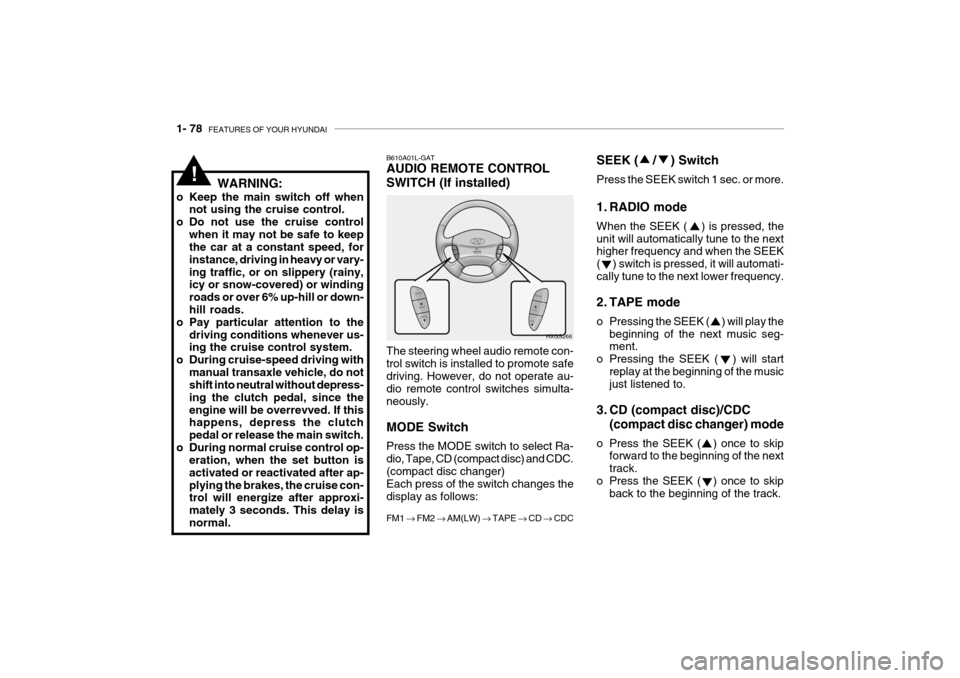
B610A01L-GAT AUDIO REMOTE CONTROL SWITCH (If installed) The steering wheel audio remote con- trol switch is installed to promote safedriving. However, do not operate au- dio remote control switches simulta- neously. MODE Switch Press the MODE switch to select Ra- dio, Tape, CD (compact disc) and CDC.(compact disc changer) Each press of the switch changes the display as follows: FM1 FM2 AM(LW) TAPE CD CDC
HXGS266
!
Page 134 of 235

2. DRIVING YOUR HYUNDAI
Before Starting the Engine ............................................................. 2-3
Key Positions .................................................................................. 2-3Starting............................................................................................ 2-4
Operating the Manual Transaxle .................................................... 2-5
Automatic Transaxle ....................................................................... 2-7
Anti-Lock Brake System (ABS) ..................................................... 2-11
Traction Control System (TCS) ..................................................... 2-12
Good Braking Practices ................................................................ 2-13
Driving for Economy ..................................................................... 2-15
Winter Driving ............................................................................... 2-16
Trailer or Vehicle Towing .............................................................. 2-18
2