Page 52 of 215

Itcomesonwhenyouturnthe
ignition switch to ON (II). It is a
reminder to check the parking
brake. Driving with the parking
brake not f ully released can
damage the brakes and tires.
If it remains lit af ter you have f ully
released the parking brake while
the engine is running, or if it
comes on while driving, there
could be a problem with the brake
system. For complete inf ormation,
see page .See page .
The lef t or right turn signal indicator
blinks when you signal a lane change
or turn. If the indicator does not
blink or blinks rapidly, it usually
means one of the turn signal bulbs is
burned out (see page ). Replace
the bulb as soon as possible, since
other drivers cannot see that you are
signaling.
This indicator comes on with the
high beam headlights. See page
f or inf ormation on the headlight
controls.
This indicator has two f unctions:
WhenyouturnontheHazard
Warning button, both turn signal
indicators blink. All turn signals on
the outside of the vehicle should
flash.
This indicator comes on if the hatch
is not closed tightly.On Canadian model, this indicator
comes on with reduced brightness
when the Daytime Running Lights
(DRL) are on (see page ).
This indicator comes on when you
turn the ignition switch to ON (II)
with the headlight switch off and the
parking brake set. It should go of f if
youturnontheheadlightsorrelease
the parking brake. If it comes on at
any other time, it means there is a
problem with the DRL. There may
also be a problem with the high
beam headlights.
1. 2.
61
179 178
146 61
Canadian model only
Inst rument s and Cont rols
Parking Brake
and Brake
System
Indicator
Malf unction Indicator
Lamp
Turn Signal and
Hazard Warning
Indicators
Hatch-open Indicator ‘‘Daytime Running
Lights’’ Indicator
High Beam Indicator
Instrument Panel Indicators
53
U.S. Canada
�����—�����—�����y�
�������������y���
�(���)�������y���������y
Page 53 of 215

This indicator normally comes on f or
a f ew seconds when you turn the
ignition switch to ON (II), and when
the ignition switch is turned to
START (III). If it comes on at any
other time, there is a problem in the
ABS. If this happens, have your
vehicle checked at a dealer. With
this indicator on, your vehicle still
has normal braking ability but not
anti-lock. For complete inf ormation,
see page .
This indicator is located in the f uel
gauge. If the indicator glows, it
means you should ref uel soon. This indicator comes on when the
washer f luid level is low. Add washer
fluidwhenyouseethisindicator
come on (see page ).
Thiscomesonwhenyousetthe
cruise control. See page f or
inf ormation on operating the cruise
control.
128
142
105Canadian model only
Inst rument s and Cont rols
Low Fuel Indicator Washer Level Indicator
Cruise Control IndicatorAnti-lock Brake System
(A BS) Indicator
Instrument Panel Indicators
54LOW FUEL INDICATOR
�����—�����—�����y�
�������������y���
�(���)�������y���������y
Page 54 of 215

This indicator normally comes on
when you turn the ignition to ON (II)
and goes off after the engine starts.
If it comes on at any other time,
there is a problem in the Electric
Power Steering system. If this
happens, stop the vehicle in a saf e
place and turn of f the engine. Reset
the system by restarting the engine.
The indicator will not turn of f
immediately. If it does not go of f
after driving a short distance, or
comes back on again while driving,
take the vehicle to your dealer to
have it checked. With the indicator
on, the EPS may be turned of f ,
making the vehicle harder to steer.
If the power steering system
overheats while driving, the assisting
power is reduced and steering may
f eel slightly harder.This indicator comes on f or a f ew
seconds when you turn the ignition
switch to ON (II). It will go of f if you
have inserted a properly-coded
ignition key. If it is not a properly-
coded key, the indicator will blink
and the engine will not start (see
page ).
This indicator also blinks several
times when you turn the ignition
switch f rom ON (II) to ACCESSORY
(I) or LOCK (0).
65
Inst rument s and Cont rols
Electric Power Steering
(EPS) Indicator
Immobilizer System
Indicator
Instrument Panel Indicators
55
�����—�����—�����y�
�������������y���
�(���)�������y���������y
Page 55 of 215

Your dealer will reset this indicator
af ter completing the scheduled
maintenance. If this maintenance is
done by someone other than your
Honda dealer, reset the indicator as
f ollows.
If you exceed 10,000 miles (16,000
km) without having the scheduled
maintenance perf ormed, this
indicator will remain on as a constant
reminder.
This indicator reminds you that it is
time to take your vehicle in for
scheduled maintenance.
Ref er to the Maintenance Schedules
f or Normal and Severe Driving
Conditions on pages and .
For the f irst 8,000 miles (12,800 km)
af ter the Maintenance Required
Indicator is reset, it will come on f or
two seconds when you turn the
ignition switch to ON (II).
Between 8,000 miles (12,800 km)
and 10,000 miles (16,000 km), it will
light f or two seconds when you f irst
turn the ignition switch to ON (II),
andthenflashfortenseconds. Turn of f the engine.
Press and hold the Select/Reset
button the instrument panel, then
turn the ignition switch to ON (II).
Hold the button until the indicator
resets (approximately ten
seconds).
1. 2. 3.
133 134
Inst rument s and Cont rols Maintenance Required
Indicator
Instrument Panel Indicators
56
�����—�����—�����y�
�������������y���
�(���)�������y���������y
Page 60 of 215

�µ�µ
�µ
Turn Signal
Of f
Parking and interior lights
Headlight on
High beams
Flashhighbeams Rotating switch
on the lef t lever controls to the
‘‘ ’’ position turns on the parking
lights, taillights, instrument panel
lights, side-marker lights, and rear
license plate lights. Turning the
switch to the ‘‘ ’’ position turns
on the headlights. If you leave the
lights on with the key removed f rom
the ignition switch, you will hear a
reminder tone when you open the
driver’s door. To turn on, push
the f orward until you hear a click.
The blue high beam indicator will
light (see page ). Pull it back to
return to low beams. To flash the
high beams, pull the lever back
lightly, then release it. The high
beams will stay on as long as you
hold the lever back.
With the headlight switch off, the
high beam headlights come on with
reduced brightness when you turn
the ignition switch to ON (II) and
release the parking brake. They
remain on until you turn the ignition
of f , even if you set the parking brake.
The headlights revert to normal
operation when you turn the switch
to the ‘‘ ’’ position.
Push down on the
lef t lever to signal a lef t turn and up
to signal a right turn. To signal a lane
change, push lightly on the lever and
hold it. The lever will return to the
center when you release it or
complete a turn.
1.2.3.4.5.6. 53
Canadian model only
Inst rument s and Cont rols
Turn Signal and Headlights
Headlights OnDaytime Running L ights
High Beams
Turn Signal
Turn Signal and Headlights
61
�����—�����—�����y�
�������������y���
�(���)�������y���������y
Page 61 of 215

Pushtheredbuttontoturnonthe
hazard warning lights (f our-way
flashers). This causes all four
outside turn signals and both
indicators in the instrument panel to
f lash. Use the hazard warning lights
if you need to park in a dangerous
area near heavy traffic, or if your
vehicle is disabled.The rear window def ogger will clear
fog,frost,andthinicefromthe
window. Push the def ogger button to
turn it on and of f . The light in the
button lights to show the def ogger is
on. If you do not turn it of f , the
def ogger will shut itself of f af ter
about15minutes.Italsoshutsoff
when you turn of f the ignition. You
have to turn it on again when you
restart the vehicle.
The knob on the instrument panel
controls the brightness of the instru-
ment panel lights. Turn the knob to
adjust the brightness.
Instrument Panel Brightness, Hazard Warning Button, Rear Window Def ogger
Inst rument s and Cont rols Rear Window Def ogger
Instrument Panel Brightness Hazard Warning Button
62
�����—�����—�����y�
�������������y���
�(���)�������y���������y
Page 62 of 215

Make sure the rear window is clear
and you have good visibility bef ore
starting to drive.
Thedefoggerwiresontheinsideof
the rear window can be accidentally
damaged. When cleaning the glass,
always wipe side-to-side.Make any steering wheel adjustment
bef ore you start driving.
To adjust the steering wheel upward
or downward:
Push the lever under the steering
column all the way down. Move the steering wheel so it
points to your chest, not toward
yourface.Makesureyoucansee
the instrument panel gauges and
indicators.
Push the lever up to lock the
steering wheel in that position.
Make sure you have securely
locked the steering wheel in place
by trying to move it up and down.
1.
4.
3.
2.
See page f or important saf ety
inf ormation about how to properlyposition the steering wheel. 16
Rear Window Def ogger, Steering Wheel A djustment
Inst rument s and Cont rols
Steering Wheel A djustment
63
Adjusting the steering wheel
position while driving may
cause you to lose control of the
vehicle and be seriously injured
inacrash.
Adjust the steering wheel only
when the vehicle is stopped.
�����—�����—�����y�
���������
�
�y���
�(���)�������y���������y
Page 65 of 215
�µ
�µ
�µ �µ
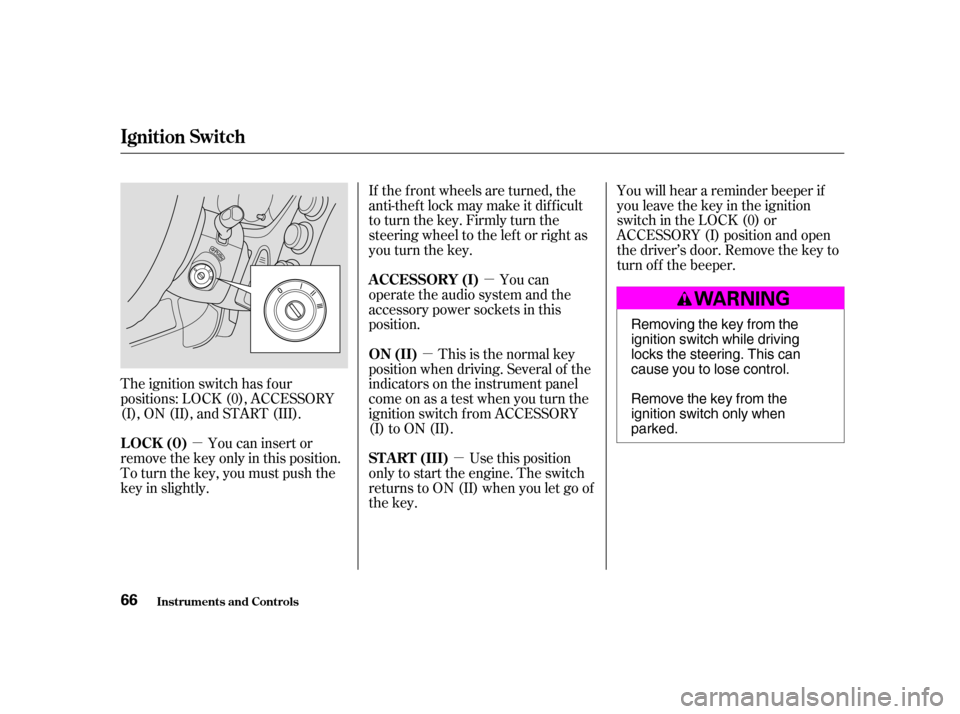
The ignition switch has f our
positions: LOCK (0), ACCESSORY
(I), ON (II), and START (III). If the f ront wheels are turned, the
anti-thef t lock may make it dif f icult
to turn the key. Firmly turn the
steering wheel to the lef t or right as
you turn the key.
You can
operate the audio system and the
accessory power sockets in this
position.
Use this position
only to start the engine. The switch
returns to ON (II) when you let go of
the key. You will hear a reminder beeper if
you leave the key in the ignition
switch in the LOCK (0) or
ACCESSORY (I) position and open
thedriver’sdoor.Removethekeyto
turn of f the beeper.
You can insert or
remove the key only in this position.
To turn the key, you must push the
key in slightly. This is the normal key
position when driving. Several of the
indicators on the instrument panel
come on as a test when you turn the
ignition switch f rom ACCESSORY
(I) to ON (II).
A CCESSORY (I)
ST A RT (III)
LOCK (0) ON (II)
Ignition Switch
Inst rument s and Cont rols
66 Removing the key from the
ignition switch while driving
locks the steering. This can
cause you to lose control.
Remove the key from the
ignition switch only whenparked.
�����—�����—�����y�
�������������y���
�(���)�������y���������y