Page 108 of 231
You can quickly set the time to the
nearest hour.
If the displayed time is before the
half hour, press the CLOCK (SCAN/
RPT) button until you hear a beep,
then press the R (Preset 6) button to
settheclockbacktotheprevious
hour. If the displayed time is af ter
the half hour, the clock sets forward
to the beginning of the next hour.
If the displayed time is before the
half hour, press and hold the
CLOCK button, then press the R
(Preset 6) button to set the clock
back to the previous hour. If the
displayed time is af ter the half hour,
the clock sets forward to the
beginning of the next hour.For example: 1:06 will reset to 1:00
1:52 will reset to 2:00
Vehicles with CD Player/Changer
Vehicles without CD Player/Changer
Setting the Clock
Comf ort and Convenience Feat ures109
�����—�����—�����y�
�������������y���
�(���%�������y���
�
���y
Page 119 of 231

Your dealer has Honda accessories
that allow you to personalize your
vehicle. These accessories have
been designed and approved f or your
vehicle, and are covered by warranty.When properly installed, cellular
phones, alarms, two-way radios, and
low-powered audio systems should
not interf ere with your vehicle’s
computer controlled systems, such
as the SRS and anti-lock brake
system.Bef ore installing any accessory:
Modif ying your vehicle, or installing
some non-Honda accessories, can
make your vehicle unsaf e. Bef ore
you make any modif ications or add
anyaccessories,besuretoreadthe
f ollowing inf ormation. Make sure the accessory does not
obscure any lights, or interf ere
with proper vehicle operation or
perf ormance.
Be sure electronic accessories do
not overload electrical circuits
(see page ) or interf ere with
proper operation.
Have the installer contact your
Honda dealer f or assistance bef ore
installing any electronic accessory.
Although aftermarket accessories
may f it on your vehicle, they may not
meet f actory specif ications, and
could adversely af f ect your vehicle’s
handling and stability (see
‘‘Modif ications’’ on page f or
additional information). 121 199
A ccessories
Bef ore Driving
A ccessories and Modif ications
120
Improper accessories or
modifications can affect your
vehicle’s handling, stability, and
performance, and cause a
crash in which you can be hurt
or killed.
Follow all instructions in this
owner’s manual regarding
accessories and modifications.
�����—�����—�����y�
�������������y���
�(���%�������y���
�����y
Page 120 of 231

Some examples are:Raising your vehicle with an
af termarket suspension kit can
af f ect the handling and stability.
Af termarket wheels, because they
are a universal design, can cause
excessive stress on suspension
components. Larger or smaller wheels and tires
can interf ere with the operation of
your vehicle’s anti-lock brakes and
other systems.
Removing parts f rom your vehicle,
or replacing components with non-
Honda (af termarket) components
could seriously af f ect your vehicle’s
handling, stability, and reliability.
Lowering your vehicle with an
aftermarket suspension kit that
signif icantly reduces ground
clearance can allow the
undercarriage to hit speed bumps
or other raised objects, which
could cause the airbags to deploy. Do not modif y your steering wheel
or any other part of your
Supplemental Restraint System.
Modif ications could make the
system inef f ective. See the saf ety
precautions on page .
If you plan to modif y your vehicle,
consult with your Honda dealer.
Improperly replacing
or covering f ront seat-back covers
can prevent your side airbags f rom
inf lating during a collision. 28
Modif ying Your Vehicle
Additional Saf ety Precaution
Bef ore Driving
A ccessories and Modif ications
Do not cover or replace f ront seat -back covers wit hout consult ing aHonda dealer.
121
�����—�����—�����y�
�������������y���
�(���%�������y���
�����y
Page 122 of 231

�·�µ
The maximum load f or your vehicle
is 850 lbs (395 kg). This f igure
includes total weight of all occupants,
cargo, and accessories.
To determine the correct cargo and
luggage load limit:
Locate the statement, ‘‘the
combined weight of occupants and
cargo should never exceed 850 lbs
(395 kg)’’ on your vehicle’s placard
(on the driver’s doorjamb).
Determine the combined weight
of the driver and passengers that
will be riding in the vehicle.
Subtract the combined weight of
the driver and passengers f rom
850 lbs (395 kg). For example, if there will be f our 150
lbs (70 kg) occupants in your vehicle,
the amount of available cargo and
luggage load capacity is 250 lbs (115
kg).
4 150 lbs (70 kg) = 600 lbs (280
kg)
850 lbs (395 kg) 600 lbs (280 kg) =
250 lbs (115 kg)
Determine the combined weight
of accessories, luggage, and cargo
beingloadedinthevehicle.The
weight may not saf ely exceed the
available cargo and luggage load
capacity calculated in step 4.
The resulting f igure equals the
available load capacity. Store or secure all items that could
be thrown around and hurt
someone during a crash.
Do not put any items on top of the
rear shelf . They can block your
view and be thrown around the
vehicle during a crash.
Be sure items placed on the f loor
behind the f ront seats cannot roll
under the seats and interf ere with
the pedals or seat operation.
Keep the glove box closed while
driving. If it is open, a passenger
could injure their knees during a
crash or sudden stop.
1. 2. 3.4. 5.
Bef ore Driving
Carrying Cargo
Carrying Items in the Passenger
Compartment
123
�����—�����—�����y�
���������
���y���
�(���%�������y���
�����y
Page 124 of 231
This section gives you tips on
starting the engine under various
conditions, and how to operate the
5-speed manual and automatic
transmissions. It also includes impor-
tant inf ormation on parking your
vehicle, and the braking system.........................
Preparing to Drive . 126
.......................
Starting the Engine . 127
....
5-speed Manual Transmission . 128
..............
Automatic Transmission . 130
.
Automatic Transmission (CVT) . 134
...........................................
Parking . 137
.............................
Braking System . 138
...........................
Towing a Trailer . 138
...............
Anti-lock Brakes (ABS) . 139
Driving
Driving125
�����—�����—�����y�
�������������y���
�(���%�������y���
�����y
Page 125 of 231
Fasten your seat belt. Check that
your passengers have f astened
their seat belts (see page ).
When you start the engine, check
the gauges and indicator lights in
the instrument panel (see page).
Make sure the doors are securely
closed and locked.
Check the steering wheel
adjustment (see page ).
Check the adjustment of the
inside and outside mirrors (see
page ).
Check that any items you may be
carrying are stored properly or
f astened down securely.
Check the seat adjustment (see
page ).
Youshoulddothefollowingchecks
and adjustments every day bef ore
you drive your vehicle.
Make sure all windows, mirrors,
and outside lights are clean and
unobstructed. Remove f rost, snow,
or ice.
Check that the hood and trunk are
f ully closed.
Visually check the tires. If a tire
looks low, use a gauge to check its
pressure.
1. 2. 3. 4.
9.
8.
7.
6.
5.
10.
76
83 68 14
53
Driving
Preparing to Drive
126
�����—�����—�����y�
�������������y���
�(���%�������y���
�����y
Page 127 of 231
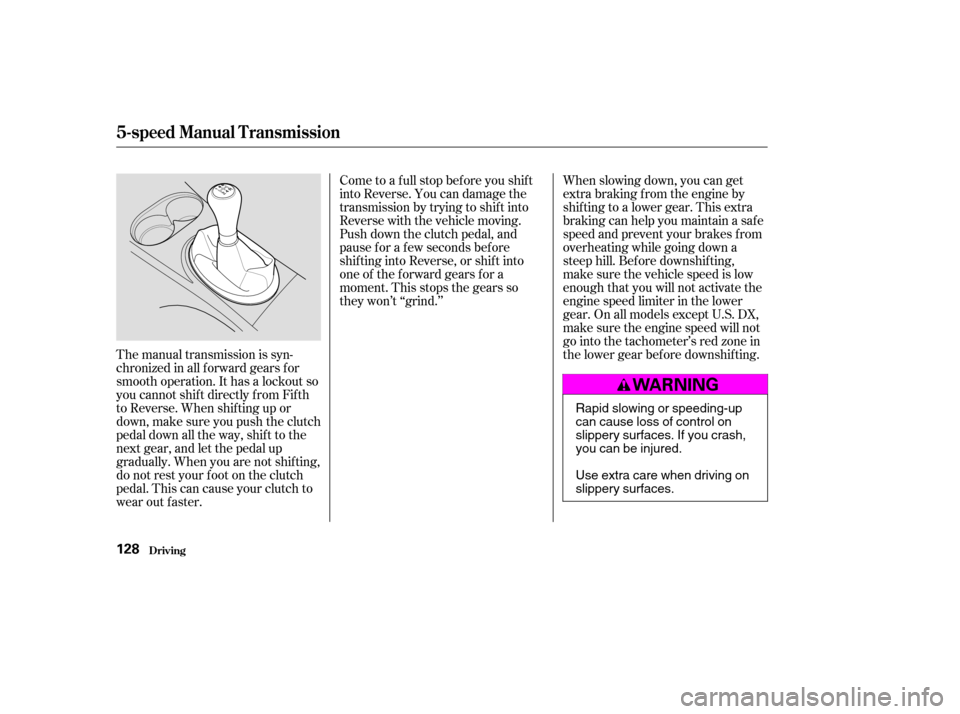
The manual transmission is syn-
chronizedinallforwardgearsfor
smooth operation. It has a lockout so
you cannot shift directly from Fifth
to Reverse. When shif ting up or
down,makesureyoupushtheclutch
pedal down all the way, shift to the
next gear, and let the pedal up
gradually. When you are not shif ting,
do not rest your f oot on the clutch
pedal. This can cause your clutch to
wear out faster.Come to a full stop before you shift
into Reverse. You can damage the
transmission by trying to shif t into
Reverse with the vehicle moving.
Push down the clutch pedal, and
pause f or a f ew seconds bef ore
shif ting into Reverse, or shif t into
one of the f orward gears f or a
moment. This stops the gears so
they won’t ‘‘grind.’’
When slowing down, you can get
extra braking from the engine by
shifting to a lower gear. This extra
braking can help you maintain a safe
speed and prevent your brakes f rom
overheating while going down a
steep hill. Bef ore downshif ting,
make sure the vehicle speed is low
enough that you will not activate the
engine speed limiter in the lower
gear. On all models except U.S. DX,
make sure the engine speed will not
go into the tachometer’s red zone in
the lower gear bef ore downshif ting.
5-speed Manual T ransmission
Driving128
Rapid slowing or speeding-up
can cause loss of control on
slippery surfaces. If you crash,
you can be injured.
Use extra care when driving on
slippery surfaces.
�����—�����—�����y�
�������������y���
�(���%�������y���
���
�y
Page 129 of 231
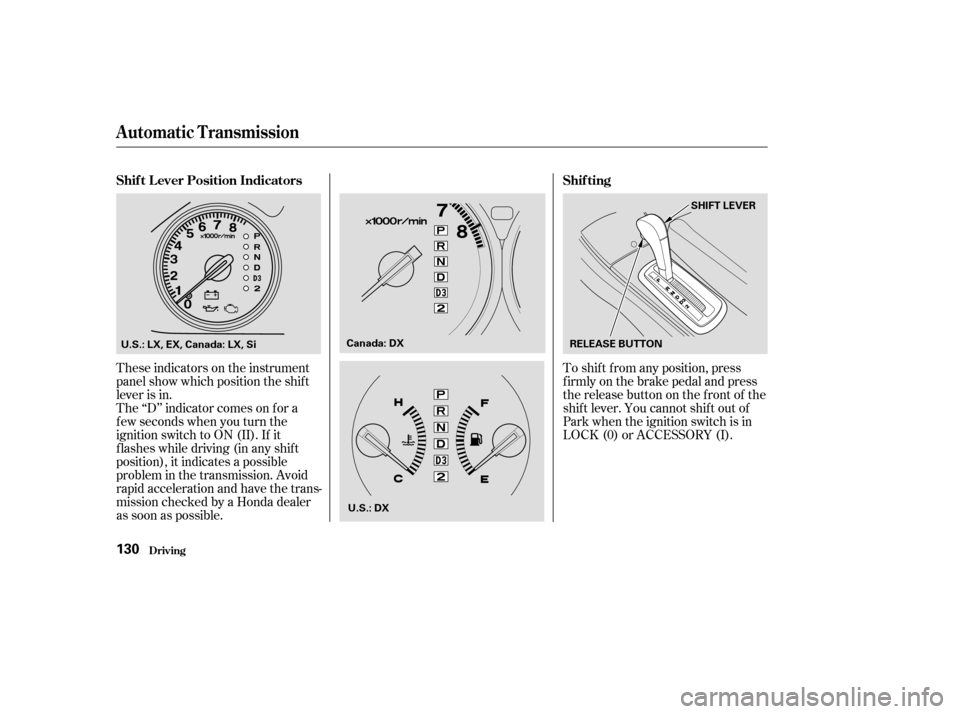
These indicators on the instrument
panel show which position the shif t
lever is in.To shif t f rom any position, press
f irmly on the brake pedal and press
the release button on the front of the
shiftlever.Youcannotshiftoutof
Park when the ignition switch is in
LOCK (0) or ACCESSORY (I).
The ‘‘D’’ indicator comes on f or a
f ew seconds when you turn the
ignition switch to ON (II). If it
f lashes while driving (in any shif t
position), it indicates a possible
problem in the transmission. Avoid
rapid acceleration and have the trans-
mission checked by a Honda dealer
as soon as possible.
Automatic Transmission
Shif t L ever Position Indicators
Shif ting
Driving130
U.S.: LX, EX, Canada: LX, Si RELEASE BUTTONSHIFT LEVER
Canada: DX
U.S.: DX
�����—�����—�����y�
���������
���y���
�(���%�������y���
�����y