2004 GMC YUKON front axle
[x] Cancel search: front axlePage 1 of 554

Seats and Restraint Systems........................... 1-1
Front Seats
............................................... 1-3
Rear Seats
............................................... 1-8
Safety Belts
.............................................1-23
Child Restraints
.......................................1-45
Air Bag Systems
......................................1-72
Restraint System Check
............................1-87
Features and Controls..................................... 2-1
Keys
........................................................ 2-3
Doors and Locks
....................................... 2-8
Windows
.................................................2-15
Theft-Deterrent Systems
............................2-18
Starting and Operating Your Vehicle
...........2-20
Mirrors
....................................................2-43
OnStar
®System
......................................2-53
HomeLink®Transmitter
.............................2-55
Storage Areas
.........................................2-60
Sunroof
..................................................2-63
Vehicle Personalization
.............................2-64
Instrument Panel............................................. 3-1
Instrument Panel Overview
.......................... 3-4
Climate Controls
......................................3-22
Warning Lights, Gages and Indicators
.........3-40
Driver Information Center (DIC)
..................3-58
Audio System(s)
.......................................3-77Driving Your Vehicle....................................... 4-1
Your Driving, the Road, and Your Vehicle
..... 4-2
Towing
...................................................4-53
Service and Appearance Care.......................... 5-1
Service
..................................................... 5-3
Fuel
......................................................... 5-4
Checking Things Under the Hood
.................5-10
All-Wheel Drive
........................................5-51
Rear Axle
...............................................5-52
Four-Wheel Drive
.....................................5-53
Front Axle
...............................................5-54
Bulb Replacement
....................................5-55
Windshield Wiper Blade Replacement
.........5-62
Tires
......................................................5-63
Appearance Care
...................................5-103
Vehicle Identication
...............................5-112
Electrical System
....................................5-113
Capacities and Specications
...................5-122
Maintenance Schedule..................................... 6-1
Maintenance Schedule
................................ 6-2
Customer Assistance and Information.............. 7-1
Customer Assistance and Information
........... 7-2
Reporting Safety Defects
...........................7-11
Index................................................................ 1
2004 GMC Yukon/Yukon XL Owner ManualM
Page 123 of 554

Front Axle Locking Feature
The front axle locks and unlocks automatically when
you shift the transfer case. Some delay for the axle to
lock or unlock is normal.
Automatic Transfer Case
{CAUTION:
Shifting the transfer case to NEUTRAL can
cause your vehicle to roll even if the
transmission is in PARK (P). You or someone
else could be seriously injured. Be sure to set
the parking brake before placing the transfer
case in NEUTRAL. SeeParking Brake on
page 2-37.The transfer case buttons
are located to the left of
the instrument panel
cluster.
Use these buttons to shift into and out of four-wheel drive.
You can choose among four driving settings:
h(2HI):This setting is used for driving in most street
and highway situations. Your front axle is not engaged
in two-wheel drive. This setting also provides the
best fuel economy.
AUTO 4WD:This setting is ideal for use when road
conditions are variable. When driving your vehicle in
AUTO 4WD, the front axle is engaged, but the vehicle’s
power is sent only to the rear wheels. When the vehicle
senses a loss of traction, the system will automatically
engage four-wheel drive. Driving in this mode results in
slightly lower fuel economy than 2HI.
2-29
Page 124 of 554

G(4HI):Use the 4HI position when you need extra
traction, such as on snowy or icy roads or in most
off-road situations. This setting also engages your front
axle to help drive your vehicle. This is the best setting
to use when plowing snow.
5(4LO):This setting also engages your front axle
and delivers extra torque. You may never need this
setting. It sends maximum power to all four wheels. You
might choose 4LO if you are driving off-road in deep
sand, deep mud, deep snow and climbing or descending
steep hills.
{CAUTION:
Shifting the transfer case to NEUTRAL can
cause your vehicle to roll even if the
transmission is in PARK (P). You or someone
else could be seriously injured. Be sure to set
the parking brake before placing the transfer
case in NEUTRAL. SeeParking Brake on
page 2-37.NEUTRAL (N):Shift the vehicle’s transfer case to
NEUTRAL only when towing your vehicle. See
Recreational Vehicle Towing on page 4-53orTowing
Your Vehicle on page 4-53for more information.
Indicator lights in the button show which setting you are
in. The indicator lights will come on briey when you
turn on the ignition and one will stay on. If the lights do
not come on, you should take your vehicle to your
dealer for service. An indicator light will ash while
shifting the transfer case. It will remain illuminated when
the shift is complete. If for some reason the transfer
case cannot make a requested shift, it will return to the
last chosen setting.
If the SERVICE 4WD message stays on, you should
take your vehicle to your dealer for service. See″Service
4WD message″underDriver Information Center (DIC)
on page 3-58.
2-30
Page 127 of 554
Shifting Out of NEUTRAL
To shift out of NEUTRAL:
1. Set the parking brake and apply the regular brake
pedal.
2. Shift the transmission to NEUTRAL (N) and turn the
ignition to RUN with the engine off.
3. Press the button for the desired transfer case shift
position (2HI, 4HI, AUTO 4WD OR 4LO).
4. After the transfer case has shifted out of NEUTRAL
the red light will go out.
5. Release the parking brake.
6. You may start the engine and shift the transmission
to the desired position.
Excessively shifting the transfer case into or out of the
different modes may cause the transfer case to
enter the shift protection mode. This will protect the
transfer case from possible damage and will only allow
the transfer case to respond to one shift per 10
seconds. The transfer case may stay in this mode for
up to three minutes.
All-Wheel Drive with Stabilitrak®
With this feature, engine power is sent to all four wheels
all the time.
This is like four-wheel drive, but there is no separate
lever or switch to engage or disengage the front axle. It
is fully automatic, and adjust itself as needed for
road conditions.
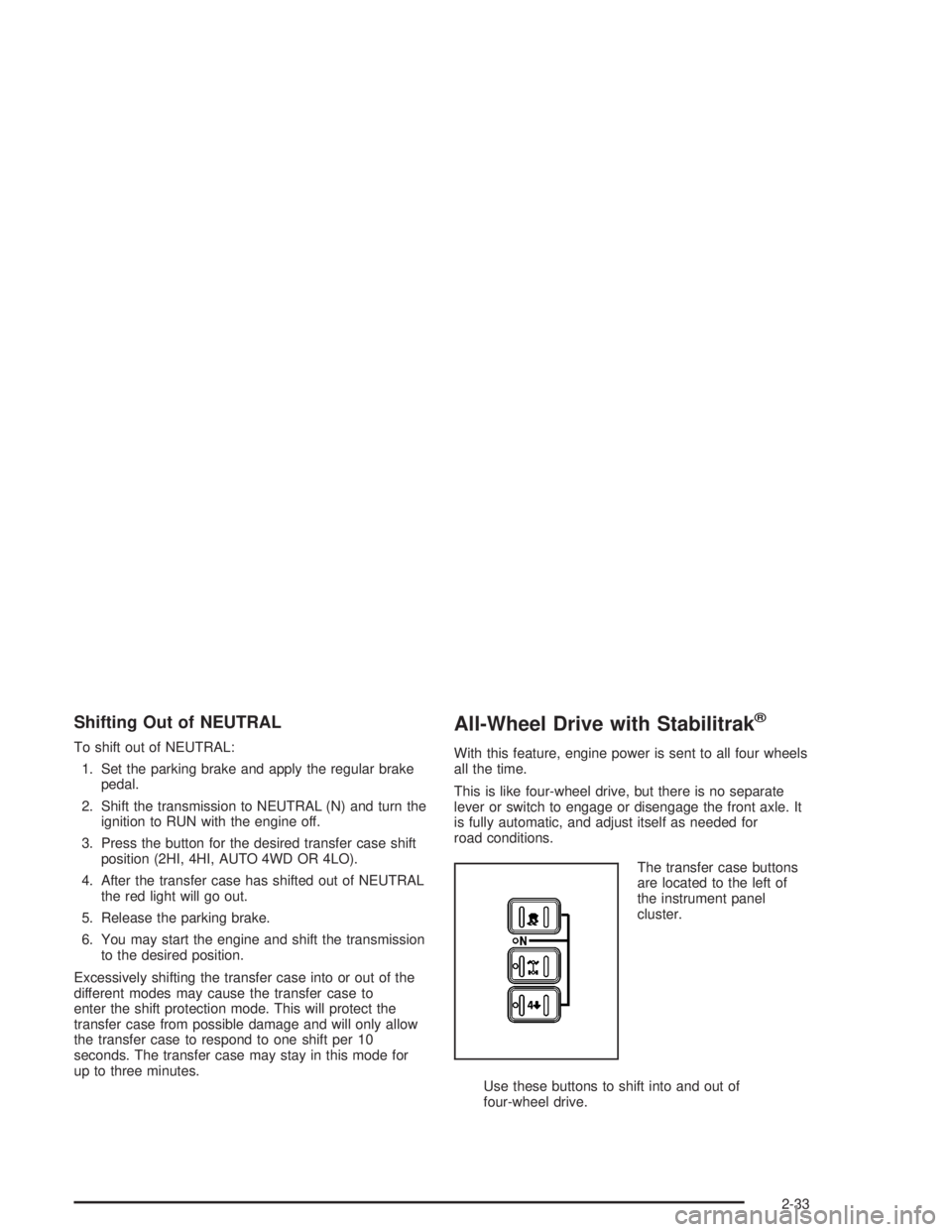
The transfer case buttons
are located to the left of
the instrument panel
cluster.
Use these buttons to shift into and out of
four-wheel drive.
2-33
Page 216 of 554

Cruise Control Light
The cruise light comes on
whenever you set your
cruise control. See “Cruise
Control” underTurn
Signal/Multifunction Lever
on page 3-8.
Four-Wheel-Drive Light
The four-wheel drive
indicator will light up when
you shift a manual
transfer case into
four-wheel drive and the
front axle engages.
Some delay between shifting and the indicator’s lighting
is normal.
SeeFour-Wheel Drive on page 2-28for more
information.
Tow/Haul Mode Light
This light is displayed
when the Tow/Haul mode
has been activated.
For more information, seeTowing a Trailer on
page 4-63.
3-56
Page 357 of 554

Tire and Loading Information Label
A. Vehicle Capacity Weight
The Tire and Loading Information label is attached to
the center pillar, near the driver’s door latch. Vehicles
without a center pillar will have the Tire and Loading
Information label attached to the driver’s door edge. This
label lists the number of people that can be in your
vehicle and the total weight it can carry. This weight is
called the vehicle capacity weight.
The Tire and Loading Information label also tells you
the size and recommended ination pressure for
the original equipment tires on your vehicle. For more
information on tires and ination seeTires on page 5-63
andInation - Tire Pressure on page 5-72.If your vehicle does not have the Tire and Loading
Information label, the Certication/Tire label shows the
tire size and recommended ination pressures
needed to obtain the Gross Vehicle Weight Rating
(GVWR) and the Gross Axle Weight Rating (GAWR) for
the front and rear axles. See “Certication/Tire Label”
later in this section.
Steps for Determining Correct Load Limit
1. Locate the statement “The combined weight of
occupants and cargo should never exceed XXX
pounds” on your vehicle placard.
2. Determine the combined weight of the driver and
passengers that will be riding in your vehicle.
3. Subtract the combined weight of the driver and
passengers from XXX kilograms or XXX pounds.
4. The resulting gure equals the available amount of
cargo and luggage load capacity. For example, if the
“XXX” amount equals 1400 lbs. and there will be ve
150 lb. passengers in your vehicle, the amount of
available cargo and luggage load capacity is 650 lbs.
(1400−750 (5 x 150) = 650 lbs.).
5. Determine the combined weight of luggage and
cargo being loaded on the vehicle. That weight
may not safely exceed the available cargo
and luggage load capacity calculated in Step 4.
4-57
Page 360 of 554

The Certication/Tire label also tells you the maximum
weights for the front and rear axles, called Gross
Axle Weight Rating (GAWR). To nd out the actual loads
on your front and rear axles, you need to go to a
weigh station and weigh your vehicle. Your dealer can
help you with this. Be sure to spread out your load
equally on both sides of the centerline.
Never exceed the GVWR for your vehicle, or the GAWR
for either the front or rear axle.
The Certication/Tire label also contains information
about your Front Axle Reserve Capacity. See “Front
Axle Reserve Capacity” later in this section.
And, if you do have a heavy load, you should spread
it out.
{CAUTION:
Do not load your vehicle any heavier than the
GVWR, or either the maximum front or rear
GAWR. If you do, parts on your vehicle can
break, and it can change the way your vehicle
handles. These could cause you to lose
control and crash. Also, overloading can
shorten the life of your vehicle.
Notice:Overloading your vehicle may cause
damage. Repairs would not be covered by your
warranty. Do not overload your vehicle.
The label will help you decide how much cargo and
installed equipment your truck can carry.
Using heavier suspension components to get added
durability might not change your weight ratings. Ask your
dealer to help you load your vehicle the right way.
If you put things inside your vehicle – like suitcases,
tools, packages, or anything else – they go as fast
as the vehicle goes. If you have to stop or turn quickly,
or if there is a crash, they’ll keep going.
4-60
Page 369 of 554
Do not exceed the maximum allowable tongue weight
for your vehicle. Choose the shortest hitch extension
that will position the hitch ball closest to the vehicle. This
will help reduce the effect of trailer tongue weight on
the rear axle.
After you have loaded the trailer, weigh the trailer and
then the tongue separately, to see if the weights
are proper. If they are not, you may be able to get them
right by moving some items around in the trailer.
Total Weight on Your Vehicle’s Tires
Be sure your vehicle’s tires are inated to the upper limit
for cold tires. You’ll nd these numbers on the
Certication label at the rear edge of the driver’s door or
see Loading Your Vehicle for more information. Then
be sure you don’t go over the GVW limit for your vehicle,
or the GAWR, including the weight of the trailer
tongue. If you use a weight distributing hitch, make sure
you don’t go over the rear axle limit before you apply
the weight distribution spring bars.
Hitches
It’s important to have the correct hitch equipment.
Crosswinds, large trucks going by and rough roads are
a few reasons why you will need the right hitch.
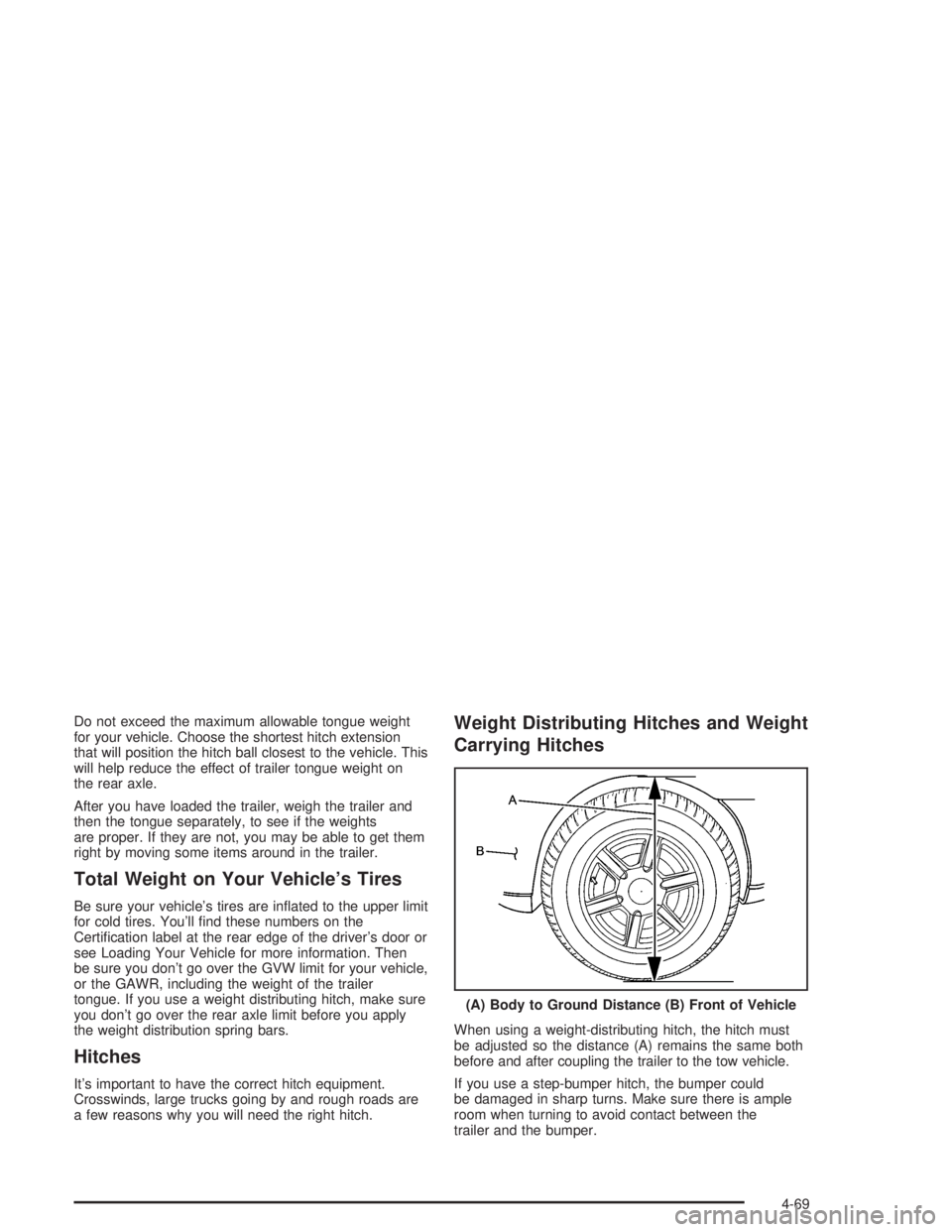
Weight Distributing Hitches and Weight
Carrying Hitches
When using a weight-distributing hitch, the hitch must
be adjusted so the distance (A) remains the same both
before and after coupling the trailer to the tow vehicle.
If you use a step-bumper hitch, the bumper could
be damaged in sharp turns. Make sure there is ample
room when turning to avoid contact between the
trailer and the bumper.(A) Body to Ground Distance (B) Front of Vehicle
4-69