2004 GMC YUKON lights
[x] Cancel search: lightsPage 313 of 554

The traction control system is enabled automatically
when you start your vehicle, and it will activate and
display the TRACTION ACTIVE message in the Driver
Information Center (DIC) if it senses that any of the
wheels are spinning or beginning to lose traction while
driving. If you turn off Stabilitrak
®, only the brake-traction
control portion of traction control will work. The engine
speed management will be disabled. In this state, engine
power is not reduced automatically and the driven wheels
can spin more freely. This can cause the brake-traction
control to activate constantly. For more information on the
traction active message, seeDriver Information
Center (DIC) on page 3-58.
Notice:If the traction off light comes on due to
heavy braking and/or because the traction control
system has been continuously active, do not
allow the wheel(s) of one axle to spin excessively.
If you do, you may be causing damage to the
transfer case. This could lead to costly repairs not
covered by your warranty.
If the brake-traction control system activates constantly or
if the brakes have heated up due to high speed braking,
the brake-traction control will be disabled and the
TRACTION SYS LIMITED message will be displayed. In
the limited mode, the traction control system will only use
engine traction-control and is limited in its ability to
provide optimal performance since the system will not
utilize brake traction-control to control slip on the drivewheels. The system will return to normal operation after
the brakes have cooled. This can take up to two minutes
or longer depending on brake usage.
Notice:If you allow the wheel(s) of one axle to spin
excessively while the traction off, ABS and brake
warning lights and the SERVICE STABILITY
MESSAGE are displayed, you could damage the
transfer case. The repairs would not be covered by
your warranty. Reduce engine power and do not
spin the wheel(s) excessively while these lights and
this message are displayed.
The traction control system may activate on dry or
rough roads or under conditions such as heavy
acceleration while turning or abrupt upshifts/downshifts
of the transmission. When this happens you may
notice a reduction in acceleration, or may hear a noise
or vibration. This is normal.
If your vehicle is in cruise control when the system
activates, the STABILITY SYS ACTIVE message will
appear on the Driver Information Center (DIC), and the
cruise control will automatically disengage. When
road conditions allow you to use cruise again, you may
re-engage the cruise control. See “Cruise Control”
underTurn Signal/Multifunction Lever on page 3-8
Stabilitrak
®may also turn off automatically if it
determines that a problem exists with the system. If the
problem does not clear itself after restarting the
vehicle, you should see your dealer for service.
4-13
Page 316 of 554

QUADRASTEER™
The QUADRASTEER™ System has a control and
diagnostic module that monitors and records current
system status and operational information.
If your vehicle is equipped with the 4 Wheel Steer
system it has the ability to steer the vehicle with all four
wheels.
Once the 4 Wheel Steer mode is selected, it is
recommended to leave the vehicle in this mode at all
times, and during all driving and weather conditions.
You can select this mode at any speed, however, if you
are turning the system will not engage until the turn
is complete.
The 4 Wheel Steer system is equipped with three
different driving modes:
Two wheel steering (2)
Four wheel steering (4)
Four wheel steering with a trailer mode (_)The switch is located on the instrument panel.
2:In this mode the vehicle will operate like any other
vehicle with two wheel steering. If you want to use
2 wheel steer mode and your vehicle is not in this mode,
press the button until the 2 indicator, located to the
right of the 4 Wheel Steer button, lights up. If the
2 indicator is ashing you will have to center the steering
wheel by turning it to the left or right.
Your vehicle will return to 2 when the transmission is
shifted into NEUTRAL (N), for example when entering a
car wash.
If you want to use tire chains, the vehicle needs to be in
2 wheel steer mode. For more information seeTire
Chains on page 5-82.
4-16
Page 327 of 554

Scanning the Terrain
Off-road driving can take you over many different kinds of
terrain. You need to be familiar with the terrain and its
many different features. Here are some things to
consider.
Surface Conditions:Off-roading can take you over
hard-packed dirt, gravel, rocks, grass, sand, mud, snow
or ice. Each of these surfaces affects the steering,
acceleration and braking of your vehicle in different ways.
Depending upon the kind of surface you are on, you may
experience slipping, sliding, wheel spinning, delayed
acceleration, poor traction and longer braking distances.
Surface Obstacles:Unseen or hidden obstacles can
be hazardous. A rock, log, hole, rut or bump can startle
you if you are not prepared for them. Often these
obstacles are hidden by grass, bushes, snow or even
the rise and fall of the terrain itself. Here are some
things to consider:
Is the path ahead clear?
Will the surface texture change abruptly up ahead?
Does the travel take you uphill or downhill?
(There is more discussion of these subjects later.)
Will you have to stop suddenly or change direction
quickly?When you drive over obstacles or rough terrain, keep a
rm grip on the steering wheel. Ruts, troughs or
other surface features can jerk the wheel out of your
hands if you are not prepared.
When you drive over bumps, rocks, or other obstacles,
your wheels can leave the ground. If this happens,
even with one or two wheels, you can not control the
vehicle as well or at all.
Because you will be on an unpaved surface, it is
especially important to avoid sudden acceleration,
sudden turns or sudden braking.
In a way, off-road driving requires a different kind of
alertness from driving on paved roads and highways.
There are no road signs, posted speed limits or
signal lights. You have to use your own good judgment
about what is safe and what is not.
Drinking and driving can be very dangerous on any
road. And this is certainly true for off-road driving. At the
very time you need special alertness and driving
skills, your reexes, perceptions and judgment can be
affected by even a small amount of alcohol. You
could have a serious — or even fatal — accident if you
drink and drive or ride with a driver who has been
drinking. SeeDrunken Driving on page 4-2.
4-27
Page 337 of 554

Here are some tips on night driving.
Drive defensively.
Do not drink and drive.
Adjust your inside rearview mirror to reduce the
glare from headlamps behind you.
Since you can not see as well, you may need to
slow down and keep more space between you
and other vehicles.
Slow down, especially on higher speed roads. Your
headlamps can light up only so much road ahead.
In remote areas, watch for animals.
If you are tired, pull off the road in a safe place
and rest.
No one can see as well at night as in the daytime. But
as we get older these differences increase. A
50-year-old driver may require at least twice as much
light to see the same thing at night as a 20-year-old.
What you do in the daytime can also affect your
night vision. For example, if you spend the day in bright
sunshine you are wise to wear sunglasses. Your
eyes will have less trouble adjusting to night. But if you
are driving, do not wear sunglasses at night. They
may cut down on glare from headlamps, but they also
make a lot of things invisible.You can be temporarily blinded by approaching
headlamps. It can take a second or two, or even several
seconds, for your eyes to re-adjust to the dark. When
you are faced with severe glare (as from a driver
who does not lower the high beams, or a vehicle with
misaimed headlamps), slow down a little. Avoid
staring directly into the approaching headlamps.
Keep your windshield and all the glass on your vehicle
clean — inside and out. Glare at night is made much
worse by dirt on the glass. Even the inside of the glass
can build up a lm caused by dust. Dirty glass makes
lights dazzle and ash more than clean glass would,
making the pupils of your eyes contract repeatedly.
Remember that your headlamps light up far less of a
roadway when you are in a turn or curve. Keep
your eyes moving; that way, it is easier to pick out dimly
lighted objects. Just as your headlamps should be
checked regularly for proper aim, so should your eyes
be examined regularly. Some drivers suffer from
night blindness — the inability to see in dim light — and
are not even aware of it.
4-37
Page 351 of 554

Rocking Your Vehicle To Get It Out
First, turn your steering wheel left and right. That will
clear the area around your front wheels. If you have a
four-wheel-drive vehicle, shift into 4HI or 4LO. If
your vehicle has the Traction Assist System, you should
turn it off by pressing the TAS on/off button. If your
vehicle has the Stabilitrak
®System, turn the
Stabilitrak®System off by pressing the
Stabilitrak®button so that the STABILITY SYSTEM
DISABLED and TRACTION OFF lights are illuminated
on the instrument panel cluster. Then shift back and
forth between REVERSE (R) and a forward gear,
spinning the wheels as little as possible. Release the
accelerator pedal while you shift, and press lightly on the
accelerator pedal when the transmission is in gear.
By slowly spinning your wheels in the forward and
reverse directions, you will cause a rocking motion that
may free your vehicle. If that does not get you out
after a few tries, you may need to be towed out. Or, you
can use your recovery hooks if your vehicle has
them. If you do need to be towed out, seeTowing Your
Vehicle on page 4-53.
Using the Recovery Hooks
Your vehicle may be equipped with recovery hooks. The
hooks are provided at the front of your vehicle. You may
need to use them if you are stuck off-road and need to be
pulled to some place where you can continue driving.
4-51
Page 406 of 554

Engine Coolant
The cooling system in your vehicle is lled with
DEX-COOL®engine coolant. This coolant is designed
to remain in your vehicle for 5 years or 150,000 miles
(240 000 km), whichever occurs rst, if you add only
DEX-COOL
®extended life coolant.
The following explains your cooling system and how to
add coolant when it is low. If you have a problem
with engine overheating, seeEngine Overheating on
page 5-29.
A 50/50 mixture of clean, drinkable water and
DEX-COOL
®coolant will:
Give freezing protection down to−34°F (−37°C).
Give boiling protection up to 265°F (129°C).
Protect against rust and corrosion.
Help keep the proper engine temperature.
Let the warning lights and gages work as they
should.
Notice:Using coolant other than DEX-COOL
®may
cause premature engine, heater core or radiator
corrosion. In addition, the engine coolant may
require changing sooner, at 30,000 miles (50 000 km)
or 24 months, whichever occurs rst. Any repairs
would not be covered by your warranty. Always use
DEX-COOL
®(silicate-free) coolant in your vehicle.
What to Use
Use a mixture of one-halfclean, drinkable waterand
one-half DEX-COOL®coolant which won’t damage
aluminum parts. If you use this coolant mixture,
you don’t need to add anything else.
{CAUTION:
Adding only plain water to your cooling
system can be dangerous. Plain water, or
some other liquid such as alcohol, can boil
before the proper coolant mixture will. Your
vehicle’s coolant warning system is set for the
proper coolant mixture. With plain water or the
wrong mixture, your engine could get too hot
but you would not get the overheat warning.
Your engine could catch re and you or others
could be burned. Use a 50/50 mixture of clean,
drinkable water and DEX-COOL
®coolant.
5-26
Page 553 of 554
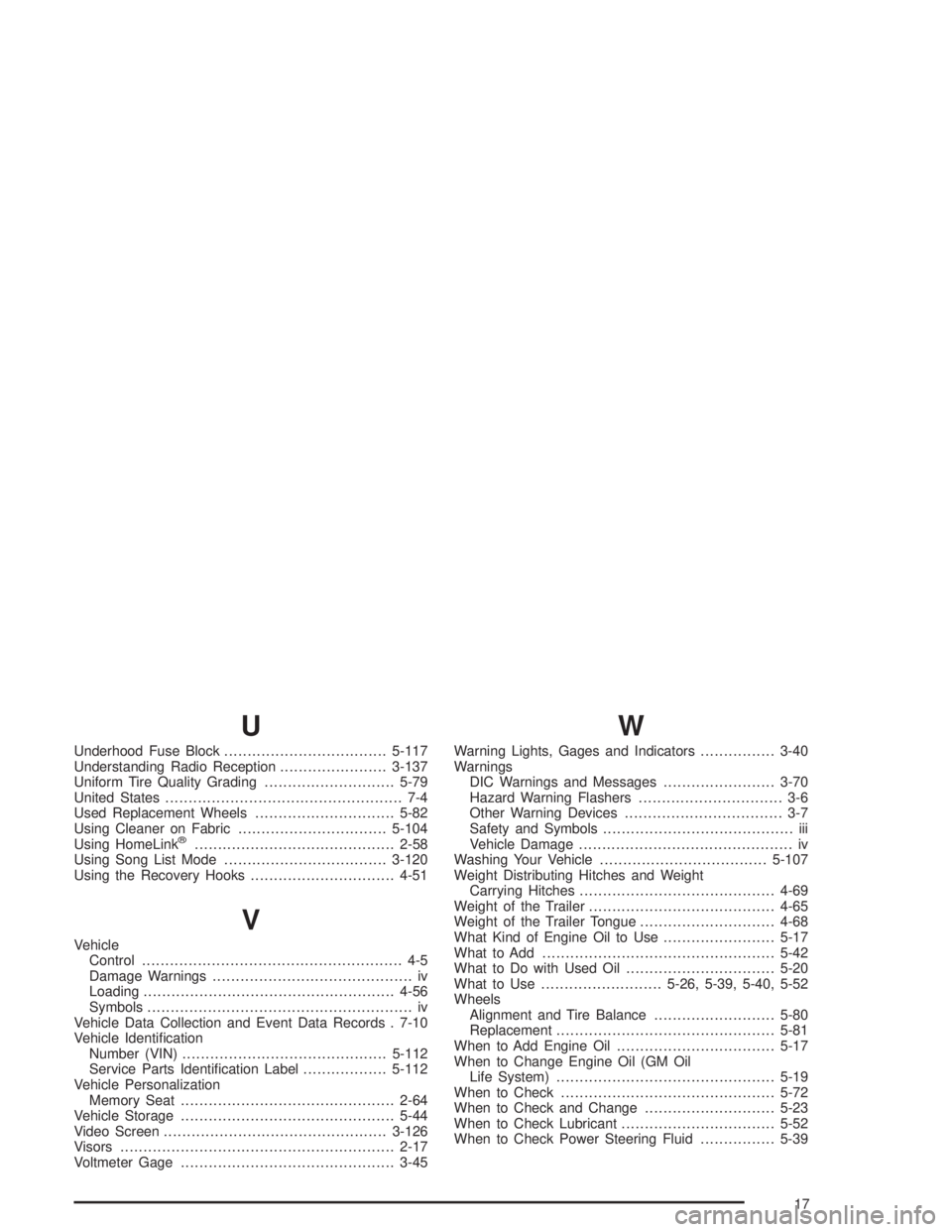
U
Underhood Fuse Block...................................5-117
Understanding Radio Reception.......................3-137
Uniform Tire Quality Grading............................5-79
United States................................................... 7-4
Used Replacement Wheels..............................5-82
Using Cleaner on Fabric................................5-104
Using HomeLink
®...........................................2-58
Using Song List Mode...................................3-120
Using the Recovery Hooks...............................4-51
V
Vehicle
Control........................................................ 4-5
Damage Warnings........................................... iv
Loading......................................................4-56
Symbols......................................................... iv
Vehicle Data Collection and Event Data Records . 7-10
Vehicle Identication
Number (VIN)............................................5-112
Service Parts Identication Label..................5-112
Vehicle Personalization
Memory Seat..............................................2-64
Vehicle Storage..............................................5-44
Video Screen................................................3-126
Visors...........................................................2-17
Voltmeter Gage..............................................3-45
W
Warning Lights, Gages and Indicators................3-40
Warnings
DIC Warnings and Messages........................3-70
Hazard Warning Flashers............................... 3-6
Other Warning Devices.................................. 3-7
Safety and Symbols......................................... iii
Vehicle Damage.............................................. iv
Washing Your Vehicle....................................5-107
Weight Distributing Hitches and Weight
Carrying Hitches..........................................4-69
Weight of the Trailer........................................4-65
Weight of the Trailer Tongue.............................4-68
What Kind of Engine Oil to Use........................5-17
What to Add..................................................5-42
What to Do with Used Oil................................5-20
What to Use..........................5-26, 5-39, 5-40, 5-52
Wheels
Alignment and Tire Balance..........................5-80
Replacement...............................................5-81
When to Add Engine Oil..................................5-17
When to Change Engine Oil (GM Oil
Life System)...............................................5-19
When to Check..............................................5-72
When to Check and Change............................5-23
When to Check Lubricant.................................5-52
When to Check Power Steering Fluid................5-39
17